Ability Wheel
- By
Ability Wheel is a standalone radial action-bar addon for modern WoW, inspired by RingMenu and rebuilt from scratch with a new UI, keybind system, settings, and multi-client support.
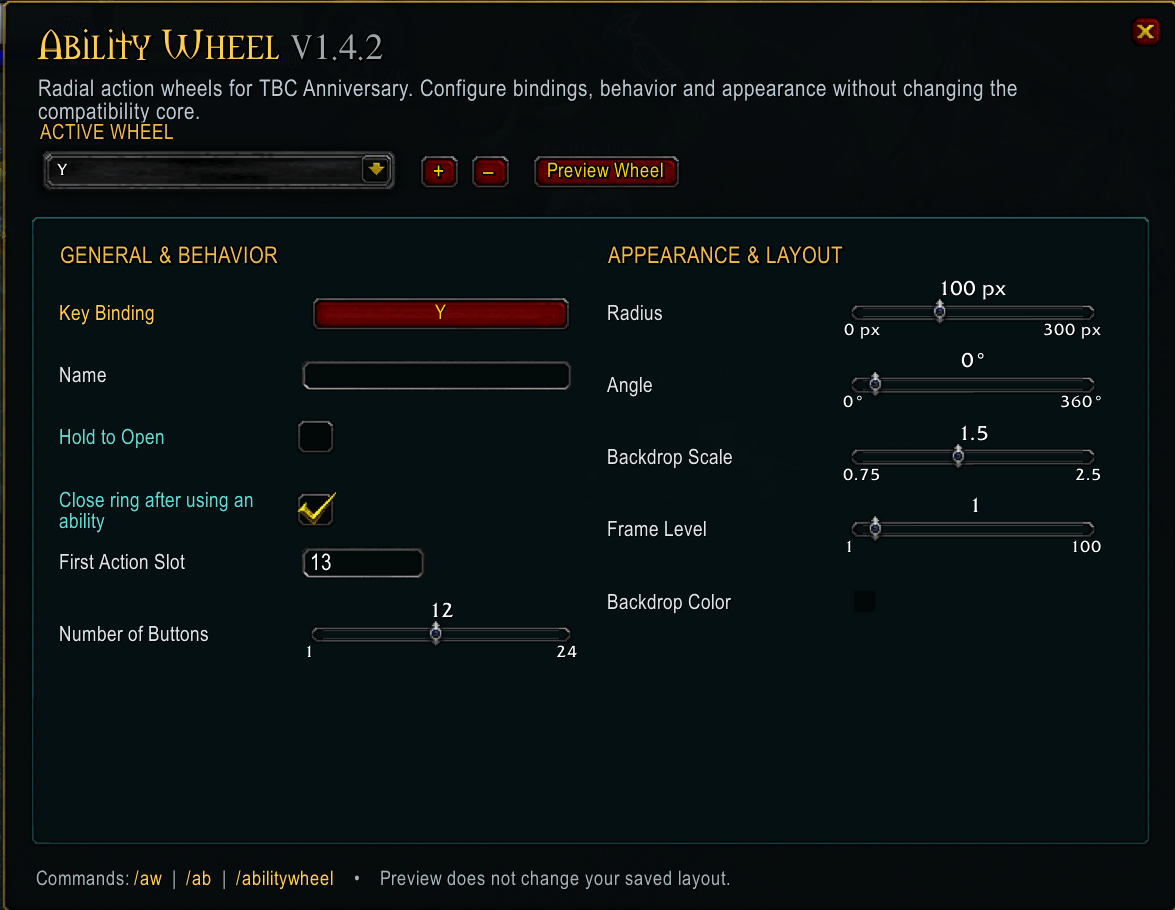
ability wheel options.png
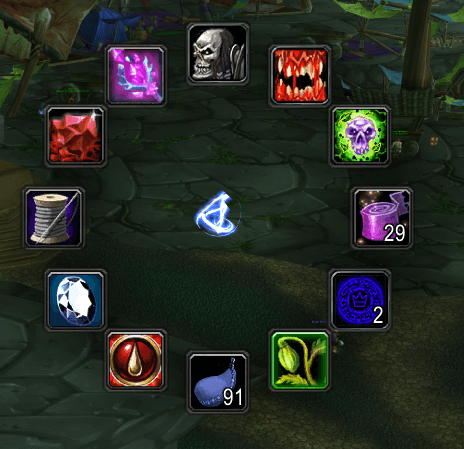
Menu open 1.png
Description
Addon Overview

Ability Wheel is a lightweight radial action-bar addon that lets you open customizable circular ability menus around your mouse cursor.
It is designed to reduce action-bar clutter while keeping spells, items, macros, mounts, and other frequently used actions quickly accessible through configurable keybinds.
Ability Wheel supports multiple independent wheels, each with its own keybind, size, layout, behavior, and assigned actions.
Features
- Multiple customizable ability wheels
- 4–12 slots per wheel
- Custom wheel names
- Individual keybinds
- Toggle mode
- Hold-to-open mode
- Optional close-after-action behavior
- Adjustable icon size
- Adjustable wheel radius
- Drag-and-drop action assignment
- Spells
- Items
- Macros
- Mounts
- Supported action-bar actions
- Cooldown displays
- Item stack counts
- Preview and edit mode
- Interface → AddOns settings menu
- Saved configuration between sessions
- Event-driven design with no unnecessary continuous polling
- No external addon libraries required
Supported WoW Clients
Ability Wheel is designed for:
- World of Warcraft: Midnight
- World of Warcraft: Forever
- Burning Crusade Classic Anniversary
Client-specific handling is built into the addon so the same project can support the different UI and secure-action environments used by these versions of WoW.
About the Project
Ability Wheel was inspired by the original RingMenu addon by jsb.
I enjoyed the idea of having circular action bars appear around the mouse cursor, but the original project was created for much older versions of World of Warcraft and no longer worked correctly with the modern WoW UI APIs.
I was also unable to contact the original author to ask whether an updated version was planned.
Because of this, rather than continuing to modify the old addon, Ability Wheel was rebuilt from scratch as a new standalone project. Even then the API changes over the years would have required this anyway.
It has its own:
- addon namespace
- SavedVariables database
- radial layout system
- secure action-button implementation
- keybinding system
- settings interface
- UI design
- compatibility layer
- configuration structure
The goal is to preserve the useful idea of a radial action menu while providing a modern and maintainable implementation for current WoW clients.
Inspiration & Credit
Ability Wheel was inspired by:
RingMenu by jsb
Original project:https://github.com/jsb/RingMenu
Commands
/aw — Open Ability Wheel settings/aw preview 1 — Preview/Edit Wheel 1/aw close — Close all visible wheels/aw reset — Reset Ability Wheel configuration/aw help — Show available commands
Long command:
/abilitywheel
Why Ability Wheel?
Traditional action bars work well, but they can consume a large amount of screen space when many abilities, items, macros, and utility actions are required.
Ability Wheel allows those less frequently used actions to stay hidden until needed.
Press your chosen keybind and the wheel appears around your cursor, giving you quick access to your configured abilities without permanently filling your interface with additional action bars.
The result is a cleaner UI while still keeping important abilities close at hand.
The Ability Wheel Team