Extra Pet Frames
- By
Custom TBC Anniversary group pet frames with 5/10/25 layouts, smooth health, incoming heals, out-of-range fading, optional tooltips, arena filters, column wrapping, previews, minimap access, and per-character settings.
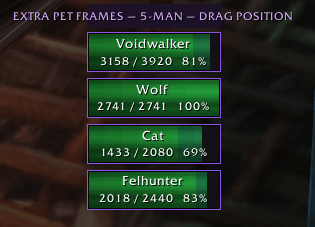
party pet frames.png
party pet frames 10.png
party pet frames 25.png
Skärmbild 2026-09-24 162611.png
Description
Extra Pet Frames
Extra Pet Frames is a lightweight, standalone pet-frame addon built specifically for World of Warcraft: The Burning Crusade Anniversary.
It creates secure, customizable frames for other party and raid members' pets. Your own personal pet frame is intentionally left to Blizzard and is not duplicated or managed by the addon.
Main Features
- Secure left-click to target group pets
- Party and optional raid pet frames
- Automatic 5-MAN / 10-MAN / 25-MAN layouts
- Optional shared RAID layout for 10-MAN and 25-MAN
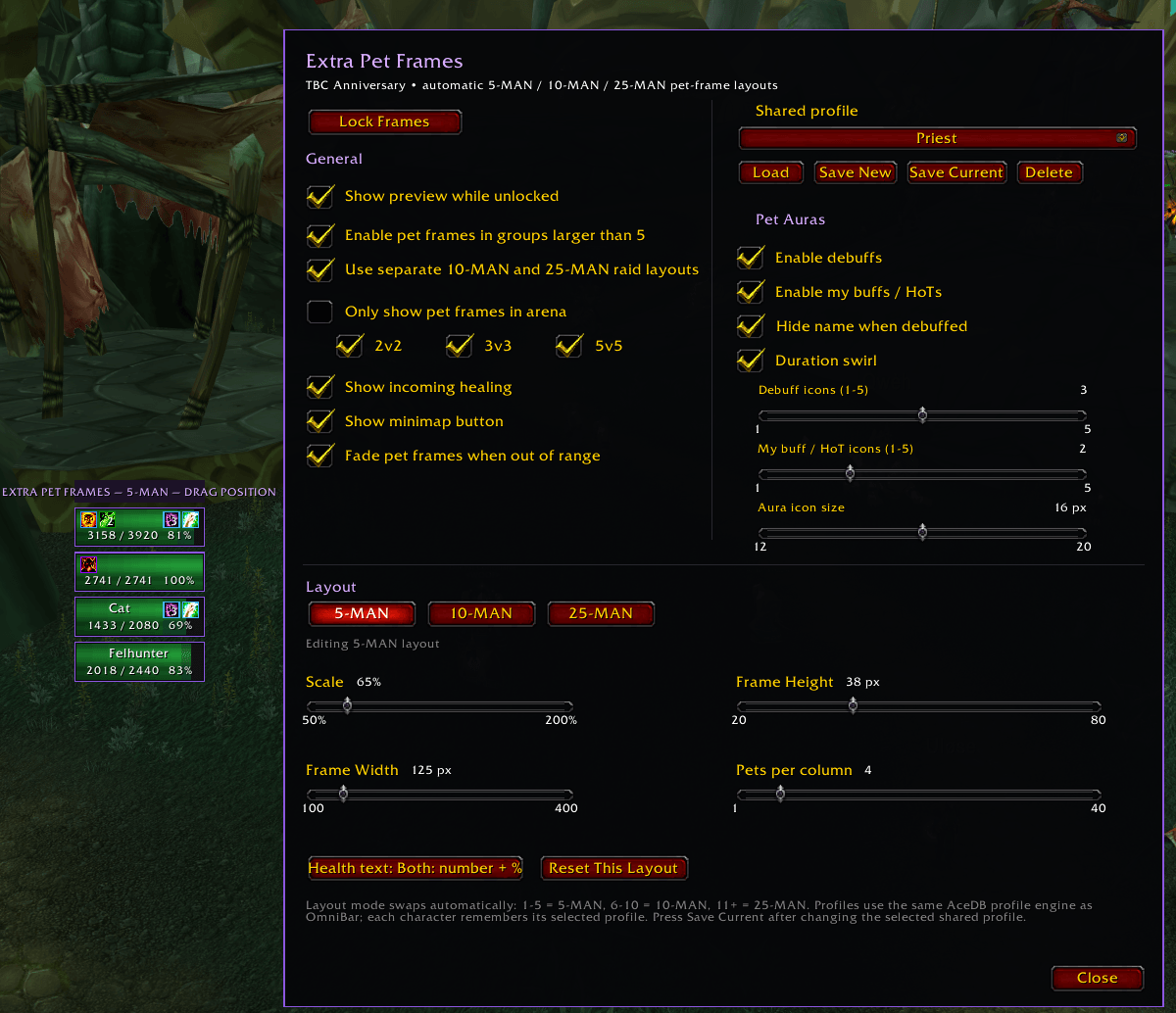
- Independent position, scale, width, height and Pets-per-column settings
- Frames grow downward and then wrap into additional columns to the right
- Smooth health-bar animation
- Incoming-heal prediction
- Optional out-of-range fading
- Optional pet mouseover tooltip
- Health as number + %, number only, % only, or hidden
- Arena-only mode with independent 2v2 / 3v3 / 5v5 filters
- Unlockable previews for every layout
- Movable minimap button
- Interface → AddOns configuration
- Per-character settings
Standalone and Performance-Focused
Extra Pet Frames intentionally does not attach to, scan, hook, reparent or continuously inspect Blizzard party/raid frames.
Earlier attachment experiments were removed because TBC Anniversary's pooled compact-frame system could cause unreliable placement, overlapping frames and unnecessary UI work.
Every Extra Pet Frames layout therefore uses its own movable anchor. This keeps the addon isolated from Blizzard's compact-frame and Private Aura systems and makes its behavior considerably more predictable in large groups.
Automatic Group-Size Layouts
Extra Pet Frames automatically selects its layout based on the actual number of players in your group.
5-MAN is used for groups of 1–5 players.
10-MAN is used for groups of 6–10 players.
25-MAN is used for groups of 11 or more players, including larger 40-player groups.
This allows a 10-player battleground or raid-style group to have a completely different pet-frame layout from a 25- or 40-player raid.
If you don't need different 10-MAN and 25-MAN settings, you can instead use one shared RAID layout for both.
Each layout can independently remember its position, scale, frame width, frame height and Pets-per-column value.
Pets Per Column
The Pets per column setting controls how many pet frames grow downward before the addon starts another column to the right.
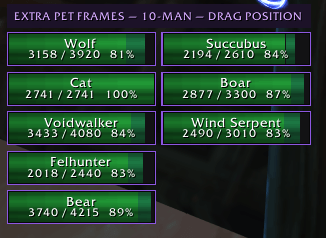
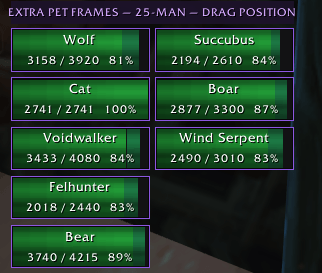
For example, with the value set to 5, pets 1–5 appear vertically in the first column. Pet 6 begins a second column, followed by pets 7–10 beneath it.
This prevents large raid pet lists from extending off the bottom of your screen.
Smooth Health
Pet health bars update using WoW's native StatusBar interpolation rather than running a separate animation loop for every frame.
This produces smoother health movement while keeping addon processing lightweight.
Incoming Healing
Enable Show incoming healing to display predicted healing directly on the pet's health bar before the heal lands.
This provides an at-a-glance indication of where the pet's health is expected to move after current incoming heals complete.
Out-of-Range Fading
Enable Fade pets when out of range to dim pet frames when WoW confirms that a pet is outside normal group-frame range.
Blizzard's compact unit frames use the same UnitInRange() system and fade unavailable units rather than hiding them.
Extra Pet Frames performs this check through one lightweight shared timer rather than creating an update loop for every individual pet.
If WoW cannot reliably determine the unit's range, the pet remains at full opacity.
Mouseover Tooltips
By default, hovering over a live pet frame displays WoW's normal unit tooltip.
Disable:
Show pet tooltip on mouseover
if you don't want the HUD/GameTooltip appearing as you move your mouse over pet frames.
This option affects Extra Pet Frames only and does not disable tooltips anywhere else in WoW.
Health Text
Health can be displayed as:
Number + Percentage
3158 / 3920 81%
Number Only
3158 / 3920
Percentage Only
81%
or completely hidden.
Arena Filters
Enable Only show pet frames inside arenas if you wantPet Frames active exclusively in Arena instances.
The following brackets can then be enabled or disabled independently:
2v2
3v3
5v5
For example, you can enable Extra Pet Frames for 2v2 and 3v3 while leaving it hidden in 5v5.
Preview mode remains available outside arenas while frames are unlocked.
Preview and Moving Frames
You don't need to be grouped or have pets currently available to configure the addon.
Unlock Extra Pet Frames to display simulated pet frames for the layout you're editing.
Preview labels clearly identify whether you're configuring the:
5-MAN layout
10-MAN layout
25-MAN layout
or Shared RAID layout.
Once positioned, lock the frames to prevent accidental movement.
Blizzard Group Pet Frames
Extra Pet Frames includes an optional setting to hide Blizzard's own group pet frames.
Your own personal pet frame beneath your PlayerFrame is intentionally outside the scope of Extra Pet Frames and is left alone.
Minimap Button
Extra Pet Frames includes a movable minimap button.
Left-click: Open settings
Right-click: Lock or unlock frames
Drag: Move the minimap button
The minimap button can also be hidden through the addon settings.
Configuration
Extra Pet Frames is available through:
Interface → AddOns → Extra Pet Frames
or by using:
/epf
Useful commands include:
/epf unlock/epf lock/epf preview/epf 5/epf 10/epf 25/epf reset/epf debug
/epf is the only slash-command prefix registered by the addon.
Per-Character Settings
Extra Pet Frames uses SavedVariablesPerCharacter & a Profile Loading System.
Each character can independently or chose to use any other saved preset to maintain its own layouts, positions, sizes, column limits, Arena filters, minimap settings, range-fading preference, tooltip preference and other addon configuration.
The Extra Pet Frames Team