promotional banner

XP Tracker

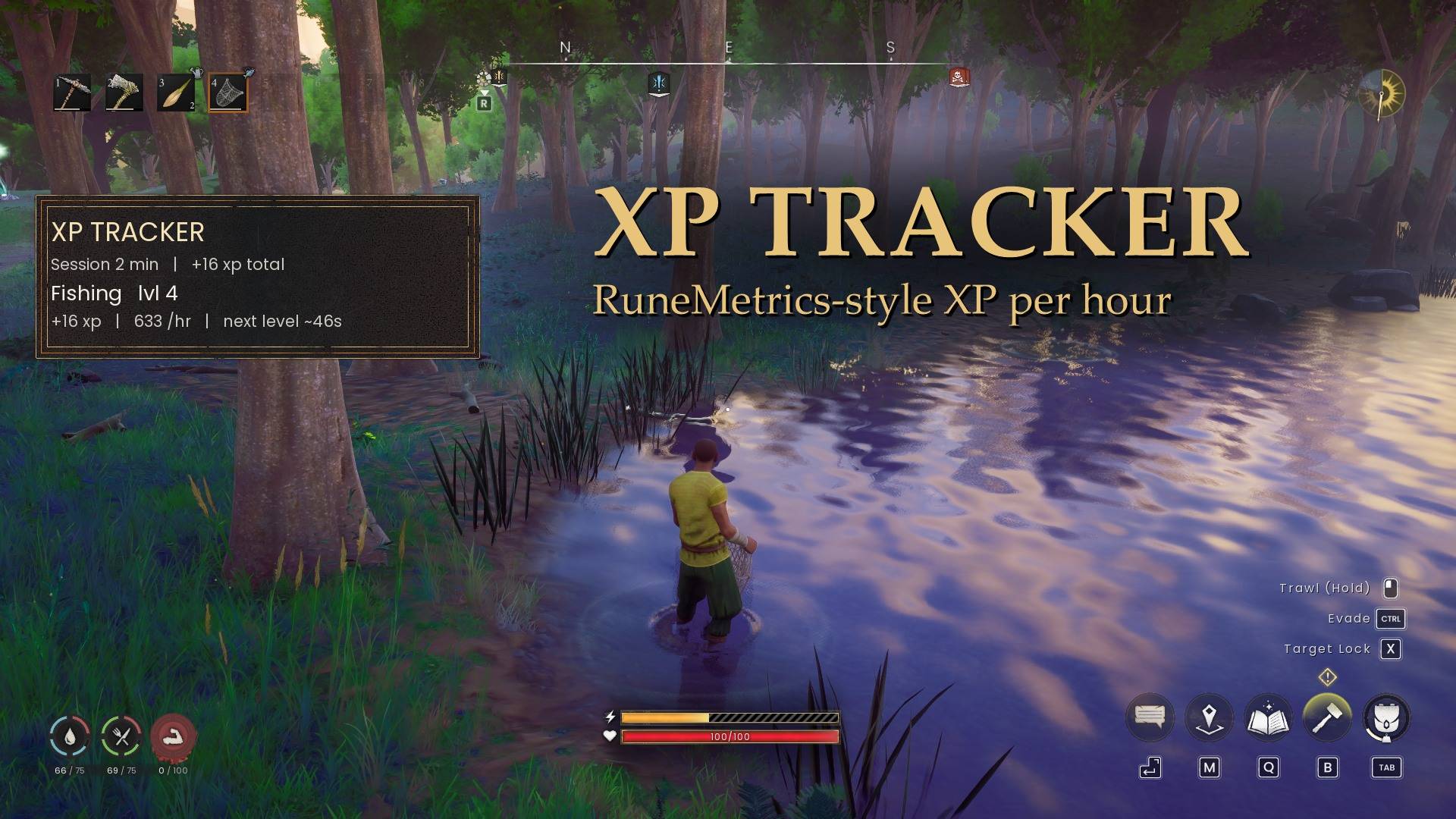
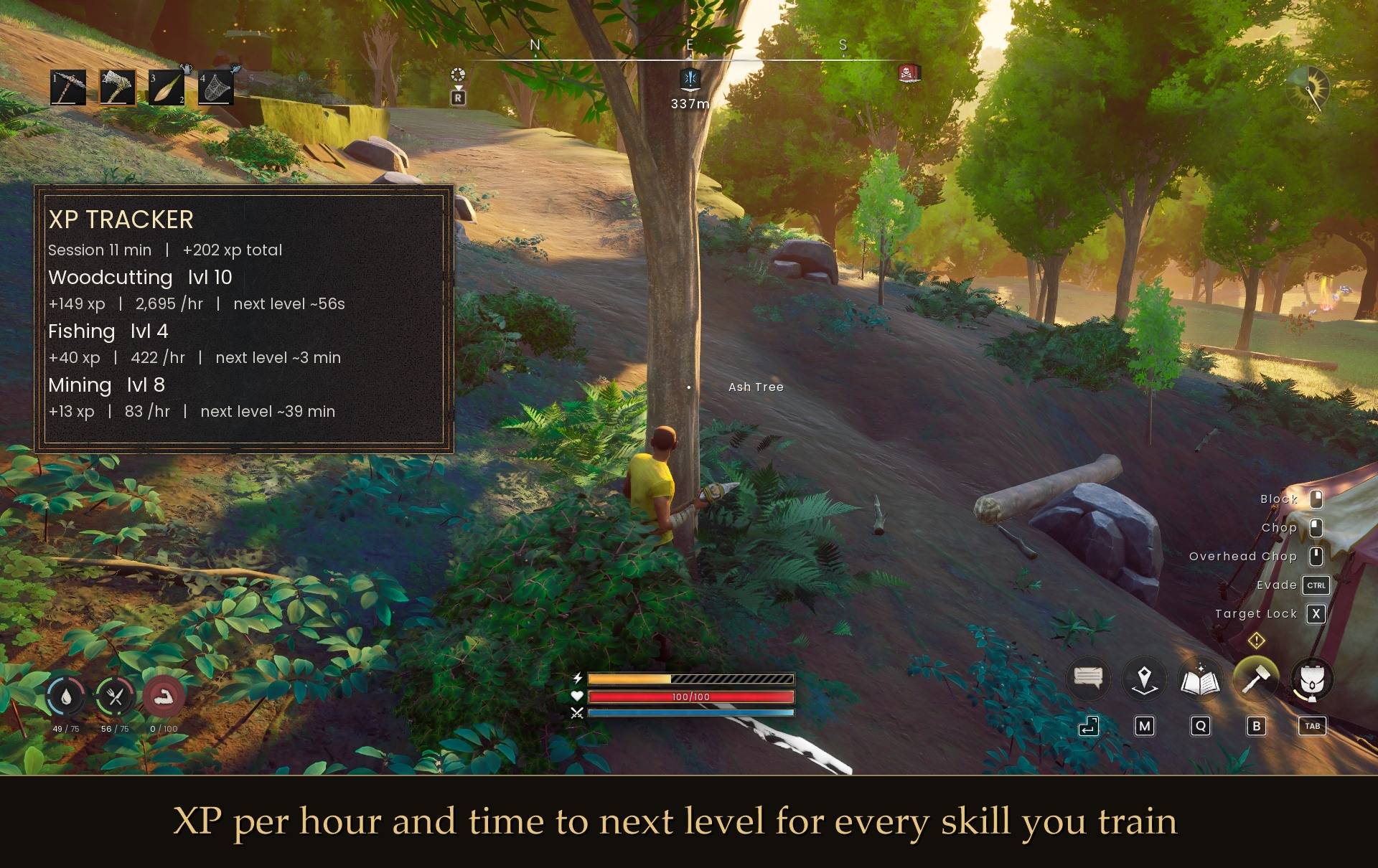
RuneMetrics-style XP tracker. Shows your XP per hour and time to next level for whatever you're training, in a small panel you can toggle from the pause menu. Doesn't change anything.
3-hero.jpg

3-hero.jpg

1-three-skills.jpg

1-three-skills.jpg

2-fishing.jpg

2-fishing.jpg

4-pause-menu.jpg

4-pause-menu.jpg

Description

XP Tracker

I kept wondering how fast I was actually levelling, so I made this. It's a small panel that shows your XP per hour and roughly how long until your next level, for whatever you're training right now. Basically RuneMetrics from RS3, but in Dragonwilds.

What it shows

  • XP gained this session for each skill you train (up to 6, most recent on top)
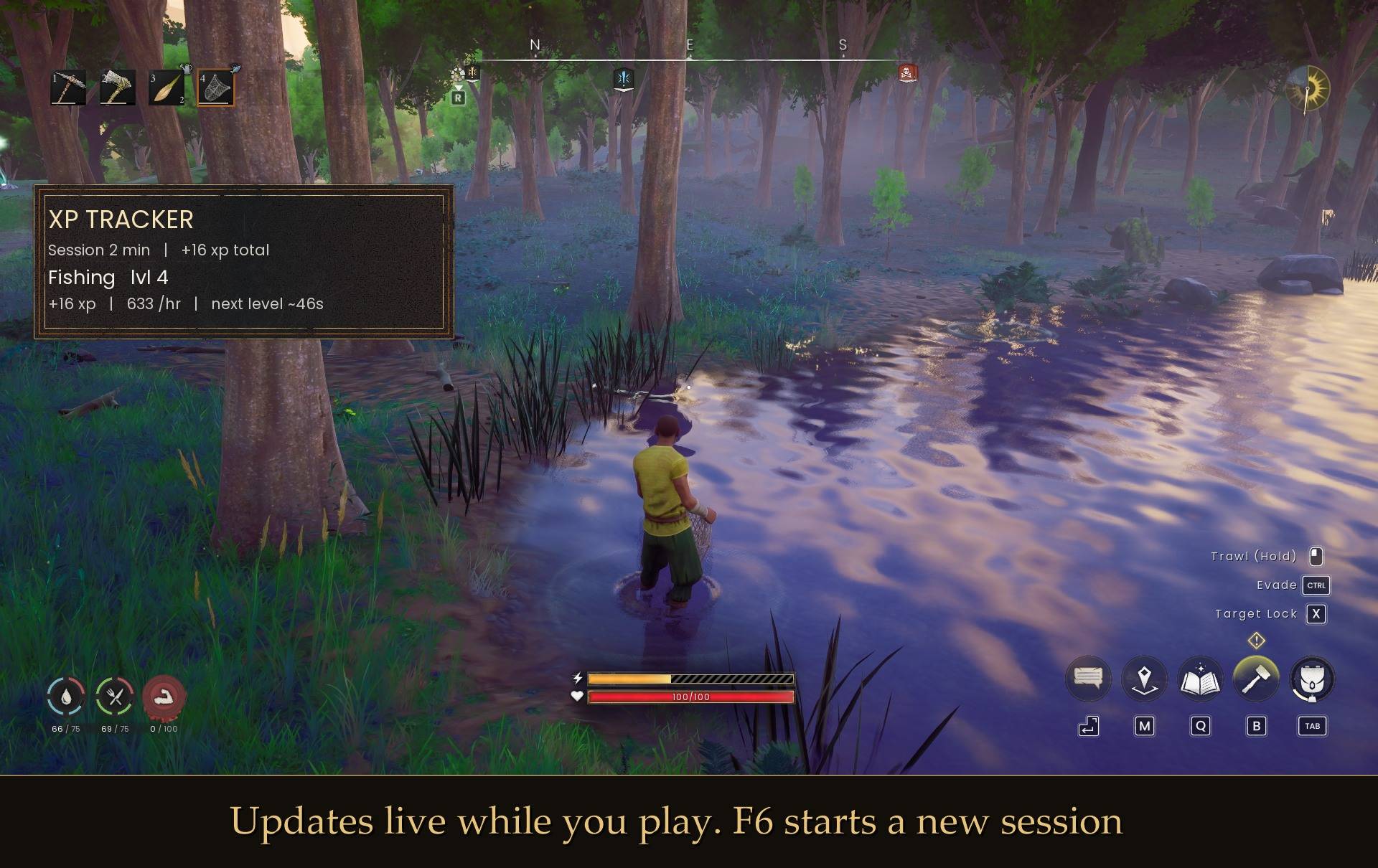
  • XP per hour. It waits a minute before showing a rate, so one lucky catch doesn't claim 2,000 xp/hr
  • Your level and about how long until the next one

It uses the game's own panel style so it doesn't look out of place. It fades out after a minute with no XP, comes back when you gain some, and hides while your inventory or map is open. It only reads your XP and never changes anything.

How to use it
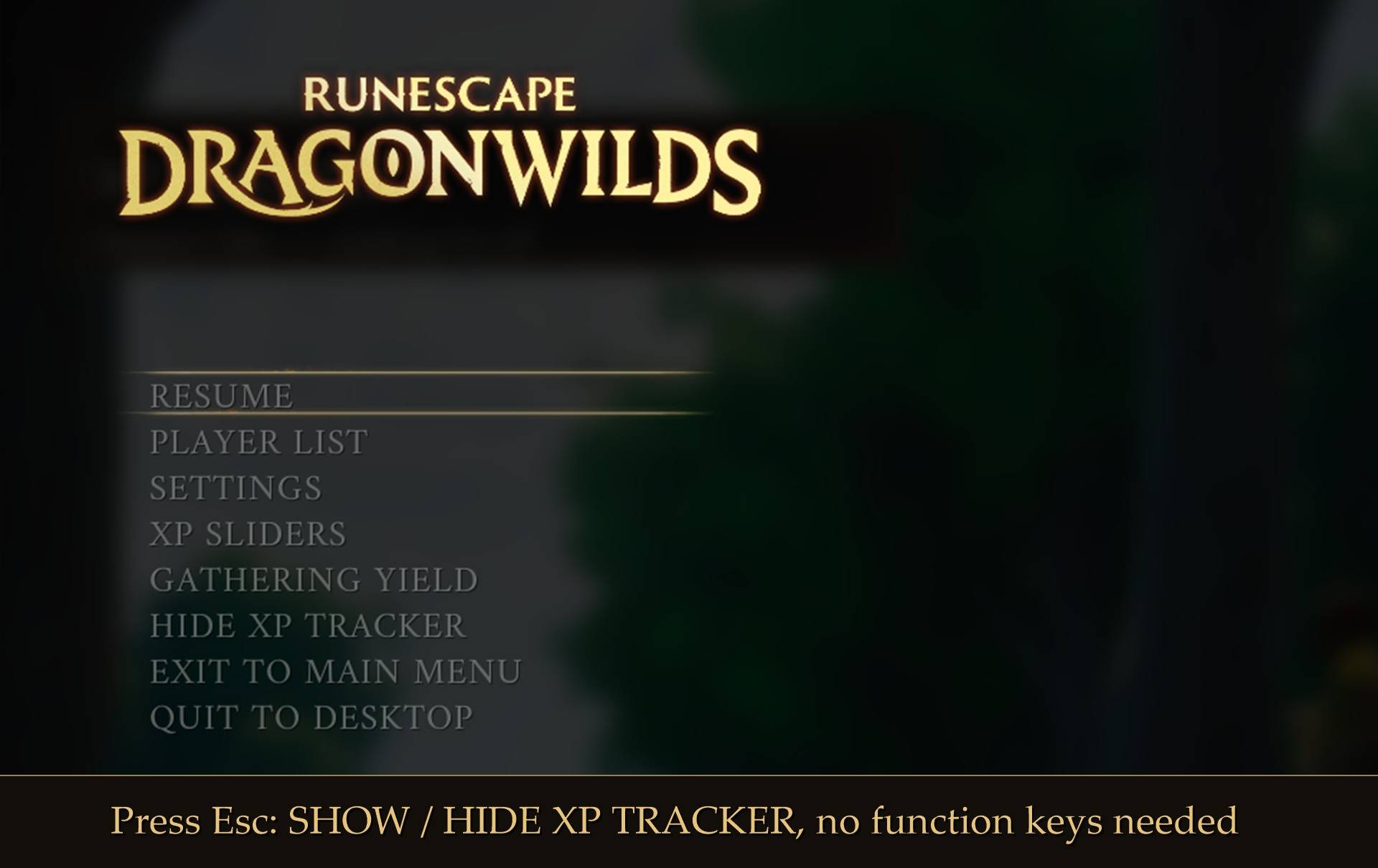
Press Esc and click SHOW XP TRACKER (or HIDE XP TRACKER). F7 does the same thing and F6 starts a fresh session.

Install

  1. Install UE4SS for RSDragonwilds (free, from the UE4SS for RSDragonwilds page on Nexus Mods)
  2. Drop the XPTracker folder into RSDragonwilds/Binaries/Win64/ue4ss/Mods/

On Game Pass: use the BE version of UE4SS with the SCO signature, the normal build does not load there (thanks JourneyOver for testing). Game Pass also installs the game under Binaries/WinGDK/ instead of Binaries/Win64/, so the XPTracker folder goes in RSDragonwilds/Binaries/WinGDK/ue4ss/Mods/. If you use a mod manager, check that is where it ended up.
To remove it, just delete the folder.

Settings
There's a config.txt in the folder. You can change or turn off the keys, move the panel, resize it, show more or fewer skills, or stop it fading. Every option has a note next to it. Edit it with the game closed.

If you also have my Mod Menu installed, all of it is in Esc > MODS instead, and the sliders apply while you drag them. Position left, Position top and Panel size move and resize the panel live, no restart. Panel size runs from 50% to 250% and scales the frame and the text together. The panel grows from its top left corner, so resizing it never moves it.

Notes

  • Plays fine with my XP Sliders and Yield Sliders mods. Extra XP from XP Sliders counts toward your rate.
  • Works on Steam and Game Pass. On Game Pass, use the BE version of UE4SS with the SCO signature (thanks JourneyOver for testing).
  • I haven't tried it in co-op yet. If you do, let me know how it goes.
  • If nothing shows up, check UE4SS.log for a line with "XPTracker". No line means UE4SS isn't loading the mod.

Found a bug or have an idea? Leave a comment.

The XP Tracker Team

profile avatar
  • 15
    Projects
  • 835
    Downloads

More from maxxfilthView all