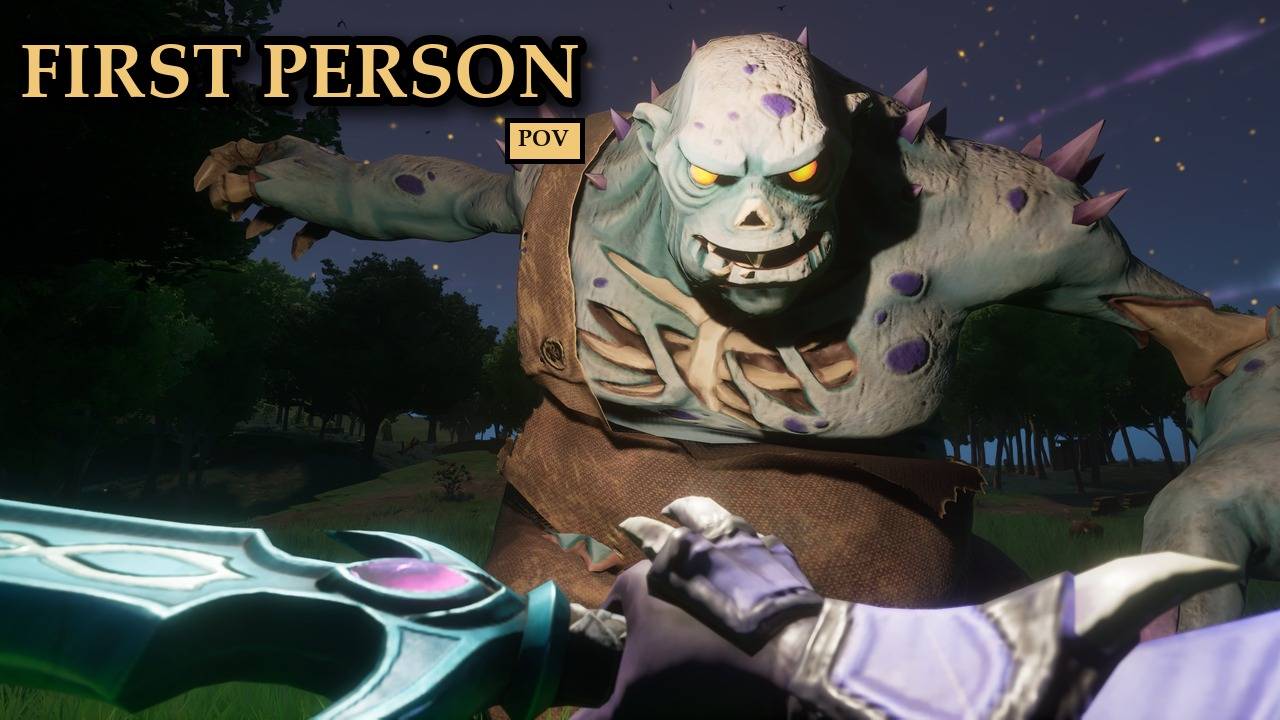
Play Dragonwilds from your character's eyes.
A first-person camera that follows your head, so you see your own arms, bow, chest and feet. Switch it on and off with one key, and it goes back to third person by itself while you ride, rest, fish or lie dead.
COMPATIBILITY
✔ Single player · ✔ Co-op guest
✔ Dedicated server · ✔ Controller
<small>Install on your PC only; the server does not need it. Each player who wants first person installs it.</small>
What it does
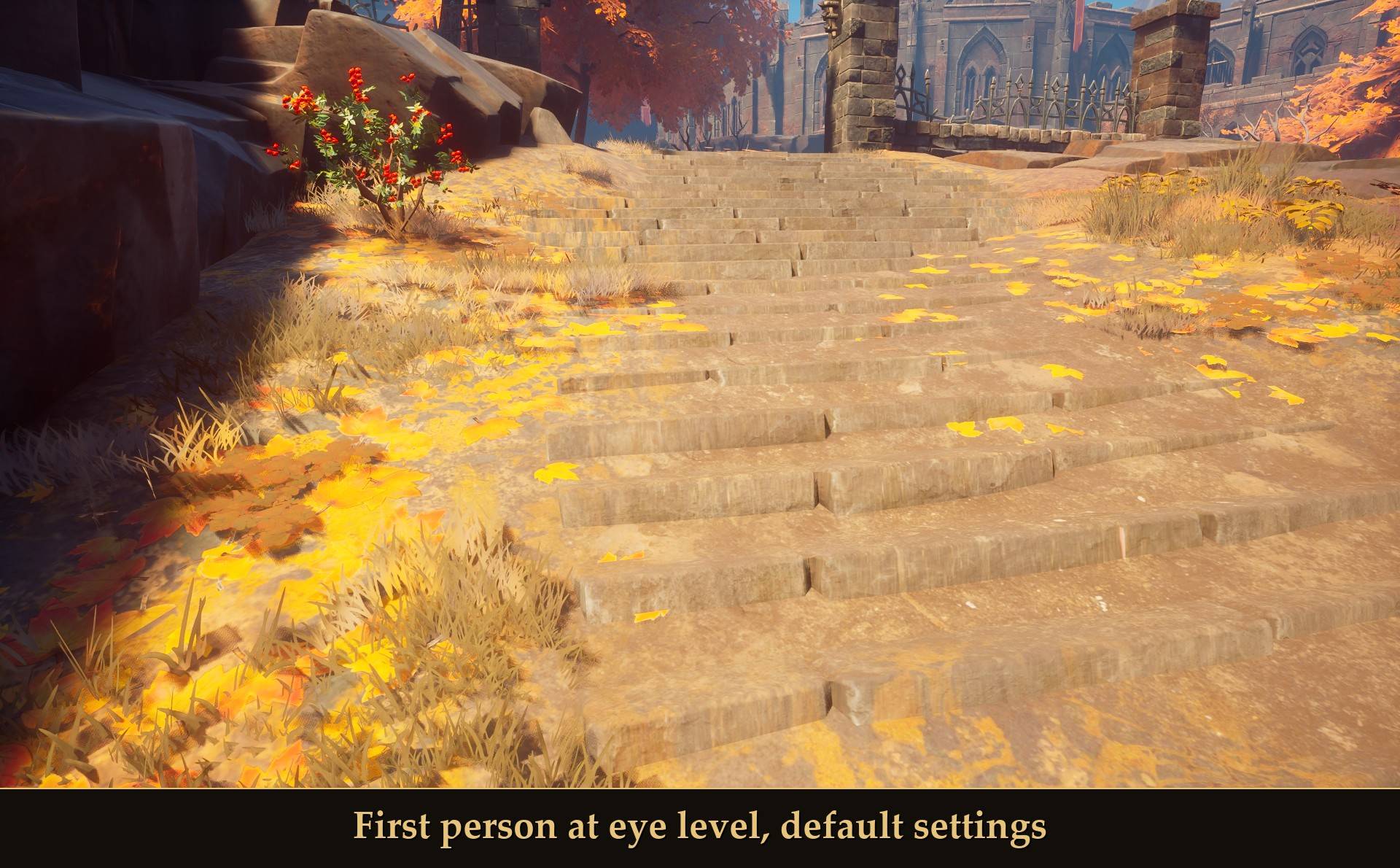
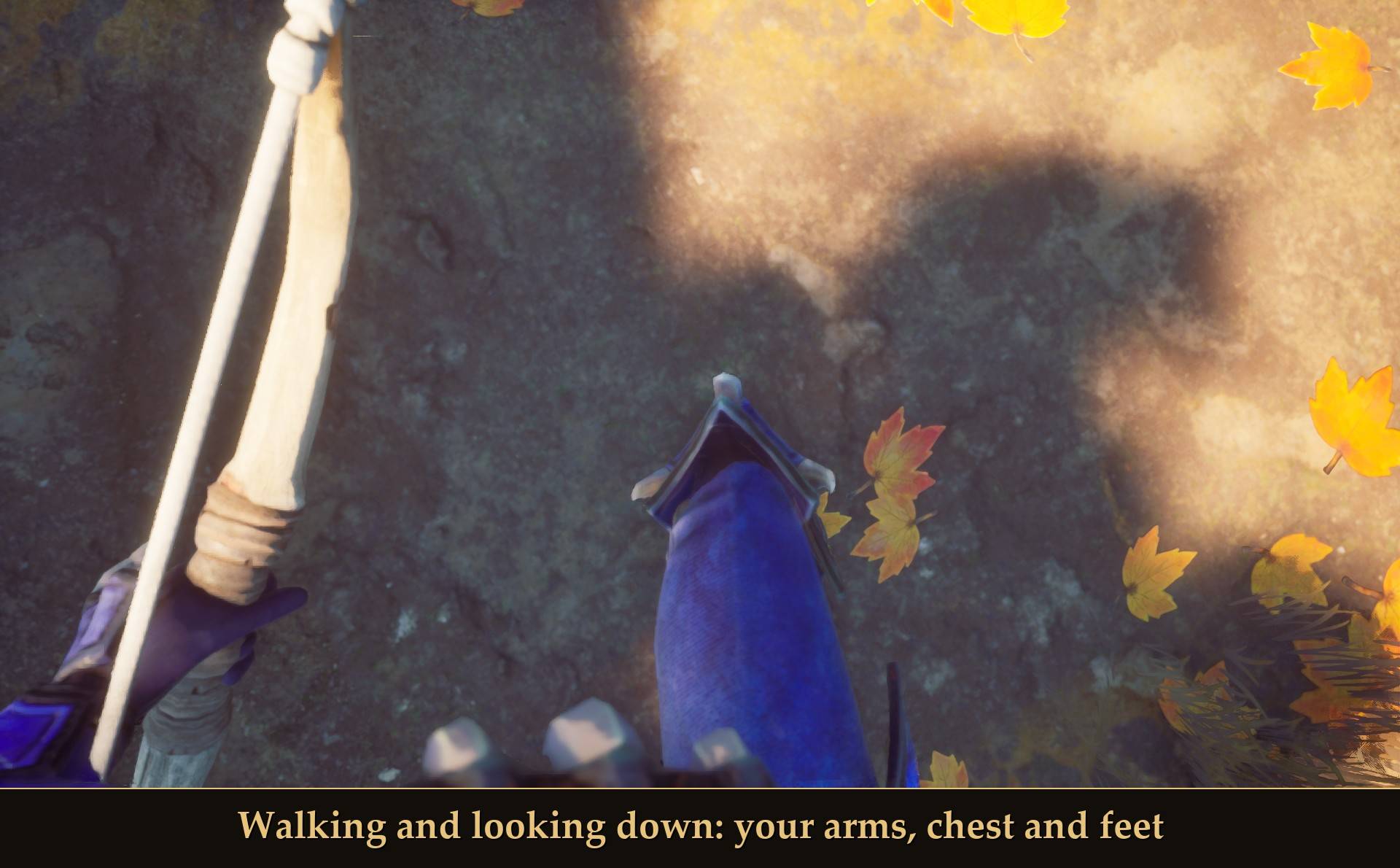
- Puts the camera at your eyes and keeps it there every frame while you walk, sprint, crouch and look down. Look down and you see your arms, whatever you hold, your chest and your feet, not the inside of your armor.
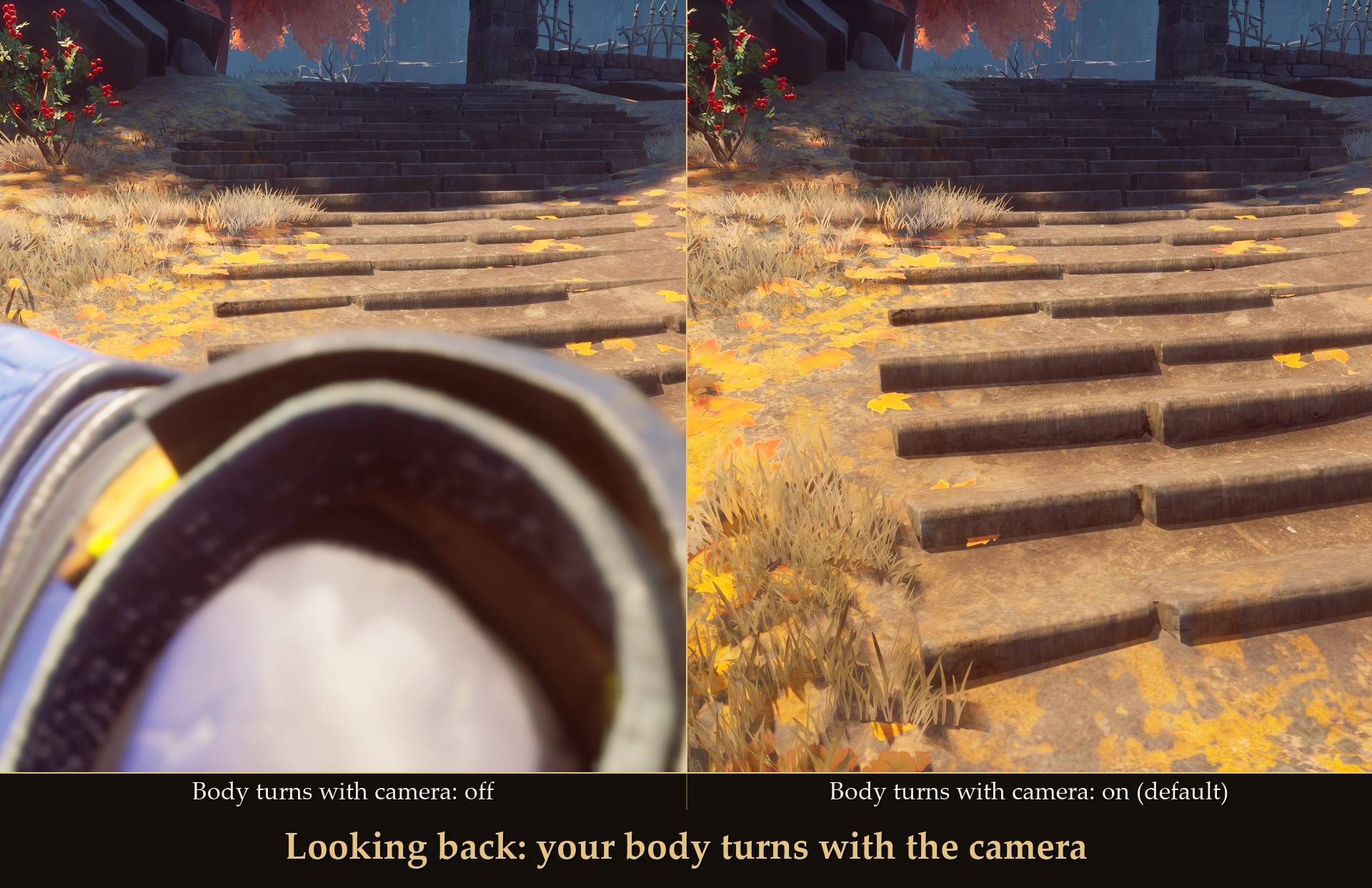
- Your body turns with you. Look back and your body turns to face that way, so you don't end up staring into your own shoulders and cape.
- Press V to switch between first and third person, any time you are playing. In the inventory V still sorts your bag like it always does, and in chat it just types a v.
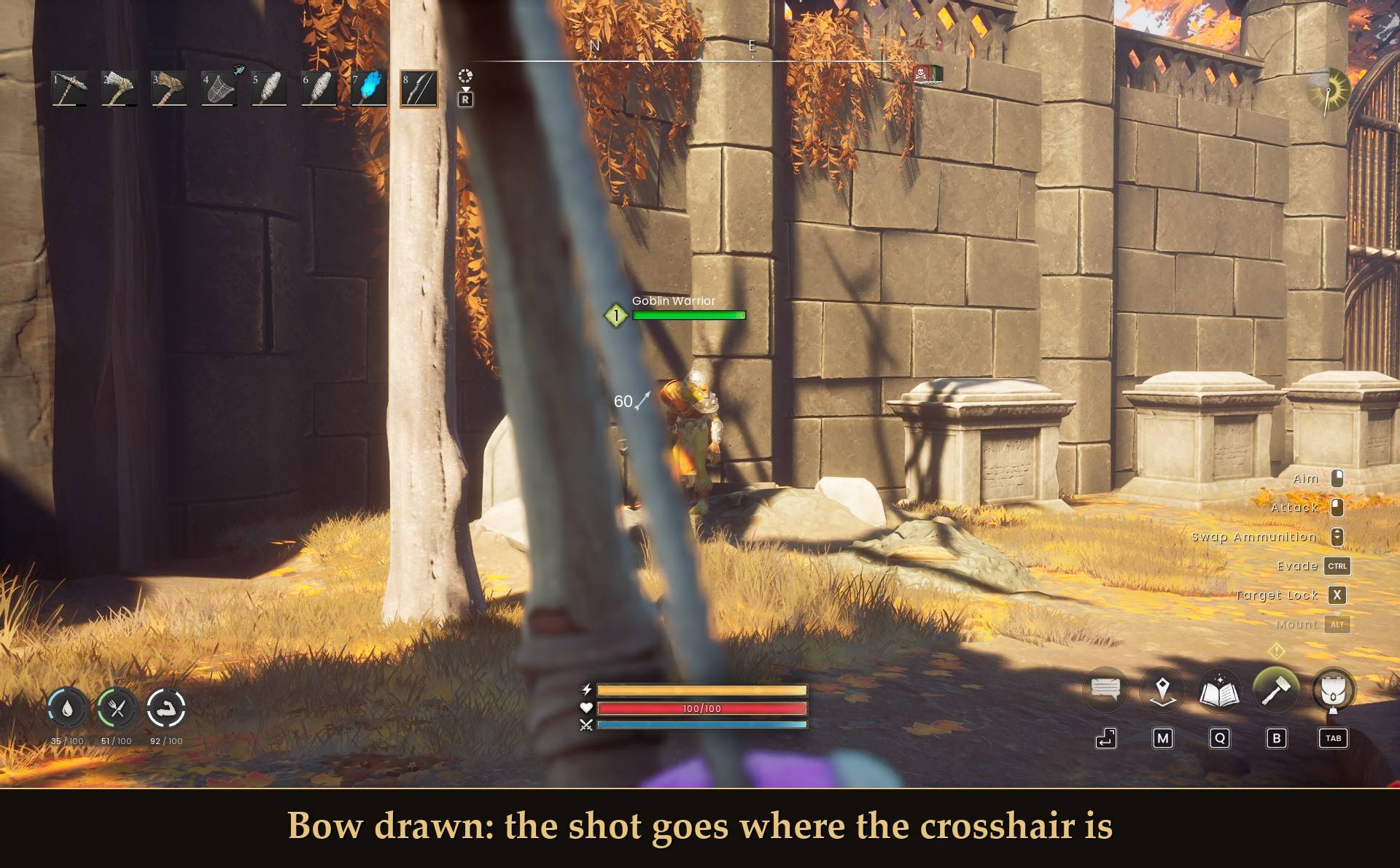
- Aiming works. Bow shots and staff spells land on the crosshair, and the game's own aim zoom stays.
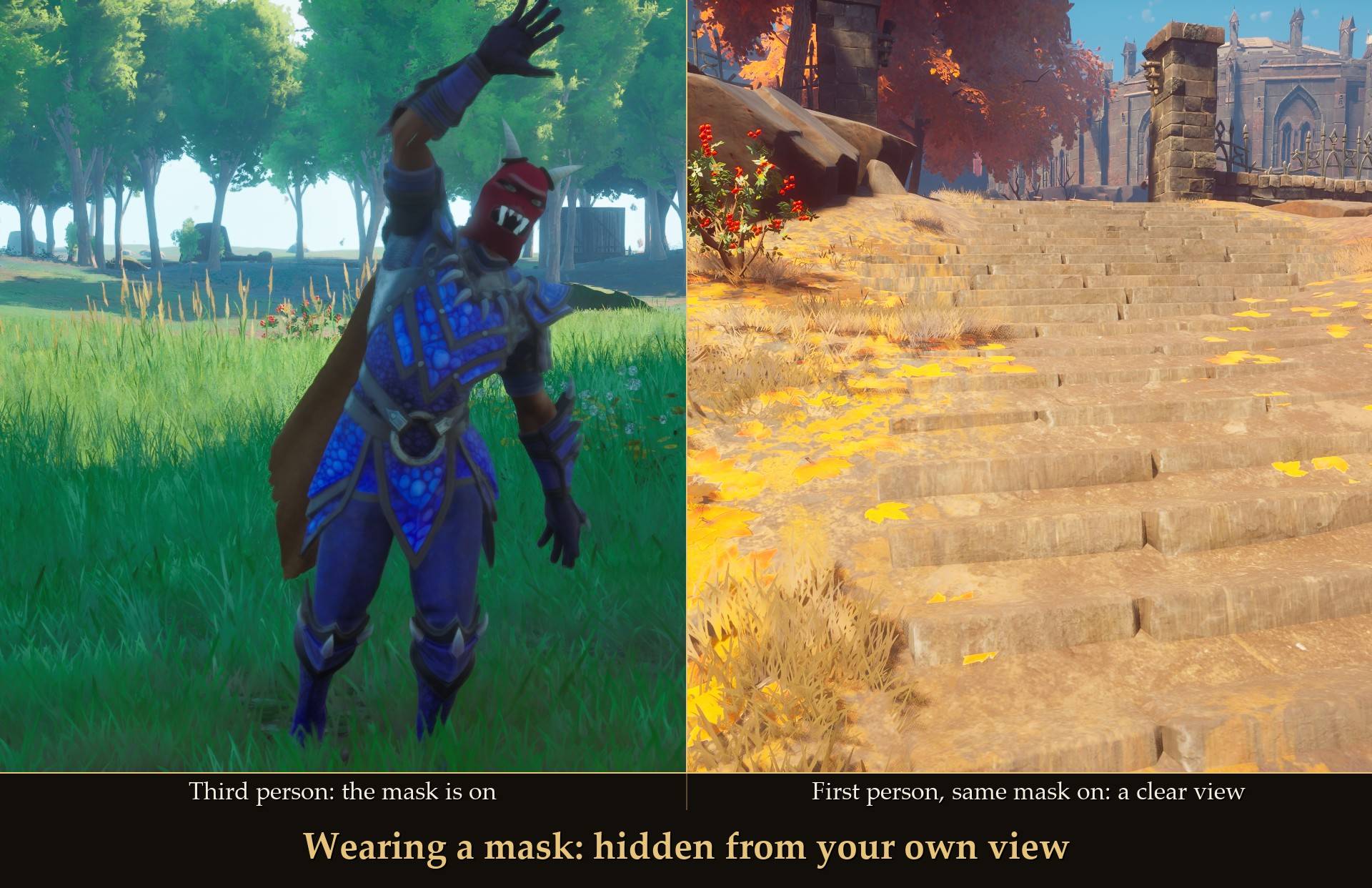
- Your own head stays out of your way: head, hair, beard and helmet, plus hats and masks from other mods like my Party Hats. Other players still see all of it.
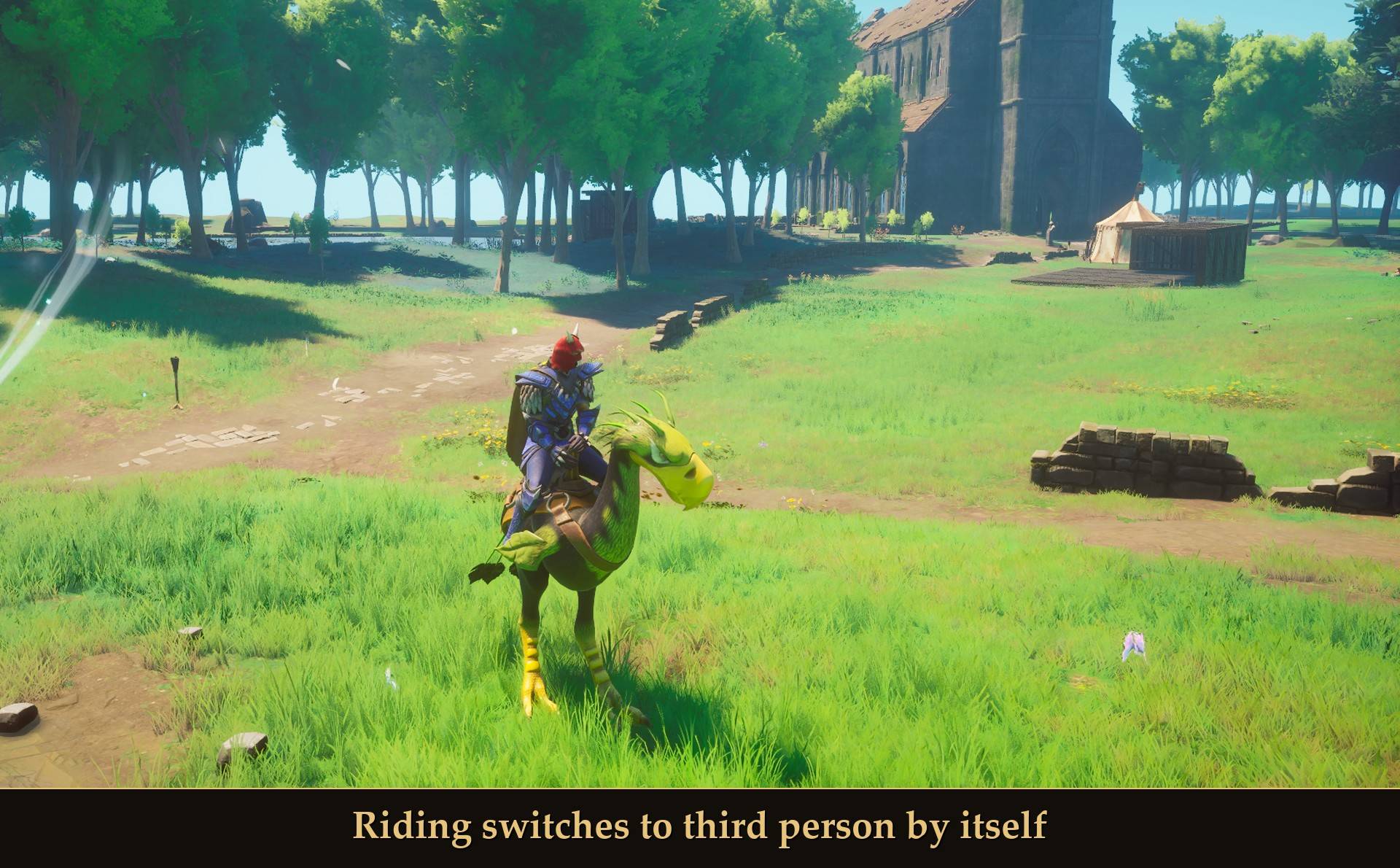
- Third person when it makes sense. Riding a mount, resting, fishing and being dead switch to the game's normal camera on their own, and first person comes back by itself after.
- Works on a controller through Mod Menu: the first / third person switch and every setting are there.
What you see
This is a camera mod. There are no separate first-person arms or weapon models: the camera sits at your character's eyes and follows the head, so you see your own body from there.
- Looking ahead: a clear view, nothing of your head in the way.
- Looking down: your arms, the item in your hand, the front of your chest and your feet. Field of view 90 (the default) is what gets your feet in. Crouched, the camera drops with your head.
- Walking and sprinting: the camera follows the head with a little smoothing, so the view bobs a bit but does not shake. You can change how much with the two Follow speed sliders.
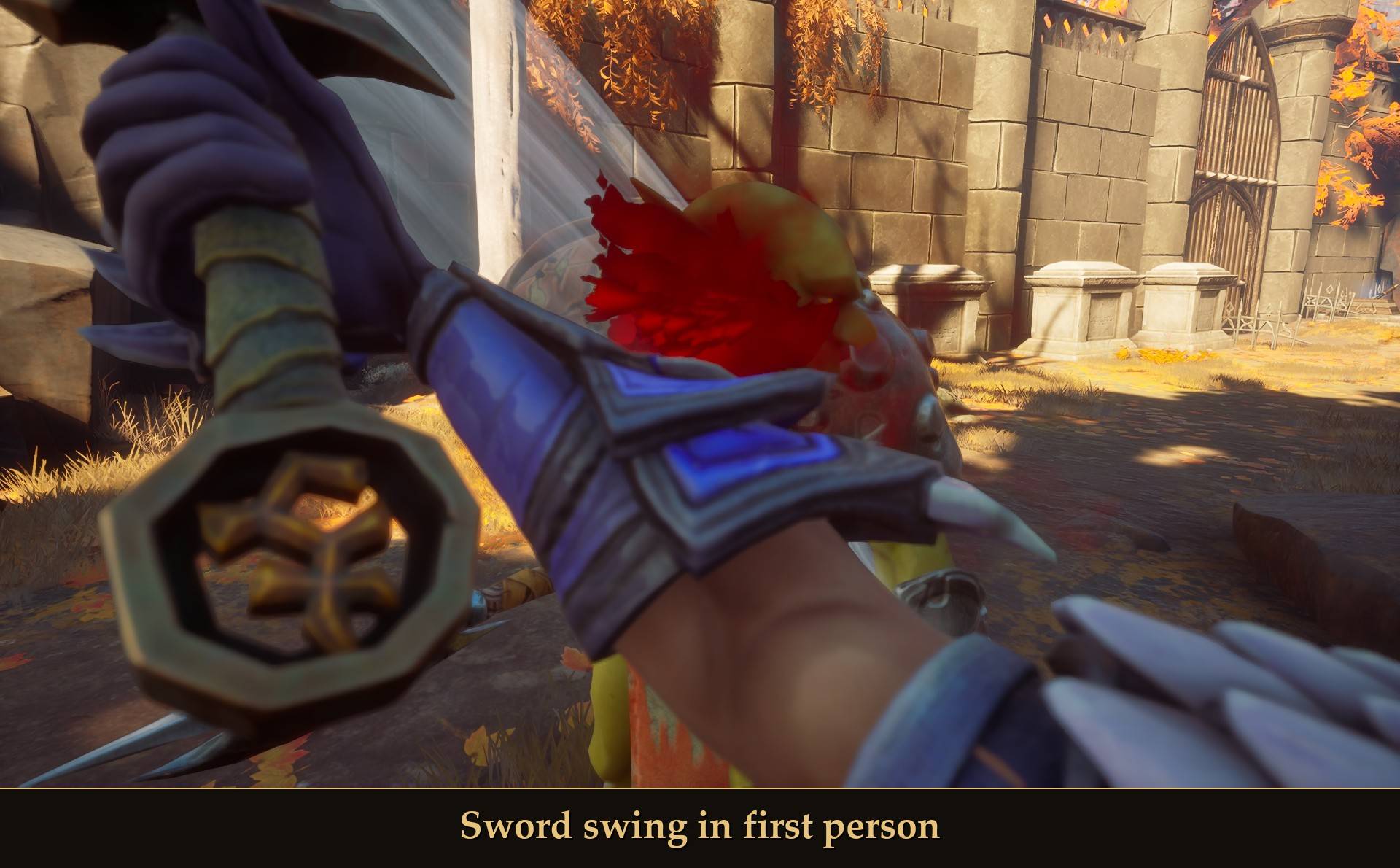
- Fighting: swings, blocks, dodge rolls and hits hold the camera at your standing eye height, so you keep looking at what you fight instead of the ground. It follows your head only sideways, then eases back after. Turn it off with Combat height lock.
In combat
Sword swings, blocks, rolls and big hits move your character's head a long way: down to waist height on the last hit of a sword combo. Two settings keep the view usable:
- Combat height lock (default on): while a swing, block, dodge or hit reaction plays, the camera stays at your standing eye height and only follows your head sideways. It lets go right after, and also works with a controller (attack, block and dodge buttons).
- Enemy overlap guard (default on): with a creature or another player close by, the camera stays inside your own body, and if a big enemy like a Zogre is pressed up against you it pulls the camera back out of it.
Your arms and shield still show when you look down, but a swing or a raised shield no longer fills the screen.
Your body turns with you
In the normal game your body faces the way you walk, and only turns with the camera while you aim or lock on. In first person that means looking back fills the view with your own shoulders and cape. With Body turns with camera on (the default):
- Standing still: you can look around up to 60 degrees each way without moving. Past that, your body turns to face where you look. A full turn to look behind you takes under half a second.
- Walking: walking forward or diagonally, your body faces the way you walk, like the normal game, so the view stays steady. Walking backward or sideways, it turns to face where you look.
- Dodge rolls go the way you press, the same as with body turn off (measured within 1 degree in all four directions).
- Swings, gathering and other actions: the game turns your body for those itself, and the mod leaves it alone while they play.
Set the angle with Body turn angle (20 to 120 degrees), or turn it off. It only runs in first person: in third person, and while riding, your body moves the way it always does.
Aiming
I measured where shots land against the crosshair, in first person:
- Bow: about 0.3 degrees off at about 19 m (around 10 cm), 0.17 degrees at 7 m.
- Staff: air spells within about 0.1 degrees in four of five casts. The first cast, right after I took the staff out, was 0.55 degrees off to the side. While you cast with a staff or a wand, the camera drops to a fixed eye height (Eye height, 70 cm) for a moment, because that is the height spells fly from. Just holding one keeps the camera on your head.
- Aim zoom: the game still zooms in while you draw a bow.
- Shoulder out of the way: while you draw a bow, the camera slides 10 cm to the right so your left shoulder armor doesn't cover the lower left of the screen. It slides back when you let go. Set it with Aim right offset (0 turns it off).
Your own head stays out of view
With Hide my head on (the default), your head, hair, beard, helmet and anything worn on your head are hidden from your own camera. That includes hats from Party Hats and masks from other mods. Without it, a mask covers the whole screen. Put on a new hat or mask while playing and it is hidden in under half a second. Switch to third person and you see all of it again, and other players see it the whole time.
When it switches to third person
- Riding a mount: from the moment you get on until you are fully off. In first person the camera ended up inside my Terrorbird's neck, so riding is always third person.
- Resting on a bedroll.
- Fishing, once you have cast.
- Dead, until you respawn.
- Locked on to an enemy: the game's lock-on cannot work from your eyes, so pressing the lock-on key (X, or the right stick click on a controller) switches to the game's third-person camera and locks on. Unlock, or the target dies or gets away, and first person comes back by itself. Nothing in range: you stay in first person. Turn it off with Third person while locked on.
- First person comes back under a second after each of these ends.
- You start in third person. Press V (or flip First person in Mod Menu) when you want first person. The key works once the game has finished loading, about 40 seconds after you load a world; a press before that does nothing. Turn First person on in Mod Menu if you'd rather start every world in first person.
Settings
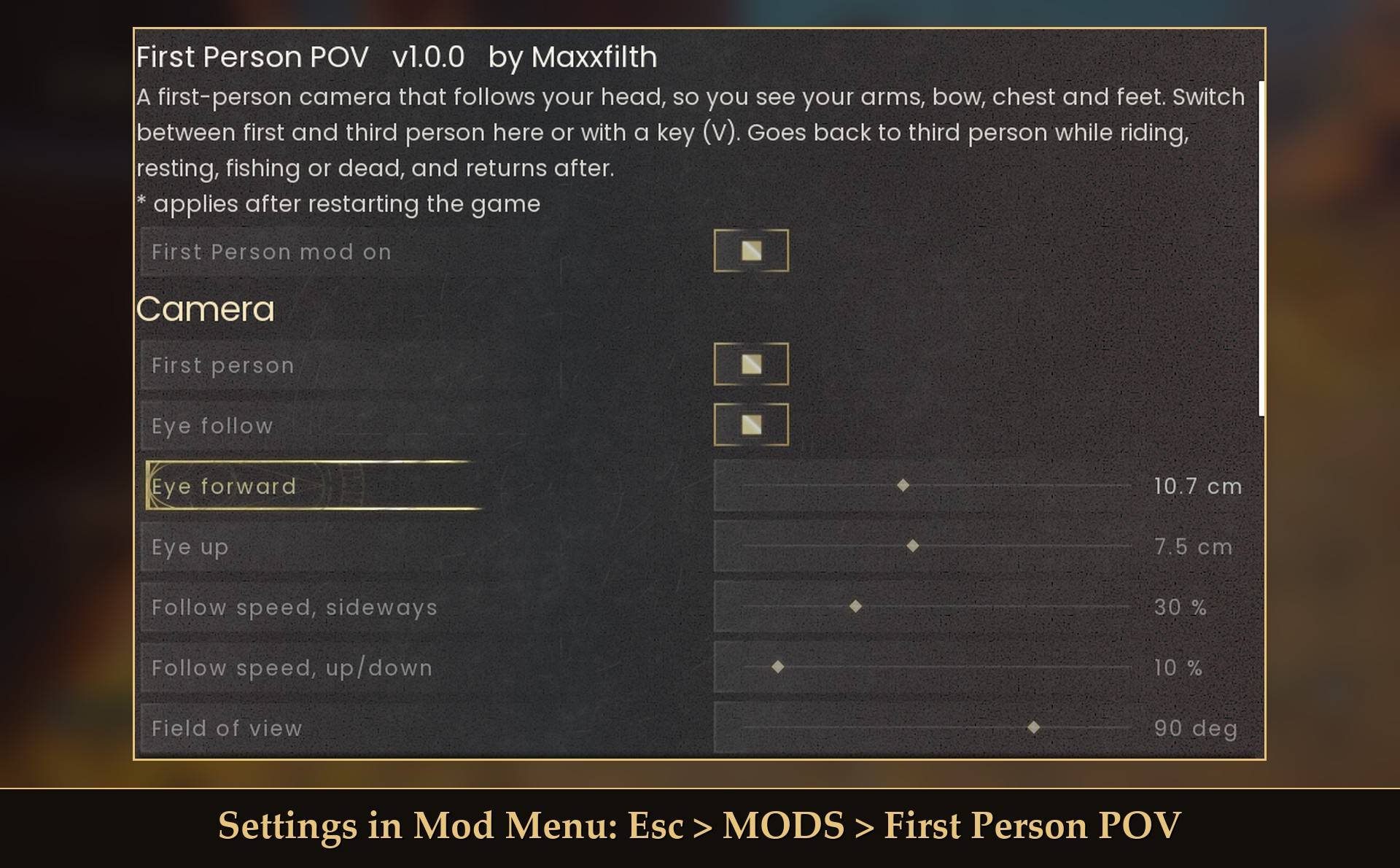
All live in Mod Menu (Esc > MODS > First Person POV), or in config.txt in the mod folder (restart the game after editing it).
- First Person mod on (default on): off puts the game's normal camera back.
Camera
- First person (default off): on = first person, off = the game's third person. Remembered, so on also starts you in first person in every world. The toggle key switches without remembering.
- Eye follow (default on): the camera follows your head every frame. Off = the fixed camera under "Fixed camera" below.
- Eye forward (default 10.7 cm, -10 to 40): how far in front of the head the camera sits. 10.7 = the eyes.
- Eye up (default 12 cm, -10 to 30): how far above the head the camera sits. 12 = a little above the eyes (7.5 = the eye sockets). The combat height lock uses it too.
- Follow speed, sideways (default 30%, 1 to 100): how fast the camera catches up with the head forward and sideways. Lower = smoother, 100 = locked to the head.
- Follow speed, up/down (default 10%, 1 to 100): the same up and down. Lower = less head bob.
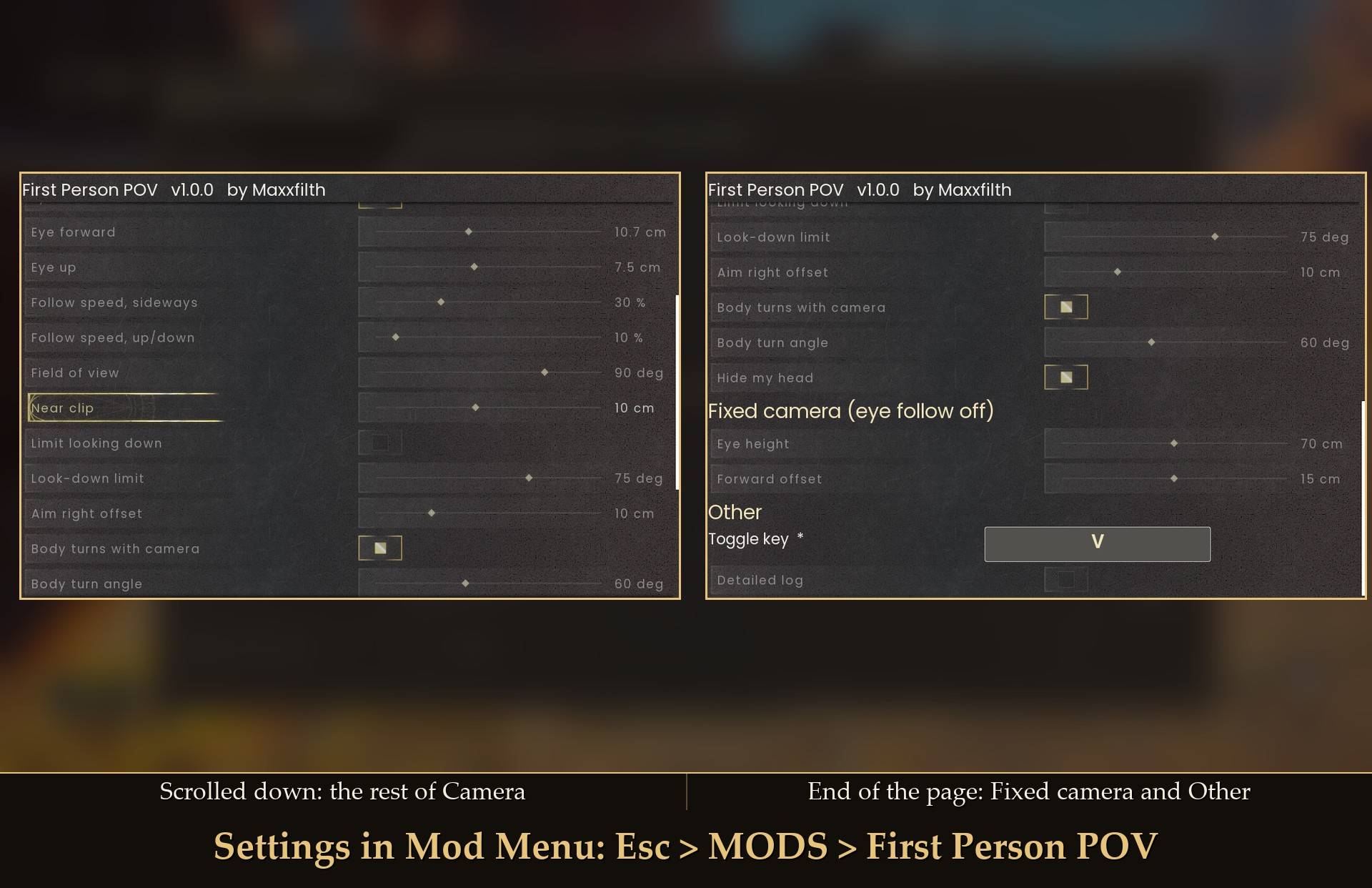
- Field of view (default 90 degrees, 0 to 120): 90 shows your feet when you look down. 0 = the game's own (75). Anything from 1 to 59 counts as 60. It applies as soon as you switch to first person, so bow and spell zoom still work.
- Near clip (default 10 cm, 2 to 20): 10 is the game's own. Lower draws things closer to the camera. The mod puts 10 back in third person.
- Limit looking down (default off): stops the camera looking further down than the angle below, in first person only.
- Look-down limit (default 75 degrees, 45 to 89): how far down you can look while the limit is on.
- Aim right offset (default 10 cm, 0 to 40): how far the camera moves right while you draw a bow. 0 = off.
- Body turns with camera (default on): your body turns to face where you look.
- Body turn angle (default 60 degrees, 20 to 120): standing still, your body turns once the camera is this far off it. Walking backward or sideways, it faces where you look.
- Combat height lock (default on): swings, blocks, dodges and hits keep the camera at your standing eye height. Off = it follows your head down.
- Enemy overlap guard (default on): keeps the camera inside your own body when an enemy is close, and pulls it back if one is pressed against you.
- Third person while locked on (default on): the lock-on key switches to the game's third-person camera while you are locked on, and first person comes back after. Off = the lock-on key does nothing in first person.
- Hide my head (default on): hides your own head, hair, helmet, hats and masks from your view only.
Fixed camera (eye follow off)
- Eye height (default 70 cm, 20 to 120): how high the camera sits above the middle of your character when eye follow is off, and for a moment while you cast with a staff or wand. 70 is eye level.
- Forward offset (default 15 cm, -20 to 50): how far in front of your character's middle the camera sits when eye follow is off.
Other
- Toggle key (default V): the key that switches first / third person. Set it to none for no key. Needs a game restart.
- Lock-on keys (config.txt only, default X, Gamepad_RightThumbstick): the keys that count as lock-on in first person. Change it if you rebound lock-on in the game. Needs a game restart.
- Detailed log (default off): extra lines in UE4SS.log for bug reports, including the mod's cost once a minute.
 />
Install
- Install UE4SS for RSDragonwilds (free, from the UE4SS for RSDragonwilds page on Nexus Mods).
- Drop the
FirstPerson folder into RSDragonwilds/Binaries/Win64/ue4ss/Mods/
- Optional: install Mod Menu to change the settings in game, and to switch views on a controller. Without it, every setting is in
config.txt inside the mod folder.
On a controller: press Start, pick MODS, then First Person POV, and press A on First person to switch views. Use Mod Menu 1.0.15 or newer if you run a lot of mods: with many pause menu entries, older versions let the list run past the bottom of the screen and the D-pad can't reach MODS.
On Game Pass: use the BE version of UE4SS with the SCO signature, the normal build does not load there. Game Pass also installs the game under Binaries/WinGDK/ instead of Binaries/Win64/, so the FirstPerson folder goes in RSDragonwilds/Binaries/WinGDK/ue4ss/Mods/. If you install with Vortex, check that is where it ended up.
To uninstall, delete the FirstPerson folder. Nothing is left behind in your save.
Good to know
- It only moves the camera and turns your body. It never changes an item, your gear or your save. Turn it off in Mod Menu and the camera, your head and the field of view go back to the game's own right away.
- V does nothing for the first 40 seconds after loading in. The mod waits while the game finishes loading, on purpose (see above).
- Performance: in my tests it cost about 0.2 ms a frame standing, about 0.3 ms walking, and about 0.5 ms while it turns your body as you walk backward.
- The V key: while you play, the game only uses V to sort the inventory, and none of my other mods use it by default. Pick another key or none with Toggle key.
- Wands use the same camera height as staffs, but I only measured where staff spells land.
- Lock-on switches to third person while you are locked on (see above). I tested it with a controller; the keyboard X key uses the same check.
- Multiplayer: the camera only runs on your own PC. I tested it as a guest on a dedicated server; host and guest in a friend's world I haven't tested yet.
- Not sure it is running? UE4SS.log shows a line starting with
[FirstPerson] loaded v1.1.0.
Tested on RuneScape: Dragonwilds 1.0 with UE4SS 3.0.1 (Steam), single player: standing, walking, sprinting and crouching while looking ahead and straight down, sword swings at a goblin, a bow at 7 m and about 19 m, staff air spells standing and crouched, a wand held, Field of view 0, 90 and 120, the look-down limit at 60 and 75, Near clip 2, Aim right offset 0, 10 and 20, body turn standing and walking in every direction, dodge rolls, mining with a pickaxe, a Skeleton helm, a Blue Party Hat and a Red Hallowe'en Mask (put on, taken off and put on again), riding a Terrorbird, resting on a bedroll, fishing, dying and respawning, the V key while playing, in the inventory and in chat, quitting to the main menu and loading back in, and a 10 minute walk. On a controller: the Mod Menu First person switch and the Eye height slider. 1.1.0 also: sword combos, blocks and dodge rolls with the combat height lock (keyboard and controller), heavy hits from a Zogre pressed up close, lock-on with a controller on a kebbit, a giant rat and a goblin, a bow draw, and joining a dedicated server as a guest. Not tested yet: co-op in a friend's world (host or guest), Game Pass, lock-on with the keyboard X key, swimming, climbing, building, other mounts, and looking around with a controller stick in first person.
Links
Also on Nexus Mods: First Person on Nexus Mods. Party Hats is on Nexus Mods: Party Hats.