Collection Log

OSRS-style collection log: 4,039 items, creatures, recipes, building pieces, spells and journal pages, with an overview, milestones, groups, dates and a message for every new find.

Collection Log

I always loved the collection log in OSRS, so I made one for Dragonwilds. Version 2.0 rebuilds the whole window the way the OSRS log does it: an overview of your progress, groups inside every category, and a grid of pictures where everything you haven't found yet is a dark silhouette.


COMPATIBILITY
✔ Single player  ·  ✔ Co-op guest
✔ Dedicated server  ·  ✔ Controller
Install on your PC only; the server does not need it. The Enemies tab is not tested on a server yet.


What it does

  • Eight categories: Materials, Consumables, Equipment, Enemies, Recipes, Buildings, Spells and Journal
  • 4,037 entries: 1,162 items, 134 creatures, 906 recipes, 537 building pieces, 48 spells and 1,250 journal entries
  • An overview page with your total, a milestone track (10%, 25%, 50%, 75%, all), your latest finds, the groups closest to done, and a breakdown by content pack
  • Groups inside every category, taken from the game's own files: Metals, Gems, Pickaxes, Goblins, Undead, Walls, Roofs, spells by skill and so on. Each one turns green when you finish it
  • Grid view (the OSRS look) or list view. Point at a picture to see what it is, when you got it and where it comes from
  • The game's own art for everything, including creature portraits from the journal
  • Search, plus Obtained, Missing and New filters
  • The date you first got each thing
  • A message when you find something new, when you finish a group, and when you pass a milestone

Works on your current character
No need to start fresh. The game already remembers what you've picked up, killed, learned and unlocked, so the log fills itself in about 15 seconds after you load in. Anything from before you installed it says "before the log".

How to use it
Press Esc and click COLLECTION LOG. Pick a category on the left, a group in the middle, and switch between grid and list at the top. Hit Esc or CLOSE to get out. You can also set a key for it in the settings.

Controller: pick COLLECTION LOG in the pause menu and press A. Move through categories, groups and entries with the D-pad, a page of up to 40 entries at a time.

Works with Slayer Reimagined
If you also play my Slayer Reimagined mod, the log gets a SLAYER tab: every rare Slayer drop, grouped by creature like the OSRS log, with your Slayer level, tasks done and streaks at the top. Without Slayer there is no tab and nothing changes. It only reads Slayer's progress file, and the tab doesn't count toward your overall percent.

Install

  1. Install UE4SS for RSDragonwilds (free, from the UE4SS for RSDragonwilds page on Nexus Mods)
  2. Drop the CollectionLog folder into RSDragonwilds/Binaries/Win64/ue4ss/Mods/

On Game Pass: use the BE version of UE4SS with the SCO signature, the normal build does not load there (thanks JourneyOver for testing). Game Pass also installs the game under Binaries/WinGDK/ instead of Binaries/Win64/, so the CollectionLog folder goes in RSDragonwilds/Binaries/WinGDK/ue4ss/Mods/. If you use a mod manager, check that is where it ended up.
To remove it, just delete the folder.

Settings
There's a config.txt in the folder. You can turn each kind of message on or off, change how long they stay up, pick which page it opens on, change the window size, hide the stuff you don't have yet, or set a key to open it. If you use Mod Menu, all of this is under Esc > MODS too.

Notes

  • It only reads. It never changes your items, kills, XP or save.
  • Kills show up after the game saves (autosave or going back to the main menu), since that's when the game writes them down.
  • Your dates are kept in a small file next to your saves (%LOCALAPPDATA%\RSDragonwilds\Saved), so updating the mod won't wipe them.
  • Plays fine alongside all my other mods. Before 2.0 went up I ran it with every one of them installed, through 200 rounds of random use, with no crash.
  • Works on Steam and Game Pass. On Game Pass, use the BE version of UE4SS with the SCO signature (thanks JourneyOver for testing).
  • Copper Bar and Tin Bar are left out on purpose: they're in the game's files, but nothing in the game makes or drops them.

Found a bug or have an idea? Leave a comment.

Collection Log Team

profile avatar
  • 3
    Followers
  • 68
    Projects
  • 26.7K
    Downloads

More from maxxfilthView all

  • First Person POV project image

    First Person POV

    Play from your character's eyes. The camera follows your head and your body turns with it. Bows and spells hit the crosshair, your own head and hats stay out of view, and riding, resting, fishing and death go third person on their own.

    • 62
    • November 13, 2026
  • Storage Search - Find Take and Store Any Item project image

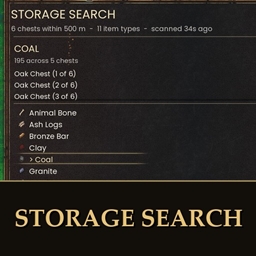
    Storage Search - Find Take and Store Any Item

    Press Alt+F, type an item and see every chest that holds it, how many, how far and which way. New in 2.0: take 1, 10, a stack or all of it, or store your backpack into chests that already hold each item. Never goes over carry weight. Can be set look-only.

    • 737
    • November 13, 2026
  • Dual Wield project image

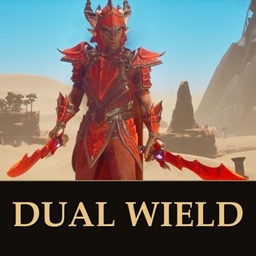
    Dual Wield

    Press a second one-handed melee weapon on the hotbar and it goes in your left hand. Your left arm swings it and it adds 50% damage. Solo or host; guests come later.

    • 113
    • November 12, 2026
  • Builder's Plans project image

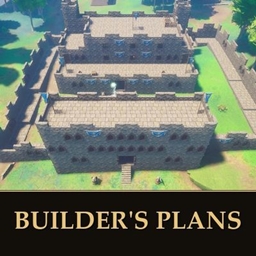
    Builder's Plans

    Save, share and place whole buildings. Capture any build you made and put it down again anywhere, or pick one of 32 ready-made blueprints, including 11 inspired by RuneScape classics.

    • 345
    • November 10, 2026
  • First Person POV project image

    First Person POV

    Play from your character's eyes. The camera follows your head and your body turns with it. Bows and spells hit the crosshair, your own head and hats stay out of view, and riding, resting, fishing and death go third person on their own.

    • 62
    • November 13, 2026
  • Storage Search - Find Take and Store Any Item project image

    Storage Search - Find Take and Store Any Item

    Press Alt+F, type an item and see every chest that holds it, how many, how far and which way. New in 2.0: take 1, 10, a stack or all of it, or store your backpack into chests that already hold each item. Never goes over carry weight. Can be set look-only.

    • 737
    • November 13, 2026
  • Dual Wield project image

    Dual Wield

    Press a second one-handed melee weapon on the hotbar and it goes in your left hand. Your left arm swings it and it adds 50% damage. Solo or host; guests come later.

    • 113
    • November 12, 2026
  • Builder's Plans project image

    Builder's Plans

    Save, share and place whole buildings. Capture any build you made and put it down again anywhere, or pick one of 32 ready-made blueprints, including 11 inspired by RuneScape classics.

    • 345
    • November 10, 2026