The lowest maintenance pet you will ever have
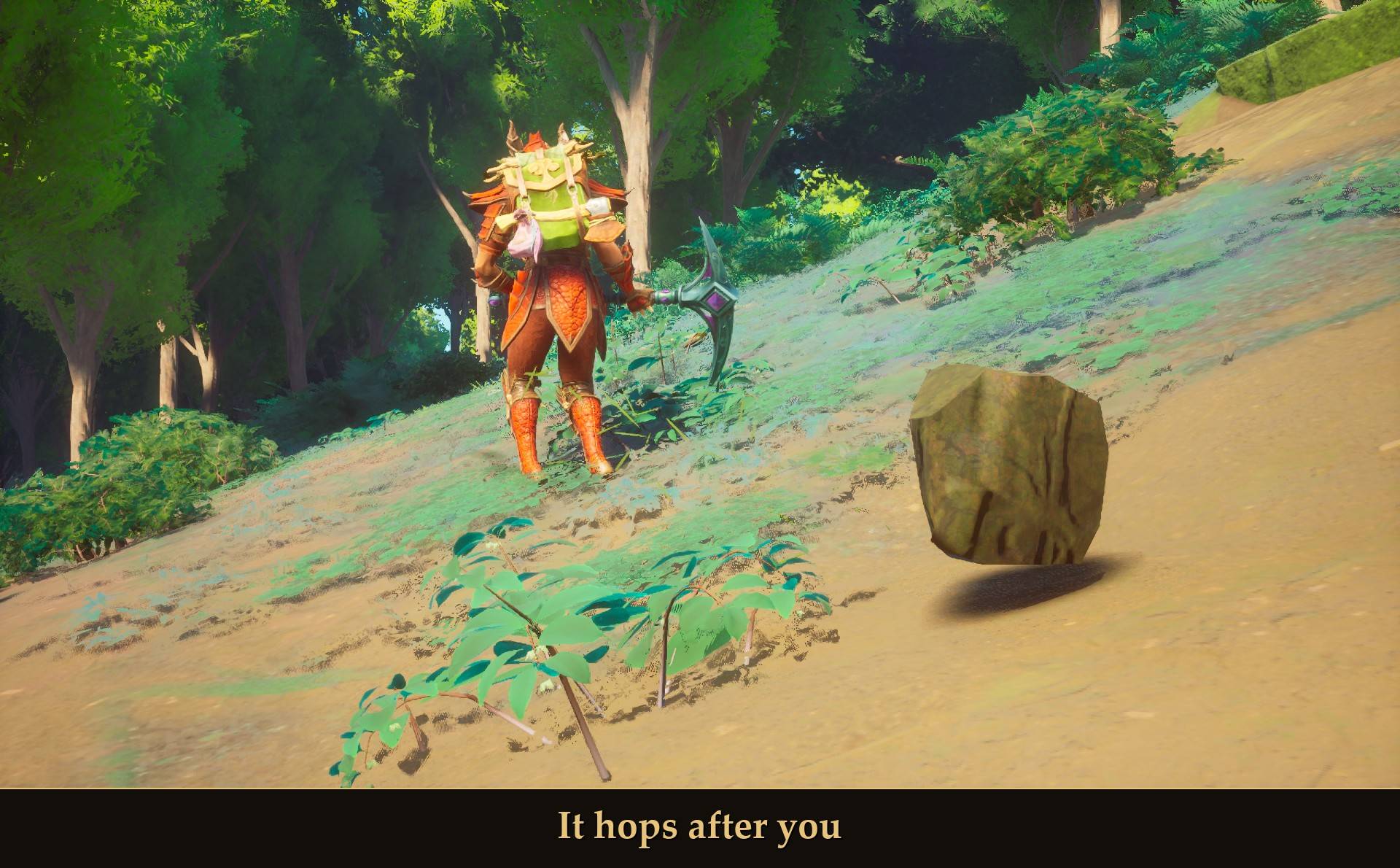
It hops after you
Mine some rocks and one of them may follow you home. It hops after you. You can talk to it, stroke it, feed it and ask it to fetch. It says nothing.
Needs UE4SS. Mod Menu is optional.
COMPATIBILITY
✔ Single player · ? Co-op guest
? Dedicated server · ✔ Controller
Install on your PC. ? = not tested yet.
It's the pet rock from RuneScape. Askeladden gives you one in The Fremennik Trials, and its examine text is the line at the top of this page. In RuneScape you're simply handed it. Finding it while mining is my own idea for this mod, and the message you get when it happens is the one RuneScape shows when a pet starts following you.
It's a rock. It doesn't fight, carry anything or give you a buff. It follows you around and it listens.
What it does
- You find it while mining: every bit of Mining XP you earn is a small chance that one of the rocks follows you home. It's certain by about 25 stone rocks. Then you get "You have a funny feeling like you're being followed."
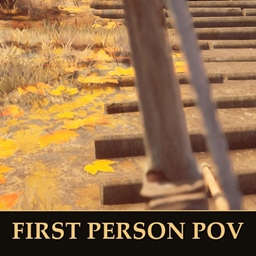
- It follows you: in hops. It sets off when you get more than about 3 m away and settles again about 2 m from you. Past 9 m it takes longer, faster hops. Get more than 40 m ahead, or teleport, and it turns up beside you. It kept up with me on a Terrorbird.
- The game's own prompt: face it up close and you get the normal interact prompt, "Pet rock / Talk-to [E] / Stay [F]". Interact goes through Talk-to, Stroke, Feed and Fetch in turn. The secondary interact is Stay, then Follow.
- Call and dismiss: Y calls the rock to your side from anywhere. Stand next to it and Y dismisses it instead.
- A home by your bed: a dismissed rock goes home. While you're at your base it sits beside the bed you've claimed and waits for you.
- It says nothing: you talk, the rock doesn't. Very rarely, it answers.
- One plain boulder: it's one of the game's own limestone boulders. No skins and no stats. You can change its size and its name.
Finding your rock
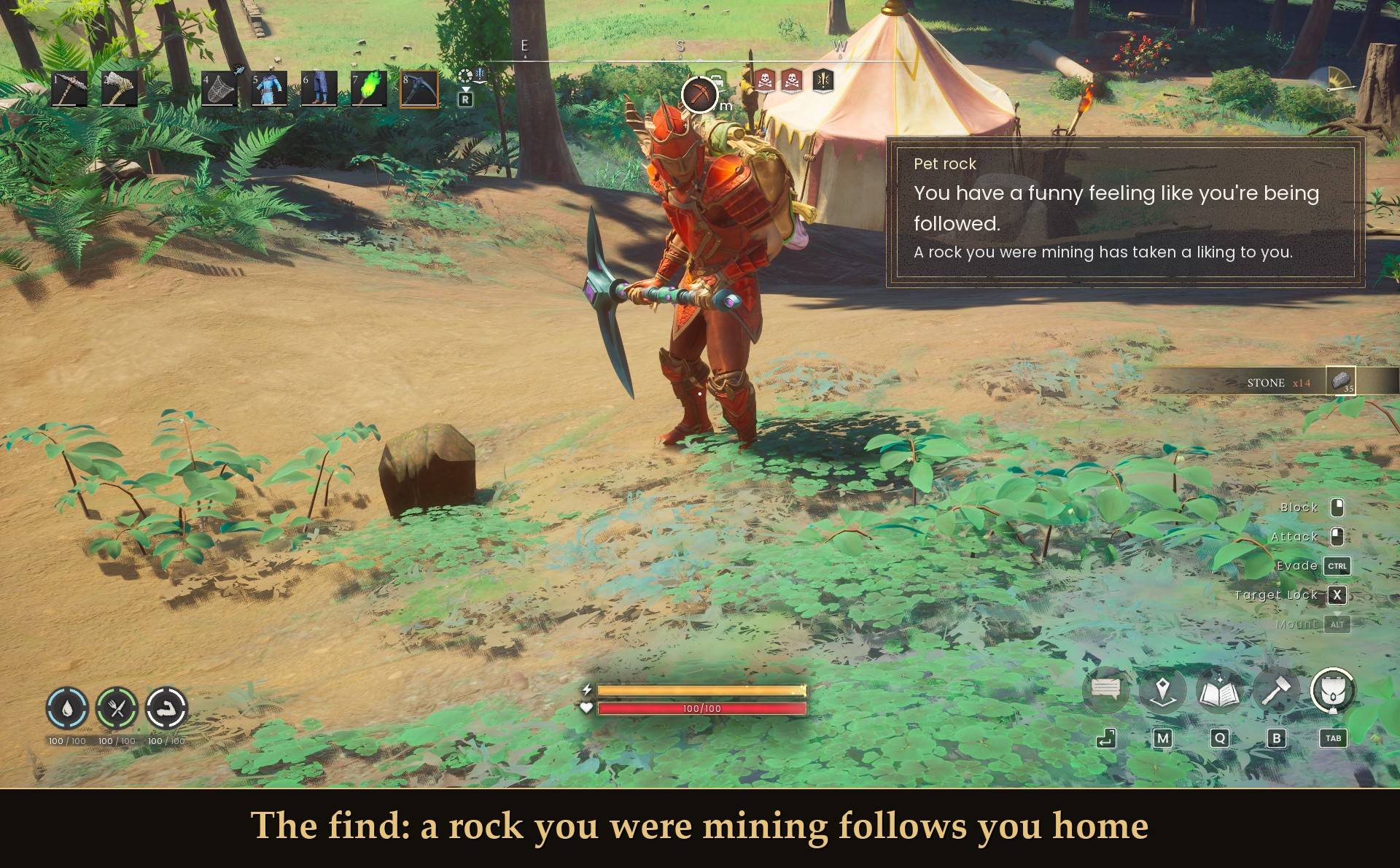
The find: a rock you were mining follows you home
- The mod watches your Mining XP. Every XP point you earn is a 0.4% roll, and the find is certain once you've earned 400 Mining XP with the mod installed.
- The stone rocks I measured paid 13 to 27 Mining XP each, so that's about a 1 in 3 chance after six of them and a sure thing by about 25.
- It counts XP, not swings. A stone pickaxe needed 7 or 8 swings per stone rock and a rune pickaxe needed 1, and the rock paid about the same XP either way.
- I only measured stone rocks and rune essence rocks. Ore that pays more Mining XP should get you there in fewer rocks. I haven't measured that.
- The first time you load in without a rock you get one hint: "Mine some rocks. One of them might follow you home." It shows once per character.
- It's per character. Each character finds its own rock.
- Don't want to look for it? Turn on Start with the rock and it's yours right away.
Petting it
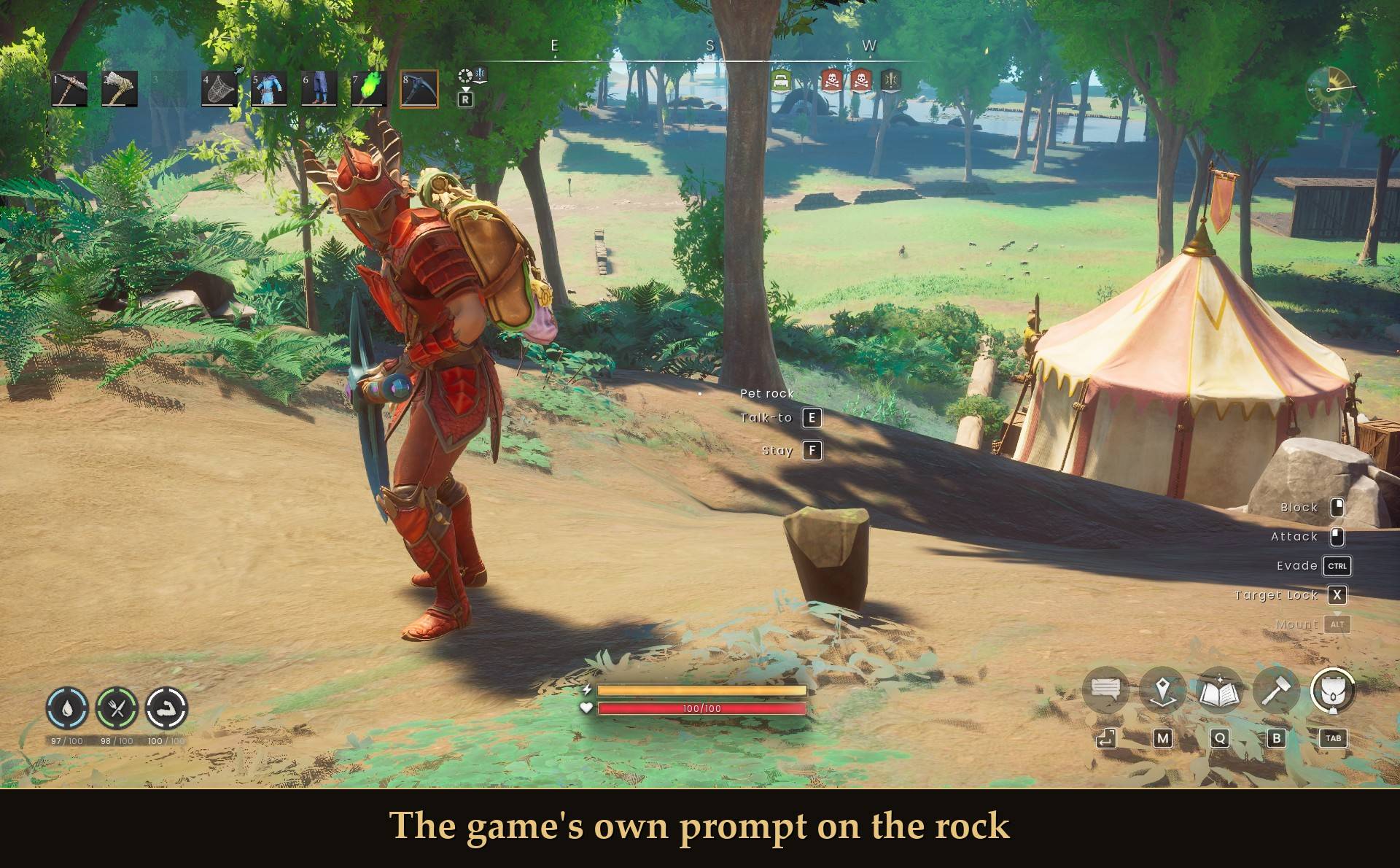
The game's own prompt on the rock
The rock uses the game's own interact prompt, the same one you get on a chest or an NPC. The first line is the rock's name. Interact does the next thing on the list, Talk-to, Stroke, Feed, Fetch, and then starts over. The secondary interact (F for me) tells it to stay where it is. Press it again and it follows you. A rock told to stay will sit there until you say otherwise or call it.
The prompt only shows while the rock is resting. While it's hopping after you there's nothing to press.
Talking to it
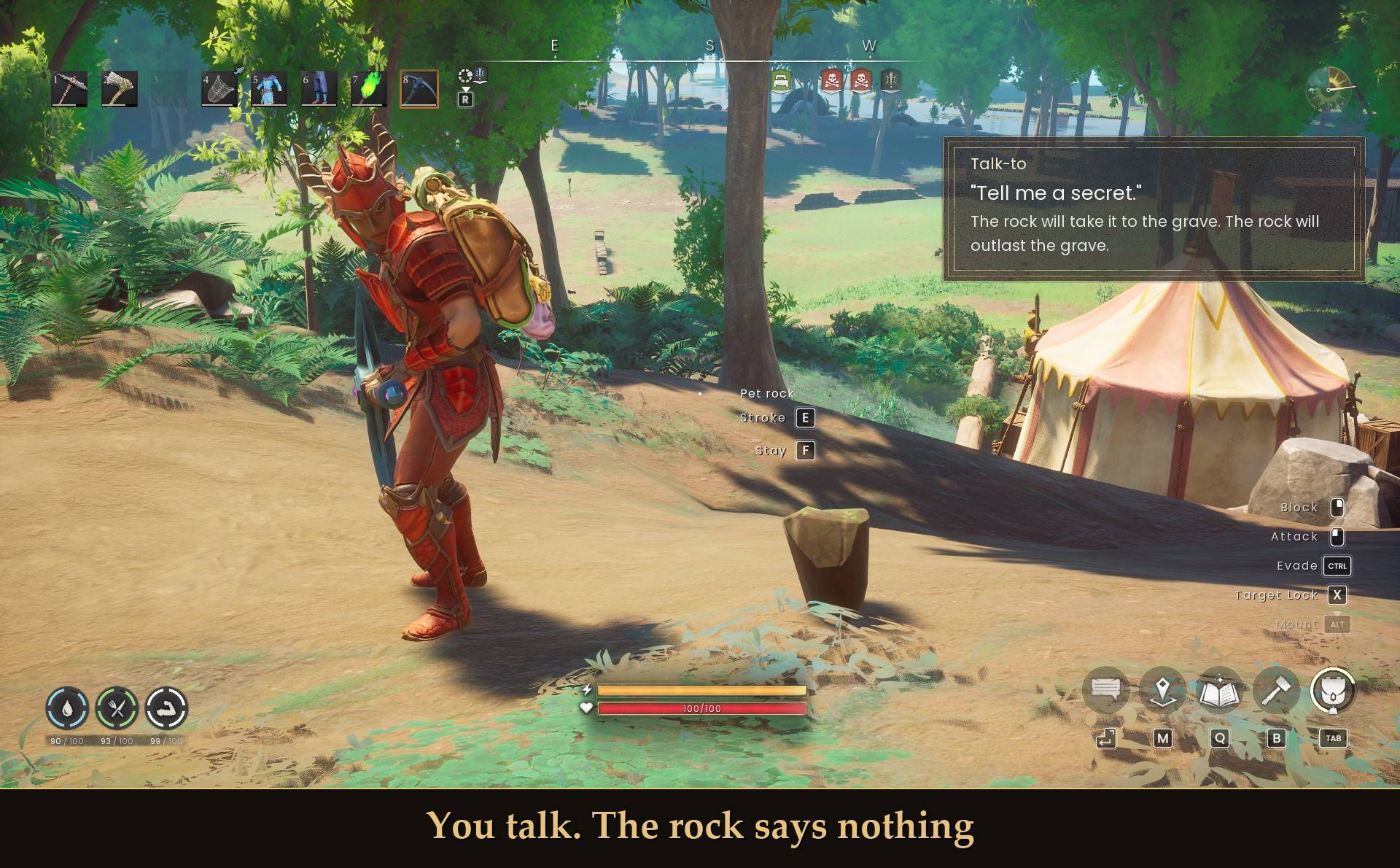
You talk. The rock says nothing
The first time you talk to it each session you get RuneScape's own pet rock line: "Who's a good rock then? Yes you are... You're such a good rock... ooga booga googa." Your rock seems a little happier.
After that it's more than 30 lines of mine in the same spirit, shuffled so you hear them all before one comes round again. A few:
- "Rock, paper, scissors?" The rock throws rock.
- "You're not just a rock to me." The rock is, however, just a rock.
- "Tell me a secret." The rock will take it to the grave. The rock will outlast the grave.
- You throw the stick. You fetch the stick. The rock watches. Probably.
Stroke, Feed and Fetch start with RuneScape's wording too, and each has two more lines of mine. A few lines only come up when they fit, like when the rock is sitting at home. And very rarely the rock says something back. I'm not going to tell you what.
The lines show in a small panel at the top right, under the time-of-day dial.
Call, dismiss and home
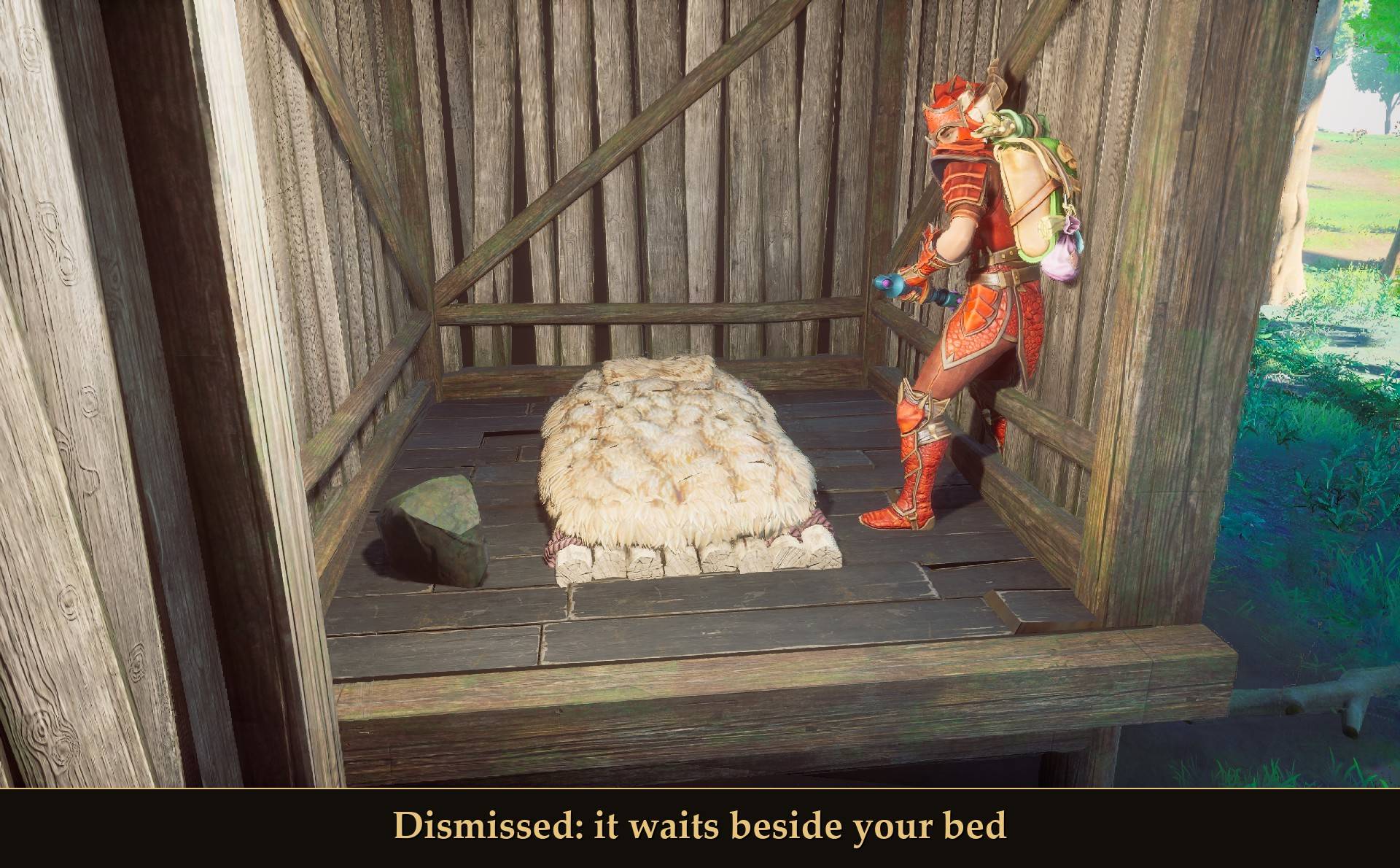
Dismissed: it waits beside your bed
- Call: press Y anywhere. "Here, rock!" and it's at your side. This also works on a rock you told to stay.
- Dismiss: stand next to the resting rock (within about 3 m) and press Y. "You send your rock home."
- Home: while it's dismissed and you're within 60 m of a bed you've claimed, the rock sits on the floor beside that bed. Whether I dismissed it at the base or teleported in from far away, it was there about 2 seconds later.
- At home it doesn't follow you. You can still talk to it, and the prompt's second line reads Follow. Press that, or Y, and it comes along again.
- Away from your base, or if you have no claimed bed, a dismissed rock just isn't in the world until you call it.
- Dismissed is remembered per character. Quit with the rock at home and it's by your bed when you come back.
Settings
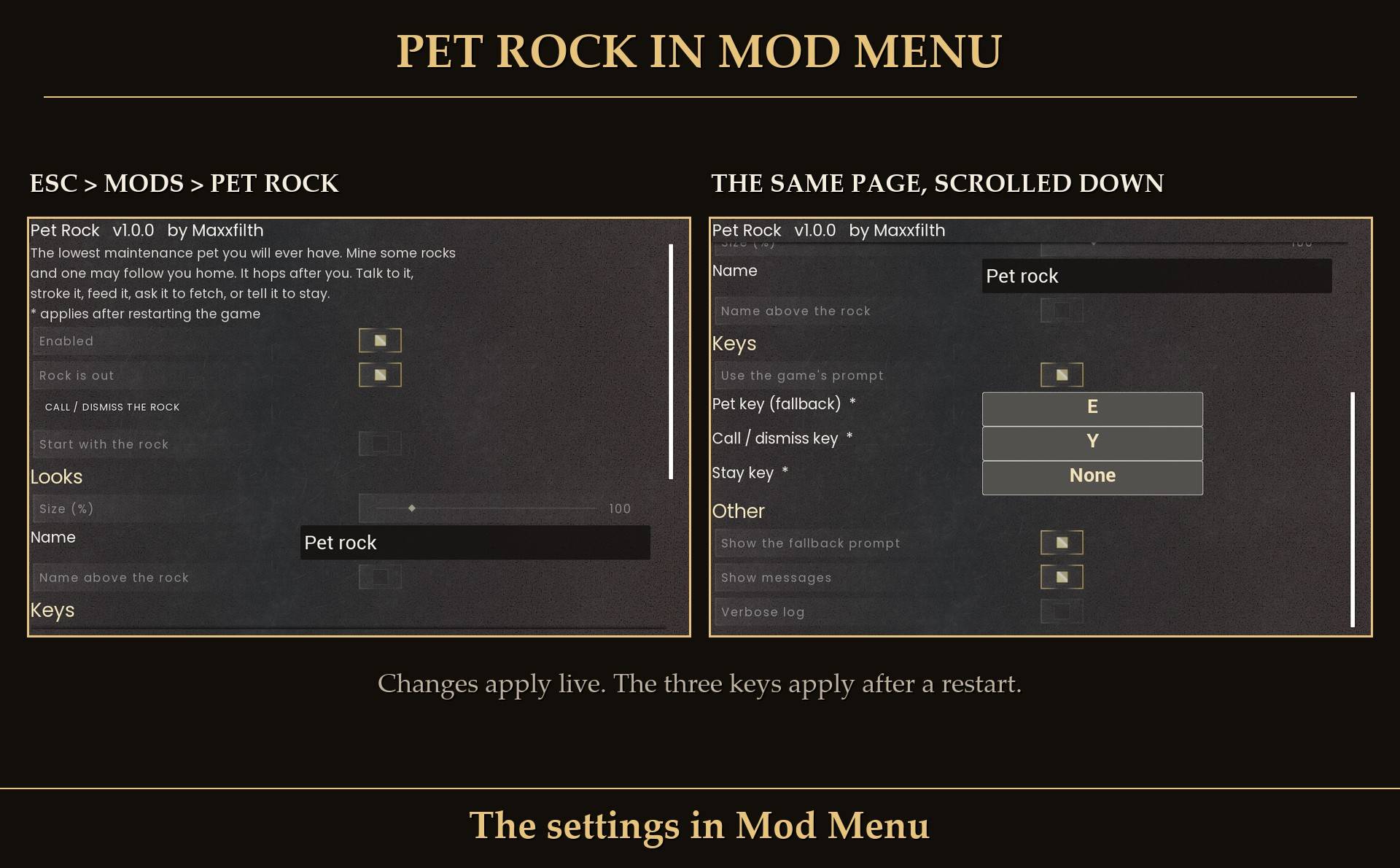
The settings in Mod Menu
All live in Mod Menu (Esc > MODS > Pet Rock), or in config.txt in the mod folder. Changes in Mod Menu apply within a second or so, except the three keys, which need a restart. Edits to config.txt get picked up the next time you start the game.
- Enabled: on. Off means no rock and no keys.
- Rock is out: on. The master switch. Off hides the rock everywhere, whatever the call key says.
- Call / dismiss the rock: a button. It does what the call key does once you close the menu. It's there for controller players.
- Start with the rock: off. Normally you find the rock while mining. On skips the search.
- Size (%): 100 (40 to 400, steps of 10). 100 is about knee high (44 cm).
- Name: Pet rock. Shown in the interact prompt. Up to 24 characters.
- Name above the rock: off. On also floats the name above the rock when you're close.
- Use the game's prompt: on. Off makes the mod listen for the pet key below instead.
- Pet key (fallback): E. Only used when the game's prompt is off or can't be used. Set it to your Interact key. Needs a restart.
- Call / dismiss key: Y. Needs a restart.
- Stay key: none. Optional: stay and follow on a key of their own. Needs a restart.
- Show the fallback prompt: on. The mod's own small prompt line, used only when the game's prompt is off or can't be used.
- Show messages: on. Off hides every message from the mod, the find message included.
- Verbose log: off. Extra lines in UE4SS.log, for bug reports.
Install
- Install UE4SS for RSDragonwilds.
- Drop the
PetRock folder into RSDragonwilds/Binaries/Win64/ue4ss/Mods/
- Optional: install Mod Menu for the settings in game.
On Game Pass: use the BE version of UE4SS with the SCO signature, the normal build does not load there. Game Pass also installs the game under Binaries/WinGDK/ instead of Binaries/Win64/, so the PetRock folder goes in RSDragonwilds/Binaries/WinGDK/ue4ss/Mods/. If you install with Vortex, check that is where it ended up. I haven't tested Game Pass.
To uninstall, delete the PetRock folder. Whether you've found your rock is kept in %LOCALAPPDATA%\RSDragonwilds\Saved\ as PetRock-<character>.txt, one small file per character. Delete that too if you want to start the search over.
Good to know
- Only you see your rock. It lives on your PC. Other players in your world don't see it. I haven't tested multiplayer at all.
- Controllers. It works with a controller. Press X to talk to, stroke, feed or play fetch with your rock, and hold X for Stay and Follow. To call or dismiss it, use the Call / dismiss button in Mod Menu (pause menu > MODS > Pet Rock). The call key and the keyboard fallback prompt are keyboard only.
- The game doesn't save it. The rock isn't in your save. The mod puts it back about 12 seconds after you load into a world.
- Your saves and game files aren't touched. It's safe to remove at any time. I checked: I saved with the rock out, removed the mod and loaded the world again. Nothing was left where the rock stood, and the save file had no trace of it.
- The found file doesn't travel. It sits next to the game's saves, but Steam Cloud only carries the save folders, not this file. On another PC you'd find the rock again, or turn on Start with the rock.
- If the game's prompt can't be used, the mod falls back to listening for E itself and shows its own small line near the bottom of the screen, "[E] Talk-to Pet rock". It only counts while you face the rock within about 3 m and the game has nothing else to interact with there. In that mode E also does Stay after Fetch. If you've rebound Interact, set the pet key to match.
- Things next to the rock still work. Where you aim decides. With the rock parked beside the Wise Old Man I got his Talk prompt facing him and the rock's prompt facing the rock.
- You can walk through it. It has no collision, so it never blocks you or boxes you in.
- Can't see it? With the default camera your character can hide a rock that's right in front of you. The prompt still shows. Tilt the camera or step to the side.
- Big rocks. Size goes up to 400%. A very large rock may not fit a small hut: at 300% mine ended up half in the wall of my test hut. And if you stand right behind a big rock, the prompt picks the rock over whatever is behind it.
- The Y key. The game itself only uses Y in build mode, for free placement. If that gets in your way, pick another key.
- Performance. I timed the same walk with the rock following and with it switched off. The difference was smaller than the spread between two runs of the same thing.
- One more thing. Something happens if you also have my Party Hats mod installed (link at the bottom of this page). I'm not saying what.
- Not sure it's running? UE4SS.log shows
[PetRock] v1.0.0 loaded (loop running): face your rock and press E to pet it, Y calls it.
What I tested
Tested on RuneScape: Dragonwilds 1.0 (Steam, build CL-247068) with UE4SS 3.0.1 (build f6d5f942), solo, on a test character and world, over seven test runs: the mining find with a stone and a rune pickaxe, following on foot, up a slope and on a Terrorbird, a long teleport, the game's prompt with all four actions, Stay and Follow, call and dismiss, home beside a claimed bedroll from all four sides and after arriving from far away, leaving to the main menu and coming back, a full restart, sizes 40, 100, 200 and 300, and loading the save with the mod removed. In those runs Interact and the secondary interact were pressed through the game's own input system, not by hand. Also tested with a virtual Xbox controller: walking, the prompt, all four actions, Stay and Follow, and the Mod Menu button for call and dismiss. Not tested yet: multiplayer, Game Pass, a normal bed or a bed on an upper floor (my test bed is a bedroll in a small hut), size 400, and ore rocks other than stone and rune essence.
Links