New: Farmhand & Animals
A Farmhand you pay in crops, and pens for chickens, sheep and cows (needs this mod). Also on Nexus Mods.
Farming without the punishment.
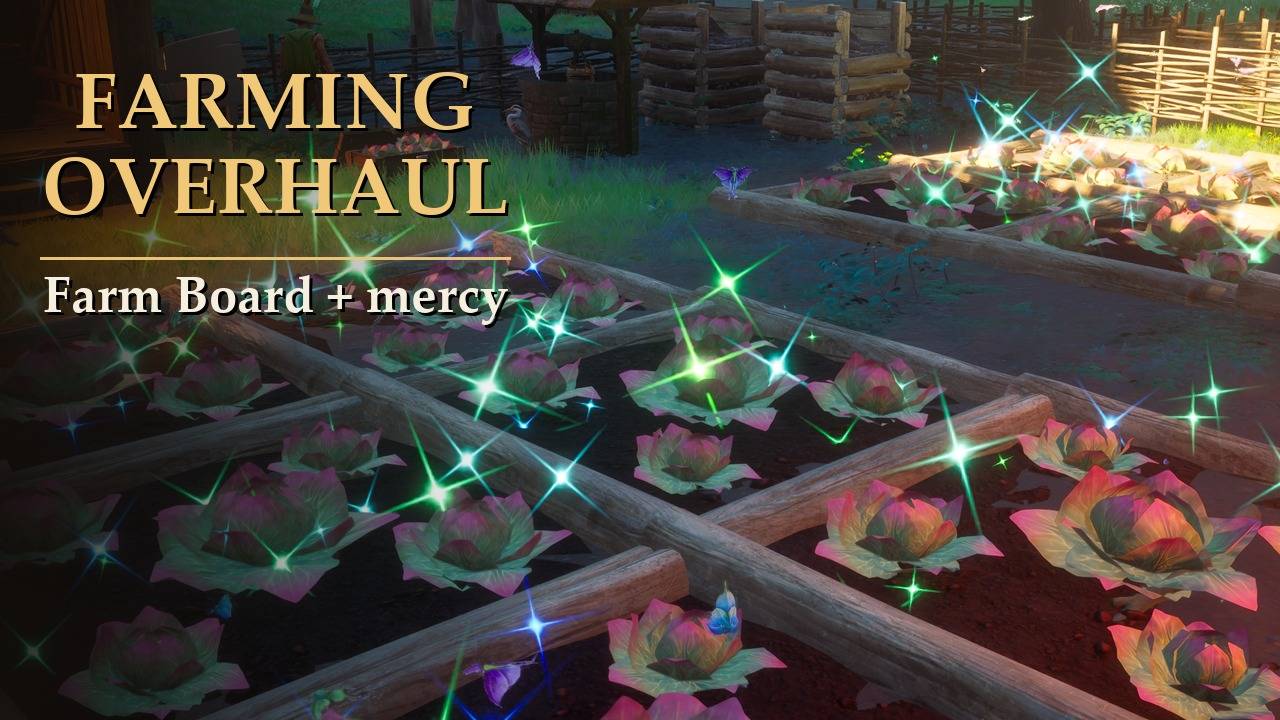
Turn crop disease down, cure sick plots for free, and come back to healthy plots after a trip. A Farm Board sorts your plots into what needs you, what is ready and what is growing, and short notices tell you when a plot needs you.
COMPATIBILITY
✔ Single player · ? Joining a friend
✔ Dedicated server · ✔ Controller
Install on your PC; on a dedicated server, also on the server. Co-op guests: the host's farming counts. ? = not tested yet.
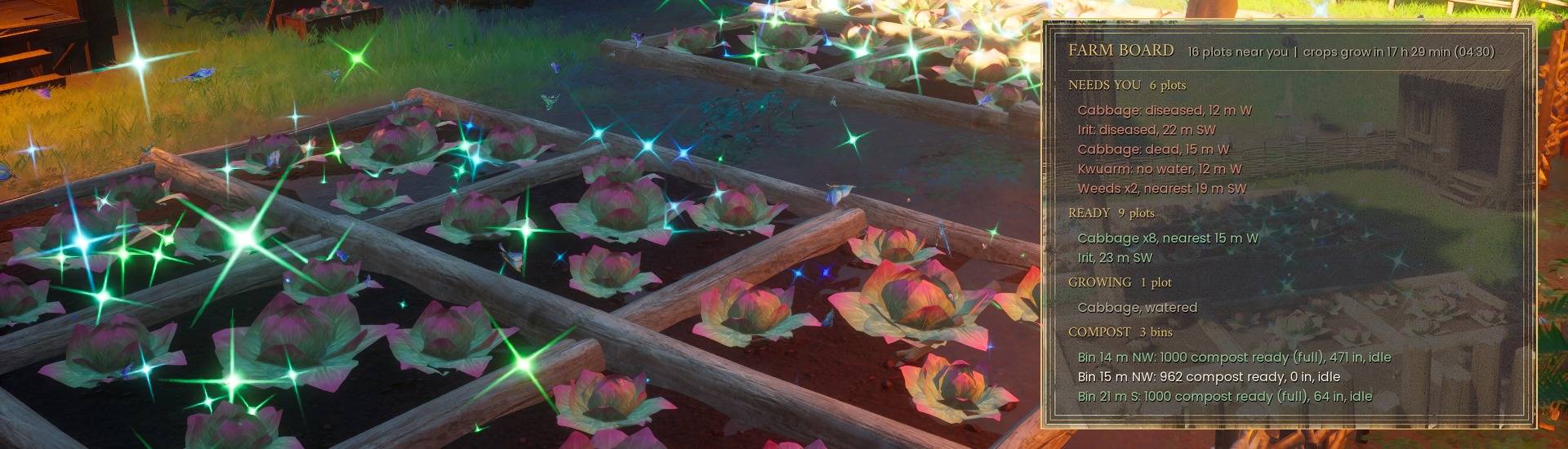
The game's farming punishes you for being away: crops get diseased and die, and empty plots fill with weeds. This mod lets you turn that down or off, and tells you which plots need you. No new items and no RuneSchema. Out of the box only two things change: plots you were away from come back healthy, and you get the notices. Everything else waits for you to switch it on.
Want a helper too? Farmhand & Animals (a separate mod) is built on this one: a Farmhand you pay in crops, and pens for chickens, sheep and cows. It needs Farming Overhaul. This mod works fine on its own.
What it does
- Disease chance: a slider from 0 to 2.00x. 1.00x is the game's chance, 0 means crops never get diseased.
- Free cures (off by default): a diseased plot near you is cured before it can die, with no cure potion used. You still get the game's cure XP for each one.
- Healthy after a trip (on by default): plots far from you wait, then catch up when you come back. With this on they catch up without disease.
- Clear weeds (off by default): an empty plot that grew weeds is dug clear for you. The weeds drop beside it, as when you dig them yourself.
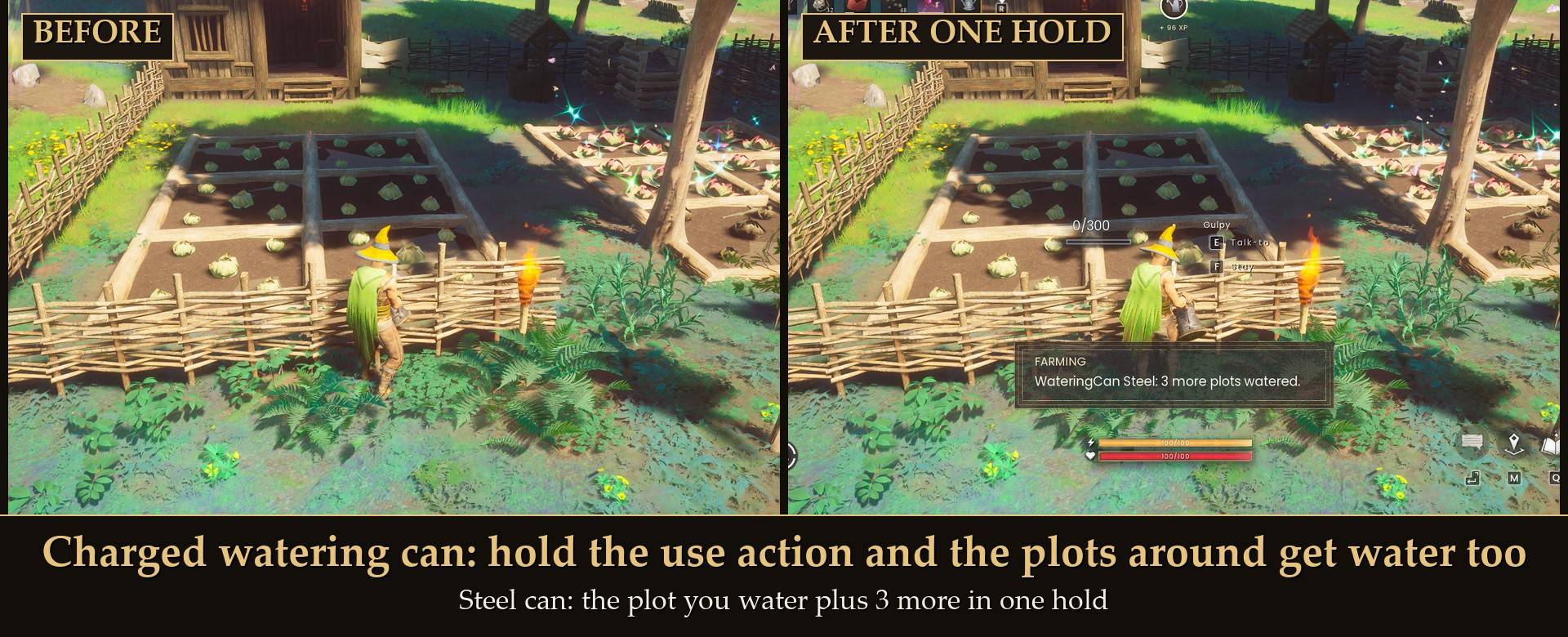
- Charged watering can and spade (off by default): hold the use action with a can or a spade and the plots around the one you work get the same. See below.
- Farm Board: the plots near you in three groups: NEEDS YOU in red (diseased, dead, no water, weeds), READY in green and GROWING in gray, each crop with a count and the distance and direction to the nearest one. The top line counts down to 04:30, when crops grow.
- Notices: a short notice at the bottom of the screen when a plot gets diseased, and one when plots with a growing crop have no water before 04:30 (60 in-game minutes before by default).
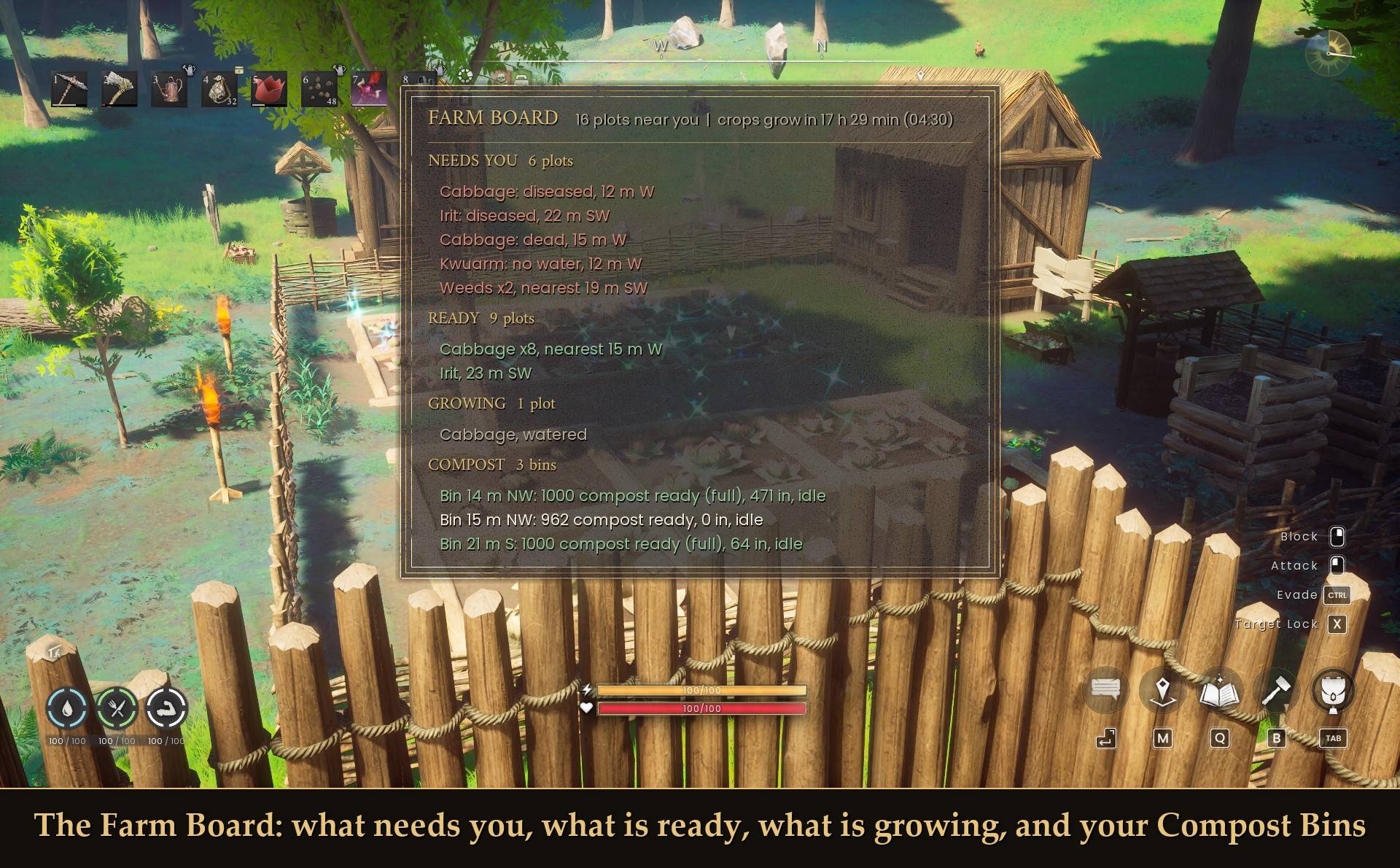
The Farm Board
Press Show the farm board in Mod Menu. Close the menu and the board shows for 15 seconds. On a controller, B closes it sooner. It has:
- A top line with how many plots are near you (and how many are empty) and how long until crops grow at 04:30.
- NEEDS YOU in red: diseased, dead, no water and weeds. READY in green. GROWING in gray. Each line is one crop in one state, with a count and the distance and direction to the nearest one, for example "Cabbage: diseased x2, nearest 12 m NE".
- On a rainy day, a line under GROWING with how many plots the rain watered.
- COMPOST: with two or more Compost Bins within 50 m, one line per bin, nearest first: the compost ready to take out, what is in it to compost, and whether it is running.
- FARMHAND: with Farmhand & Animals installed, the Farmhand's lines: whether he was paid today and what he is stuck on, with problems in red. That mod also adds a Farm Board piece you build and open like a chest.
Each section has a gold header, and a section with nothing in it is left out.
The first diseased notice of a session tells you where the free cures setting is, so you know the switch exists.
Charged watering can and spade
Hold the use action with a watering can or a spade. Once the hold lasts, the nearest plots around the one you work get watered or dug too. How many goes by the tool's tier: Wood 2, Bronze 3, Steel 5, Adamant 7, Rune 9 (the 3 x 3 block). The can pays 50 of its water for each extra dry plot, the spade 8 durability for each extra plot it digs, the same as a hand dig. No runes and no new key. The can waters while its water lasts: the game's own pour on your plot comes first, so a full Adamant can waters about 4 or 5 more plots and a full Rune can about 5. I tested the Bronze, Steel, Adamant and Rune cans and the Wood, Steel, Adamant and Rune spades. It works solo or as the host: a joined player gets a short notice instead.
Settings
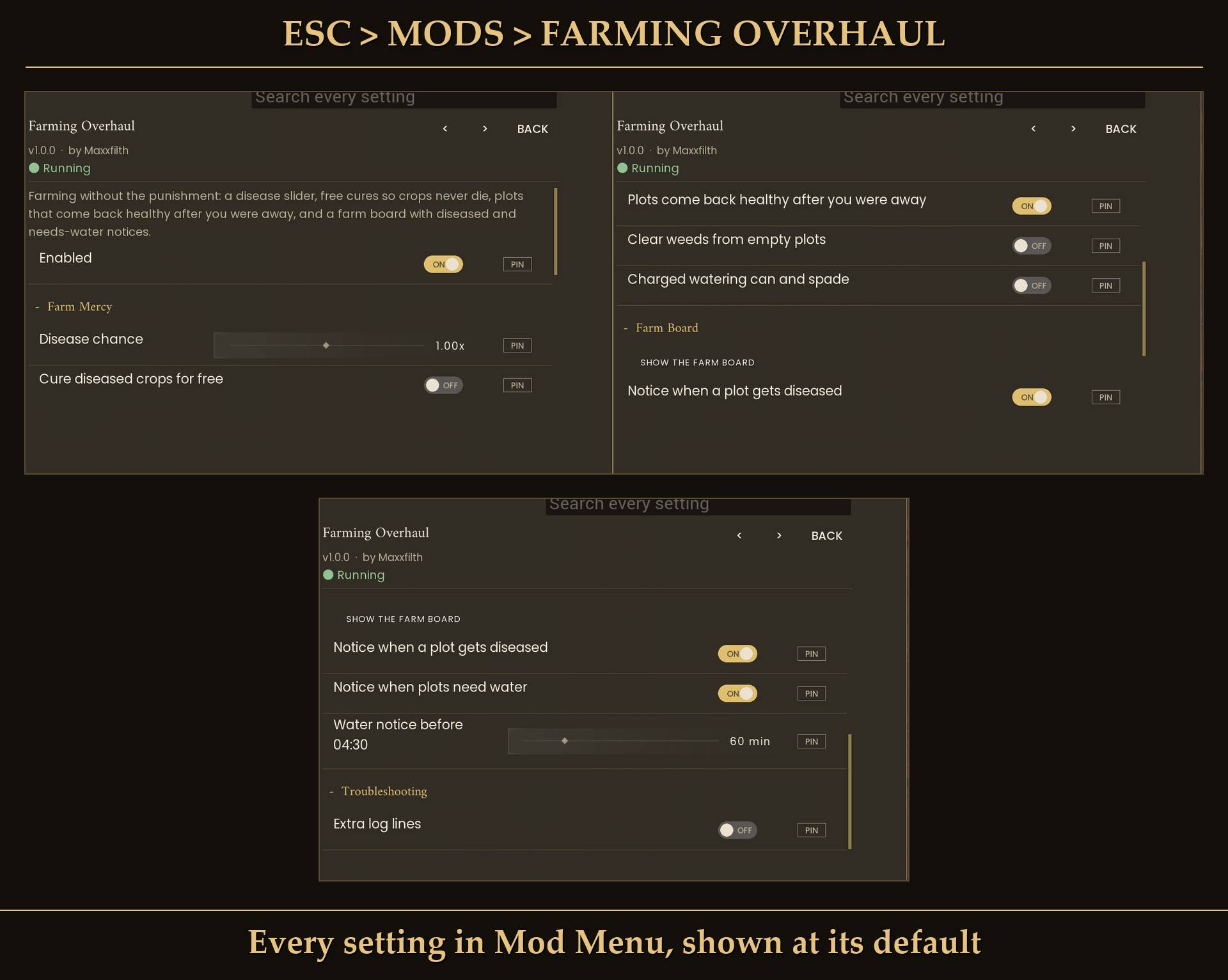
All live in Mod Menu (Esc > MODS > Farming Overhaul), or in config.txt in the mod folder (restart the game after editing it). Changes in Mod Menu apply right away.
- Enabled (on): off = the game's own farming. Every value the mod changed goes back.
Farm Mercy
- Disease chance (1.00x, 0 to 2 in steps of 0.05). Solo or host: on a joined game the host's farming counts.
- Cure diseased crops for free (off).
- Plots come back healthy after you were away (on).
- Clear weeds from empty plots (off).
- Charged watering can and spade (off).
Farm Board
- Show the farm board: a button.
- Notice when a plot gets diseased (on).
- Notice when plots need water (on).
- Water notice before 04:30 (60 min, 10 to 240 in steps of 10): in-game minutes before the crops grow.
Troubleshooting
- Extra log lines (off): more lines in UE4SS.log for bug reports.
Install
- Install UE4SS for RSDragonwilds.
- Recommended: install Mod Menu for the settings in game and the Show the farm board button. Without it the mod still runs with its defaults, and you change the settings in
config.txt.
- Extract the zip into your game folder (the one that has
RSDragonwilds inside). It puts the FarmingOverhaul folder into RSDragonwilds/Binaries/Win64/ue4ss/Mods/.
No RuneSchema needed.
On Game Pass: use the BE version of UE4SS with the SCO signature, the normal build does not load there. Game Pass also installs the game under Binaries/WinGDK/ instead of Binaries/Win64/, so the FarmingOverhaul folder goes in RSDragonwilds/Binaries/WinGDK/ue4ss/Mods/. I haven't tested Game Pass.
Uninstall
undefined
Close the game and delete the FarmingOverhaul folder in ue4ss/Mods. Farming Overhaul keeps no files in your Saved folder and adds no build pieces or items, so your worlds and characters are untouched. If you also use Farmhand & Animals, it needs this mod: without it, it shows one notice and does nothing until you put Farming Overhaul back. To remove that one too, follow the steps on its page first: its Farmhand Chest and Farm Board are deleted from a world, with the chest's contents, when its RuneSchema add-on is removed.
undefined
Good to know
- Your saves: the mod adds no items, no build pieces and no save files. It changes the game's disease values while it runs and puts them back when you switch it off.
- After a load: the mod waits about 40 seconds after you enter a world before it reads your plots, so the first notice can take a moment.
- Joined players: the disease slider, free cures and the away rule follow the host's copy of the mod. A joined player's own Farm Board and notices still work.
- Dedicated server: install it on the server and on each player's PC. The server's copy runs the disease slider, free cures and the away rule; each player's copy runs their own Farm Board and notices. On a server
config.txt is read again every 10 seconds, so you can change it without a restart. On my test server with 1.0.0, switching the mod on and setting the disease slider in the server's config.txt took effect within seconds, plots caught up when a player joined, and the joined player's Farm Board worked by pad.
- Not sure it's running? UE4SS.log shows
[FarmingOverhaul] v1.0.0 loaded followed by your settings.
Tested on RuneScape: Dragonwilds (Steam build 26420214) with UE4SS 3.0.1, RuneSchema 0.8.1.0 and Mod Menu 2.0.1, solo on a test character and on a local dedicated server with one player joined, with a virtual Xbox pad for the controller checks. Not tested yet: hosting with a guest connected, Game Pass, a physical controller.
Links