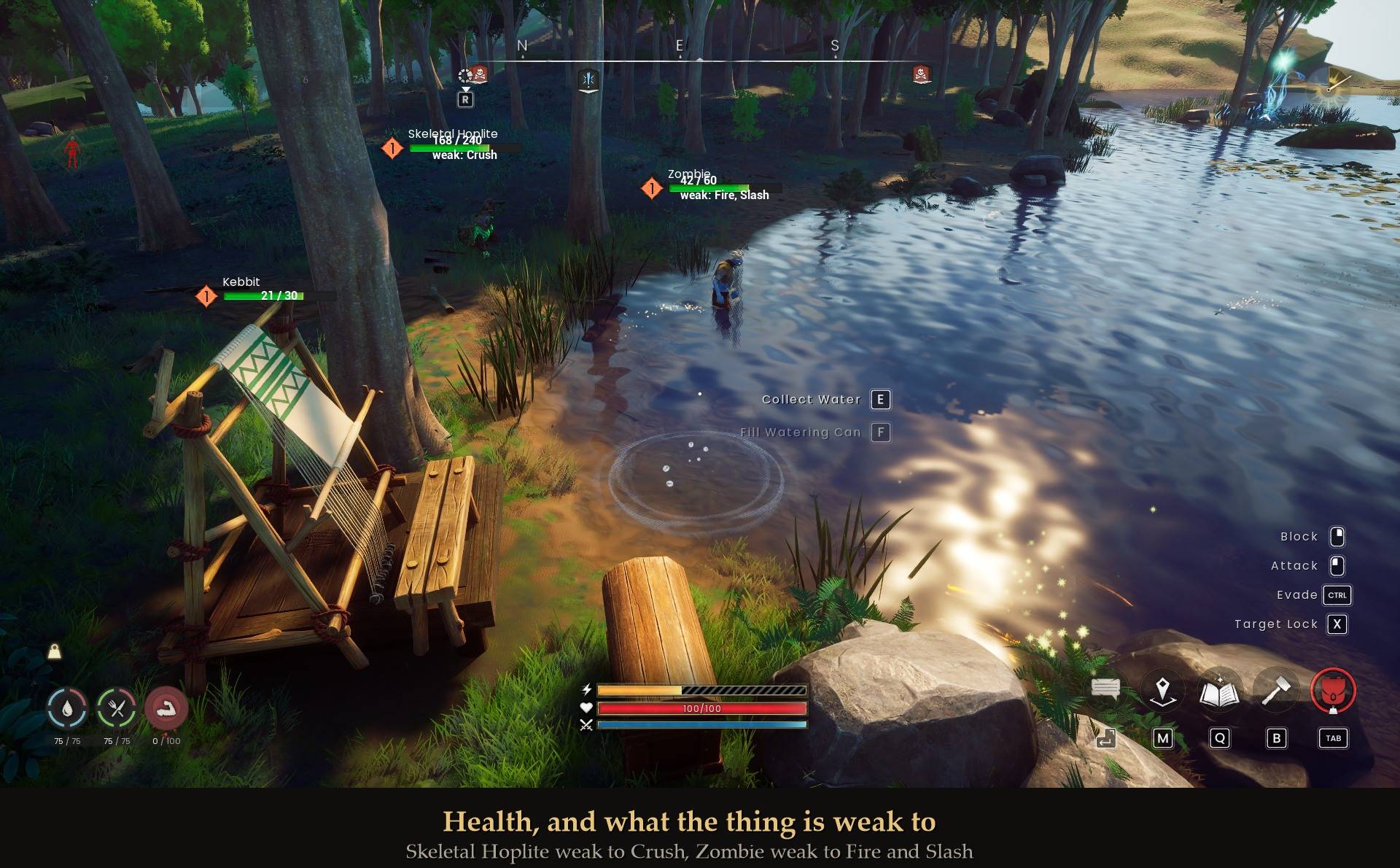
The game shows you a bar. It never shows you the number.
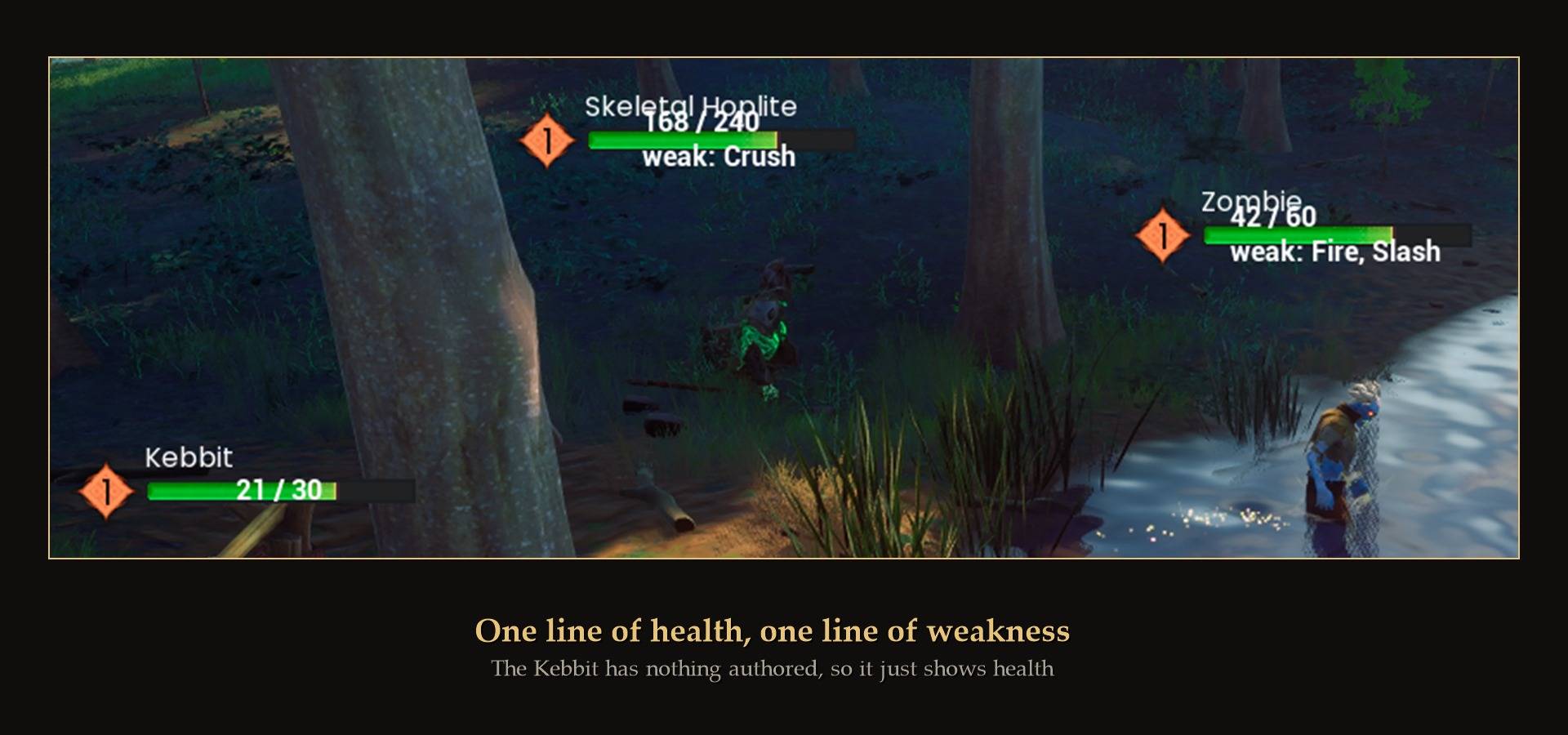
Exact health and weaknesses on enemy health bars, written onto the game's own bar so it sits where it should and scales with everything else.
Why you want it
- Overkill is wasted XP, and the game hides the one number that tells you. Combat XP is 25% of the damage you deal, capped by the enemy's maximum health. Hit a 20 HP chicken for 88 and you are paid for 20. Vanilla never shows you a maximum, so there is no way to see it happening.
- You can see how close something is to dying. "Half a bar" on a Kebbit and "half a bar" on a boss are very different amounts of work.
- It reads like part of the game. The numbers go on the vanilla health bar, so they follow it, fade with it, and disappear at the same distance it does. No second overlay floating somewhere else on your screen.
- Four formats. 24 / 30, or 24, or 80%, or 24 / 30 (80%). Your choice.
- It tells you what a thing is weak to. "weak: Crush" sits under the numbers. A skeleton takes extra from crush, a zombie from fire and slash. It reads the game's own data per creature type, so anything with nothing set just shows the health.
Install
- Install UE4SS for RSDragonwilds (free, from the UE4SS for RSDragonwilds page on Nexus Mods)
- Drop the
EnemyHPNumbers folder into RSDragonwilds/Binaries/Win64/ue4ss/Mods/
- Launch the game. That is it.
To uninstall, delete the EnemyHPNumbers folder.
Settings
Install Mod Menu and press Esc to change everything in game, with no restart. Or edit config.txt in the mod folder with the game closed.
ShowNumbers = true
NumberFormat = current_max
ShowWeakness = true
WeaknessFormat = weak
MaxDistance = 40
ScanSeconds = 3.0
MaxTracked = 25
NumberFormat accepts current_max, current, percent or current_max_percent. WeaknessFormat accepts weak, weak_resist or off. MaxDistance is in metres.
What it does not do
- No hitsplats. The game already has its own floating damage numbers. Adding a second set would just be clutter.
- No boss bars yet. I had no boss available to test against, and I would rather ship nothing there than ship a guess.
Good to know
- It only reads. Nothing is written to your save, your character or your game files. It reads health values and draws text.
- It puts every bar back. Turn it off, walk away, or kill the enemy, and the bar returns to exactly how it was. Same when you uninstall.
- It is built to be cheap. The expensive part is searching for enemies, so that runs every few seconds rather than every frame. Once an enemy is being tracked it costs a single value read per tick.
- Solo or host. It reads what your machine knows. In co-op the host's copy is the authority, and co-op is not something I have been able to test properly yet, so treat it as unproven there.
- Not sure it is running? UE4SS.log has a line from
EnemyHPNumbers when it loads.
How it works, if you care
The health bar already contains an unused text widget that Jagex left in the shipping build, hidden, with placeholder text. This mod fills it in and makes it visible, which is why the numbers inherit the bar's position and behaviour for free.
Getting the health value itself was the interesting part. The obvious property on the health component turns out to be a stale copy that never changes when an enemy is damaged, so a mod built on it would show full health forever and look perfectly fine in a quick test. The real values come from the game's attribute system, cross checked against the bar's own fill fraction.