Save, share and place whole buildings
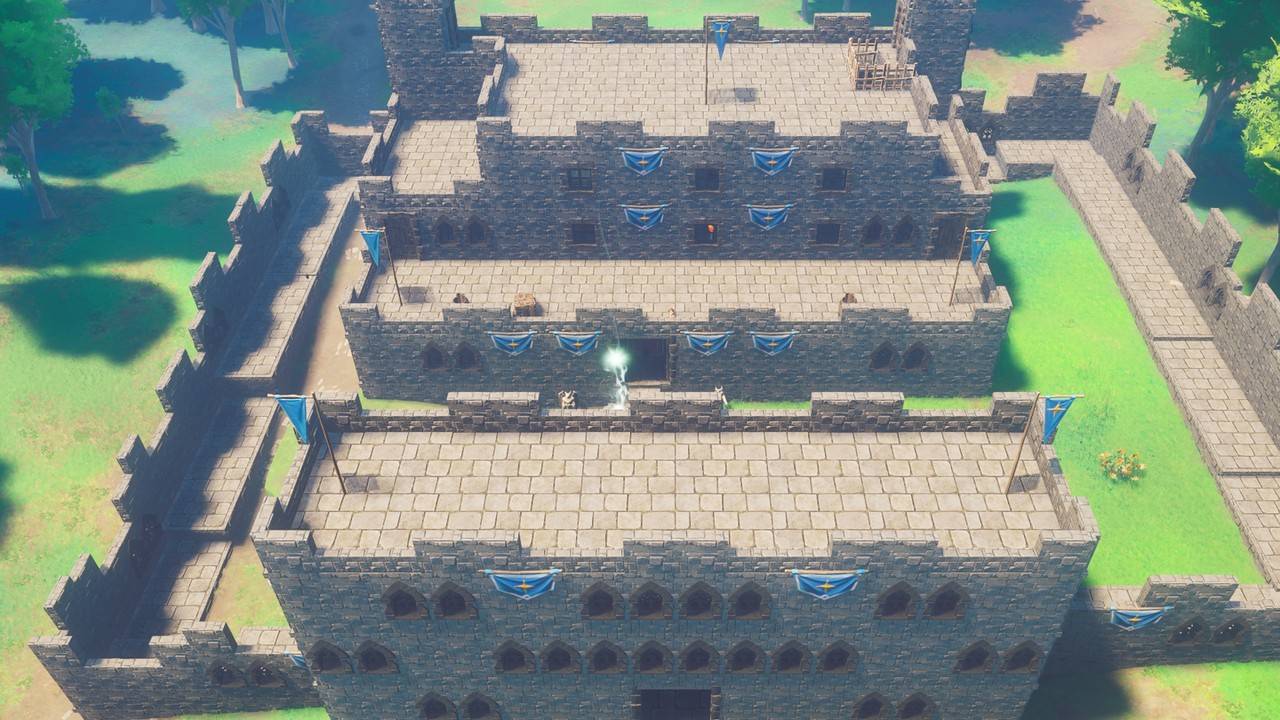
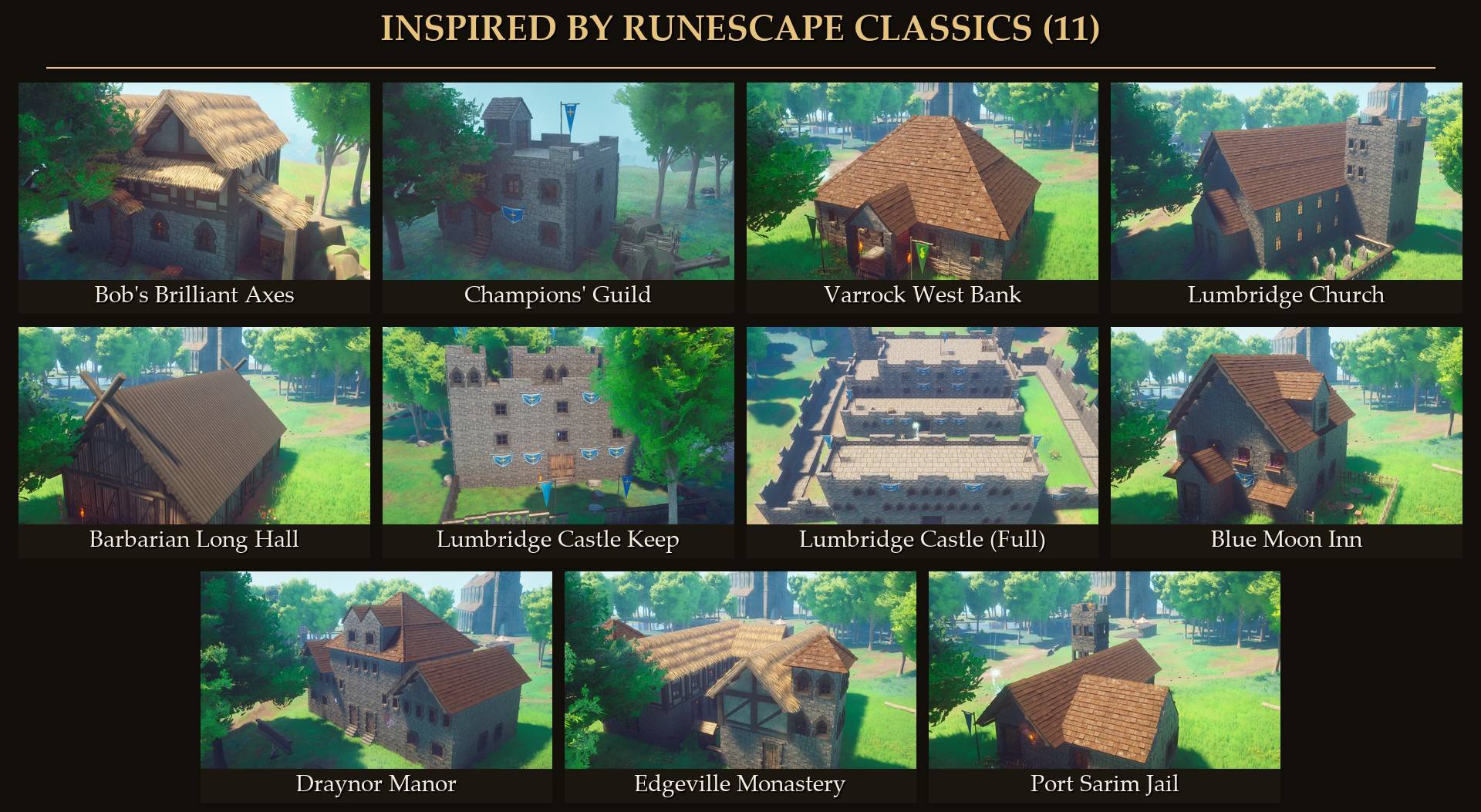
Capture a house you built, then put it down again somewhere else. Or pick one of 32 ready-made blueprints, including 11 buildings inspired by RuneScape classics like Lumbridge Castle and Bob's Brilliant Axes.
Needs UE4SS and Mod Menu. RuneSchema and Builder's Plans (RuneSchema add-on) are optional, for the build menu tiles. Host or solo only.
New in 1.1.0: Capture up to (Mod Menu, or MaxPieces in config.txt) lets you save plans bigger than 2,000 parts, up to 8,192. The default stays 2,000. Very big plans pause the game for a moment on capture and take a few minutes to place, and on uneven ground some parts can fall.
New in 1.1.1: the materials list wraps to fit the screen and counts the Style you picked.
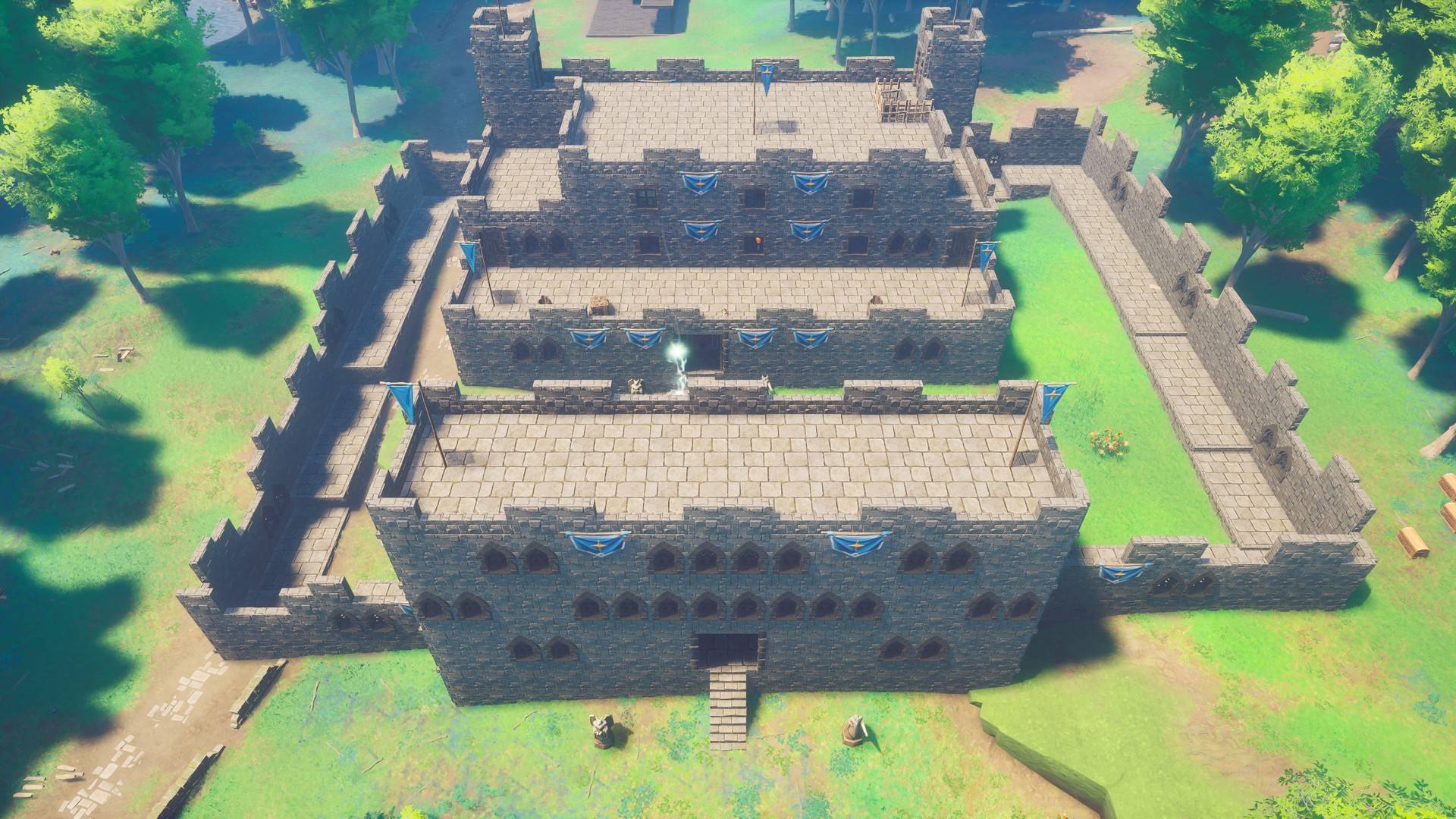
What it does
- Capture your own builds: aim at a piece of your build in repair mode (B, then T) and press F3, or stand in it and press "Capture the build next to me" in Mod Menu. Every piece connected to it is saved as a blueprint, and so are loose props right next to it, like a chest or a torch outside.
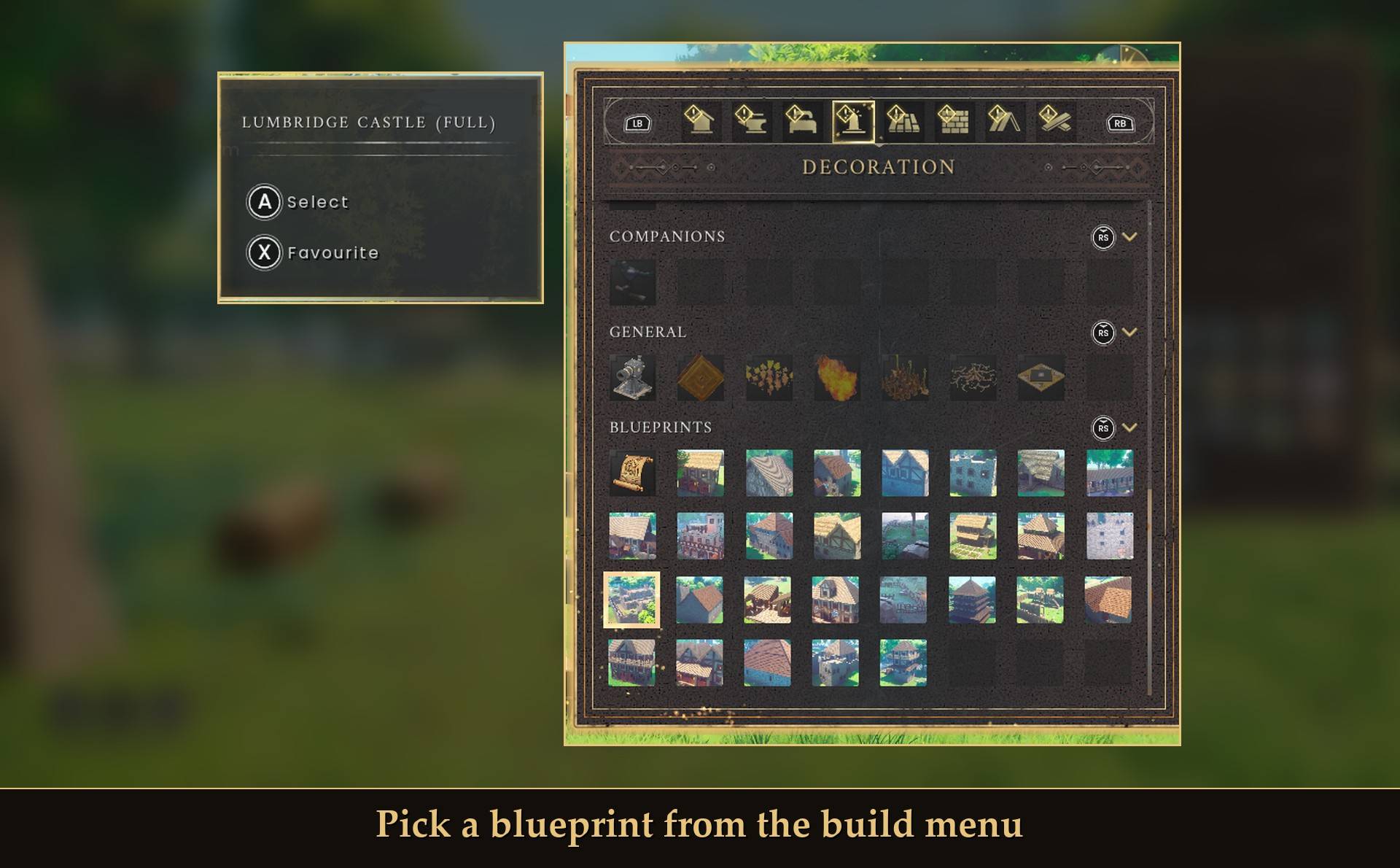
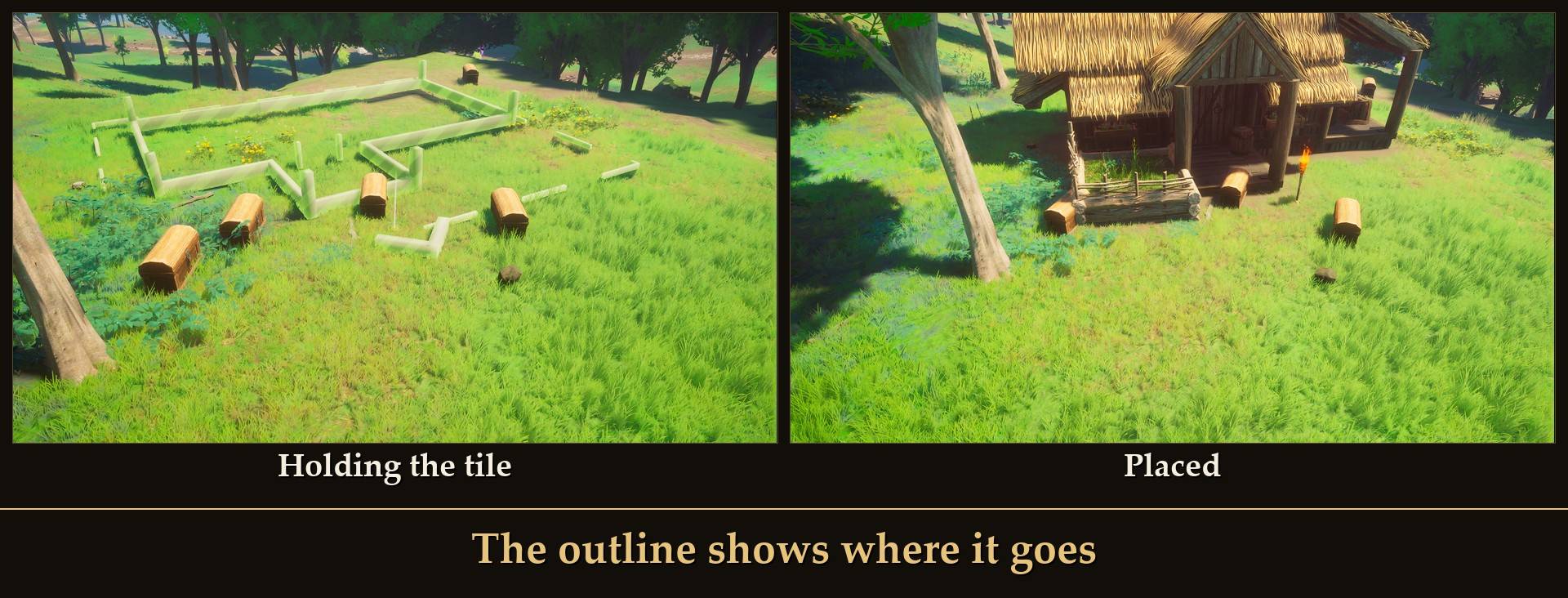
- Pick it from the build menu (optional add-on): a Blueprints row on the Decoration tab, one tile per blueprint. The building's outline shows on the ground where you aim. Rotate and place it like any piece.
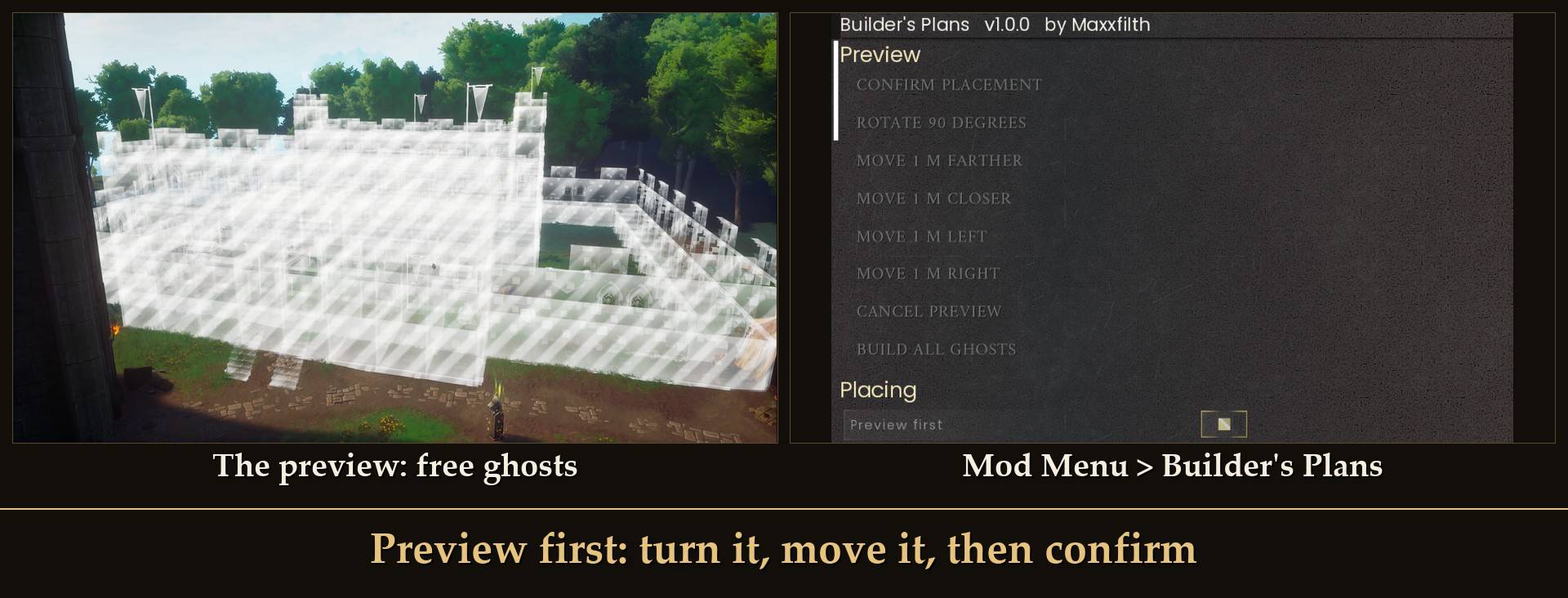
- Or from Mod Menu: it goes down in front of you as a free ghost preview. Turn it, move it a meter at a time, then confirm or cancel.
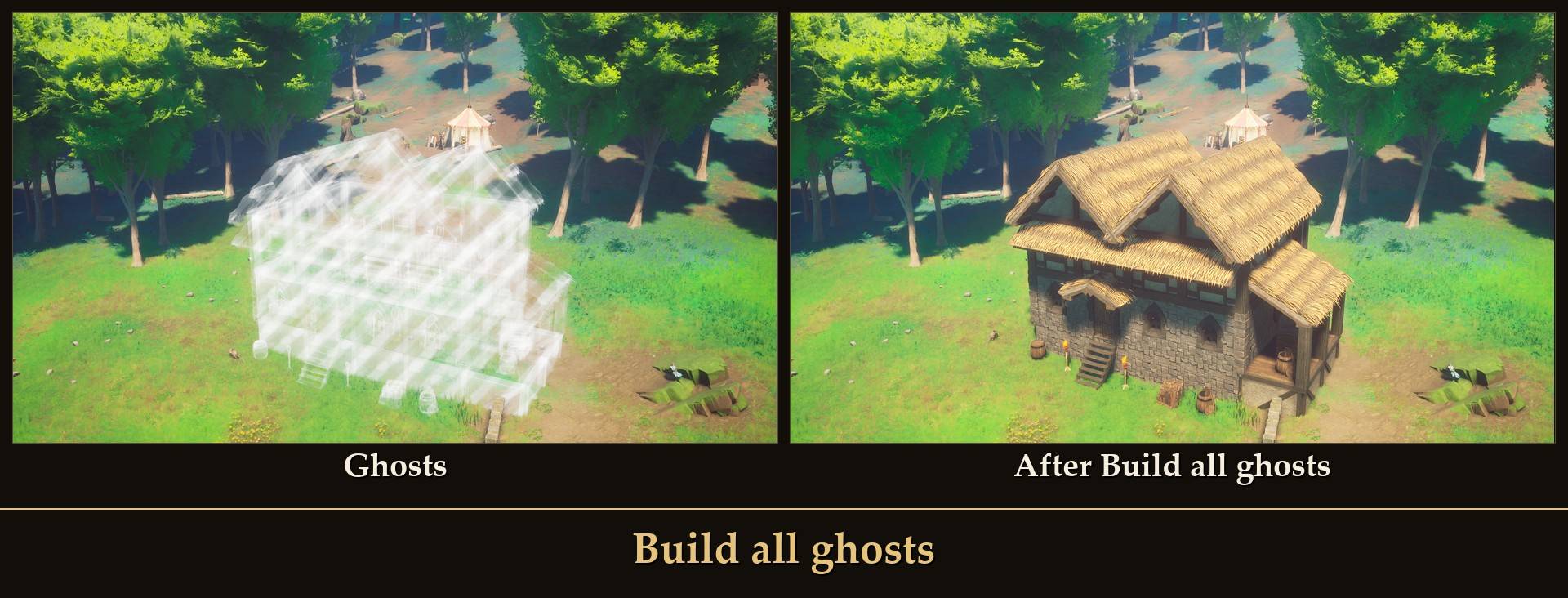
- Three ways to pay: Ghosts puts down the game's own unbuilt ghost pieces for free, and you finish them in repair mode like any ghost. Pay now builds the real pieces with materials from your bag. Free builds the real pieces without taking materials, and gives no Construction XP.
- Build all ghosts: one button turns the ghosts into real pieces, as far as your bag goes.
- Undo: removes the last blueprint you placed. For a paid build the materials go back in your bag.
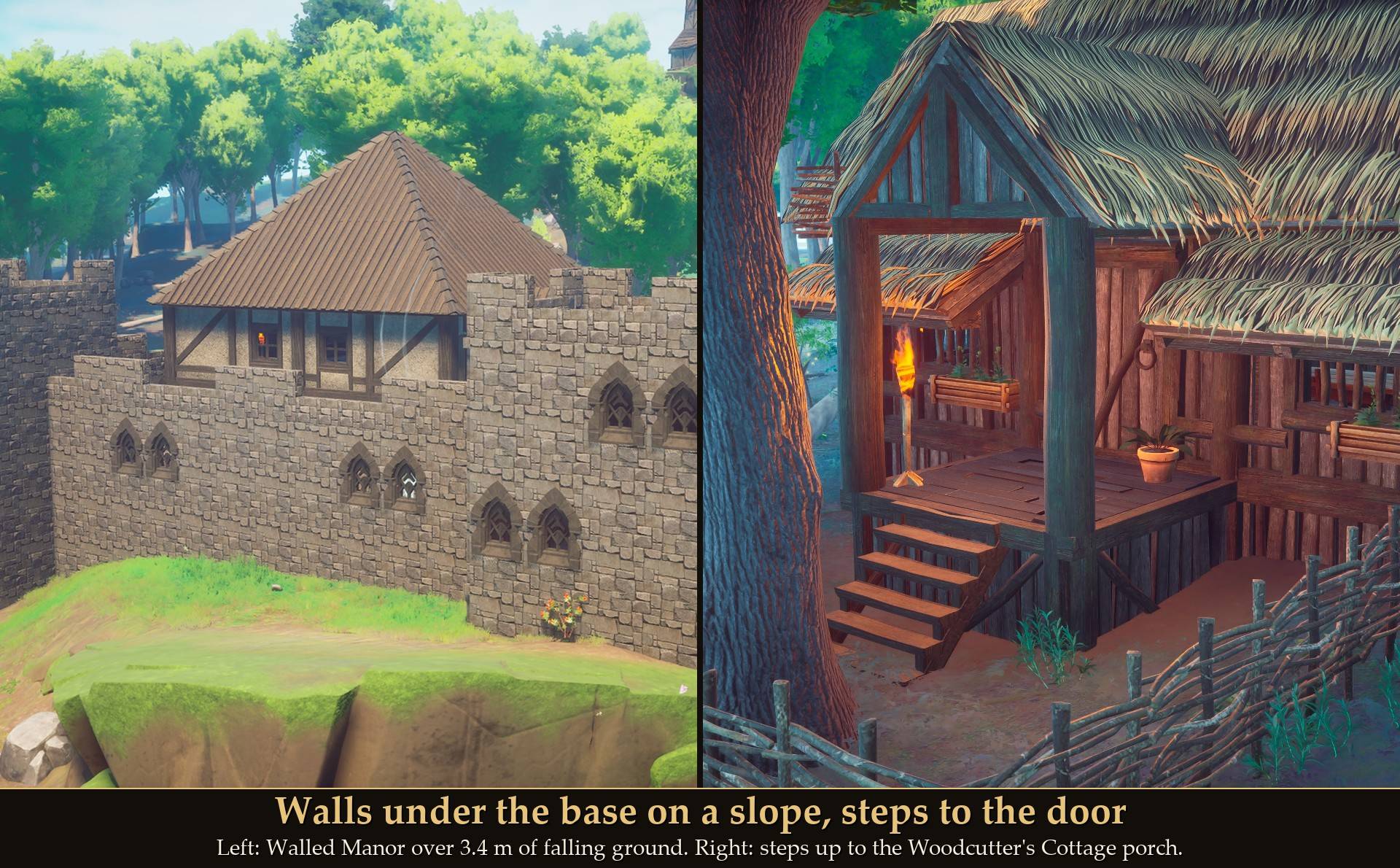
- Fits the ground: a level base, walls under its edges on a slope, steps up to the doors, and yard pieces set on the ground.
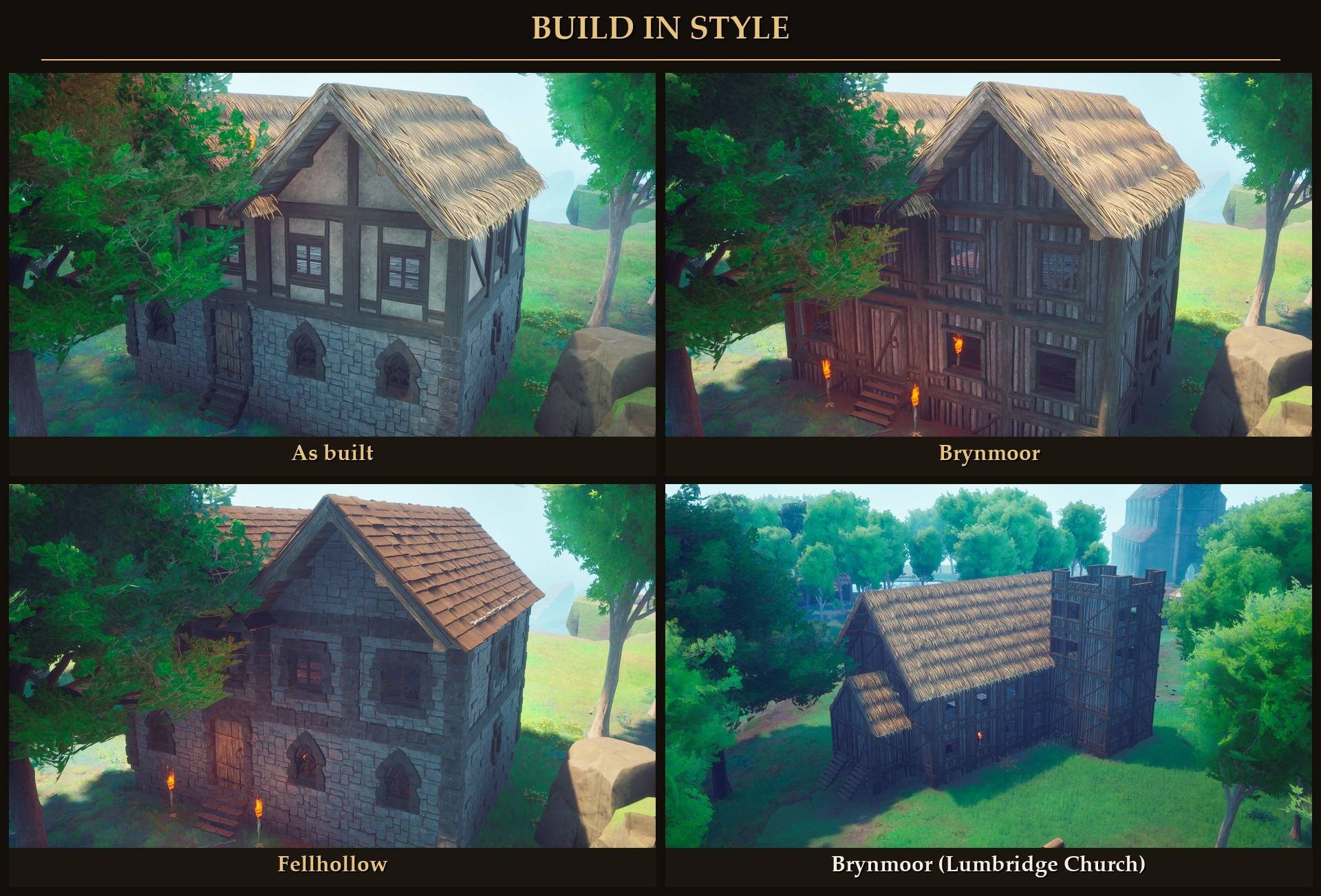
- Build in style: rebuild any blueprint in Brynmoor, Ghornfell or Fellhollow pieces.
- 32 ready-made blueprints: 26 furnished buildings, 4 furniture sets for your own rooms, and 2 fences. The biggest is a full Lumbridge Castle with a working kitchen and a bank on the top floor.
From the build menu
With the build menu add-on installed, the Decoration tab has a Blueprints row: 29 tiles, one with a picture for each ready-made building and fence, plus My blueprint, which places the blueprint you picked in Mod Menu (that's how you place your own captures from here). It also adds a Castle Fountain under Decoration > General (50 Stone): the game's own three-tier stone fountain, to build anywhere.
- Pick a tile. The building's outline shows on the ground, with an arrow at the front, and it follows your aim. The front edge of the outline is where you aim.
- Turn it with the normal rotate controls (mouse wheel, or LT/RT on a pad), 15 degrees a step. Like any piece, it starts at the angle of the last piece you placed.
- Place it. The building goes down where the outline was, its front at the front edge, facing the way the arrow points. Steps to the door are added in front where the ground needs them, so they can reach a little past the edge (up to about 2 m on the Walled Manor).
The tile itself is free. The building is paid the way How to pay is set in Mod Menu. The ready-made tiles build right away, since the outline already showed you where. My blueprint shows a plain arrow instead of an outline, so it goes down as a preview first (see below) when Preview first is on.
From Mod Menu
- Open Mod Menu (Esc > MODS > Builder's Plans) and press Next blueprint until you see the one you want. It shows the name, the number of pieces and the materials it needs. Materials needed shows the full list again.
- Pick How to pay: Ghosts, Pay now or Free.
- Stand where you want it, facing the spot, and press Place in front of me (or Page Up). Close the menu to watch it go down.
The preview: with Preview first on (the default), the blueprint goes down as free ghost pieces first, and nothing is final yet. The Preview buttons in Mod Menu:
- Rotate 90 degrees.
- Move 1 m farther, closer, left or right. Moves go by where you look.
- Confirm placement (the Place key does the same). In Ghosts the ghosts stay for you to finish. In Pay now it checks your bag first: if you're short it lists what's missing and the preview stays. In Free it builds the real pieces.
- Cancel preview (Undo does the same).
How to pay is read when you confirm, so you can switch it while the preview waits. With Preview first off, the blueprint is placed right away.
With Ghosts, open repair mode and finish the foundations first, then the rest. With Pay now and no preview, if you're short it lists what you're missing and places nothing.
Your captures are saved in Blueprints/blueprints/mine/ in the mod folder, named after the date and time, and they show up in the same list as the ready-made ones. To share one, send its .lua file from that folder. The other player puts it in their own blueprints/mine/ folder, and it's in their list the next time they start the game.
Build all ghosts
Don't want to walk to every ghost in repair mode? Press Build all ghosts in Mod Menu.
- It builds the ghosts of your last placement. If you restarted the game since, it takes every ghost within 40 m of you.
- It goes in building order: foundations first, then walls, floors, roofs, doors and furniture, low to high.
- It pays from your bag as far as it goes (in Free mode it takes nothing). What your bag doesn't cover stays a ghost, and the message says what you still need. Gather that and press it again to finish. In my test the Walled Manor came out 844 of 846 pieces on the first press and all 846 on the second.
- With a preview waiting, it builds the preview for real.
- Undo right after it removes what that press built, and a paid press gets its materials back.
Undo and refunds
- Undo last placement removes the last blueprint you placed. For a paid build every material goes back in your bag. It works from inside the menu too, the materials come back once you close it.
- If a paid piece falls while the blueprint goes down, its materials go back in your bag as well.
- Keep room in your bag before you Undo a paid build. What doesn't fit is dropped on the ground, and in my test with a full bag some of it went missing.
- In Free mode nothing was paid, so nothing comes back: the materials the game drops from fallen pieces and from Undo are cleared from the ground, not given to you.
Fits the ground
- The base sits level, just above the highest ground under it. On a slope, walls hang under its edges down to the ground, so there are no stilts showing. They cost materials like any wall.
- If the ground drops more than 6 m under the base, it won't place there (MaxSpread, in config.txt).
- Steps are added in front of the doors, as many as the ground needs.
- Yard pieces like torches, fences, farm plots and the props from your captures are set on the ground, not on the base.
- If trees stand where the base would go, nothing is placed and the message says how many. Chop them, pick another spot, or turn off Stop for trees.
Build in style
Every wall, roof, floor and beam can be swapped for its match in another style: Brynmoor (ash and thatch), Ghornfell (plaster and oak) or Fellhollow (stone). Or leave it As built. It works on your own captures too. Furniture stays the same.
32 ready-made blueprints
Inspired by RuneScape classics (11): Bob's Brilliant Axes, Lumbridge Church, Lumbridge Castle Keep, Lumbridge Castle (Full), Champions' Guild, Varrock West Bank, Barbarian Long Hall, Blue Moon Inn, Draynor Manor, Edgeville Monastery, Port Sarim Jail.
Two Lumbridge castles
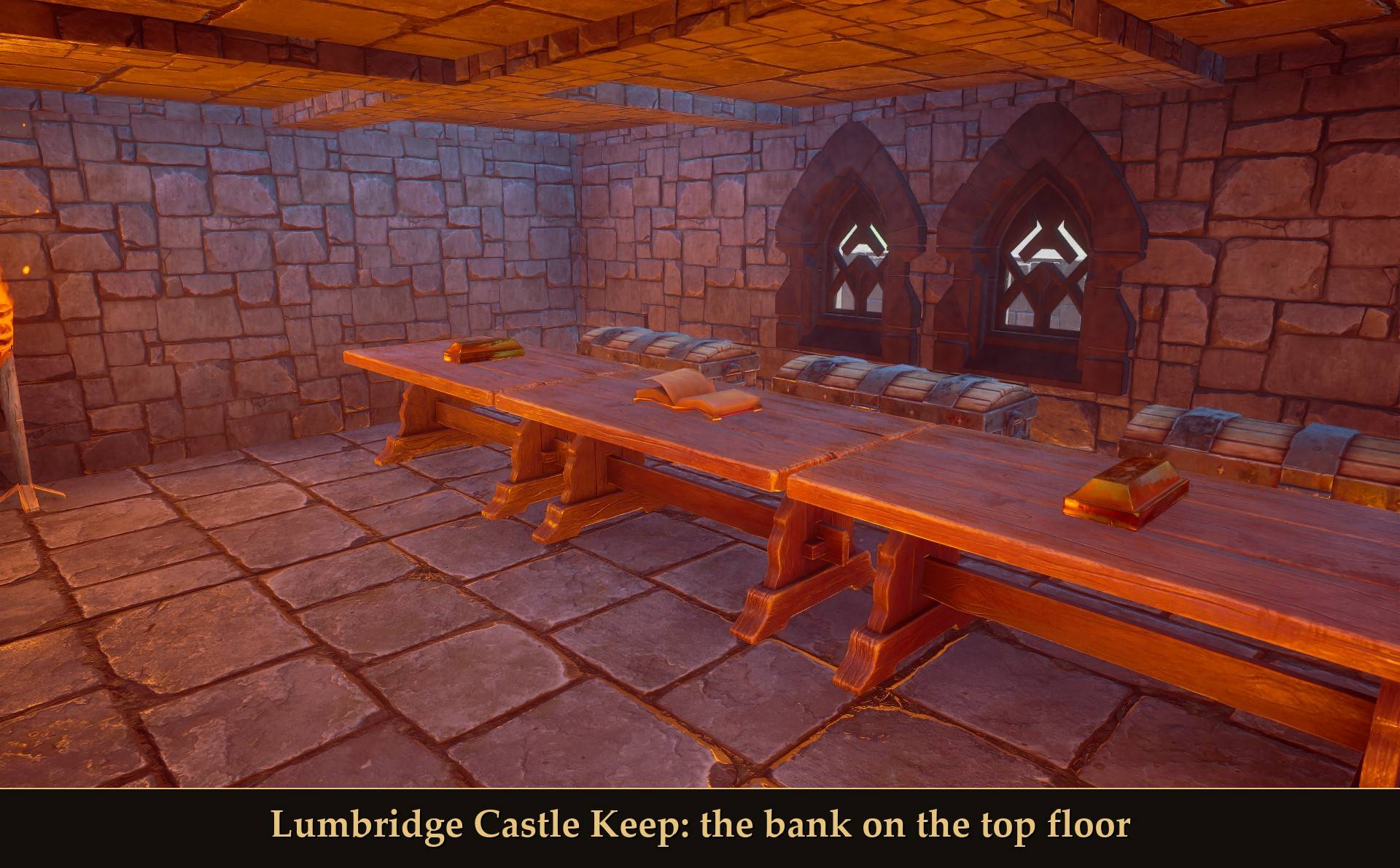
The Lumbridge Castle Keep is the small one: the keep on its own, with a bank in its top room. Take the stairs to the roof and go in through the north doorway: a teller counter with gold bars and an open book on it, and three iron chests behind it.
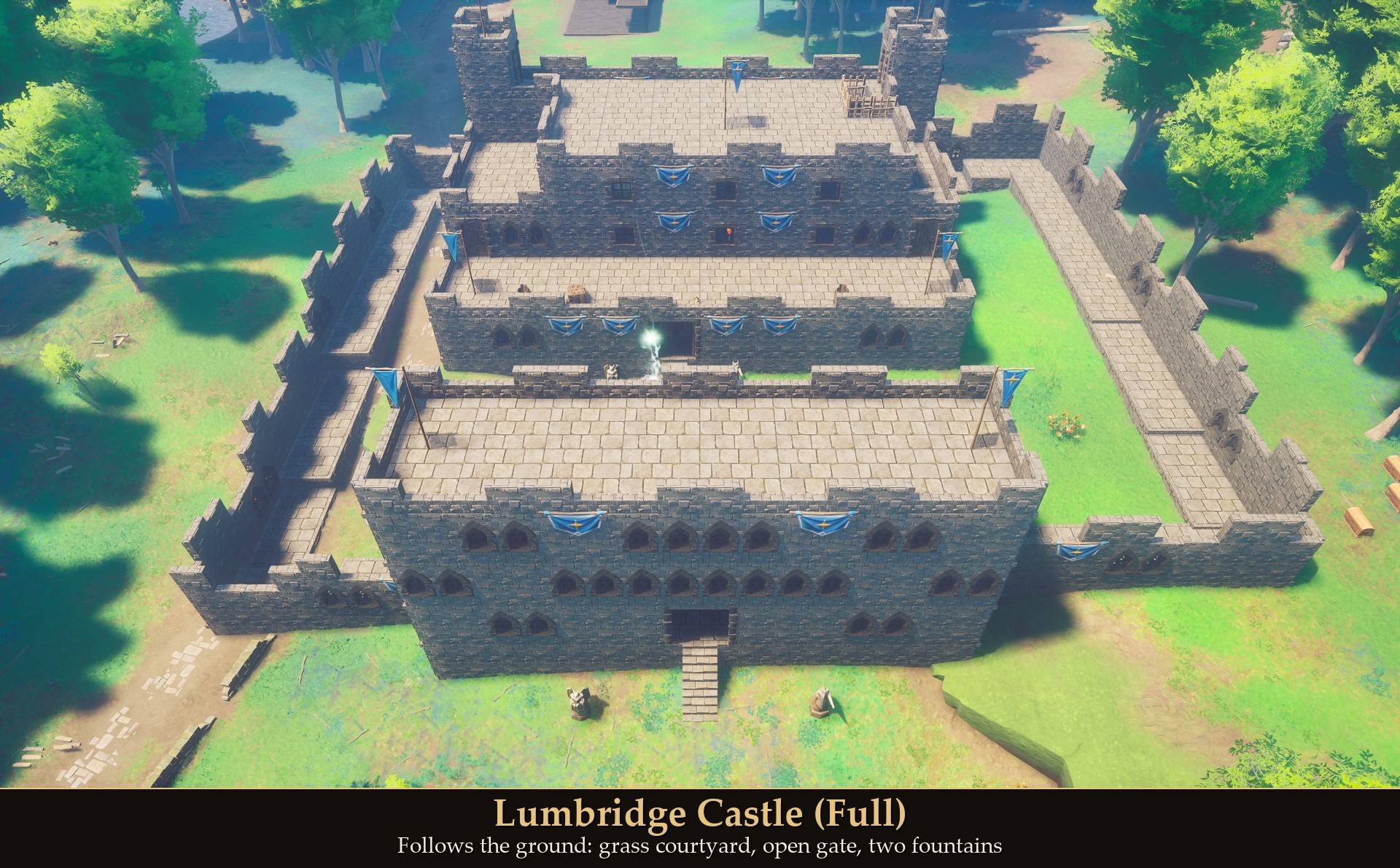
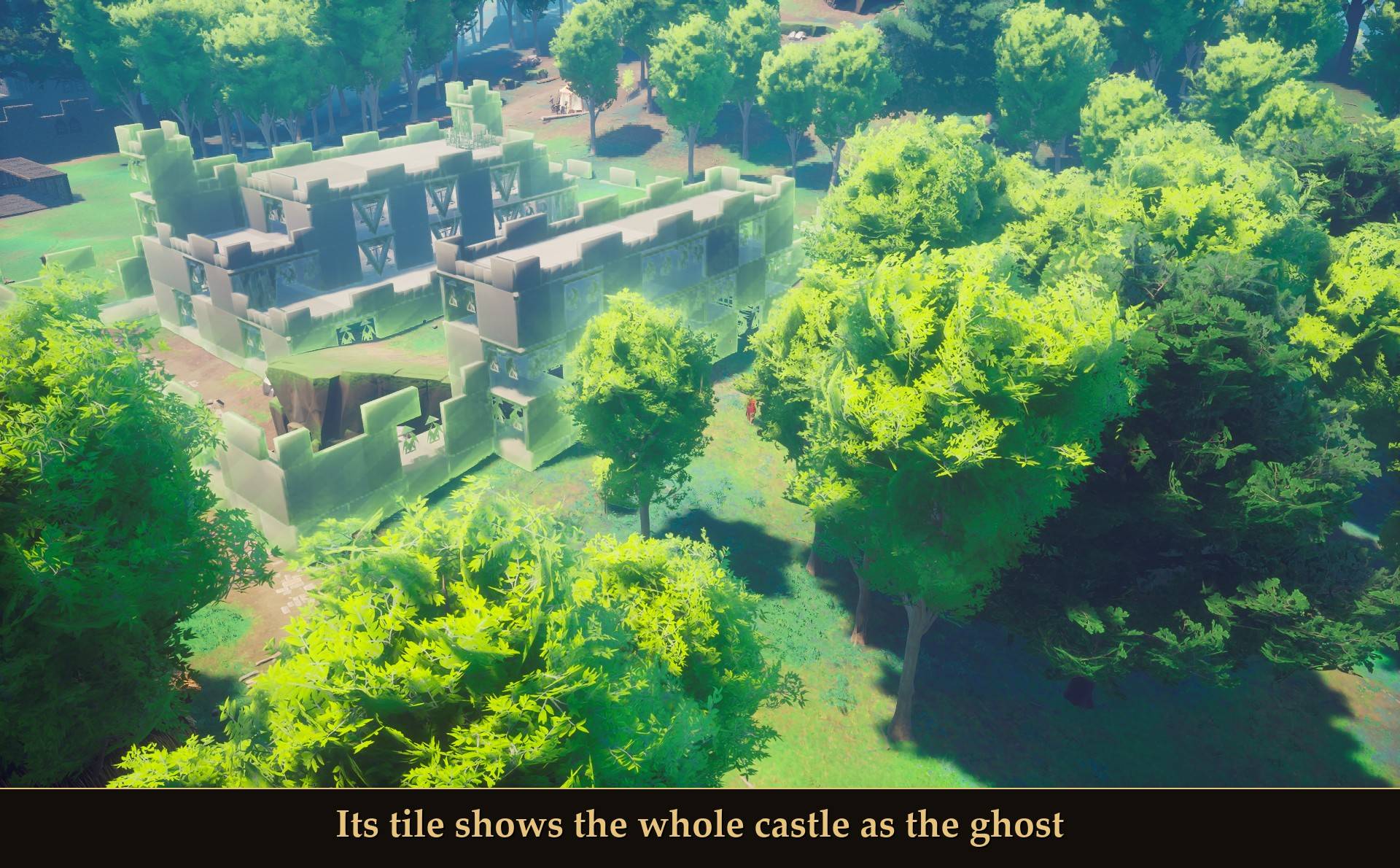
Lumbridge Castle (Full) is the big one. Its build-menu tile shows the whole castle as the ghost while you aim it, so you can see where it will stand. It's laid out after the RuneScape castle floor by floor, at about 1.5 m per RuneScape tile: 51 x 45 m and 1,144 pieces.
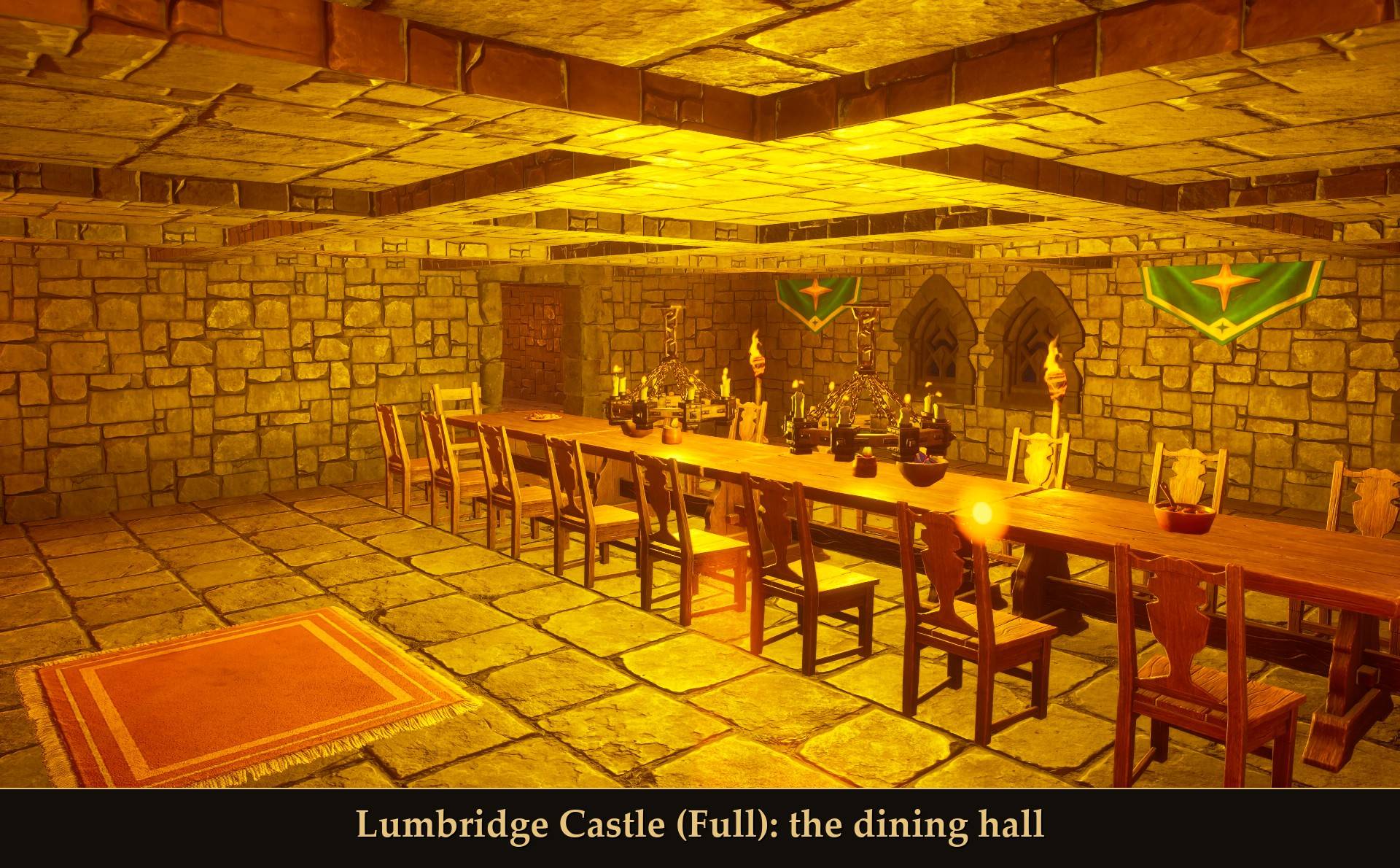
- Ground floor: the entrance hall, a kitchen with a working Cooking Range, and a dining hall with a long table and chandeliers.
- Upstairs: the spinning room with a working Spinning Wheel, the Duke's room and a terrace.
- Top floor: the bank, an open hall with a teller counter and iron chests behind it. A Storage Ledger stands in as the deposit box: it empties matching items from your bag into your linked chests.
- Outside: a gatehouse with an open gate and statues outside it, the curtain wall, and a grass courtyard with two stone fountains, statues and potted bushes by the keep steps.
All 9 flights of stairs can be walked, and the range, the wheel and the chests open like any others. There is no cellar.
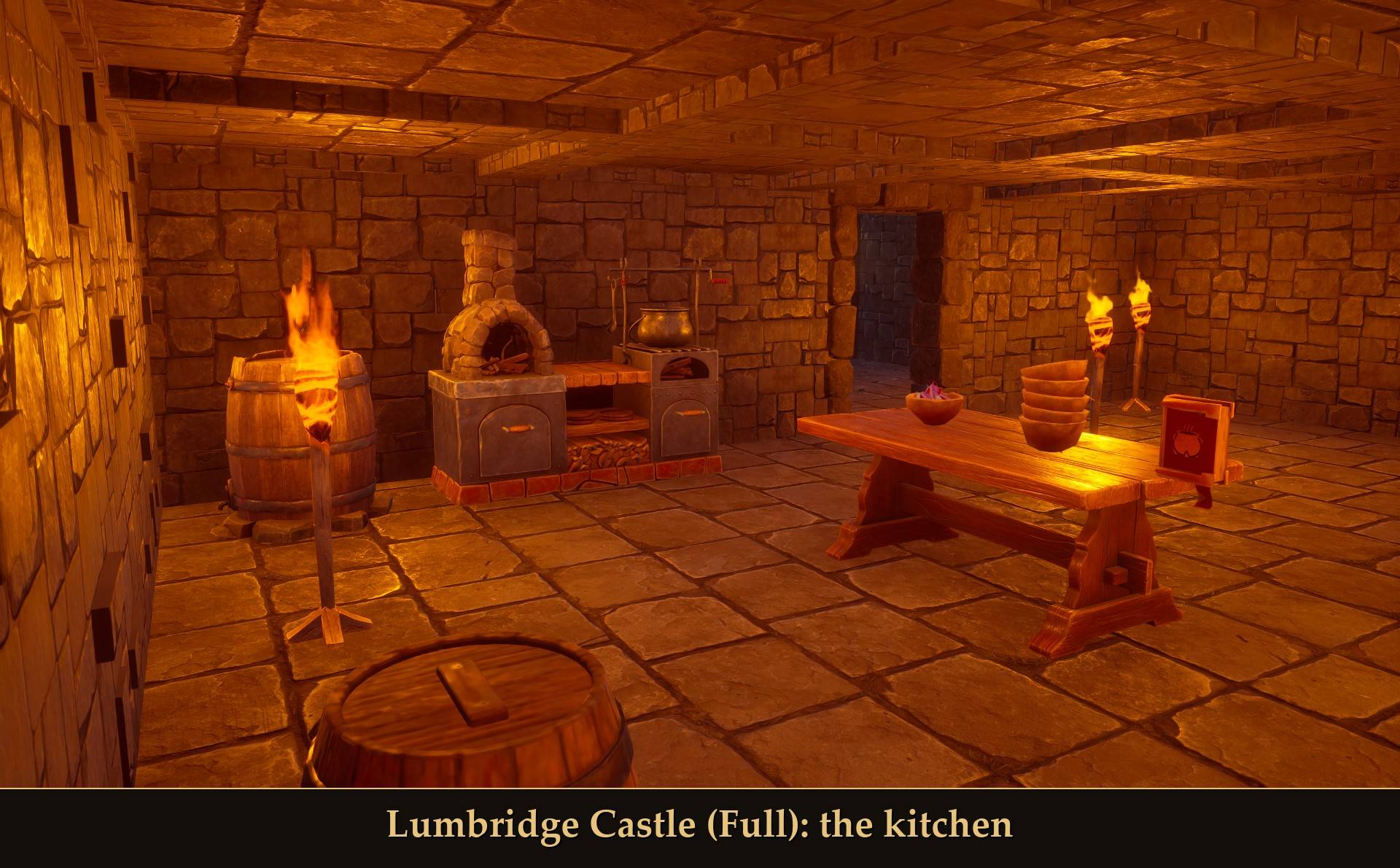
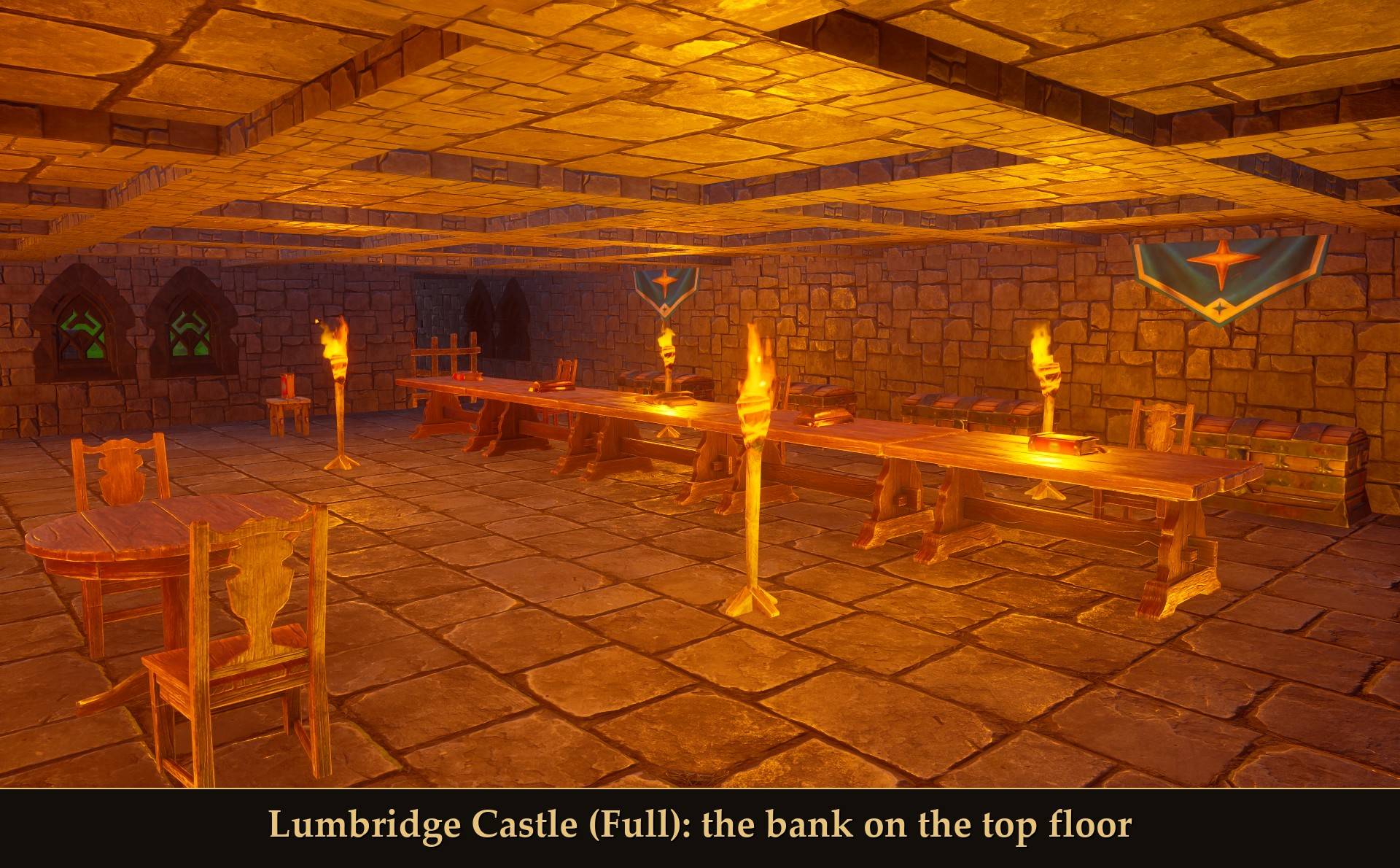
It's big, so pick the spot first:
- It follows the ground: the keep, the gatehouse and each stretch of the outer wall sit at their own height, so on a hillside the wall steps down with the slope and the courtyard stays grass. Steps go in only where the ground drops more than you can step up. In my test on a hillside that dropped 5.3 m, 1 piece out of 1,304 fell (a barrel).
- Near my test spots I found no clear spot that size, so chop the trees first or turn off Stop for trees.
- A few pieces cost late-game materials: the Storage Ledger (a Vault Core and Law runes) and the statues (Vault Shards). Without RuneSchema the fountains are wells, which cost a Vault Core each. With Only unlocked pieces on (the default), if you haven't unlocked them yet the castle is refused and the message names the pieces you're missing. Shell only leaves them all out.
Original buildings (15): Woodcutter's Cottage, Tiered Watchtower, Arcade House, Covered Footbridge, Lodestone Shrine, Market Stalls, Raised Timber Cottage, Timber Lodge, Oak Manor, Greenhouse Farm, Pagoda Tower, Desert Tavern, Crafting Hall, Walled Manor, Palisade Ring.
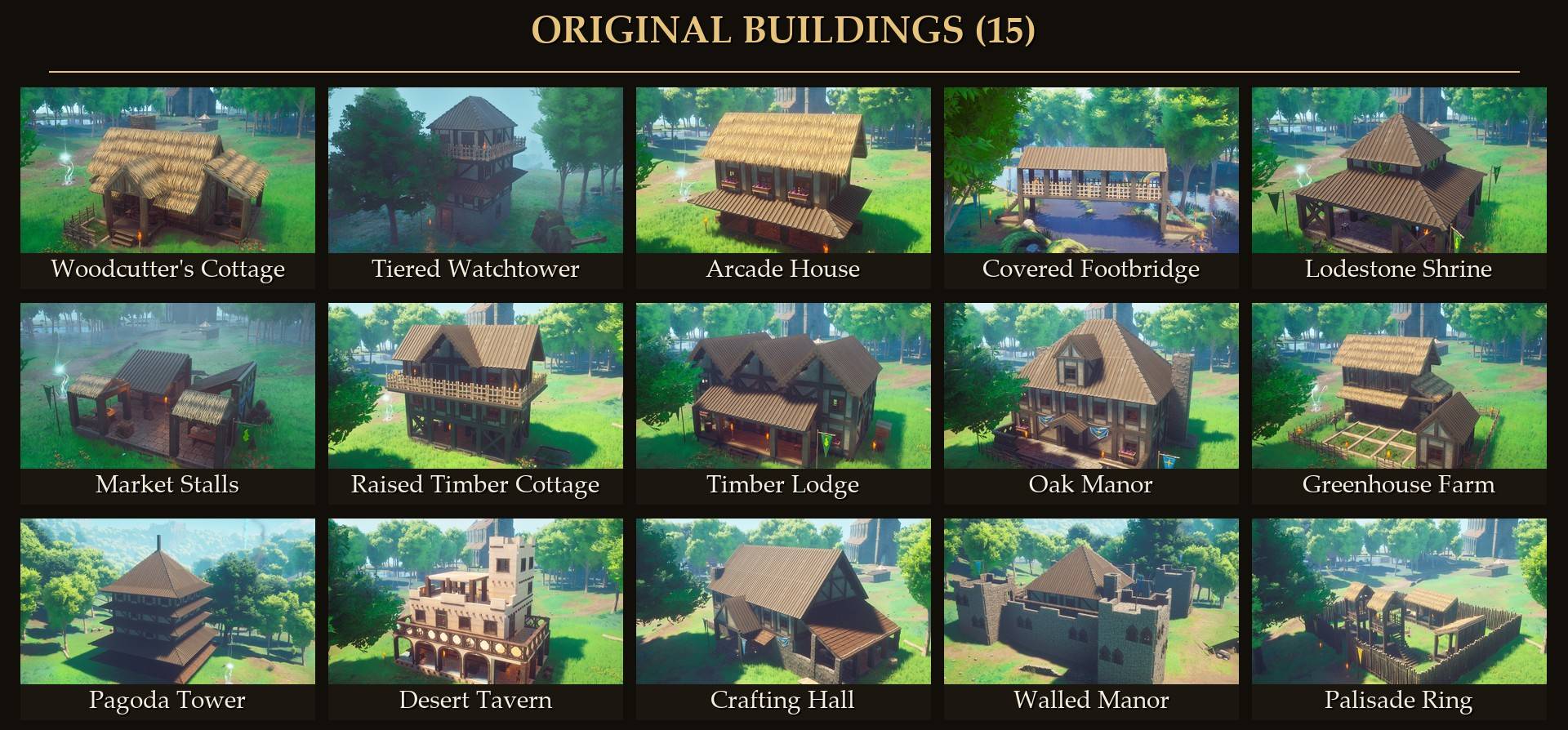
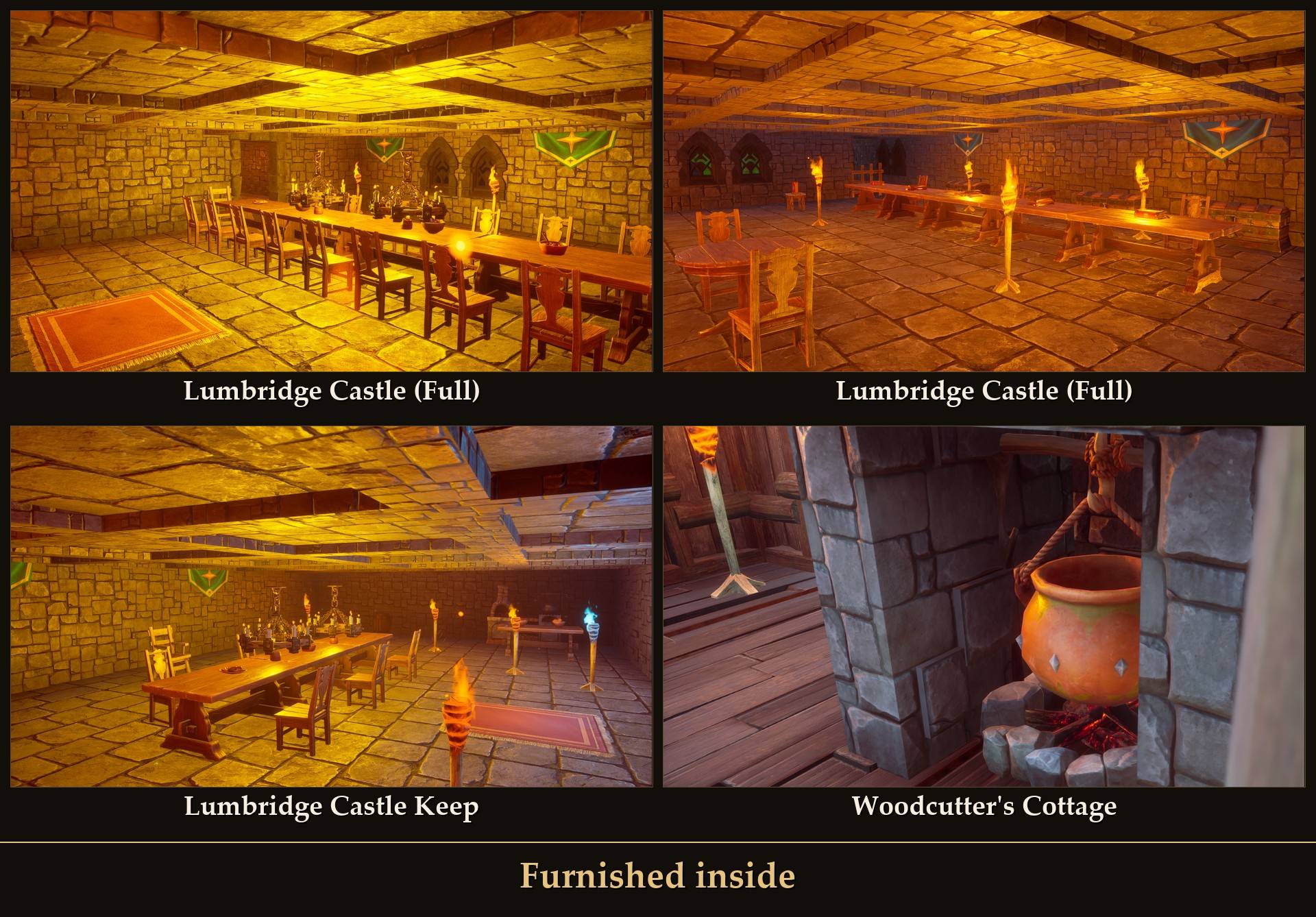
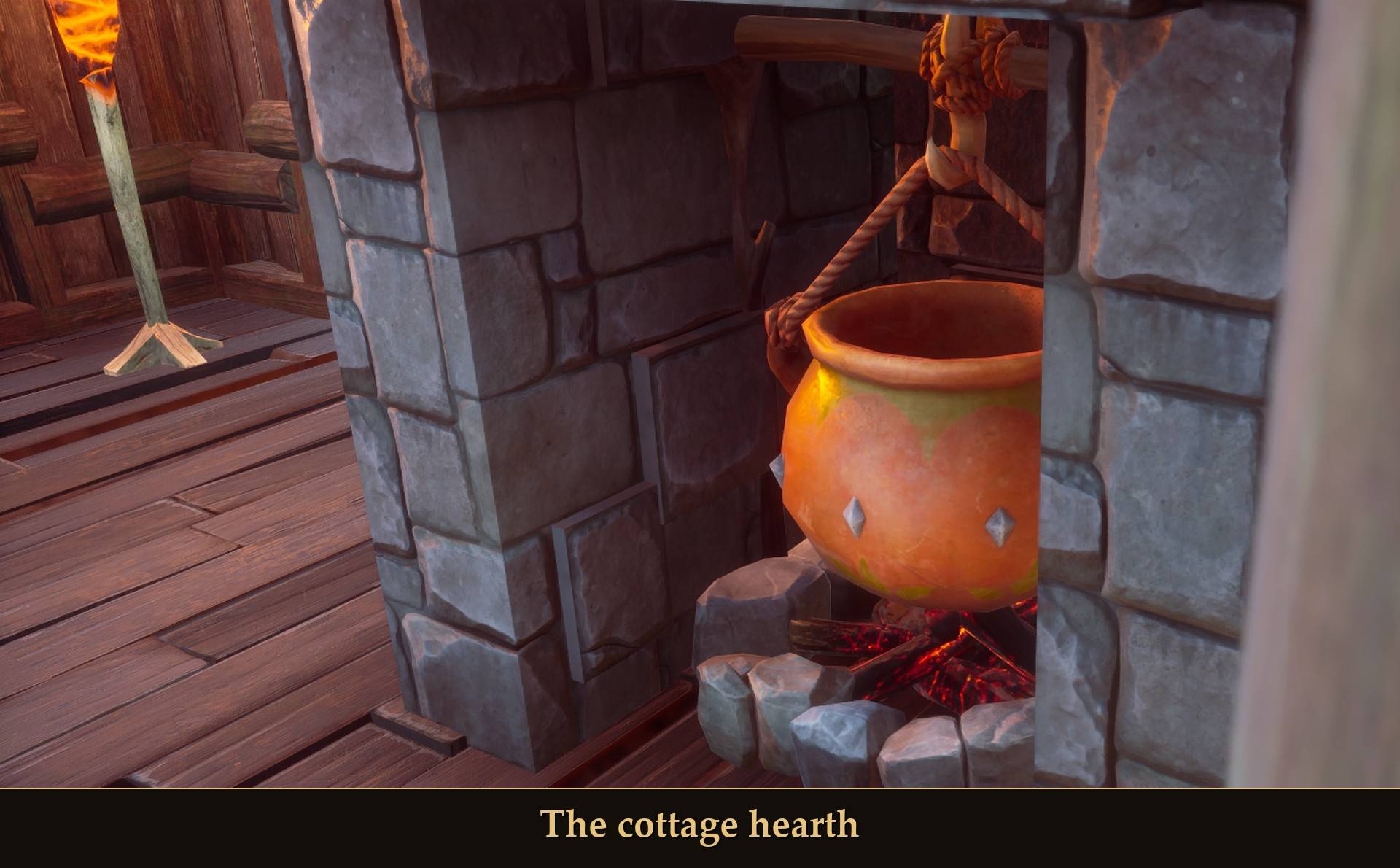
The buildings come furnished inside: ranges, chests, beds and work benches face into the room, and the Woodcutter's Cottage has a cauldron over the fire in its hearth. Set Ready-made version to Shell only to leave out the furniture and the yard, so it costs less.
Furniture sets (4) to drop into your own rooms: Reading Corner, Storeroom, Kitchen Corner, Smithy Corner. Place these from Mod Menu (Place in front of me) while you stand in the room; they are not in the build menu.
Fences (2): Garden Ring and Oak Paddock.
Settings
All live in Mod Menu (Esc > MODS > Builder's Plans), or in config.txt in the mod folder. The buttons (Next, Previous, Materials needed, Place, Undo, Capture, the Preview buttons and Build all ghosts) are in Mod Menu. Capture, Place, Next and Undo can also have keys.
- Preview first: on by default. On: a blueprint goes down as free ghosts first, and nothing is final until you confirm. Off: it's placed right away.
- How to pay: Ghosts by default, or Pay now, or Free (real pieces, no materials taken and no Construction XP, and Undo gives nothing back).
- Build in style: As built by default, or Brynmoor, Ghornfell, Fellhollow.
- Ready-made version: Furnished by default, or Shell only.
- Only unlocked pieces: on by default. A blueprint that uses pieces you haven't unlocked yet is refused, and the message names them. Off: place anything, it still costs the same to finish.
- Wall skirt on slopes: on by default.
- Stop for trees: on by default. Off places it anyway and the tree grows through.
- Capture key: F3. Place key: Page Up. Next blueprint key and Undo key: none by default. A new key needs a game restart.
- Only in config.txt: Lift 30 (cm the base sits above the highest ground), MaxSpread 600 (cm of drop under the base before it refuses), SkirtMin 40 (cm of air an edge needs to get a skirt wall).
Install
- Install UE4SS for RSDragonwilds.
- Install Mod Menu.
- Unzip this mod into the game folder (the one that holds the RSDragonwilds folder). The
Blueprints folder lands in RSDragonwilds/Binaries/Win64/ue4ss/Mods/ (it is named Blueprints, not Builder's Plans), and three pak folders for the tiles (BlueprintsBuild, BlueprintsIcons, BlueprintsHolo) land in RSDragonwilds/Content/Paks/~mods/. The pak folders do nothing without the add-on.
- Optional, for the build menu tiles: install RuneSchema (link at the bottom of this page), then Builder's Plans (RuneSchema add-on). Its
Blueprints folder goes in RSDragonwilds/Binaries/Win64/ue4ss/Mods/RuneSchema/mods/. If the tiles don't show up, look in RuneSchema's runeschema.txt: the line Blueprints : 1 turns the add-on on, 0 turns it off.
Without the add-on everything else works the same, through Mod Menu and the keys.
On Game Pass: use the BE version of UE4SS with the SCO signature, the normal build does not load there. Game Pass also installs the game under Binaries/WinGDK/ instead of Binaries/Win64/, so the Blueprints folder goes in RSDragonwilds/Binaries/WinGDK/ue4ss/Mods/, and the add-on in the RuneSchema folder there.
To uninstall, copy your captures out of blueprints/mine/ if you want to keep them, then delete the Blueprints folder, the three pak folders in Content/Paks/~mods, and the add-on's Blueprints folder inside RuneSchema's mods folder if you installed it. The blueprints you placed are made of the game's own pieces, not the tiles, and in my test the world loaded fine after I took the add-on out.
Good to know
- It uses the game's own building. Placed pieces are the game's own pieces or ghosts, and they're saved with your world like any other: they were still there after I reloaded.
- Undo only goes back one placement, the last one you made.
- Now and then a small prop doesn't stand (a chair, a standing torch or a barrel, for example). The message after placing counts how many pieces fell, and on a paid build their materials go back in your bag.
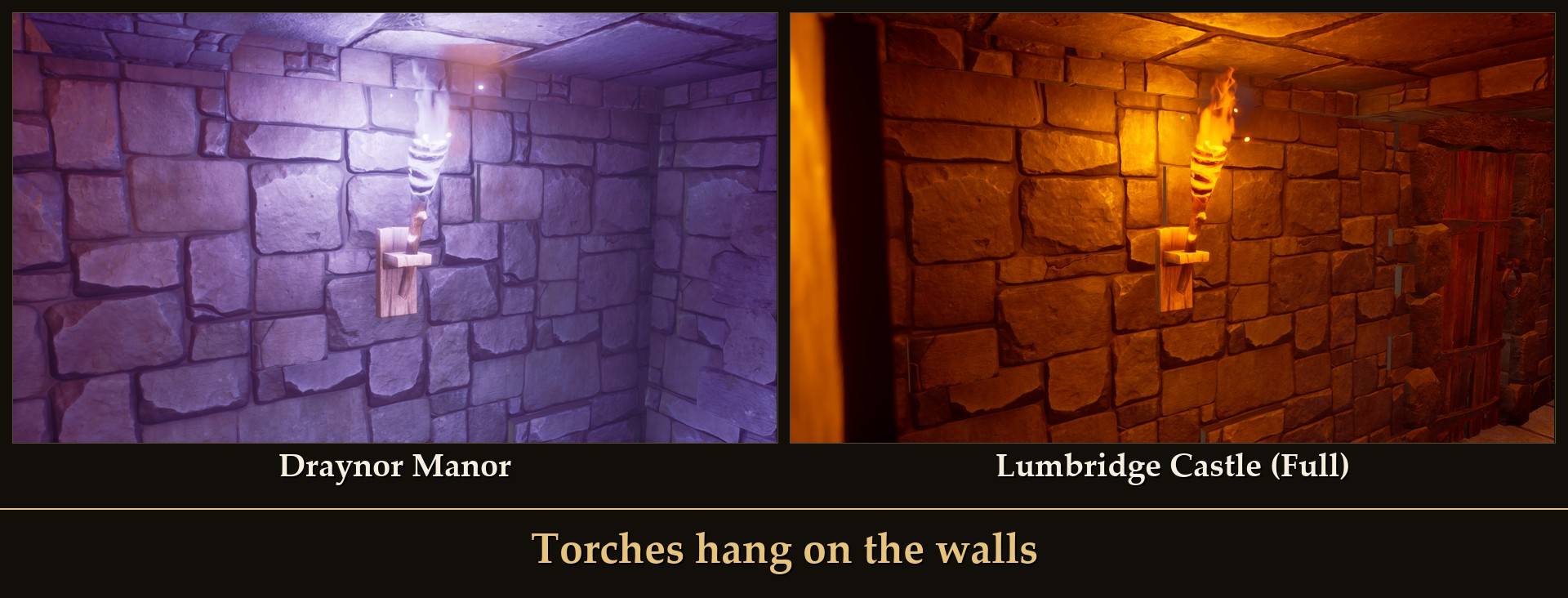
- Torches hang on the walls. Indoors, torches are mounted on a wall of their room, clear of windows, doors, banners and stairs. Out in yards and on open roofs they stand on the ground.
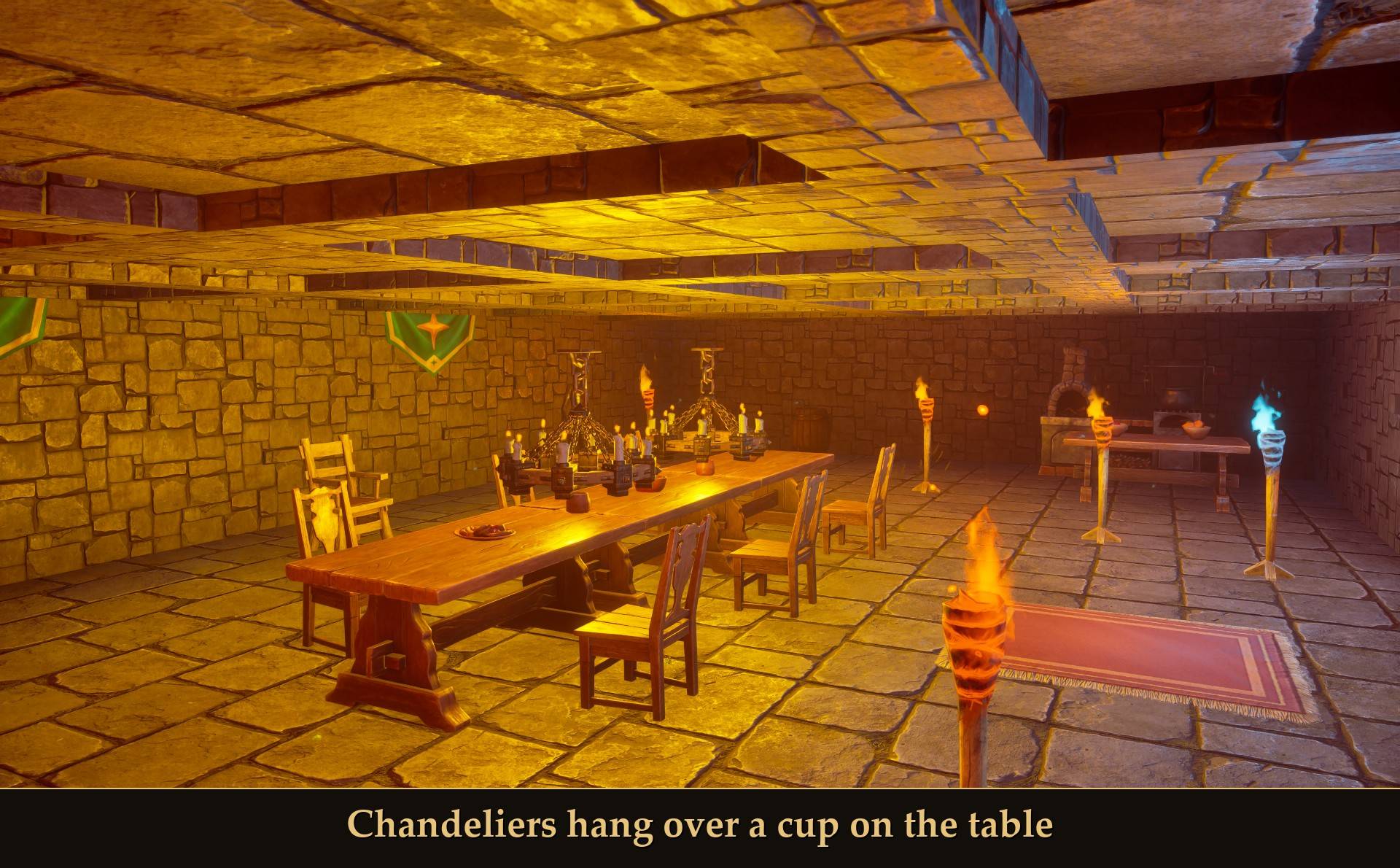
- Chandeliers hang over a cup on the table. In this game a chandelier is held up by what's under it, not by the ceiling, so each one in both Lumbridge castles, the Walled Manor and the Blue Moon Inn has a cup under it. In Ghosts mode, finish the cup before the chandelier above it, or the chandelier falls. Build all ghosts does them in that order for you.
- The Walled Manor has a wall walk: stairs up, a path along the wall tops and doors into the four corner towers.
- Port Sarim Jail's lookout tower is for looks above the ground floor: its upper floors have no stairs.
- The Lodestone Shrine's middle is open, about 54 cm below the rim, with no step down.
- My blueprint can't go down on a building floor. To place a capture indoors, use Place in front of me in Mod Menu.
- Multiplayer: the host can use it, other players get "Builder's Plans works for the host only". I haven't tested it in co-op or on a dedicated server.
- Controller: it works. Every Mod Menu button and setting is reachable with the D-pad, and in the build menu you pick a tile with the D-pad, rotate with LT/RT and place with X.
- Not sure it's running? UE4SS.log shows
[Blueprints] loaded v1.0.0: 32 blueprint(s), mode Ghosts (the count goes up with your own captures). With the add-on, a moment after you enter your world it also shows 29 build-menu tile(s) found.
What I tested
Tested on RuneScape: Dragonwilds 1.0 (Steam) with UE4SS 3.0.1 (build f6d5f942), solo, on a test character, including a pass with a gamepad. Tested in game: every one of the 32 ready-made blueprints placed (Lumbridge Castle (Full) in Free mode only, twice: its 9 flights walked, the range, wheel, chests and Storage Ledger used, on ground that dropped 2.3 m and 5.3 m), every flight of stairs inside them walked, the Keep's bank reached on foot, the build menu tiles (placing, rotating, Ghosts and Pay now, My blueprint), the game without the add-on, capturing a build with its yard props and placing it back, Ghosts finished in repair mode, Build all ghosts (Pay now with a full bag and a short one, and Free), Free mode (bag and Construction XP unchanged, nothing left on the ground after Undo), the Pay now refusal, Undo with the materials back in the bag (also from the paused menu), the refund for pieces that fell, the chandeliers after a reload, the unlock refusal, the wall skirt on a 2.9 m slope, steps to the door, the tree refusal, and all four styles. Not tested yet: co-op, a dedicated server, Game Pass, and Lumbridge Castle (Full) from its build menu tile or with Pay now.
Links