



Builder's Plans
- 136
- UE4SS Mods
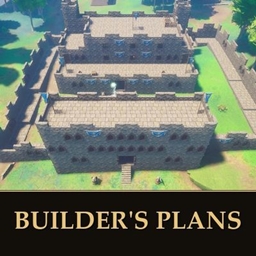
Save, share and place whole buildings. Capture any build you made and put it down again anywhere, or pick one of 32 ready-made blueprints, including 11 inspired by RuneScape classics.
- 136
- November 2, 2026
Dev Menu Revived - Jagex's Own Debug Menu
- 178
- UE4SS Mods
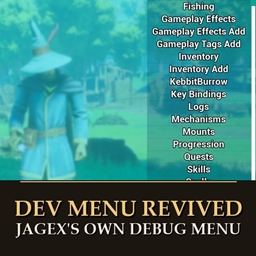
Jagex's 31-page developer menu is still in the game, but every button does nothing. This opens it from the pause menu and puts real code behind the rows it can: time of day, teleport to 216 places, spawn creatures, give items and more. Solo or host only.
- 178
- November 2, 2026
Storage Search - Find Take and Store Any Item
- 625
- UE4SS Mods
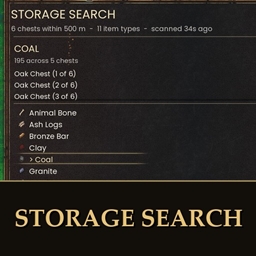
Press Alt+F, type an item and see every chest that holds it, how many, how far and which way. New in 2.0: take 1, 10, a stack or all of it, or store your backpack into chests that already hold each item. Never goes over carry weight. Can be set look-only.
- 625
- November 2, 2026
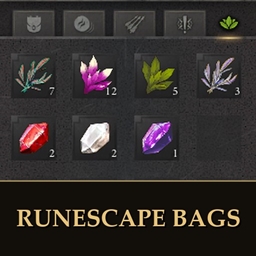
RuneScape Bags - One Inventory Tab per Bag
- 191
- UE4SS Mods
One inventory tab per bag: herb sack, gem bag, ore box, seed box, tackle box and rune essence pouch. Carry a bag once to unlock its tab, then its items go in by themselves. Needs RuneSchema. Works with Tool Belt 1.0.5+ and Bigger Inventory 1.2.
- 191
- November 2, 2026
Builder's Plans
- 136
- UE4SS Mods
Save, share and place whole buildings. Capture any build you made and put it down again anywhere, or pick one of 32 ready-made blueprints, including 11 inspired by RuneScape classics.
- 136
- November 2, 2026
Dev Menu Revived - Jagex's Own Debug Menu
- 178
- UE4SS Mods
Jagex's 31-page developer menu is still in the game, but every button does nothing. This opens it from the pause menu and puts real code behind the rows it can: time of day, teleport to 216 places, spawn creatures, give items and more. Solo or host only.
- 178
- November 2, 2026
Storage Search - Find Take and Store Any Item
- 625
- UE4SS Mods
Press Alt+F, type an item and see every chest that holds it, how many, how far and which way. New in 2.0: take 1, 10, a stack or all of it, or store your backpack into chests that already hold each item. Never goes over carry weight. Can be set look-only.
- 625
- November 2, 2026
RuneScape Bags - One Inventory Tab per Bag
- 191
- UE4SS Mods
One inventory tab per bag: herb sack, gem bag, ore box, seed box, tackle box and rune essence pouch. Carry a bag once to unlock its tab, then its items go in by themselves. Needs RuneSchema. Works with Tool Belt 1.0.5+ and Bigger Inventory 1.2.
- 191
- November 2, 2026