BV Addon Suite - Core
- By
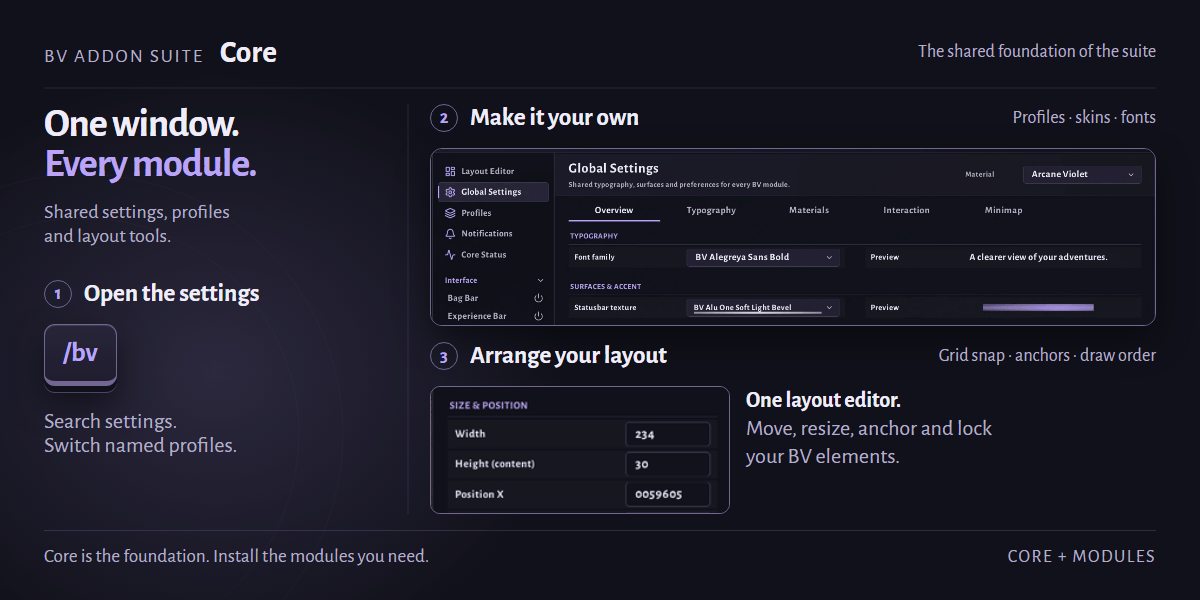
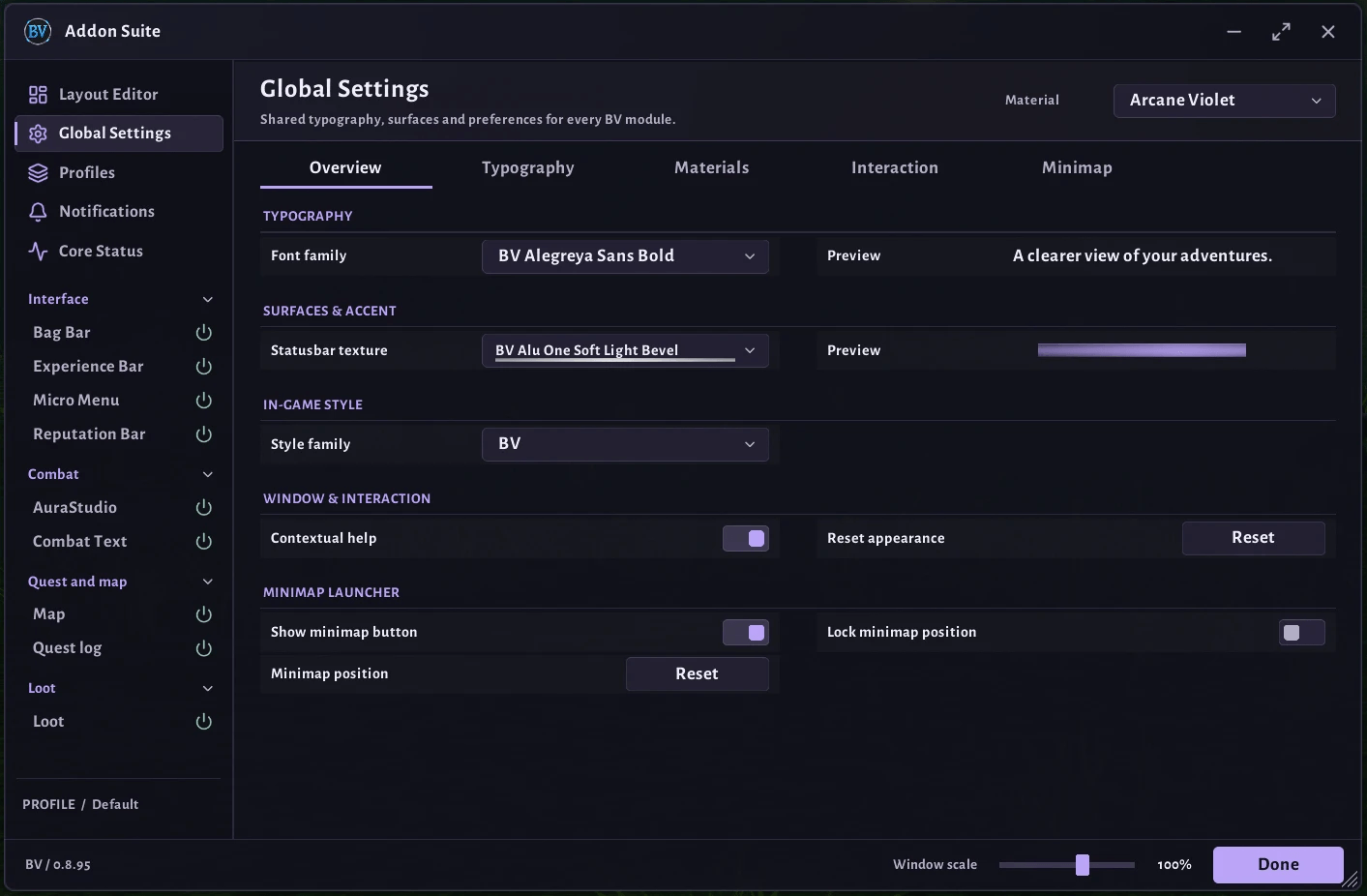
Shared core for the BV Addon Suite: settings window, profiles, skins, fonts, textures and a layout editor used by all BV modules.
00-infographic.png
01-settings-window.png
02-layout-editor.png
Description
BV Addon Suite - Core
The shared foundation of the BV Addon Suite. Core does not add gameplay features on its own. It provides the settings window, profiles, look and layout tools that every BV module builds on.
Beta: The suite is in active development and in-game testing. Expect changes, and please report bugs.
Features
- One settings window for all installed BV modules, grouped into collapsible categories
- Settings search across all pages, and long pages in tabs
- Profiles: create named setups and switch between them
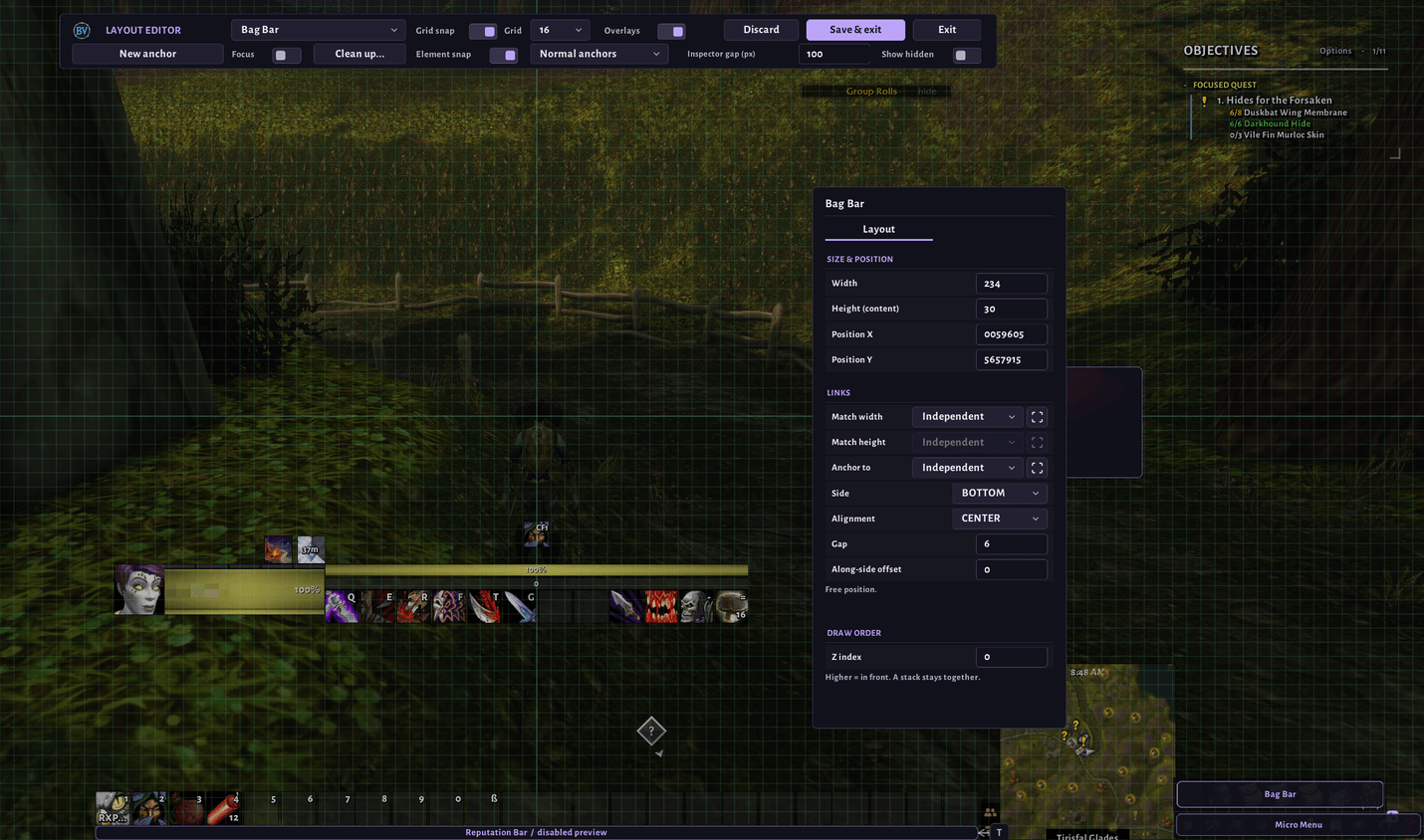
- Layout editor to move, resize, anchor and lock BV elements on screen
- Skins, fonts and textures shared by all modules, with support for LibSharedMedia media
- Colour picker with a colour spectrum and opacity
- Sound choice with search and preview, from the game's sounds or the shared sounds of your other addons (SharedMedia)
- Minimap button with a quick menu (can be hidden)
- Optional Masque support
- Guides: modules explain what they need step by step, with live checks; shown once, steps several modules share only once
Modules
Install Core together with any of these modules:
| Module | What it does |
|---|---|
| AuraStudio | Visual node editor for your own auras, bars and action buttons |
| Experience | Experience bar with rested XP, XP per hour and time to level |
| Reputation | Bar for your watched faction |
| Bags | Skinned, movable bag bar |
| Micro Menu | Skinned, movable micro menu |
| Loot | Roll bars, loot monitor, roll results and a master loot window with roll requests |
| Combat Text | Floating combat text with own styles, nameplates, movable anchors and animations (beta) |
| Quest | Quest log beside the world map, a quest tracker and a dungeon banner |
| Map | Coordinates, map fade, waypoints with an arrow, a travel path and a terrain map |
| Gather | Herbs, ore and treasure on your maps, a route editor, gather mode with HUD, a session tracker and a minimap scanner that warns of rare herbs and ore |
| Gather Data | Known herb and ore spawn points for Gather (GPL-2.0) |
Commands
/bv: open or close the settings window/bv minimap show/hide/reset: show, hide or reset the minimap button/bv guide [name]: open a module's guide again;/bv guide reset: show all guides again
Installation
Put the BVAddonSuite folder into Interface/AddOns. Modules can be updated one by one; each module names the oldest Core it needs, so keep Core at least at that version. Your saved settings are kept.
License
All rights reserved. Free to use; modifications for private use only. Redistribution, in whole or in part, requires permission. Full terms: LICENSE
Support
The suite is free and made in my spare time. If you enjoy it, you can buy me a coffee. Thank you!

BV Addon Suite - Core Team