Layer-Swap
- By
Swap your layer with one click in WoW Forever, Classic Era and TBC Anniversary, see your layer in Classic Era and TBC Anniversary, and host swaps for others.
layerswap-screenshot.png
Description
Swap your layer with one click in WoW Forever, Classic Era and TBC Anniversary, see your layer in Classic Era and TBC Anniversary, and host swaps for others.

We do not support abuse of the addon, or using it to take advantage of PvP situations.
LayerSwap includes restrictions designed to discourage misuse and respect the game's built-in limitations.
WoW Forever. Since 20 November 2026 the game no longer lets an addon tell one layer from another on WoW Forever. There LayerSwap shows no list of layers and asks for no layer in particular: Swap layer moves you to another layer, as a host's invite always has. Where the list stood, the panel now says what just happened - that you were moved and by whom, that the host stood on your own layer or that the game moved the host to you instead, that the zone's swaps are used up and how long to wait, why Swap layer is off, or that no host answered - with the zone's swaps as ten dots, and it is empty while nothing happens. On a flight path the panel and the bar say In flight, and Swap layer waits until you land. When the game announces a world refresh, the panel counts down to it.
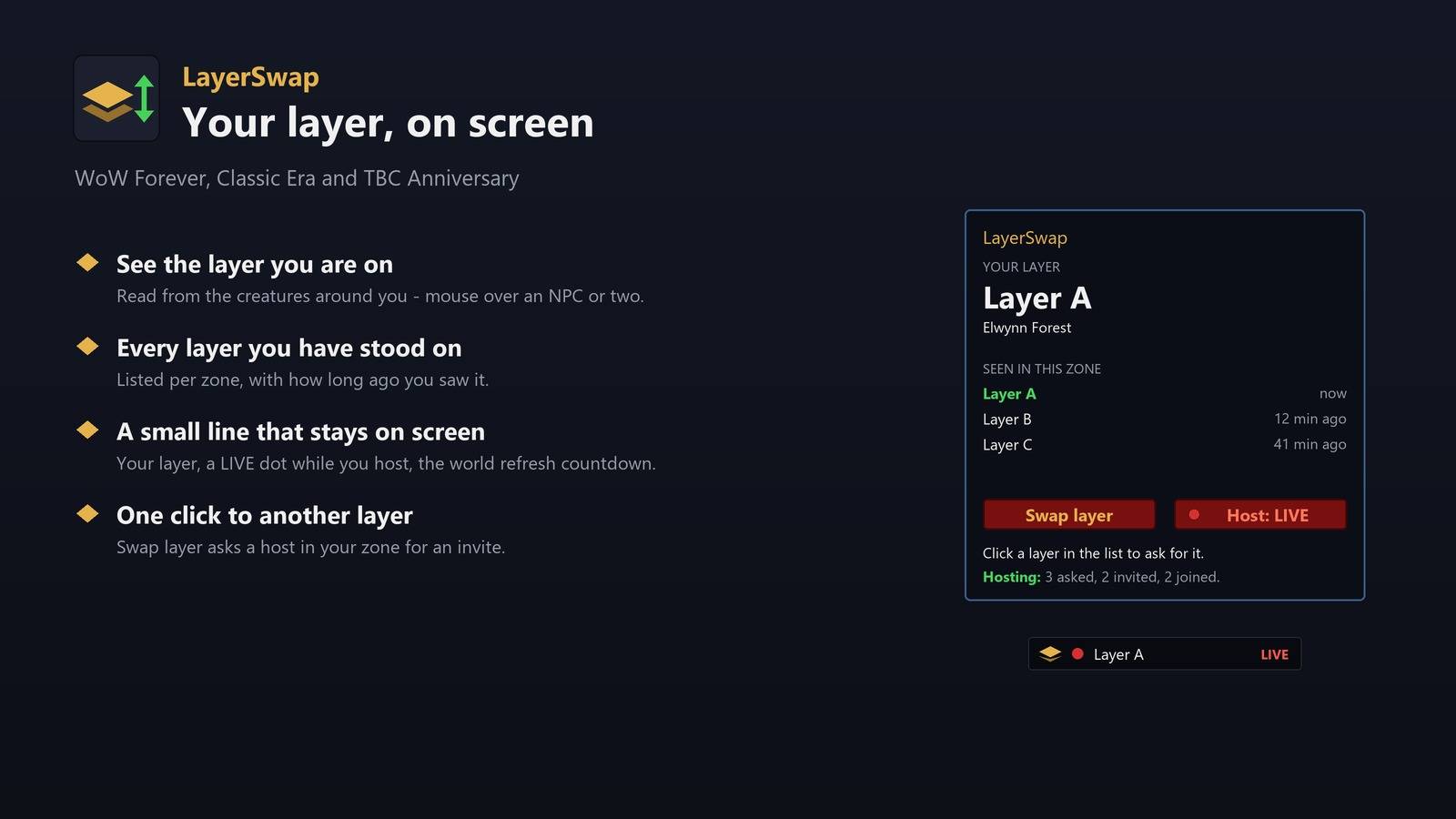
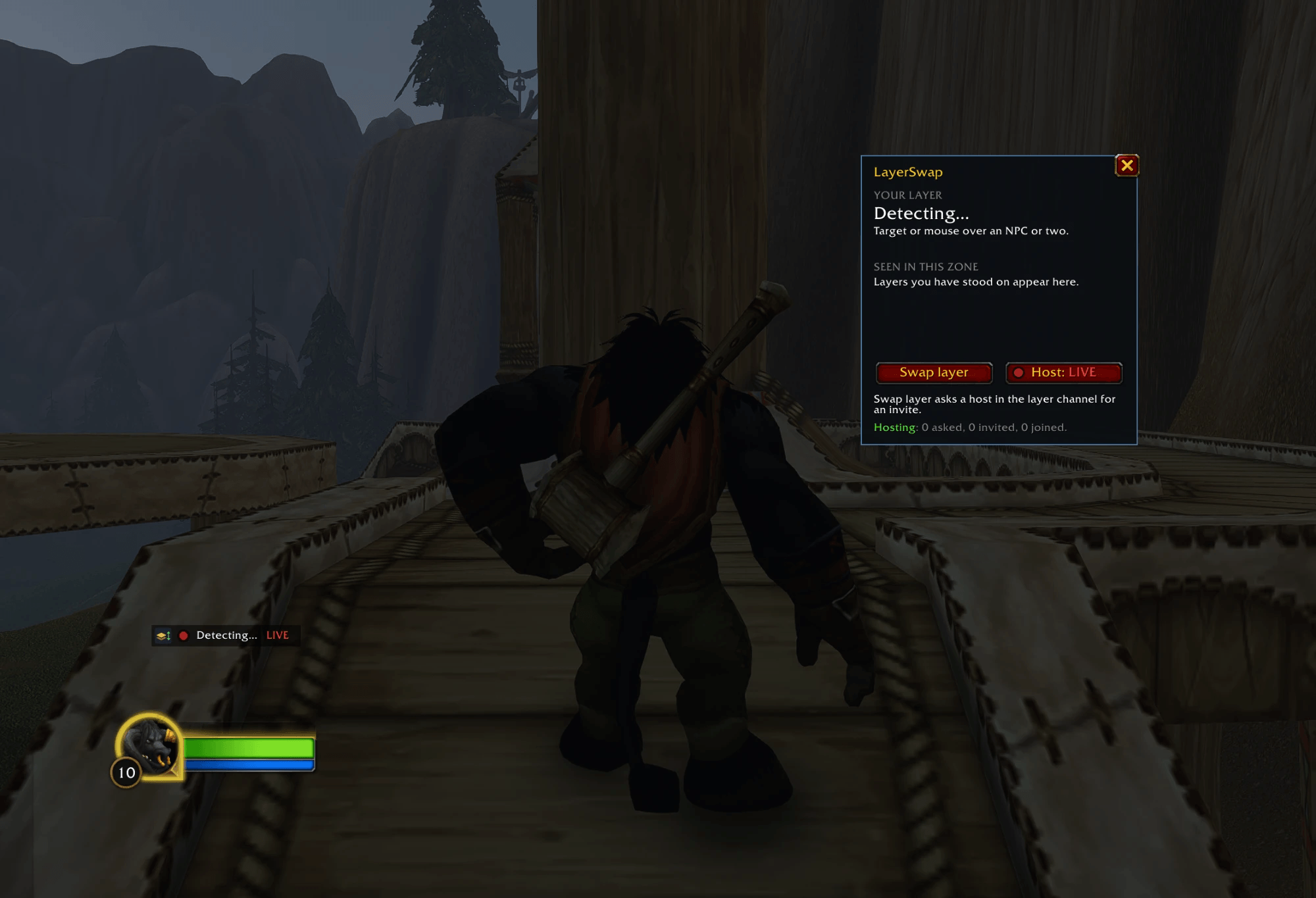
Your layer, on screen (Classic Era and TBC Anniversary). /ls opens a small panel with the layer you are on, read from the creatures around you - one is enough, and LayerSwap looks for a second to be sure; mouse over or target an NPC when none is near. Layers you have stood on stay listed with how long ago you saw them, and a click on one asks for it.
Always on screen. A small bar shows your layer on its first line and what LayerSwap is doing on its second - Hosting, Host off, a request under way or the world refresh countdown. Its logo at the right end is your Swap button: click it to swap your layer without opening the panel, again to stop, and while a request runs its two plates swap places; the bar says in a few words how it went. The logo is grey with Host off and fainter while a swap is not possible. A box in LayerSwap's options, Mini bar logo on the left, puts it before the text; another, Swap button on the mini bar, makes a click on it open the panel instead. Click the bar's text for the panel, drag it anywhere, or right-click it for a small menu - on Classic Era and TBC Anniversary with the layers you can ask for. Two key bindings, Swap layer and Show or hide the LayerSwap panel, wait in the game's Key Bindings under LayerSwap. In a dungeon or a raid it shows the name of the place, since there are no layers in there. Shift + right-click the bar to hide it; the Mini bar button in the panel brings it back. A box in LayerSwap's options, Mini bar on one line, puts the layer and the status side by side on a single line. How dark its background and the panel's are - from see-through to solid - are two sliders in LayerSwap's options, and a box there, Panel edges, takes away the thin line around the panel. The minimap button opens the panel (left-click) or a small settings menu (right-click), where the three switches take Shift + click: the panel, Host, the mini bar, the minimap button and the game's options - LayerSwap has its own page under Options - AddOns too. Its Reset to defaults button - click it twice - puts every switch and slider on that page back as a new install has it.
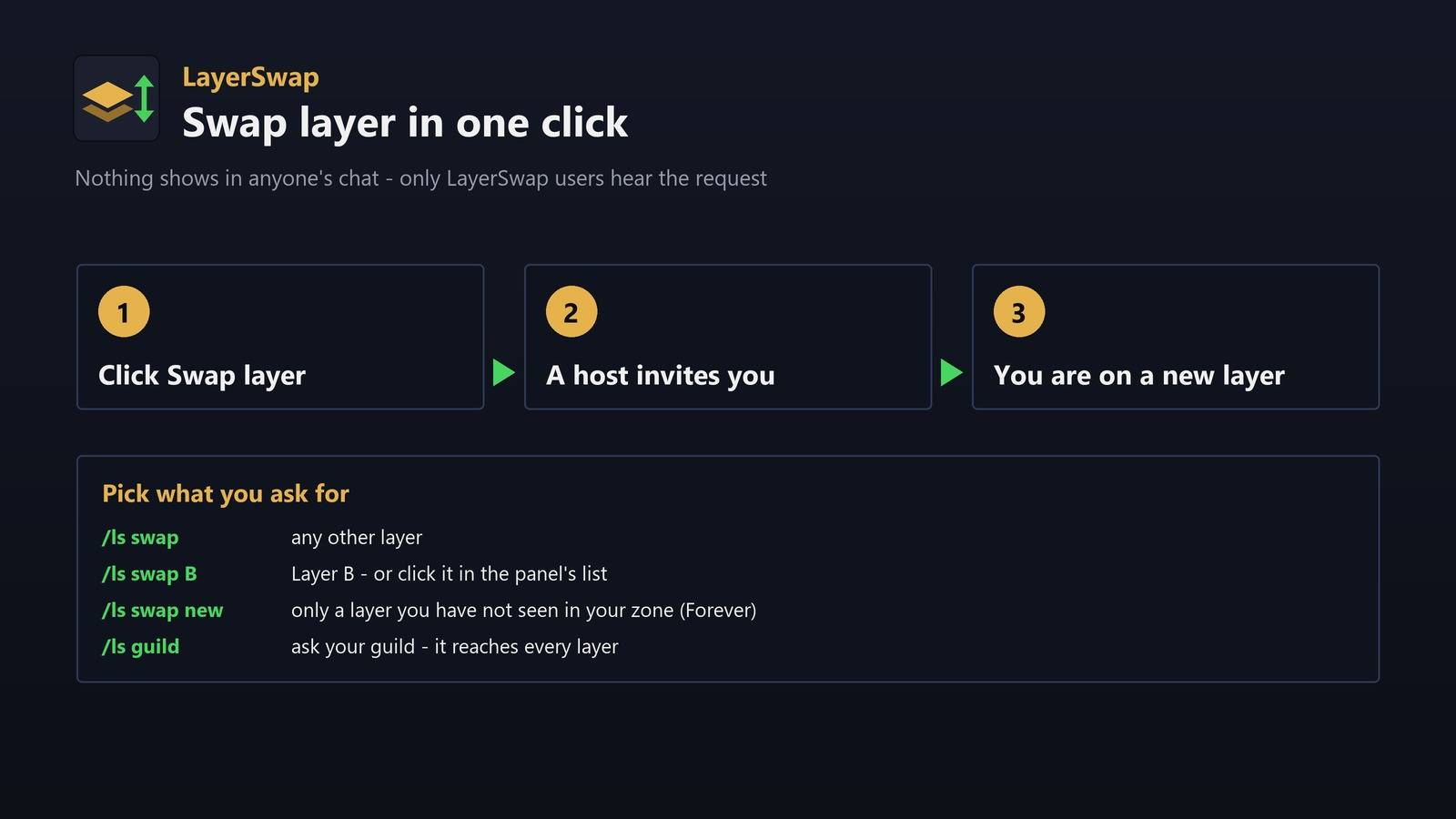
Swap layer. One click asks for an invite in the layer channel, where players already ask for and offer layers - and while it waits, the same button stops asking. Where the game does not let an addon post in chat - the live Forever realms do not - the click needs no channel at all: it asks the game for the players on your zone's map - all of them first, then one class at a time - and sends your request to each of them out of sight, the way addons talk to each other. LayerSwap hosts that answered you during the last week are asked first. A player it asked in the last 15 minutes who did not answer is not asked again. Your own guild comes last in the search, hosts among them: it is asked only when no one else invites you, or at once when no one else here can be asked, and the panel says so when an invite comes from it. On Forever, a box in LayerSwap's options, Your guild last, is on to start; untick it and Swap layer never asks your guild; Ask your guild, or /ls guild, reaches it any time. A host that has not read its own layer yet does not invite you - it could be standing on yours. Only LayerSwap users receive it, and nothing shows in anyone's chat. Nothing goes to General; when no host on another layer answers in time, the panel points you to /ls guild, since your guild reaches every layer. The panel says when it searches, how many players your request reached and who heard you, and whether another click can reach players the last search did not show. Only a host in your own zone can move you, and the request names your zone, the layer you leave and your place on the zone map in a short tag at the end of the line, so a host that knows it stands on your layer stays out, and a host that keeps its spot can skip you. Where the game passes hidden messages between players, every LayerSwap user who hears your request answers out of sight, hosting or not, so the panel can tell you how many of them heard you and, of those, how many can invite you, how many host but are busy right now - in a fight, a group or a queue - and how many have Host off, a host on your own layer says so instead of inviting you for nothing, and the panel says so when the game is slow to pass those messages on. On Classic Era and TBC Anniversary, click a layer in the panel's list to ask for that one. In a guild, the panel has a line above its buttons with your guild's emblem, Ask your guild: a click on it, or /ls guild, sends the same request to your guild chat - LayerSwap never writes there by itself. Accept the invite and you join the host's group - and the host's layer. On Forever the new layer stays when you leave the group, and LayerSwap leaves the group of a LayerSwap host for you four seconds after you joined it, so the host is free for the next player; untick Auto leave in LayerSwap's options and you stay in the host's group until you leave it yourself. A host that has just moved you is left out for ten minutes, also across a /reload or a new login, so you are not sent straight back to the layer you left. On Forever the game moves a character to another layer ten times an hour in each zone, and every zone has its own ten: LayerSwap counts them for each character and zone, also across a login, tells you when three are left, and once a zone is used up the Swap button reads Wait there with the time left and opens again by itself - in the next zone it works at once. Only a swap that moves you counts. When a host stood on your own layer and the game had nothing to move, LayerSwap leaves the group for you within seconds and says so; that join costs you no swap, and Swap layer is ready again, one click away. When the game refuses the move, LayerSwap leaves the group and says when to try again. On Forever, an invite from a host on your own layer is declined for you while you ask, since it could not move you - never one from a friend, your guild or anyone your request did not reach. While a swap runs, the game's own group lines it brings - the hosts' invites, joining and leaving the host's group, its loot - stay out of your chat; lines about your friends and your guild always show, and a box in LayerSwap's options, Swap lines in chat, shows them all. On Forever no request goes out while you are in combat or for six seconds after it - a swap is no way out of a fight - and the button counts those seconds down.
Classic Era and TBC Anniversary. With Nova World Buffs installed, your layer shows NWB's number - the same "Layer 2" everyone running it sees - and Swap asks the way the other layer addons do ("inv layer 1,3" for any layer but yours), so the hosts already out there answer you. On TBC Anniversary your request carries your zone. After a swap LayerSwap tells you when you can leave the group: on Classic the new layer stays.
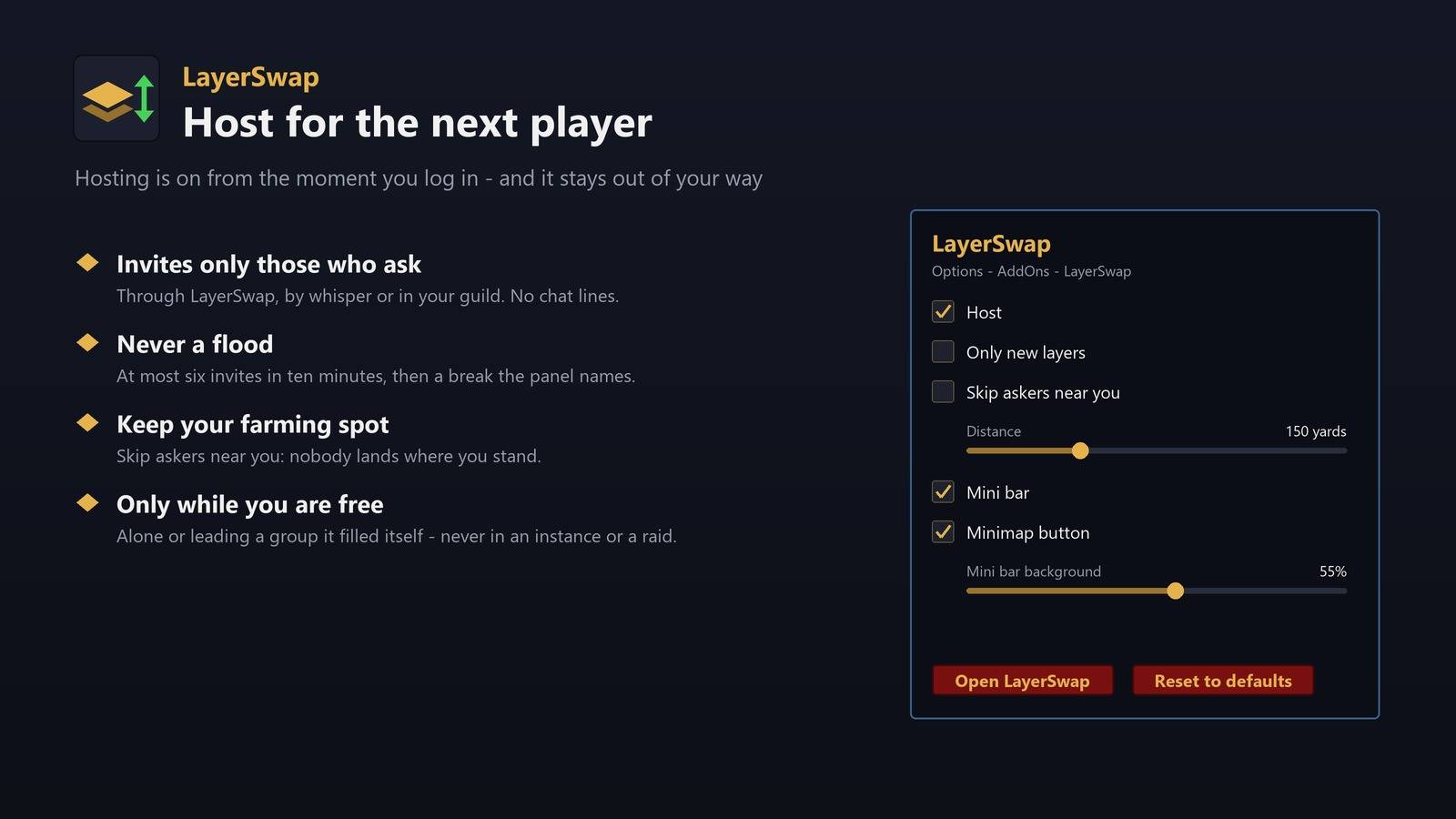
Host. LayerSwap hosts from the moment you log in: it invites players who ask for a layer out of sight from their own LayerSwap, in the layer channel, in General, in guild chat or by whisper. On Forever it invites only players who ask through LayerSwap, whisper you or ask in your guild - a line in General brings no invite there - and it sends at most six invites in ten minutes, then takes a break the panel names. It writes no chat line for an invite or a player who joins, and the game's own lines about the players it invites stay out of your chat too. In the group it forms for a swap, LayerSwap sets the loot to Free for All, so the loot of your own kills stays yours - a group you made yourself keeps the loot you chose. The Host button in the panel, /ls host or the Host box in LayerSwap's options turns it off until you log out - Host is on again at every login, since every host is a way out for the next LayerSwap player who asks; turning it off also removes the players it invited. No request of your own turns it on. A swap of your own turns Host on for four minutes of hosting when it was off: the clock waits while you cannot host, the Host button turns it off again at any time, and after the four minutes it goes off by itself. On Forever, in the last 30 seconds before a world refresh, your host invites no one; after the refresh it hosts again by itself. While you are listed in the game's group finder or dungeon finder, or queued for a battleground, it invites no one either, so a swap does not take you off the list or out of the queue; on Forever it also pauses while your campfire welcomes you, and a box in LayerSwap's options, Pause hosting in combat - on to start - stops the invites while you are in combat and for 2 seconds after; then your host goes on by itself. While your own request waits, your host pauses. With Host off, the panel still counts the players who asked you. Other players' requests stay out of your chat windows; your host still reads and answers them. On Forever, a box in LayerSwap's options, Skip askers near you, makes it skip anyone who asks from within a distance you set, up to 200 yards - off to start - so a swap does not bring someone to the spot you are farming - a player who whispers you is still invited; the asker's place on the map comes with the request, and hosting sends nothing of yours. It answers only requests from its own zone, since a host in another zone does not move the asker. Where the game passes hidden messages between players, hosts that hear the same request take turns: one invites, the others stay free for the next request; elsewhere every host that can invite does, and the asker picks one. It only invites while you are alone or lead a group it filled itself, never in an instance or a raid, never the same player twice within a minute, and it stops when the group is full. On Classic it reads the layer numbers in a request and invites only when it stands on one that was asked for.
Commands
/ls- open the panel/ls mini- show or hide the small line/ls minimap- show or hide the minimap button/ls swap- ask for any other layer/ls swap B- ask for Layer B (Classic Era and TBC Anniversary)/ls swap 3- ask for NWB's layer 3 (Classic)/ls guild- ask your guild/ls stop- stop asking/ls host- start or stop hosting/ls kick- remove the players LayerSwap invited/ls spot- log where the game puts you (Forever)/ls status
Layer-Swap Team

Owner