Smart Chest Organizer
- By
Lightweight, client-side: Sort any chest or your inventory with one click, and dump matching items into storage instantly – no server install needed.
2026-10-31_20.06.23.png
Description
# Smart Chest Organizer
You come home from a mining trip with an inventory full of cobblestone, iron, redstone and random junk. Your storage room is a wall of chests that look like someone threw everything in blindfolded. Smart Chest Organizer turns that chore into two clicks: one to sort, one to put everything where it belongs.
## Features
### One-click sorting
- A small **Sort** button appears in the top-right corner of every chest, double chest, ender chest, barrel and shulker box.
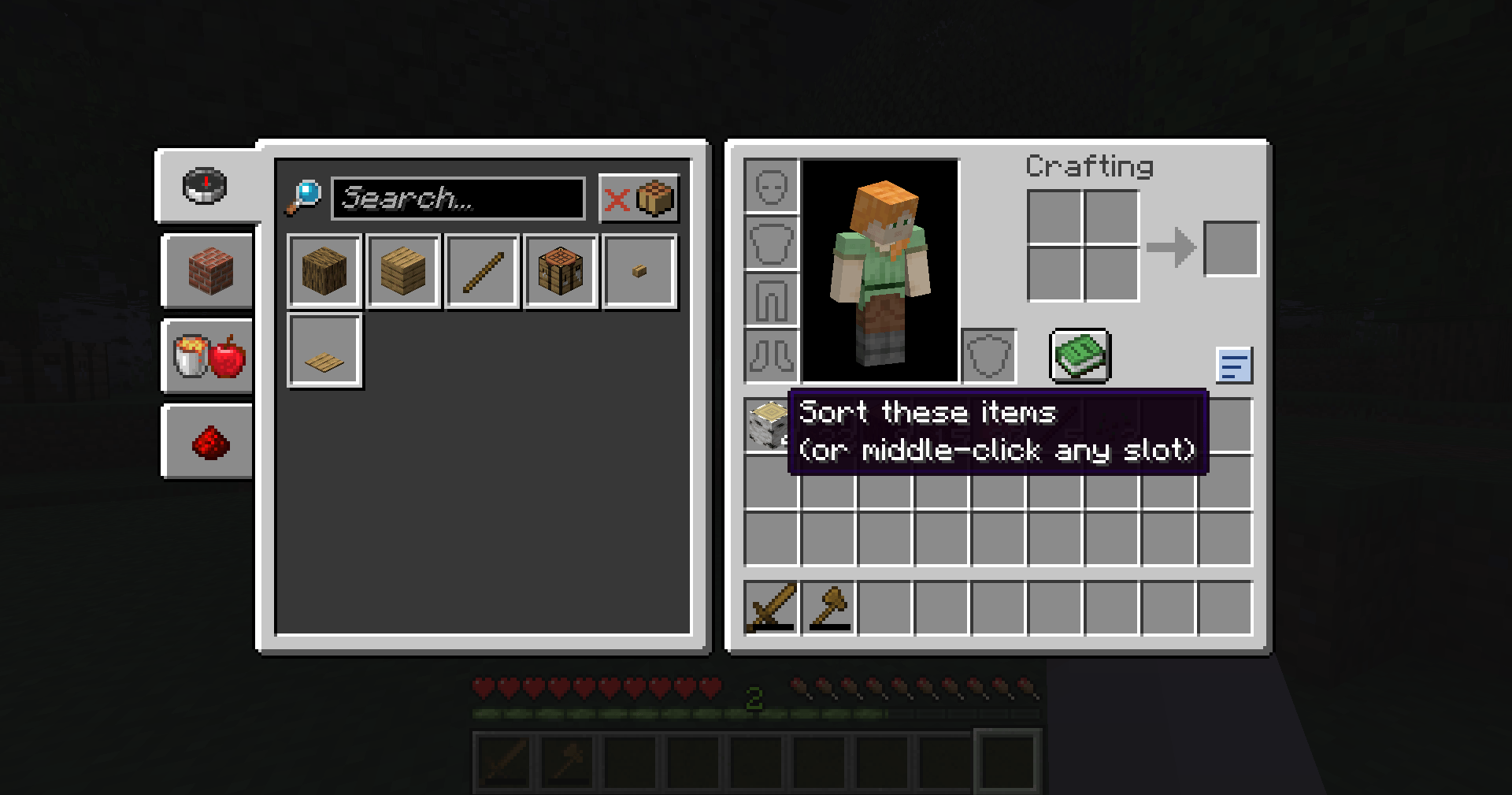
- A second **Sort** button sits next to your own inventory, both in containers and in your normal inventory screen (E).
- Sorting:
- **combines incomplete stacks** (three stacks of 20 cobblestone become one stack of 60),
- **groups identical items together**,
- puts everything in **alphabetical order**, with empty slots at the end.
- Items with different enchantments, names or contents stay as separate stacks, so nothing gets merged that shouldn't be.
- Your **hotbar is left alone** by default, so your tools stay where you put them.
### Middle-click to sort
- **Middle-click** (press the mouse wheel) on any slot to sort that part of the screen – the chest if you click a chest slot, your inventory if you click an inventory slot.
- Disabled in Creative mode, where middle-click copies items in vanilla.
### Quick Deposit
- Click the **Quick Deposit** button (the arrow into a tray) to move items from your inventory into the open chest – **but only item types that chest already contains**.
- Example: a chest with some cobblestone and iron gets all your cobblestone and iron, and nothing else.
- **Shift + click** Quick Deposit to only **top up stacks that aren't full yet**, without using any empty slots in the chest.
- Your hotbar is never emptied into chests (unless you turn that on).
## Works on every server
This is a **client-side only** mod. All sorting and depositing is done with normal inventory clicks – exactly what you'd do by hand, just faster – so it works in singleplayer and on multiplayer servers without the server needing the mod. It does not add items, look inside closed chests or do anything a player couldn't do by clicking.
(Some servers have their own rules about inventory mods; please follow them.)
## Settings
`config/smartchestorganizer.properties` is created the first time you start the game:
- `sortMode` – `name` (alphabetical, default) or `id` (Minecraft's own item order, similar to the Creative menu)
- `sortHotbar` – also sort the hotbar (default false)
- `depositHotbar` – also deposit from the hotbar (default false)
- `middleClickSort` – middle-click sorting on/off (default true)
- `showButtons` – show the buttons (default true)
Restart the game after editing the file.
## Requirements
- Minecraft **1.21 or 1.21.1**
- **Fabric Loader** 0.15.11 or newer
- **Fabric API**
- Java 21 (included with the official Minecraft launcher)
## Installation
1. Install Fabric Loader for Minecraft 1.21.1 (with the CurseForge app or the official Fabric installer).
2. Install **Fabric API** for 1.21.1 (listed as a required dependency; the CurseForge app installs it automatically).
3. Put the `smart-chest-organizer` .jar file in your `.minecraft/mods` folder.
4. Start the game with the Fabric profile and open a chest.
## Modpacks
You are free to include Smart Chest Organizer in any modpack, no need to ask.
## Also by this author
- **Floating Damage Indicators** – see damage, healing and critical hits as floating numbers.
- **Smart Tool Safety** – get warned before your tools break and pick the right tool with one key.
*The project logo is an illustration created with AI assistance; it is not an in-game screenshot. The screenshots in the gallery are real, unedited in-game captures.*
AI DISCLOSURE NOTICE (already at the end of the description; keep it there)
--------------------
Note: The project logo was created with AI assistance. All gallery screenshots are real in-game captures.
Smart Chest Organizer Team