Smart Auto-Trash
- By
Lightweight, client-side: Alt-click the junk you never want – cobblestone, gravel, rotten flesh – and it gets thrown out of your inventory automatically.
2026-10-31_23.34.43.png
2026-10-31_23.33.25.png
Description
# Smart Auto-Trash
Every mining trip ends the same way: a full inventory of cobblestone, diorite, gravel and dirt, and the iron you actually came for can't fit. Smart Auto-Trash lets you tell the game once what you never want to carry – after that, it's thrown out for you automatically.
## How it works
1. Open your inventory (or any chest).
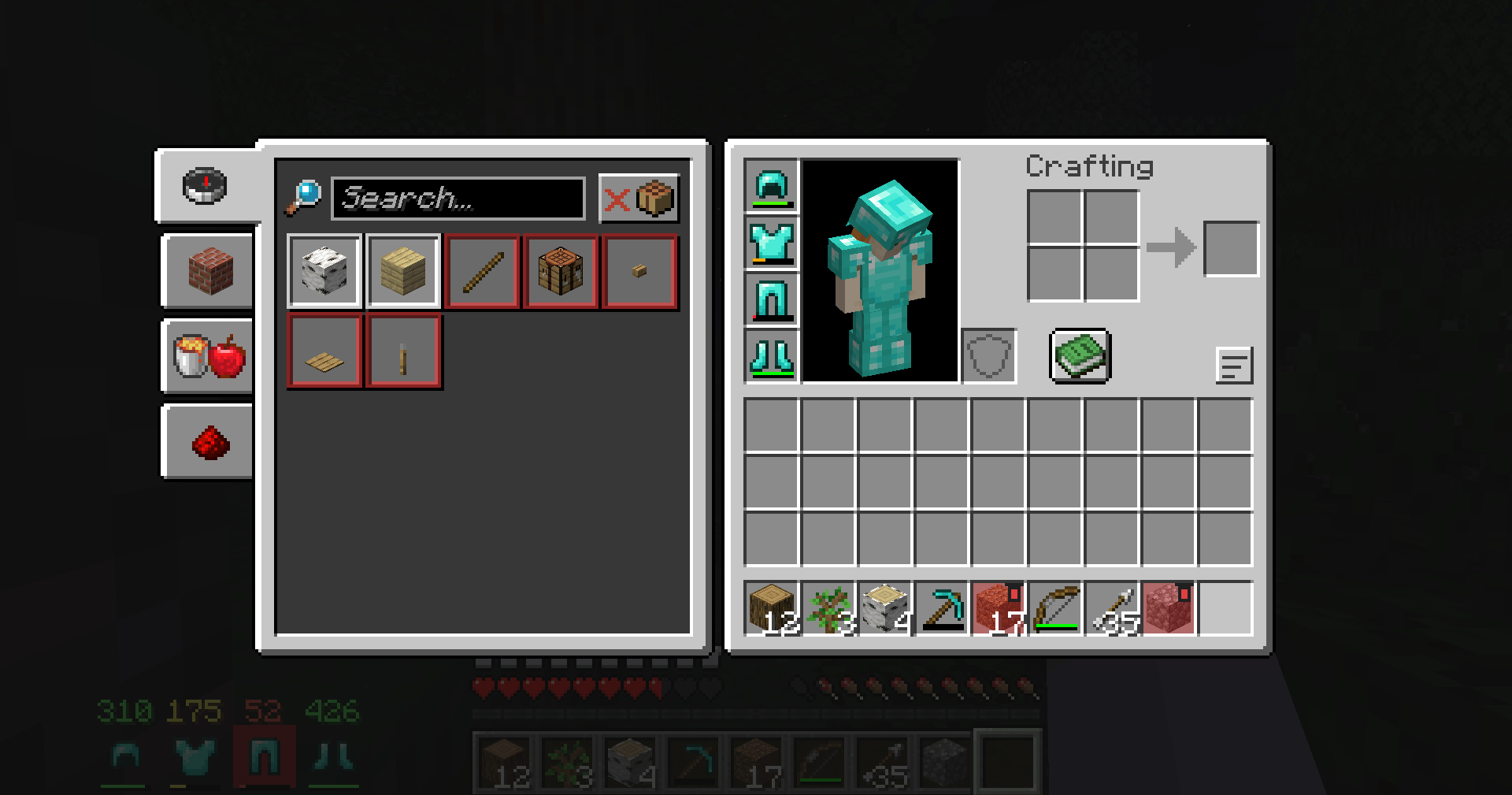
2. Hold **Alt** and **left-click** an item you don't want, for example cobblestone.
3. That item is now on your **trash list**: its slots get a red tint and a small trash-can mark.
4. Close the inventory and play. Whenever that item lands in your inventory, it is **thrown out automatically**.
Alt + left-click the same item again to take it off the list.
## Trash list screen
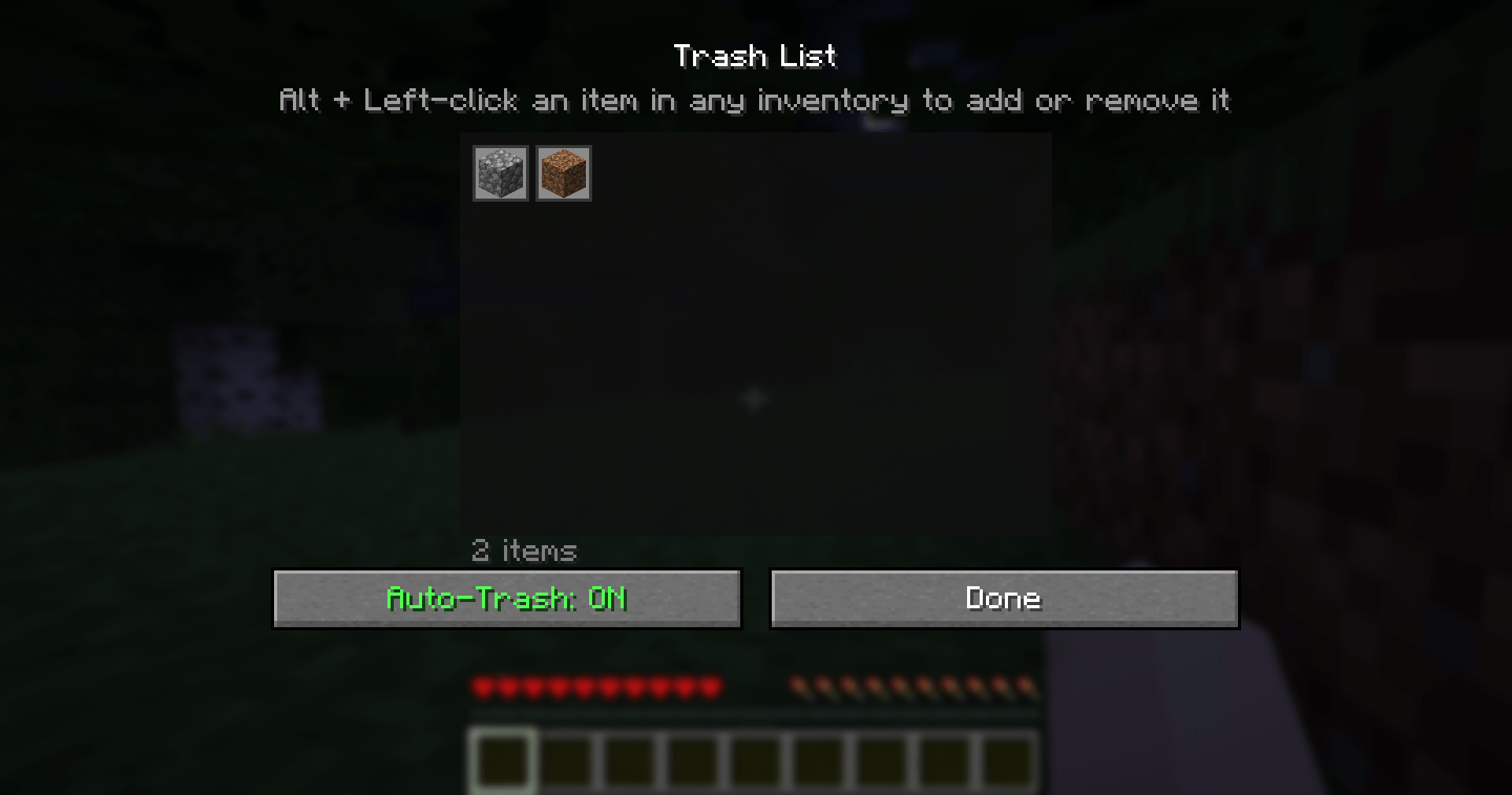
Press **J** to open your trash list:
- See every item you've marked, as a grid of icons.
- **Click an item** to remove it from the list.
- Turn auto-trash **ON/OFF** with one button (handy when you actually need some cobblestone for building).
## Built-in safety
Valuable items **can never be added to the trash list**, even by accident:
- anything diamond or netherite (including ores and ancient debris),
- shulker boxes, ender chests and bundles,
- elytra, totems, tridents, maces, nether stars, beacons, dragon eggs, golden apples, emeralds, enchanted books and other rare or epic items.
On top of that, the mod **never throws away**:
- enchanted items,
- renamed items,
- items that contain other items,
- your armor.
So even if you trash plain stone swords, your Sharpness V stone sword is safe.
## Good to know
- **Client-side only:** items are thrown out with the normal "throw stack" action (the same as pressing Ctrl+Q on an item), so it works in singleplayer and on any server without the server needing the mod. It can't stop the server from picking items up – thrown items land a short way in front of you, and if you walk back over them they will simply be thrown out again.
- Auto-trash pauses while any inventory or chest is open, so you can move things around in peace.
- Disabled in Creative mode.
- Your list is saved in `config/smart_auto_trash.json`, so you can copy it to another computer or share it.
## Controls
| Input | Action |
|-------|--------|
| **Alt + Left-click** an item | Add / remove it from the trash list |
| **J** | Open the trash list |
The J key can be changed in **Options → Controls → Key Binds → Smart Auto-Trash**.
## Requirements
- Minecraft **1.21 or 1.21.1**
- **Fabric Loader** 0.15.11 or newer
- **Fabric API**
- Java 21 (included with the official Minecraft launcher)
## Installation
1. Install Fabric Loader for Minecraft 1.21.1 (with the CurseForge app or the official Fabric installer).
2. Install **Fabric API** for 1.21.1 (listed as a required dependency; the CurseForge app installs it automatically).
3. Put the `smart-auto-trash` .jar file in your `.minecraft/mods` folder.
4. Start the game with the Fabric profile.
## Modpacks
You are free to include Smart Auto-Trash in any modpack, no need to ask. The trash list starts empty, so it never throws anything away until the player chooses to.
## Also by this author
- **Smart Chest Organizer** – one-click chest sorting and quick deposit.
- **Smart Tool Safety** – stops nearly broken tools from being used up.
- **Dynamic Armor HUD** – armor and weapon durability always on screen.
- **Floating Damage Indicators** – damage numbers above mobs.
*The project logo is an illustration created with AI assistance; it is not an in-game screenshot. The screenshots in the gallery are real, unedited in-game captures.*
Smart Auto-Trash Team