promotional bannermobile promotional banner

Extra Bit Manipulation

Adds extra in-world bit manipulation to the Chisels & Bits mod.
Chiseled Armor pieces render chiseled blocks (and any items) as their moving parts.
Chiseled Armor pieces render chiseled blocks (and any items) as their moving parts.

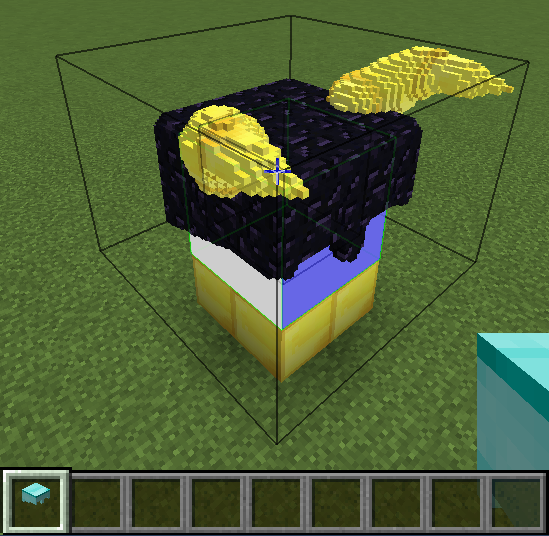
After you have created your model around the in-world bodypart template area, put the armor piece in 'Block Collection' mode. Clicking one block/bit and releasing on another, draws a box around your model and imports copies of all intersecting blocks.

After you have created your model around the in-world bodypart template area, put the armor piece in 'Block Collection' mode. Clicking one block/bit and releasing on another, draws a box around your model and imports copies of all intersecting blocks.

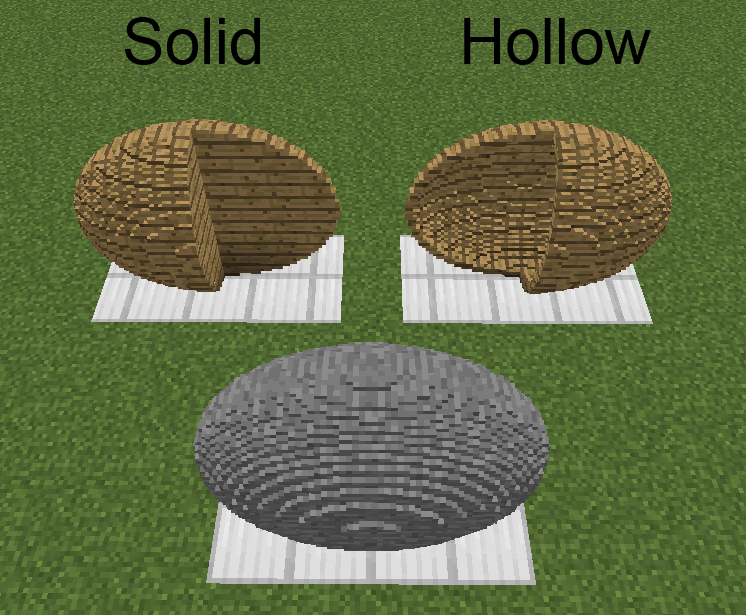
Remove spherical areas of bits from clicked chiseled/chiselable blocks.
Remove spherical areas of bits from clicked chiseled/chiselable blocks.

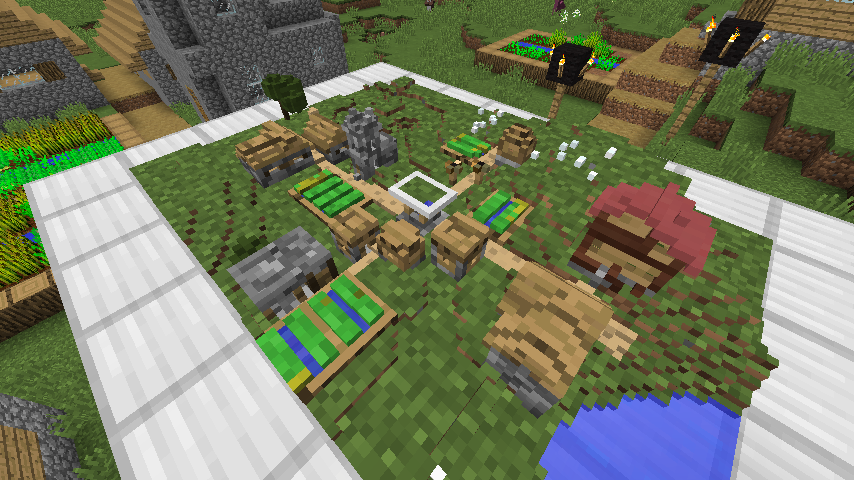
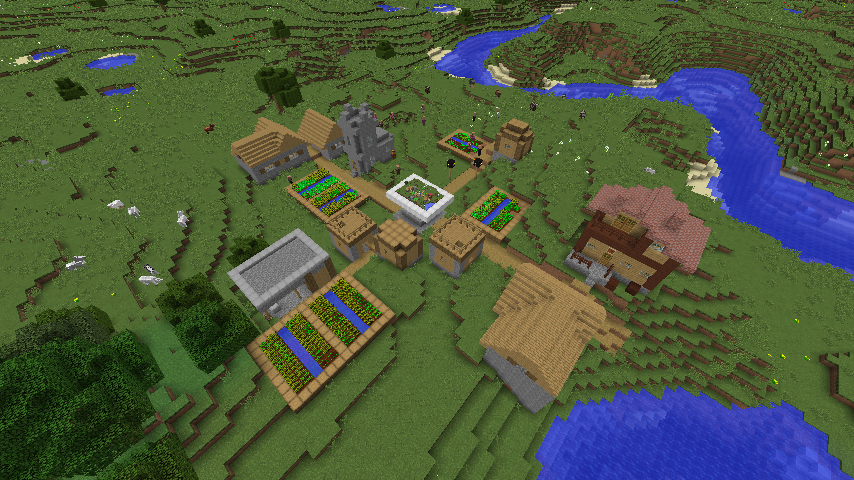
Model of a village made with the Modeling Tool by reading the village chunk by chunk (24 chunks in total).

Model of a village made with the Modeling Tool by reading the village chunk by chunk (24 chunks in total).

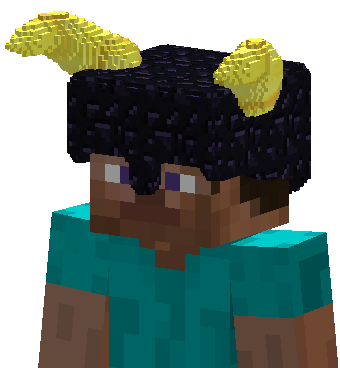
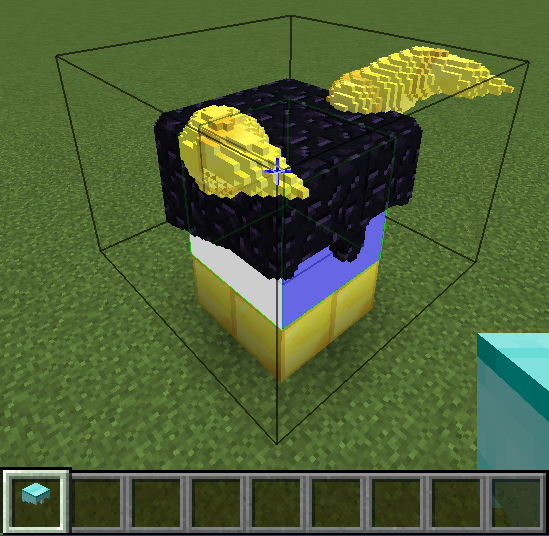
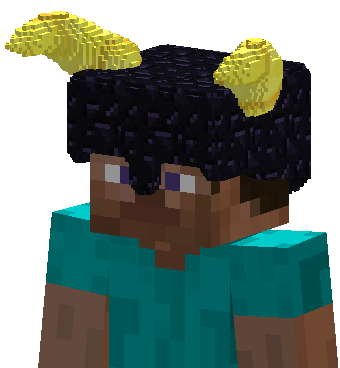
Example of a 1:1 scale brick helmet with gold horns.
Example of a 1:1 scale brick helmet with gold horns.

Cuboid created with drawn mode. Local/global mode shape is a cube.
Cuboid created with drawn mode. Local/global mode shape is a cube.

Rotate chiseled blocks.
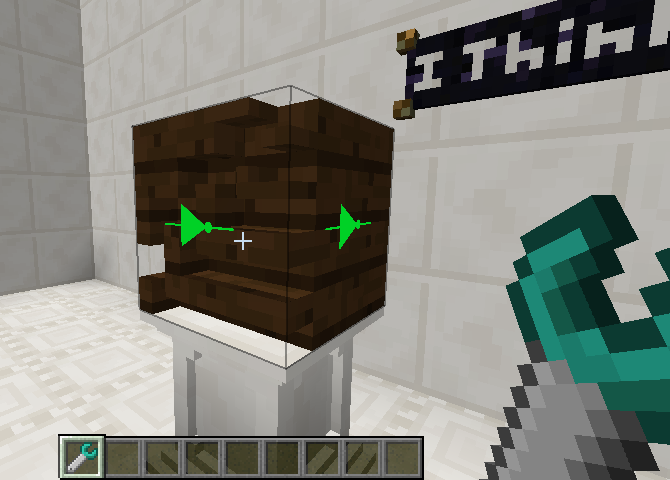
Rotate chiseled blocks.

Invert chiseled blocks.
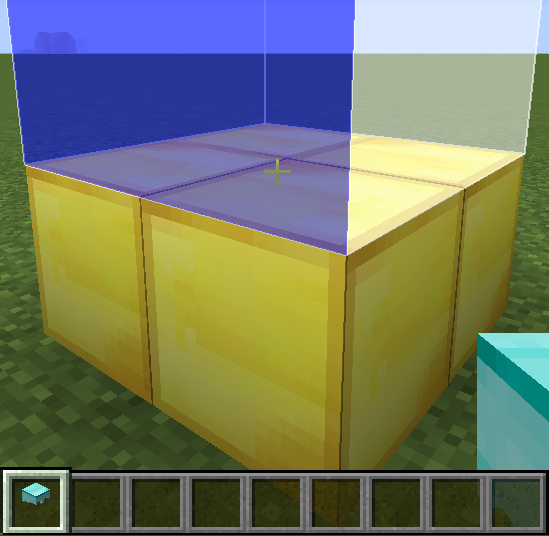
Invert chiseled blocks.

Click a surface in 'Template Creation' mode to set an area that represents the bodypart associated with the armor piece's selected moving part at the selected scale (right-click to additionally fill the area with bits that will be ignored when importing).
Click a surface in 'Template Creation' mode to set an area that represents the bodypart associated with the armor piece's selected moving part at the selected scale (right-click to additionally fill the area with bits that will be ignored when importing).

Ellipsoid created with drawn mode. Local/global mode shape is a ellipse.
Ellipsoid created with drawn mode. Local/global mode shape is a ellipse.

A village that was read, chunk by chunk (24 chunks in total), with the Modeling Tool to make a model of it.
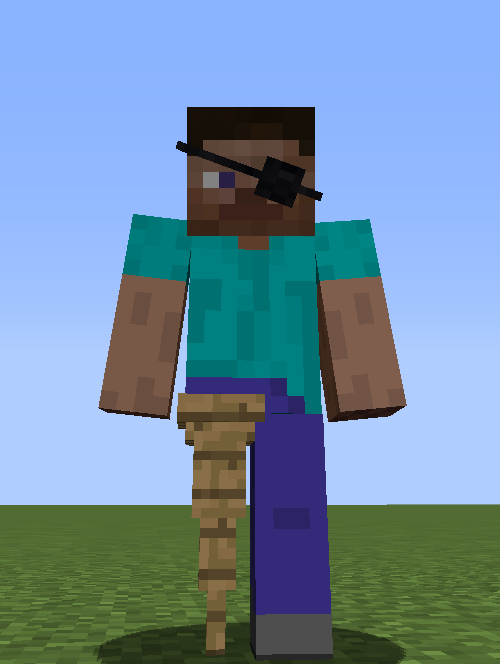
A village that was read, chunk by chunk (24 chunks in total), with the Modeling Tool to make a model of it.

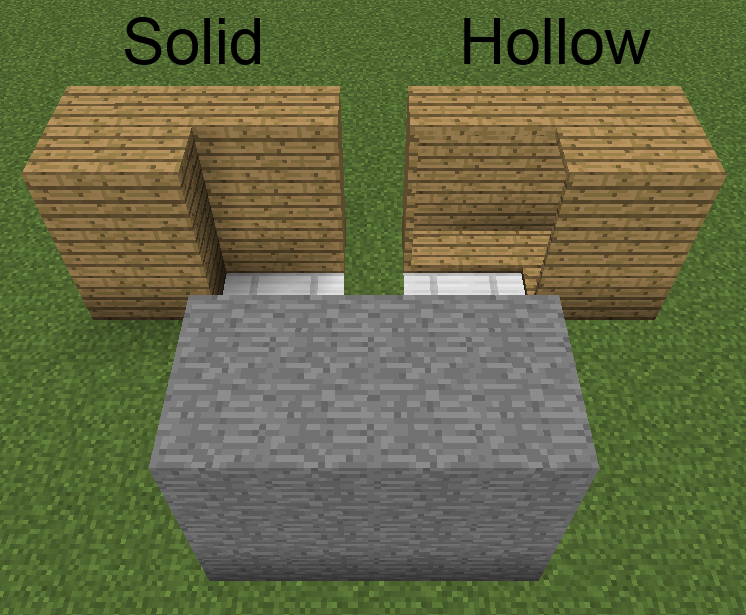
Example of a Chiseled Armor moving part preventing a moving part of the player model from rendering.
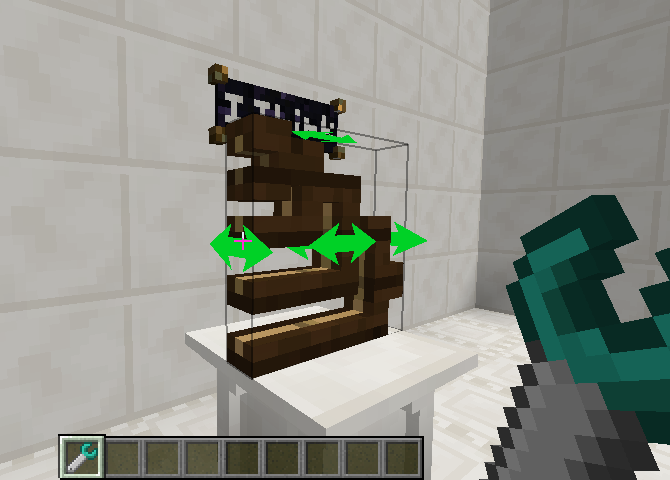
Example of a Chiseled Armor moving part preventing a moving part of the player model from rendering.

Mirror chiseled blocks.
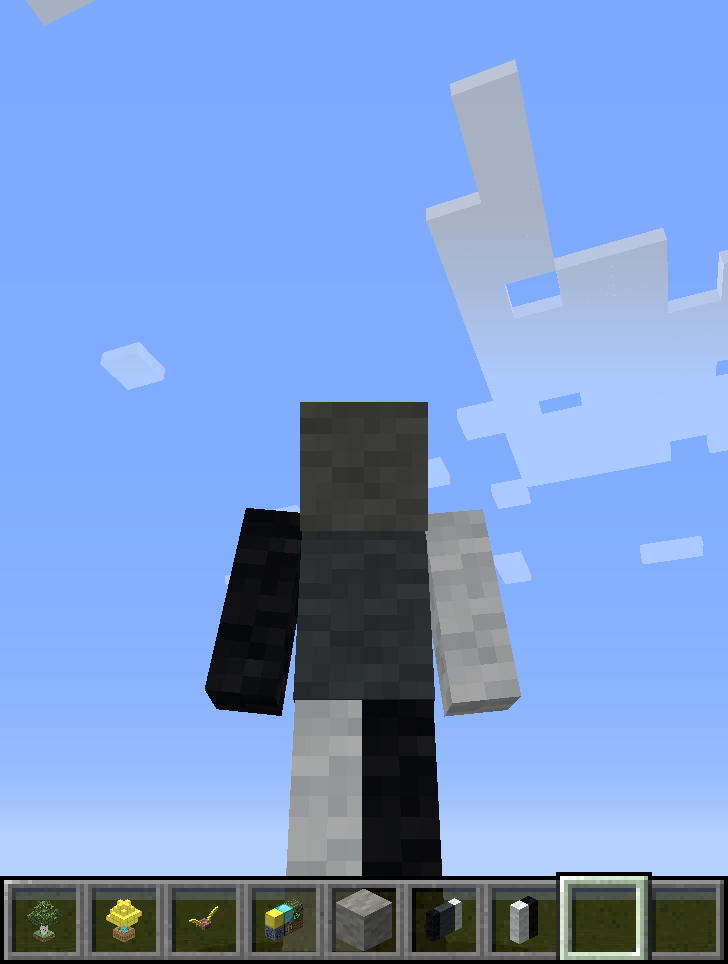
Mirror chiseled blocks.

Example where chiseled wool blocks are rendered at 1:1, such that they effectively re-texture the player.
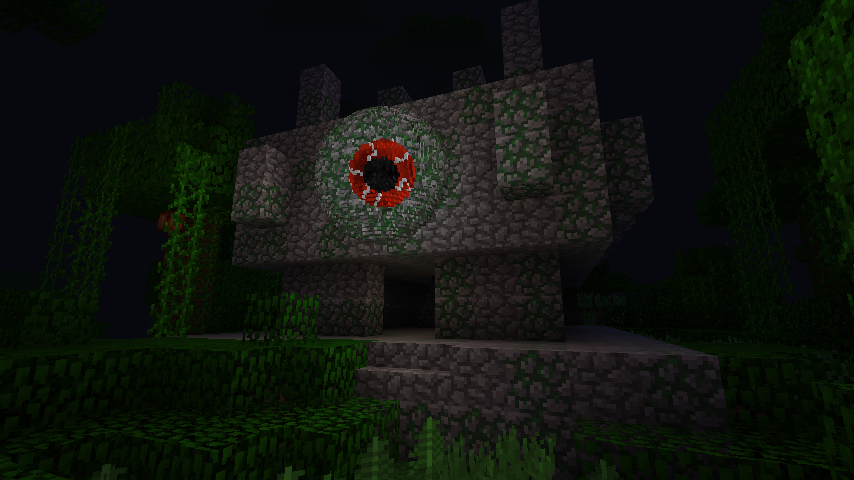
Example where chiseled wool blocks are rendered at 1:1, such that they effectively re-texture the player.

An eye made with Sculpting Wires and Spades by removing/adding spherical areas of bits in global mode.
An eye made with Sculpting Wires and Spades by removing/adding spherical areas of bits in global mode.

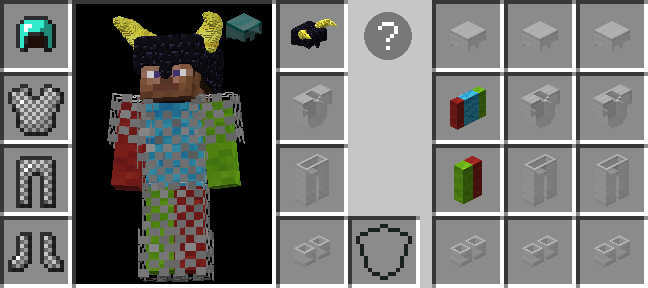
Armor worn in one of the added inventory vanity slots render on the player, but don't take up an armor slot and don't provide additional protection. Click the helmet icon (if displayed) in the survival player inventory or press H (by default) to access.
Armor worn in one of the added inventory vanity slots render on the player, but don't take up an armor slot and don't provide additional protection. Click the helmet icon (if displayed) in the survival player inventory or press H (by default) to access.

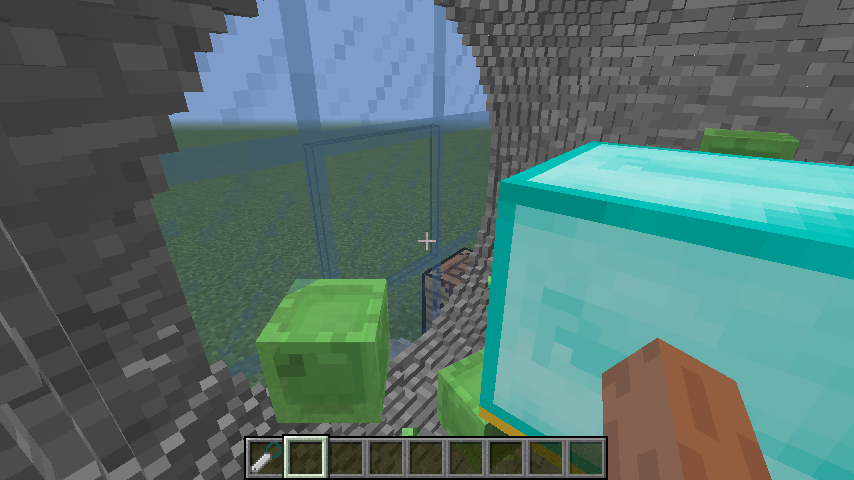
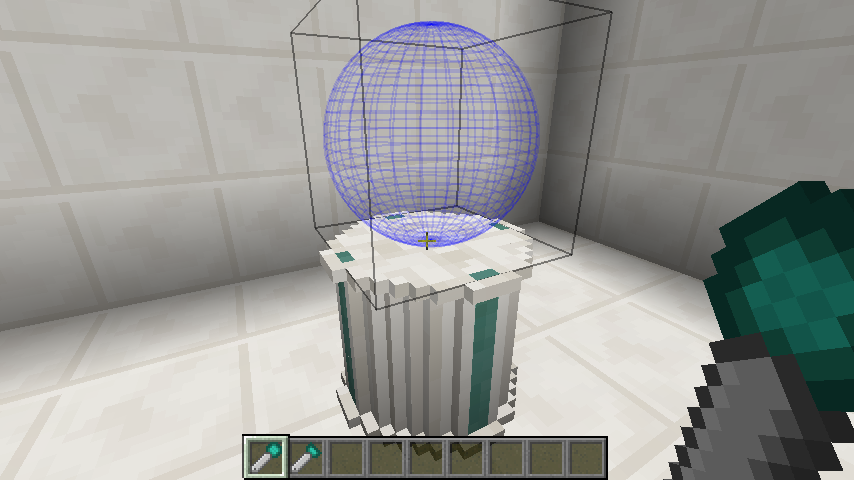
A spherical chamber made with a Sculpting Wires by removing a spherical area of bits in global mode.
A spherical chamber made with a Sculpting Wires by removing a spherical area of bits in global mode.

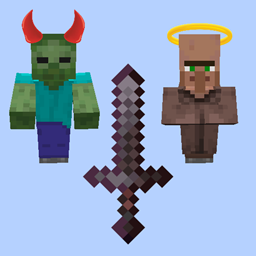
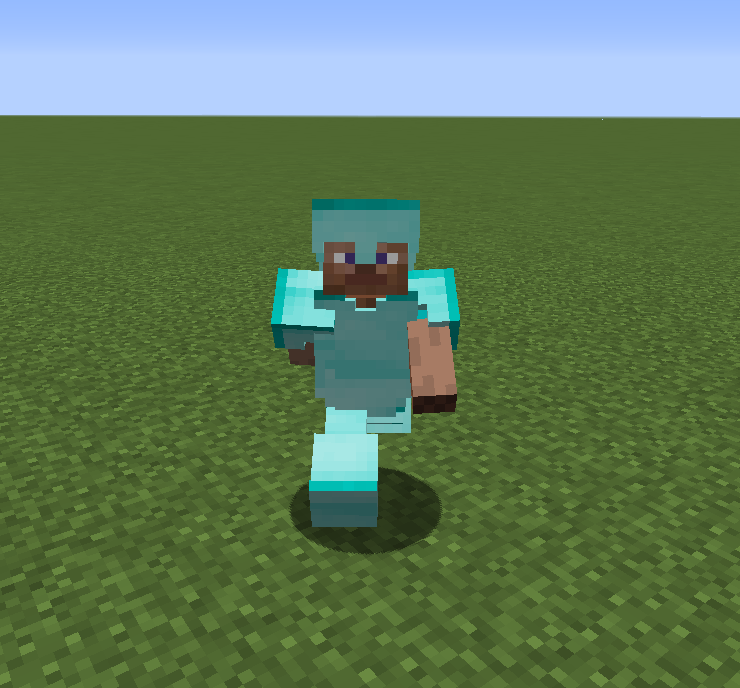
This is the default model rendered for Chiseled Armor when it has not been set to render any items for any of its moving parts.
This is the default model rendered for Chiseled Armor when it has not been set to render any items for any of its moving parts.

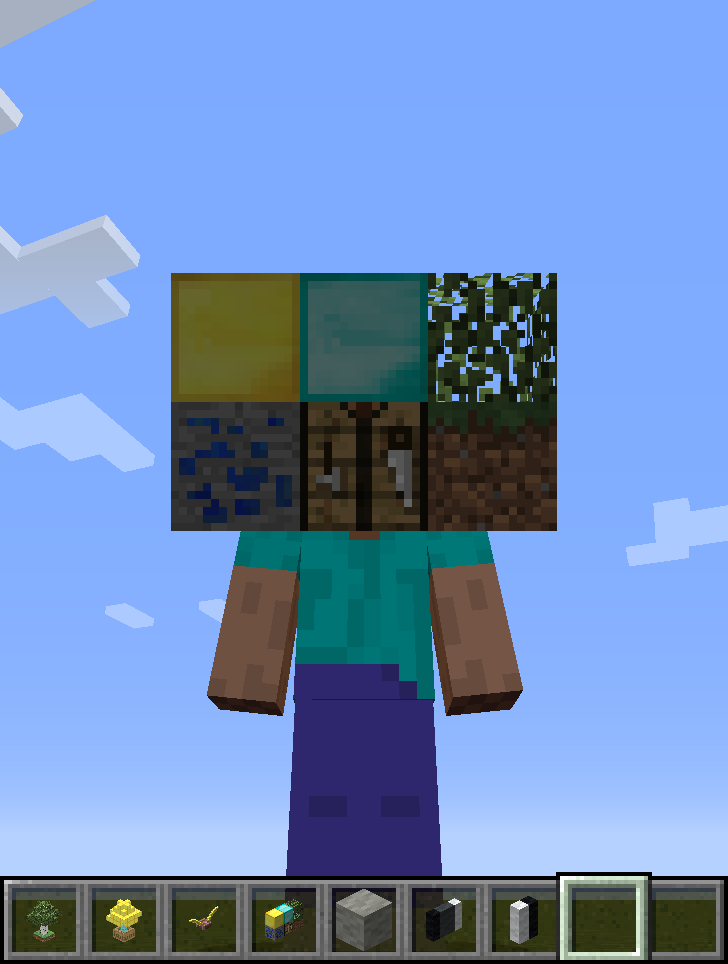
Example where a collection of blocks are rendered at 1:2 scale as the player's head.
Example where a collection of blocks are rendered at 1:2 scale as the player's head.

The sculpting shapes of spades can be offset for placement.
The sculpting shapes of spades can be offset for placement.

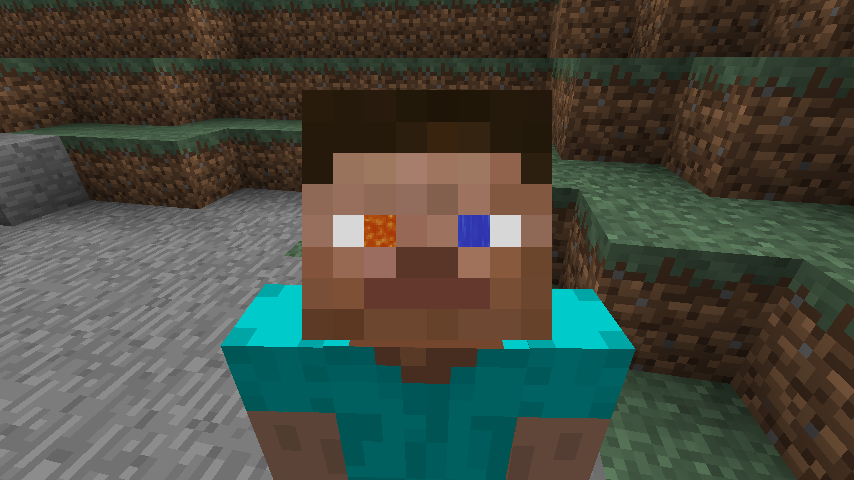
Example where chiseled blocks of flowing water/lava are rendered at a very small scale to give the player animated eyes.
Example where chiseled blocks of flowing water/lava are rendered at a very small scale to give the player animated eyes.

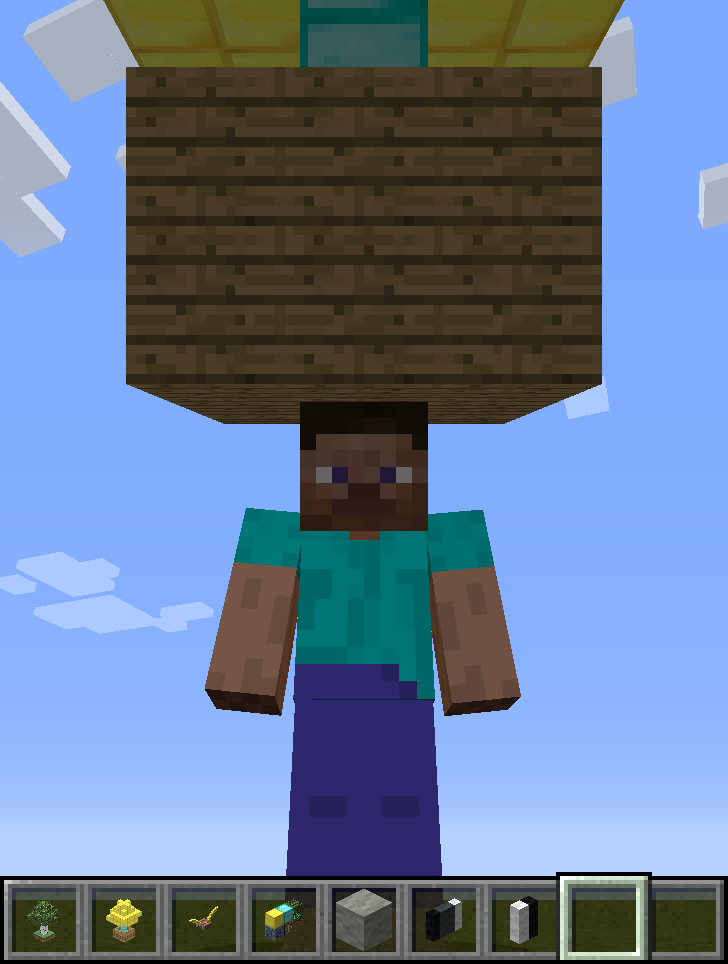
Example where a tree of gold/diamond in a large wooden box is rendered at 1:2 scale as a hat.
Example where a tree of gold/diamond in a large wooden box is rendered at 1:2 scale as a hat.

Remove spherical areas if bits from clicked chiseled/chiselable blocks.
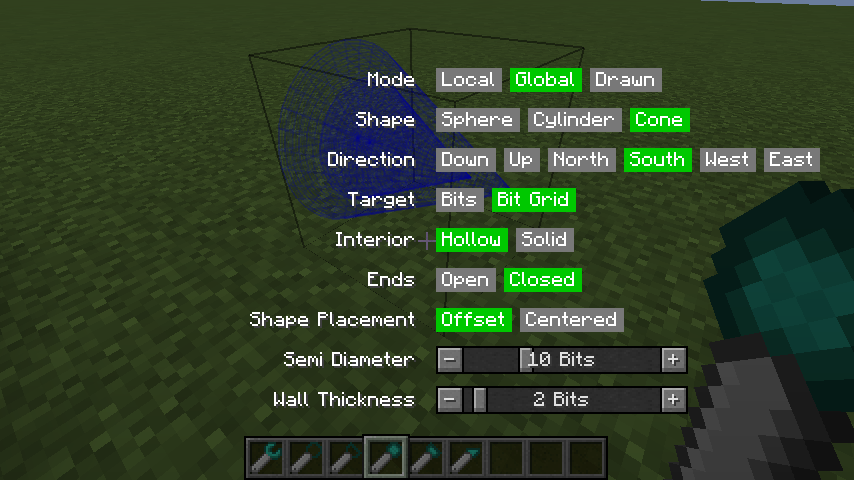
Remove spherical areas if bits from clicked chiseled/chiselable blocks.

Holding the Chisels & Bits radial menu key (default is Left Alt, i.e. 'LMENU') with a tool in-hand will open a menu GUI for changing all tool settings. This is an alternate means of changing settings from the key/mouse combinations.
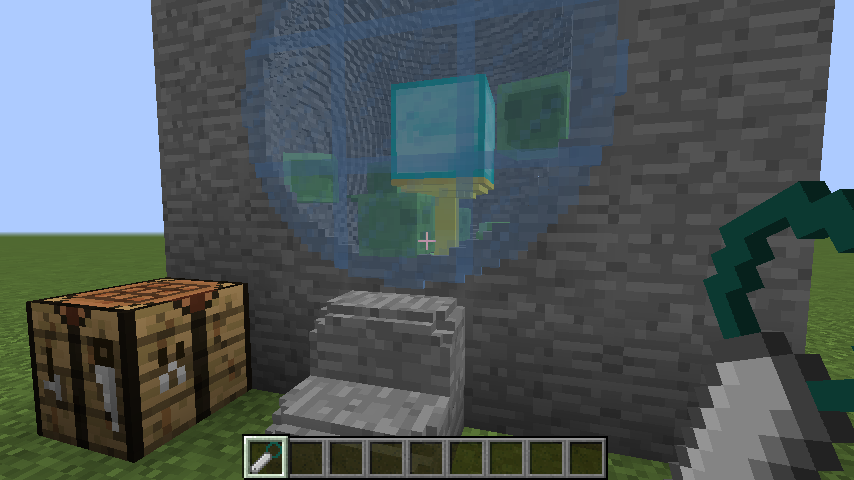
Holding the Chisels & Bits radial menu key (default is Left Alt, i.e. 'LMENU') with a tool in-hand will open a menu GUI for changing all tool settings. This is an alternate means of changing settings from the key/mouse combinations.

A spherical chamber made with a Sculpting Wires by removing a spherical area of bits in global mode.
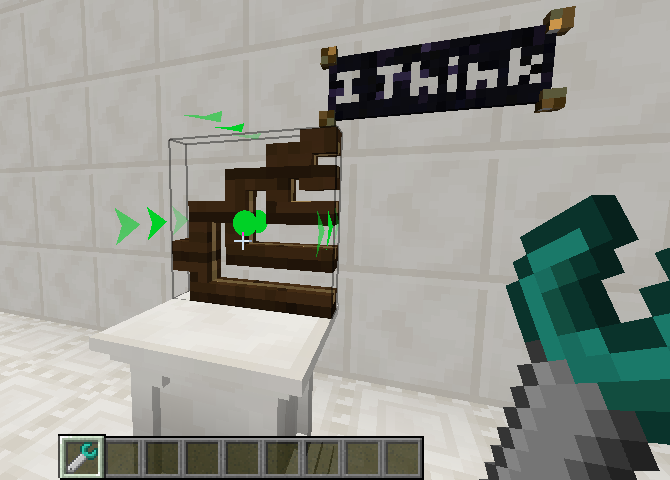
A spherical chamber made with a Sculpting Wires by removing a spherical area of bits in global mode.

Translate chiseled blocks.
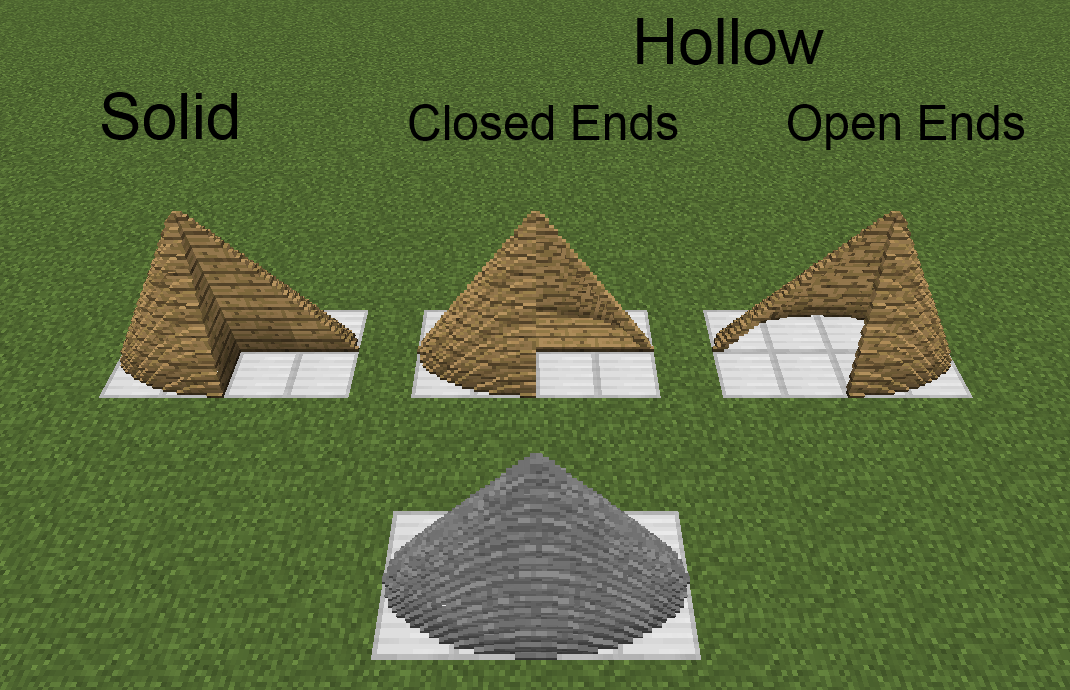
Translate chiseled blocks.

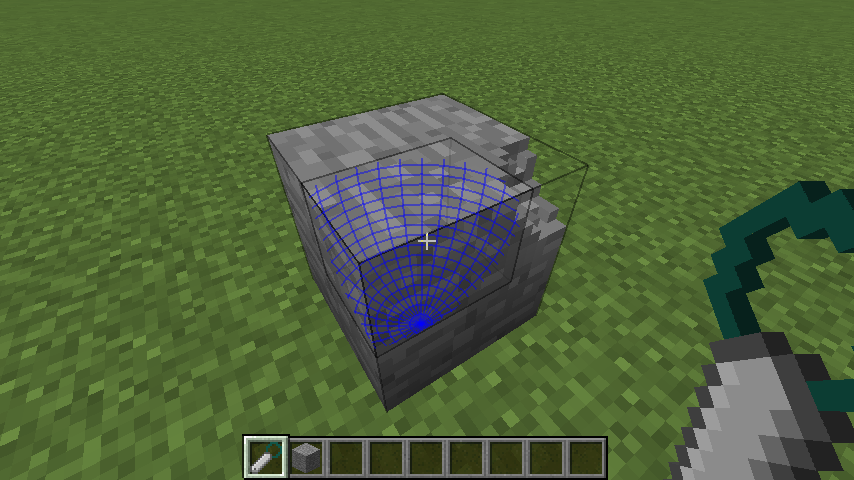
Elliptic cone created with drawn mode. Local/global mode shape is a circular cone.
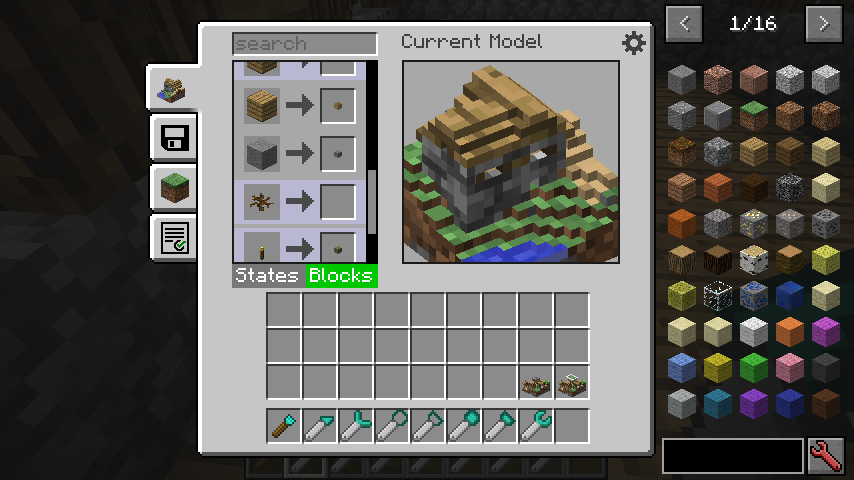
Elliptic cone created with drawn mode. Local/global mode shape is a circular cone.

GUI for manually mapping states and blocks to bits for use in the Modeling Tool.
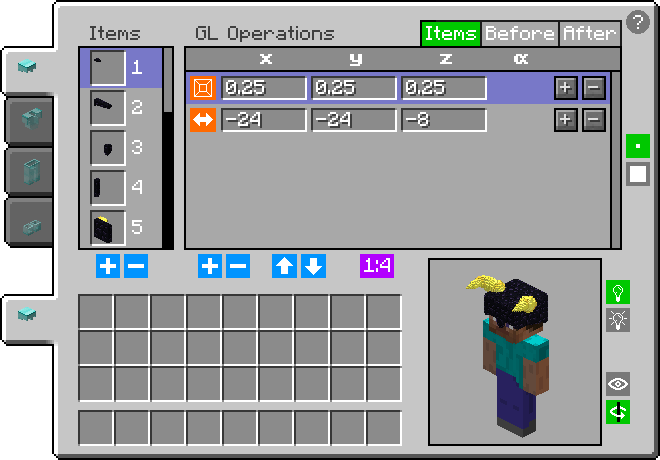
GUI for manually mapping states and blocks to bits for use in the Modeling Tool.

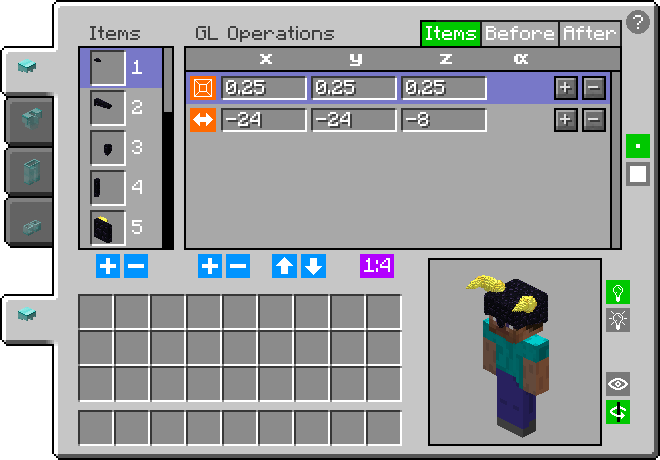
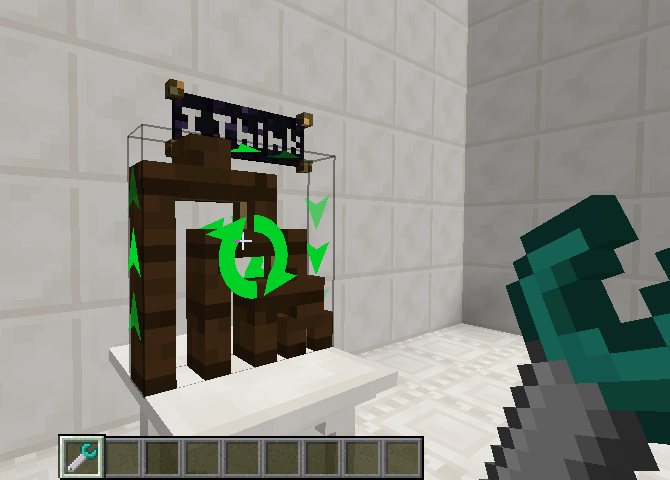
All data of all currently worn armor pieces can be viewed and modified in the GUI. There, any item can be added/removed and can have any number of GL operations (rotation, translation, scale) applied to it. Open with G for normal and SHIFT + G for vanity.
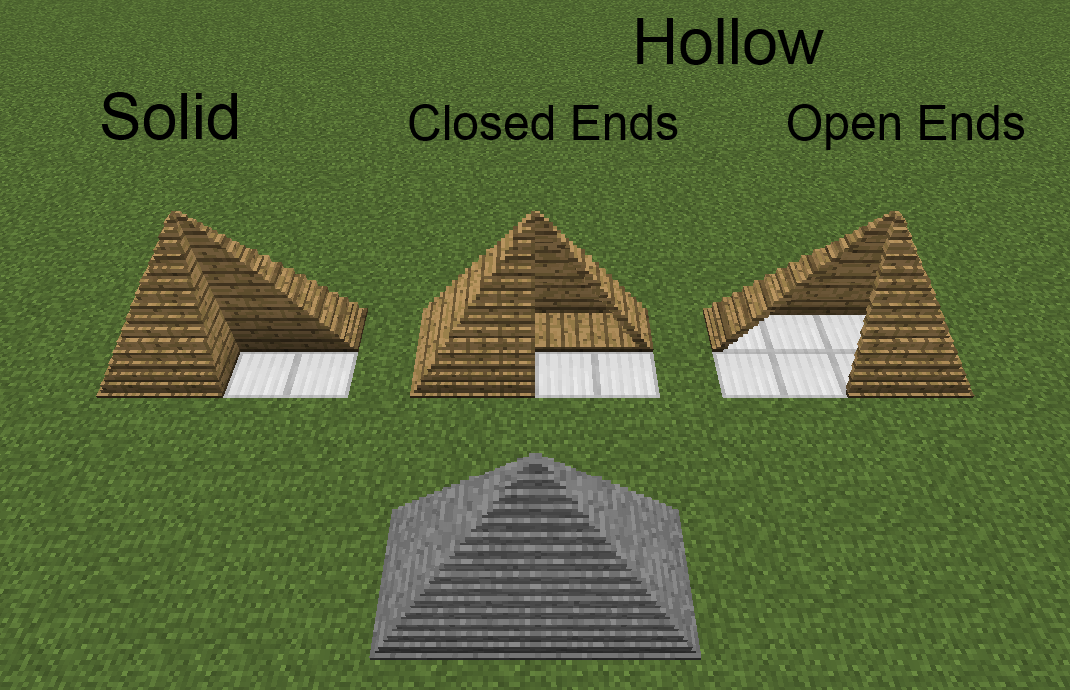
All data of all currently worn armor pieces can be viewed and modified in the GUI. There, any item can be added/removed and can have any number of GL operations (rotation, translation, scale) applied to it. Open with G for normal and SHIFT + G for vanity.

Rectangular pyramid created with drawn mode. Local/global mode shape is a square pyramid.

Rectangular pyramid created with drawn mode. Local/global mode shape is a square pyramid.

Elliptic cylinder created with drawn mode. Local/global mode shape is a circular cylinder.

Elliptic cylinder created with drawn mode. Local/global mode shape is a circular cylinder.

Example where a tree and some grass below it are rendered at small scale as a hat.

Example where a tree and some grass below it are rendered at small scale as a hat.

Description

This mod is an addon to the Chisels & Bits mod. It adds a wrench that rotates/mirrors/translates/inverts chiseled blocks, sculpting wires/spades that remove/add cuboidal/ellipsoidal/cylindrical/conic/pyramidal areas of bits from chiseled/chiselable blocks, a modeling tool that makes chiseled block models of 16^3 areas of blocks in the world, and armor pieces that render chiseled blocks (and any items) as their moving parts. It also allows chisel designs to be edited and bits to be thrown like snowballs.

Issues should be submitted via GitHub (here), if possible, but can be submitted internally, if need be.

This mod has been released into the public domain. Use it anywhere in any way. 
 

Chiseled Armor Helmet Chiseled Armor Block Collection Chiseled Armor GUI                                                                 Chiseled Armor Vanity Slots GUI     Chiseled Armor Block Collection


Translate chiseled blocks.

Remove spherical areas if bits from clicked chiseled/chiselable blocks.

An eye made with Sculpting Wires and Spades by removing/adding spherical areas of bits in global mode.

Drawn Ellipsoid Screenshot

Drawn Elliptic Cone Screenshot

A village that was read, chunk by chunk (24 chunks in total), with the Modeling Tool to make a model of it.

Model of a village made with the Modeling Tool by reading the village chunk by chunk (24 chunks in total).


Chiseled Armor tutorial by Pooka Plays:

Clarifications:

  1. 3:55 [FIXED] Armor worn in vanity slots is now visible to everyone.
  2. 23:51 [INFO] Both 'before' and 'after' GL operations apply to all blocks/items of a moving part. The order is 'before', then 'part-specific', then 'after', since order maters in Open GL.
  3. 41:35 I never even thought about enchantment overlay rendering. I'll have to look into it.
  4. 45:55 [ADDED] The moving parts of chiseled armor pieces can prevent moving parts and overlays of the player model from rendering.
  5. 48:27 [INFO] Holding shift, while in collection mode, causes the collection area start/end points to be offset by one from the block/pixel you are looking at. This makes collecting liquid bits easier.
  6. 59:05 [INFO] Blocks are collected by clicking on one block/bit and releasing on another to collect all intersecting bits. Blocks/bits do not need to be individually clicked.

Finally, I highly suggest that everyone read the tooltips for chiseled armor items while holding control (while in different modes, since the info is mode-specific), as well as clicking the question mark in GUIs and reading all the more detailed hover text while hovering the cursor over each highlighted element.

The Extra Bit Manipulation Team

profile avatar
  • 22
    Followers
  • 9
    Projects
  • 43.1M
    Downloads

More from PhylogenyView all

  • JEI Enchantment Info project image

    JEI Enchantment Info

    • 8.5M
    • Mods

    Adds JEI info entries for enchantments. Press R while hovering over a book with a single enchantment to view info about it.

    • 8.5M
    • June 29, 2024
    • Mods
    • +2
  • Discernment project image

    Discernment

    • 3.8K
    • Mods

    Adds an enchantment and mob effect that prevent a living entity that isn't sneaking from hurting any other living entity that isn't on a custom name blacklist, and is either peaceful, a player, owned, or is on a custom name whitelist

    • 3.8K
    • June 27, 2024
    • Mods
    • +2
  • Bound Totems project image

    Bound Totems

    • 106.1K
    • Mods

    Allows Totems of Undying to be bound to living entities and used anywhere in their inventory or in totem shelves in any dimension. Teleporting variants also teleport them to a saved location in any dimension.

    • 106.1K
    • July 28, 2020
    • Mods
    • +1
  • Proportional Destruction Particles project image

    Proportional Destruction Particles

    • 15.5M
    • Mods

    A client-side mod that causes block destruction particles to only spawn in blocks' collision/bounding boxes.

    • 15.5M
    • October 28, 2018
    • Mods
  • JEI Enchantment Info project image

    JEI Enchantment Info

    • 8.5M
    • Mods

    Adds JEI info entries for enchantments. Press R while hovering over a book with a single enchantment to view info about it.

    • 8.5M
    • June 29, 2024
    • Mods
    • +2
  • Discernment project image

    Discernment

    • 3.8K
    • Mods

    Adds an enchantment and mob effect that prevent a living entity that isn't sneaking from hurting any other living entity that isn't on a custom name blacklist, and is either peaceful, a player, owned, or is on a custom name whitelist

    • 3.8K
    • June 27, 2024
    • Mods
    • +2
  • Bound Totems project image

    Bound Totems

    • 106.1K
    • Mods

    Allows Totems of Undying to be bound to living entities and used anywhere in their inventory or in totem shelves in any dimension. Teleporting variants also teleport them to a saved location in any dimension.

    • 106.1K
    • July 28, 2020
    • Mods
    • +1
  • Proportional Destruction Particles project image

    Proportional Destruction Particles

    • 15.5M
    • Mods

    A client-side mod that causes block destruction particles to only spawn in blocks' collision/bounding boxes.

    • 15.5M
    • October 28, 2018
    • Mods