DynamicRenderDistance
- By
Automatically changes your render distance based on your frame rate (FPS). Fully configurable, client-side only.
Description


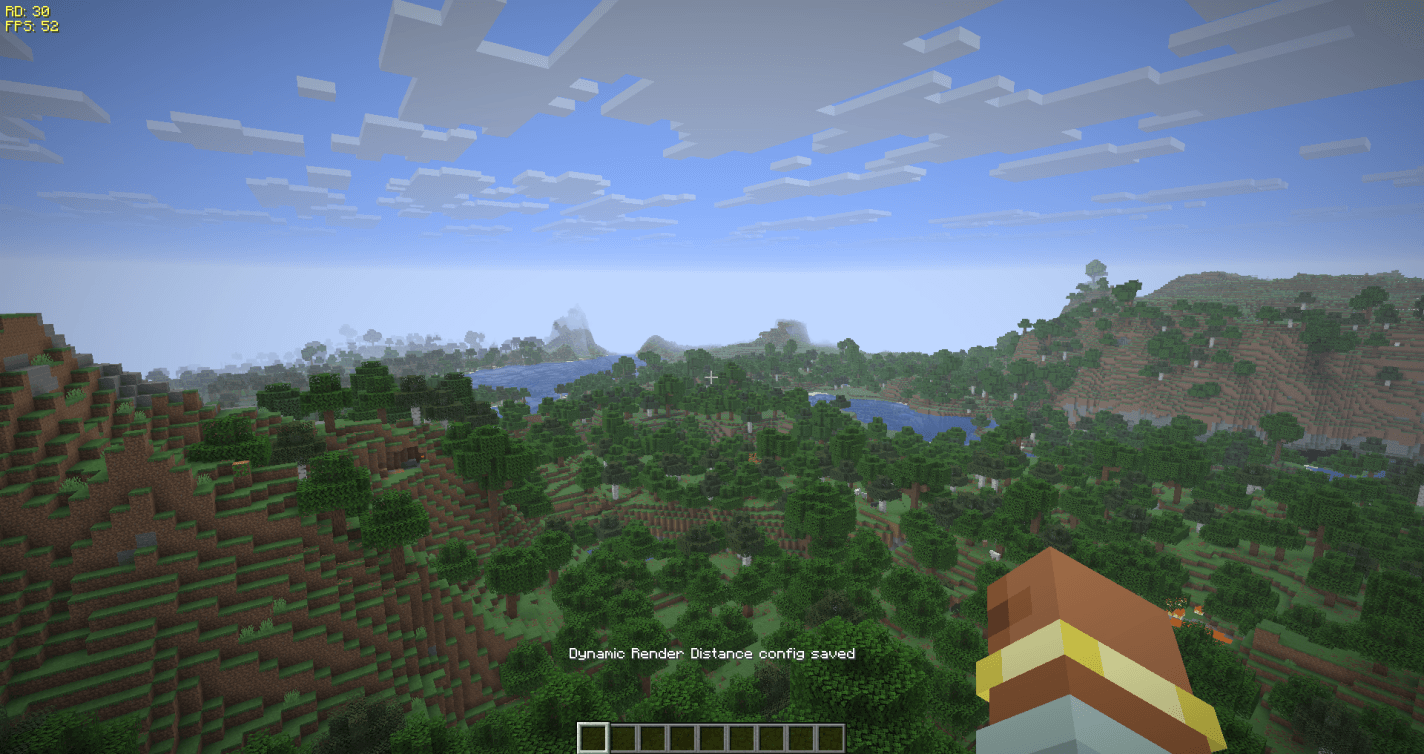
Fully client-side mod that automatically scales your view distance up or down in real time based on your current frame rate. It keeps your game running smoothly in heavy areas and lets you see further when performance allows it.
Client-side only — no server installation required. Works in singleplayer and on any server.
Dependencies: Fabric needs Fabric API and Architectury API. NeoForge needs Architectury API. Forge needs no additional dependencies.
Free to use in any modpack — public or private, no permission needed.
What it does
- Smart Scaling — automatically increases or decreases render distance to stay within your desired FPS range.
- One-Click Presets — apply a tuned Quality, Balanced, or Performance profile from the main settings card (or
/drd preset). Presets only change performance settings and keep your toggles. - Optional On-Screen HUD — a compact overlay showing your current render distance and FPS, color-coded by status (grey = off, red = below your min FPS, green = above your max FPS, yellow = in range). Hidden while the F3 debug screen is open.
- Configurable Limits — you set the minimum and maximum chunks, and it never goes below or above them.
- Anti-Oscillation Cooldowns — cooldown timers so your screen doesn't constantly flicker between distances.
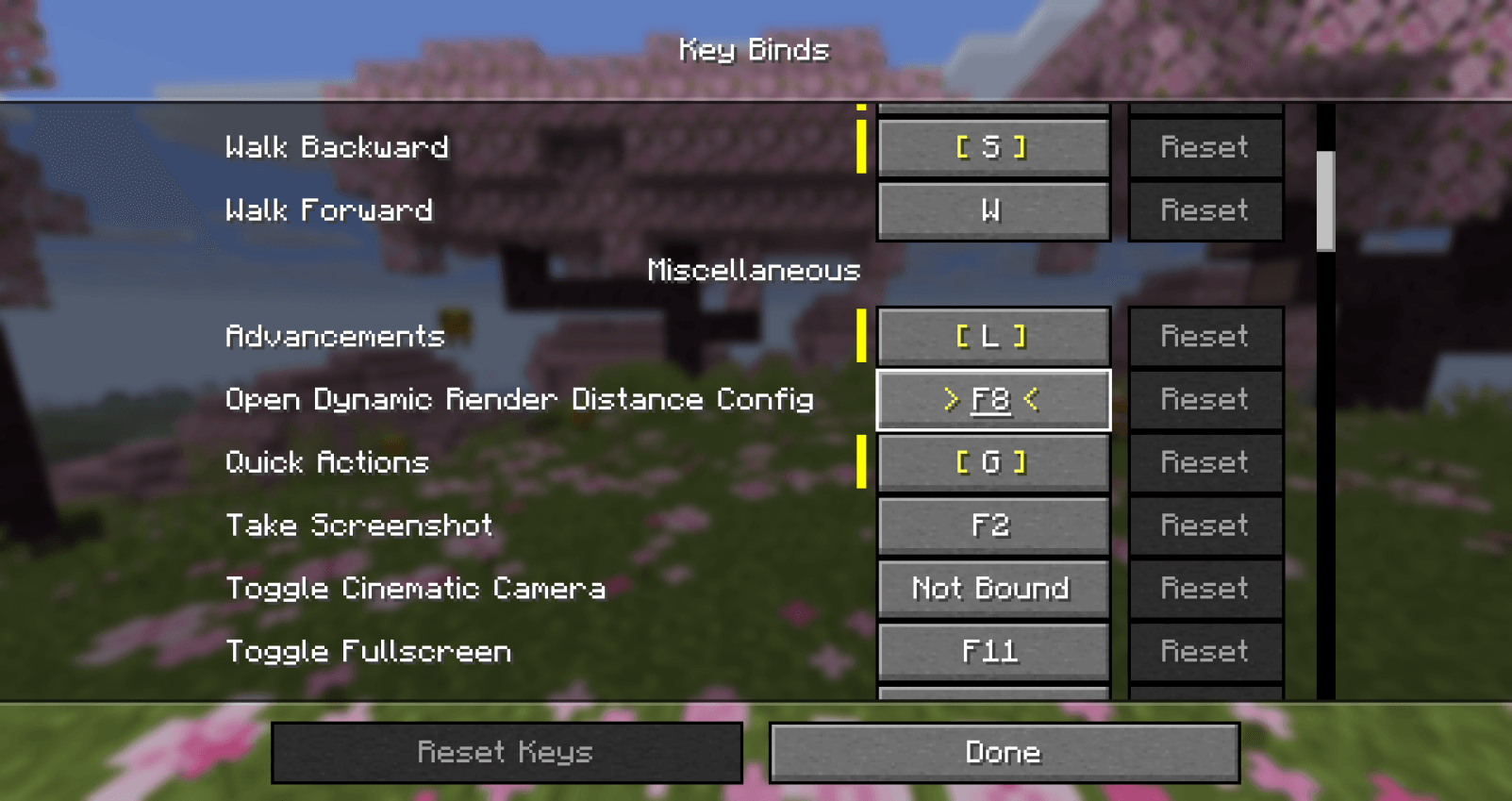
- Rebindable Keybinds — open the settings (default
F8), toggle the mod on/off, or toggle the HUD, all rebindable in Options → Controls under Dynamic Render Distance. - In-Game UI & Commands — configure everything from the settings card or chat commands.
Configuration
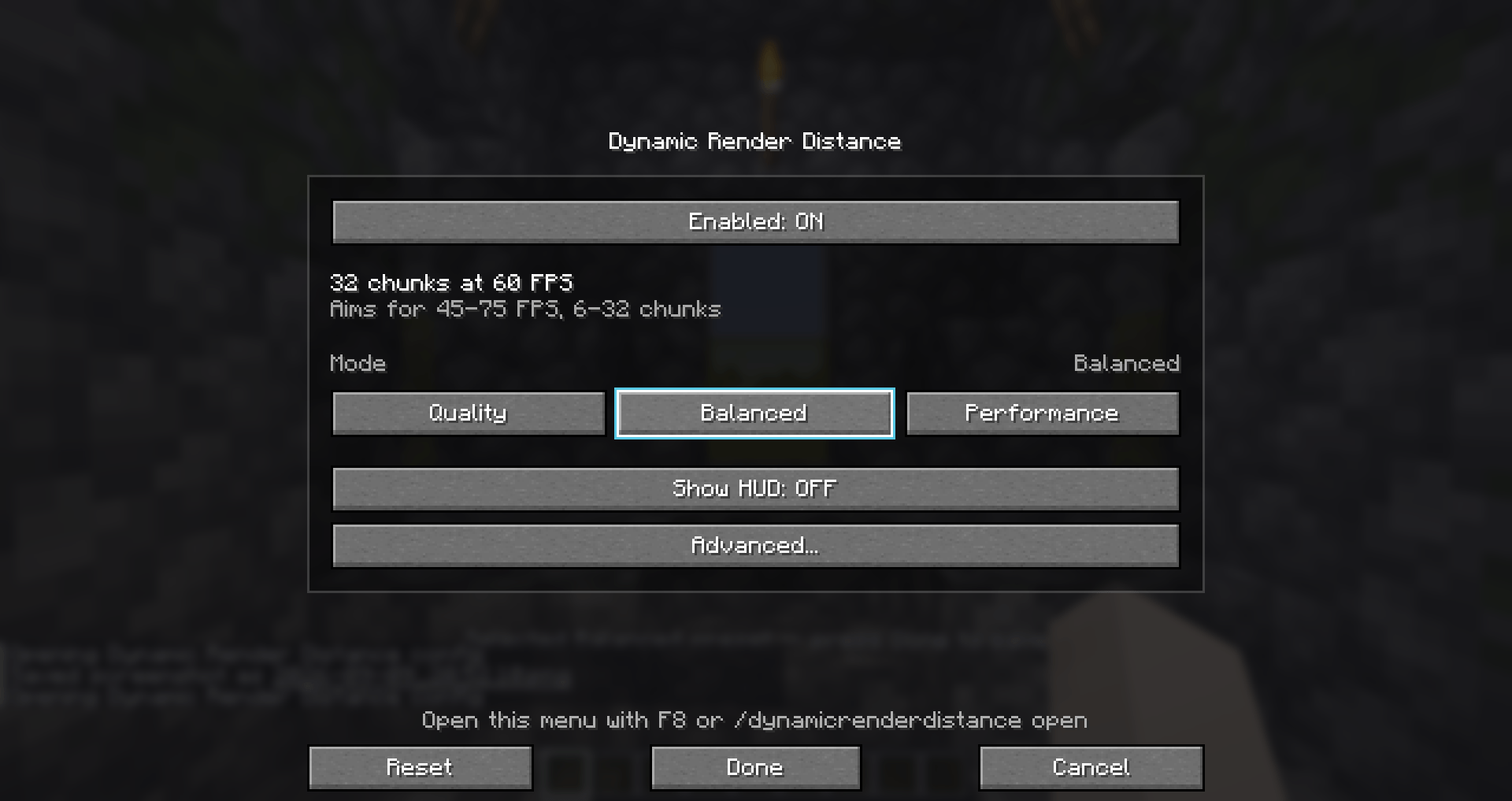
Press F8 in-game (rebindable) or use /drd open to open the settings menu.
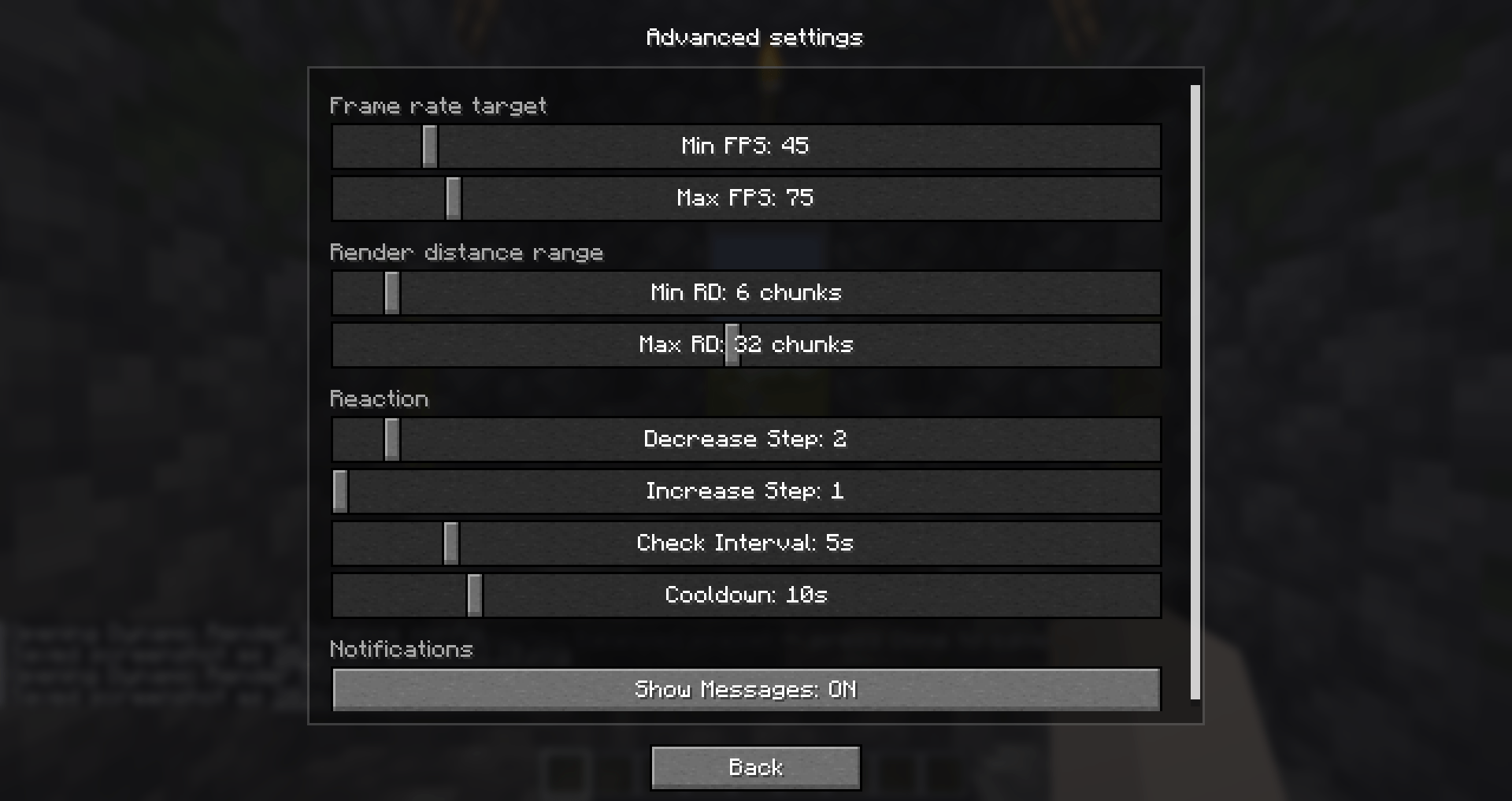
The main screen is a single card: Enabled, live status, FPS/chunk rule, Mode (Quality / Balanced / Performance + Custom), Show HUD, Advanced…, and Reset / Done / Cancel. Every individual setting, including Show Messages, is under Advanced settings. Preset and Reset update the open card in place; values save only on Done (Cancel / Esc discard). Picking a preset shows an action-bar hint: Selected %s preset — press Done to save.
Available settings (defaults in parentheses):
- Enabled (ON) — toggle the mod entirely.
- Show Messages (ON) — action-bar notification when render distance changes (Advanced).
- Show HUD (OFF) — top-left overlay with current render distance and FPS.
- Min FPS (
45) / Max FPS (75) — thresholds that lower or raise render distance. - Min RD (
6) / Max RD (32) — allowed render distance range in chunks. - Decrease Step (
2) / Increase Step (1) — chunks removed or added per adjustment. - Check Interval (
5.0s) — how often to check the average FPS. - Cooldown (
10.0s) — wait after a change before adjusting again.
How it works: the mod samples FPS every second and keeps an average window. On each check interval it lowers render distance if average FPS is below Min FPS, raises it if above Max FPS, then applies a cooldown. By default it decreases faster than it increases, so laggy areas stabilize first. Each adjustment is a single step: Minecraft rebuilds chunks on every render-distance change, so gradual steps would only flicker more.
Keybinds (Options → Controls → Dynamic Render Distance):
- Open config — default
F8. - Toggle the mod on/off — unbound by default.
- Toggle the HUD — unbound by default.
Commands (/dynamicrenderdistance or /drd):
/drd status— current stats./drd preset performance— apply a preset.- Setting subcommands (
enabled,showHud,minFps, …) print the stored value with no argument; pass a value to set it (e.g./drd minFps 60,/drd showHud true,/drd cooldown 15).
Details
- Client-side only — safe on any vanilla or modded server.
- All settings are stored locally in
config/dynamicrenderdistance.json; modpacks can ship a preconfigured file. - A non-numeric value typed by hand into
checkIntervalSecondsorcooldownSecondsfalls back to the default (5 and 10 seconds). - Fully translated into 10 languages; UI strings can be overridden via a resource pack under
assets/dynamicrenderdistance/lang/.
Feedback
Please report any bugs, errors, or feature suggestions on Discord: https://discord.gg/HTkn94BXmA
More mods by Nikrecs: PerformanceHUD · AutoMuteOnAfk
My other mods that I recommend.
DynamicRenderDistance Team

Owner