Create: More Cogwheels
- By
Adds new material variants of Create cogwheels, encased variants, Ponder support, and optional per-material progression limits for modpacks.
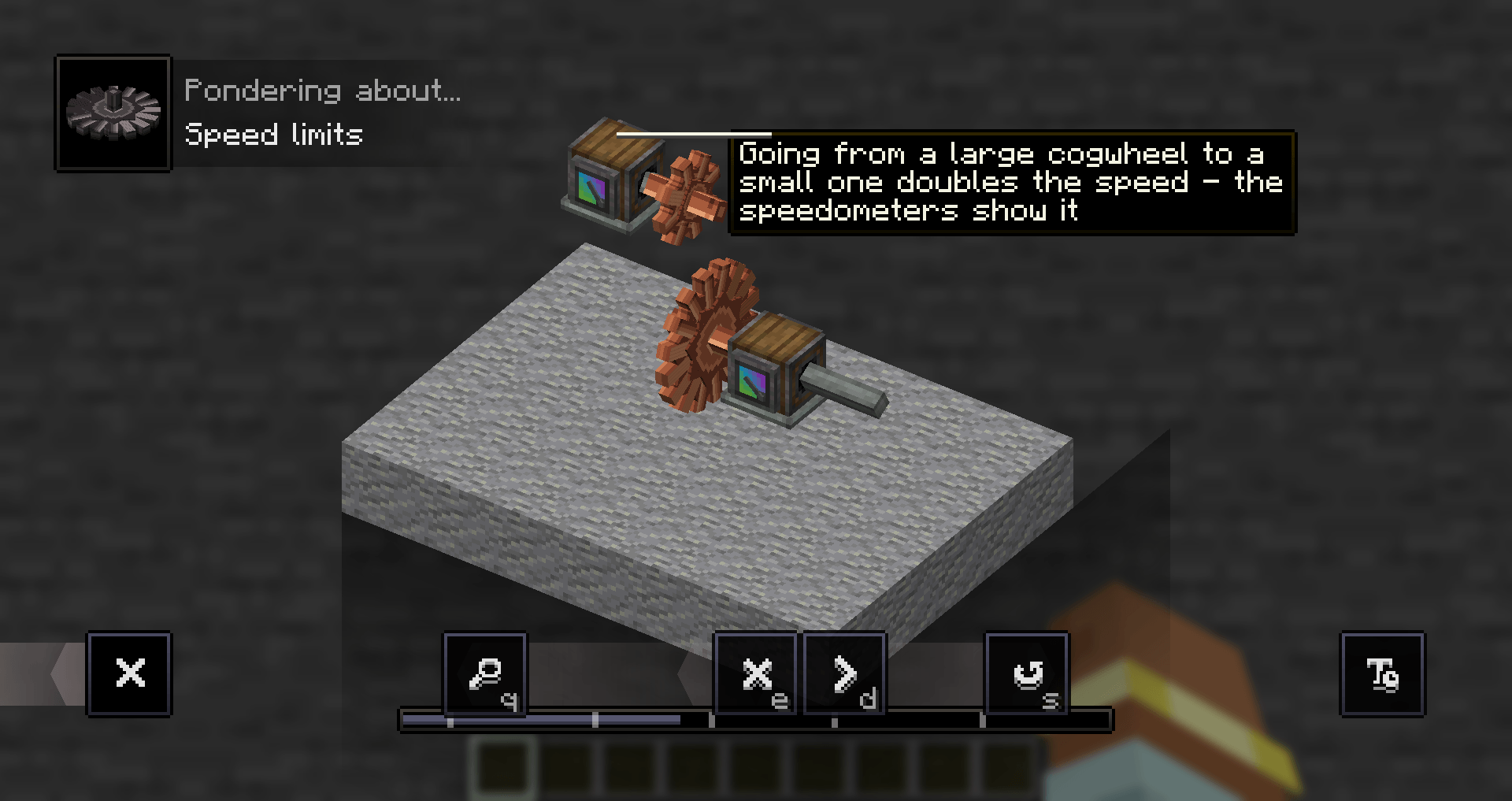
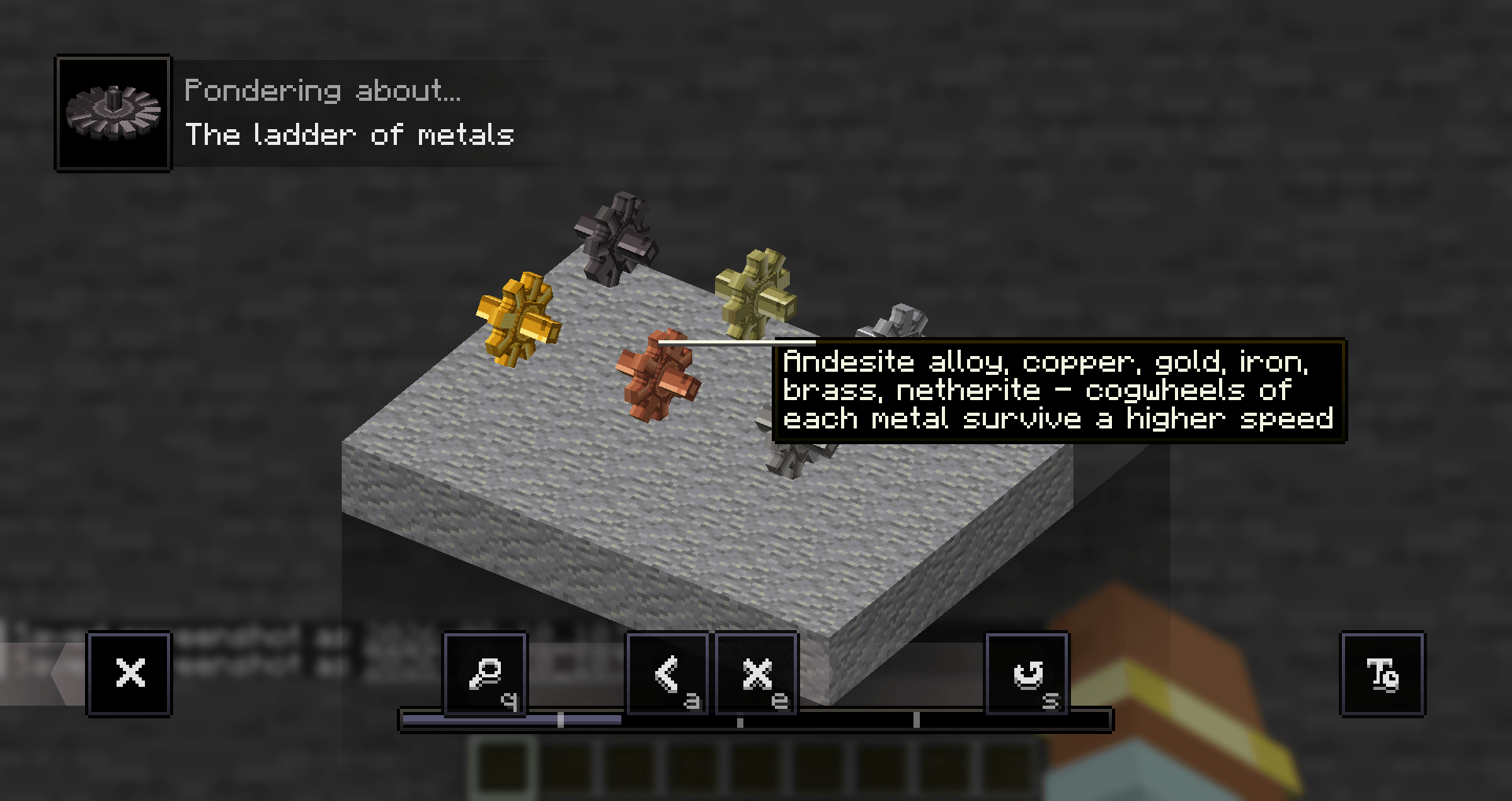
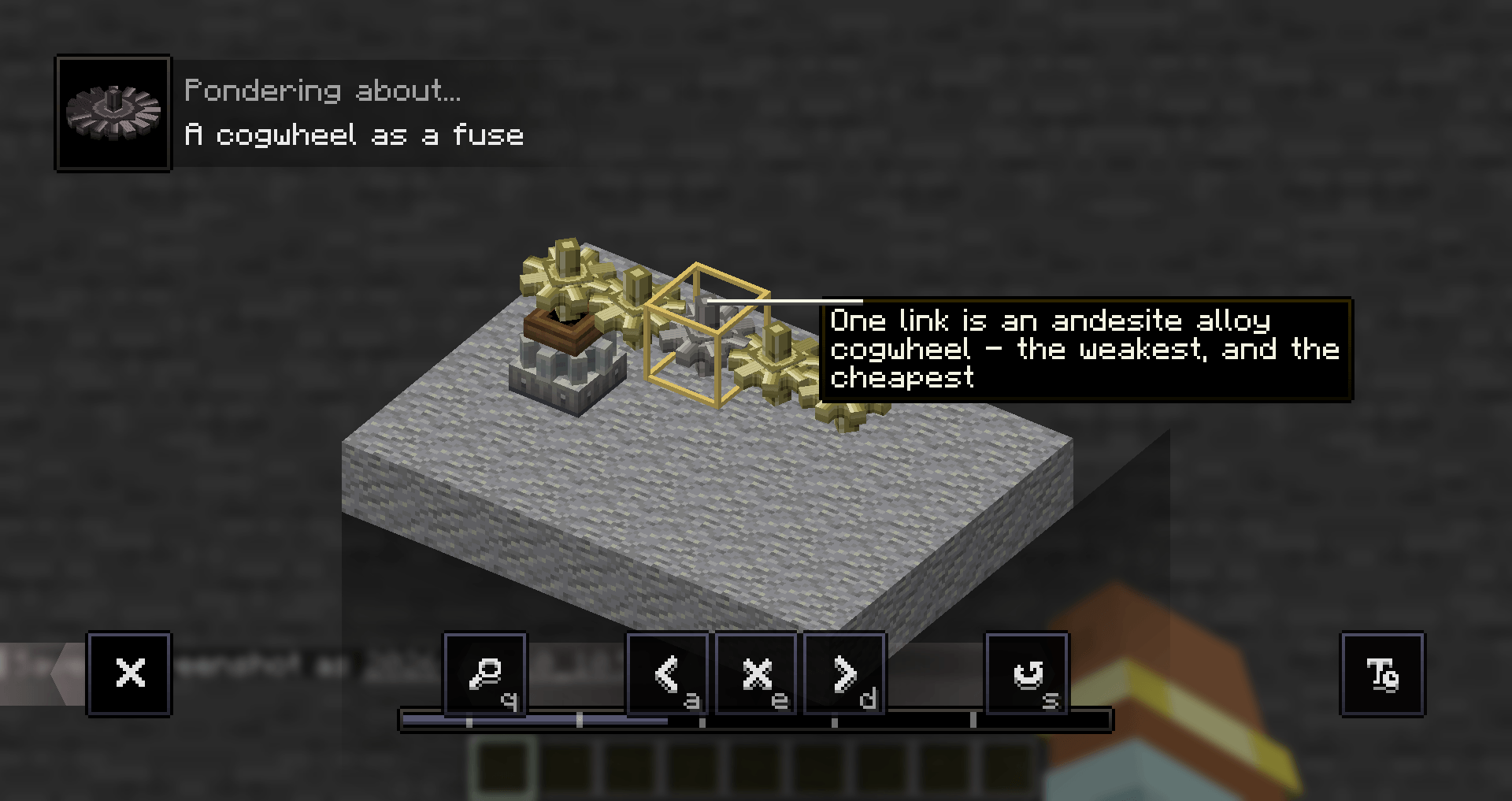
Description

About
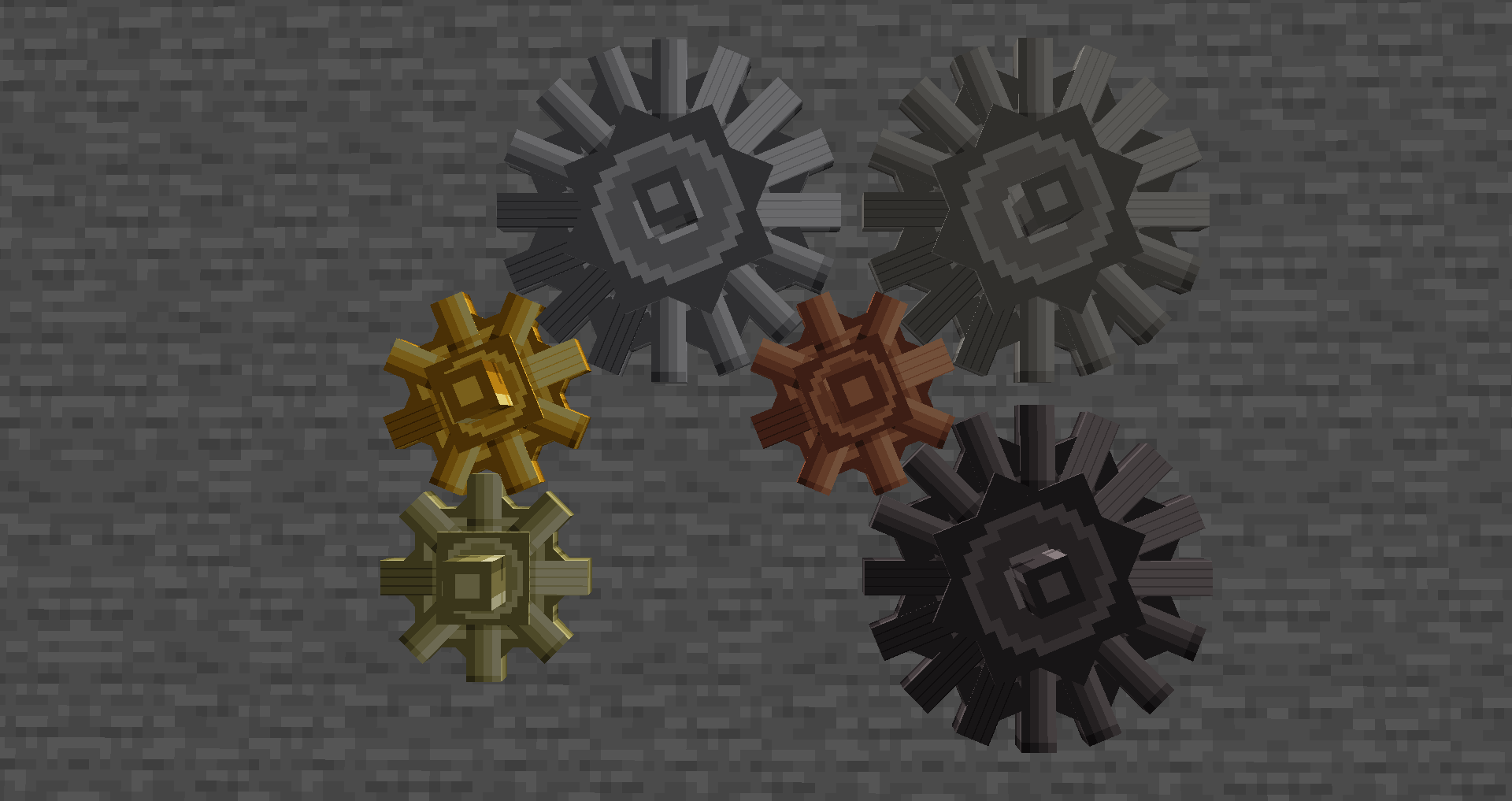
Create: More Cogwheels is a Create add-on that adds cogwheels made from andesite alloy, copper, gold, iron, brass and netherite.
Each material comes in small and large sizes and can be encased in Create's Andesite or Brass Casing, adding 36 new cogwheel blocks in total.
By default, they behave just like normal Create cogwheels. An optional material limits system can turn them into a progression ladder for modpacks.
Requires Create (hard dependency).
Install on both the client and the server. Works in singleplayer out of the box.
Free to use in any modpack — public or private, no permission needed.
What it adds
- Six materials — andesite alloy, copper, gold, iron, brass and netherite.
- Both sizes — every material has a small and large cogwheel.
- Encased variants — right-click any cogwheel with an Andesite or Brass Casing, just like Create's own cogwheels. Breaking one returns the bare cogwheel.
- Full Create compatibility — they mesh with Create's cogwheels and each other, keep the normal 1:2 gear ratio, accept brackets and the wrench, work on contraptions, and add no stress of their own.
- Two crafting routes — craft a new cogwheel from a shaft or reforge an existing Create cogwheel.
- Optional material limits — each material can have its own configurable limits, completely disabled by default.
- Mechanical fuses — with limits enabled, weaker cogwheels can intentionally become the first part to break in an overloaded network.
- Engineer's Goggles support — look at a cogwheel while wearing goggles to see its current values and configured limits.
- Three Ponder scenes — press
Wover any cogwheel from the mod for an in-game explanation. - Ten languages — English, Russian, Simplified Chinese, Spanish, French, German, Japanese, Brazilian Portuguese, Korean and Italian.
Crafting
Every cogwheel has two shapeless crafting options.
From scratch — combine a Create Shaft with the material ingredient. Large cogwheels require two material ingredients.
Reforged — combine an existing Create Cogwheel or Large Cogwheel with the corresponding material.
| Material | Ingredient |
|---|---|
| Andesite Alloy | Andesite Alloy |
| Copper | Copper Ingot |
| Gold | Gold Ingot |
| Iron | Iron Ingot |
| Brass | Brass Ingot |
| Netherite | Netherite Ingot |
Both recipes appear in the vanilla recipe book after you obtain the required ingredient.
Material Limits — off by default
For modpacks that want more progression, optional material limits can be enabled.
When a cogwheel exceeds one of its configured limits, it tears itself apart and drops as an item. This allows different materials to act as progressively stronger components — or lets weaker cogwheels serve as intentional mechanical fuses.
| Material | Speed limit | Load limit |
|---|---|---|
| Wood | 32 RPM | 256 SU |
| Andesite Alloy | 64 RPM | 512 SU |
| Copper | 96 RPM | 1024 SU |
| Gold | 128 RPM | 1536 SU |
| Iron | 160 RPM | 2048 SU |
| Brass | 192 RPM | 4096 SU |
| Netherite | 256 RPM | 16384 SU |
Limits are disabled by default, so all cogwheels behave like normal Create cogwheels unless the system is explicitly enabled.
Create's original wooden cogwheels can optionally participate in the same progression system. This is controlled separately, so a modpack can restrict the new cogwheels while leaving Create's own blocks untouched.
Brief network spikes are tolerated before an overloaded cogwheel breaks, preventing normal network rebuilding from immediately destroying components.
With the default values, netherite effectively reaches Create's normal practical limits.
Configuration
Everything is configured through:
config/morecogwheels-server.toml
It is a server config: on a multiplayer server, the server's copy controls the active settings. Singleplayer worlds use the local server config.
To override it for a specific world, place a copy at:
saves/<world>/serverconfig/morecogwheels-server.toml
Default config
[limits]
# Master switch. While false, nothing below has any effect.
enabled = false

# Also apply limits to Create's own wooden cogwheels.
include_wooden_cogwheels = true

[limits.speed]
wood = 32
andesite_alloy = 64
copper = 96
gold = 128
iron = 160
brass = 192
netherite = 256

[limits.load]
wood = 256
andesite_alloy = 512
copper = 1024
gold = 1536
iron = 2048
brass = 4096
netherite = 16384
Set a material to 256 RPM and 16384 SU to leave it effectively unrestricted under normal Create limits.
Accepted ranges:
- Speed:
1–4096 - Load:
1–1048576
How to use
- Craft a cogwheel from a shaft and the material you want, or reforge an existing Create cogwheel.
- Place it exactly like a normal Create cogwheel.
- Right-click it with an Andesite or Brass Casing to create an encased variant.
- Press
Wover a cogwheel to open its Ponder scenes. - If material limits are enabled, wear Engineer's Goggles and look at a cogwheel to see its current state and limits.
For modpack makers
- Limits are off by default — enable the system with one config option and adjust every material independently.
- Wooden cogwheels are optional — Create's original cogwheels can participate in the progression system or remain unaffected.
- Recipes are datapack-driven — replace or remove them like normal Minecraft recipes if you want different progression.
- Loot tables are datapack-driven — block drops can also be customized through standard datapacks.
- Server settings are authoritative — multiplayer uses the server's configured limits.
- Clients receive the active settings — the Engineer's Goggles overlay shows the values actually enforced by the server.
- Limits apply to the kinetic network — the system uses Create's existing kinetic network and stress mechanics rather than introducing a separate power system.
- Adding new materials requires code — each material has its own blocks, models and textures.
Known limitations
- Custom materials cannot be added through a datapack — new materials require their own blocks and assets.
- Only Create's Andesite and Brass Casings are supported — casings added by other mods are not automatically available for these cogwheels.
Feedback
Please report any bugs, errors, or feature suggestions on Discord: https://discord.gg/HTkn94BXmA
Create: More Cogwheels Team

Owner