Dynamic Armor HUD
- By
client-side: Keep an eye on your gear: armor, held weapons and arrows shown on screen with live, color-coded durability.
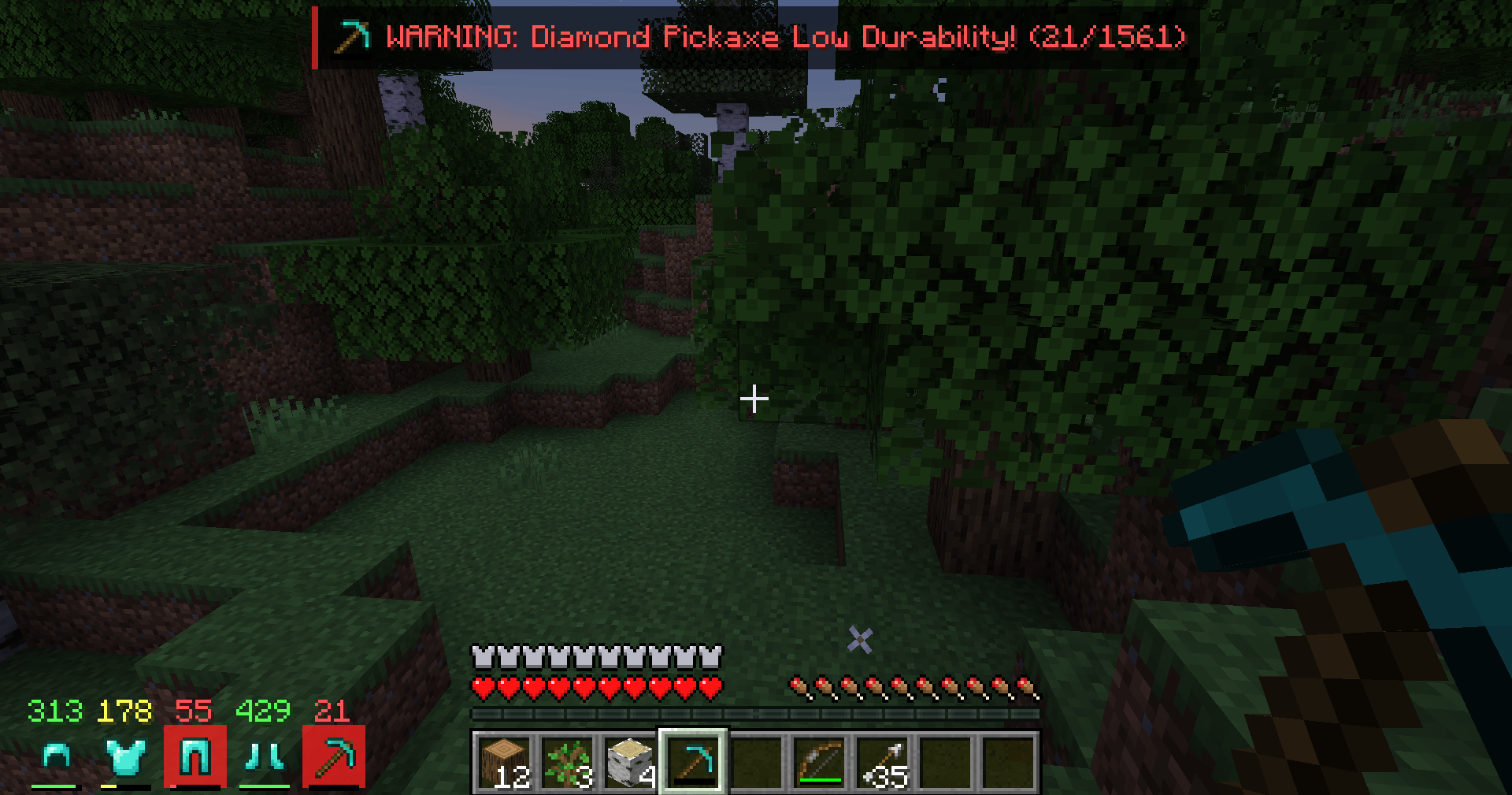
2026-10-31_22.09.59.png
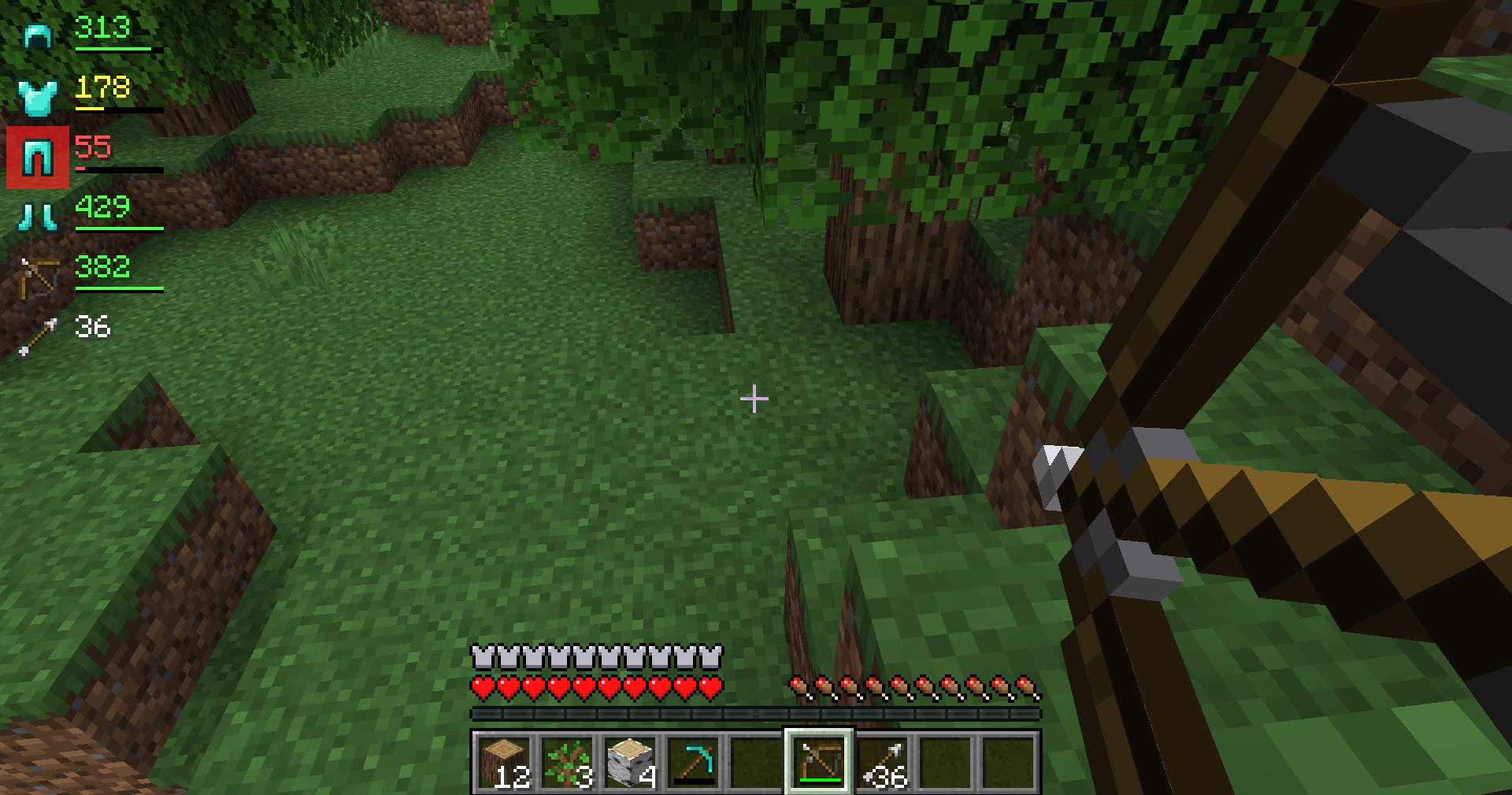
2026-10-31_22.09.05.png
Description
# Dynamic Armor HUD
In the middle of a fight you shouldn't have to open your inventory to find out that your chestplate is hanging on by a thread. Dynamic Armor HUD puts your equipment right next to your hotbar, so one glance tells you what you're wearing, what you're holding and how much life your gear has left.
## What it shows
- **Your armor**: helmet, chestplate, leggings and boots (including elytra and pumpkins/heads).
- **Your held items**: the tool, weapon or shield in your main hand and offhand (only items with durability, so blocks and food don't clutter the HUD).
- **Your arrows**: hold a bow or crossbow and the total number of arrows in your inventory appears (it turns red when you're out).
## Durability at a glance
- Each item shows its **remaining durability** as a number, and a small **durability bar**.
- Colors change as your gear wears down:
- **Green**: more than 50% left
- **Yellow**: 20–50% left
- **Red**: less than 20% left
- When an item drops **below 15%**, its icon gets a **pulsing red glow**, so you notice it even in the middle of combat.
- Prefer percentages? Switch `displayMode` to `percent` (see Settings).
## Controls
- **H** – show or hide the HUD. Your choice is remembered.
- Change the key in **Options → Controls → Key Binds → Dynamic Armor HUD**.
## Position
By default the HUD sits in a neat row **to the left of your hotbar**, out of the way of chat, the crosshair and the offhand slot. You can also put it in any screen corner as a vertical list.
## Settings
`config/dynamicarmorhud.properties` is created the first time you start the game:
- `position` – `hotbar` (default), `top_left`, `top_right`, `bottom_left` or `bottom_right`
- `offsetX`, `offsetY` – move the HUD a few pixels
- `displayMode` – `value` (durability points, default) or `percent`
- `showHeldItems` – show main hand and offhand items (default true)
- `showArrows` – show the arrow counter when holding a bow or crossbow (default true)
- `warnPercent` – when the red pulse starts (default 15)
Restart the game after editing the file.
## Works on every server
This is a **client-side only** mod: it only draws information about your own equipment, which your game already knows. Install it on your own game and it works in singleplayer and on multiplayer servers – the server does not need it.
## Requirements
- Minecraft **1.21 or 1.21.1**
- **Fabric Loader** 0.15.11 or newer
- **Fabric API**
- Java 21 (included with the official Minecraft launcher)
## Installation
1. Install Fabric Loader for Minecraft 1.21.1 (with the CurseForge app or the official Fabric installer).
2. Install **Fabric API** for 1.21.1 (listed as a required dependency; the CurseForge app installs it automatically).
3. Put the `dynamic-armor-hud` .jar file in your `.minecraft/mods` folder.
4. Start the game with the Fabric profile and put on some armor.
## Modpacks
You are free to include Dynamic Armor HUD in any modpack, no need to ask.
## Also by this author
- **Smart Tool Safety** – stops nearly broken tools from being used up and picks the right tool with one key. Works great together with this HUD.
- **Smart Chest Organizer** – one-click chest sorting and quick deposit.
- **Floating Damage Indicators** – damage, healing and crit numbers above mobs.
*The project logo is an illustration created with AI assistance; it is not an in-game screenshot. The screenshots in the gallery are real, unedited in-game captures.*
Dynamic Armor HUD Team