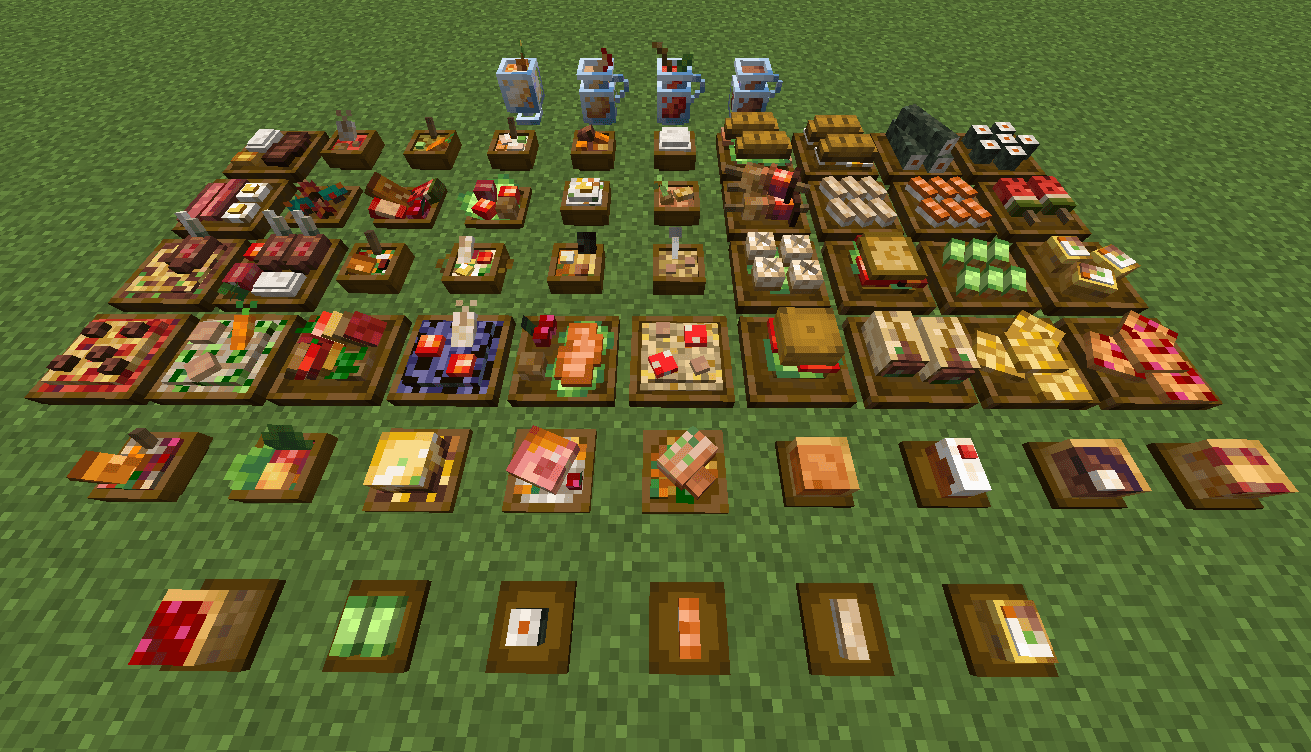
All Farmer's delight meals
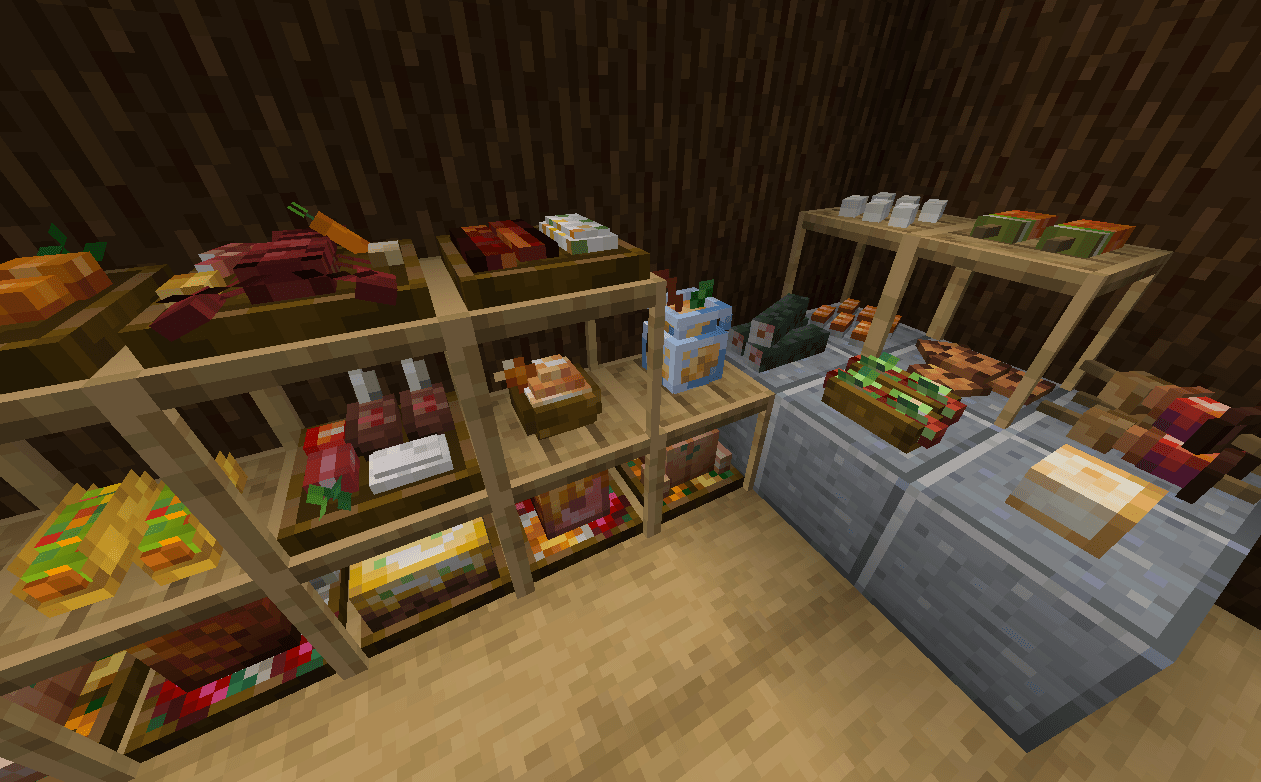
Hide plates with axe, or stack them up to create a food rack
Description
>>Fabric port
This addon lets you place EVERY food item in Farmer's Delight(and 16 other addons) in 3D!
Placeable 3D Foods!
For foods already in containers (bowls, glass bottles, etc.), simply Sneak + Right-click to place them directly on the ground.
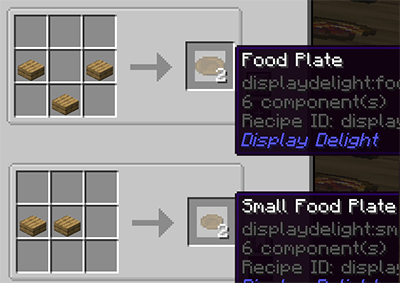
New Items: Food plates
Crafted using any wooden slab, plates allow you to display smaller finger foods that don't come in a container.
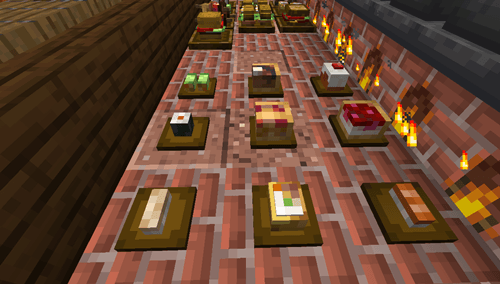
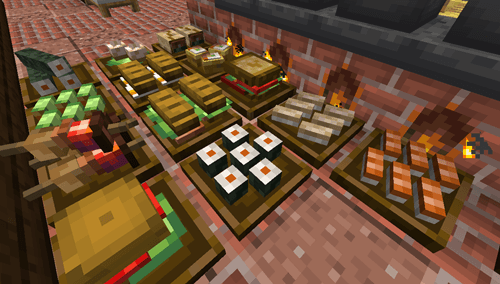
Some finger foods in the larger plates are stackable. (maximum stack size varies)
All placed food blocks are neither block entities nor entities, which makes them lag-friendly, even when placed in large amounts.
Plate Interactions
Place All Items: Sneak + Right-click with the food.
Take One Item: Right-click with an empty hand.
Take All Items: Sneak + Right-click with an empty hand.
Hiding/showing plates
Hide the plate: Right-click it with any Axe.
Show the plate again: Right-click it with a right Food Plate item.
Obtaining Food Blocks Items in Survival
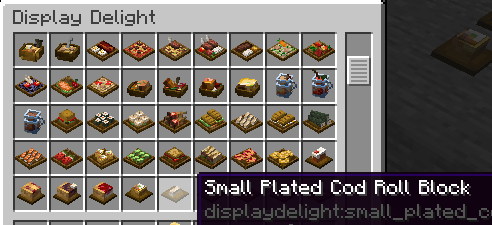
Silk Touch: Mine placed foods to drop them as items. (Note: Plated foods must be at maximum stack capacity to drop).
Wandering Traders: They sell food block items, prioritizing items from add-ons you don't have installed. This is the only way to obtain those specific food blocks in survival
Compatible Addons
- Corn delight - 8 foods
- Expanded Delight - 37 foods
- Delightful - 22 foods
- Pineapple Delight - 5 foods
- Ocean's Delight - 9 foods
- Alex's Delight - 8 foods
- Cultural Delights - 25 foods
- Large Meals - 13 foods
- Festive Delight - 3 foods
- Brewin' and Chewin' - 8 foods
- End's Delight - 24 foods
- Ender's Delight - 17 foods
- Crabber's Delight - 15 foods
- Aquaculture Delight - 18 foods
- My Nether's Delight - 37 foods
- Nether's Delight - 8 foods
- Abnormals Delight - 22 foods
- Miner's Delight+ - 12 foods
- Farmer's Respite - 14 foods
Note about add-on compats:
Because every food block in this mod is individually hardcoded, supporting every requested add-on isn't feasible. The mod already contains lots of blocks, and keeping the file size manageable is a priority.
To keep things optimized, new add-on support will only be considered if the requested mod meets all of the following criteria:
1. 10M+ downloads
2. Ported to both 1.20.1 and 1.21.1
3.Must be a Farmer's Delight Add-on
Please do not submit compatibility requests unless the mod meets these requirements.
If you want to add 3D models of unsupported mod yourself, it's recommended to use coaster models from the Brewin and Chewin.
https://github.com/MerchantCalico/BrewinAndChewin/wiki/Coaster-Models
To keep things optimized, new add-on support will only be considered if the requested mod meets all of the following criteria:
1. 10M+ downloads
2. Ported to both 1.20.1 and 1.21.1
3.Must be a Farmer's Delight Add-on
Please do not submit compatibility requests unless the mod meets these requirements.
If you want to add 3D models of unsupported mod yourself, it's recommended to use coaster models from the Brewin and Chewin.
https://github.com/MerchantCalico/BrewinAndChewin/wiki/Coaster-Models
FAQs
Q: Will placed food blocks disappear if I remove a compat mod?
A: No. Any existing food blocks and items will remain safely in your world. The only difference is how they behave when broken: instead of dropping the original food item from the removed mod, they will now drop the food block item itself.
Q: What is the Lite version?
A: The Lite version includes all the latest features and bugfixes, but excludes food content from other Farmers' Delight add-ons to keep the mod size minimal. Choose this version if you do not use other Farmers' Delight add-ons.
Upgrading: It is fully forward-compatible. You can safely switch to the full version (1.x.x) at any time if you decide to add other add-ons later.
Q: How to disable support tables?
A:modify displaydelight/support_exceptions tag using a data pack. These blocks will prevent support tables from showing when the food block is placed above them.
e.g. Add minecreaft:air to stop showing tables for floating foods.
Also, blocks with "sturdy" top faces never shows support tables.
A: No. Any existing food blocks and items will remain safely in your world. The only difference is how they behave when broken: instead of dropping the original food item from the removed mod, they will now drop the food block item itself.
Q: What is the Lite version?
A: The Lite version includes all the latest features and bugfixes, but excludes food content from other Farmers' Delight add-ons to keep the mod size minimal. Choose this version if you do not use other Farmers' Delight add-ons.
Upgrading: It is fully forward-compatible. You can safely switch to the full version (1.x.x) at any time if you decide to add other add-ons later.
Q: How to disable support tables?
A:modify displaydelight/support_exceptions tag using a data pack. These blocks will prevent support tables from showing when the food block is placed above them.
e.g. Add minecreaft:air to stop showing tables for floating foods.
Also, blocks with "sturdy" top faces never shows support tables.
undefined
Check out my other mod:
Credits
Farmer's 3D Resource pack by Pder
- Some 3D model designs are originally derived from this resource pack
The Display Delight Team


Owner