Combat Damage Indicators
- By
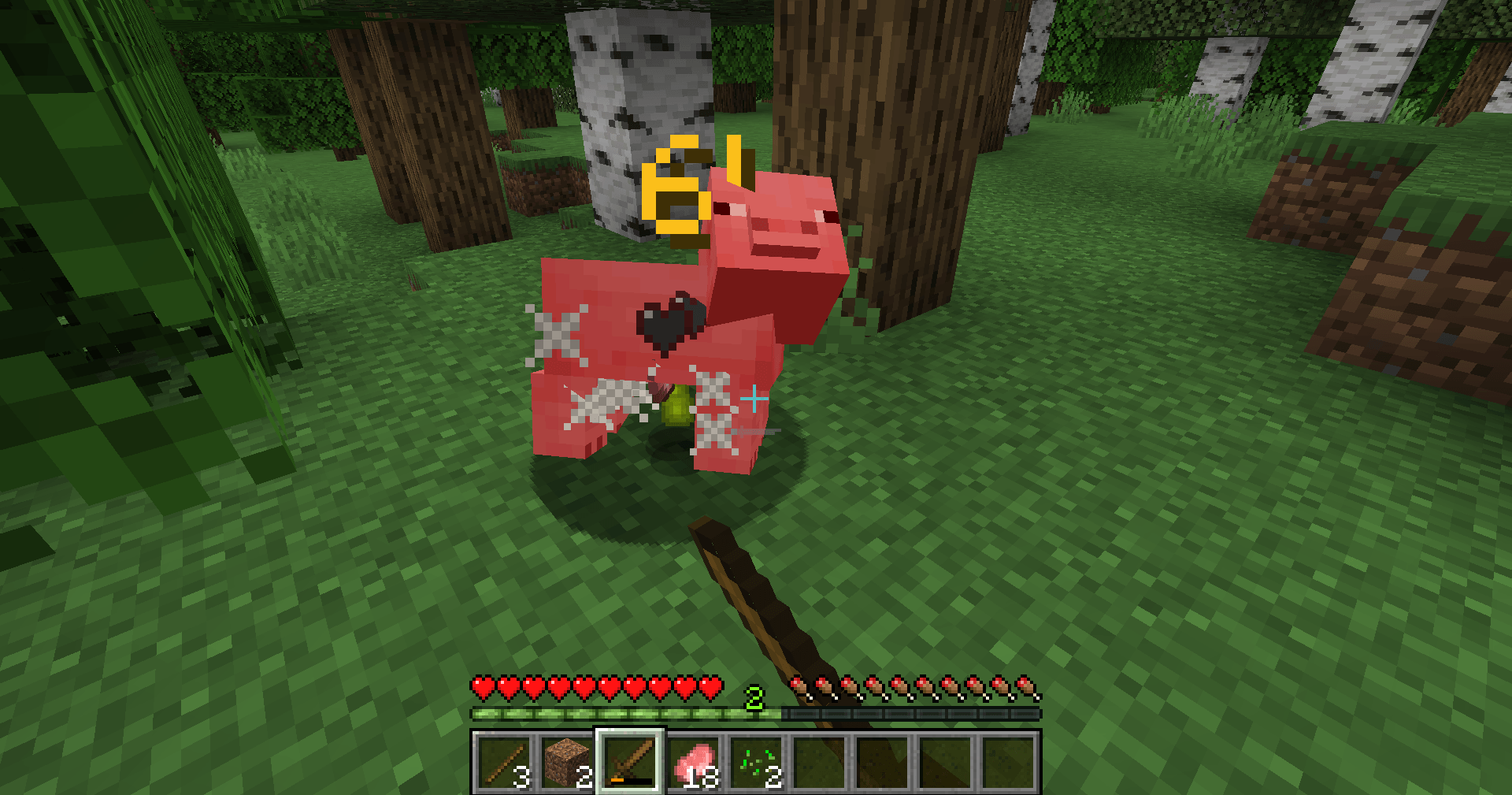
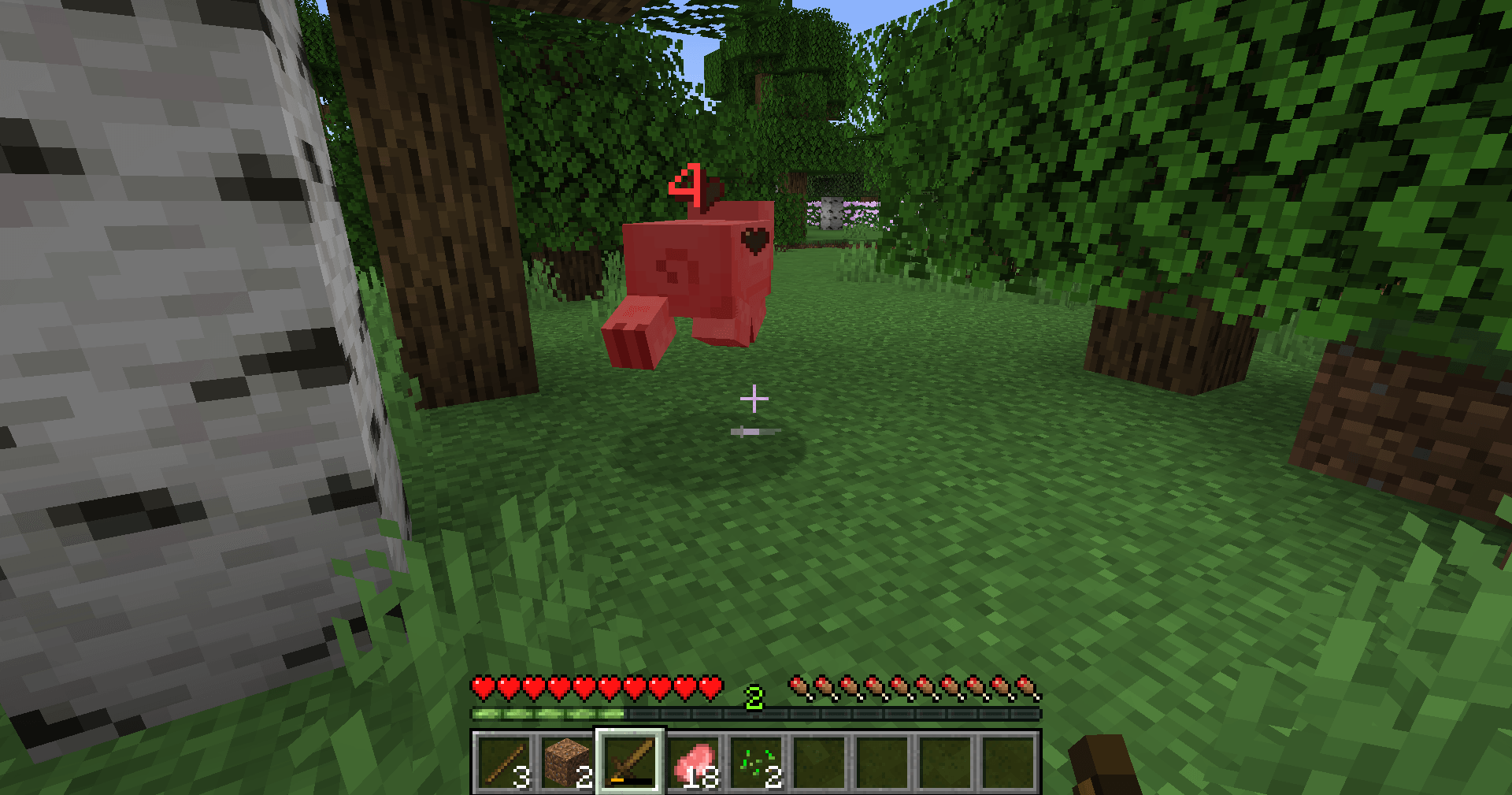
client-side: See every hit land: color-coded numbers pop up above mobs and players to show damage, healing and critical hits.
2026-10-31_18.10.44.png
2026-10-31_18.09.55.png
Description
# Combat Damage Indicators
Ever swung at a zombie and wondered whether that hit did anything? Now every blow tells its own story. Strike a creeper and a red number bursts into the air above it. Land a jumping critical hit and a bigger gold number pops out with an exclamation mark. Watch your tamed wolf regenerate and green numbers drift up as it heals. Each number floats upward, slows down, and fades away, so fights stay readable without cluttering your screen.
## What it does
- **Red numbers** – damage taken by any mob, animal or player near you (for example `7`, `3.5`).
- **Gold numbers** – critical hits, shown slightly larger with a short "pop" animation (for example `9!`).
- **Green numbers** – healing, such as regeneration, potions or a mob healing itself (for example `+2`).
- Numbers appear at the spot where the creature was hit, rise smoothly about one block and fade out over roughly one second.
- Values are shown in health points (2 points = 1 heart), rounded to one decimal.
- Works on all living creatures within 48 blocks: hostile mobs, animals, bosses, villagers, armor stands and other players. Your own health is not shown above your head.
## Controls
- **K** – turn the numbers on or off. A short ON/OFF message appears above your hotbar.
- The key can be changed in **Options → Controls → Key Binds → Floating Damage Indicators**.
- Your on/off choice is saved in `config/floatingdamage.properties` and remembered next time you play.
## Works on servers
This is a **client-side only** mod. Install it on your own game and it works in singleplayer and on multiplayer servers – the server does not need it. It only reads health information the game already sends to your client, so it gives no information you could not already see.
## Requirements
- Minecraft **1.21 or 1.21.1**
- **Fabric Loader** 0.15.11 or newer
- **Fabric API**
- Java 21 (included with the official Minecraft launcher)
## Installation
1. Install Fabric Loader for Minecraft 1.21.1 (through the CurseForge app, or the official Fabric installer).
2. Install **Fabric API** for 1.21.1 (it is listed as a required dependency on this page, the CurseForge app installs it automatically).
3. Put the `floating-damage-indicators` .jar file into your `.minecraft/mods` folder.
4. Start the game with the Fabric profile and hit something!
## Modpacks
You are welcome to include this mod in any modpack.
## Notes
- Critical hits are detected from the crit effect the game plays. Hits that deal damage without that effect (for example arrows) are shown in red.
- Lots of small green numbers on a mob usually means it is regenerating – that is real healing.
*The project logo is an illustration created with AI assistance; it is not an in-game screenshot. The screenshots in the gallery are real, unedited in-game captures.*
Combat Damage Indicators Team