ClearView - Better Visibility
Lower fire and shield, no pumpkin or frost overlay, see through lava, water and powder snow, optional fog removal and a fullbright key. Every part can be toggled. Client-side, for Fabric, NeoForge and Forge.
01-lava.png
02-water.png
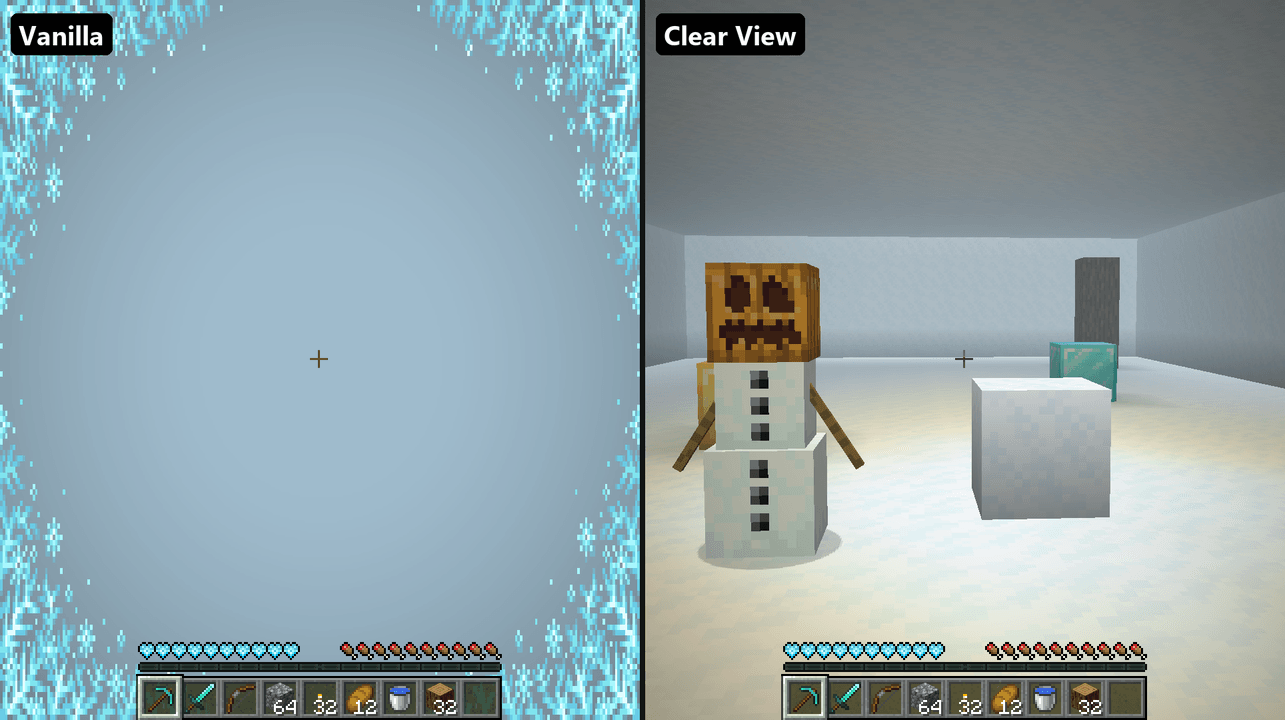
03-snow.png
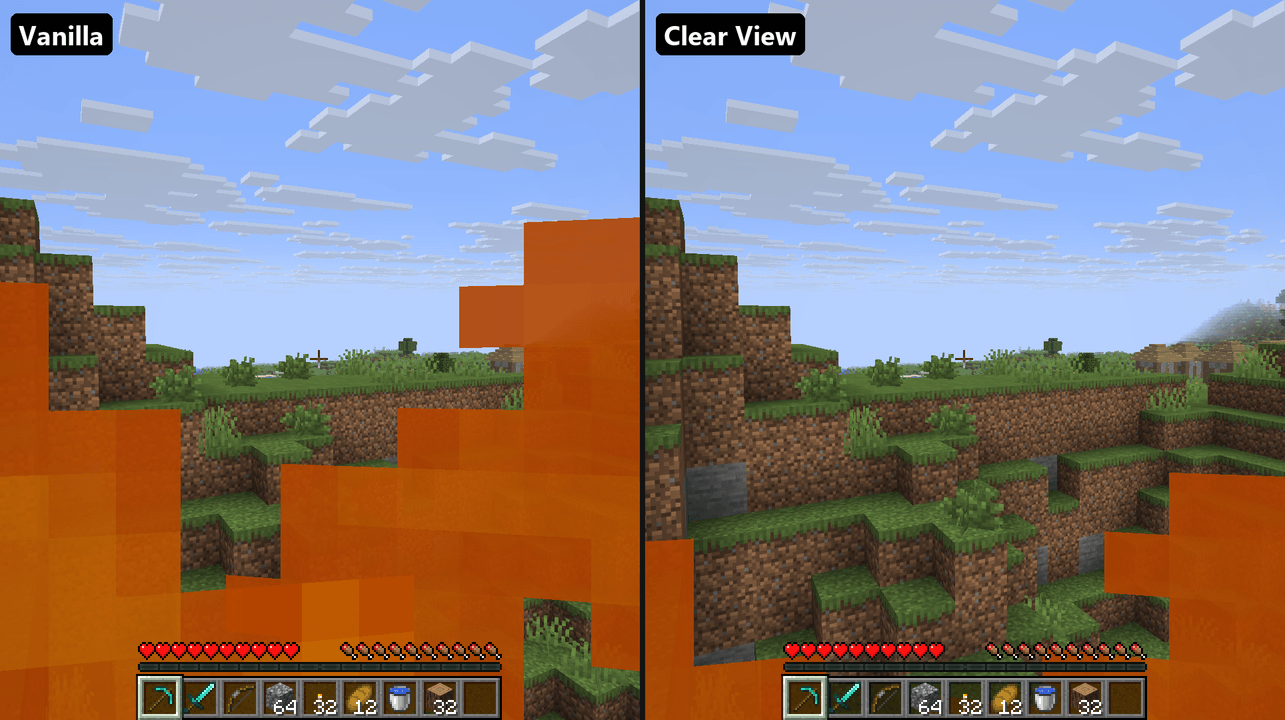
04-fire.png
Description
Clear View
Removes the things that block your view in Minecraft: lower fire, a lower shield, no pumpkin or frost overlay, clear lava, water and powder snow, optional fog removal, and a fullbright toggle. Every part can be switched on or off on its own.
Clear View is a small client-side mod for Fabric, NeoForge and Forge. Nothing needs to be installed on the server.
Overlays
- Low fire - while you burn, the flames sit lower on the screen so you can see where you are going. A slider sets how low.
- Hide harmless fire - with Fire Resistance or in Creative the fire can't hurt you, so it is hidden completely.
- Low shield - a held shield sits lower and covers less of the screen. A slider sets how low.
- No pumpkin overlay - wear a carved pumpkin around Endermen without the dark mask.
- No frost overlay - no icy edges creeping over the screen in powder snow.
Fog
- Remove fog (off by default) - no fog at the edge of your render distance, no haze in rain and no thick fog in the Nether.
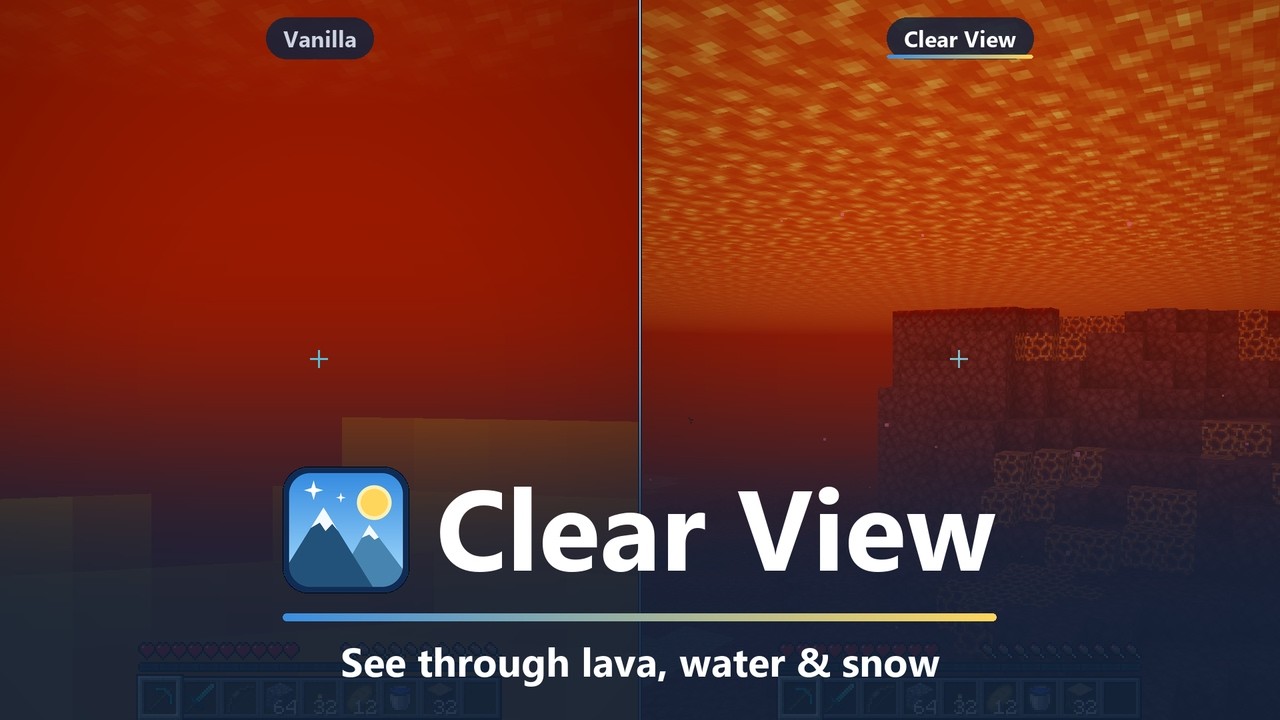
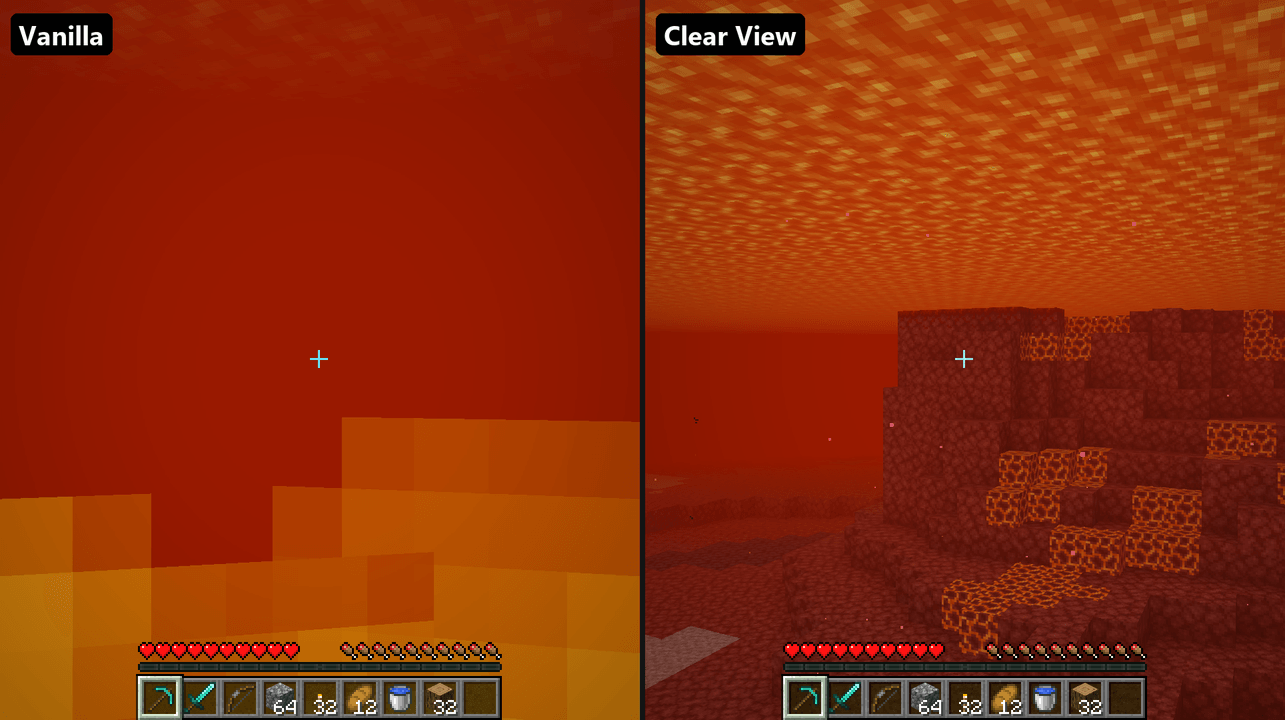
- Clear lava - see through lava instead of an orange wall, with or without Fire Resistance.
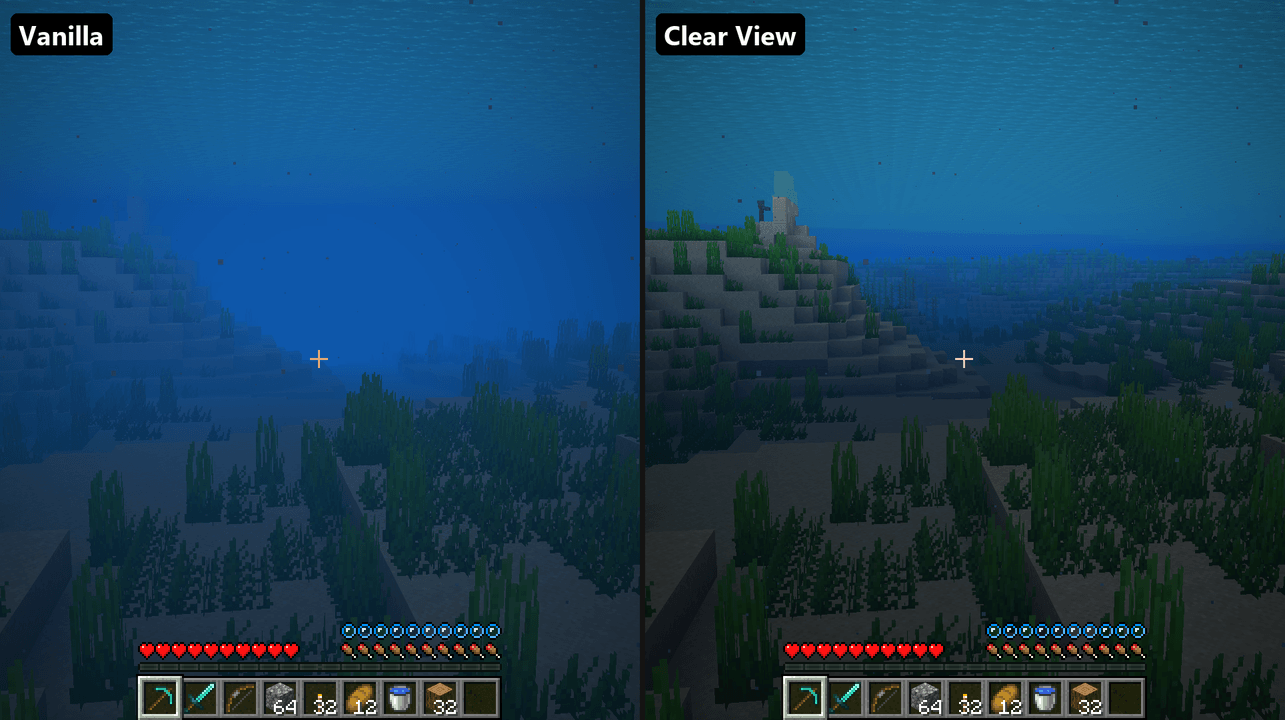
- Clear water - see twice as far underwater, right away, in every biome.
- Clear powder snow - see out of powder snow instead of a white wall.
Brightness
- Fullbright - press G to light up caves and nights as if everything were fully lit. Your own Brightness setting is kept and comes back when you switch it off.
Some servers have rules about fullbright and seeing through lava, so check before you use those there.
Supported versions
| Loader | Minecraft versions |
|---|---|
| Fabric | 1.20 to 26.3 |
| NeoForge | 1.21 to 26.3 |
| Forge | 1.20.1 |
Install
Fabric: put Fabric API and the Fabric Clear View jar for your version in your mods folder. Add Mod Menu to get the settings screen (Mods > Clear View > Configure).
NeoForge and Forge: put the Clear View jar for your loader and version in your mods folder. No other mods are needed. The settings screen is in Mods > Clear View > Config.
Controls
| Key | Default | What it does |
|---|---|---|
| Toggle Fullbright | G | Switch fullbright on or off |
| Open Settings | not bound | Open the Clear View settings screen |
Change them in Options > Controls > Key Binds, or with the Key Binds... button in Clear View's settings.
Settings
| Setting | Range | Default | What it does |
|---|---|---|---|
| Lower Fire | off - 100% | 60% | How far the fire is pushed down the screen while you burn |
| Hide Harmless Fire | on / off | on | Hide the fire completely with Fire Resistance or in Creative |
| Lower Shield | off - 100% | 40% | How far a held shield is pushed down |
| Hide Pumpkin Overlay | on / off | on | Remove the mask shown while wearing a carved pumpkin |
| Hide Frost Overlay | on / off | on | Remove the icy edges shown while freezing |
| Remove Fog | on / off | off | Remove the distance fog, rain haze and thick Nether fog |
| Clear Lava | on / off | on | See through lava |
| Clear Water | on / off | on | See twice as far underwater |
| Clear Powder Snow | on / off | on | See out of powder snow |
| Fullbright | on / off | off | Light everything fully. Also on the G key |
Settings are saved in config/clearview.json.
License
MIT
ClearView - Better Visibility Team