Wick - Smooth & Dynamic Lights
Hold a torch, lantern or any other light source and the world lights up around you as you walk. Dropped torches, burning mobs and blazes glow too, and many more! Client-side, for Fabric, NeoForge and Forge. Works with Sodium and Iris.
Description
Wick
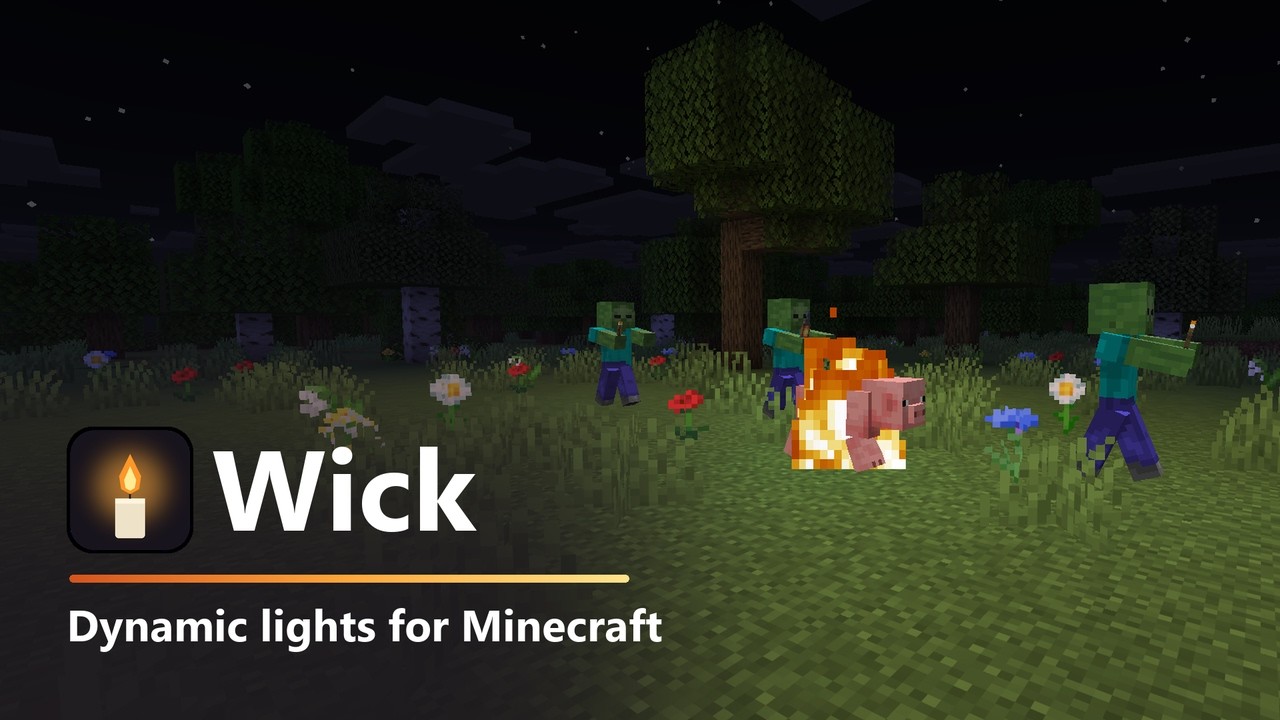
Dynamic lights for Minecraft. Hold a torch, lantern or lava bucket and the world lights up around you as you walk. A dropped torch keeps shining on the ground, burning mobs light their surroundings, and blazes glow in the dark.
Wick is a small client-side mod for Fabric, NeoForge and Forge. Nothing needs to be installed on the server. It works with Sodium, Embeddium and Iris shaders.
What gives light
- Held and worn items - torches, lanterns, glowstone, sea lanterns, lava buckets, blaze rods and any other glowing item, in either hand or on your head (a jack o'lantern helmet works). Endermen carrying a glowing block glow too.
- Accessory slots - a lantern on your belt or a glowing charm in a Curios or Trinkets slot shines like a held one. Neither mod is required.
- Other players and mobs - a zombie carrying a torch lights its way too. Turn this off to keep only your own light.
- Dropped and displayed items - a torch on the ground, in an item frame or on an item or block display keeps glowing.
- Burning entities - anything on fire lights its surroundings, flaming arrows included.
- Glowing mobs and things - blazes, magma cubes, glow squid, fireballs, wither skulls, spectral arrows, lit TNT, lightning, end crystals, furnace minecarts with fuel, falling glowing blocks, and creepers about to explode.
- Enchanted glow (off by default) - enchanted weapons, tools, armor and books give off a faint glow, and so does anything else with the enchantment shimmer.
How the light behaves
- Walls block light - light stops at solid blocks, so your torch does not shine through into the next room or the cave below, but it still wraps around corners and through doorways, dimmer for the longer way. Glass, leaves, slabs and doors let it through.
- Water puts out flames - torches and campfires go dark underwater; lanterns and glowstone keep shining.
- Smooth light - light fades evenly in a circle instead of in blocky steps, with Sodium too.
Works with other mods
- Glowing blocks and mobs from any mod light up when held, dropped or walking around.
- Wick reads LambDynamicLights' resource pack light files, so items and mobs that a mod or resource pack already set up for LambDynamicLights glow with Wick as well.
- Sodium, Embeddium and Iris shader packs are supported.
Built to stay fast
Only the chunk sections a light can reach are rebuilt, and only when a light moves to another block. Update speed, range and a cap on the number of lights are all adjustable.
Supported versions
| Loader | Minecraft versions |
|---|---|
| Fabric | 1.20 to 26.3 |
| NeoForge | 1.21 to 26.3 |
| Forge | 1.20.1 |
Install
Fabric: put Fabric API and the Fabric Wick jar for your version in your mods folder. Add Mod Menu to get the settings screen (Mods > Wick > Configure).
NeoForge and Forge: put the Wick jar for your loader and version in your mods folder. No other mods are needed. The settings screen is in Mods > Wick > Config.
Controls
| Key | Default | What it does |
|---|---|---|
| Turn Dynamic Lights On/Off | not bound | Switch every dynamic light on or off |
Set it in Options > Controls > Key Binds, or with the Key Binds... button in Wick's settings.
Settings
| Setting | Range | Default | What it does |
|---|---|---|---|
| Dynamic Lights | on / off | on | Turn every dynamic light off at once |
| Held & Worn Items | on / off | on | Glowing items in hand, on the head or in an accessory slot |
| Other Players & Mobs | on / off | on | Let others light their surroundings with what they hold |
| Dropped Items | on / off | on | Items on the ground, in item frames and on displays |
| Burning Entities | on / off | on | Anything on fire gives light |
| Glowing Mobs | on / off | on | Blazes, magma cubes, glow squid, fireballs and more |
| Water Puts Out Flames | on / off | on | Torches and campfires go dark underwater |
| Walls Block Light | on / off | on | Light stops at solid blocks and goes around corners |
| Enchanted Glow | on / off | off | Enchanted items give off a faint glow |
| Updates | Every Tick / Fast / Slow | Every Tick | How often lights follow their source |
| Range | 16 - 128 blocks | 64 | Lights further away stay dark |
| Max Lights | 4 - 128 | 48 | The most dynamic lights at once, nearest first |
Settings are saved in config/wick.json. You can also set any item's brightness there, for example "items": { "minecraft:stick": 12 }.
Known issues
- NeoForge with Iris and a shader pack turned on crashes on the first frame. This is an Iris bug (Iris #3374) and happens without Wick too. Iris on Fabric works.
Source and issues
Source code and bug reports: github.com/comedy01/Wick
License
MIT
Wick - Smooth & Dynamic Lights Team