Slick - Modern Hotbar, Inventory & Menu UI
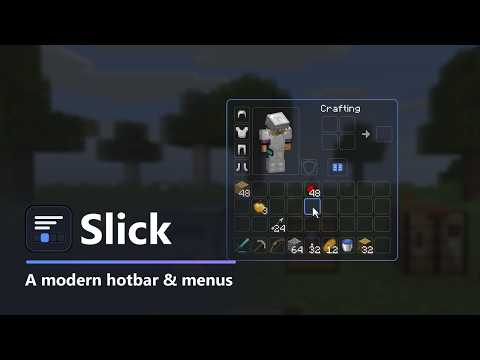
A modern, smooth look for your hotbar, inventory and every container menu. 5 styles, 5 themes, 10 accent colors, a hotbar selection that glides. Client-side, Fabric, NeoForge and Forge.
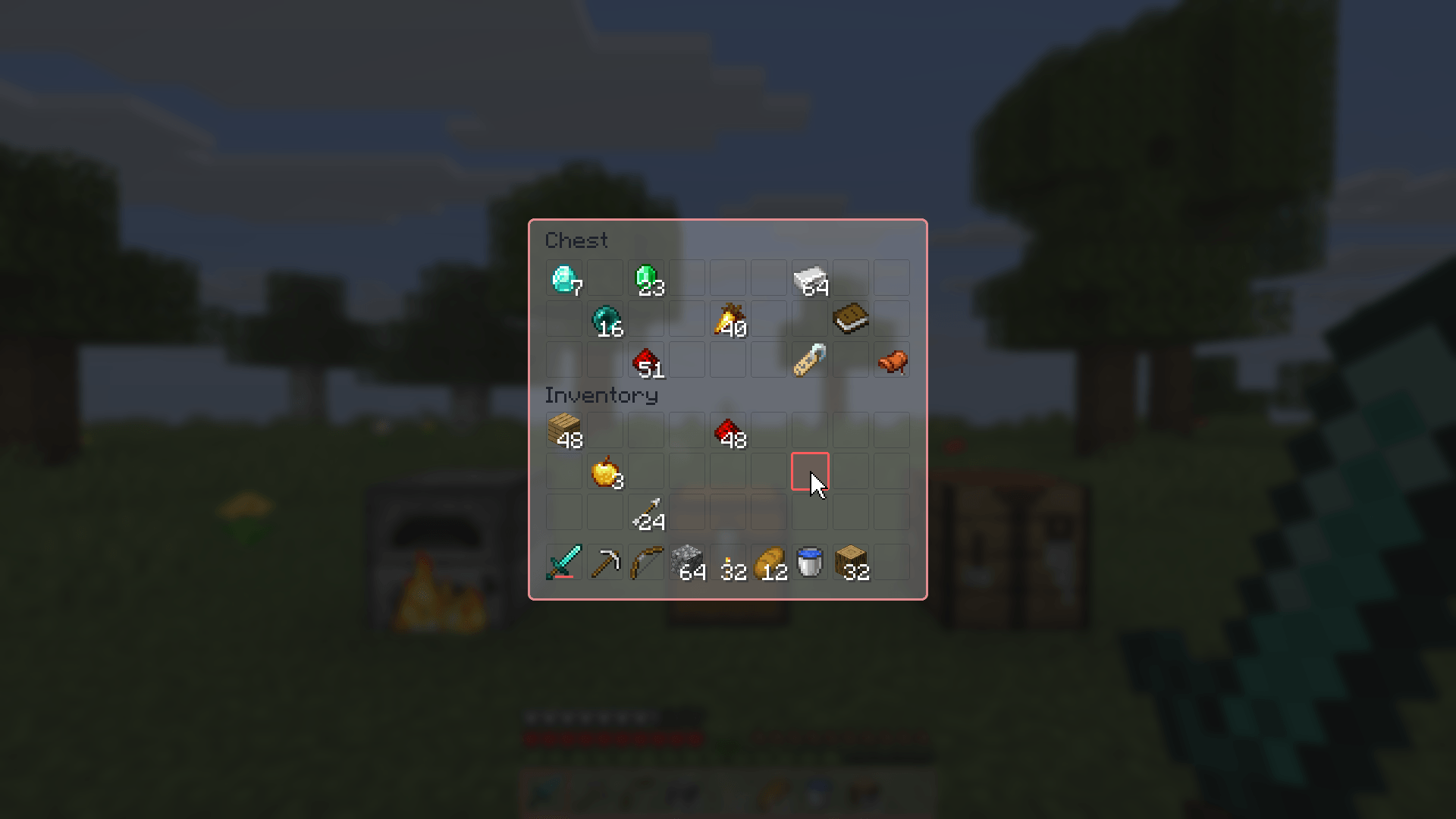
1-outline-pink-frosted.png
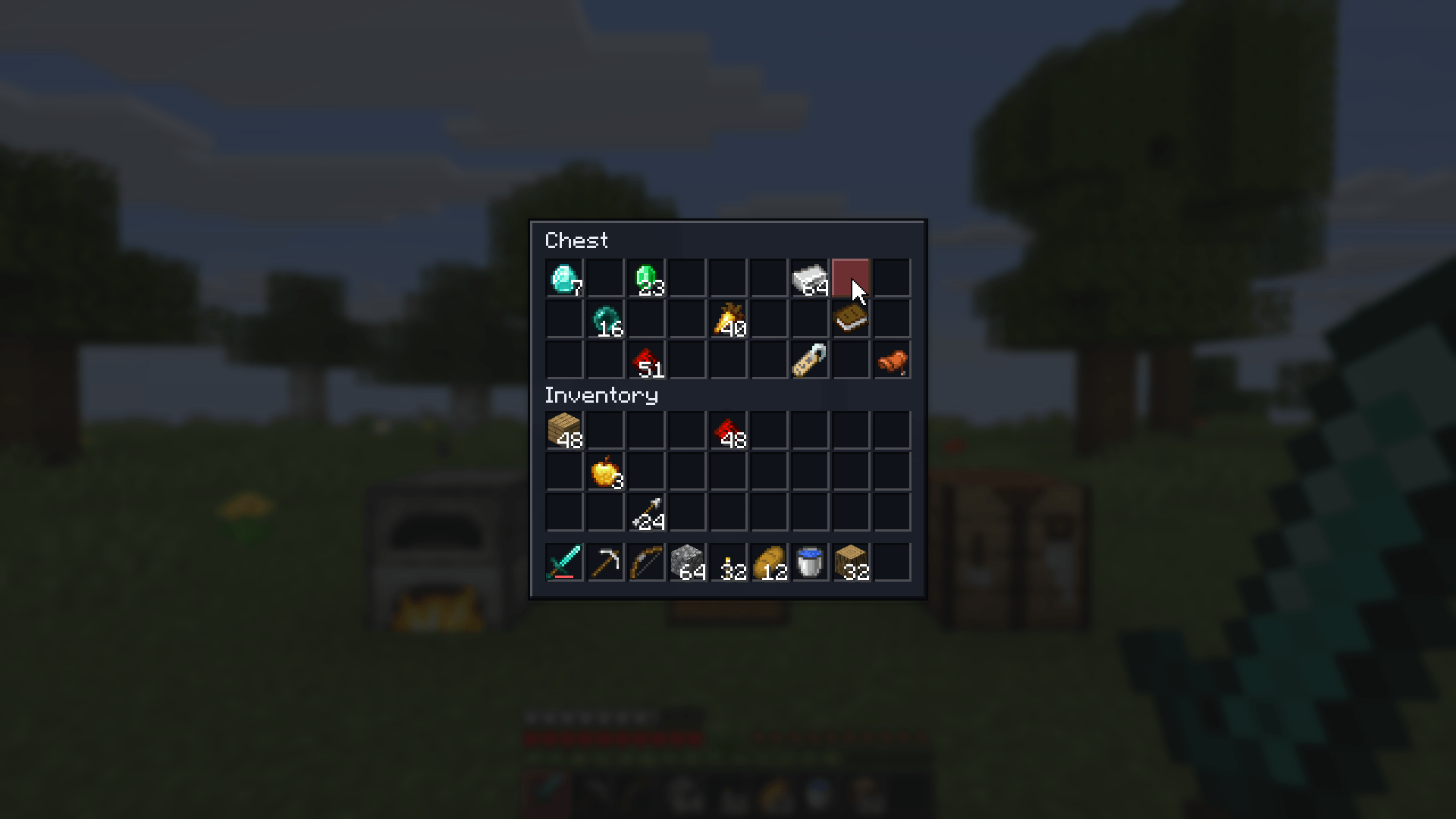
4-navy-red-accent.png
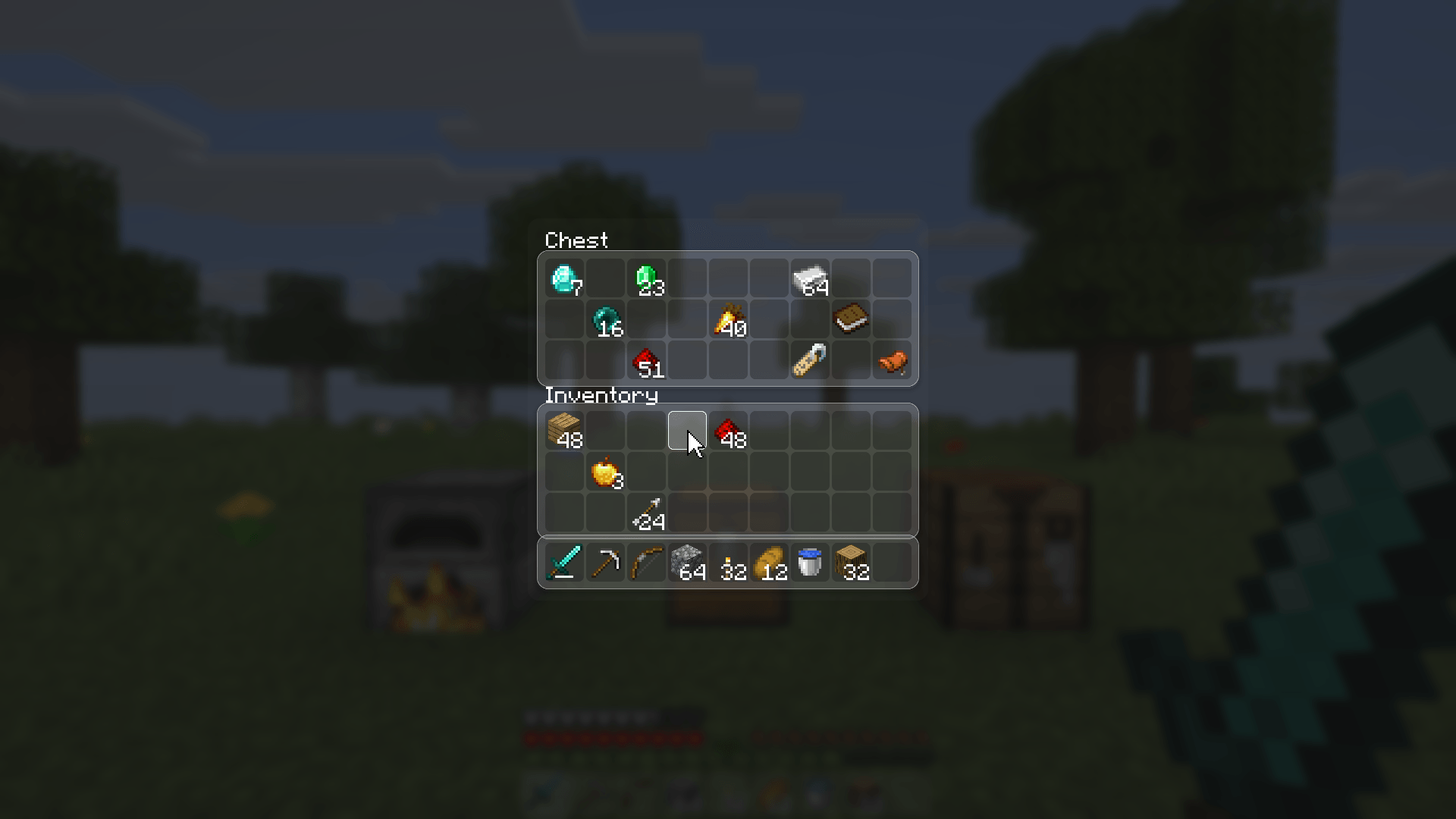
3-bevel-frost-glass.png
Description
Slick
A modern, smooth look for Minecraft's hotbar and menus.
Slick redraws the hotbar, your inventory and every vanilla container with. Pick one of five styles, then a theme and an accent color, and make it yours. The hotbar selection glides from slot to slot instead of snapping, and menus ease open.
Slick is a client-side mod for Minecraft on Fabric, NeoForge and Forge, so it works on any server. It is compatible with Mod Menu on Fabric.
Supported versions: 1.20 to 26.3 on Fabric, 1.21 to 26.3 on NeoForge, 1.20.1 on Forge.
Features
- Modern hotbar: a rounded bar with soft slot boxes, the offhand slot and the attack indicator to match.
- Gliding selection: switching items slides the highlight smoothly to the new slot. Scrolling from the last slot to the first wraps around the edge instead of sliding all the way back.
- Lifted item: the item in your selected slot rises a little.
- Every vanilla menu restyled: inventory, creative inventory (tabs, search and scrollbar too), crafting table and recipe book, chests, barrels, ender chests, shulker boxes, hoppers, dispensers, droppers, furnaces, smokers, blast furnaces, brewing stands, anvils, smithing tables, grindstones, stonecutters, looms, cartography tables, enchanting tables, beacons, crafters, villager trading and horse inventories.
- 5 styles, each a different shape, not just a different color:
- Modern: rounded panels with soft slot tiles.
- Cards: every section (container, inventory, hotbar) floats as its own card with a shadow.
- Minimal: no boxes at all, just a small dot marking each empty slot, and an underline for the selected slot.
- Outline: see-through panels drawn with a crisp accent frame and wireframe slots.
- Bevel: square, crisp raised and sunken edges, a modern take on the pixel look.
- Hover glow: the slot under your mouse lights up in your accent color and fades out when you move on.
- Clean progress bars for smelting, fuel and brewing.
- Blur behind menus, so the world softens while a menu is open.
- 5 color themes: Midnight, Graphite, Frost (see-through glass), Daylight and Onyx. Any theme works with any style.
- 10 accent colors, plus opacity, corner roundness, shadows and animation speed.
- Everything can be switched off: keep the vanilla hotbar or vanilla menus if you only want one half.
Install
Fabric
- Install Fabric Loader for your version of Minecraft.
- Put Fabric API and the Fabric Slick jar for your version in your
modsfolder. - Start the game.
Optional: add Mod Menu to reach the settings from Mods > Slick > Configure.
NeoForge
- Install NeoForge for your version of Minecraft.
- Put the NeoForge Slick jar for your version in your
modsfolder. - Start the game. The settings are in Mods > Slick > Config.
Forge
- Install Forge for Minecraft 1.20.1.
- Put the Forge Slick jar in your
modsfolder. - Start the game. The settings are in Mods > Slick > Config.
Keys
| Key | What it does |
|---|---|
| Open Slick Settings | Opens the settings in game. Unbound by default; set it in Options > Controls > Key Binds > Slick |
Settings
| Setting | Range | Default | What it does |
|---|---|---|---|
| Style | Modern / Cards / Minimal / Outline / Bevel | Modern | The shape of panels, slots, buttons and the hotbar |
| Theme | Midnight / Graphite / Frost / Daylight / Onyx | Midnight | The colors of the panels, slots and text |
| Accent | Theme, Blue, Violet, Pink, Red, Orange, Yellow, Green, Teal, White | Theme | The color of the selected slot, hovered slots and progress bars |
| Opacity | 30 - 100% | 90% | How solid the panels are |
| Corners | Square / Soft / Round | Round | How rounded panels and slots are |
| Shadows | on / off | on | A soft shadow around the hotbar and menus |
| Animations | Off / Fast / Normal / Relaxed | Normal | How quickly things glide, glow and open. Off makes everything snap |
| Modern Hotbar | on / off | on | Use Slick's hotbar |
| Slot Boxes | on / off | on | A box behind each hotbar slot |
| Wrap Around | on / off | on | Going from the last slot to the first glides around the edge |
| Lift Selected Item | on / off | on | The selected item rises a little |
| Modern Menus | on / off | on | Restyle the inventory, creative inventory and all containers |
| Blur Behind Menus | on / off | on | Blur the world behind open menus (uses Minecraft's Menu Background Blur strength) |
Changes apply straight away and are saved when you close the screen. The settings live in config/slick.json. If
the file is broken, the game starts with the defaults and your old file is kept as slick.json.broken.
Limits
- Menus added by other mods keep their own look, even when they build on a vanilla container.
- Stack counts, tooltips, item icons and small vanilla icons (beacon powers, enchanting levels, the loom's banner preview) are drawn by Minecraft as usual.
- Blur Behind Menus needs Minecraft 1.20.5 or newer. On older versions the setting does nothing.
- On Minecraft 1.21.3 and older, the brewing stand's and horse's empty-slot hint icons (bottle, blaze powder, saddle, armor) are not shown. On 1.20.1 the recipe book's search box keeps its vanilla border.
License
MIT
The Slick - Modern Hotbar, Inventory & Menu UI Team