Applied EMI
- By
Link EMI to you AE2 ME network: bulk-encode a crafting tree's recipes into AE2 patterns and see any build's material checklist agains what you network already has.
Description
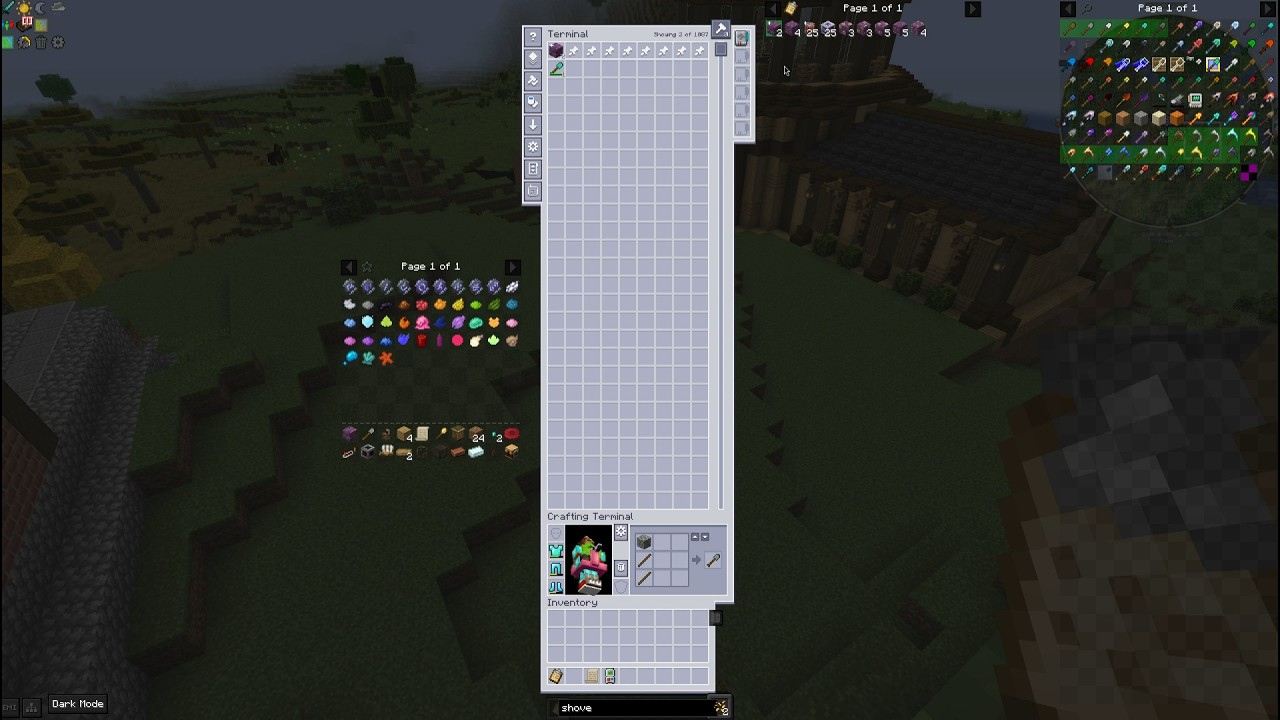
Applied EMI links EMI to your ME network: bulk-encode a crafting tree's recipes into AE2 patterns, and see any build's material checklist against what your network already has.
At a glance
- Two features, each usable on its own: bulk pattern encoding at the terminal, and a material checklist sidebar panel.
- Client-side only. It works on any server that runs AE2.
Pattern Encoding
Needs: EMI and Applied Energistics 2, on NeoForge, Minecraft 1.21.1.
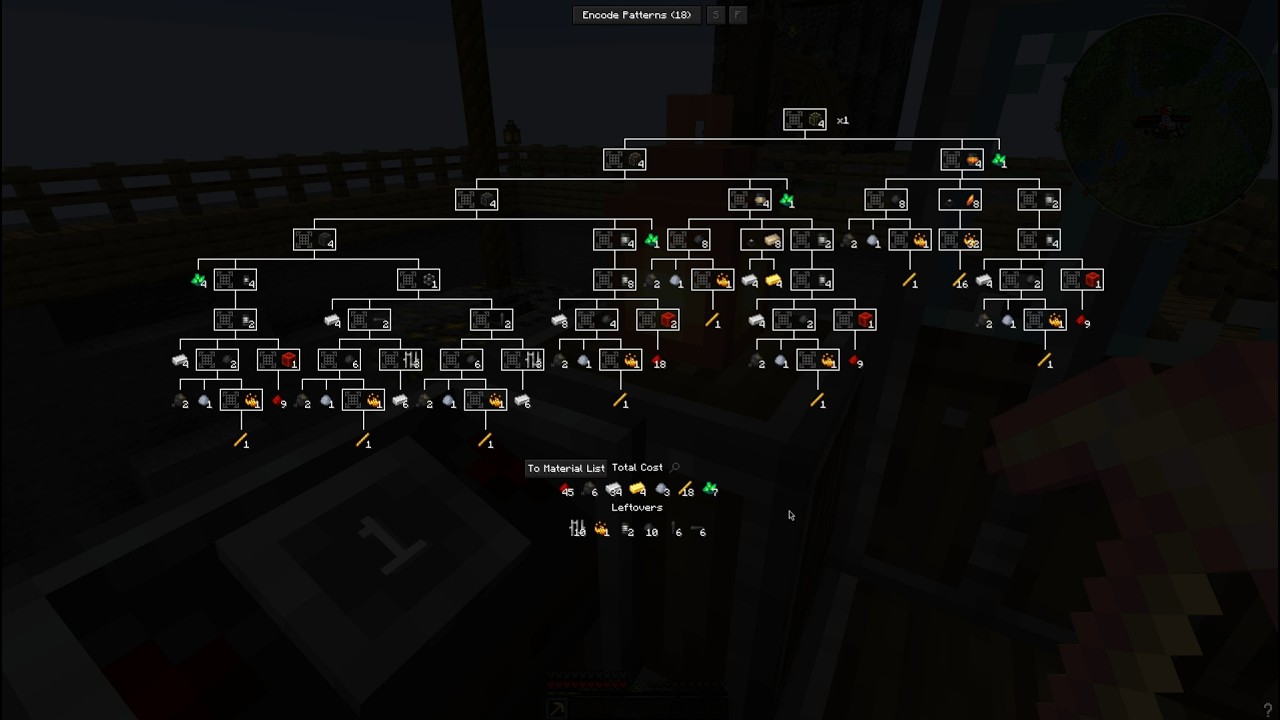
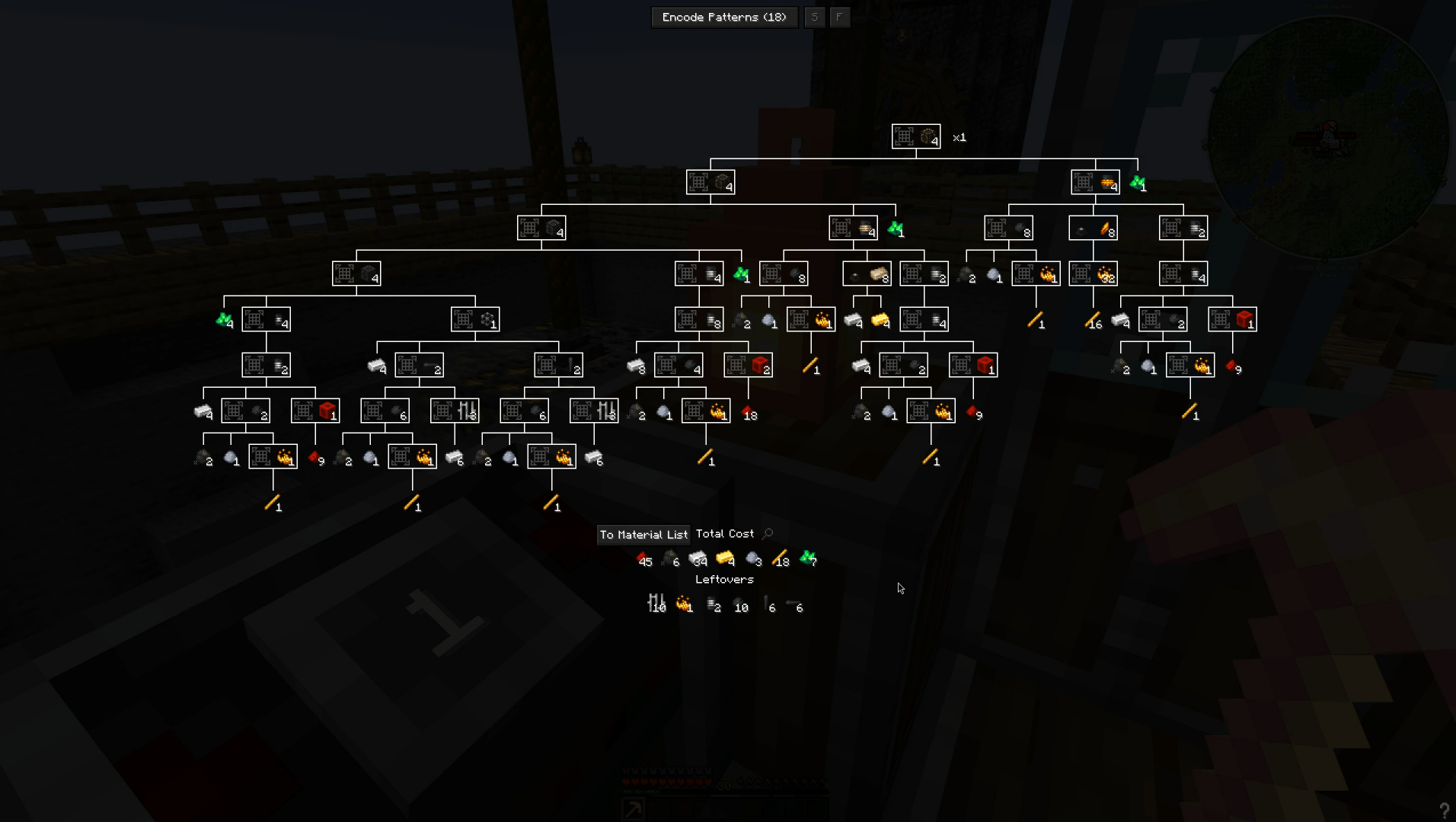
EMI already works out the full recipe tree for the item you want. It knows every step in order. Normally you still have to copy that tree into patterns by hand, one recipe at a time, at the pattern terminal. This mod does that step for you.
1) Open a pattern encoding terminal. Wireless or not, both work.
2) Open EMI's crafting tree for the item you want.
3) Press Encode Patterns.
- The mod skips recipes the network can already craft. The button's count shows how many patterns are actually missing.
- It checks you have enough blank patterns first, and tells you if you do not, instead of stopping half way through.
- Middle-click one recipe in the tree to encode just that recipe, even if the network already knows it.
- Ctrl+middle-click one recipe to encode it and its whole subtree.
- The S and F buttons next to Encode Patterns are the terminal's own substitution and fluid substitution settings. Set them once, and every pattern you encode after that follows them, whether you encode by hand or in bulk.
- Recipes the network can already craft are tinted in the tree. This turns the tree into a map of what work is left.
Why I made it
EMI already works out the full recipe tree for what you want, step by step. Then you sit at the pattern terminal and copy that same tree into patterns by hand, one recipe at a time, even though the computer already gave you the answer. This mod does that step for you.
Material Checklist
Needs: EMI, on NeoForge, Minecraft 1.21.1. Applied Energistics 2 is optional, and adds network stock and pattern marks. Create, Building Gadgets, and MineColonies are each optional too, one for each checklist source.
First, add the Material Checklist page to a sidebar in EMI's settings. Then fill the list from any of these:
- From a schematicannon: have it write a material checklist clipboard, and open that clipboard once. The page stays on screen while you hold the clipboard, and disappears when you put it away. It will not get in your way on other trips to the terminal.
- From a copy paste gadget: just hold it. Building Gadgets already knows what your copy is built from, so the page fills itself in. It follows the gadget in and out of your hand.
- From a resource scroll: hold it. The page shows what that builder still needs, read live from the colony, not from anything saved on the scroll. What the hut already has, and what is already on its way, are both left off the list.
- From EMI: open a crafting tree and press To Material List. There is nothing to hold for this one, so the page stays on screen until you clear it.
Each row on the list shows what you still need to carry: the total amount, minus what you already carry. A row leaves the list once you have enough of it. The whole page hides itself once the list is empty.
With AE2 connected, each row can also show:
- A green background: the network holds enough to finish that row. Shift+click takes exactly that amount, no more and no less. If the network has some but not all, you get what it has, plus a note of how much that was.
- A
+mark: the network has a pattern for it, the same mark the ME terminal uses. Ctrl+click opens AE2's craft window, with the missing amount already typed in. You just confirm. - Shift+click with nothing in stock turns into a craft request instead, since that is what you would do next anyway.
Network stock never removes a row by itself. It only changes the row's colour. Material sitting in the network is not yet in your hands.
- Middle-click a row to drop it, if you do not plan to gather it.
- Ctrl+middle-click any row to clear the whole list.
The clipboard is re-read every time it is open, so both ticking off items and the cannon rewriting the list show up on the page. Your checklist is saved, so it is still there after you restart the game.
Why I made it
Building from a schematicannon means its checklist is a clipboard, so you keep switching between the clipboard and the terminal. You compare two lists by hand: what the network has, what it can make, and what you still need to find. That is bookkeeping, not building. This mod puts both lists where you can act on them.
Requirements
- EMI — required for both features.
- Applied Energistics 2, on NeoForge for Minecraft 1.21.1 — required for Pattern Encoding; optional for the Material Checklist, where it adds network stock and pattern marks.
- Create, Building Gadgets, MineColonies — optional, each unlocks one Material Checklist source.
Modpacks
Feel free to use my mods in your modpack. Please give proper credit.
Other Mods by me
Notice: Applied EMI has a new version with additional features! Check it out on the new mod page. https://www.curseforge.com/minecraft/mc-mods/emi-material-checklists
I run these mods together:
- Applied Glyphs - AE2 Glyphs for Ars Nouveau
- Create: Take a seat, Piglin! - Automated Bartering - Addon for Create
- Create Safe Seating — addon for Create
- Empty Hand Keybind - Hold Onto THIS
- PAPA: Portable Aeronautics Physics Assembler — addon for Create Aeronautics
Applied EMI Team