Completionist Jar - Your progress as marbles in a jar
- By
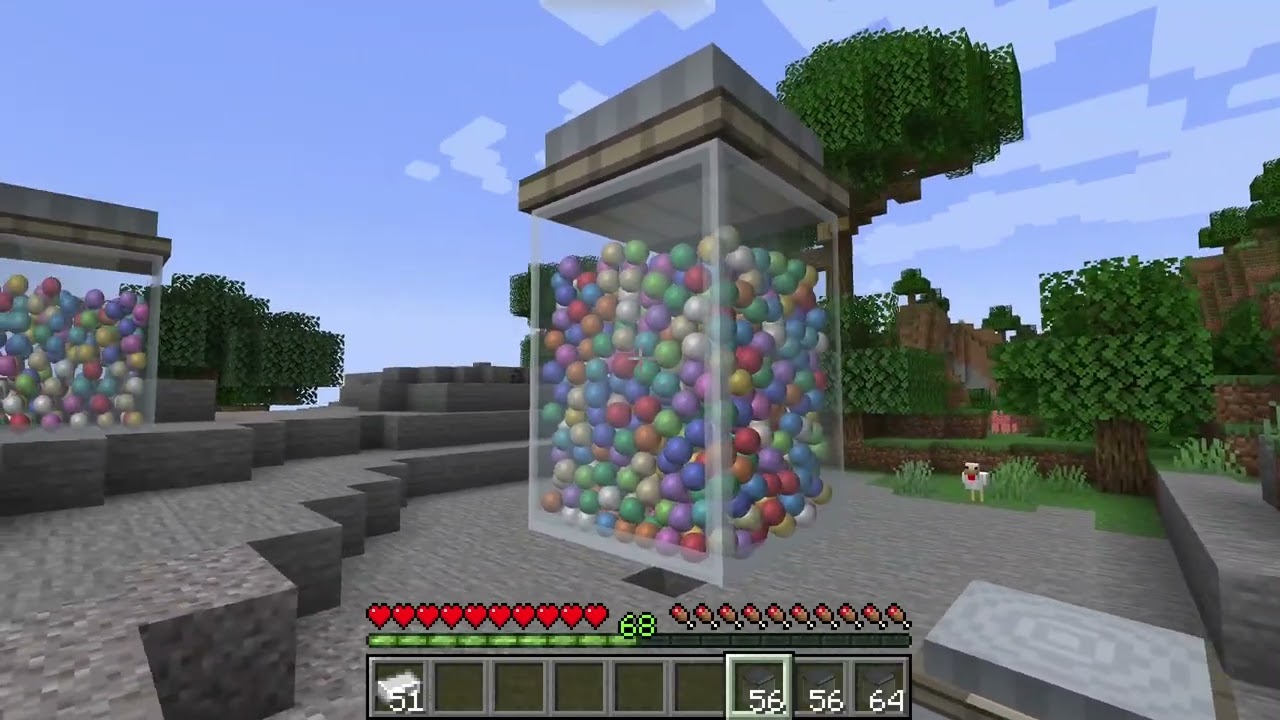
Visualize your advancement progress with a glass jar that fills with marbles! Choose from different jar sizes to match your progress. Also supports FTB Quests progression tracking.
Description
At a glance
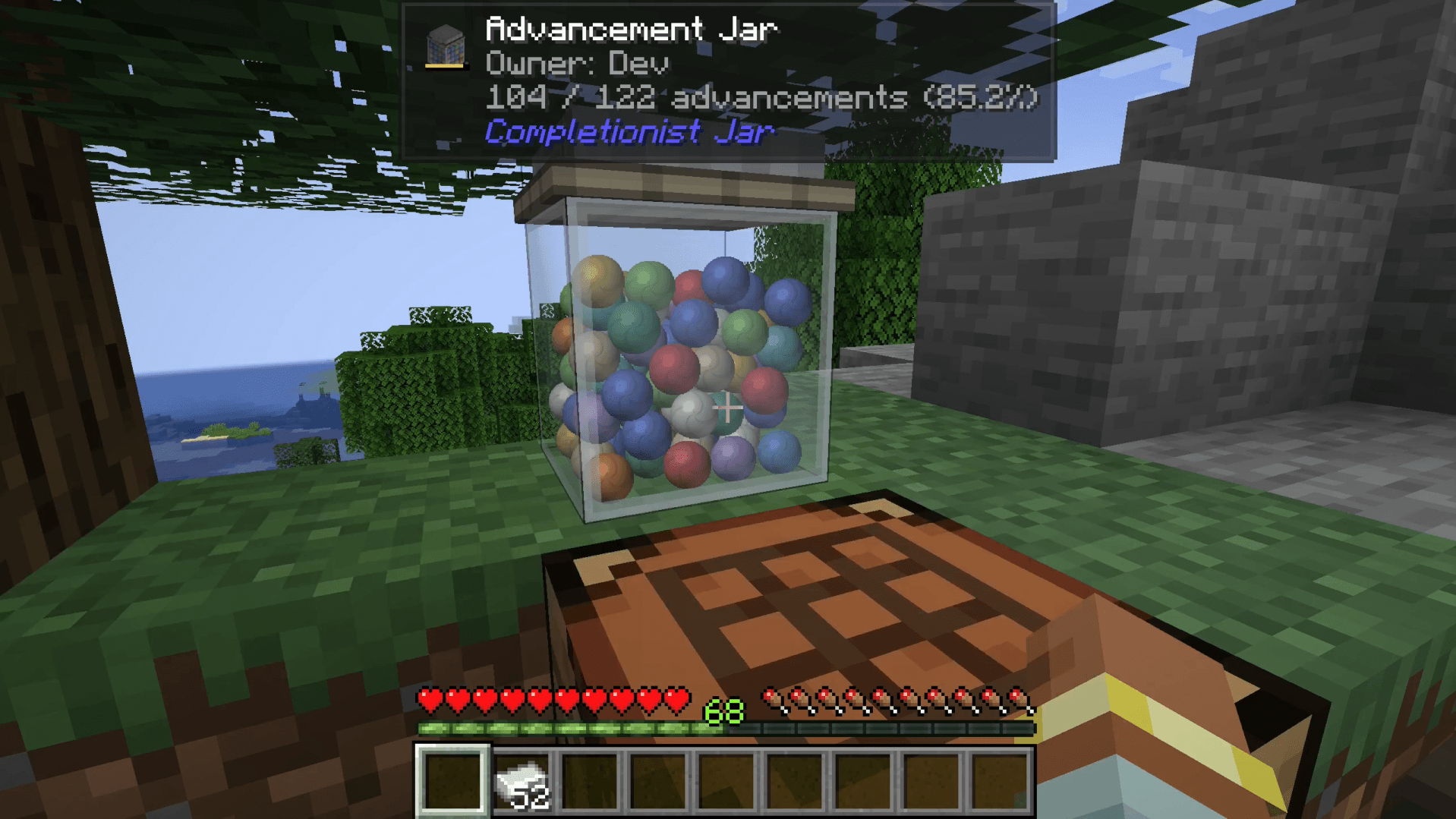
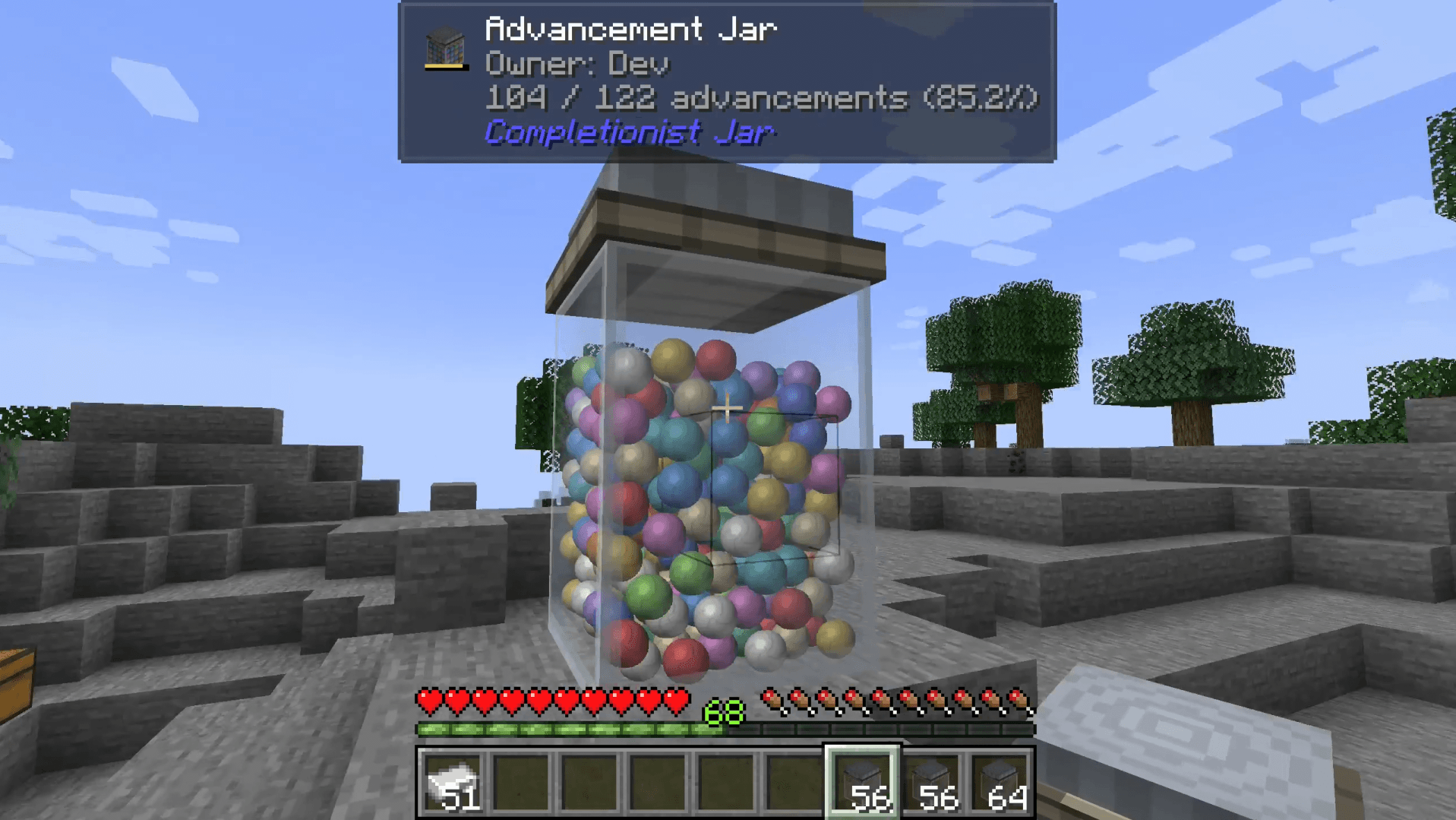
- A glass jar of marbles that fills up as you earn advancements (or complete FTB Quests).
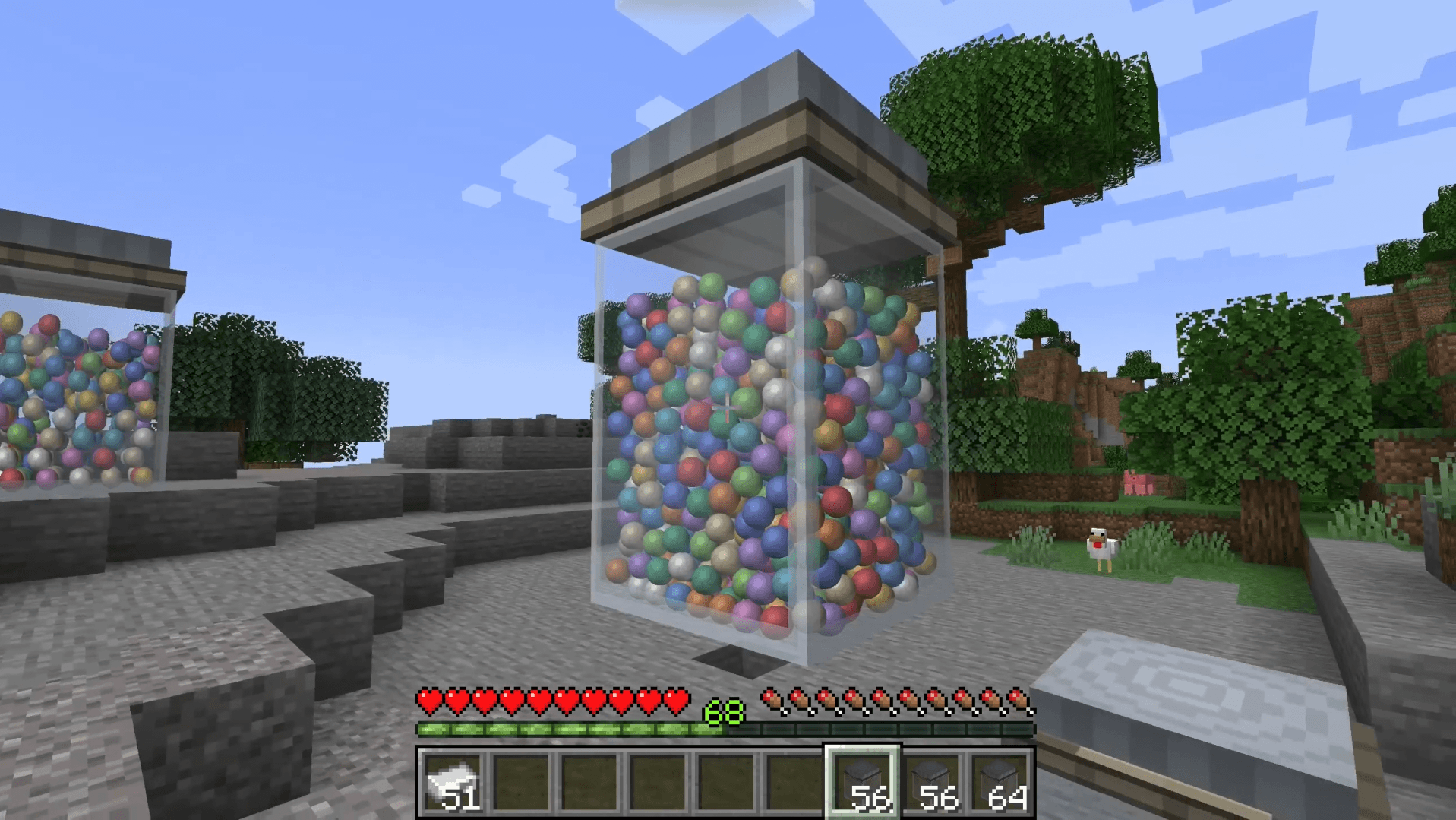
- Three sizes: a small 100-marble jar, a 3×3×4 medium with 300 and a 6×6×8 large that holds 1000.
- The lid turns green the moment you hit 100%.
- Each jar belongs to whoever places it first, so everyone on a server can show off their own.
- Build big jars a whole layer at a time.
- Carry a jar around and its fill and progress bar stay current.
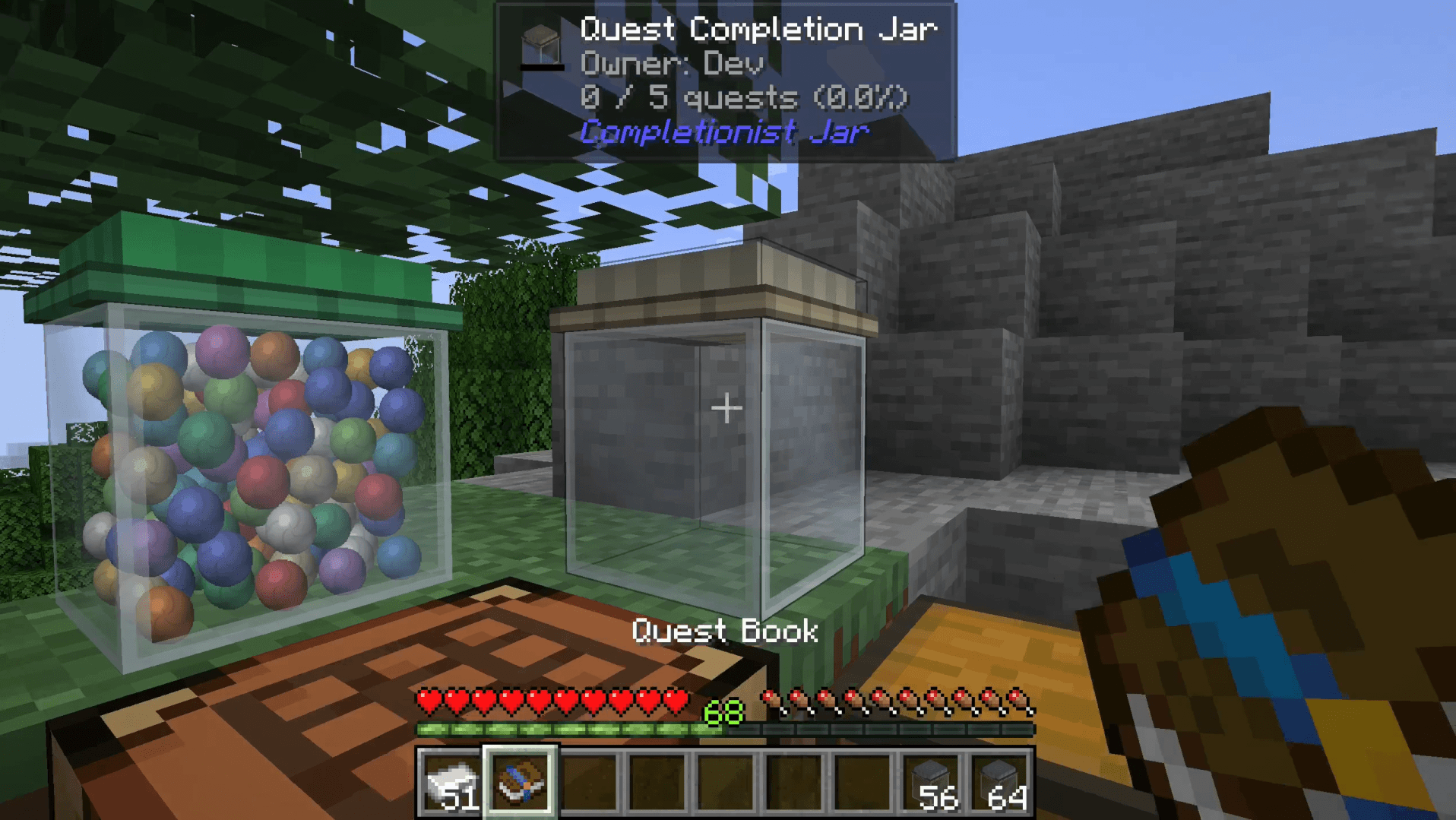
- Optional extras: a Jade tooltip and an FTB Quests jar that fills with completed quests.
Setup
- Craft an Advancement Jar from one iron ingot and five glass.
- Place it. A fresh jar becomes yours the moment it hits the ground.
- Earn advancements (or quests, with the quest jar) and watch the marbles pile up.
How it works
- Marbles. Every percent you complete adds at least one marble, so even a small step shows. They drop in and settle like real marbles: the bottom layer fills first, then the pile climbs until a full jar is packed to the rim.
- Ownership. The first player to place a fresh jar owns it. Break it and it drops with its owner and progress intact, so you can move it, store it or hand it to a friend as a trophy. To start over, craft the jar on its own and it turns back into a fresh, unowned one.
- Sizes. Close up a 3×3×4 shell of your own jars for a medium or a 6×6×8 shell for a large, and the whole thing merges into one big jar. The inside can be hollow or packed solid. Quest jars never mix with advancement jars and nobody else's jars join your build. Break any piece and the rest re-forms around what's left.
- Quick building. Lay the bottom layer by hand, then place a jar on top of it and the whole next layer goes down at once. A medium takes three clicks after the base. A large takes seven. Once a stack is two layers tall, right-click its side instead of climbing to the top. Sneak to place a single jar. The layer uses jars from the rest of your inventory before the stack in your hand, and if a block is in the way, chat tells you what it is and where.
- Carried jars. In your hand or hotbar a jar shows its fill plus a small progress bar. It catches up when you earn something, hover it, drop it or pick it up.
- Report. Right-click a placed jar with an empty hand (anything but a jar works) and it sends you a chat report: owner, totals and one line per advancement tab. Quest jars report per chapter. Hold Shift over the item for sizes, jar counts and building tips.
- Quest jar. With FTB Quests installed, craft an Advancement Jar with the FTB Quests book to get a Quest Completion Jar. It tracks your team's visible quests and skips hidden and optional ones, so the count reflects real quest progress. It wears a brass lid so you can tell the two apart.
The jar only counts advancements that show up on the advancement screen, so recipe unlocks never pad your numbers. Modded advancement tabs count too.
Crafting
- Advancement Jar: one iron ingot on top, five glass in a cup shape below it. You can also find it under Functional Blocks in Creative.
- Reset: craft a jar on its own to turn it back into a fresh, unowned jar.
- Quest Completion Jar: an Advancement Jar plus an FTB Quests book. This recipe only shows up when FTB Quests is installed.
Requirements
- Minecraft 1.21.1
- NeoForge 21.1.259 or newer
- Jade (optional): look at a jar to see its owner and progress without clicking.
- FTB Quests (optional): adds the Quest Completion Jar.
Modpacks
Feel free to use my mods in your modpack, just don't forget to give proper credit.
Completionist Jar - Your progress as marbles in a jar Team