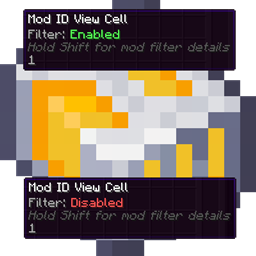
AE2 Mod ID View Cell
- By
Adds an AE2 View Cell that filters terminal lists by mod ID, not individual items. Configure via Sneak + Right Click with whitelist or blacklist, tab completion, multi-select, and quick transfers.
NuanKi | AE2 Mod ID View Cell
Create a server, get 25% off your first month

Description
AE2 Mod ID View Cell
Adds a new Applied Energistics 2 View Cell that filters terminal listings by mod ID instead of individual items.
Available for:
- Minecraft 1.12.2 - Forge, AE2 UEL
- Minecraft 1.21.1 - NeoForge, AE2 19.x
If you play big modpacks, this makes it much easier to browse storage by mod, for example only Thermal items, only Mekanism items, only Botania items, etc.
Why
AE2’s normal View Cell is item-based. If you want to hide an entire mod, or only show one mod, you end up adding lots of individual items manually.
It also caps out at 63 items, so larger mods hit the limit quickly and cannot be fully represented unless you use multiple View Cells.
Mod ID View Cell solves this by letting you filter by mod ID, so a single entry can cover an entire mod.
Features
- Mod ID filtering
- Filter the terminal item list using mod IDs like
ae2,mekanism,thermalfoundation,botania, etc.
- Filter the terminal item list using mod IDs like
- Whitelist and Blacklist
- Whitelist: only show items from the listed mod IDs
- Blacklist: hide items from the listed mod IDs
- Fast input
- Paste multiple mod IDs at once, separated by commas, semicolons, or spaces
- Input is normalized with trim + lowercase
- Supports the optional
@modidformat
- Helpful controls
- Tab completion for installed mod IDs
- Multi-selection and transfer controls for managing filter lists
- Tooltip support for viewing saved filters
- In-game guide support on Minecraft 1.21.1
Minecraft 1.21.1
For Minecraft 1.21.1, open the in-game AE2 GuideME page from the Mod ID View Cell screen using the guide button.
The guide includes the current usage details, controls, and shortcuts for the NeoForge version.
Minecraft 1.12.2 Usage
- Hold the cell in your hand and Shift + Right Click to open the filter GUI.
- Type one or more ModIDs into the entry field (examples:
appliedenergistics2,mekanism,thermalfoundation). - Click Add to Whitelist or Add to Blacklist (or press Enter to add to the active list).
- Apply changes by clicking Save, pressing Enter with an empty input, or pressing Ctrl + S.
- Place the cell into any AE2 terminal View Cell slot (ME Terminal, wireless terminal, etc.).
Input tips
You can paste multiple entries like:
ae2 mekanism thermalfoundationae2, mekanism; thermalfoundation@ae2 @mekanism
Mod IDs can differ between Minecraft versions. For example, AE2 is commonly appliedenergistics2 on 1.12.2 and ae2 on modern versions.
Minecraft 1.12.2 Controls and shortcuts
- Tab
- If the entry field is not focused: focus it
- If the entry field is focused: tab-complete the current token and cycle forward through matches
- Shift + Tab: cycle backwards through matches
- Enter
- When the entry field is focused and has text: add to the active list
- When the entry field is focused and empty: Save
- When the entry field is not focused: Save
- Ctrl + S: Save
- Delete (Supr)
- Remove selected entry/entries
- If nothing is selected: remove the latest added entry
- Up / Down: Move selection in the active list and auto-scroll to keep it visible
- Mouse wheel over a list: Scroll that list (also sets it as the active list)
- Ctrl + Click: Multi-select individual entries in the active list
- Shift + Click: Select a range (from anchor to clicked entry)
- Move buttons: Transfer selected entry/entries between Whitelist and Blacklist
Compatibility
Minecraft 1.12.2
- Loader: Forge
- Requires:
- AE2 Unofficial Extended Life
- MixinBooter
Minecraft 1.21.1
- Loader: NeoForge
- Requires:
- Applied Energistics 2
Notes
- Mod IDs must be the registry mod ID, lowercase, not the display name.
- Examples:
- Use
ae2orappliedenergistics2, depending on Minecraft version. - Use
mekanism, notMekanism.
- Use
AE2 Mod ID View Cell Team

Owner