Enable Experiments on Education v1.21.90
- By
Enable experimental features on a Minecraft world for testing the latest features offered in latest Education edition.
This Resource Pack is for Minecraft Education Edition
With each retail version of Minecraft Bedrock includes experimental features, in which they can be toggled on to test the features in Minecraft, these experimental features are also available in Minecraft Education Edition except they're not displayed in world settings.
Experimental Features in Minecraft Education Edition
There are two sets of experimental features available, depending on whether you are using a stable (retail) version of Minecraft Education, or Minecraft Education Preview.
Supported version: v1.21.90
Supported experiments:
- Villager Trade Rebalancing
- Custom Biomes
- Upcoming Creator Features
- Experimental Creator Cameras Features
- Data-Driven Jigsaw Structures
Enable Experiments on Education worlds
With the release of Chase the Clouds Update v1.21.90.1 for Minecraft Education, the new UI for Create and Edit World is also included. This means experimental options can't be edited using the resource pack in-game.
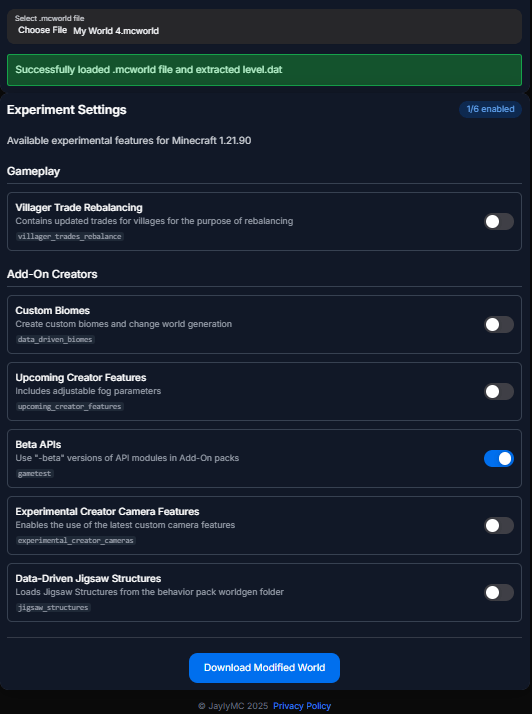
A workaround is to enable the options using the Minecraft Bedrock Experiments Editor (Beta). This editor also lets you toggle off experiments you want to disable, which you can't do in-game.
All you need to upload the .mcworld file, which can be found in your OneDrive folder. Then edit the experiment options as you wish.
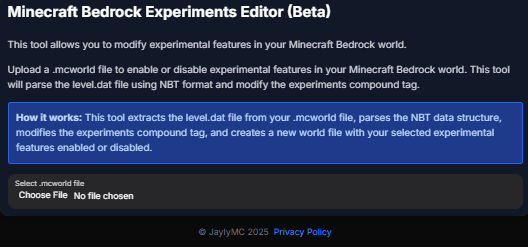
After you uploaded the file, enable the experiments then download the modified world.
If you want to enable experiments on a new world, no worries! You can use the Start from Template page to choose a world template including flat worlds, to start enabling experiments.
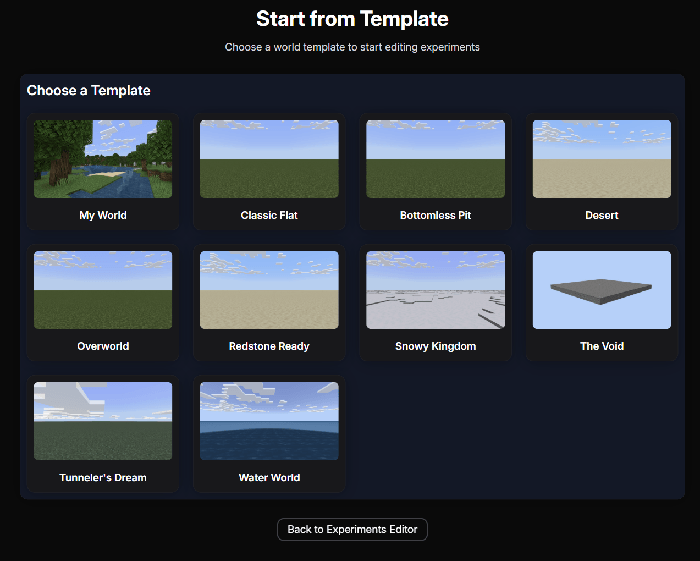
Note: Sample world templates will be available for download in MCPEDL and CurseForge soon.
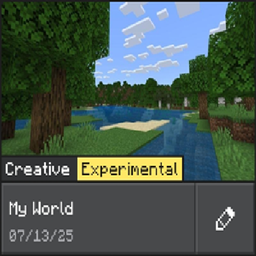
You can use the Enable Experiments Resource Pack to validate that the experiments are enabled when you're in the world in-game.
Applying Enable Experiments Resource Pack
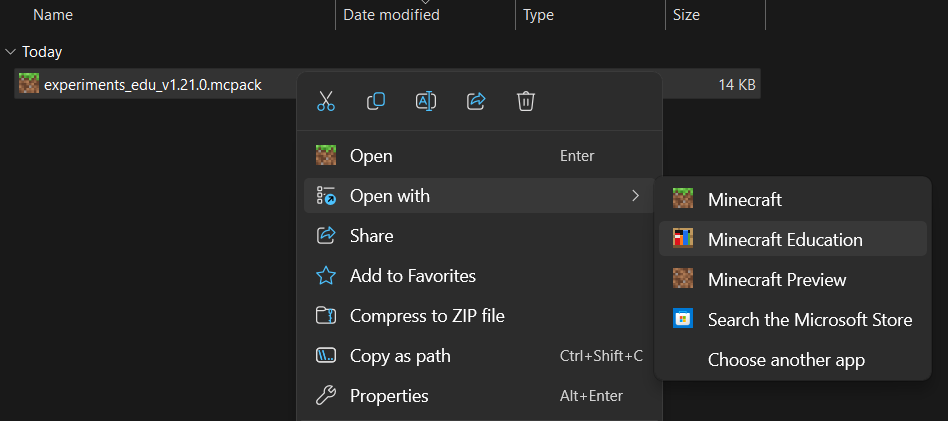
Below there is a download link to Enable Experiments Resource Pack. After downloading it, double click on the file to import the resource pack to Minecraft Education or Education Preview.
After importing the pack, enable the resource pack in Settings > General > Global Resources section shown below.
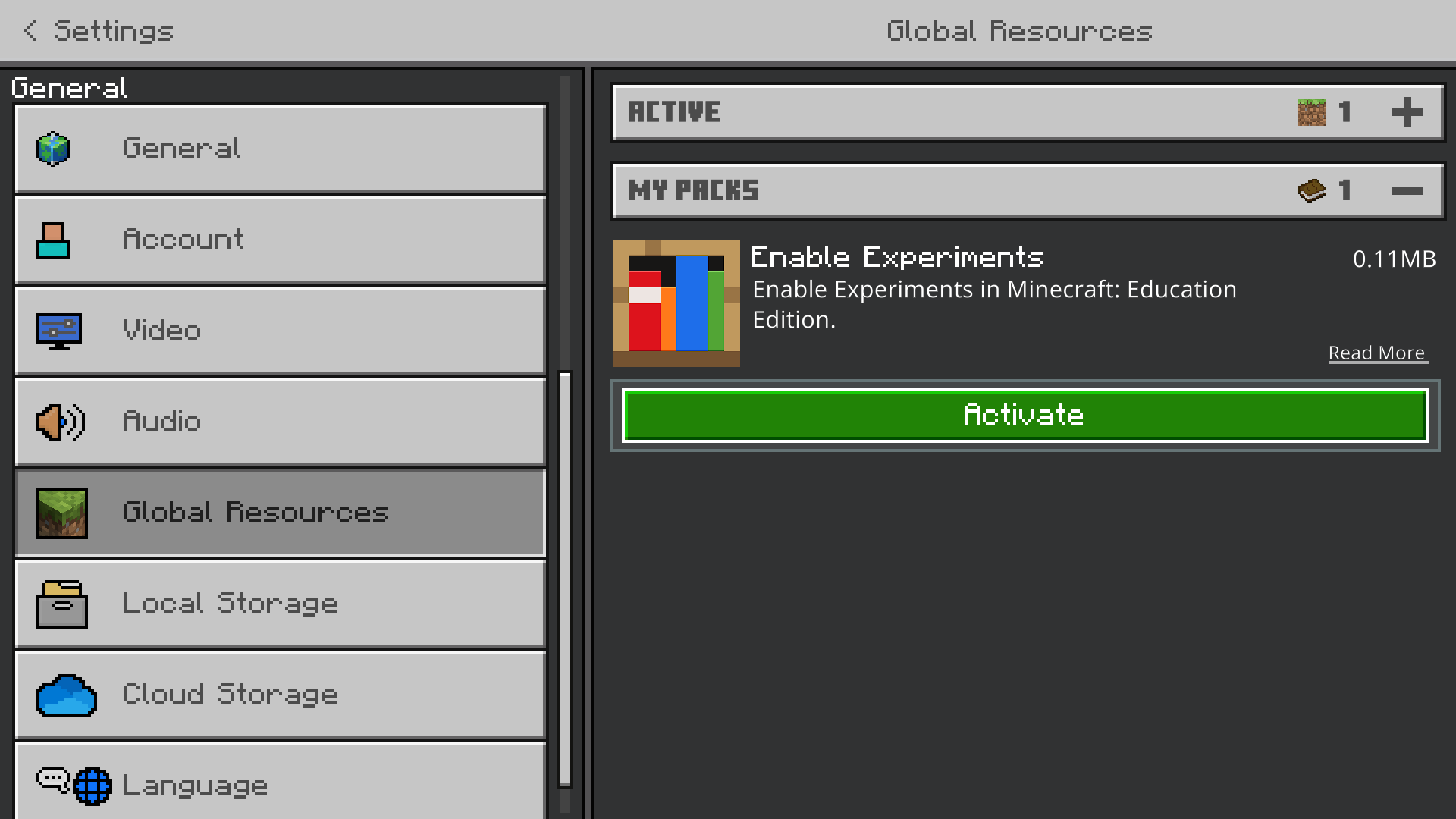
Click on the MY PACKS dropdown section, then click on Enable Experiments pack, click activate.
Go back to the main menu screen then the pack should've applied.
Toggle Experimental Features in a World
You can toggle which features you want enabled in the World Settings. To access world settings, either create a new world or edit experiments using edit world button.
To enable experiments, use the Minecraft Bedrock Experiments Editor.
Don't have a world file? Choose a world template to start editing experiments through the Start from Template screen!
To view experiments of a world for confirmation, download the Experiments resource pack in the downloads section below.
The Enable Experiments on Education v1.21.90 Team


Owner