Bedrock Statistics v1.6.2
- By
The Add-On that tracks player statistics in the form of numerical data in a Minecraft world. Similar to the statistics in-game feature presented in Java Edition.
thumbnail-nov25-mcpedl.png
Description
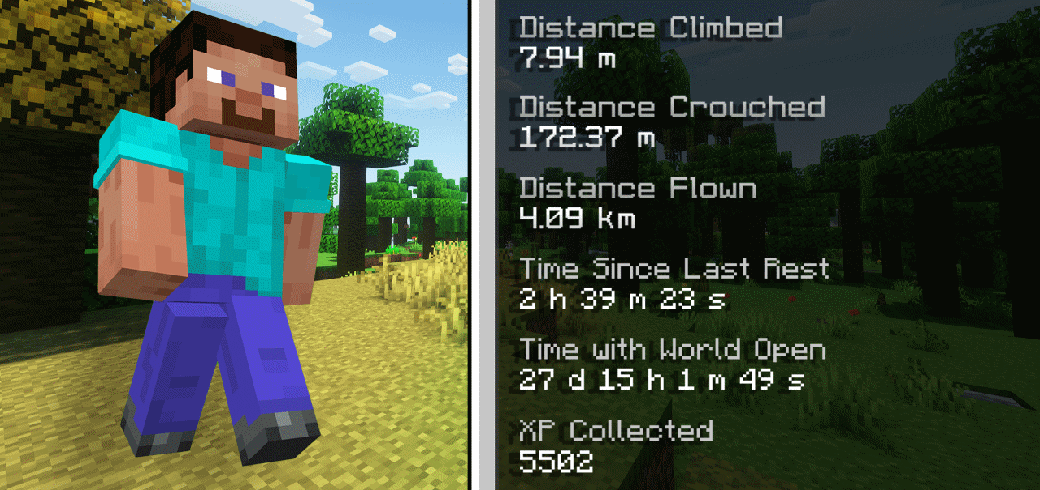
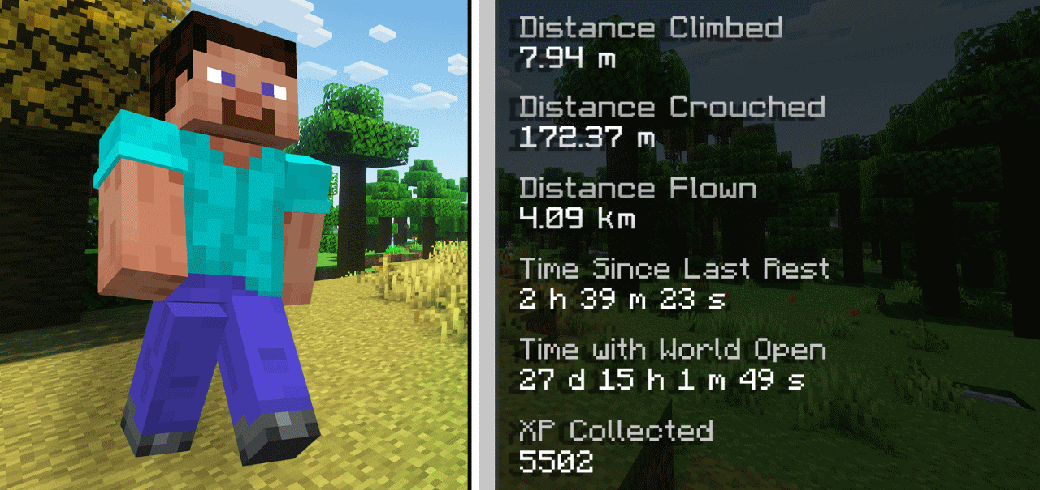
The Bedrock Statistics Add-On tracks player statistics in a Minecraft Bedrock world. This is similar to the Statistics in-game feature presented in Java Edition, where statistics in the form of numerical data, such as time played, number of blocks mined are tracked per world.
Statistics Screen
Currently, a player's statistics can be seen through the following methods:
Custom Commands - either
/jayly:statsor/statscommand, which opens up the statistics screen to a player.Craft a statistics book item, which can be obtained using the following recipe:
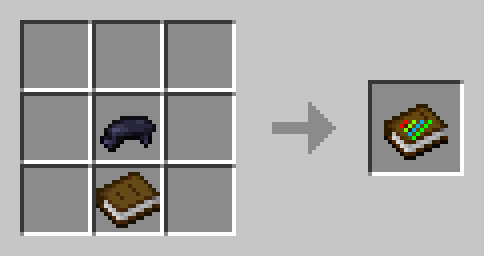
When the statistics book is used, it opens up the statistics screen to a player.
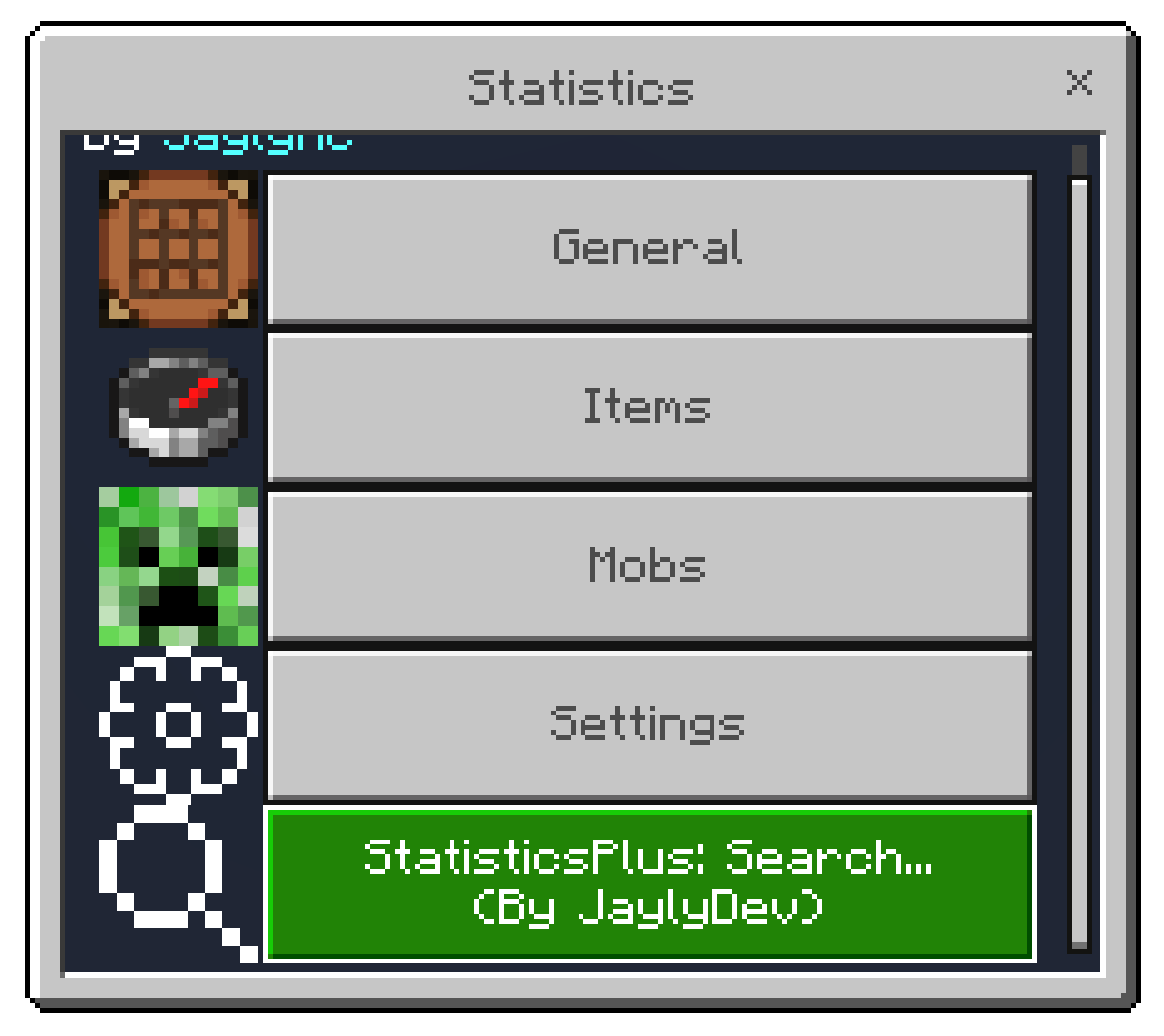
Similar to the Java Edition statistics' screen, this add-on divides statistics into three sections:
- General - Displays generic statistics of an indiviual player.
- Items - Displays the number of times different items and blocks have been broken, crafted, used to destroy blocks, picked up and dropped.
- Mobs - Shows for each different type of mobs or other living entities (players, armor stands) how many the player has killed, or the number of deaths caused by those mobs.
- Settings - Change preference when viewing statistics.
- Search - Search for statistics by item or entity type ids, or custom statistic ids.
Search Feature
IMPORTANT: Search functionality requires Minecraft Statistics Extension Pack, downloads separately.
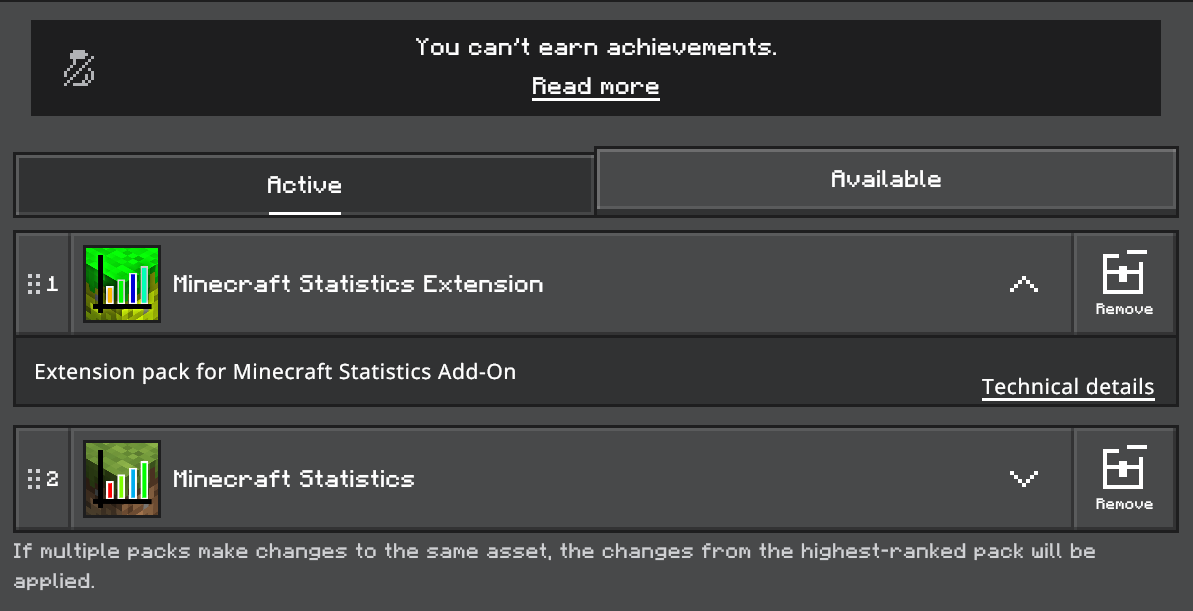
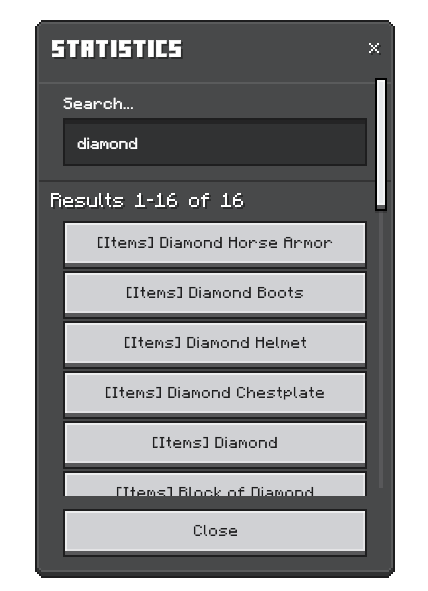
Search for statistics by item or entity type ids, or custom statistic ids. Please note that multi-language support is not supported in search feature, however results will still be displayed in the player's current language.
Item Statistics
Item statistics are viewed by each item type. To view player statistics for a specific item type, go to the Statistics screen, tap the Items button, then select the button for the desired item type.
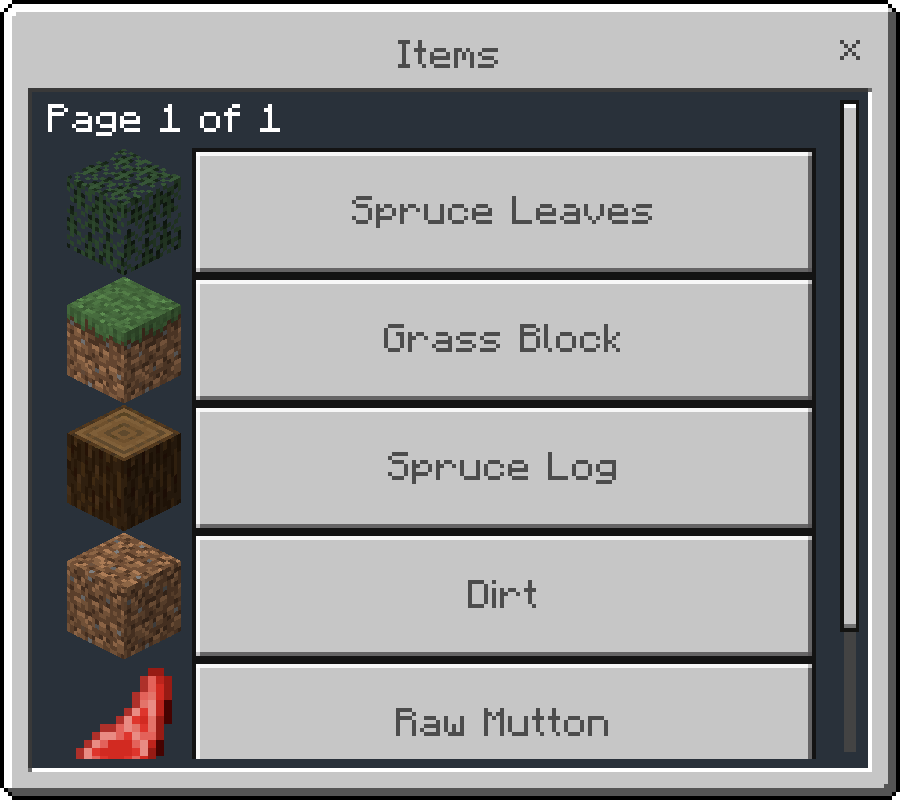
You'll then see detailed statistics on how players have interacted with that item.
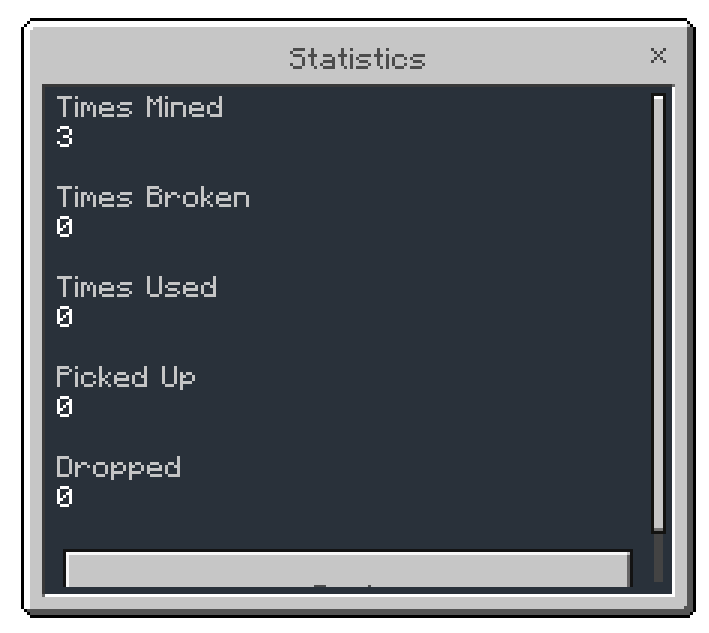
The following statistic types are recorded for each item type:
| Statistic Type | Description |
|---|---|
| Block Mined | Tracks how many blocks of a specific type a player has mined. |
| Item Broken | Counts when an item breaks due to zero durability while breaking a block. |
| Item Used | Increases when a player uses an item or block, including block interactions |
| Item Picked Up | Tracks the number of dropped items a player picked up. |
| Item Dropped | Counts the number of items of a specific type from player's inventory. |
NOTE: The add-on also records item statistics for custom items, but icons for custom items may not be displayed properly in the items selection form.
Mob Statistics
Mobs statistics are viewed by each entity type. To view player statistics for a specific mob type, go to the Statistics screen, tap the Mobs button, then select the button for the desired mob type.
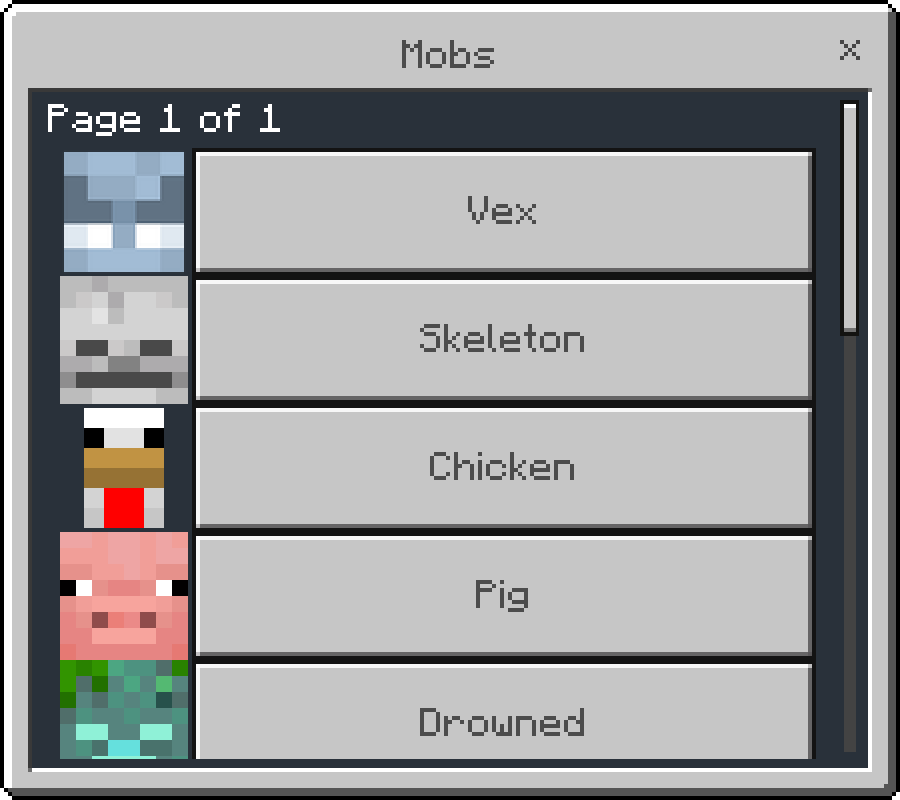
You'll then see detailed statistics on how players have interacted with that mob.
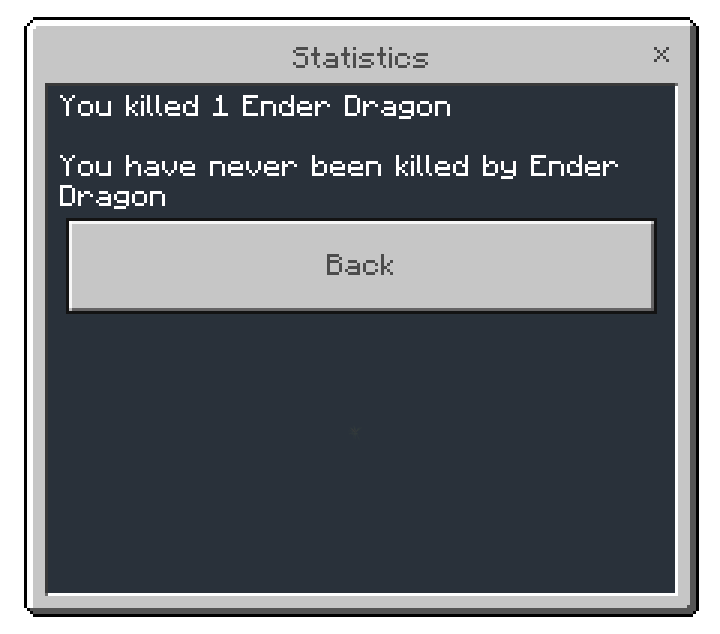
This add-on records the following statistics for each mob type:
| Statistic Type | Description |
|---|---|
| Number of entities killed | Tracks the number of entities a player killed. Statistic increases when a player kills an entity of the specified type. |
| Number of times player killed by entities | Tracks the times of a player is killed by entities. Statistic increases when the player is killed by an entity of the specified type. |
General Statistics
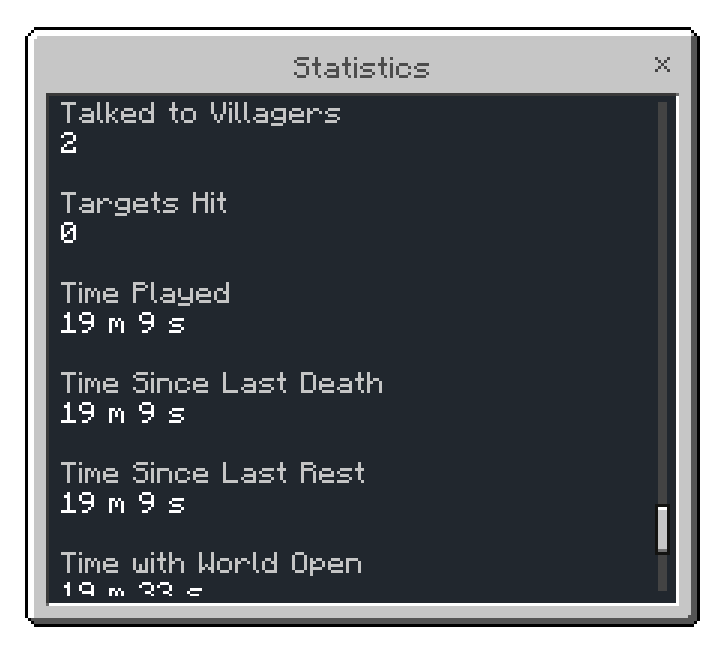
Known as custom statistics. These statistics includes generic statistics for a player. The following statistics are tracked by the add-on:
Player Interactions with Cauldrons
Statistics related to a player interacting Minecraft's cauldron block with various items.
| Statistic Name | Description |
|---|---|
| Armor Pieces Cleaned | The number of dyed leather armors washed with a cauldron. |
| Banners Cleaned | The number of banner patterns washed with a cauldron. |
| Cauldrons Filled | The number of times the player filled cauldrons with water buckets. |
| Shulker Boxes Cleaned | The number of times the player has washed a shulker box with a cauldron. |
| Water Taken from Cauldron | The number of times the player took water from cauldrons with glass bottles. |
Player Interactions with Vanilla Blocks
Statistics related to a number of times player has interacted with a vanilla Minecraft block type.
- Barrels Opened
- Bells Rung
- Cake Slices Eaten
- Chests Opened
- Dispensers Searched
- Droppers Searched
- Ender Chests Opened
- Hoppers Searched
- Interactions with Anvil
- Interactions with Beacon
- Interactions with Blast Furnace
- Interactions with Brewing Stand
- Interactions with Campfire
- Interactions with Cartography Table
- Interactions with Crafting Table
- Interactions with Furnace
- Interactions with Grindstone
- Interactions with Lectern
- Interactions with Loom
- Interactions with Smithing Table
- Interactions with Smoker
- Interactions with Stonecutter
- Trapped Chests Triggered
Player's Health Statistics
Statistics related to a player hurts another entity, or a player is hurt.
| Statistic Name | Description |
|---|---|
| Damage Absorbed | The amount of damage the player has absorbed in health points (1 heart = 2 health points). |
| Damage Dealt | The amount of damage the player has dealt in health points (1 heart = 2 health points). This includes every damage cause dealt by the player. |
| Damage Taken | The amount of damage the player has taken in health points (1 heart = 2 health points). This includes every damage cause taken by the player. |
Player's Distance Traveled Statistics
Statistics related to Total distance traveled by a player in the Minecraft world.
| Statistic Name | Description |
|---|---|
| Distance Climbed | Total distance player has climbed. |
| Distance Flown | Total distance player has flown. |
| Distance Sprinted | Total distance player has sprinted. |
| Distance Swum | Total distance covered with sprint-swimming. |
| Distance Walked | Total distance walked. |
| Distance Walked on Water | The distance covered while bobbing up and down over water. |
| Distance Walked under Water | Total distance you have walked underwater. |
| Distance by Boat | Total distance traveled by boats. |
| Distance by Elytra | Total distance traveled by elytra. |
| Distance by Horse | Total distance traveled by horses. |
| Distance by Minecart | Total distance traveled by minecarts. |
| Distance by Pig | Total distance traveled by pigs via saddles. |
| Distance by Strider | Total distance traveled by striders via saddles. |
Various Minecraft Statistics
These statistics are implemented to match Java Edition's existing statistics.
- Items Dropped: The number of items dropped. This does not include items dropped upon death. Stacked blocks count as 1.
- Jumps: Total number of jumps performed.
- Mob Kills: The number of mobs the player killed.
- Music Discs Played: The number of music discs played on a jukebox.
- Note Blocks Played: The number of note blocks hit.
- Note Blocks Tuned: The number of times player has interacted with note blocks.
- Number of Deaths: The number of times the player died.
- Plants Potted: The number of plants potted onto flower pots.
- Player Kills: The number of players the player killed. Indirect kills do not count.
- Raids Triggered: The number of times the player has triggered a raid.
- Raids Won: The number of times the player has won a raid.
- Shulker Boxes Opened: The number of times the player has opened a shulker box.
- Sneak Time: The time the player has held down the sneak button.
- Talked to Villagers: The number of times player has interacted with villagers (opened the trading GUI).
- Targets Hit: The number of times the player has shot a target block.
- Time Played: Total amount of time played. If the game is paused, counting does not continue.
- Time Since Last Death: The time since the player's last death.
- Time Since Last Rest: The time since the player's last rest.
- Time with World Open: Total amount of time the world was opened. Unlike Play Time, if the game is paused this number continues to increase, but it does not change visually while the statistics menu is open.
- Times Slept in a Bed: The number of times the player has slept in a bed.
Settings Screen
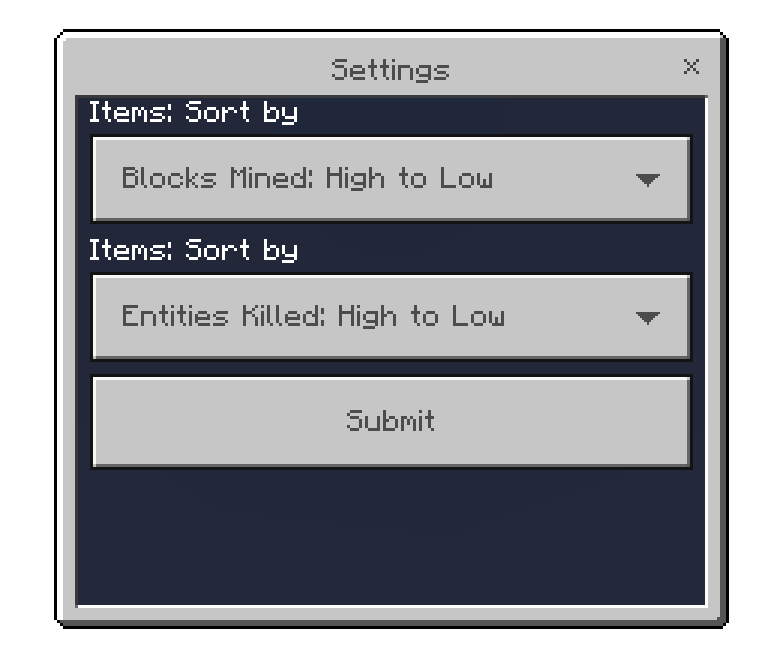
The settings screen allows you to set your own preferences when viewing statistics.
- Items: Sort by - Sort the items types in Item Statistics screen.
- Mobs: Sort by - Sort the entity types in Mobs Statistics screen.
Custom Slash Commands
/jayly:stats
Alt command: /stats
Opens up the gameplay statistics screen to a player.
/jayly:statsboard
Manages the updating of statistics on scoreboard objectives. This command can be run by game directors / operators.
Note: This command is only available in Statistics Extension Pack.
Syntax
jayly:stats
Changelog
You can find the full changelog for the add-on on Bedrock Statistics Changelog.
Installation
Download the add-on from the link below.
Import the pack, then activate the add-on in world settings.
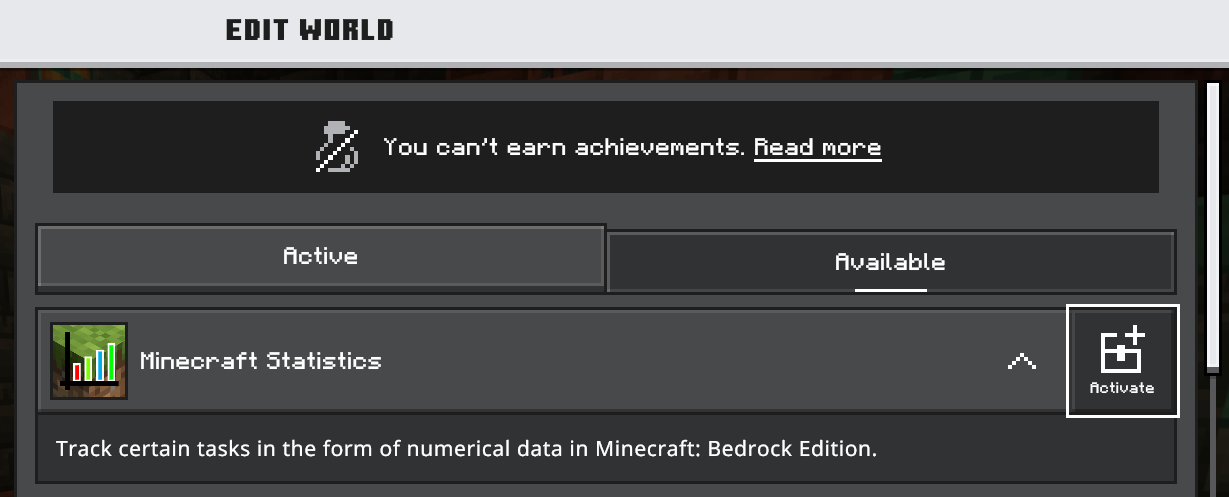
After activating both resource pack and behavior pack, you will see one of the following messages when loading the world with the pack activated correctly:
- The pack is activated correctly on a brand new world
[Scripting][inform]-[Statistics] Add-On starts collecting statistics.- The pack is activated correctly on an existing world
[Scripting][warning]-[Statistics] Add-On starts collecting statistics on existing worlds. Please be aware that statistics prior to this moment are not collected.- View your gameplay statistics using these methods.
The Bedrock Statistics v1.6.2 Team


Owner