Tired of unwanted items piling up in chests or cluttering your inventory?
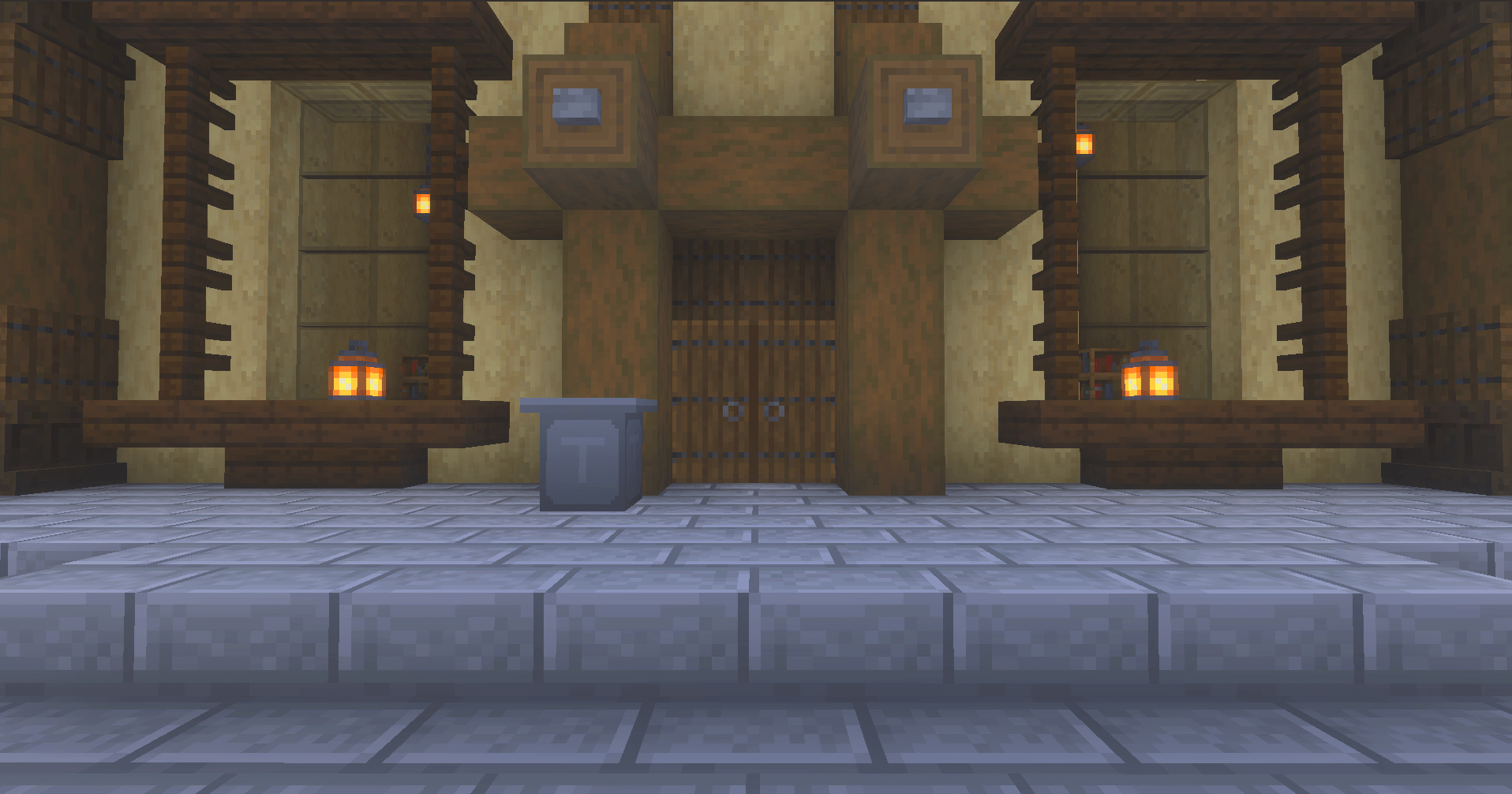
Trash Can adds a simple, functional trash can to Minecraft Bedrock that gives you an easy way to permanently dispose of items you no longer need — while remaining achievement friendly.
Place the Trash Can anywhere in your world and open it just like a normal container. Drop unwanted items inside, and the Trash Can will automatically destroy its contents after a short period of time.
🗑️ Features
- Functional Trash Can block
- Achievement friendly
- 27-slot container inventory
- Opens with a familiar chest-style interface
- Automatically destroys items placed inside
- 10-second disposal cycle
- Gives you a short opportunity to grab an item back before it is destroyed
- Items remaining inside are destroyed when the Trash Can is broken
- Supports multiple Trash Cans throughout your world
- Works in the Overworld, Nether, and End
- Lightweight design with no database system required
- Designed for Minecraft Bedrock 26.30 and newer
🔨 Crafting Recipe
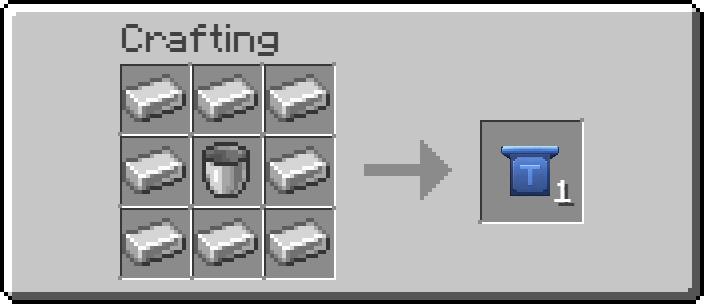
The Trash Can can be crafted using:
- 8 Iron Ingots
- 1 Bucket
Place the Bucket in the center of the crafting table and surround it with Iron Ingots.
This recipe produces 1 Trash Can.
Recipe:
⏱️ How It Works
Craft and place a Trash Can wherever you need one.
Interact with it to open its container, then place any unwanted blocks or items inside. The Trash Can periodically empties itself, permanently removing its contents from the world.
Changed your mind? You have a short window to take the item back before the next disposal cycle.
Be careful with valuable items — once they're deleted, they're gone!
🏠 Great For
Trash Can works well in:
- Survival bases
- Storage rooms
- Farms
- Workshops
- Multiplayer worlds
- Large sorting systems
- Builds where you want a cleaner alternative to throwing unwanted items on the ground
Instead of tossing items into lava, cactus, or leaving them to despawn, you can install a dedicated Trash Can wherever you need one.
🏆 Achievement Friendly
Trash Can is designed to work without disabling achievements. You can use it in your survival worlds while continuing to earn achievements normally.
⚠️ Important
Items placed inside the Trash Can are intended to be permanently destroyed. Always double-check what you've placed inside before the disposal cycle runs.
Minecraft Bedrock 26.30+ required.