# Administrator Control Panel
Administrator Control Panel is a powerful Minecraft Bedrock Edition administration system designed for single-player worlds, multiplayer worlds, Realms, and dedicated servers.
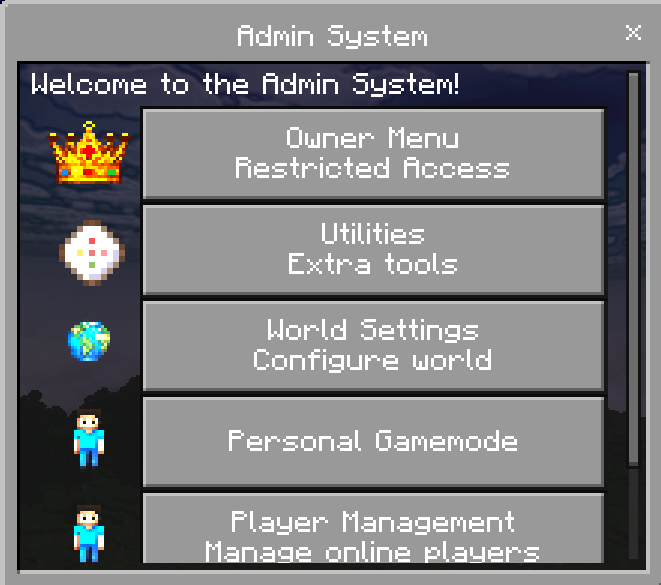
It provides a modern, menu-based management system with customizable administrator ranks, permission controls, player-management tools, world settings, utilities, and personal gamemode options.
The addon uses stable Minecraft Script APIs and does not require experimental Beta APIs.
> **Achievement Compatibility Notice**
>
> Following a recent Minecraft Bedrock update, activating custom behavior packs may cause Minecraft to display **“Achievements disabled.”**
>
> The addon uses stable APIs and includes the recommended addon metadata, but achievement eligibility is ultimately controlled by Minecraft. There is currently no supported manifest option that can force achievements to remain enabled.
>
> Until Mojang changes this behavior, Administrator Control Panel should be considered **not achievement-compatible on affected Minecraft versions**.
# Features
* Fully menu-based administration system
* No experimental Beta APIs required
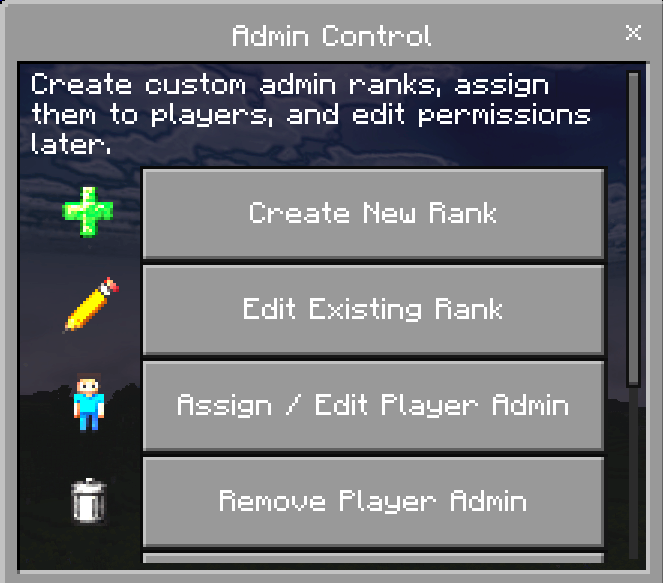
* Custom administrator ranks
* Individual permission controls
* Online and offline player management
* Player teleportation tools
* Personal gamemode controls
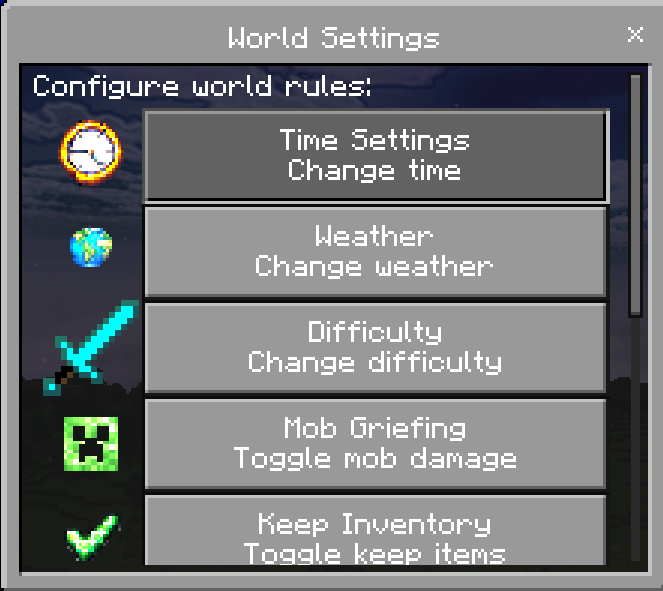
* World settings management
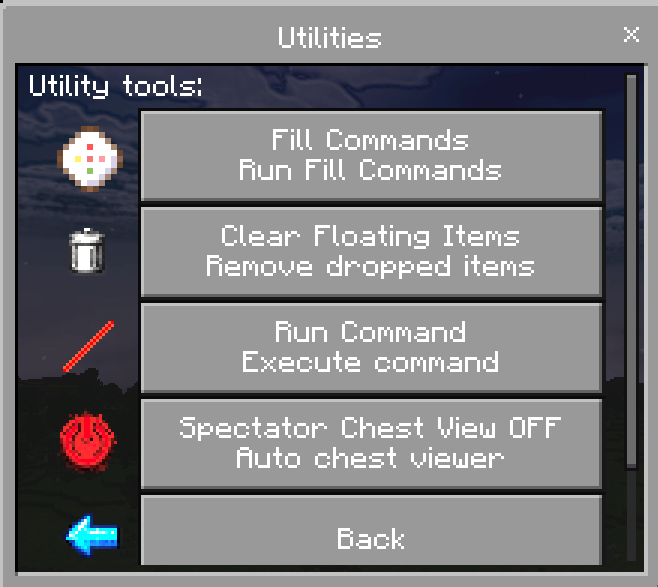
* Administrative utilities
* Multilingual interface
* Support for:
* Single-player worlds
* Multiplayer worlds
* Realms
* Dedicated servers
# Custom Administrator Ranks
Create unlimited custom administrator ranks with individually configurable permissions.
Example ranks include:
* Owner
* Moderator
* Helper
* Builder
* Event Staff
* Trial Admin
You can create any rank name you want and decide exactly which tools each rank may access.
# Permission System
Available permissions include:
* Kick Players
* Teleport Players
* Change Player Gamemode
* Personal Gamemode
* Run Commands
* Fill Commands
* World Settings
* Utilities
* Spectator Chest Viewer
* Clear Floating Items
* Additional administrative tools
Menus automatically adjust to show only the options permitted for the player’s assigned rank.
# Player Management
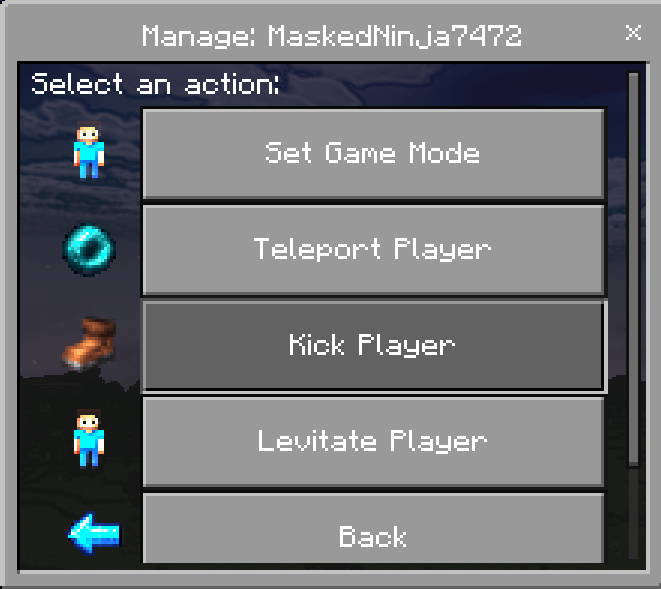
Manage players through easy-to-use menus.
Player-management features include:
* Set Survival Mode
* Set Creative Mode
* Set Adventure Mode
* Set Spectator Mode
* Teleport to a Player
* Teleport a Player to You
* Randomly Teleport a Player
* Levitate a Player
* Kick a Player
* Manage saved offline players
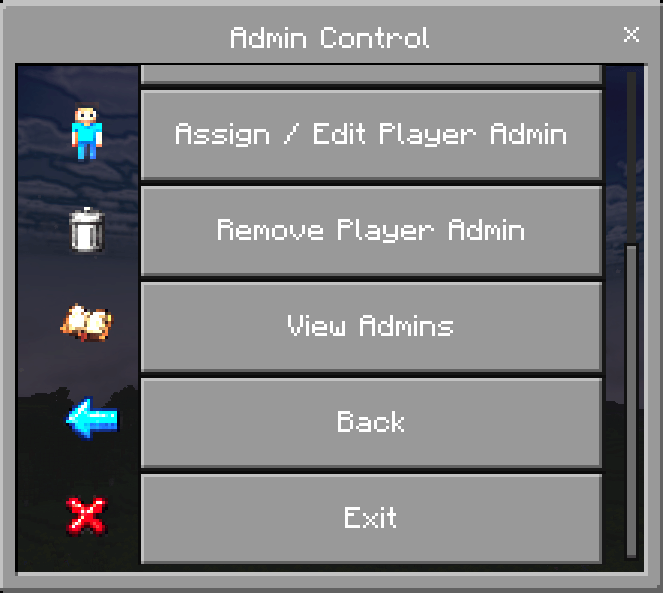
* Assign or remove administrator ranks
# Personal Gamemode
Administrators with the required permission can quickly change their own gamemode.
Supported gamemodes:
* Survival
* Creative
* Adventure
* Spectator
Please remember that using Creative mode or certain administrative features may affect achievement eligibility.
# Opening the Administrator Menu
The addon supports two ways to open the administrator menu.
## Option 1: Administrator Item
Use the included administrator item:
`admin:rod`
## Option 2: Renamed Item
Rename any item to:
`Admin Settings`
Use the renamed item to open the administrator menu.
Renamed administrator items:
* Keep their custom name
* Support keep on death
* Continue working after addon updates
# Language Support
Administrator Control Panel includes support for:
* English (United States)
* Thai
* German
* Spanish (Mexico)
* Simplified Chinese
The addon uses Minecraft Bedrock language files to provide translated menus, permissions, settings, messages, and confirmation screens.
อัปเดตใหม่ รองรับภาษาไทยแล้ว
# Installation
## New Installation
1. Download Administrator Control Panel.
2. Import the Behavior Pack and Resource Pack.
3. Activate both packs on your world.
4. Ensure both packs are the same version.
5. Join the world.
6. The first player to join becomes the permanent owner.
# Updating the Addon
1. Back up your world.
2. Remove the old Administrator Control Panel Behavior Pack.
3. Remove the old Administrator Control Panel Resource Pack.
4. Import the new versions of both packs.
5. Reactivate both packs on the world.
6. Load the world.
Saved administrator data, ranks, player history, and settings should remain intact.
# Important Update Notes
* Always back up your world before installing a major update.
* Do not change the addon’s dynamic property keys.
* Keep the Behavior Pack and Resource Pack on the same version.
* Remove old pack versions before importing an update.
* Older administrator items may update automatically when used.
* Minecraft controls achievement eligibility; the addon cannot override it.
# Compatibility
Administrator Control Panel is designed for:
* Minecraft Bedrock Edition
* Single-player worlds
* Multiplayer worlds
* Minecraft Realms
* Bedrock Dedicated Servers
The addon uses stable Script APIs and does not require experimental Beta APIs. However, current Minecraft versions may disable achievements when a custom behavior pack is activated.
# Changelog v3.0.7
## Player History Fixes
* Fixed player history failing to save on servers containing a large number of saved players.
* Player history is now automatically divided across multiple storage entries.
* Prevents errors caused by the 32,767-character dynamic property limit.
* Existing player history automatically migrates to the new storage system.
## Player Name Improvements
* Players are now identified primarily by their XUID when available.
* Players who change their Minecraft username should no longer disappear from saved player lists.
* Saved player names are updated when the player is seen online.
## Maximum Player Improvements
* Improved failure detection when changing the maximum player count.
* Prevents the addon from incorrectly reporting success when Minecraft rejects the change.
## Language Updates
* Added Simplified Chinese support.
* Added `zh_CN` localization.
* Translated administrator menus, settings, permissions, player management, utilities, messages, and confirmations into Simplified Chinese.
## Compatibility
* Existing Administrator Control Panel worlds can be upgraded without resetting saved player history, administrator ranks, or settings.
# Changelog v3.0.6
## Player Manager Improvements
* Added pagination to the Owner Player Manager.
* Displays up to 10 players per page.
* Added Previous Page and Next Page buttons.
* Added current-page and total-page indicators.
* Currently connected players are refreshed before displaying saved player history.
* Improved detection of online players in saved player history.
* Online players appear first and are sorted alphabetically.
* Offline players appear afterward and are sorted alphabetically.
* Optimized online-player detection for worlds with large player histories.
## Online Player Management
* Added pagination to the online Player Management menu.
* Displays up to 10 players per page.
* Added Previous Page and Next Page navigation.
* Added current-page and total-page indicators.
* Online players are displayed alphabetically.
* Improved handling of larger online-player lists.
## Localization Updates
* Added localization support for Player Manager pagination.
* Added translations for page indicators, Previous Page, Next Page, and Online Players.
* Updated the English, Thai, German, and Spanish language files.
## Performance Improvements
* Reduced repeated online-player lookups.
* Improved Player Manager loading with large saved-player histories.
* Reduced the number of players loaded on each menu page.
# Changelog v3.0.5
## Menu Behavior
* Administrator menus now close after completing an action instead of automatically reopening.
* Improved menu flow during repeated administrative actions.
* Reduced accidental duplicate actions.
## Utilities
* Added confirmation before clearing floating items.
* Updated utility actions to close properly after use.
* Improved the Clear Floating Items, Spectator Chest Viewer, Fill Commands, and Run Commands interfaces.
## Player Management
* Replaced player-management dropdowns with button-based menus.
* Added dedicated gamemode buttons.
* Added dedicated teleport-action buttons.
* Reduced the number of steps required to manage players.
* Improved menu handling after completing player actions.
## World Spawn
* Added confirmation before changing the world spawn.
* The confirmation screen displays the exact coordinates of the proposed spawn location.
* Helps prevent accidental world-spawn changes.
## Settings
* World settings menus now close after applying changes.
* Updated weather, time, difficulty, keep inventory, mob griefing, tick speed, command feedback, and maximum-player settings.
## Interface Improvements
* Improved menu navigation and responsiveness.
* Reduced unnecessary menu reopening.
* Improved button layouts.
* Reduced reliance on dropdown menus.
# Changelog v3.0.4
## Time Settings
* Fixed time changes resetting the world to Day 1.
* Time controls now advance to the next selected time without resetting the world’s day count.
* Updated preset options for Day, Night, Midnight, Sunset, and Sunrise.
* Improved behavior in worlds where administrators frequently adjust the time.
# Changelog v3.0.3
## Administrator System Overhaul
* Removed the fixed Basic Admin and OP Admin tiers.
* Added a fully customizable administrator-rank system.
* Added unlimited custom ranks.
* Added individual permission controls for every rank.
* Added online and offline administrator management.
* Added player-to-rank assignment.
* Added an administrator list viewer.
* Added easier administrator removal.
* Menus now show only the actions permitted for each administrator.
* Added the Personal Gamemode menu.
* Updated utilities to use individual permissions.
* Added renamed-item menu access using an item named `Admin Settings`.
* Improved keep-on-death support for administrator items.
* Expanded language-key and Thai localization support.
* Removed the mute system because of Script API limitations.
* Cleaned up legacy code and improved stability across Minecraft versions.
Join my [Discord server](https://discord.com/invite/2bvzPfuY54) for support, updates, and addon news.