# Invisible Item Frames
Create cleaner displays by hiding the frame and letting the item become part of your build.
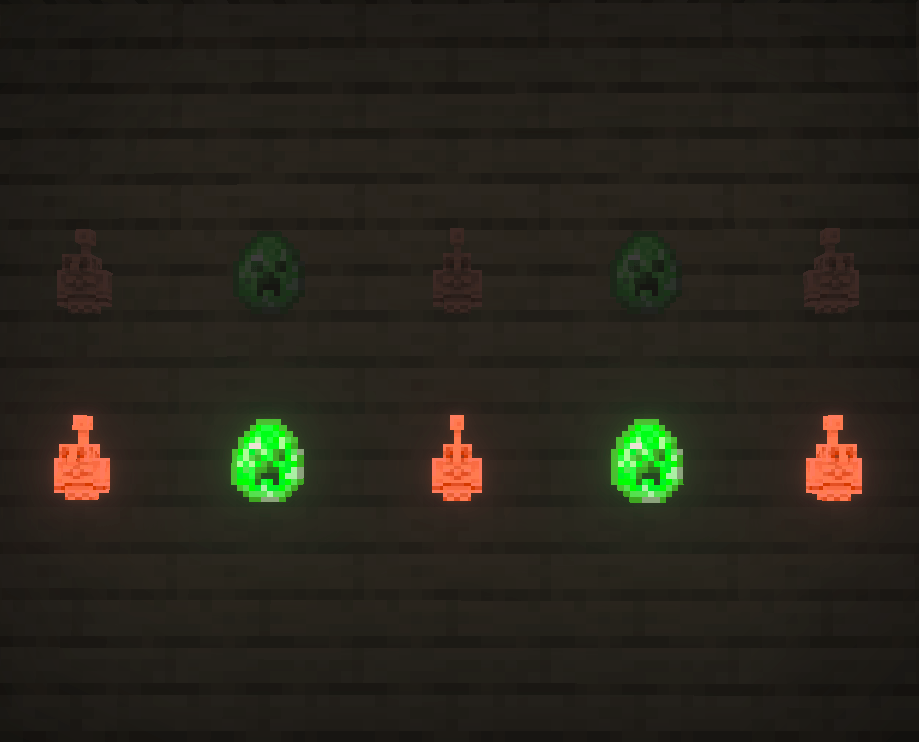
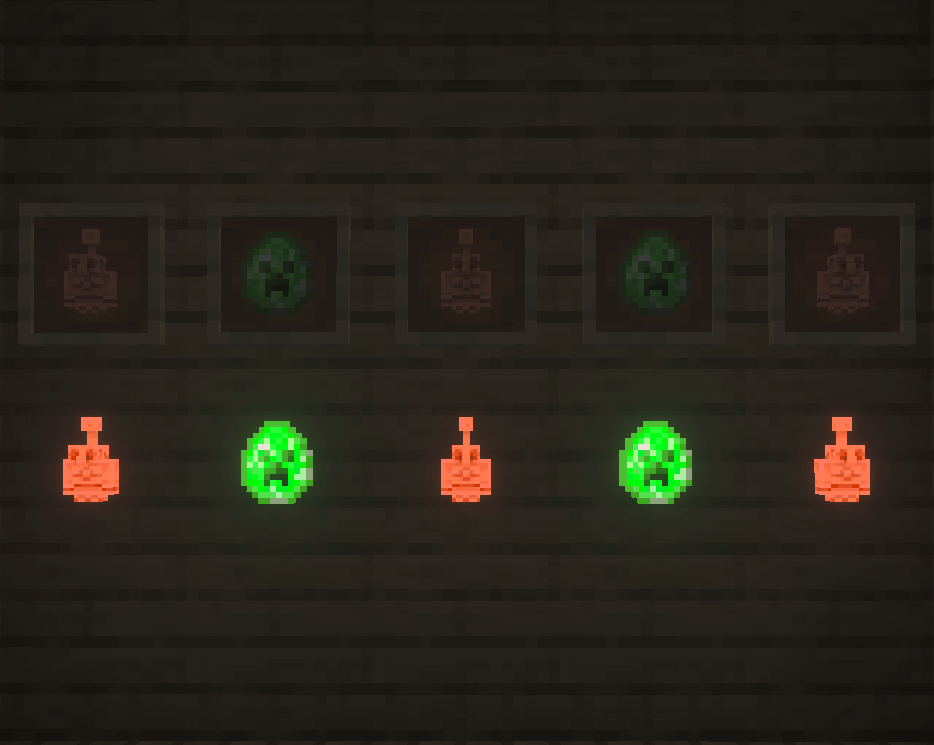
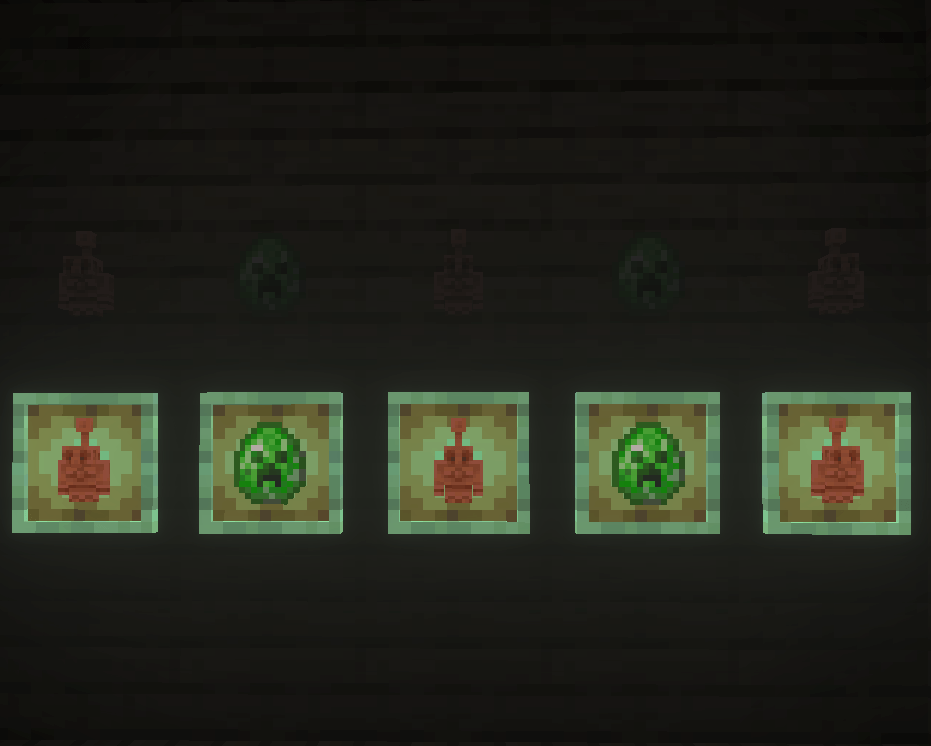
**Invisible Item Frames** is a Minecraft Bedrock Resource Pack that removes the visible model of Item Frames while keeping the items placed inside them visible and fully usable.
Display maps, tools, weapons, blocks, signs, decorations, and other items directly against walls and surfaces without the normal wooden frame surrounding them.
With selectable subpacks, you can now decide whether you want to hide **both frame types, only regular Item Frames, or only Glow Item Frames**.
## Choose Which Item Frames Are Invisible
Not every build needs both types of Item Frames hidden, so Invisible Item Frames includes multiple subpack options.
Choose from:
* **Both Item Frames (Default)** – Regular Item Frames and Glow Item Frames are invisible.
* **Item Frame Only** – Only regular Item Frames are invisible. Glow Item Frames retain their normal appearance.
* **Glow Item Frame Only** – Only Glow Item Frames are invisible. Regular Item Frames retain their normal appearance.
The **Both Item Frames** option is selected by default, giving you the traditional Invisible Item Frames experience immediately after enabling the pack.
You can change the subpack whenever you want from the Resource Pack settings.
## What Does the Pack Change?
Invisible Item Frames changes the visual appearance of the selected Item Frame types without changing how they function.
When a frame is hidden, the item placed inside it remains visible.
You can still:
* Place Item Frames normally
* Add items to them
* Rotate displayed items
* Remove displayed items
* Break the frame
* Use regular and Glow Item Frames
* Build with them exactly as you normally would
There are no custom items, commands, menus, or complicated setup procedures.
Place a frame, add an item, and start decorating.
## Build Cleaner Displays
Removing the visible frame allows displayed items to blend directly into your builds instead of looking like objects mounted inside a wooden border.
Invisible Item Frames are especially useful for:
* Map walls
* Storage labels
* Tool and weapon displays
* Shop displays
* Decorative furniture
* Kitchens and workshops
* Hidden organization systems
* Interior decoration
* Signs and visual markers
* Custom wall decorations
* Detailed Survival bases
For example, you can place an item against a wall as decoration and make it appear as though the item itself is attached directly to the surface.
Storage rooms can use blocks or items as visual labels without covering the walls with visible Item Frames.
## Regular and Glow Item Frame Support
Both major Item Frame types are supported.
**Regular Item Frames** can be hidden while continuing to hold and display items normally.
**Glow Item Frames** can also be hidden while retaining their brighter displayed-item appearance.
Because each type can now be controlled through subpacks, you aren't required to make both invisible.
Want invisible regular frames but normal Glow Item Frames? You can do that.
Want only your Glow Item Frames hidden? That's an option too.
Or simply leave the pack on the default setting to make both invisible.
## Designed to Avoid Unrelated Rendering Problems
Invisible Item Frames uses a targeted Resource Pack approach designed specifically around the resources needed for Item Frames.
Some methods of making Item Frames invisible can interfere with shared Minecraft rendering resources, potentially causing unexpected visual problems with unrelated entities.
This pack is designed to keep its changes focused on Item Frames rather than unnecessarily modifying resources used throughout the game.
The goal is simple: **hide the selected Item Frames without making unrelated mobs or entities disappear.**
## Proper Particle Support
Invisible Item Frames also includes the required texture registration for Item Frame particles.
This prevents the black-and-pink missing-texture particles that can occur when an invisible frame references a texture Minecraft cannot find.
The pack includes:
* Proper Item Frame break particles
* Valid terrain texture registration
* Correct terrain-atlas references
* No intentional missing-texture particle effects
The frames stay invisible while their interactions continue to look clean.
## Resource Pack Only
Invisible Item Frames is entirely a **Resource Pack**.
It does not require:
* A Behavior Pack
* Minecraft scripting
* Script APIs
* Experimental Beta APIs
* Commands
* Custom gameplay systems
There is no administration menu or world configuration process to manage.
Activate the Resource Pack, select your preferred subpack, and use Item Frames normally.
## Vibrant Visuals Compatible
Invisible Item Frames is configured with support for Minecraft Bedrock's modern rendering features, including **Vibrant Visuals**.
The pack is intended to provide its invisible-frame effect without requiring Vibrant Visuals to be disabled.
Your exact visual experience can still depend on your device, Minecraft version, graphics settings, and other Resource Packs being used at the same time.
## Achievement Friendly
Because Invisible Item Frames is a visual Resource Pack and does not require cheats, commands, scripts, or a Behavior Pack, it is designed for normal Survival worlds where achievements are enabled.
It does not change game rules or provide command-based gameplay advantages.
Minecraft ultimately determines achievement eligibility based on your world's settings and any other packs or features enabled in that world.
## Compatibility
Invisible Item Frames is designed for **Minecraft Bedrock Edition** and can be used in:
* Survival worlds
* Creative worlds
* Single-player worlds
* Multiplayer worlds
* Minecraft Realms
* Bedrock servers
It can also be used alongside other addons and Resource Packs as long as they do not replace the same Item Frame resources.
If another Resource Pack modifies Item Frames, Minecraft's Resource Pack priority can determine which pack's changes are displayed.
## Installation
1. Download Invisible Item Frames.
2. Open the pack to import it into Minecraft Bedrock Edition.
3. Open the settings for the world where you want to use it.
4. Activate **Invisible Item Frames** under Resource Packs.
5. Select your preferred subpack:
* Both Item Frames
* Item Frame Only
* Glow Item Frame Only
6. Enter the world.
7. Place an Item Frame and add an item.
That's it.
## Simple by Design
Invisible Item Frames doesn't turn Item Frames into a complicated new gameplay system.
It does one thing and gives you control over how it does it:
**Hide the frame so the displayed item can become part of your build.**
Hide both frame types, hide only regular Item Frames, or hide only Glow Item Frames.
Choose the style that fits your build and start decorating.