![Script Interpreter [v1.21.120+] logo](https://media.forgecdn.net/avatars/thumbnails/1196/576/64/64/638772338464793284.png)
Script Interpreter [v1.21.120+]
- By
Script Interpreter allows players to run JavaScript code within Minecraft.
MCPEDL.png
Description
This Add-On works on Minecraft 1.21.120 and above, including mobile and Windows 10/11.
Script Interpreter is a Bedrock add-on allows you to run Minecraft scripts in-game and returns feedback instantly.
What is Scripting / Script API
Introduction to Script Interpreter
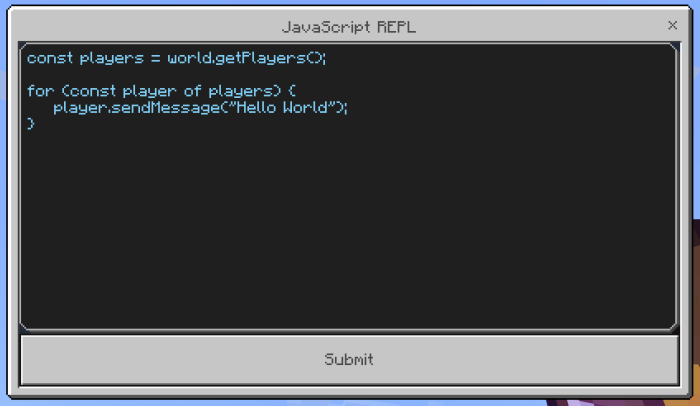
This add-on allows you to run JavaScript code and reports an error condition immediately in Minecraft in-game using this interpreter. This is mainly used by me to try and explore new Script APIs.
However you can only run JavaScript code in this add-on, because the scripting engine only supports JavaScript.
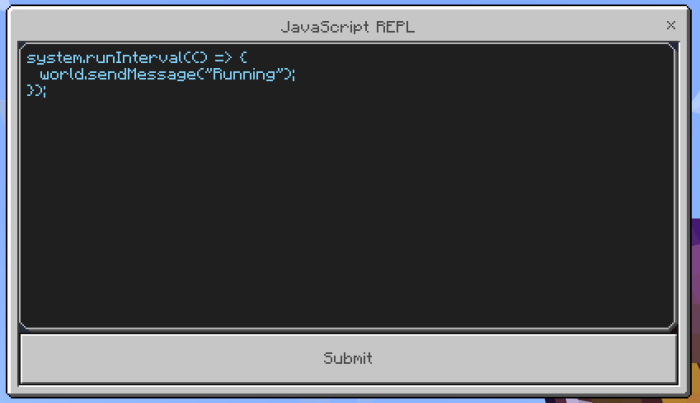
Here are some examples executing JavaScript in-game:
- This script makes the world / script engine say "running"
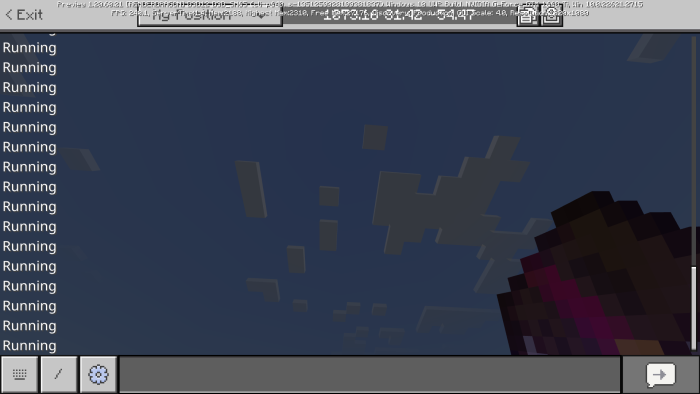
- This script shows the script has error.
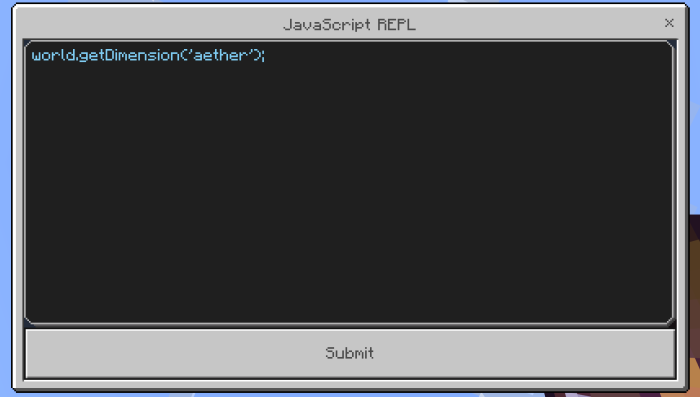
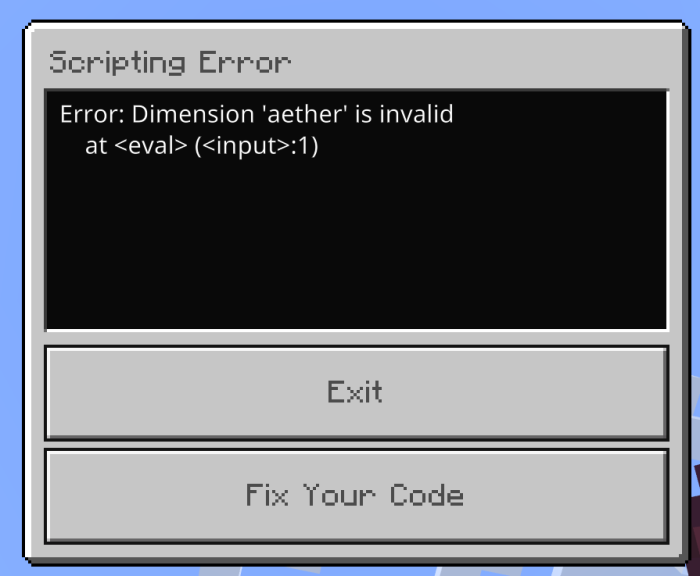
Get it? Cause Aether dimension does not exist in Minecraft.
Script Interpreter Item

- You can get the JavaScript Interpreter [Use] item through the following methods:
- Script event command: /function repl
- Slash Command: /jayly:interpreter
IMPORTANT: Slash command is only available behind beta versions of interpreter only.
- Use the enchantment book with the name JavaScript Interpreter [Use] to open the interpreter
- Type your javascript code in the form. Best thing is that this form has multi-line supported, meaning you can write multiple lines of code here.
- Press Submit button to start executing your code.
In case you want to disable your code, you have to run /reload command which requires operator permission to execute the command.
Script Block

The Script Block can store and execute JavaScript code in a Minecraft world. It cannot be obtained or used in Survival mode without cheats.
Obtaining
The script blocks can either be obtained by using various commands, such as /give @s interpreter:script_block or /setblock ~ ~ ~ interpreter:script_block, or by pressing the pick block control on an existing script block.
Script blocks are not flammable, and have the same blast resistance as bedrock. They cannot cannot be mined in Survival mode, however they can be pushed with pistons and sticky pistons and the data inside the block persists.
Script Block Usage
A script block can execute JavaScript code when activated by pressure plates and buttons currently. Script output is displayed when player activates the script block.
Modification
To enter command or modify the script block, players must interact with the script block. The scripts can be entered in the text input within the modal form. The text limit for scripts in a script block is 32,767 characters, you can scroll through lines of code just like the NPC text prompt UI.
Scripts in a script block do not need to be prefixed with imports (e.g. import { world } from "@minecraft/server") as they do in the actual JavaScript files.
When finished inputing JavaScript code, save the code into the script block by pressing 'Save' button. Upon pressing the button it will not immediately execute scripts unlike the Script Interpreter item.
Startup Scripts
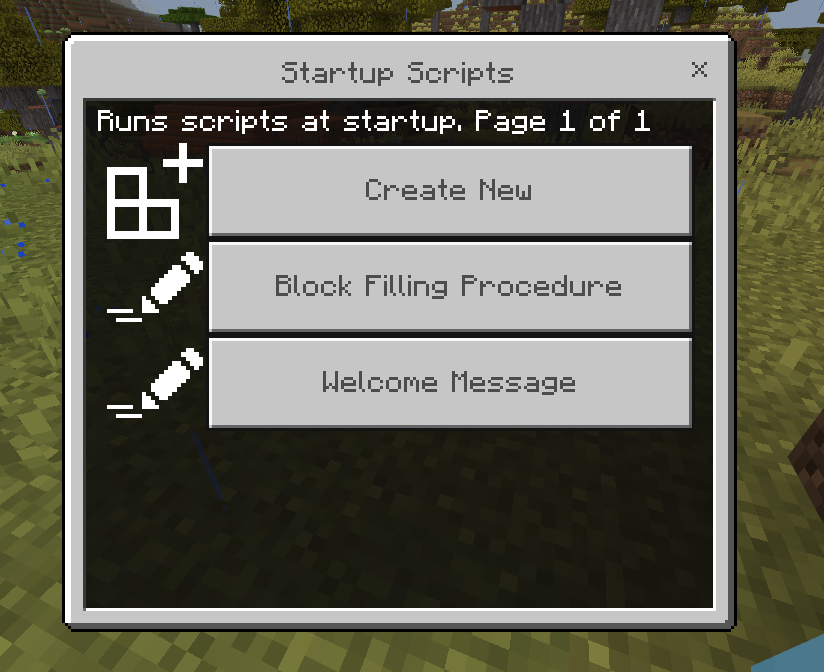
This add-on allows you to add scripts to run automatically when Minecraft loads the add-on. Here's how:
Open Startup Scripts form by typing /function repl/startup, and hitting Enter.
Click on 'Create New' button on the form.
A new form appears with an input field, give your task a name (e.g., "Run Block Filling Procedure") and check Add Script Code to write scripts for the task.
press 'Add Script Code', which redirects you to write some scripts for the task.
After writing the script, Click 'Save Scripts' to finish setting it up.
This should automatically launch the task when you load the add-on.
Function Commands
The add-on also provides function commands to access Script Interpreter.
- /function repl: Access Script Interpreter
- /function repl/startup: Access Script Startup settings
- /function repl/shutdown: Access Script Shutdown settings (Beta)
Custom Commands
The add-on also provides custom slash commands to access Script Interpreter.
- /jayly:interpreter - Opens Interpreter.
- /jayly:javascript - Opens the JavaScript interpreter.
- /jayly:version - Displays the version of the interpreter.
- /jayly:scriptdata - Manage script data (options: clear, stats).
- /jayly:help - Displays help information about available commands.
Shutdown Scripts
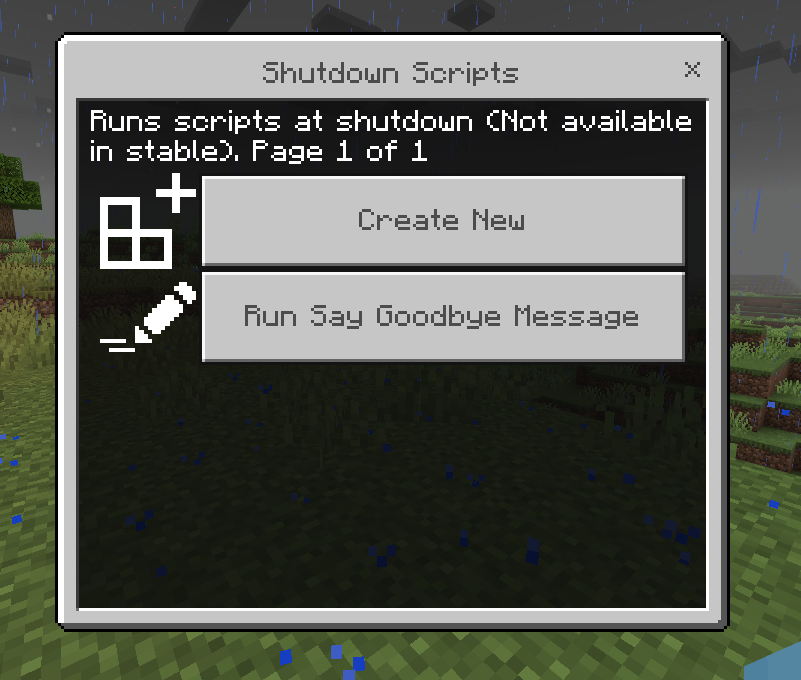
This add-on allows you to add scripts to run automatically when Minecraft is shutting down. Here's how:
Open shutdown Scripts form by typing /function repl/shutdown, and hitting Enter.
Click on 'Create New' button on the form.
A new form appears with an input field, give your task a name (e.g., "Run Cleanup Procedure") and check Add Script Code to write scripts for the task.
press 'Add Script Code', which redirects you to write some scripts for the task.
After writing the script, Click 'Save Scripts' to finish setting it up.
This should automatically launch the task when the world shuts, or when before shutdown event is called.
Installation
First you go to the download section download Script Interpreter (with or without experimentals), then the add-on will be downloaded to your device.
Using Interpreter with Beta API features
Import the add-on to Minecraft.
IMPORTANT: Enable Beta APIs experiments in world settings. These experiments are needed to run Script Interpreter with Beta API features.
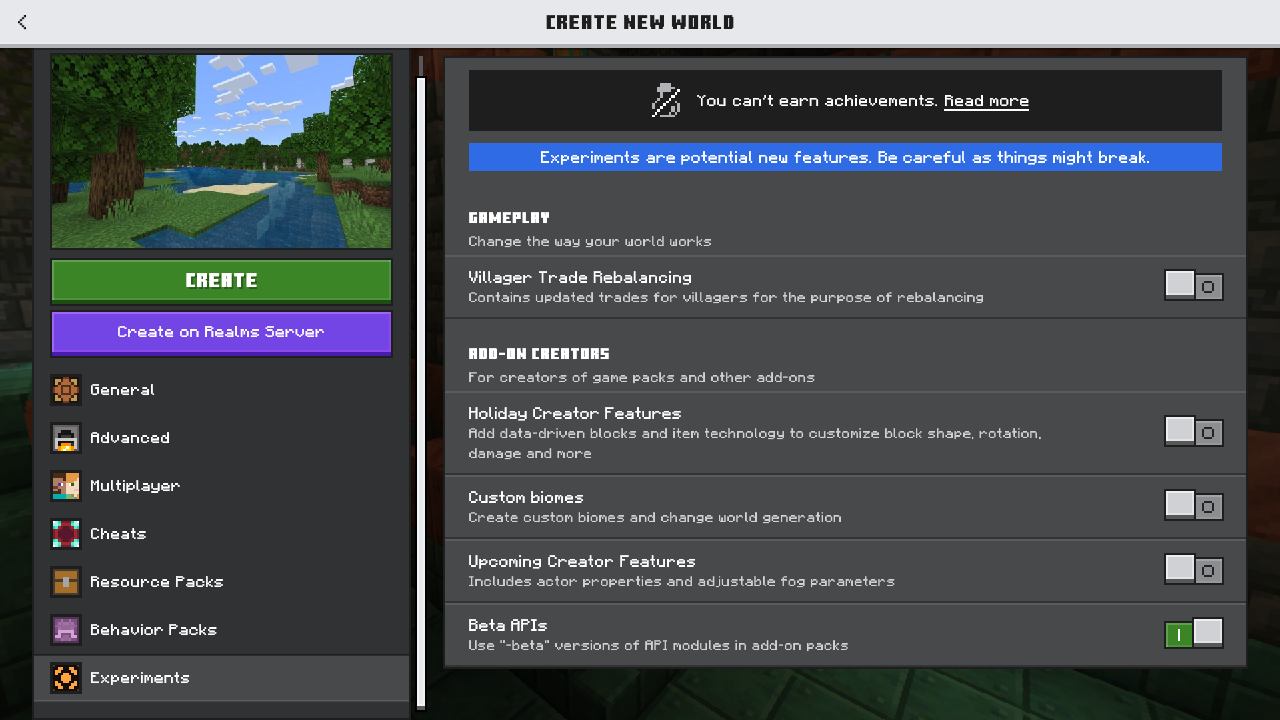
Enable Experiments in New Create World Screen
Enable Script Modules
Modules supported by default in Script Interpreter are:
- @minecraft/server
- @minecraft/server-ui
- @minecraft/server-gametest
- @minecraft/server-admin
- @minecraft/diagnostics
- @minecraft/vanilla-data
- @minecraft/math
- @minecraft/gameplay-utilities
Check this guide on Enabling Every Script Modules for more infomation.
Using Script Interpreter in Bedrock Dedicated Servers
Check this guide on Using Script Interpreter in Bedrock Dedicated Servers for more infomation.
Enable modules in Bedrock Dedicated Servers
Check this guide on Enabling modules in Bedrock Dedicated Servers for more infomation.
The Script Interpreter [v1.21.120+] Team


Owner