# Administrator Control Panel
Manage your Minecraft Bedrock world through one in-game control system.
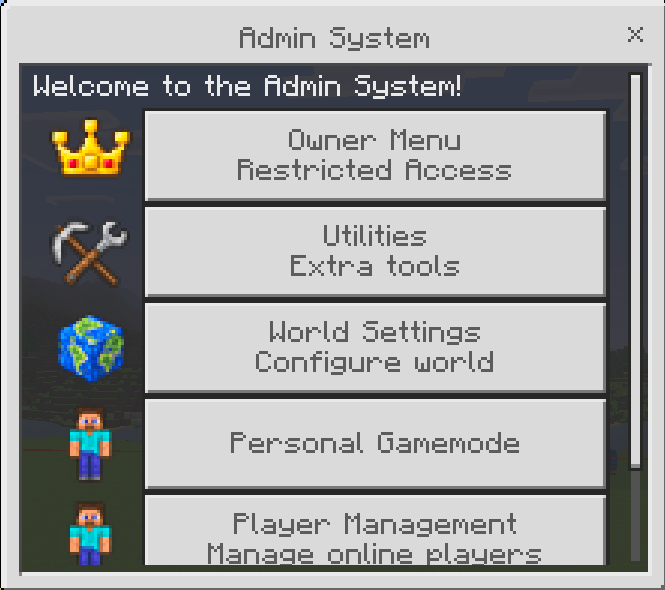
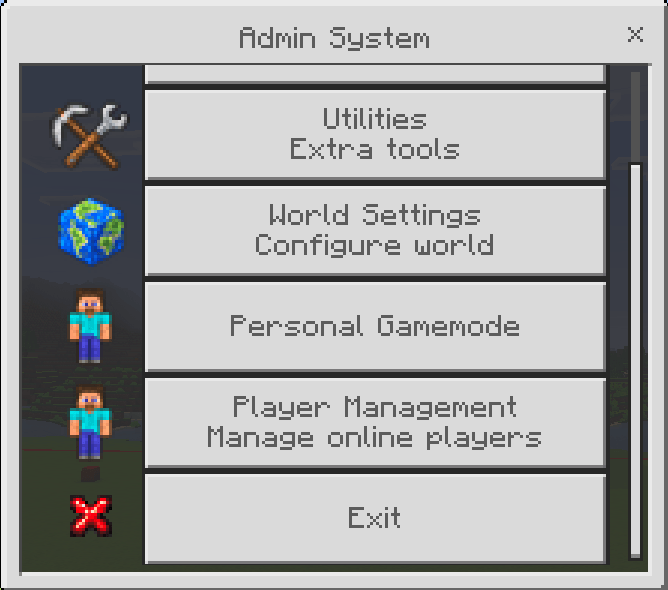
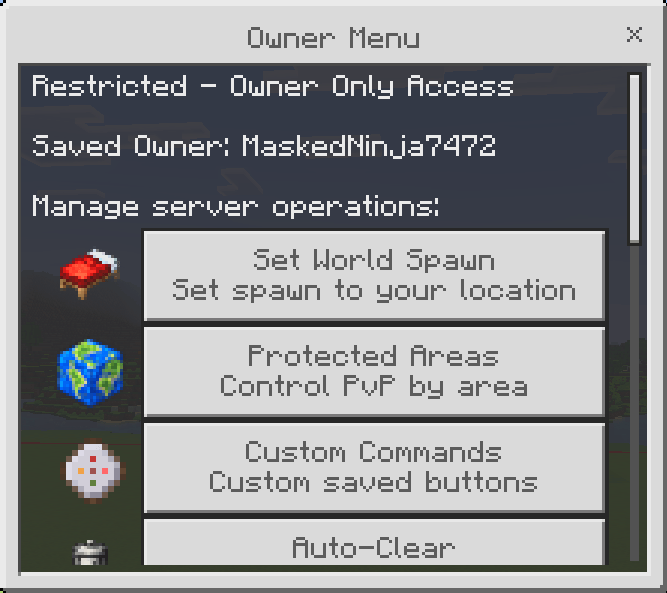
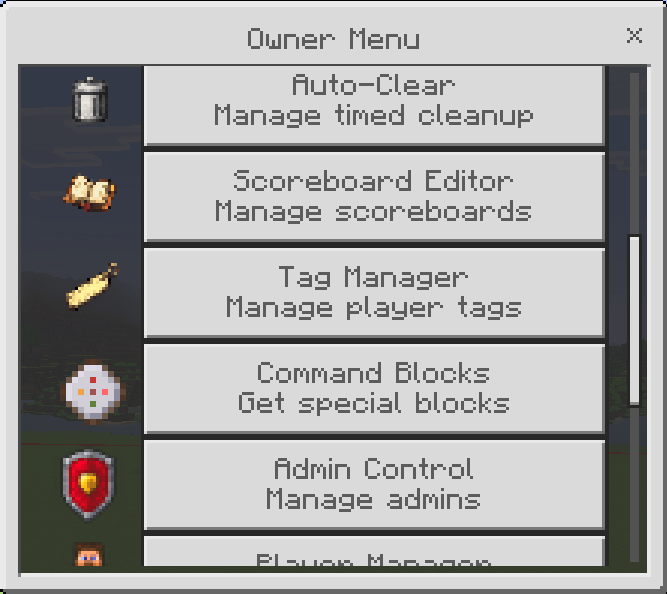
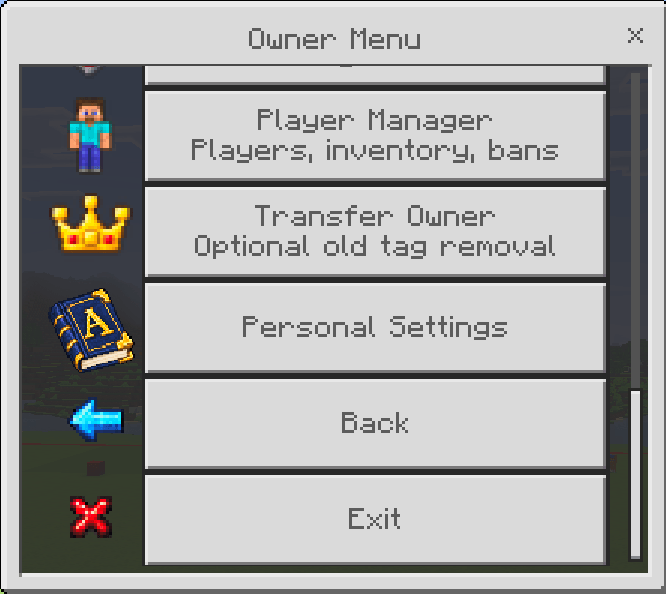
**Administrator Control Panel (ACP)** gives world owners a menu-based way to manage players, create custom staff roles, control permissions, adjust world settings, inspect inventories, configure PvP areas, and use administration and building utilities.
Instead of giving every staff member unrestricted access or requiring them to remember commands, ACP lets the owner decide which tools each rank can use.
It is designed for Minecraft Bedrock worlds ranging from small private multiplayer worlds to Realms and Bedrock Dedicated Servers.
## What's Included?
ACP combines player administration, world controls, staff permissions, and useful world tools into one addon.
Major features include:
* Custom administrator ranks
* Individual permissions for each rank
* Online and saved-player management
* Player teleportation tools
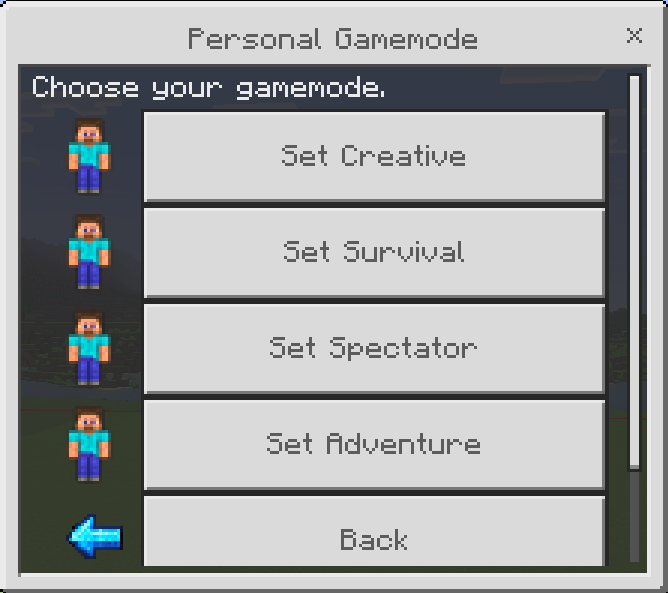
* Player and personal gamemode controls
* Player inventory viewing
* Ender Chest viewing and editing
* Spectator tools
* Protected Areas
* Global and area-specific PvP controls
* Optional explosion protection
* Chunk boundary visualization
* Distance measurement tools
* World settings
* Administrative utilities
* Saved player history
* Multiple language support
* Stable Minecraft Script API support
* No experimental Beta APIs required
## Protected Areas & PvP Control
Create named **Protected Areas** anywhere in your world using a center location and radius.
Each area can have its own PvP setting.
This means you can create a peaceful spawn, protected town, community area, or any other location where player combat should be disabled.
You can also do the opposite.
ACP includes a **Global PvP** control that can disable PvP across the world while allowing specific Protected Areas to override that setting.
For example:
* Disable PvP globally.
* Create an area named **PvP Arena**.
* Enable PvP for that area.
* Players can fight inside the arena while PvP remains disabled elsewhere.
Protected Areas do **not** force players into Adventure Mode.
Players can continue to build, break blocks, use items, eat, and play normally unless another world setting prevents them from doing so.
When entering or leaving an area, ACP displays its custom name:
`You have entered Spawn.`
`You have left Spawn.`
### Explosion Protection
Protected Areas also have optional **Explosion Protection**.
When enabled, explosions originating inside the configured area are cancelled.
This can protect important locations from explosion sources such as:
* TNT
* Creepers
* Other explosion-producing entities or sources
Explosion Protection and PvP are separate settings, allowing each area to be configured differently.
## Chunk Visual
Need to know exactly where a chunk begins and ends?
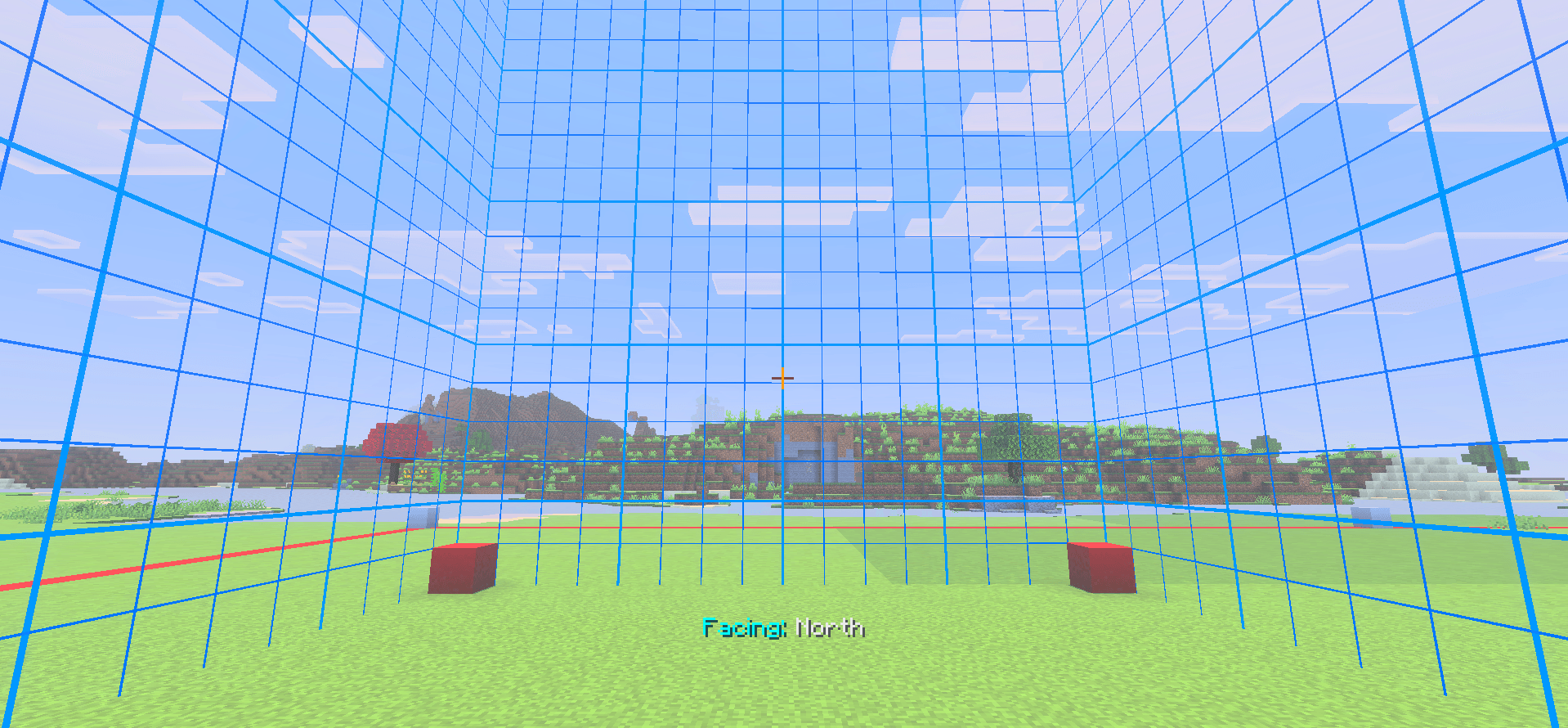
ACP's **Chunk Visual** utility displays the boundaries of the chunk you are currently standing in.
The visual moves with the player as they travel between chunks and includes directional references for:
* North
* East
* South
* West
This can be useful when working on:
* Farms
* Redstone builds
* Chunk-aligned structures
* Technical builds
* World planning
* Troubleshooting chunk-related projects
The visual can be turned on when needed and disabled when you are finished.
ACP uses its own particle identifiers for this system to help reduce conflicts with other addons and resource packs.
## Distance Ruler
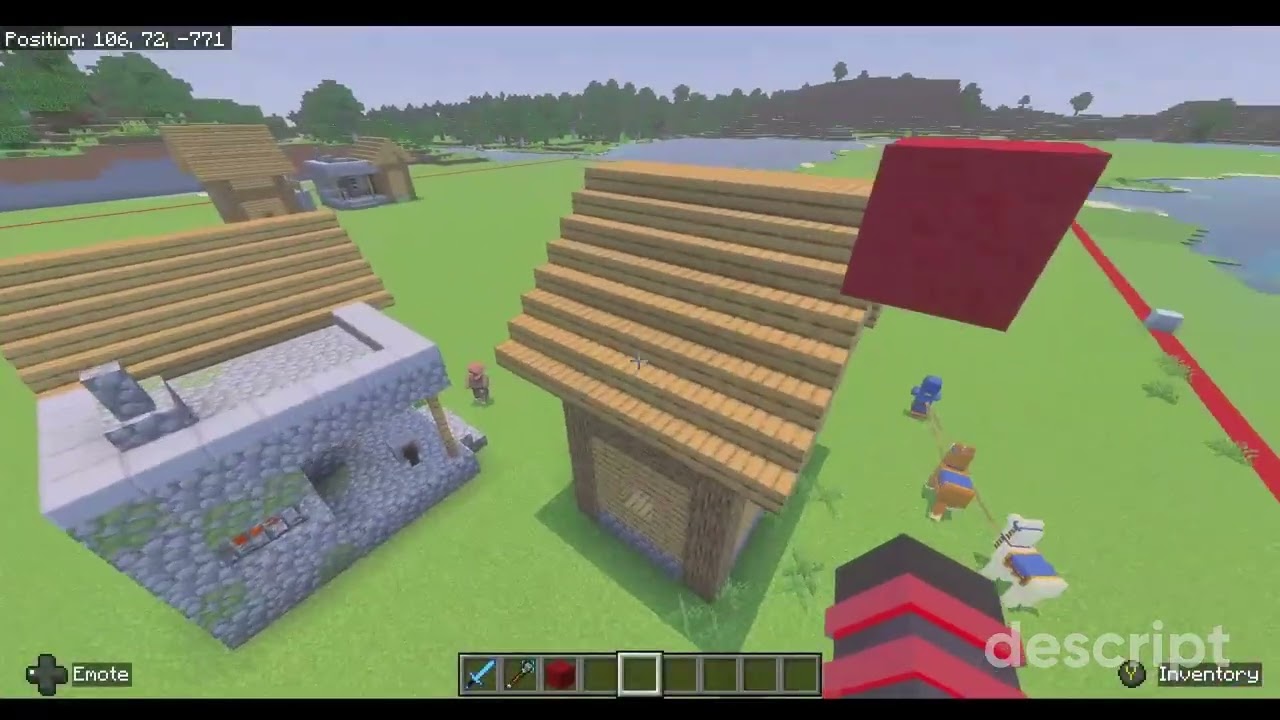
The **Distance Ruler** gives players an easier way to measure locations while building.
Select measurement points and use the ruler to determine the distance between them without manually calculating coordinates.
Measurements are kept separate for each player, so multiple people can use a Distance Ruler at the same time.
The owner can also give a Distance Ruler to a normal player.
That player can use the ruler without being made an administrator and without receiving access to ACP's management menus.
This makes the tool useful for regular builders as well as staff.
## Custom Staff Ranks
Create your own staff structure instead of using a single administrator level.
Ranks can be named to match your community. Examples could include:
* Moderator
* Builder
* Helper
* Event Staff
* Senior Admin
* Trial Moderator
The names are completely customizable.
More importantly, each rank can have its own permissions.
A Builder could receive Creative Mode access and building utilities without being able to kick players.
A Moderator could receive player inspection, teleportation, and Spectator tools without being able to modify important world settings.
The owner decides how much access each rank receives.
## Permission-Based Interface
ACP menus respond to the permissions assigned to the administrator.
Staff members are shown the management options they are authorized to use rather than being presented with every owner-level feature.
Available permissions cover features such as:
* Player management
* Teleportation
* Player gamemode changes
* Personal gamemode
* World settings
* Command tools
* Fill tools
* Utilities
* Spectator Mode
* Spectator Chest Viewer
* Player inventory viewing
* Ender Chest viewing
* Ender Chest editing
* Additional administrative actions
This makes it possible to create restricted staff roles without giving them access to unrelated controls.
## Player Management
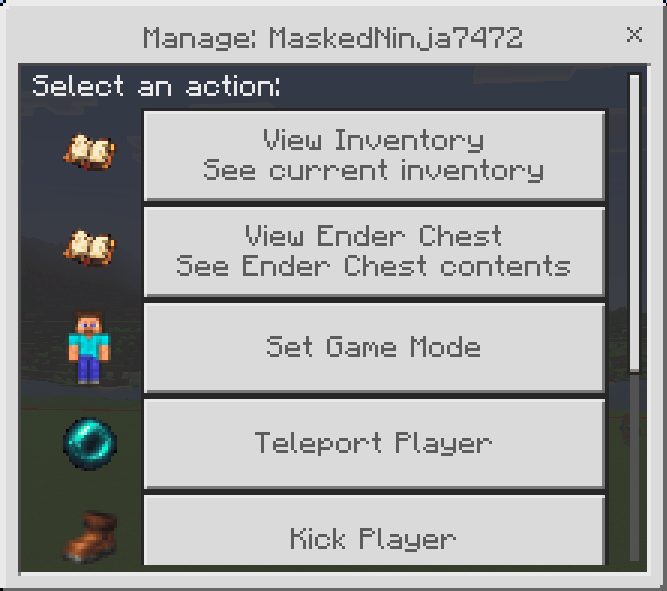
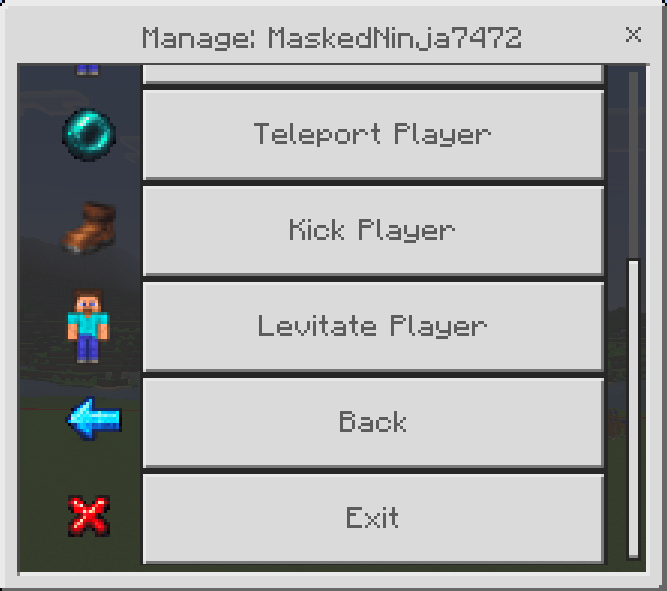
Select a player from ACP's player-management menus and perform the actions available to your rank.
Supported tools include:
* Change player gamemode
* Teleport to a player
* Bring a player to you
* Randomly teleport a player
* Kick a player
* Apply levitation
* Assign administrator ranks
* Remove administrator access
* View player inventories
* View player Ender Chests
* Edit player Ender Chests
Player lists are organized to make larger communities easier to manage.
Online players appear first, players are sorted alphabetically, and larger lists are divided into pages.
## Ender Chest Management
ACP can access a player's actual Ender Chest inventory.
Owners can separately control who is allowed to **view** and who is allowed to **edit** Ender Chests.
Staff with the appropriate permissions can:
* Inspect Ender Chest contents
* Refresh the displayed inventory
* Add items
* Delete items
Item deletion includes confirmation to help prevent accidental removal.
Because viewing and editing use separate permissions, a moderator can be given inspection access without receiving permission to modify player items.
## Saved Player History
ACP keeps track of players who have previously joined the world.
This allows owners to manage saved player information even when a player is not currently online.
The system includes:
* Online/offline organization
* Alphabetical sorting
* Pagination for larger player lists
* Improved saved-player storage
* Username-change handling when an XUID is available
Player history is automatically split across multiple storage entries when necessary to avoid Minecraft's dynamic-property size limit.
## Spectator & Moderation Tools
Spectator access can be configured separately from normal gamemode permissions.
Available permissions include:
* Enter Spectator Mode
* Exit Spectator Mode to Survival
* Spectator Chest Viewer
* View Player Inventories
* View Player Ender Chests
* Edit Player Ender Chests
This makes it possible to create moderation roles that can observe or inspect players without giving them unrestricted gamemode control.
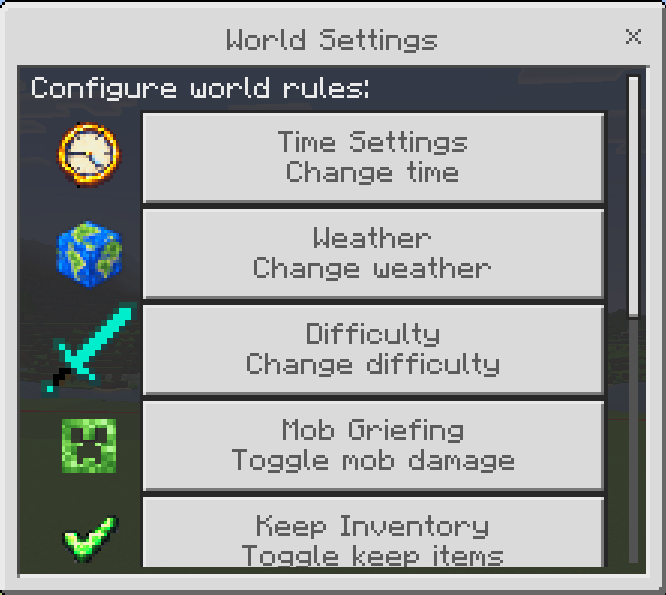
## World Controls
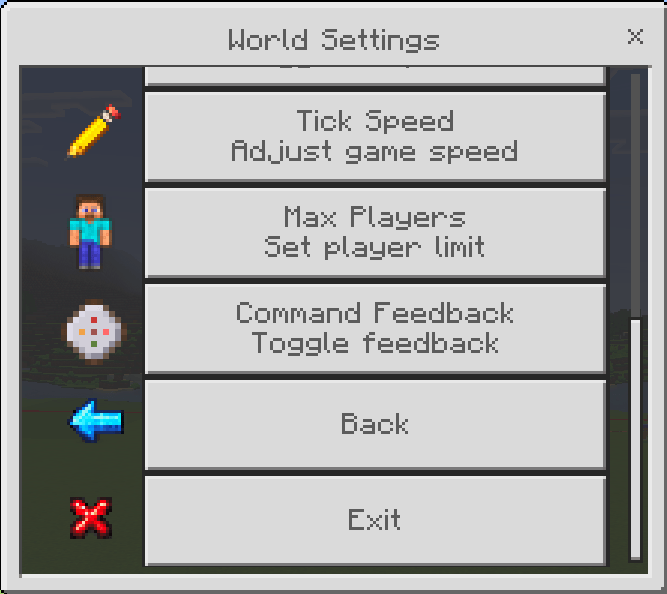
ACP provides menu access to supported world-management options, including controls for:
* World spawn
* Time
* Weather
* Difficulty
* Keep Inventory
* Mob Griefing
* Tick Speed
* Command Feedback
* Maximum Players
* Additional supported settings
Important actions can include confirmation screens to reduce accidental changes.
For example, changing the world spawn displays the location before the change is applied.
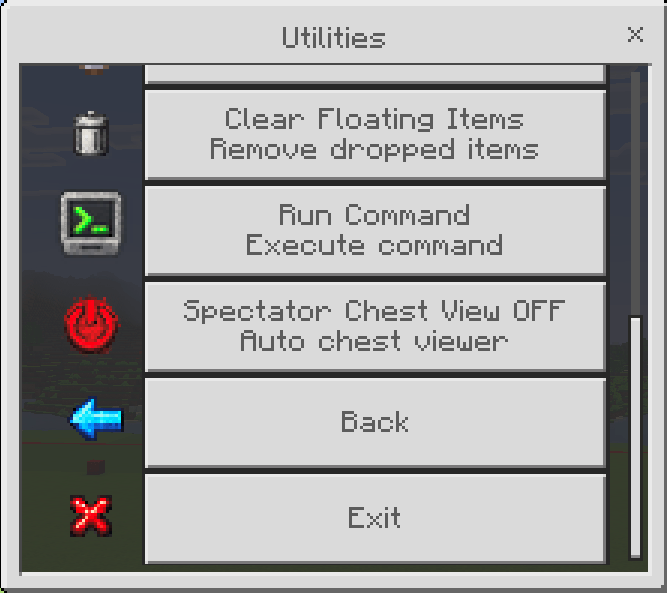
## Administrative Utilities
Additional utilities are available based on staff permissions.
These include features such as:
* Chunk Visual
* Distance Ruler
* Run Command
* Fill Commands
* Clear Floating Items
* Spectator Chest Viewer
* Other administration tools
Actions that could unintentionally affect the world use confirmations where appropriate.
## Personal Gamemode
Staff with the required permission can change their own gamemode without receiving permission to change everyone else's gamemode.
Available options include:
* Survival
* Creative
* Adventure
* Spectator
Personal Gamemode is a separate permission, allowing owners to decide exactly which ranks should have access to it.
## Opening Administrator Control Panel
ACP supports two ways of opening the administration interface.
### Admin Rod
The included administrator item can open ACP:
`admin:rod`
Authorized players can use the item to access their available menus.
### Admin Settings Item
An existing item can also be renamed:
`Admin Settings`
The renamed item can then be used as an ACP menu item.
This gives administrators another way to access the panel without requiring them to carry the dedicated Admin Rod.
## Language Support
ACP currently includes interface support for:
* English (United States)
* German
* Spanish (Mexico)
* Simplified Chinese
* Thai
Localization covers ACP menus, messages, permissions, settings, confirmations, Protected Areas, utilities, and other supported interfaces.
**อัปเดตใหม่ รองรับภาษาไทยแล้ว**
## Installation
Before installing an addon into an important world, creating a backup is recommended.
For a new ACP installation:
1. Download and import the Administrator Control Panel packs.
2. Add the Behavior Pack to your world.
3. Add the matching Resource Pack.
4. Make sure both packs are the same ACP version.
5. Enter the world.
6. Complete the initial owner setup.
7. Create staff ranks and configure permissions as needed.
Both the **Behavior Pack and Resource Pack are required**.
## Updating ACP
Always back up important worlds before updating.
When installing a newer version:
1. Back up the world.
2. Remove the previous ACP Behavior Pack from the world.
3. Remove the previous ACP Resource Pack.
4. Import the new versions.
5. Activate the updated Behavior Pack and Resource Pack.
6. Verify that the versions match.
7. Enter the world and confirm your settings.
ACP's saved administrator information, ranks, player history, and configuration are designed to survive normal addon updates.
Avoid manually changing ACP's saved dynamic-property identifiers because they are used to locate existing configuration data.
## Supported Worlds
Administrator Control Panel is intended for Minecraft Bedrock Edition and can be used with:
* Single-player worlds
* Multiplayer worlds
* Minecraft Realms
* Bedrock Dedicated Servers
The available Minecraft features can vary depending on the environment and Minecraft version being used.
## Stable Script API
ACP uses stable Minecraft Bedrock Script APIs and does not require experimental Beta APIs.
Administrator Control Panel v3.0.8 uses:
* `@minecraft/server` 2.10.0
* `@minecraft/server-ui` 2.2.0
The addon has been updated for the current API generation, including newer UI handling, gamemode handling, inventory access, Ender Chest access, and command execution.
## Achievement Compatibility
Administrator Control Panel does not require experimental Beta APIs or cheats simply to load and operate its normal interface.
Under currently tested Minecraft Bedrock behavior, a world can have ACP active while achievements remain available.
However, **achievement eligibility is controlled by Minecraft, not Administrator Control Panel**.
Some administrative actions available through ACP may perform actions that Minecraft itself considers incompatible with achievements. Owners who want to preserve achievements should avoid using features that would normally affect achievement eligibility.
Minecraft updates can also change the rules surrounding Behavior Packs, Script APIs, and achievements.
**If achievements are important to your world, make a backup before installing or updating ACP and verify achievement availability after major Minecraft Bedrock updates.**
## Support & Updates
Need help, want to report a problem, or want to follow future Administrator Control Panel updates?
Join the **Masked Ninja Discord server** for support, addon updates, and news:
https://discord.com/invite/2bvzPfuY54
For the updated changelog, open the **Files** section and click the file to view its changelog.