Actual Custom Paintings
- By
YOUR PICTURES. YOUR WALLS. IN MINECRAFT. Turn screenshots, art and memes into real paintings from 1x1 to 4x4. Build your pack in your browser at paintings.mygen.co.uk, then /paintings:gallery to grab them.
generator-edit-painting.png
generator-addon-options.png
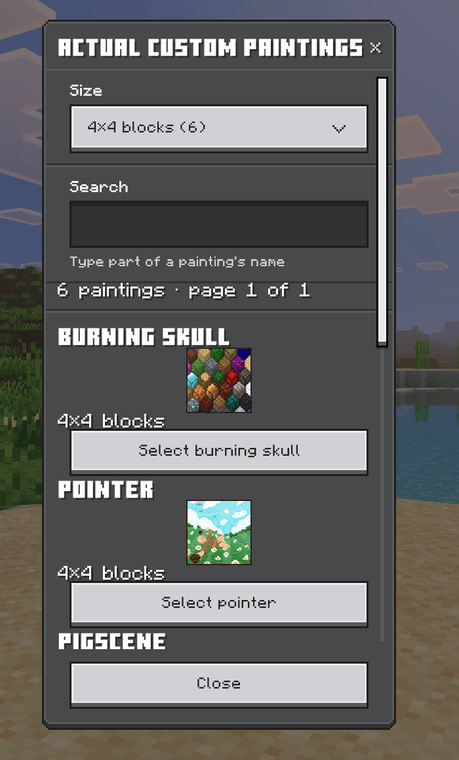
in-game-gallery.png
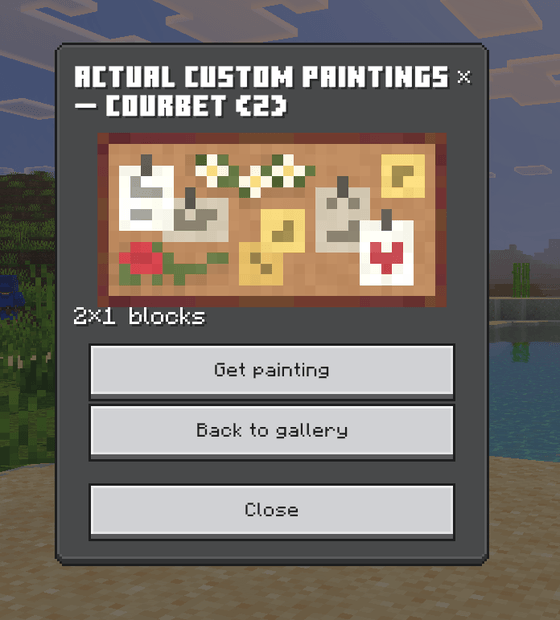
in-game-get-painting.png
Description
🖼️ ACTUAL CUSTOM PAINTINGS — YOUR PICTURES. YOUR WALLS. ZERO SHAME. 🖼️
DROP THE MOUSE. GRAB YOUR CAMERA ROLL. CLEAR SOME WALL SPACE.
Vanilla gives you a couple of dozen paintings, and you've looked at every single one of them ten thousand times. That ends today.
Your best screenshots. Your build-off winners. Your mate's legendary death. That meme from the group chat that nobody can explain. ALL OF IT. ON THE WALL. IN MINECRAFT.
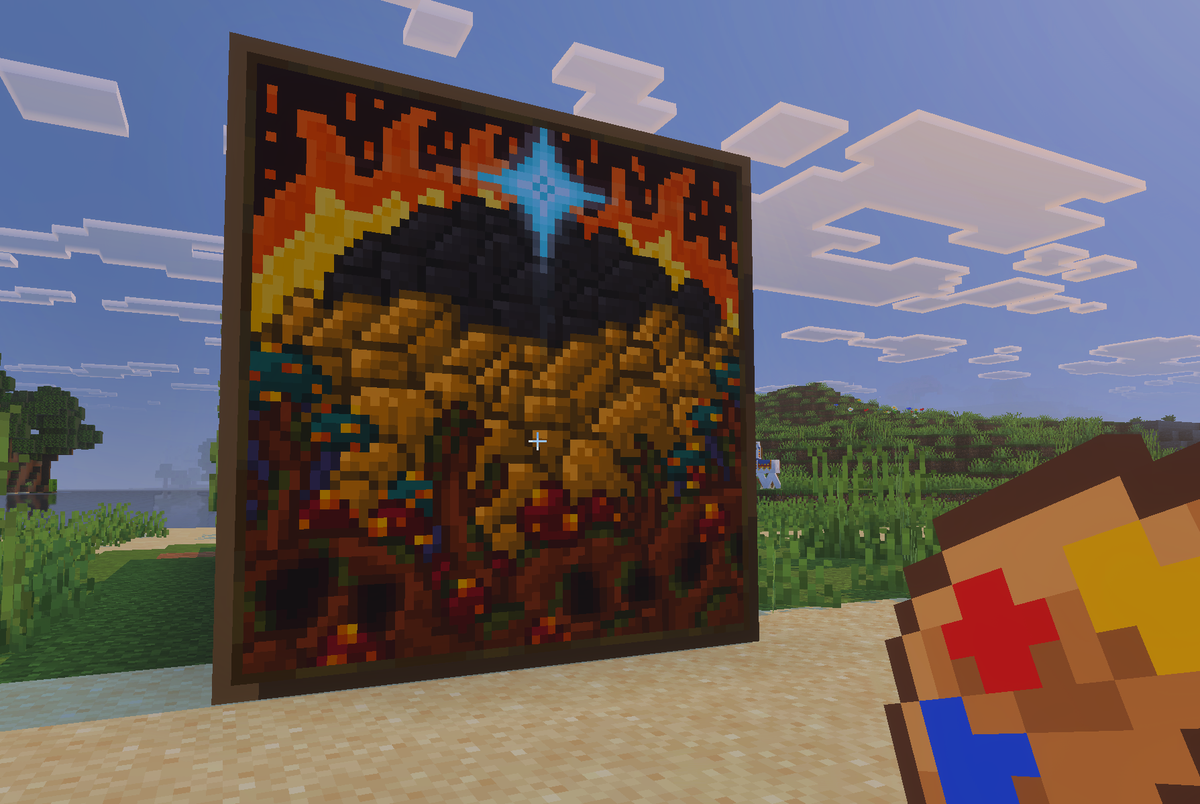
🔥 WHAT IT DOES 🔥
🎨 ANY PICTURE. ANY SIZE. 🎨
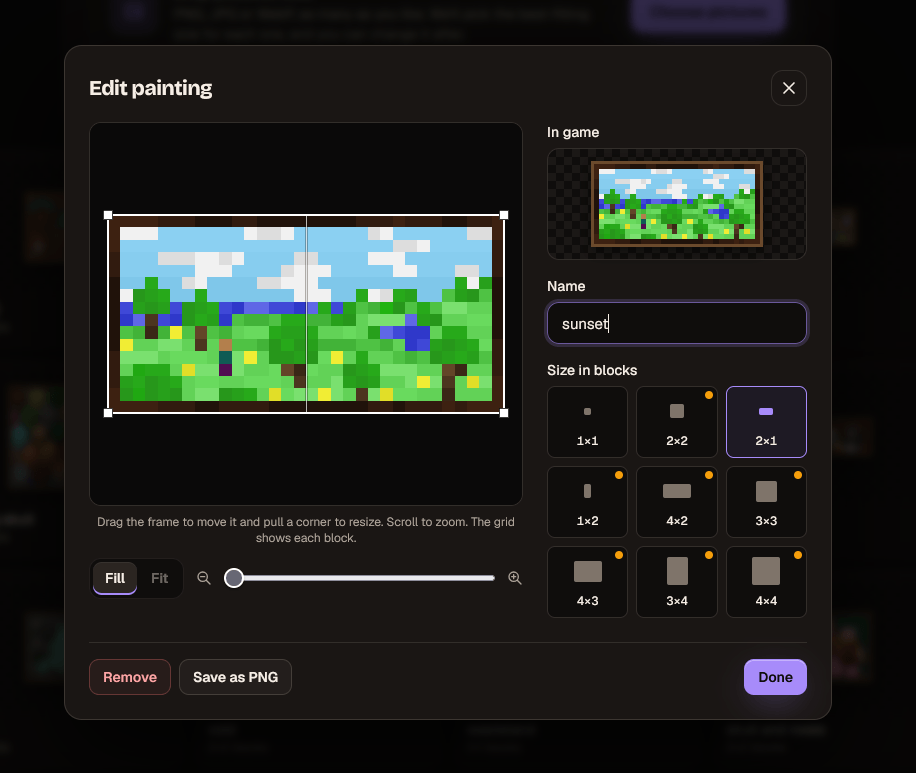
PNG, JPG, WebP — if it's a picture, it's a painting. Nine sizes, from a cheeky little 1×1 all the way up to a wall-dominating 4×4. Drag to crop, scroll to zoom, give it a name, done.
Up to 100 paintings of every size. 900 in one pack. Fill the castle. Fill the server. Fill the entire Nether hallway with pictures of your dog.
👻 SEE-THROUGH CUT-OUTS 👻
Got a logo? A sticker? Your server's crest with a transparent background? Leave the background clear and it goes straight onto the wall — no frame, no board, just the picture, like spray paint on a wall. Graffiti alley, here we come.
Prefer a backing colour instead? Pick any colour you like. Your painting, your call.
🖼️ THE GALLERY 🖼️
Type /paintings:gallery and the whole collection opens up in a proper modern menu:
- SEARCH IT — type part of a name and watch the list narrow down live
- FILTER IT — pick a size from the dropdown and see only the 2×2s, or only the 4×3s
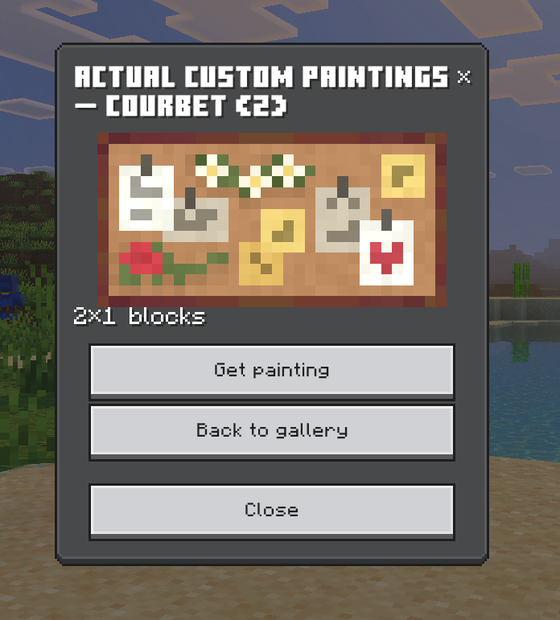
- GRAB IT — tap a painting, hit Get painting, and it's yours. Free. Want five? Tap five times. The menu stays open.
No cheats needed. No villagers. No emeralds. It even remembers where you were in the list.
🎨 THE PAINT PALETTE 🎨
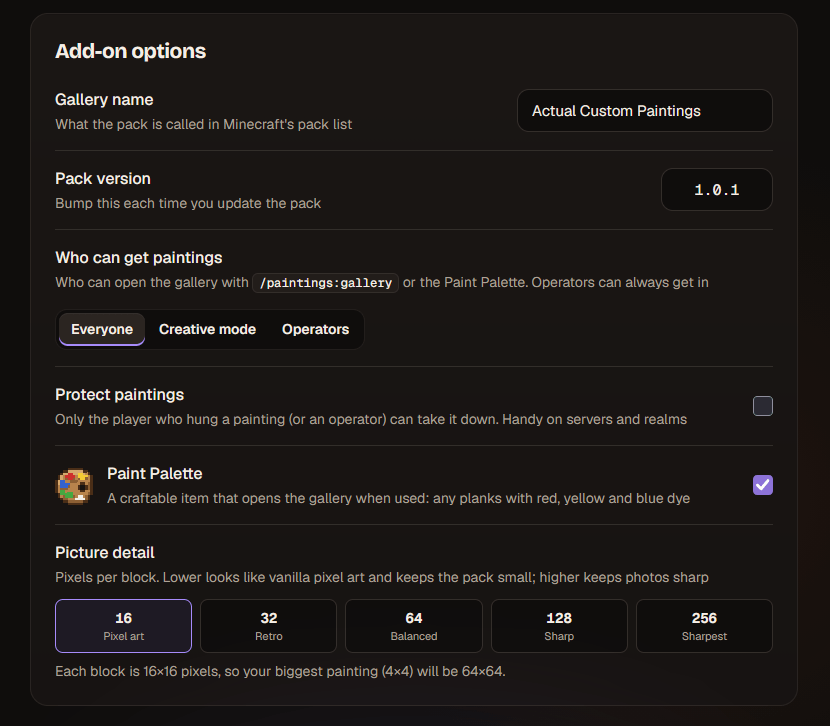
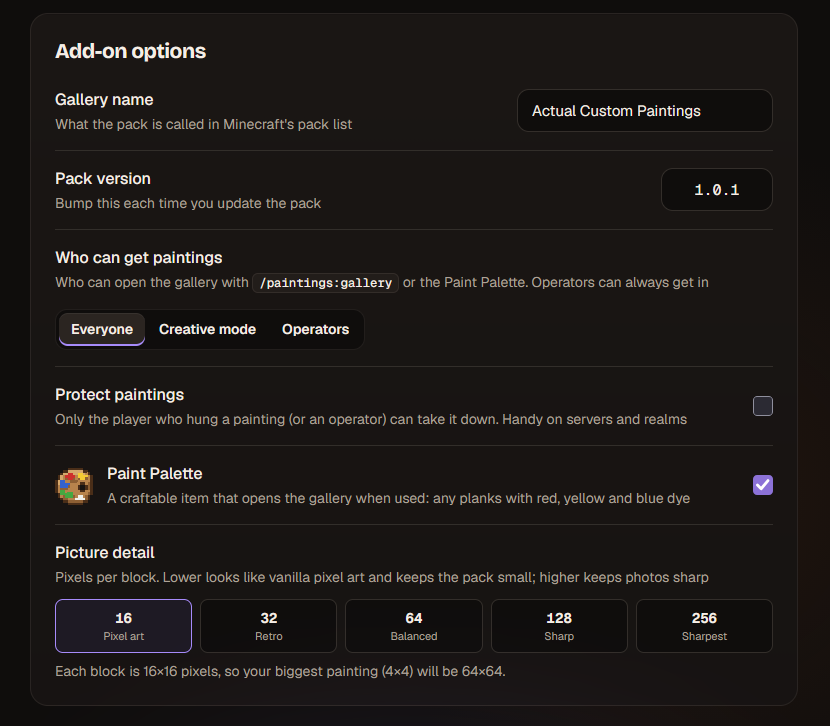
Rather not type commands? Craft a Paint Palette — any planks plus red, yellow and blue dye — and use it to open the gallery. Very arty. Very immersive. Don't want it in your world? Switch it off in the generator.
🧱 HANGS LIKE THE REAL THING 🧱
Use a painting on any wall with room for it and it hangs itself, snapping around the block you clicked — just like a vanilla painting. Wrong spot? Punch it and it drops right back into your inventory.
And it plays by the rules. Mine the wall behind it? It pops off. TNT? Pops off. Piston shoves the wall away? POPS. OFF. Build something in front of it? You guessed it. No floating paintings hanging off thin air. Physics: respected.
🛡️ KEEP YOUR HANDS OFF MY ART 🛡️
Running a server or a realm with that one friend? Turn on Protect Paintings and only the player who hung a painting (or an operator) can take it down. Everyone else gets told, politely, exactly whose painting it is.
You also choose who gets into the gallery (by command or palette): everyone, creative mode only, or operators only. Your world, your rules.
✨ VIBRANT VISUALS READY. ACHIEVEMENTS STAY ON. ✨
Built on the stable Script API. No experimental toggles. Works with Vibrant Visuals, and it's a proper add-on, so it won't switch off your achievements. Works on Realms, servers, PC, mobile and console.
💻 HOW TO USE — THE GENERATOR 💻
Head to paintings.mygen.co.uk:
- DROP IN YOUR PICTURES — as many as you like, all at once
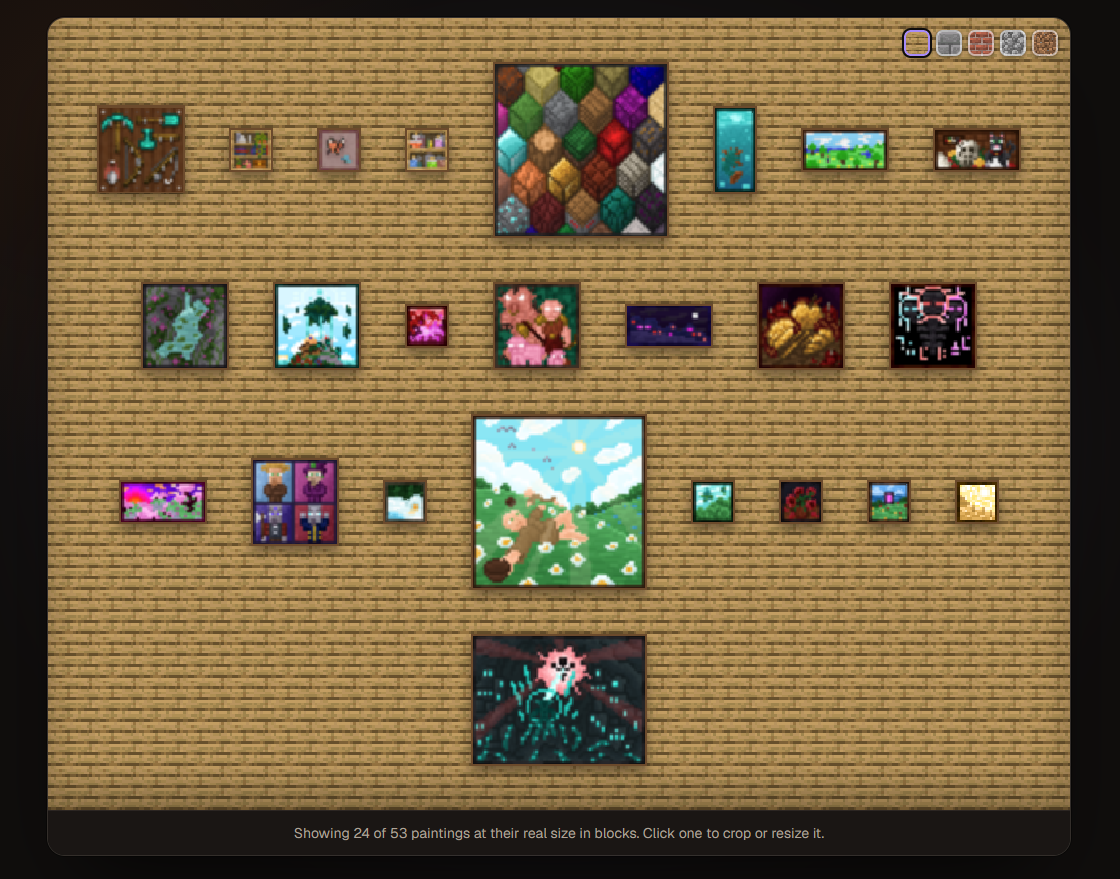
- WATCH THEM HANG — a live preview wall shows every painting at its real size in blocks, on oak planks, stone bricks, bricks, cobblestone or dirt
- TWEAK THEM — crop, zoom, resize, rename, pick transparent or a backing colour
- PICK THE DETAIL — from chunky 16-pixel pixel art right up to razor-sharp 256 pixels per block
- HIT DOWNLOAD —
.mcaddonin your hands, ready to rumble
PICTURES IN, PAINTINGS OUT.
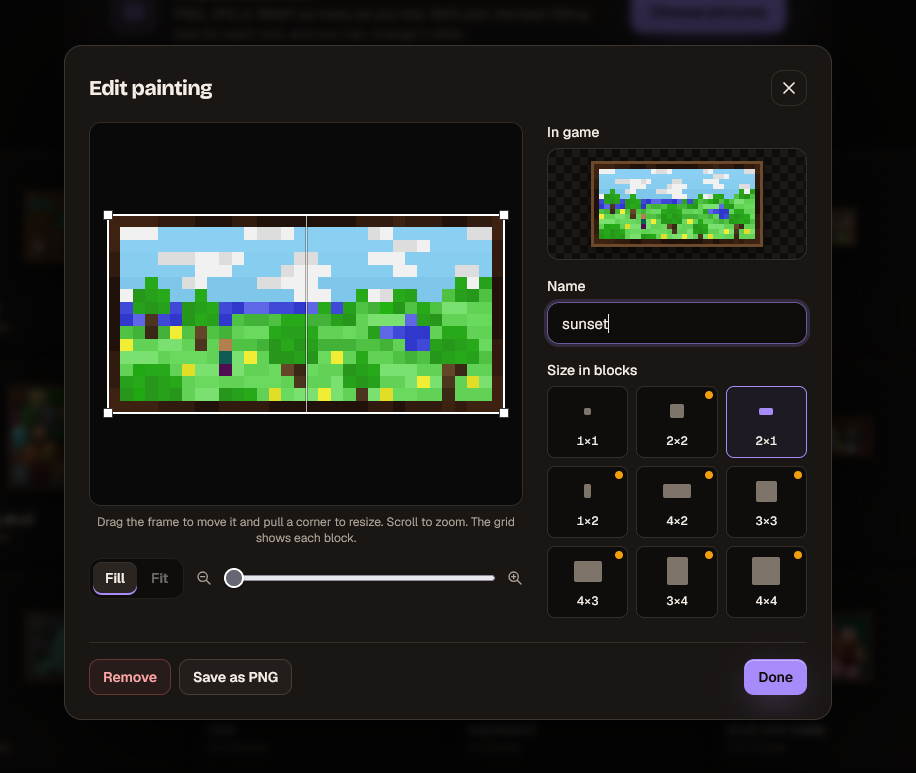
It even picks the right size for you. Tiny icon? You get a tidy 1×1 instead of a blurry 4×4. Huge photo? It goes big. And if a painting's going to look blurry, the generator tells you before you build — no nasty surprises on the wall.
🔒 YOUR PICTURES NEVER LEAVE YOUR COMPUTER 🔒
The whole thing runs in your browser. Nothing gets uploaded anywhere. No accounts. No waiting. Your cursed screenshots stay between you and your wall.
Already got a pack?
Upload it back to the site. Add paintings. Remove paintings. Rename them, resize them. Re-download. It's the same pack as far as Minecraft is concerned, so it just updates — no need to remove the old one first. The version number bumps itself, too.
Want to re-crop from your original pictures later? Save an editing backup when you download, drop it back in any time, and every original picture comes back at full quality.
📥 INSTALLATION 📥
- Download the
.mcaddon(sample pack below, or build your own) - Open it — Minecraft imports it automatically
- Create or edit a world, go to Behavior Packs, and turn it on
- The Resource Pack switches itself on with it
- Type
/paintings:gallery(or craft a Paint Palette and use it). Go. Decorate.
Needs Minecraft Bedrock 1.26.50 or newer. No experimental toggles required. Console and Realms players get the paintings just by joining the world.
⚠️ GOOD TO KNOW ⚠️
- Removing a painting from your pack removes any copies already hanging in your world when you install the update. Every other painting stays exactly where you hung it — nothing gets shuffled.
- Updating your gallery? Upload your existing pack and download the new version rather than making a fresh one. One gallery per world keeps everything tidy.
- Pictures are your responsibility. Only use pictures you're allowed to use, especially if you're sharing your pack.
🎯 WHY DO WE DO THIS? 🎯
Because that screenshot of your first diamond, your friend falling into lava mid-sentence, and the absolutely cursed thing someone drew in the group chat at 3am deserve to be framed. Forever. In pixels. In the most important room of your base. That's why.
Made by MyGen Gaming — with coffee and late nights.
Original add-on and idea by PPTribalize, who built the first version and trusted us to take it further. Cheers, brother.
Licensed CC BY-NC-SA 4.0. No vanilla paintings were harmed in the making of this addon. They're just a little bit jealous.
Actual Custom Paintings Team

Owner