


Unknown Block Remover
- By
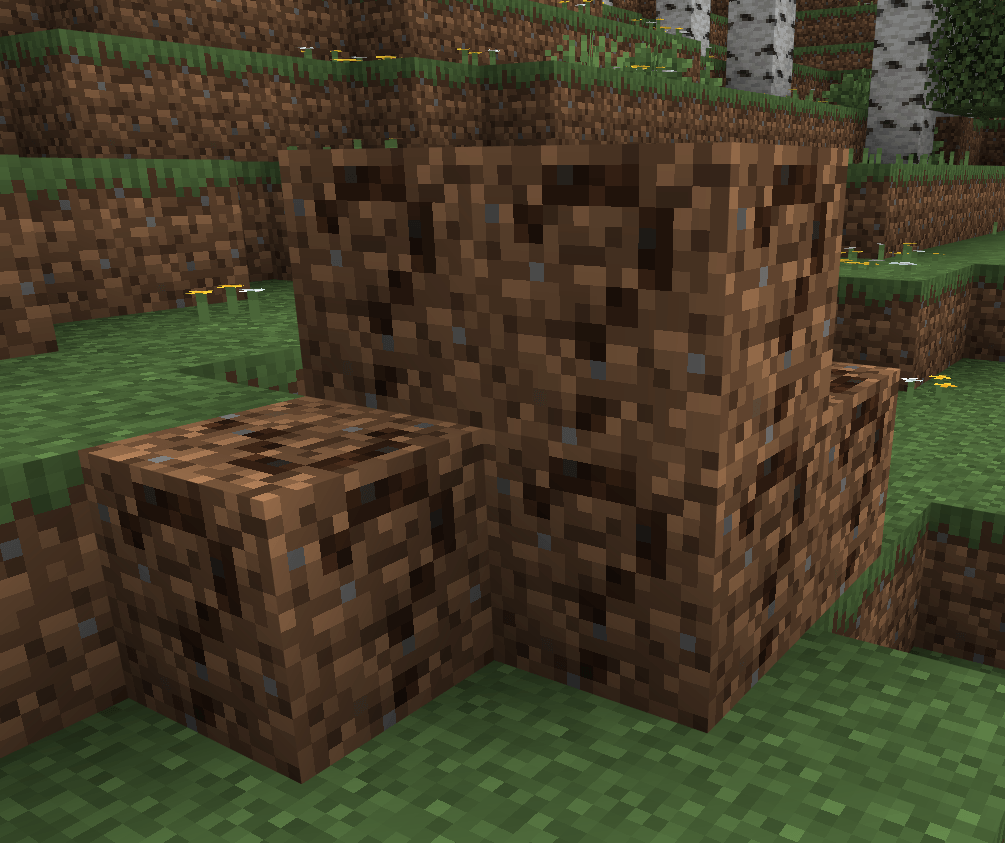
THE QUESTION MARKS. THEY'RE GONE. Removed an addon and left ? blocks everywhere? Scan, see exactly what's left and where, then clear it with air or a matching block. Blocks from installed addons are never touched. /ubr:open. No cheats.
ubr-1.png
unknownblockremover.png
Screenshot 2026-10-17 142606.png
Screenshot 2026-10-17 142626.png
Screenshot 2026-10-17 142651.png
Description
❓ UNKNOWN BLOCK REMOVER 2.0.0 — THE QUESTION MARKS. THEY'RE GONE. ❓
PUT DOWN THE PICKAXE. STOP HUNTING. LET'S CLEAN THIS UP PROPERLY.
You installed an addon. You built with it. You got bored of it and took it out. The blocks didn't leave with it.
They stayed exactly where you put them, as question marks. Your castle wall. Your shop. That farm you were weirdly proud of. Dotted with little reminders of every addon you ever tried and gave up on.
Not any more.
🔥 WHAT IT DOES 🔥
🎯 ONLY THE BLOCKS THAT SHOULDN'T BE THERE 🎯
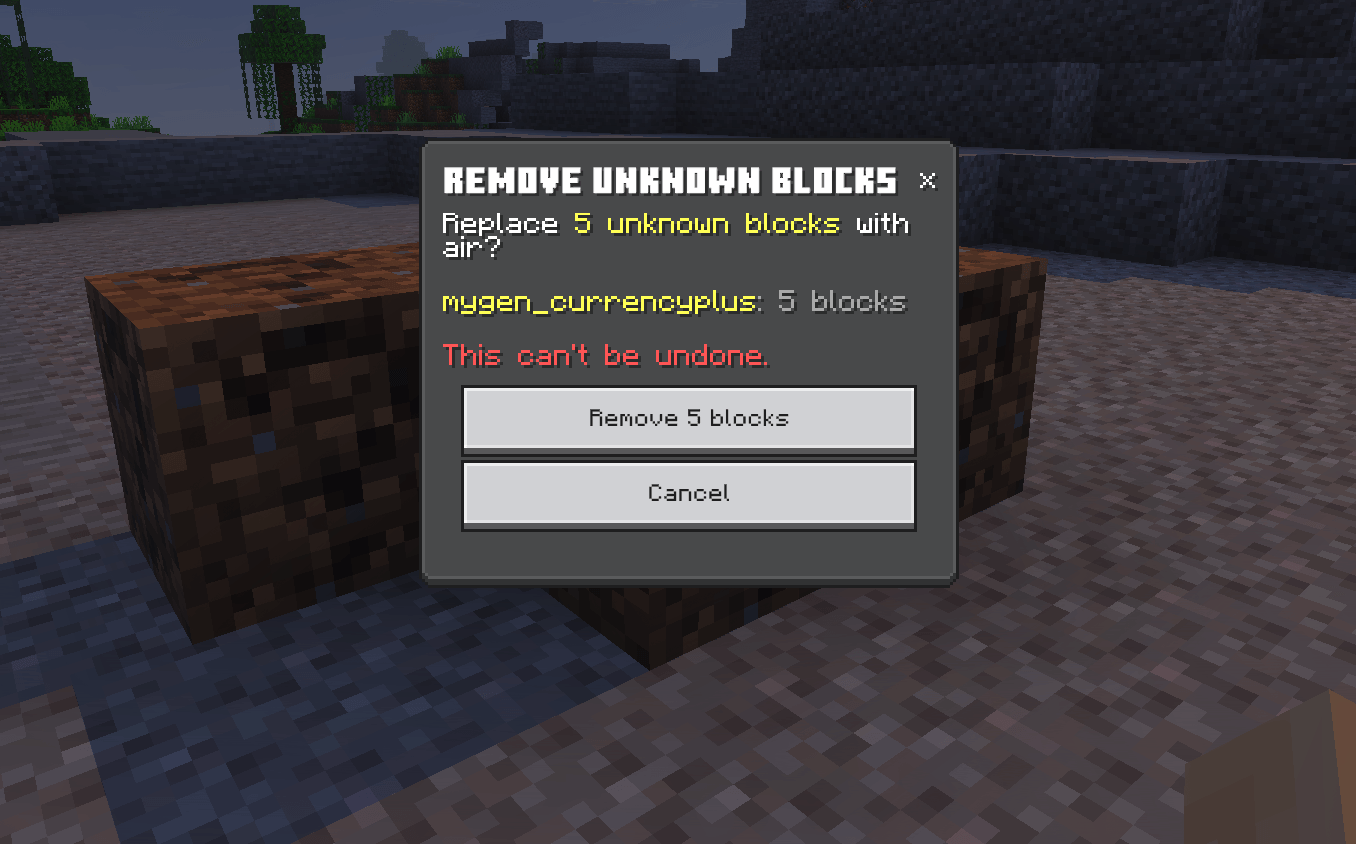
Unknown Block Remover only goes after blocks the game no longer recognises: the ones whose addon has been removed. Blocks from addons you still have installed are never touched. Not listed, not removed, not even looked at funny.
Took out half an addon in an update? It knows the difference. The blocks that went are cleaned up. The blocks that stayed, stay.
⚡ SCAN 64 BLOCKS IN THE BLINK OF AN EYE ⚡
Stand near the mess, type /ubr:open, hit Scan around me. It checks 64 blocks in every direction in under 20 milliseconds. No lag spike. No freeze. No "is the server OK?" in chat.
🔍 SEE IT BEFORE IT GOES 🔍
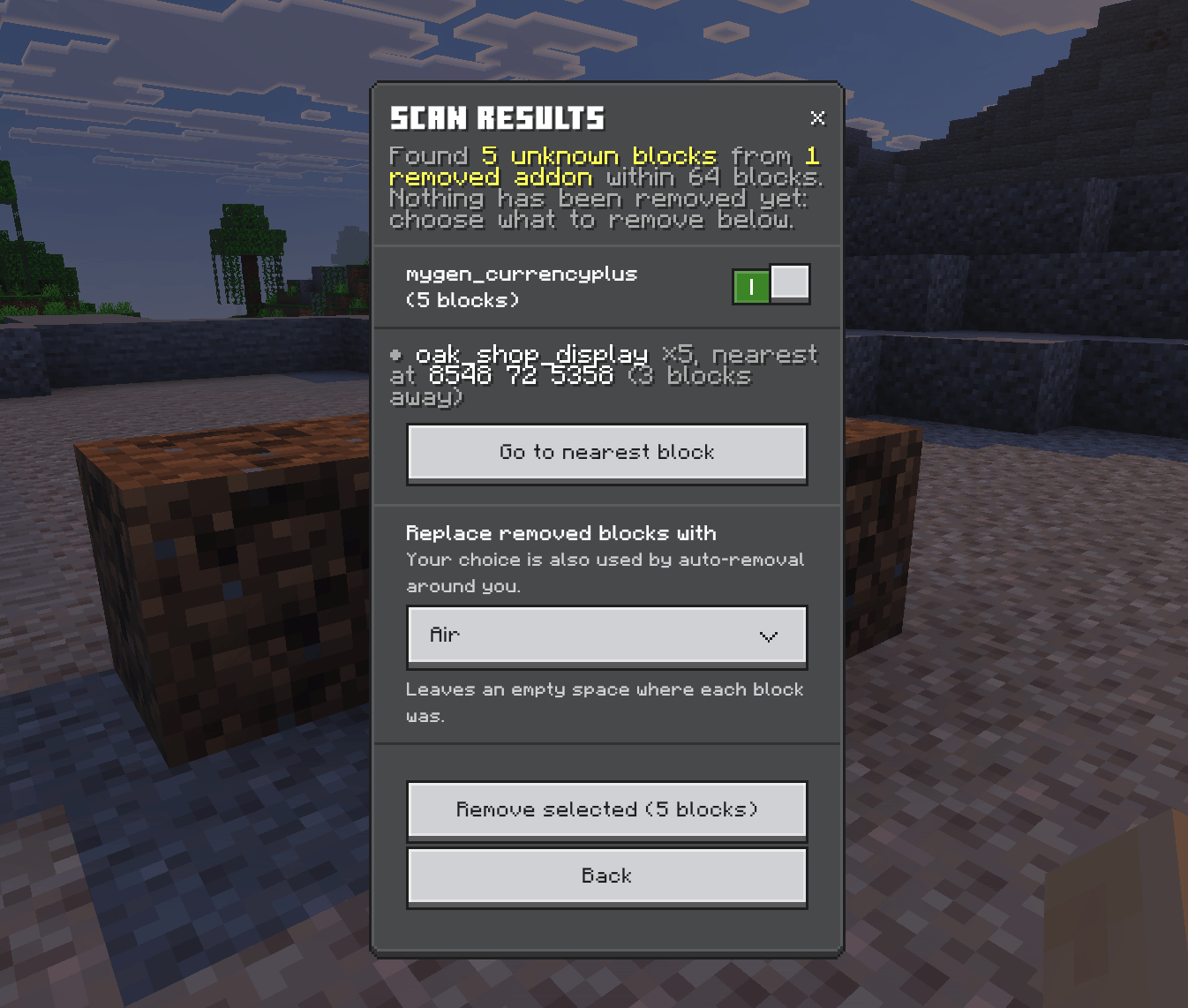
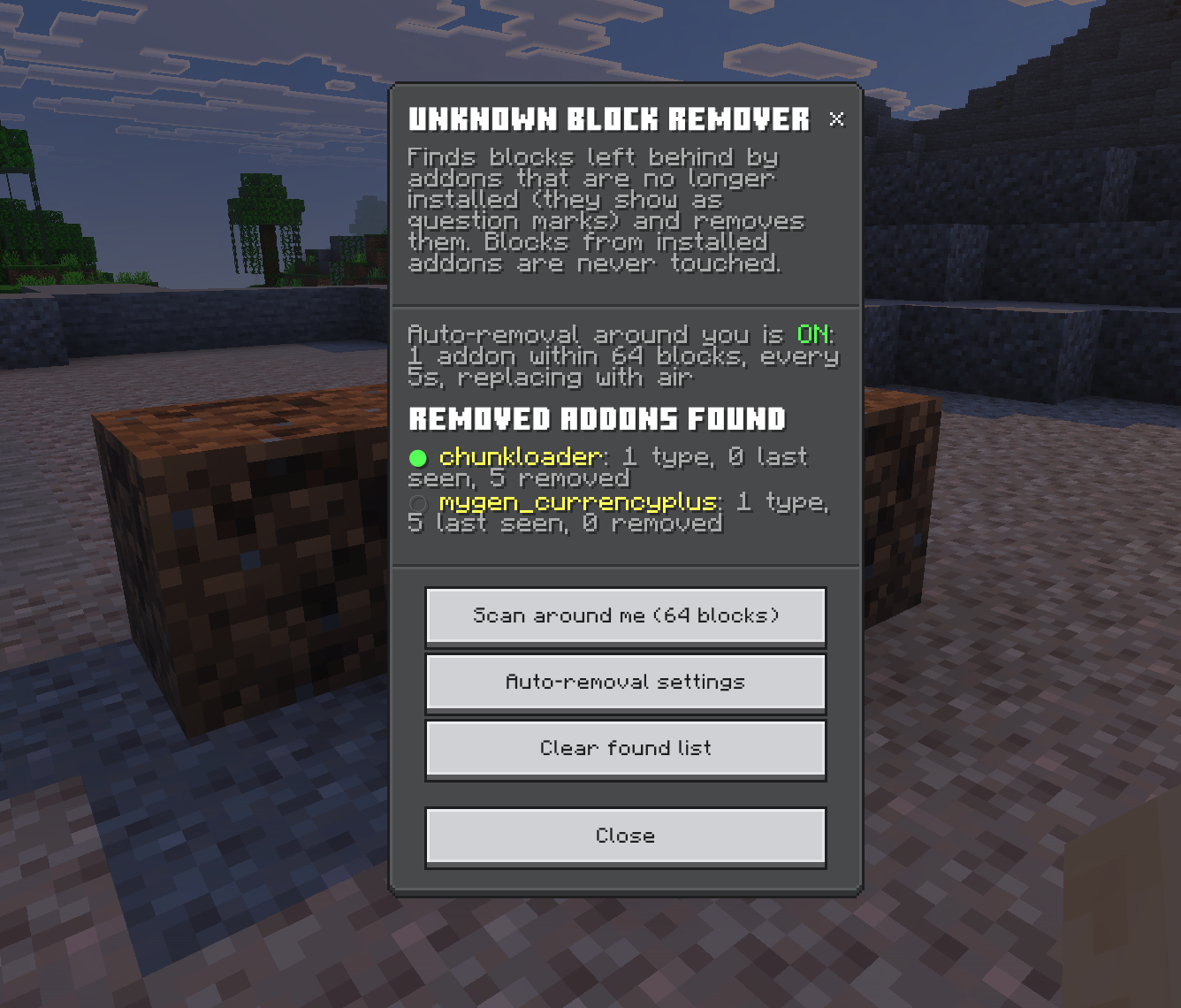
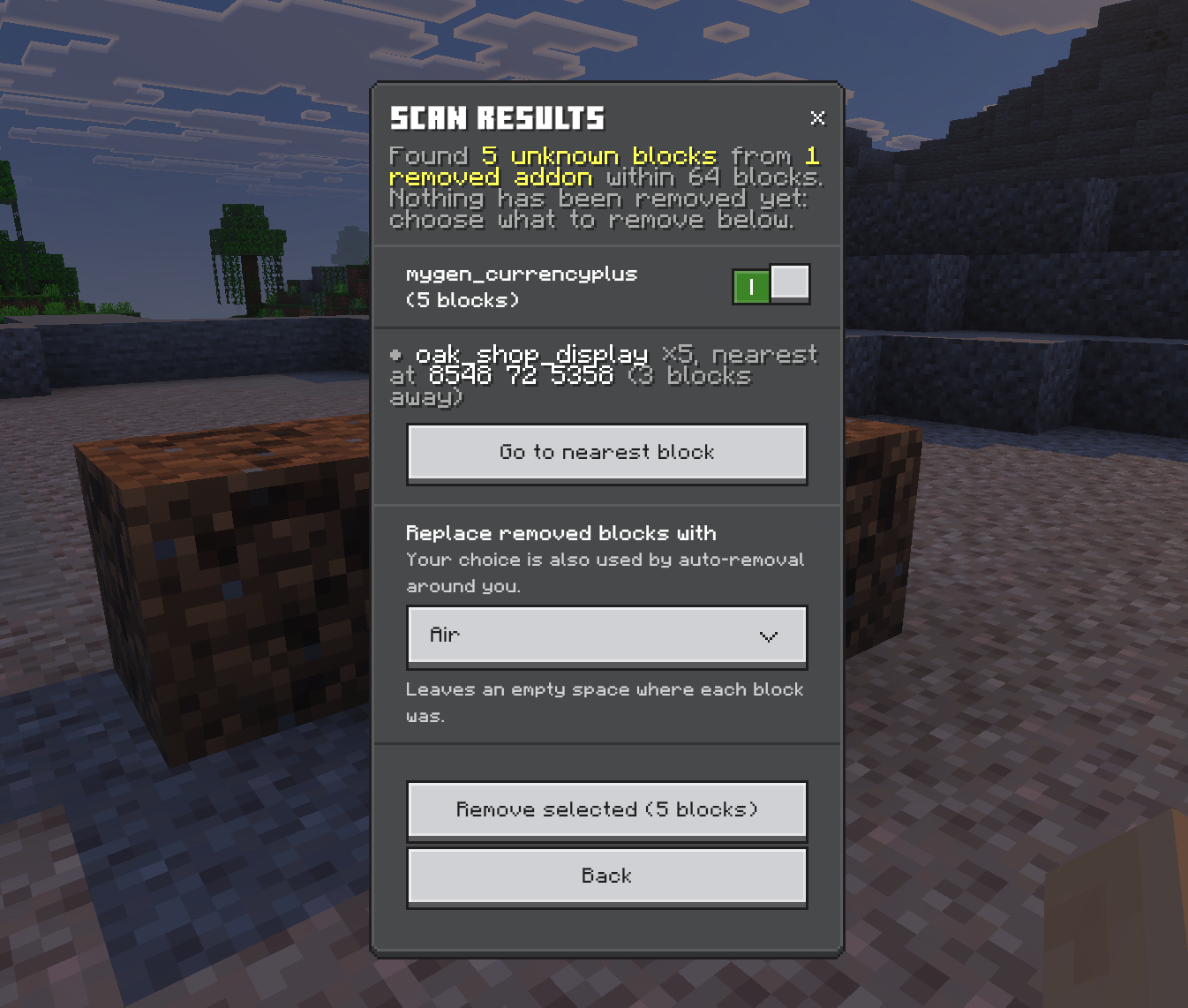
Nothing is removed until you say so. The scan shows you every removed addon that left blocks behind, every block type, how many there are and exactly where the nearest one is.
- UNTICK IT — keep anything you're not sure about
- GO SEE IT — tap Go to nearest block and you're teleported right above it (if there's room to stand)
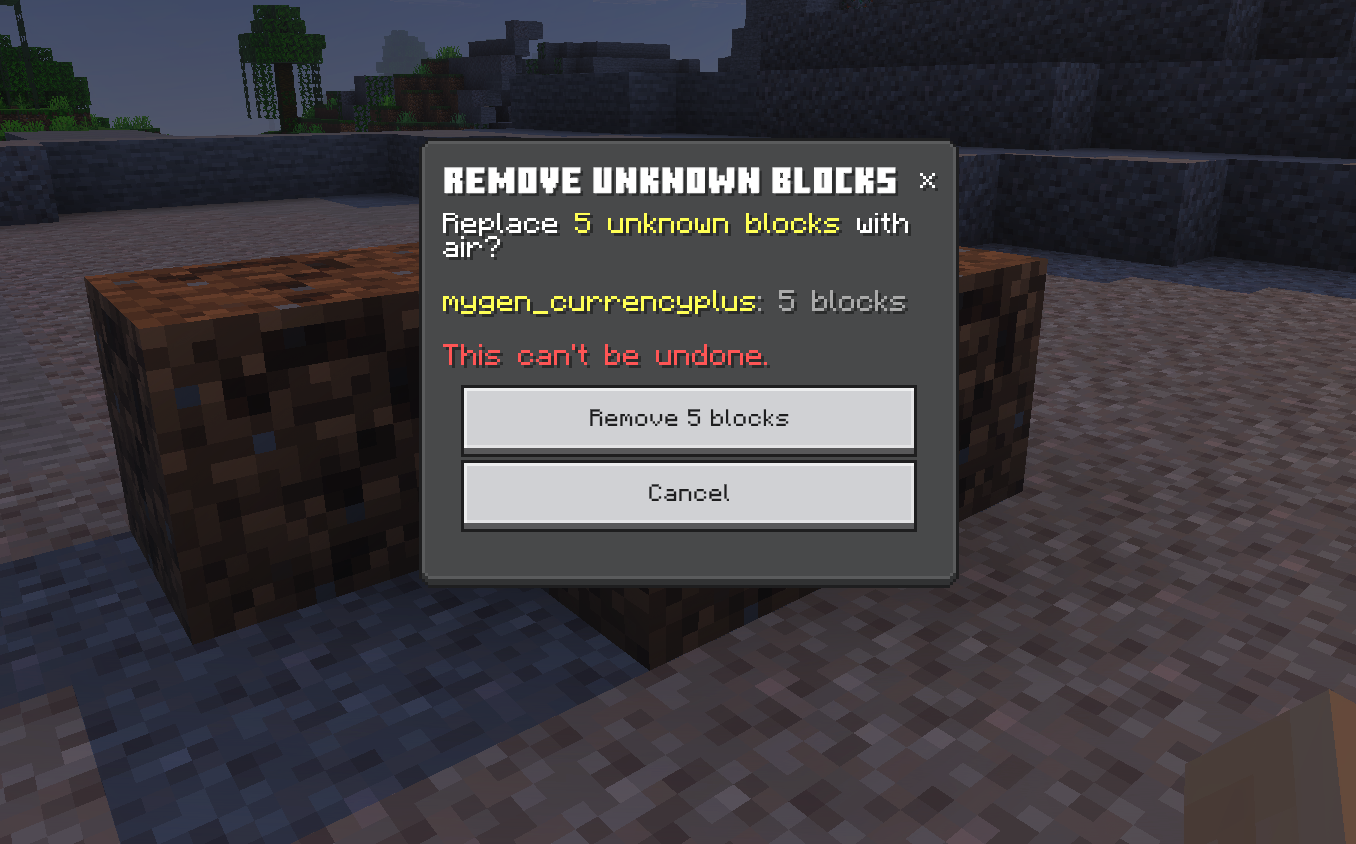
- CONFIRM IT — and only then does it go
🧱 NO MORE HOLES IN YOUR BUILDS 🧱
Pulling a question mark out of a stone wall shouldn't leave a hole in a stone wall. So you choose what goes in the gap:
- AIR — gone, clean, empty
- NEIGHBOURING BLOCK — it copies the most common plain block around it. Stone wall? Stone. Plank floor? Planks. A whole clump of question marks? It fills them in from the outside, layer by layer, until the wall's whole again
It's fussy about what it copies, too. Stairs, slabs, fences, plants, chests, signs, doors and beds are never copied, so you don't end up with a wall full of half-doors and empty chests. Nothing suitable nearby? It falls back to air.
🚶 OR JUST GO FOR A WALK 🚶
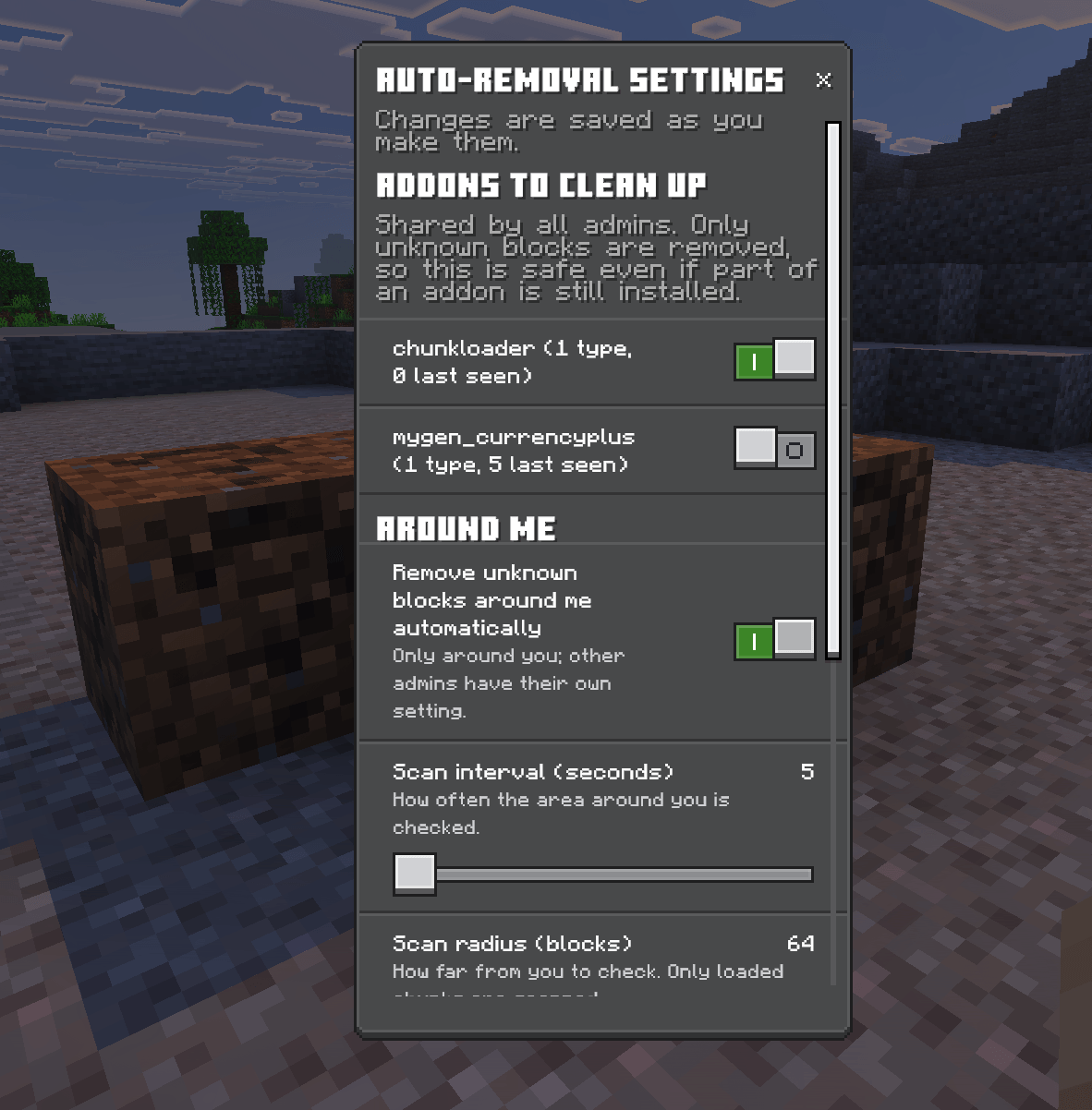
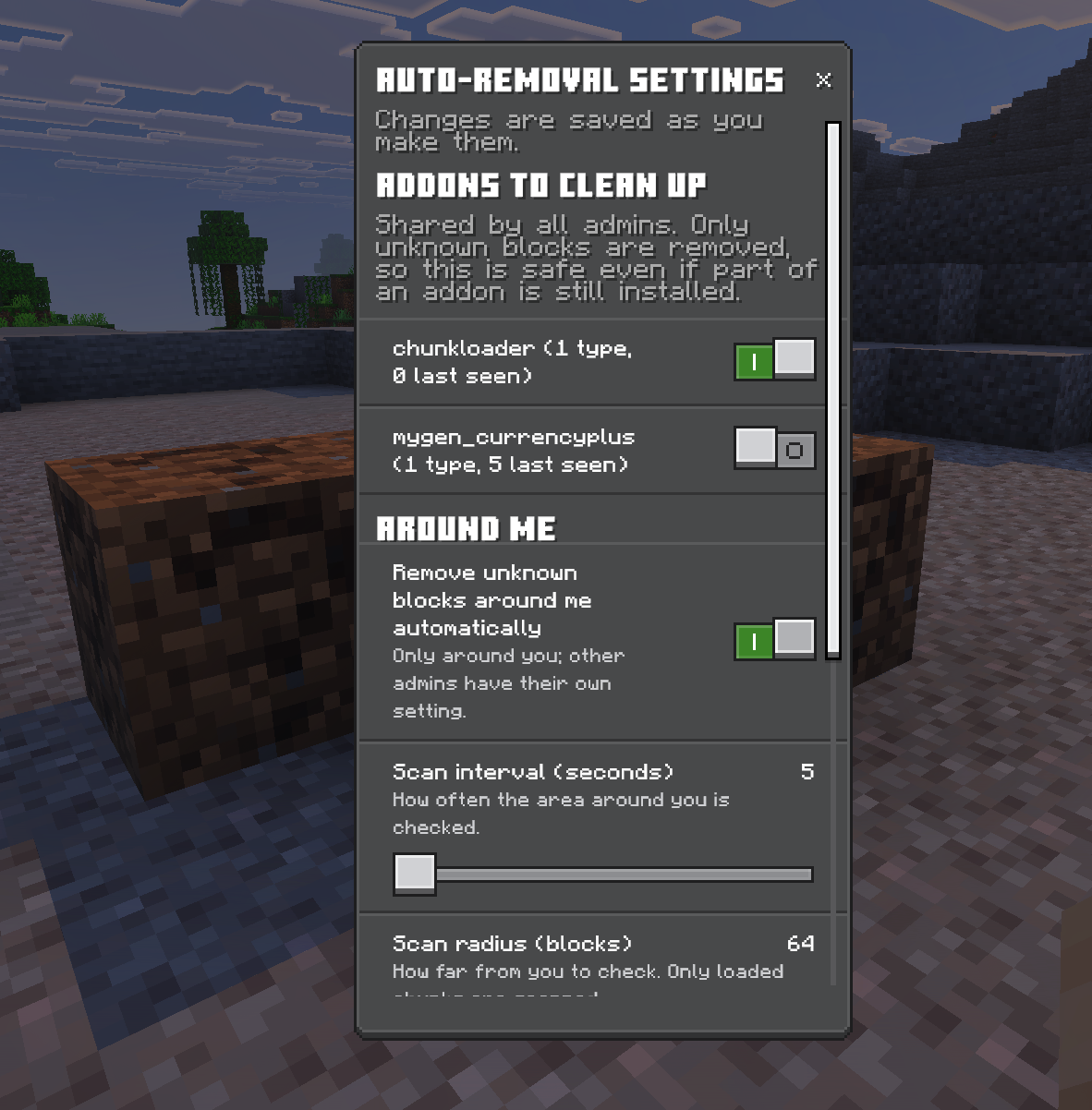
Got question marks all over a huge build? Turn on auto-removal and walk around. Every few seconds the area around you is scanned and the addons you picked are cleaned up as you go.
You set how often (every 5 to 60 seconds) and how far (8 to 64 blocks). A quick message tells you each time it removes something, and the panel keeps a running count for your session. Watch the number go up. Very satisfying.
👥 BUILT FOR SERVERS WITH MORE THAN ONE ADMIN 👥
The list of removed addons found, and which ones to clean up, is shared by every admin in the world. One admin finds the mess, another can finish the job. Auto-removal settings stay personal, so everyone cleans at their own pace.
🛡️ ADMINS ONLY. NO CHEATS. 🛡️
Everything needs GameDirectors permission, so your players can't go deleting things. Cheats don't need to be on. Built on the stable Script API: no experimental toggles, no beta APIs.
🚀 NEW IN 2.0.0 🚀
The whole thing has been rebuilt from the ground up.
- Only removed addons' blocks are found. 1.0.0 treated every non-Minecraft block as fair game. 2.0.0 can tell the difference.
- Way, way faster. The game itself picks out the unknown blocks now. A 64-block scan takes under 20 milliseconds, where 1.0.0 took most of a second at half the distance
- A brand new panel that updates live while it's open, with settings that save as you change them
- Scan preview, teleport and confirm, so nothing goes by surprise
- Fill the gaps with a neighbouring block, not just air
- Shared between admins instead of every admin starting from scratch
Upgrading from 1.0.0? The addons you'd picked are kept. Run one scan to rebuild the found list.
💻 HOW TO USE 💻
- STAND NEAR THE QUESTION MARKS — the closer the better
- TYPE
/ubr:open— and tap Scan around me - CHECK THE RESULTS — untick anything you want to keep, pick Air or Neighbouring block
- HIT REMOVE — confirm, and they're gone
Got loads of them? Open Auto-removal settings, switch on the addons to clean up, turn on auto-removal and go for a walk.
QUESTION MARKS IN, CLEAN WORLD OUT.
📥 INSTALLATION 📥
- Download the
.mcaddon - Open it — Minecraft imports it automatically
- Create or edit a world, go to Behavior Packs, and turn it on
- Type
/ubr:open. Go. Clean.
Needs Minecraft Bedrock 1.26.0 or newer. No experimental toggles required.
⚠️ GOOD TO KNOW ⚠️
- Removal can't be undone. Back up your world before a big clean-up. Seriously. Just do it.
- Only loaded chunks are scanned. Scan found nothing? Move closer to the blocks.
- Addons you haven't picked are left alone, and their blocks are never copied as a neighbouring block.
- Clear found list forgets every removed addon found so far, along with their counts, for every admin. Anything still in the world turns up again on the next scan.
🎯 WHY DO WE DO THIS? 🎯
Because every addon you've ever tried deserves a proper goodbye, and "leaving its blocks in your walls forever" isn't one. Your builds should look like your builds. That's why.
Made by MyGen Gaming — with coffee and a lot of question marks.
No installed addons were harmed in the making of this update. That was rather the point.
Unknown Block Remover Team

Owner




![Feed Your Friends! [Achievements + Multiplayer] project image](https://media.forgecdn.net/avatars/thumbnails/2153/303/256/256/639287128933458169.png)