Bedrock Advancements
- By
Java Edition has a polished advancement system with custom UIs, toasts, and progress tracking. Bedrock? “Achievements disabled” when you add an addon. This fixes that with every Java-style advancements, every Bedrock achievement, and a great-looking UI.
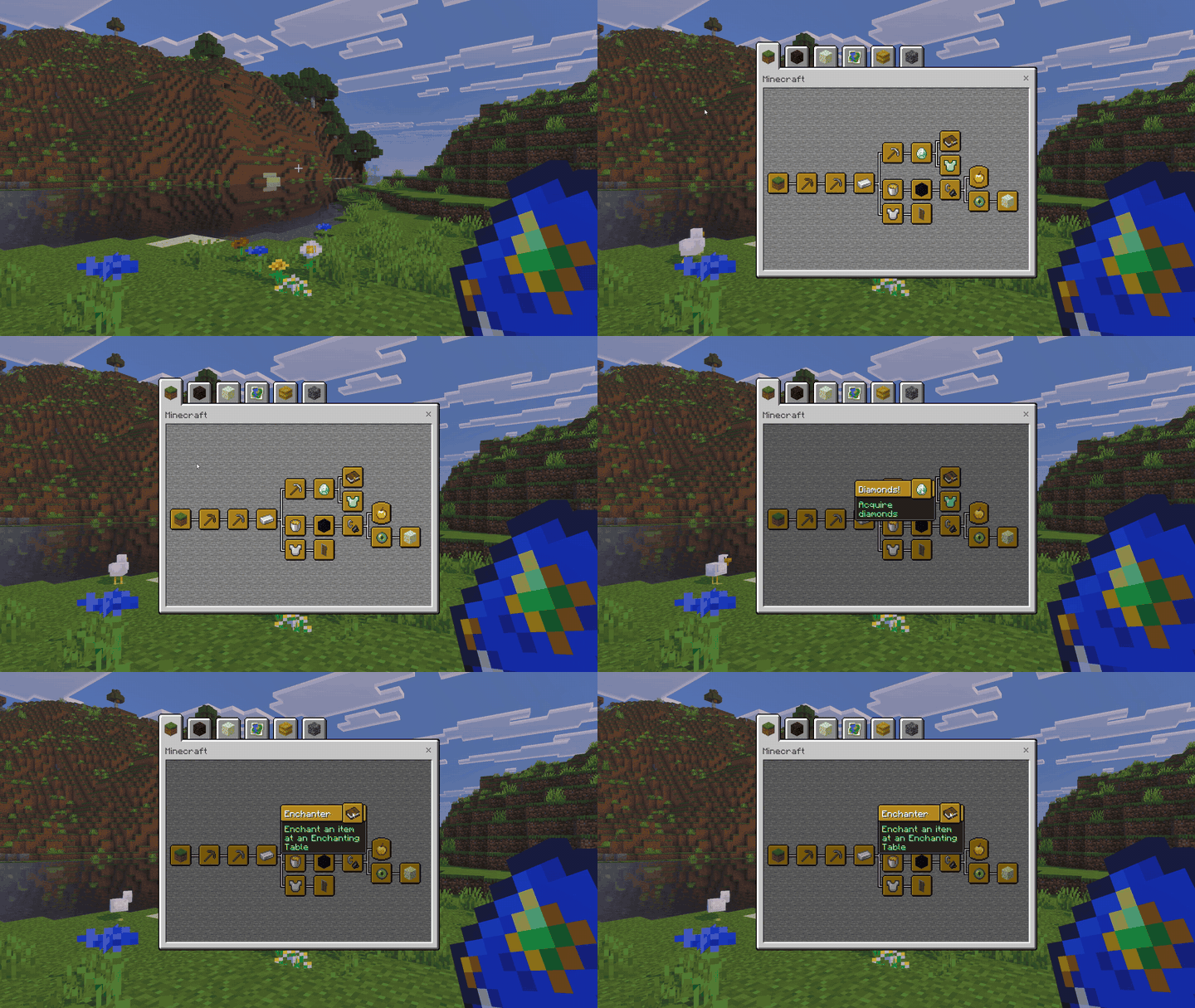
Every Java advancement. Now on Bedrock.
Java Edition gets a beautiful advancement system: the tabbed screen, the progression trees, that satisfying little pop-up when you finally do the thing. Bedrock Edition gets… an achievements screen that locks itself the moment you add an add-on. Cool. Thanks, Mojang.
BedrockAdvancements fixes that. Over 100,000 of you downloaded version 1. So we took everything we learned and rebuilt it from the ground up.
Version 2 brings every Java Edition advancement and every Bedrock achievement to your world, with the advancement screen you know from Java: tabs, trees, tooltips, toasts and challenges. And now you can make your own advancements, right in your browser, without writing a single line of code.
It's free, it needs no experimental toggles, and it works everywhere Bedrock does: Windows, consoles, phones, tablets, Realms and servers.
The real Java advancement screen
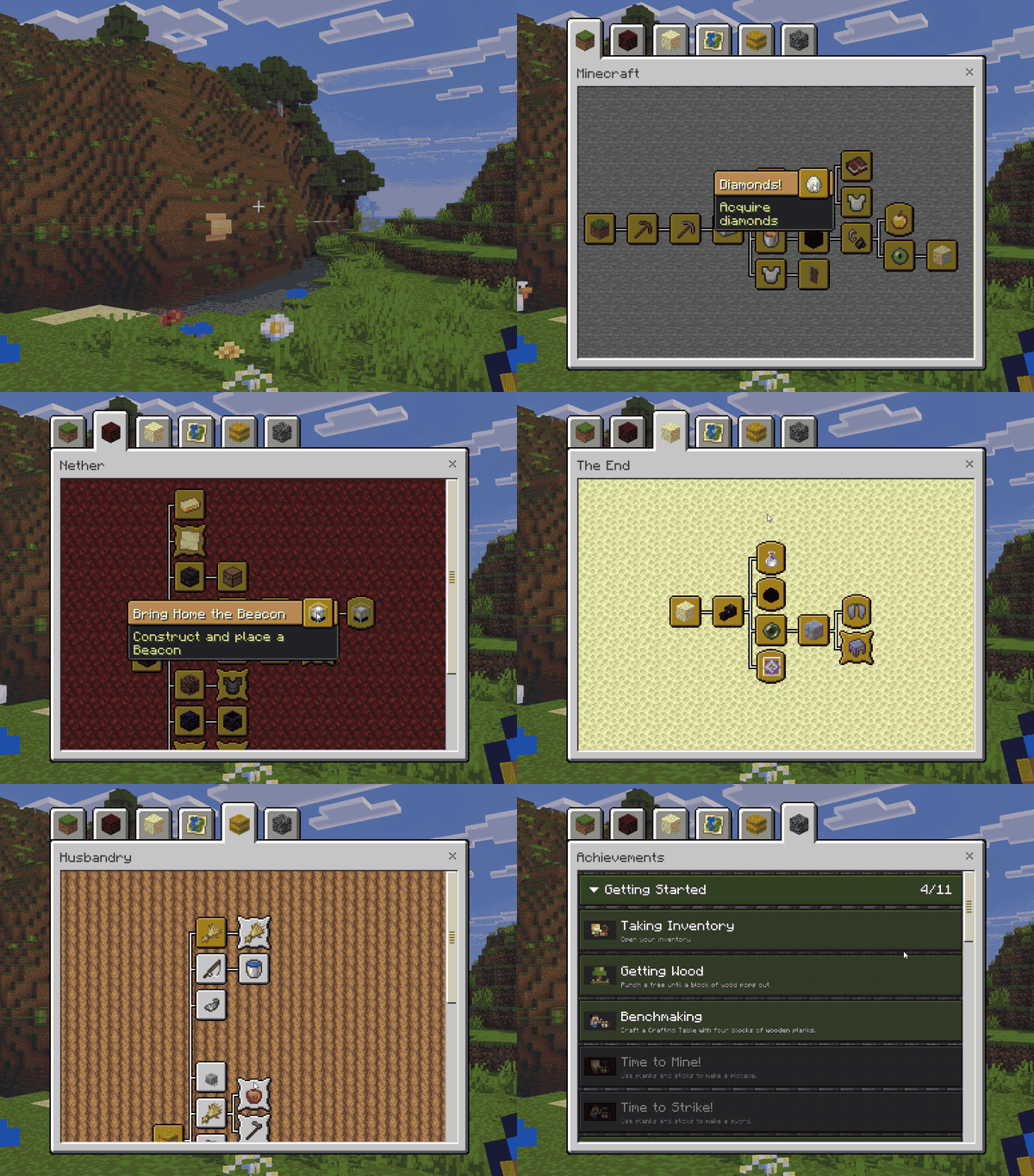
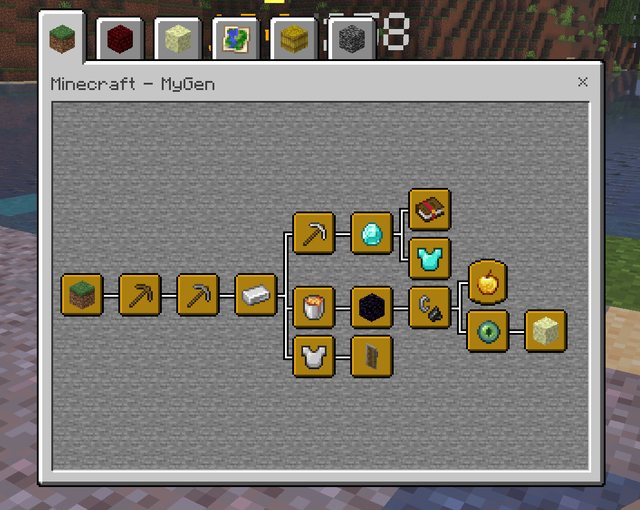
Open it with /ba:advancements or the Book of Advancements and there it is: the Minecraft, Nether, The End, Adventure and Husbandry tabs, each with its own background, and every advancement laid out and connected just like Java.
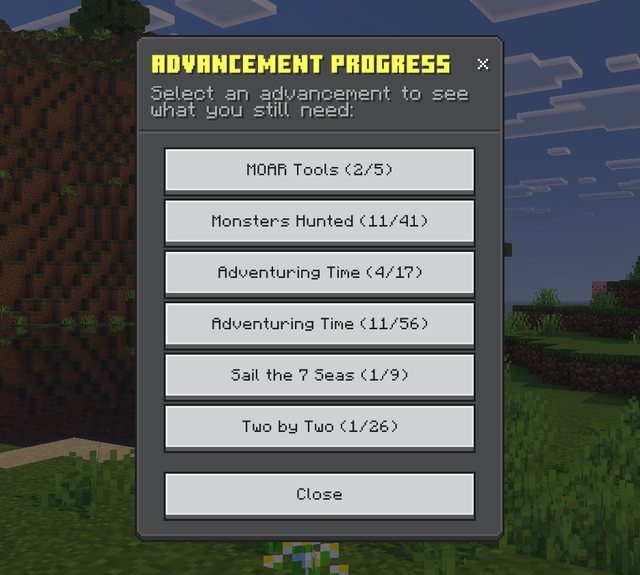
Hover over anything to see what it is, what to do, and how far along you are. Monsters Hunted 11/41? Better get out there.
- All 126 Java Edition advancements, with Java's frames, challenge XP rewards (40 to 1000 XP) and hidden advancements
- Advancements reveal themselves as you go, just like Java, so there are still surprises
- The Minecraft tab appears when you get your first crafting table, same as Java
That pop-up. You know the one.
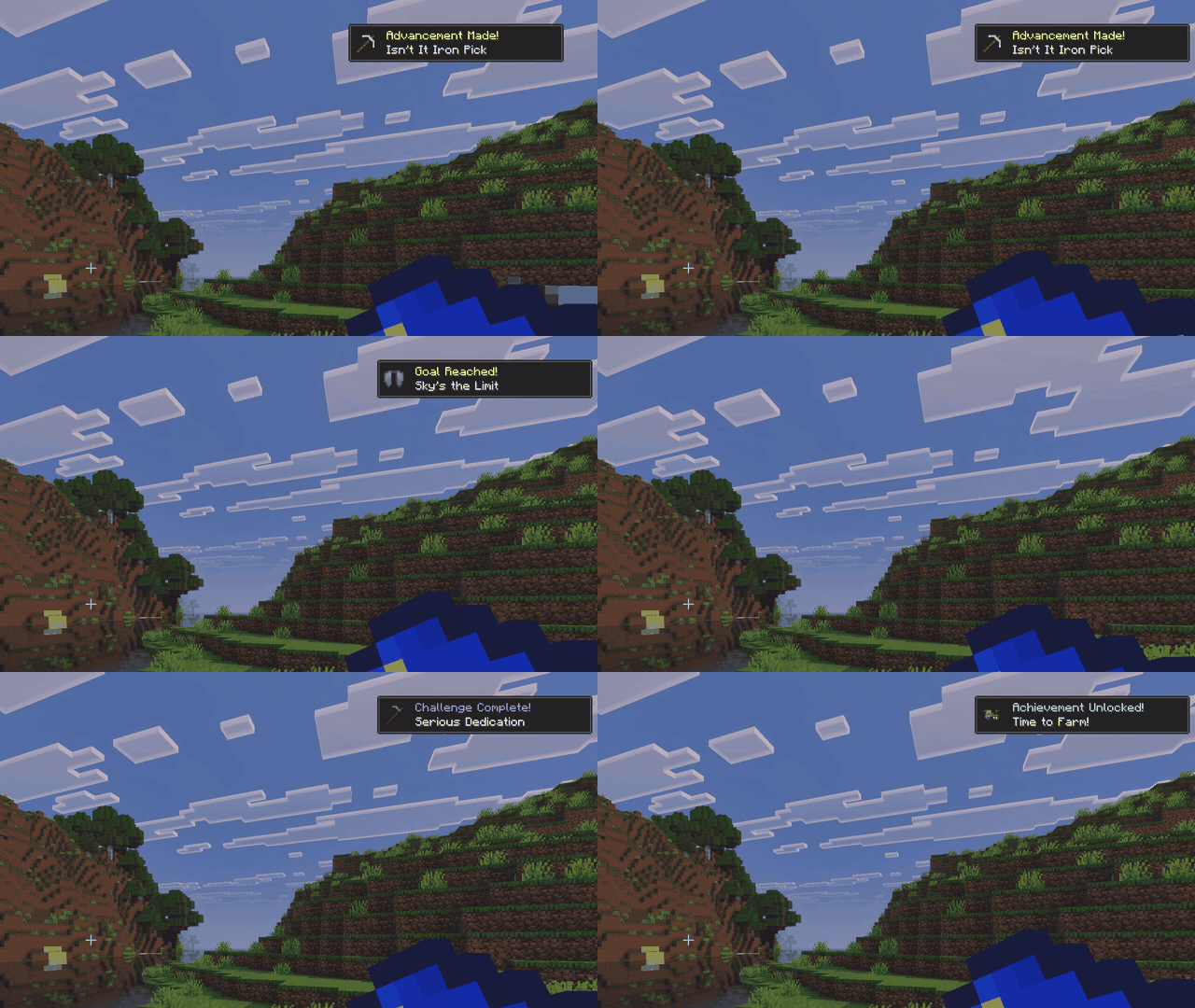
Advancement Made! Goal Reached! Challenge Complete! Achievement Unlocked! Toasts slide in when you unlock something, and chat lets everyone else know exactly how good you are. And for the long ones like Adventuring Time and A Balanced Diet, a quick look at the screen or your In Progress list shows exactly how far along you are, so you're never left wondering whether that new biome counted.
Not a fan of pop-ups? Turn off your own in the book menu. Everyone else keeps theirs.
Every Bedrock achievement too
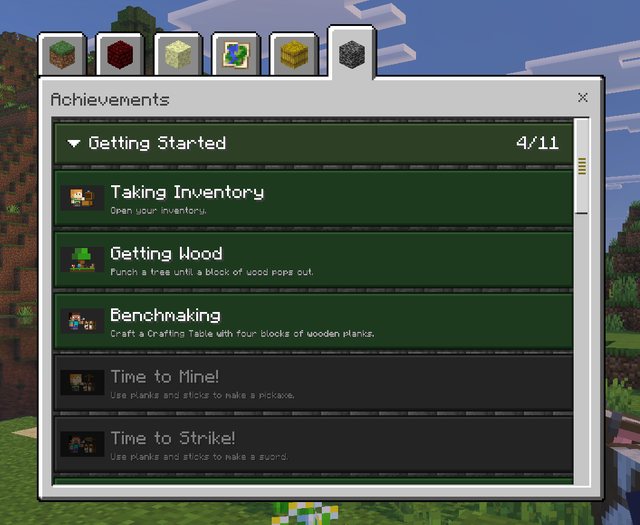
All 132 official Bedrock achievements get their own tab, neatly sorted into sections. You can earn them in any world: add-ons on, cheats on, even Creative if you allow it. The world operator switches the tab on from the admin menu's settings.
The Book of Advancements
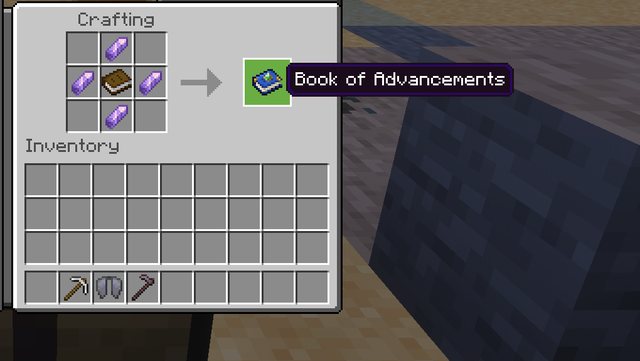
Craft it from a book surrounded by four amethyst shards. Use it to open the advancement screen. Sneak and use it for the book menu, with your score, your in-progress list and a switch for your own pop-ups:
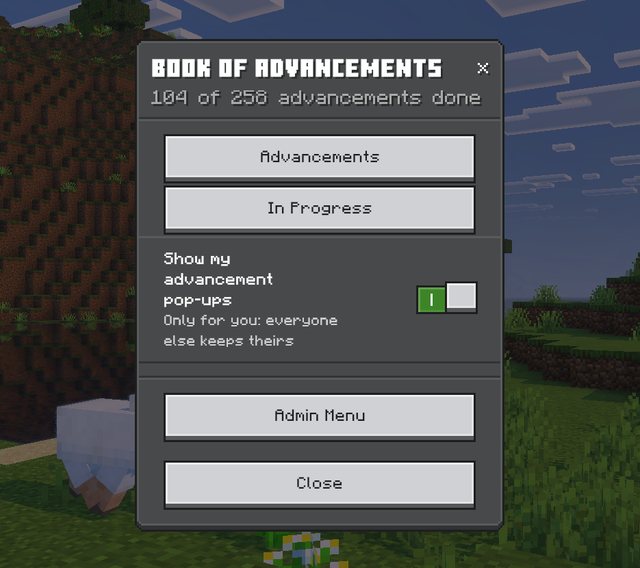
"What's left for A Balanced Diet?"
Pick In Progress (or type /ba:progress) and you get a list of every advancement you've started. Pick one and you get a checklist of what you've done and exactly what's still missing. No wiki tabs, no guessing which biome you haven't been to.
Show off on a lectern
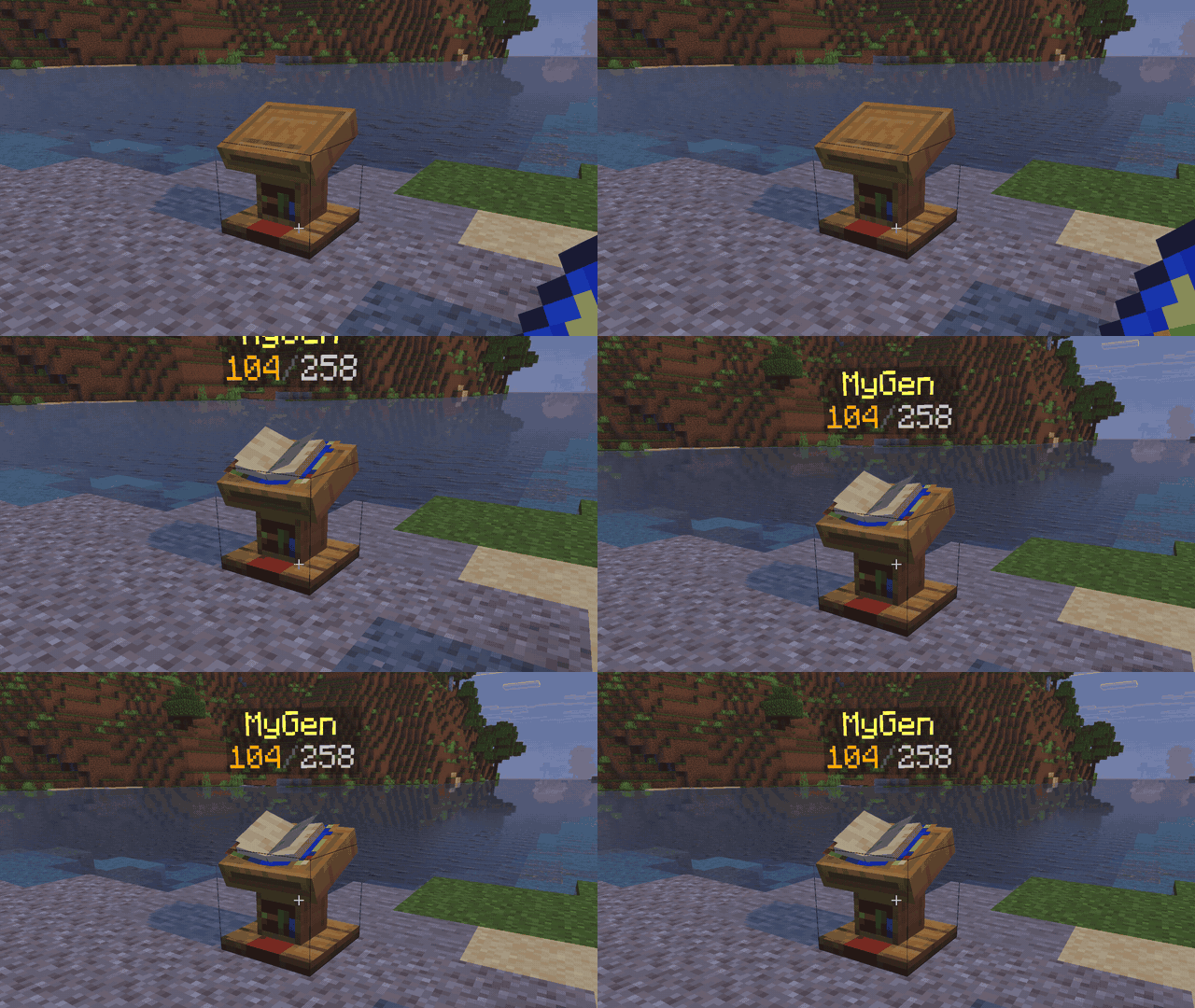
Put your book on a lectern and your name and score float above it for everyone to see. It even hides behind walls properly. Use the lectern and friends can browse your advancements on the real screen. Nothing says "I've been productive" like a public trophy cabinet.
Make your own advancements. No code.
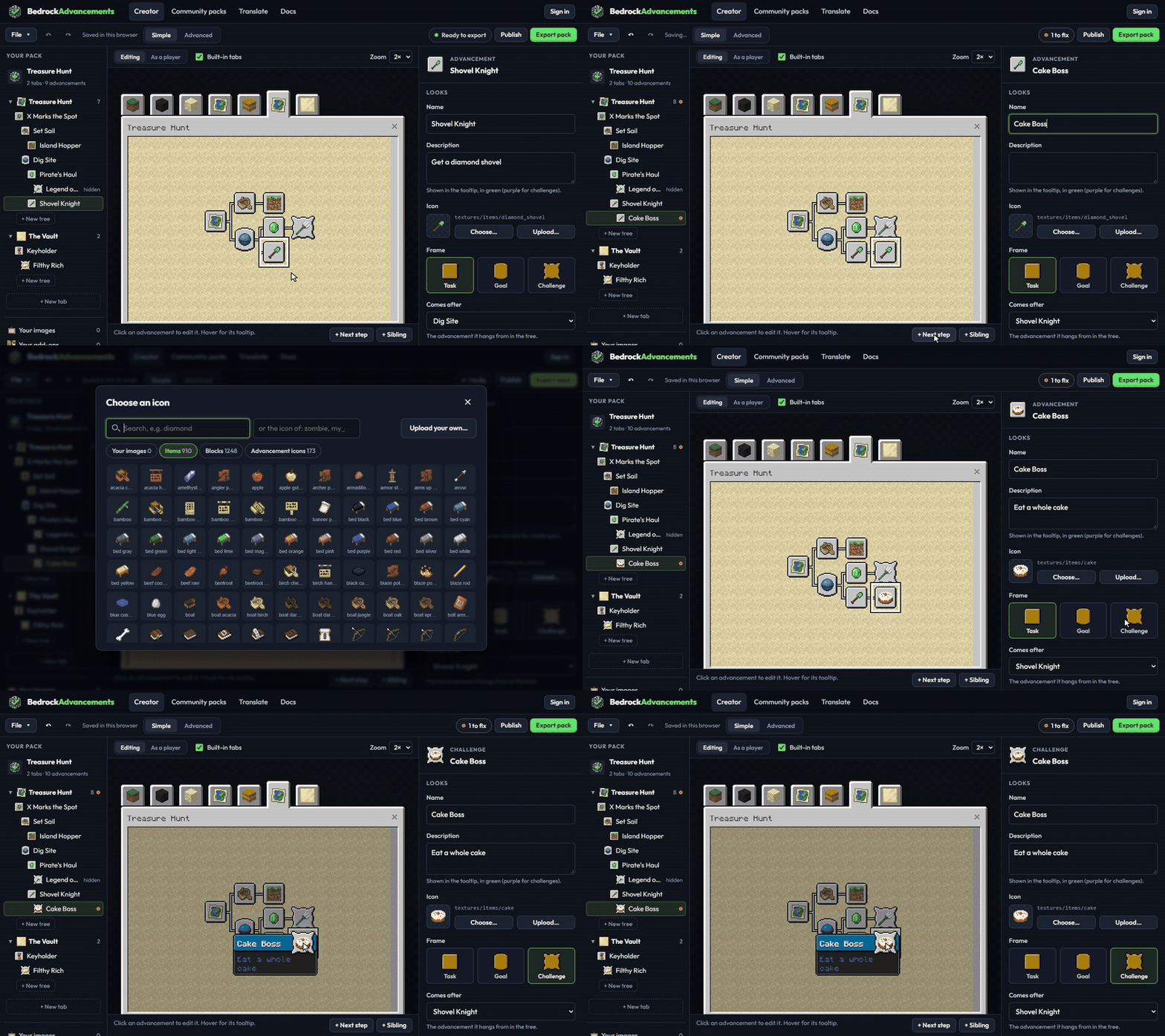
This is the big one. The BedrockAdvancements Creator at bedrockadvancements.com lets you build whole tabs of your own advancements in your browser, and watch them appear exactly as they will in game, live, as you type.
- Name it, pick an icon, pick a goal. That's a working advancement.
- 34 kinds of goals: collect, craft, kill, tame, explore, ride, brew and more
- Your own art: upload your own icons and backgrounds and they're packed up for you
- Works with your other add-ons: add your add-on and its items, blocks and mobs show up in the pickers
- Templates to start from, and a simple mode that keeps things easy until you want more
- Export gives you a normal add-on file. Double-click it, add it to your world next to BedrockAdvancements, done.
Making an adventure map? Goals can also come from tags, scoreboards and commands, so you can hand out advancements for anything your map does.
Packs made by players
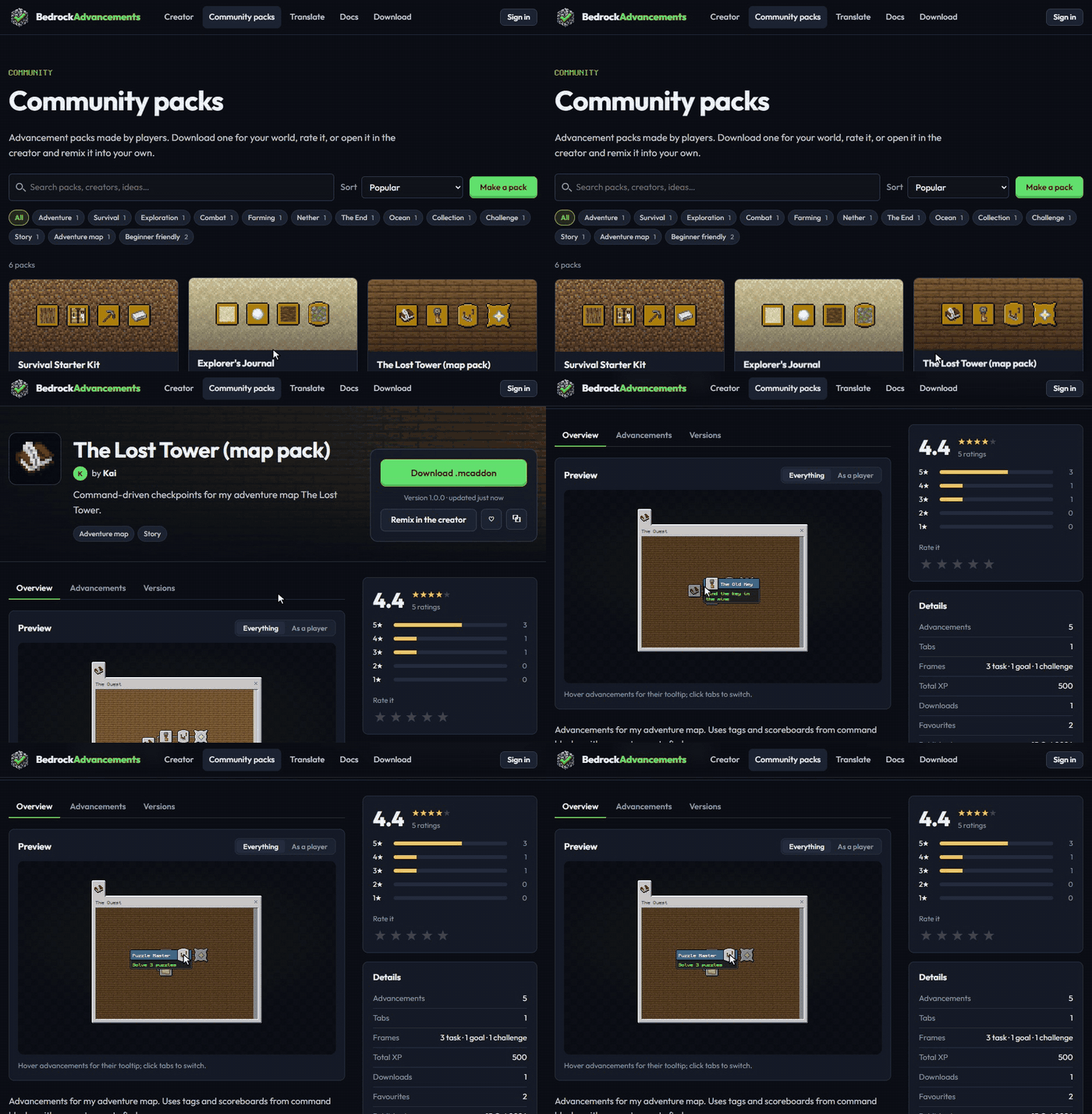
Made something great? Share it on the website. Browse other players' packs, then download, rate, comment, or remix one into your own. Survival starter kits, boss hunts, farming challenges, map packs… new ones arrive all the time.
Tools for server owners and Realm admins
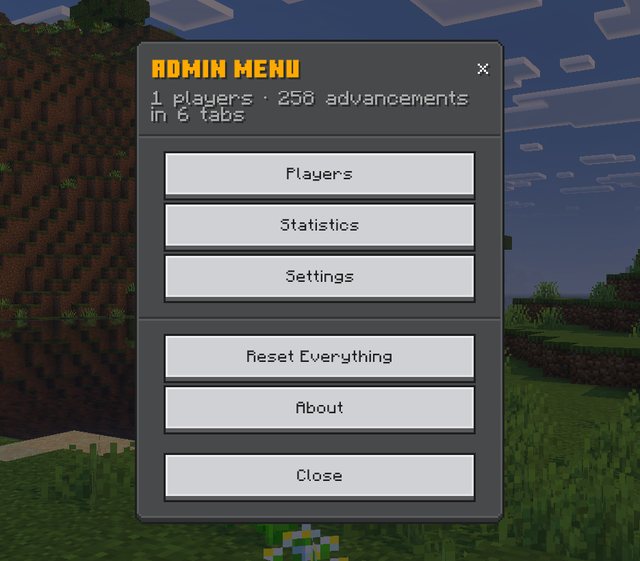
Type /ba:admin (or use the book menu) for the admin menu:
- Players: see anyone's progress, tab by tab, online or offline, and grant or take away advancements with a tap
- Statistics: who has unlocked what
- Settings that save as you change them: the Bedrock achievements tab, Creative mode progress, chat announcements, pop-ups, XP rewards, show every advancement, lectern text and Discord posts
- Reset, safely locked behind typing CONFIRM, for when you want a fresh start
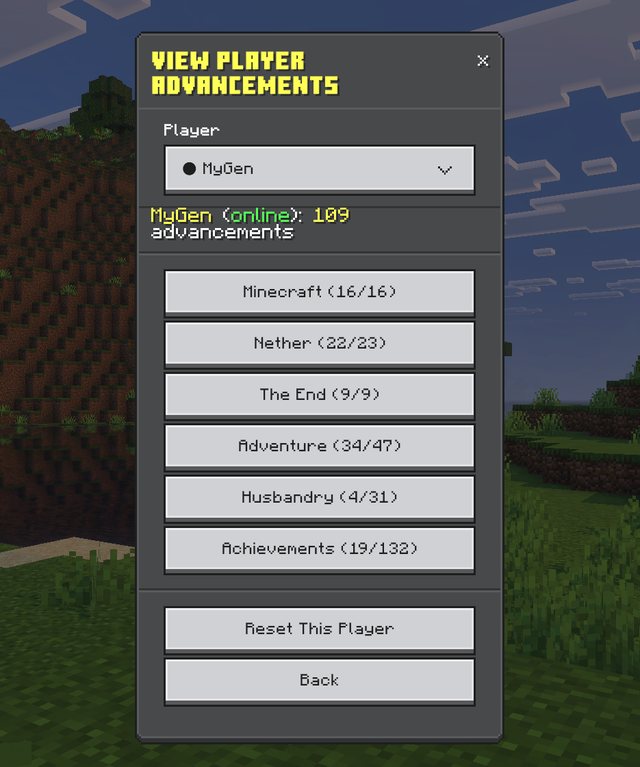
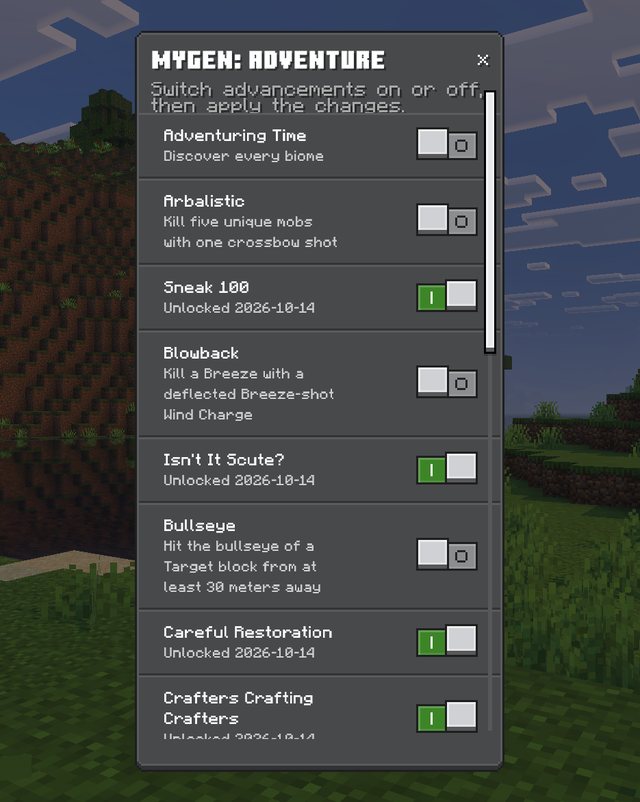
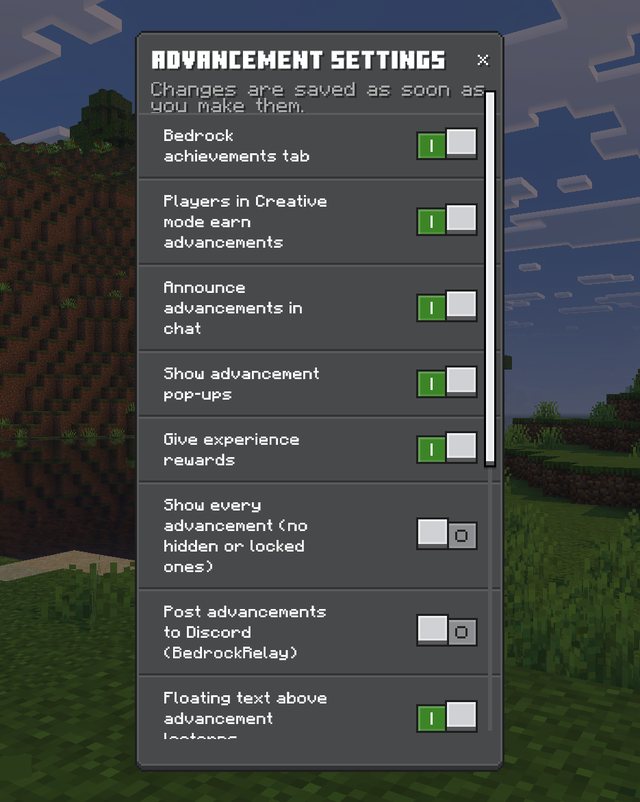
Running a Discord? Completions can be posted to your server as nice embeds through BedrockRelay, on dedicated servers and Realms.
Everything else you'll love
- No experiments needed. Your world keeps earning Xbox achievements.
- Realms, servers and every device. Players joining don't need anything extra.
- 29 languages out of the box, translated by the community (help translate)
- Plays nicely with other add-ons: no UI conflicts
- Multiplayer ready: everyone has their own progress, saved with the world
- Creative mode protection: nobody cheats their way to Monsters Hunted in Creative (unless you allow it)
- Upgrading from version 1? Just install version 2. Everyone's unlocks, with their original dates, and their partial progress come across automatically. Lecterns keep working too.
Two editions
Standard (recommended): no experiments, Xbox achievements keep working. Structures are recognised from their blocks, and crafting goals count when you have the item.
Beta: the same, plus a small extra pack that uses Minecraft's Beta APIs experiment for exact structure detection and, from Minecraft 1.26.60, crafting goals that only count when you actually craft the item. Experiments switch off Xbox achievements for that world, for good, so only pick this one if you want that extra accuracy.
Progress is shared between the two, so you can switch either way at any time.
Installation
- Download the .mcaddon (Standard, unless you want the Beta features)
- Open it and Minecraft imports it automatically
- In your world's settings, under Behavior Packs, activate BedrockAdvancements (the resource pack comes along with it). For the Beta edition, also activate BedrockAdvancements: Beta Features and turn on Beta APIs under Experiments.
- Play! Grab a crafting table and the Minecraft tab will take it from there.
Needs Minecraft Bedrock 1.26.50 or later.
Commands
- /ba:advancements opens the advancement screen
- /ba:progress shows what you've started and what's left
- /ba:admin opens the admin menu (operators)
- /ba:grant and /ba:revoke give or remove an advancement, a whole tab, or everything (operators, cheats on)
Questions
Will it turn off my Xbox achievements? Not the standard edition. It needs no experiments. Only the Beta edition does, because it uses the Beta APIs experiment.
Do my friends need to install anything? No. It's a normal add-on: the world sends it to anyone who joins.
Do I need an account to use the creator? No. The creator makes a normal pack file. An account (sign in with Discord) is only for publishing, rating and commenting on community packs.
Is it free? Yes. BedrockAdvancements, the creator and the community packs are all free.
I make add-ons. Can I add advancements to mine? Yes, and your tabs get the same screen, toasts, admin tools and Discord posts as the built-in ones. It can be done with plain JSON files and no scripts at all. See the developer guide.
Website · Creator · Community packs · Docs & FAQ · Discord
Made by myGen · mygen.co.uk
Bedrock Advancements Team

Owner