GlymeraSigns
- By
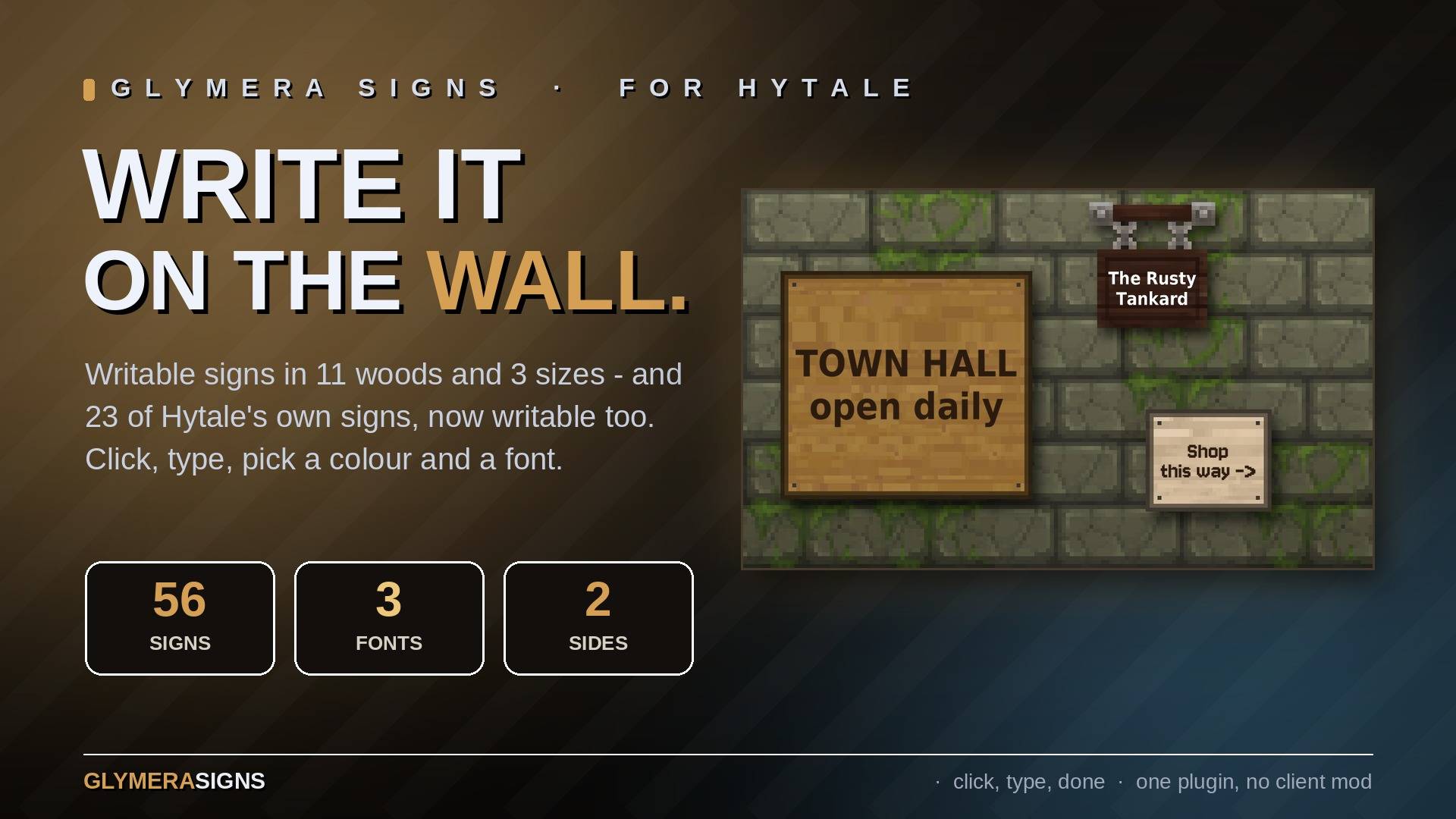
Writable signs: 11 woods in 3 sizes plus 23 of Hytale's own signs, text on both sides. Click, type, pick a colour and a font - the text is drawn on the board and every player sees the same. No client mod.
01_hero.jpg
02_how_it_works.jpg
03_hytale_signs.jpg
04_both_sides.jpg
05_three_fonts.jpg
Description
GlymeraSigns - Writable Signs for Hytale
Signs you can actually write on: 11 woods in 3 sizes plus 23 writable versions of Hytale's own signs - hanging signs, arrows, tavern, temple and neon signs, with text on both sides. Click a sign, type, pick a colour and a font - the text is drawn right on the board, scales to fit, and every player sees the same. No client mod, no entity per letter.
What is GlymeraSigns?
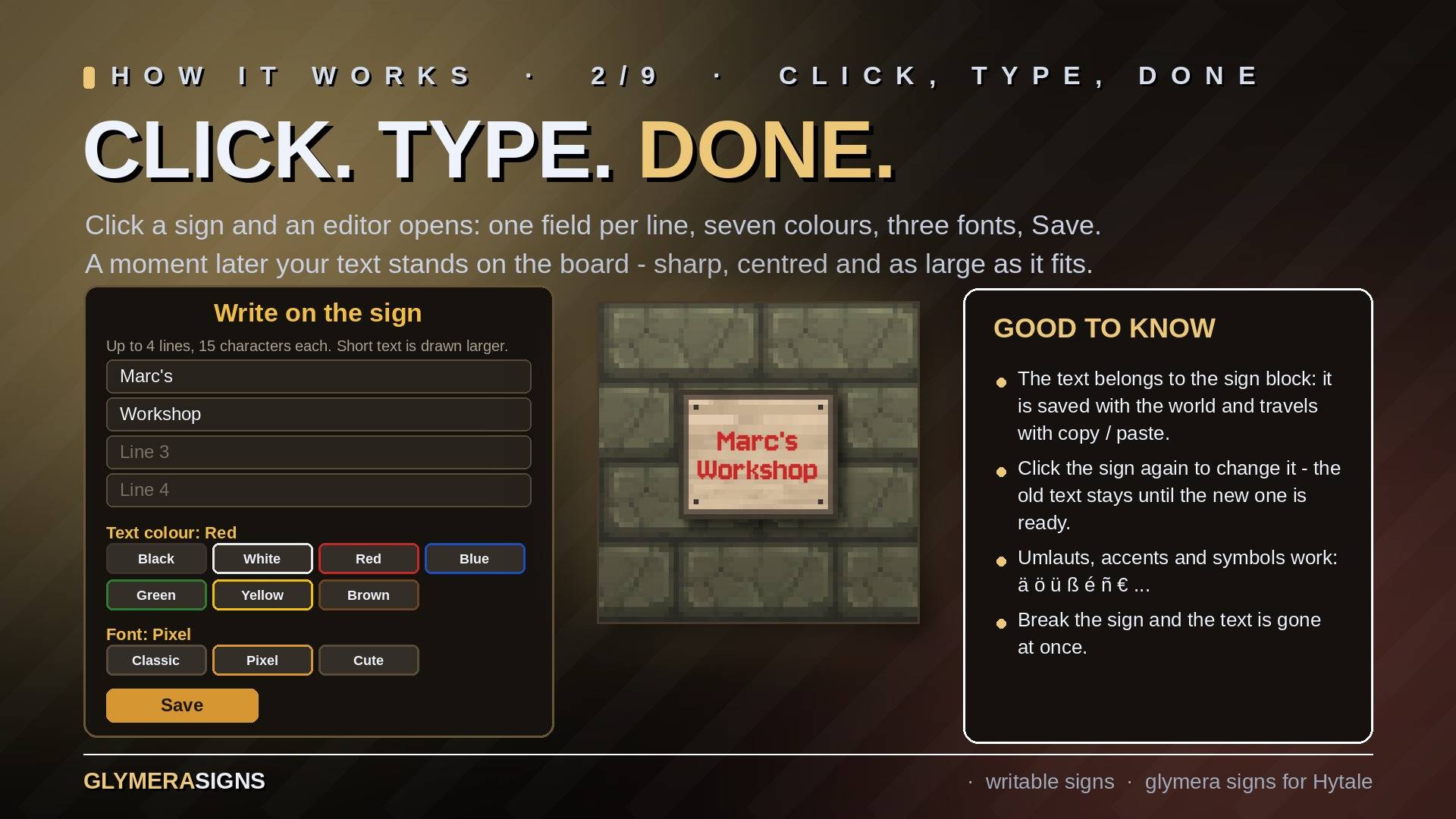
Place a sign, click it and an editor opens: one field per line, seven text colours, three fonts, Save. A moment later your text stands on the board - centred, anti-aliased and as large as the board allows. One short word fills the whole sign; nine full lines on a large sign stay readable.
Click the sign again to change it (the old text stays until the new one is ready). Break the sign and the text is gone at once.
The text is part of the sign block itself. It is saved with your world, it is removed with the block, and it travels with the builder tools' copy and paste.
The Signs
Eleven woods - every plank type Hytale has: Lightwood, Softwood, Hardwood, Darkwood, Blackwood, Deadwood, Drywood, Goldenwood, Redwood, Tropicalwood, Greenwood. Dark woods start with white text, light woods with dark text.
Three sizes:
| Size | Blocks | Text |
|---|---|---|
| Sign | 1 x 1 | 4 lines, 15 characters each |
| Wide Sign | 2 wide, 1 high | 4 lines, 34 characters each |
| Large Sign | 2 x 2 | 9 lines, 34 characters each |
That makes 33 signs. The editor stops you at the line length that still looks good on the board. Umlauts, accents and symbols work (ä ö ü ß é ñ € …).
Seven text colours: black, white, red, blue, green, yellow, brown. Light colours get a fine drop shadow so they stay readable on bright wood.
Wide and large signs are single blocks that span two or four cells; every part of them can be clicked and broken.
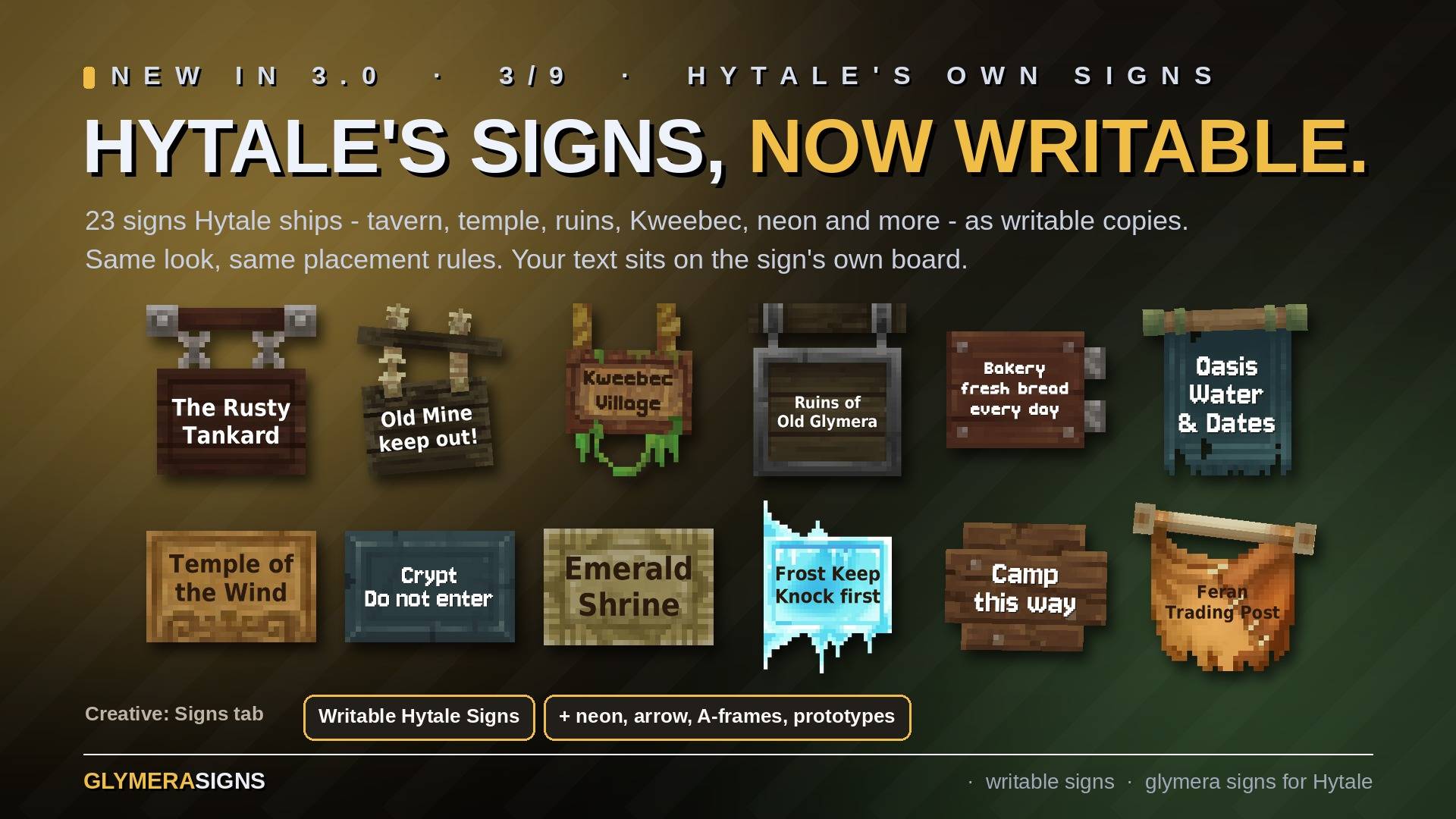
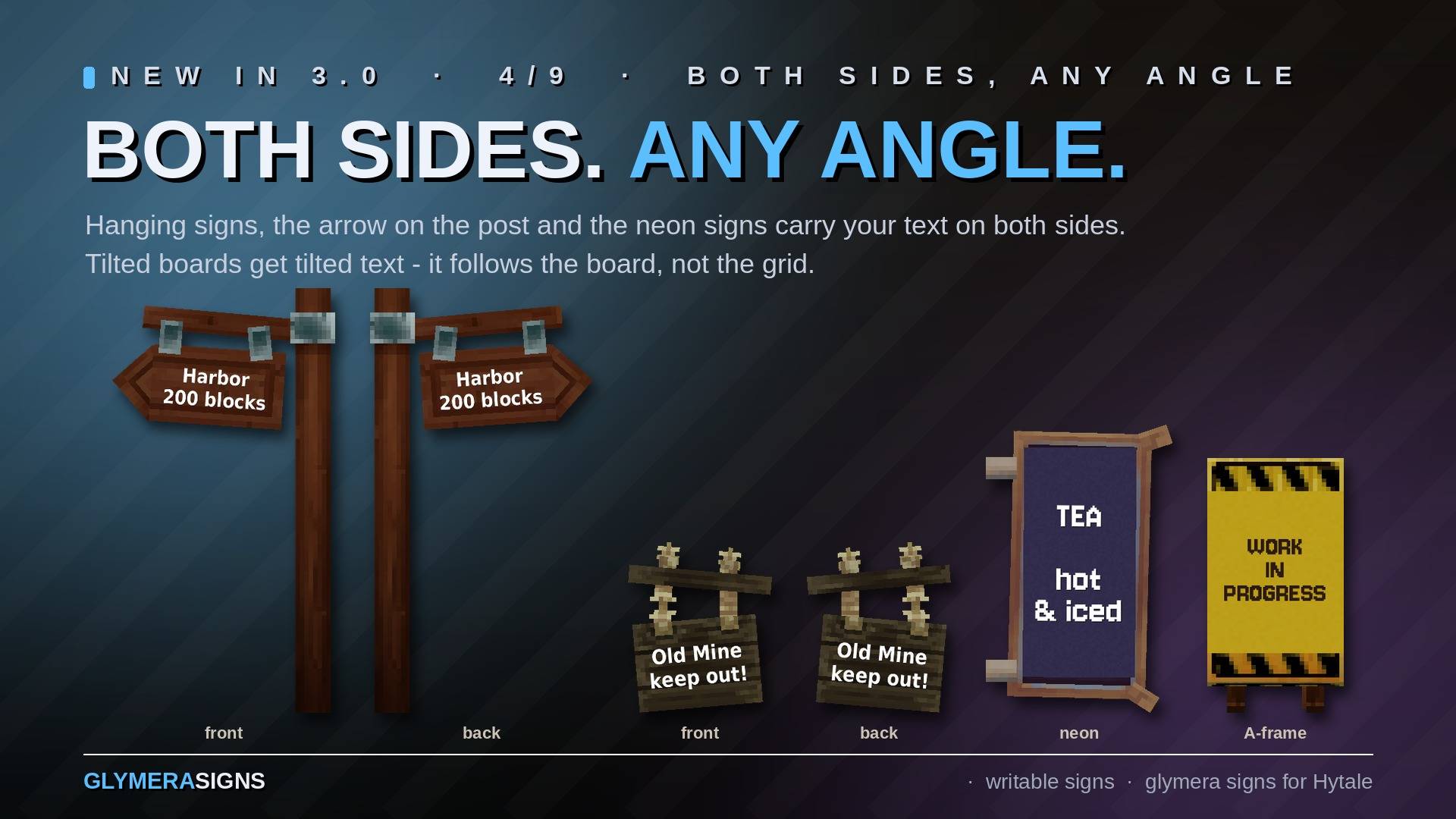
Writable Hytale signs (new in 3.0.0): 23 of Hytale's own signs as writable copies - Ancient, Crude, Sandswept, Feran, Frozen Castle, Goblin, Lost Civilization, Under Construction, Kweebec, Lumberjack (arrow on a post), Tavern, Dark / Overgrown / Wind Temple, Simple Wooden Sign, the two neon signs and the six prototype signs. They look and attach exactly like the originals. The text sits on the sign's own board, follows its tilt, and appears on both sides wherever the sign has two. How much fits depends on the board (from two lines on the small hanging signs to nine lines on the neon sign). Where Hytale printed artwork on a sign (neon signs, Under Construction), the writable copy has a plain surface in the same colour instead, so your text stays readable; frames and warning stripes stay.
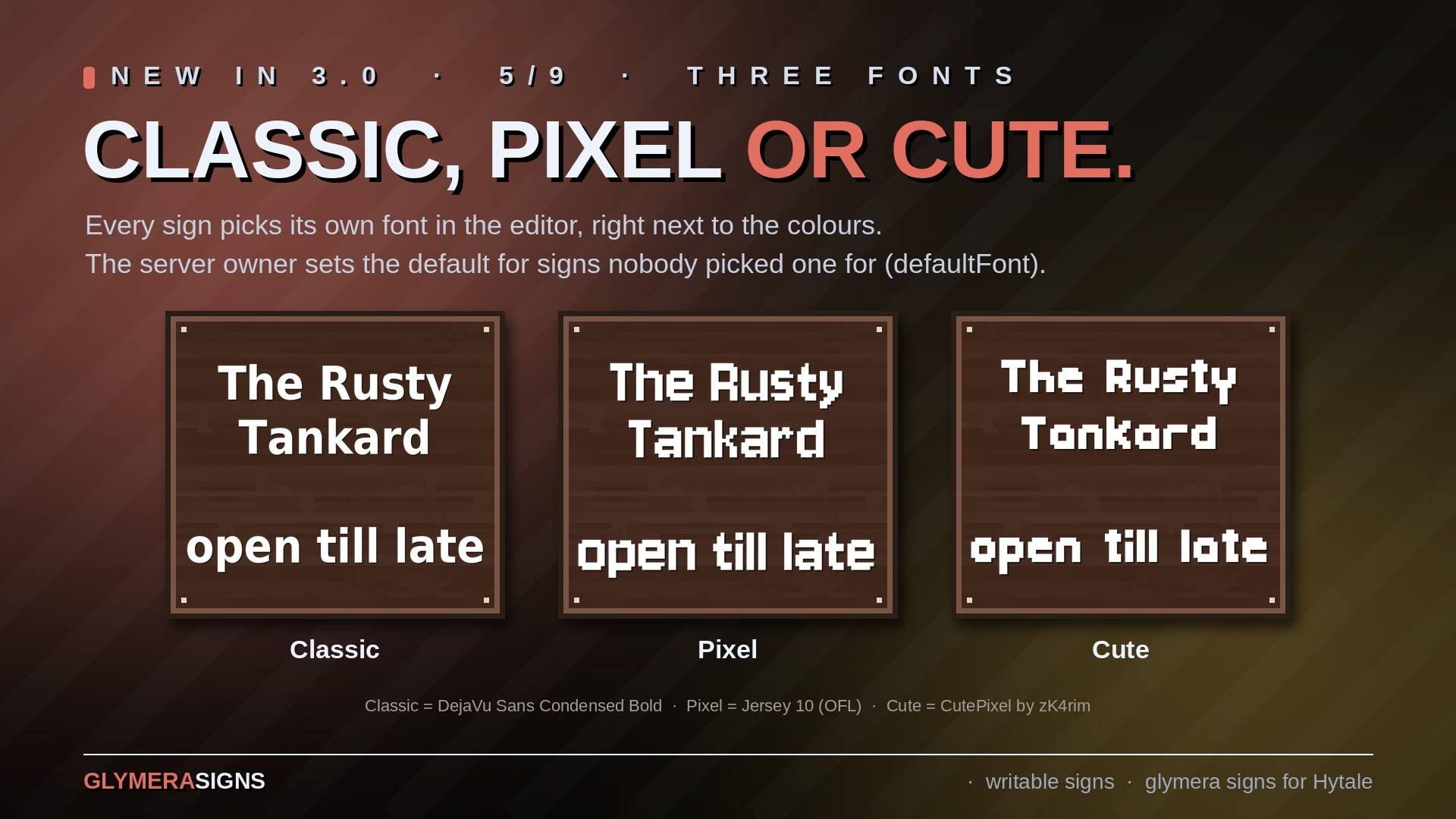
Three fonts, chosen per sign: Classic (bold and clear), Pixel and Cute (two pixel fonts). Switch them in the editor next to the colours.
Crafting
At the Furniture Bench, Misc tab:
| Item | Ingredients |
|---|---|
| Sign | 1x planks of its wood |
| Wide Sign | 2x planks of its wood |
| Large Sign | 4x planks of its wood |
A writable Hytale sign costs what the original costs (signs Hytale has no recipe for: 2 planks), same bench and tab.
All ingredients are obtainable in Adventure mode. In creative mode the signs sit in their own Signs tab (Signs, Wide Signs, Large Signs, Writable Hytale Signs).
The recipes can be switched off in the config (recipesEnabled: false); plank amounts, bench, tab and crafting time are configurable too.
Owner Protection
Only the player who placed a sign - and server operators - can rewrite or break it. Everybody else gets a short notice. A copied sign keeps the owner of the original. Protection can be switched off (ownerProtection: false).
Light on Your Server
Text in the world usually means one entity per letter. GlymeraSigns bakes the whole text into one small picture and shows it on a single flat plane that only exists for the players nearby:
- 0 entities are added to your world - nothing for mob caps or clean-up plugins to count or delete, no stray letters after a crash.
- One picture per text (5-14 KB), sent to a player once per session; equal texts share one picture. Pictures travel ahead: they are sent at 96 blocks, the sign appears at 48.
- Measured: with 1000 written signs in range, the check that runs three times a second per player takes 8 microseconds. Without players nearby the plugin does nothing at all.
- The picture is baked once per distinct text on its own thread (11-26 ms).
Every player sees the same - also players who join later or come by for the first time. A new text appears about three seconds after saving (the picture has to reach the client first); from then on it is there at once.
For Server Owners
mods/de.glymera_GlymeraSigns/config.json is written on the first start; an _info line in the file explains the keys.
| Key | Default | Meaning |
|---|---|---|
recipesEnabled |
true | false removes all sign recipes at the next server start (creative only then) |
planksSmall / planksWide / planksLarge |
1 / 2 / 4 | planks per sign |
benchId / benchCategory / craftSeconds |
Furniture_Bench / Furniture_Misc / 1 | where and how fast the signs are crafted |
ownerProtection |
true | only the owner and operators may rewrite or break a sign |
defaultFont |
classic | font of signs nobody picked one for yet: classic, pixel or cute |
showRadius / hideRadius |
48 / 56 | blocks within which the text is drawn / removed again |
preloadRadius |
96 | blocks within which the picture is already sent to a player |
textScale, textForward, textUp, assetSettleMs, textureSettleMs |
place and time the text; normally leave them as they are |
The recipes live in a small asset pack folder mods/GlymeraSignsRecipes that the plugin writes and removes itself.
Commands (operators):
| Command | What it does |
|---|---|
/gsign |
version and short help |
/gsign stats |
how many signs are loaded and shown |
/gsign refresh |
draws all signs anew for everybody nearby |
/gsign tune <key> <value> |
moves / resizes the text live (textScale, textForward, textUp, assetSettleMs, settleMs) |
Good to Know
- Server-side only: players need nothing but the server's asset pack, which Hytale delivers on join.
- No database, no dependencies.
- Works with the builder tools: copied and pasted signs keep text, colour and owner.
- Fonts: Classic = DejaVu Sans Condensed Bold, Pixel = Jersey 10 by The Soft Type Project (SIL Open Font License 1.1), Cute = CutePixel by zK4rim (free for any use). Licence texts are in the jar.
Installation
- Put
GlymeraSigns-3.0.0.jarinto your server'smods/folder. - Start the server. Done - the signs are in the creative tab Signs and at the Furniture Bench (Misc tab).
Updating from an earlier version: just replace the jar. Existing signs keep their text, colour, owner and look.
GlymeraSigns Team