GlymeraArmorStand
- By
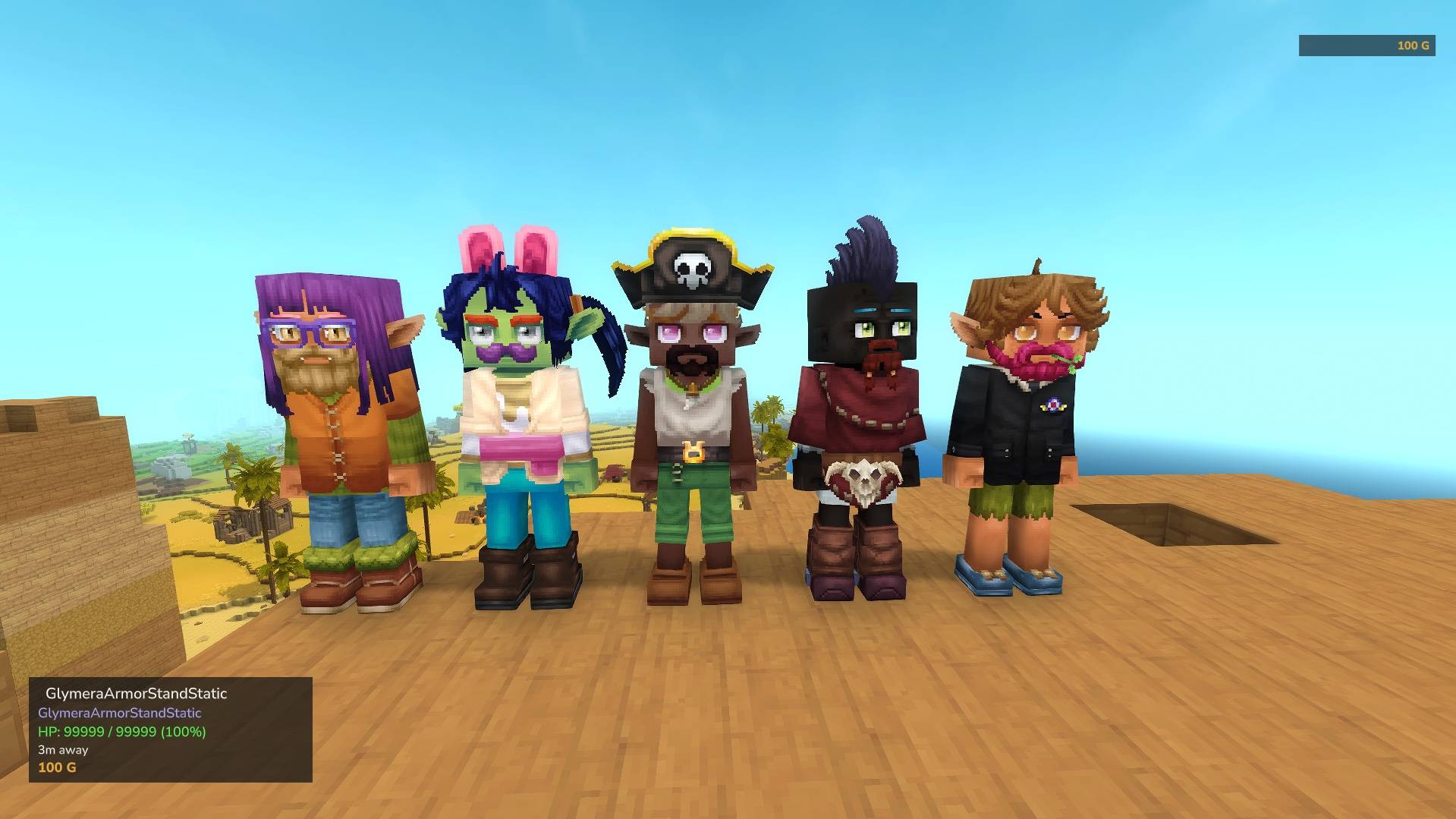
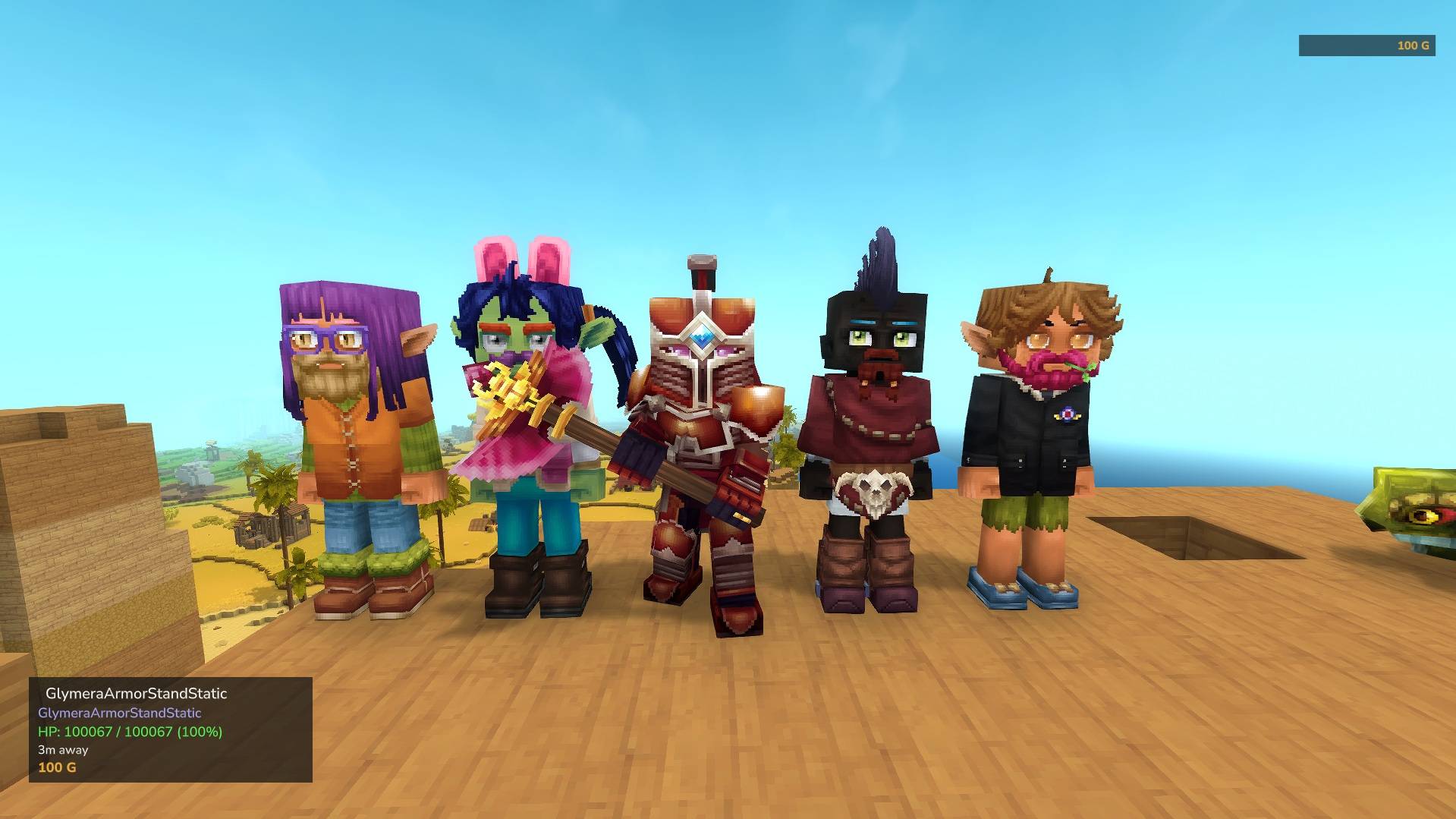
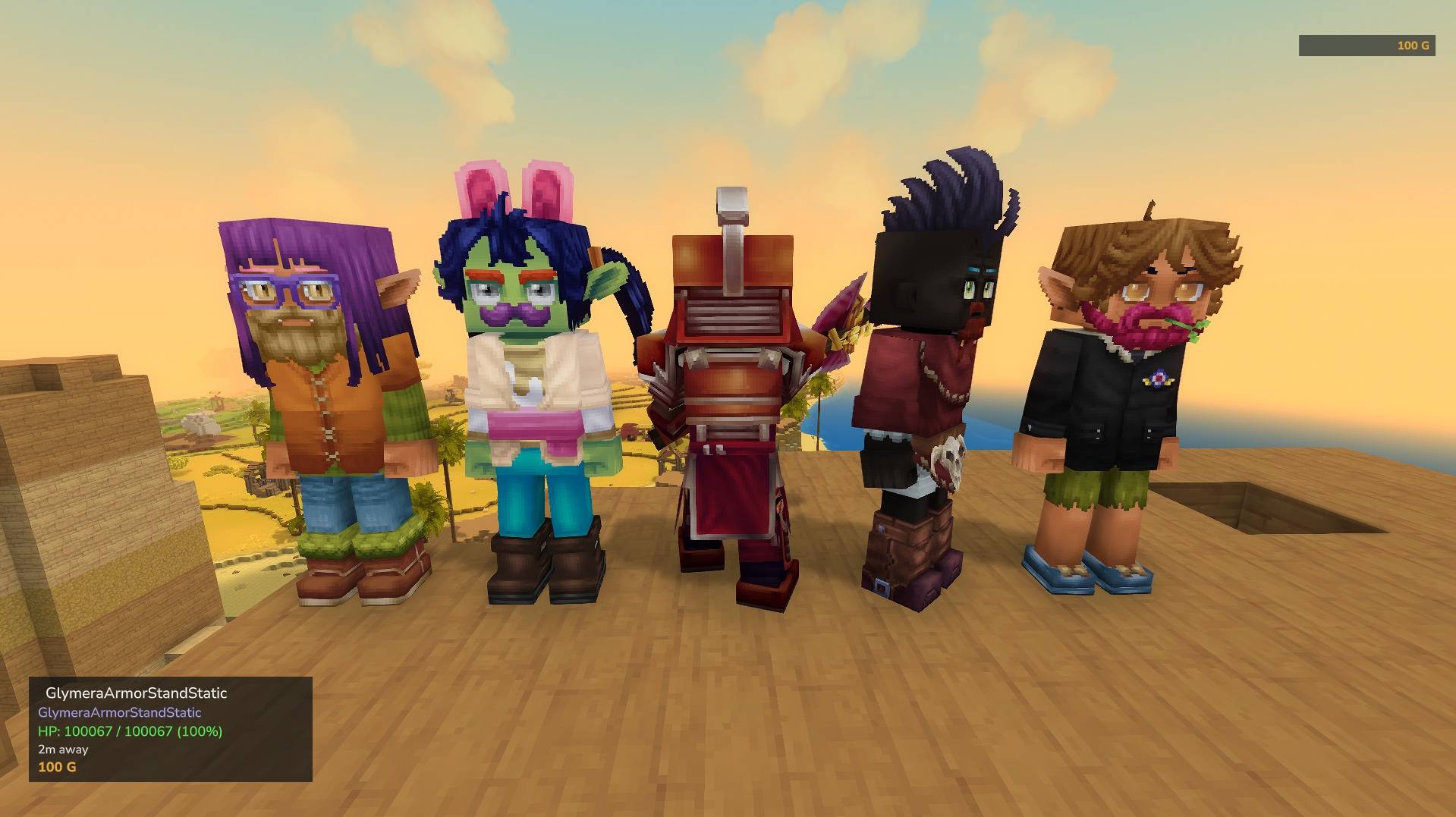
Collectible armor stands with endless variations! Every placed block spawns a unique NPC. Equip them with weapons and armor and build your personal gallery. Craftable, persistent, update-proof.
Unbenannt_1.jpg
Unbenannt_2.jpg
Unbenannt_3.jpg
Description
GlymeraArmorStand - Collectible Armor Stands with Endless Variations
Craftable armor stands that spawn unique, randomized player-looking NPCs. Every stand is a one-of-a-kind collectible - equip them with armor and weapons to build your personal gallery. Or give a stand the look of any real Hytale player with one command.
What is GlymeraArmorStand?
GlymeraArmorStand adds craftable blocks that, when placed, spawn a unique NPC with a randomized player appearance. Every armor stand looks different - different hair, face, body type, clothing and more. You can equip them with any armor piece or weapon, rotate them freely, and pick them up to place them somewhere else. The appearance is permanently tied to each block, so your collection stays intact no matter how often you move them.
Craft, collect, equip, display.
How It Works
- Craft an Armor Stand block at a Workbench
- Place the block - a unique NPC appears, facing you
- Equip it: hold the armor piece or weapon and type
/armorstand equipwithin 5 blocks of the stand (the slot is picked automatically). Hitting the stand with armor does not work, because Hytale puts the armor on you instead. - Rotate it by hitting with a stick (45-degree steps)
- Unequip by hitting with an empty hand (strips all equipment)
- Pick up by hitting a naked stand with an empty hand (returns the block with its identity)
- Place again anywhere - the exact same NPC appears
Commands
| Command | Who | Description |
|---|---|---|
/armorstand |
Everyone | Show plugin info and usage help |
/armorstand list |
Everyone | List all your placed armor stands with locations and equipment |
/armorstand equip |
Everyone | Equip your held item on the nearest armor stand (within 5 blocks) |
/armorstand change <player> |
Everyone | The nearest armor stand (within 5 blocks, your own) takes on the look of that Hytale player; random = back to its own look |
/armorstand give [player] |
OP | Give 8 armor stand blocks to yourself or a player |
/armorstand removeall |
OP | Remove all armor stands from the world |
/armorstand reload |
OP | Reload the config file |
Player Looks (v12)
Type /armorstand change <PlayerName> next to one of your stands and it takes on that player's look: body, face, hair, clothes, accessories. This works for every Hytale player, whether they are online, offline or have never been on your server:
- Player online on your server: the look is copied straight from them, no internet needed.
- Anyone else: the public look is fetched from the PlayerDB web service (https://playerdb.co, run by Nodecraft, free) - the same data the Hytale avatar pictures on crafthead.net are rendered from. Only the player name is sent, nothing about your server or your players.
The look sticks to the block: pick the stand up, carry it in your inventory, place it again - it still looks like that player. /armorstand change random gives the stand its own look back (exactly the one it had before). If the player changes their look later, the stand follows: whenever it is shown and its last check is older than playerSkinAutoUpdateHours (default 12), the plugin asks once and updates it.
If the lookup fails (service down, unknown name, player without a public look), you just get a chat message - nothing changes. Server admins who want no internet requests at all set playerSkinLookup to false; change then only works for players who are online on the server, and stands that already wear a player look keep it (the look is stored locally).
Crafting Recipe
Crafted at a Workbench (Survival category):
- 2x Gold Bar
- 1x Bone Fragment
- 1x Raw Pork
The recipe can be disabled in the config file (requires server restart).
Equipment Slots
Armor stands support 6 equipment slots. The slot is automatically detected from the item name:
| Slot | Detected Keywords |
|---|---|
| Head | _head, _helmet, _hat, _mask, _hood, _cap, _crown |
| Chest | _chest, _torso, _body, _robe, _tunic, _vest |
| Hands | _hands, _gloves, _gauntlet |
| Legs | _legs, _pants, _leggings, _boots, _feet, _greaves |
| Right Hand | weapon_*, tool_*, or any unrecognized item |
| Left Hand | A second hand item with /armorstand equip while the right hand is occupied |
Swapping: If a slot is already occupied, the old item is returned to your inventory before the new one is applied.
Features
- Endless variations - Every armor stand gets a unique, randomized player appearance from Hytale's full cosmetics pool
- Player looks -
/armorstand change <player>makes a stand look like any real Hytale player (see above) - True collectibles - Each block carries a unique seed; the same block always produces the same NPC
- Stable appearances - NPC looks are permanently saved and survive server updates that change the cosmetics pool
- Full equipment support - Head, chest, hands, legs, right hand and left hand slots
- Rotation - Hit with a stick to rotate in 45-degree steps; stands snap to face you when first placed
- Ownership protection - Only the owner (or an OP) can interact with a stand
- Per-player limit - Configurable maximum number of stands per player (default: 50)
- Persistent - Stands survive server restarts with all equipment and appearance intact
- Chunk-aware - NPCs only spawn when their chunk is loaded, no wasted resources
- Craftable - Recipe can be enabled or disabled in the config
Configuration
The config file is automatically created at first startup in the plugin data directory.
Every setting is explained right inside the file (the _name line above each value):
{
  "maxStandsPerPlayer": 50,
  "recipeEnabled": true,
  "playerSkinLookup": true,
  "playerSkinAutoUpdateHours": 12
}| Setting | Default | Description |
|---|---|---|
maxStandsPerPlayer |
50 | Maximum number of placed armor stands per player |
recipeEnabled |
true | Whether the crafting recipe is available (requires restart) |
playerSkinLookup |
true | /armorstand change <player> may fetch the public look of any Hytale player from PlayerDB (https://playerdb.co; only the player name is sent). false = no internet lookups at all; change then only works for players online on this server. Stands that already wear a player look keep it either way |
playerSkinAutoUpdateHours |
12 | Hours between two checks whether a player whose look a stand wears has changed it (needs playerSkinLookup). 0 = never re-check |
Installation
- Place the
GlymeraArmorStand-<version>.jarin your server'smods/folder - Start (or restart) the server
- Done!
Data Files
The plugin stores its data in the plugin data directory:
| File | Purpose |
|---|---|
config.json |
Plugin settings |
stands.json |
All placed stands (positions, equipment, owners) |
skins.json |
Permanent seed-to-appearance registry (ensures stability across updates); a stand wearing a player look additionally carries _player, _uuid and _updated |
Good to Know
- Armor stands are invulnerable - they cannot be killed by damage, only picked up by the owner
- Stands are immobile - they cannot be pushed or moved by any game mechanic
- When you reach your stand limit, you'll see a message: "Maximum armor stands reached! (50/50)"
- Interacting with someone else's stand shows: "This is not your armor stand!"
- OPs can interact with any stand regardless of ownership
- Picking up a stand returns all equipped items to your inventory first, then gives you the block
- The block can be safely stored in chests and containers
Performance
- Chunk-aware spawning - NPCs are only spawned when their chunk is loaded by a player
- Periodic cleanup - Stale or duplicate NPCs are automatically removed every second
- Cached skins - Generated models are cached in memory to avoid repeated computation
- Minimal tick cost - One lightweight check per second, no per-tick processing
Made with care by Glymera for the Hytale community
GlymeraArmorStand Team