Keyring: Minimap buttons cleaner
- By
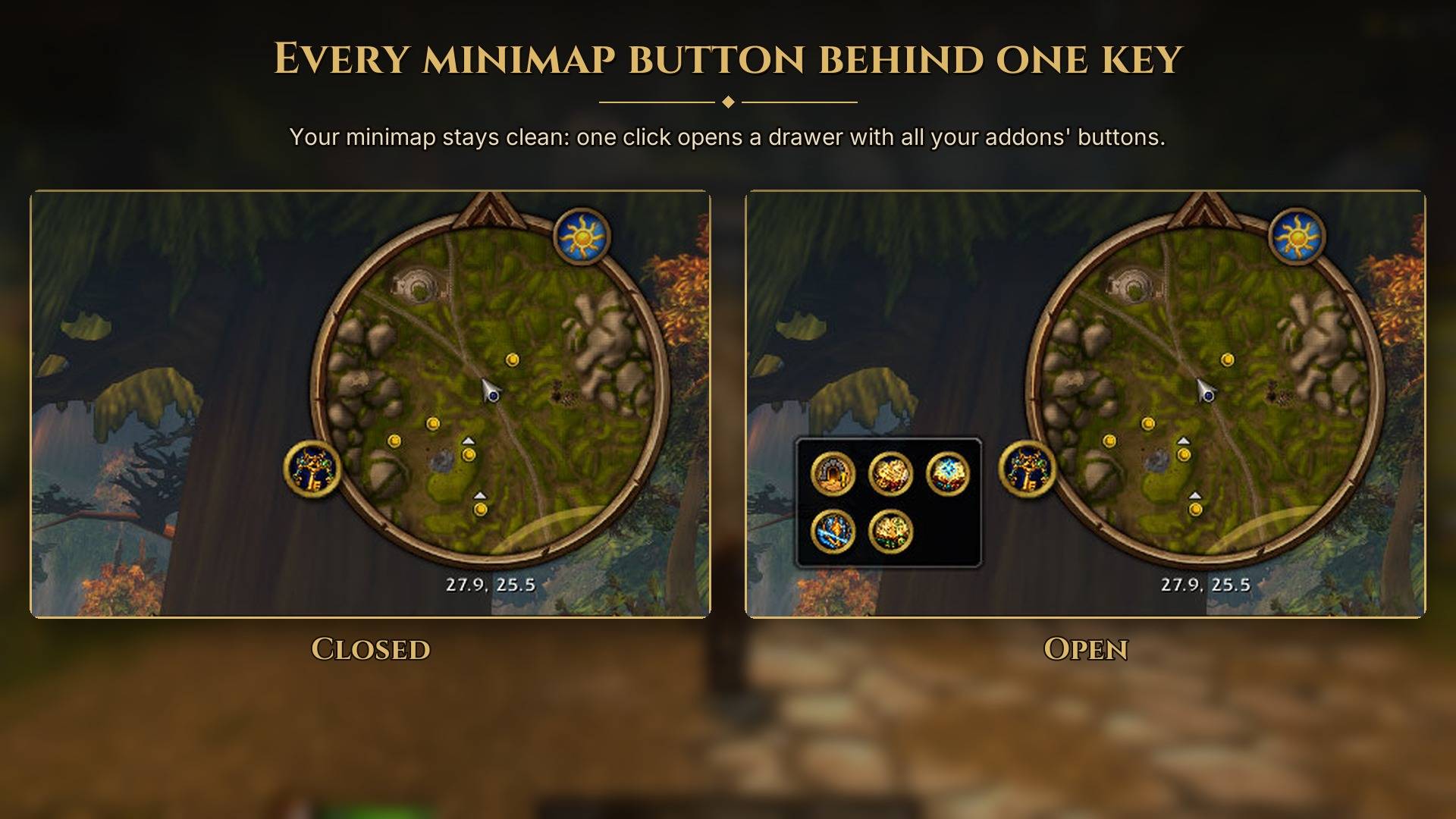
Collect your addon minimap buttons in a drawer behind one key. Choose which buttons to gather and which to leave on the minimap.
gallery-01-lead.jpg
gallery-02-drawer.jpg
Description
Keyring
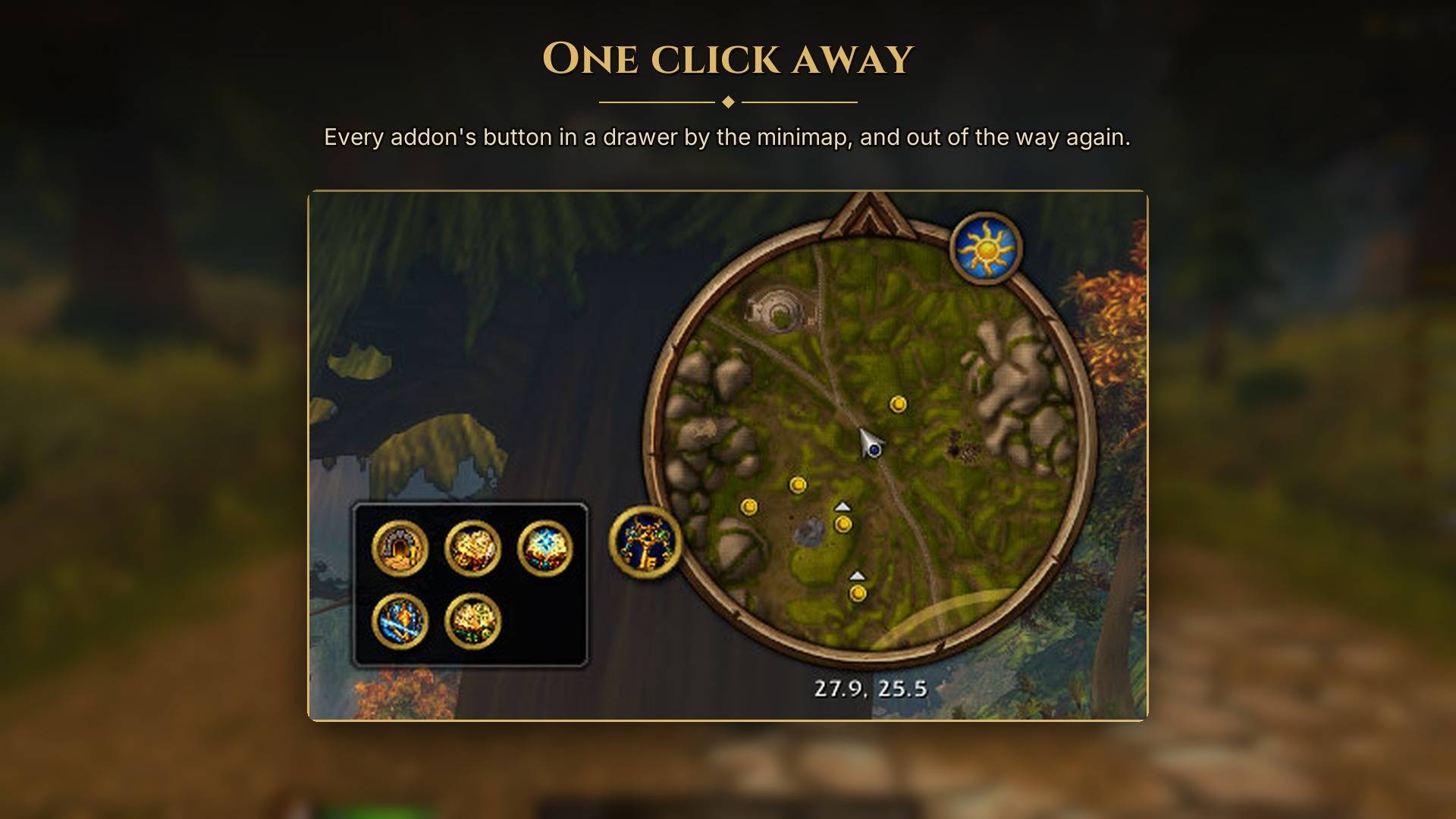
Keyring collects your addon minimap buttons into a drawer, leaving one key button on the minimap. Click it to reach your addons, then close it with Escape, another click on the key or a click elsewhere.
Using Keyring
- Left-click the key to open or close the drawer.
- Right-click for settings.
- Drag the key to move it around the minimap.
- Untick a button in settings to leave it on the minimap instead.
The drawer arranges buttons in a grid and follows your minimap's scale. Clicking a menu opened by an addon button keeps the drawer open so you can use it.
Keyring finds buttons made with LibDBIcon, which most addons use, and other addon buttons it recognises on the minimap. Tracking, mail, the clock, zoom controls and map pins stay where they are. Buttons hidden by their own addon stay hidden.
The key uses the game's minimap ring and highlight, with a painted keyring icon. It works as soon as you install it.
Commands
/keyringopens or closes the drawer./keyring settingsopens the button list./keyring listprints gathered and excluded buttons in chat./keyring resetreturns the key to its default position.
Compatibility
One download covers Classic Era, Hardcore, Season of Discovery, TBC Anniversary and World of Warcraft: Forever.
Protected buttons are left in place because the game restricts moving or hiding them during combat.
Support
Keyring is free and will stay free. If it's made your minimap less crowded, you can support the addon with a coffee on Ko-fi. Thank you.
Source
MIT licensed: github.com/salty-max/keyring. Not affiliated with Blizzard Entertainment.
Keyring: Minimap buttons cleaner Team