Xius Max Graphics
- By
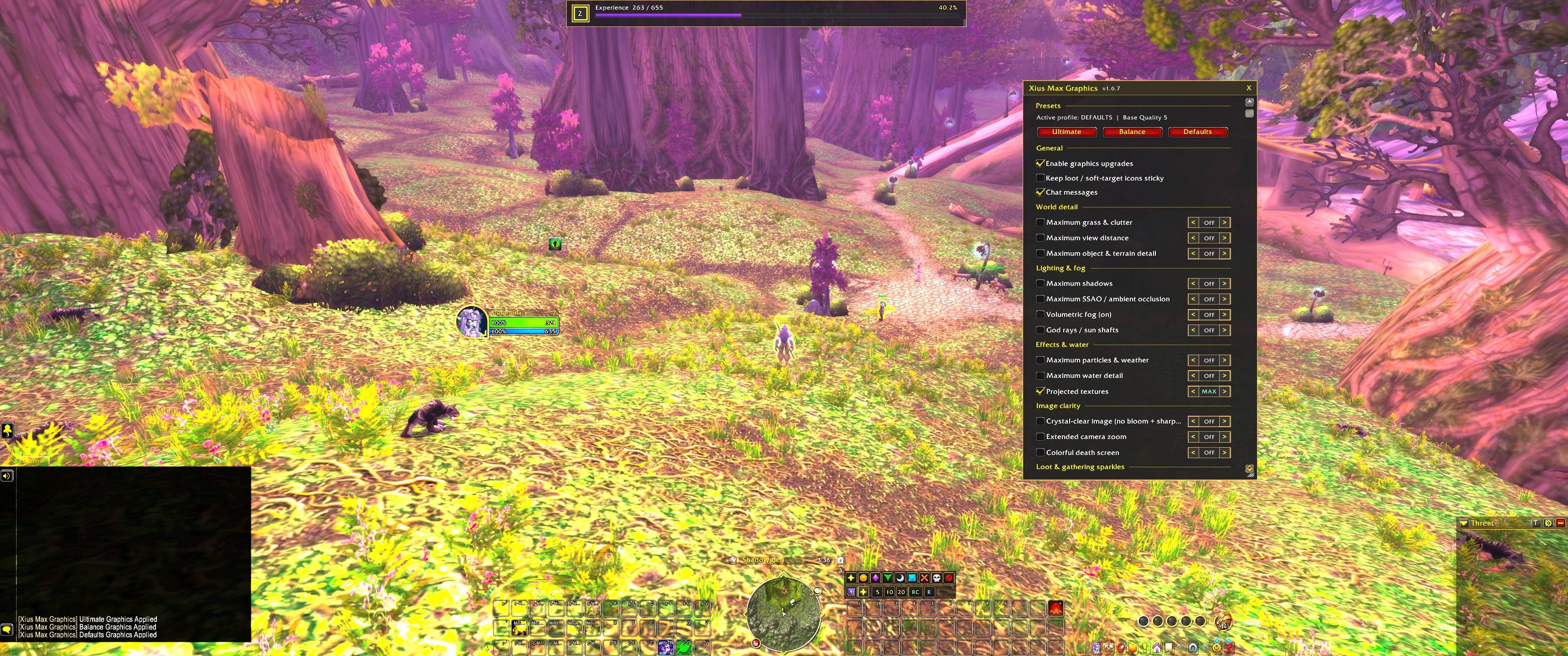
ltimate, Balance, and Defaults presets push view distance, grass, shadows, water, particles, and image clarity past the normal graphics menu, and you can turn each upgrade on or off by itself.
xmg-default(1).jpg
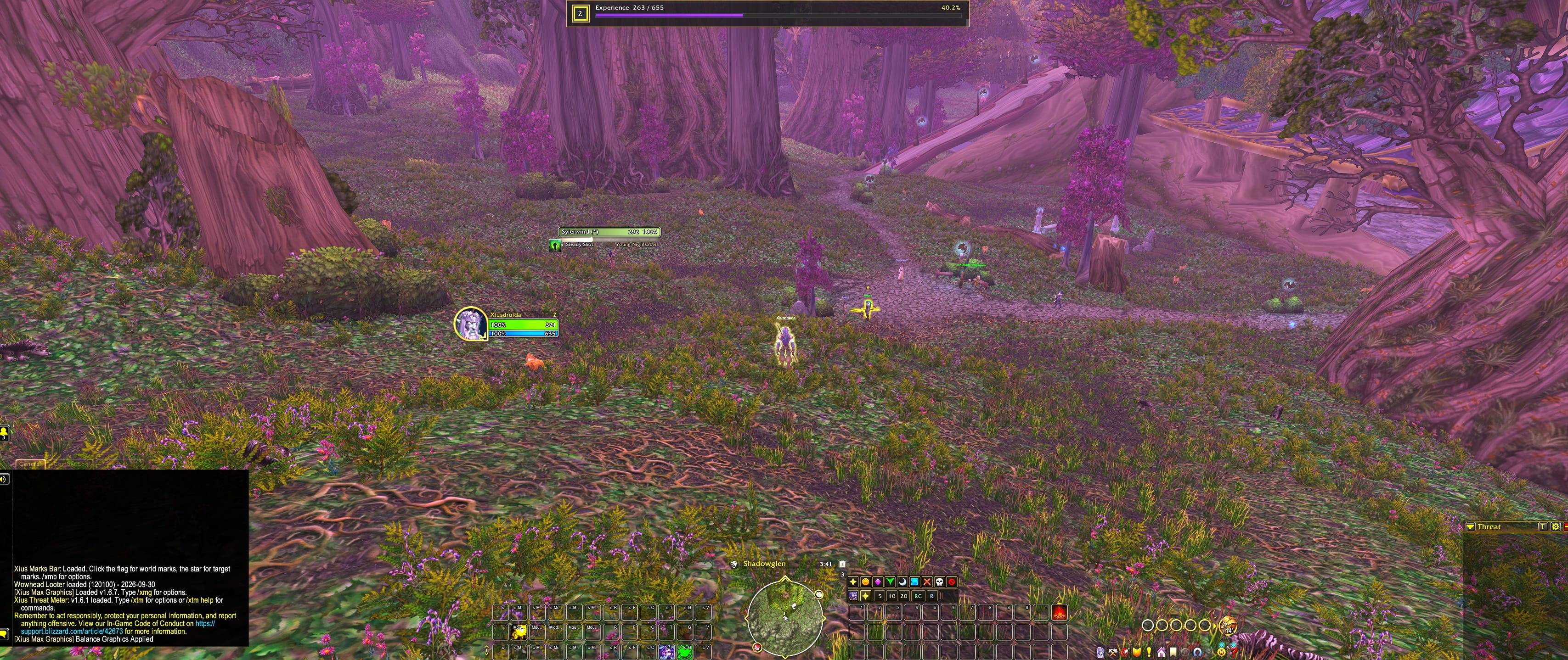
xmg-balanced(1).jpg
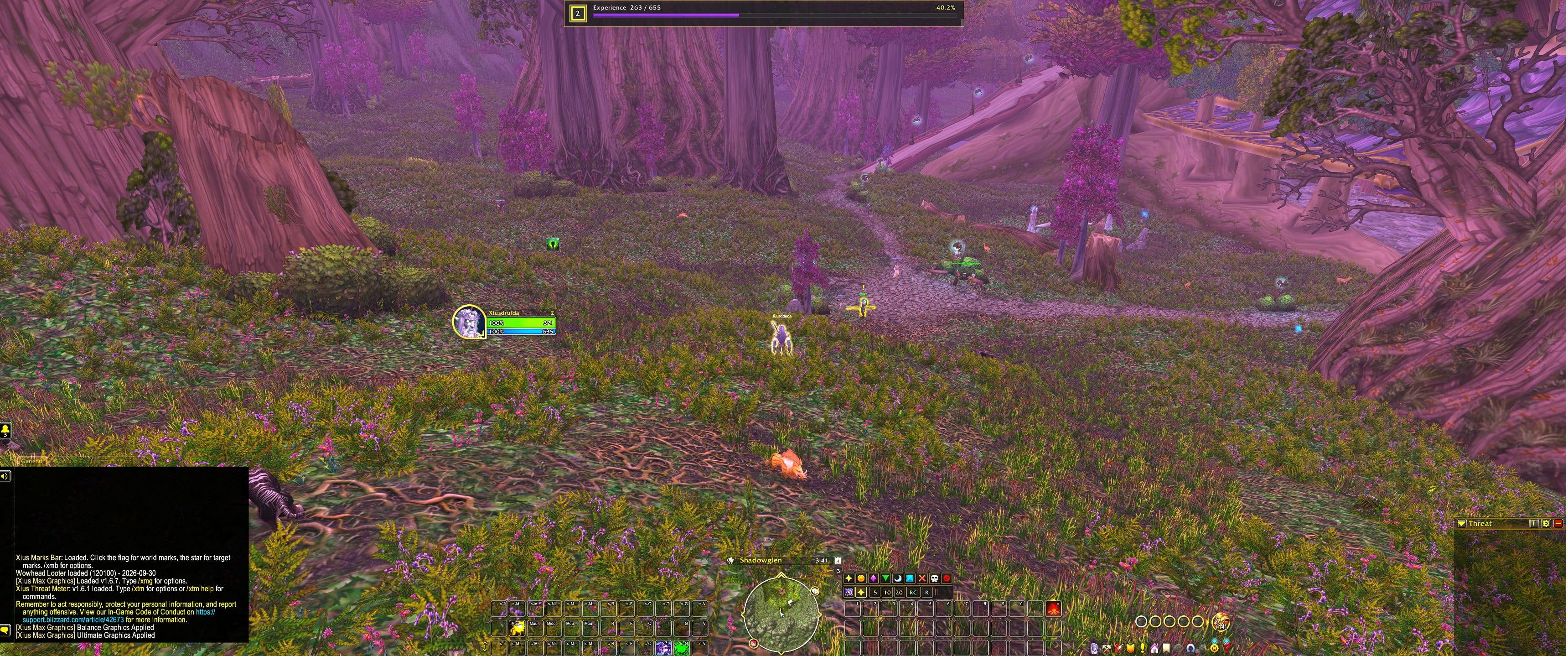
xmg-ultimate(1).jpg
Description
Xius Max Graphics
Pick-and-choose graphics upgrades for World of Warcraft Forever (1.60.1) and modern retail. Ultimate, Balance, and Defaults presets push view distance, grass, shadows, water, particles, and image clarity past the normal graphics menu, and you can turn each upgrade on or off by itself. Optional loot and gathering sparkles sit on top of that.
Features
Presets
- Ultimate: Top graphics-menu quality, with grass, view distance, shadows, water, particles, and sharpening pushed further.
- Balance: High quality with a lighter cost. Raid shadows and ambient occlusion stay lower than the open world.
- Defaults: The normal graphics-menu baseline. Projected textures (ground spell markers) stay on.
- Custom: Change any single upgrade and the addon keeps your mix. Each row steps MAX → BAL → OFF.
Turning the addon off stops it from writing settings. It does not put your old graphics back.
World, light, and image
- World: Maximum grass and clutter, view distance, and object / terrain detail.
- Lighting: Shadows, SSAO, volumetric fog, and god rays. Fog and sun shafts turn fully off when that row is OFF.
- Effects: Particles and weather, water detail, and projected textures.
- Image: Bloom off with sharpening, extended camera zoom, and a color death screen.
Heavy rows (shadows, view distance, grass) cost FPS. Balance exists for that.
Loot and gathering sparkles
- Quest item loot sparkles: Sparkles on quest loot and quest givers. Fully exit the game and start it again after changing this. A UI reload will not show or hide them.
- Herb and ore glints: Golden glints on the nearest herb or vein in front of the camera. These do not sparkle NPCs or quest givers.
- Quest object sparkles: Extra glints on nearby quest objects such as chests and wanted posters.
- Soft-target icons: Optional floating icons on gather nodes, and separate overhead icons on NPCs and quest givers. Changing either icon option asks you to reload. Ultimate, Balance, and Defaults turn the NPC icons off.
- Keep icons sticky: Re-locks loot sparkles and soft-target icons if something else changes them. It does not fight the Graphics menu.
Controls & Slash Commands
| Command / Input | Action |
|---|---|
/xmg or /xiusmax |
Open or close the options window |
/xmg on / /xmg off |
Turn upgrades on or off |
/xmg ultimate or /xmg max |
Apply the Ultimate preset |
/xmg balance |
Apply the Balance preset |
/xmg defaults or /xmg reset |
Apply the Defaults preset |
/xmg protect |
Toggle sticky loot / soft-target icons |
/xmg sparkles or /xmg loot |
Toggle quest item loot sparkles |
| Left-Click the minimap compartment icon | Open options |
| Right-Click the compartment icon | Toggle the addon on or off |
| Drag the title bar | Move the window |
| Bottom-right corner | Resize the window |
The same controls are under Game Menu → Options → AddOns → Xius Max Graphics.
Window position and size are saved per account in XiusMaxGraphicsDB.
Installation
- Download the latest release
.zip(or use Code → Download ZIP on this page). - Extract the
XiusMaxGraphicsfolder into your client's addon directory:- Forever:
World of Warcraft Forever\Interface\AddOns - Retail:
World of Warcraft\_retail_\Interface\AddOns - If you downloaded the repository ZIP, rename the extracted
xiusmaxgfx-mainfolder toXiusMaxGraphics.
- Forever:
- Verify the folder contains
XiusMaxGraphics.toc,Config.lua,Core.lua,Options.lua, andSparkles.lua. - Launch the game, confirm Xius Max Graphics is checked in your AddOns menu, and run
/reload. - Type
/xmgand choose Ultimate, Balance, or Defaults.
Compatibility: World of Warcraft Forever (TOC 16001) and modern retail (TOC 120105). Pure Lua 5.1 with zero external library dependencies. Some clients ignore individual console settings; those are skipped instead of erroring.
File Overview
| File | Purpose |
|---|---|
XiusMaxGraphics.toc |
Addon manifest (interface versions, saved variables, load order) |
Config.lua |
Presets, feature list, colors, saved-variable defaults, and shared window helpers |
Core.lua |
Applies presets and individual settings, slash commands, and the reload prompt |
Options.lua |
Movable options window and the Esc > Options > AddOns page |
Sparkles.lua |
Soft-target glints for herbs, ore, and optional quest objects |
More From Xius
Xius Marks Bar: A compact raid marking bar. Click the flag for world markers or the star for target markers, with 5 / 10 / 20 pull timers, ready check, and role check built in.
GitHub · CurseForge
Xius Threat Meter: A clean, lightweight threat meter. Shows who is on the enemy's threat table, how much threat each player and pet has, and warns you before you pull aggro.
GitHub · CurseForge
Xius XP & Reputation Tracker: A compact HUD card that replaces the default XP and reputation bars with a single movable panel: level, XP, rested, watched faction, session rates, gold, and time-to-level.
GitHub · CurseForge
Xius Kill Streak: A ten-tier kill streak announcer for mobs and enemy players. Each new tier shows a banner and plays a call, with a small counter for the current streak and the time left to keep it going.
GitHub
All Xius addons share the same clean, dark gold style for a unified UI.
License
Released under the GNU General Public License v3.0.
Development & AI Disclosure
This addon was built and refactored with the assistance of AI development tools (Cursor / LLMs) for code generation, UI layout structure, and graphics-setting layout, with manual architecture, in-game verification, and maintenance by Xius.
Xius Max Graphics Team