WorldQuestHub
- By
Modern world quest pins with reward icons and timers, zone-spanning display on continent and world maps, and a sortable world quest list in the quest log
Tab integration
Widget
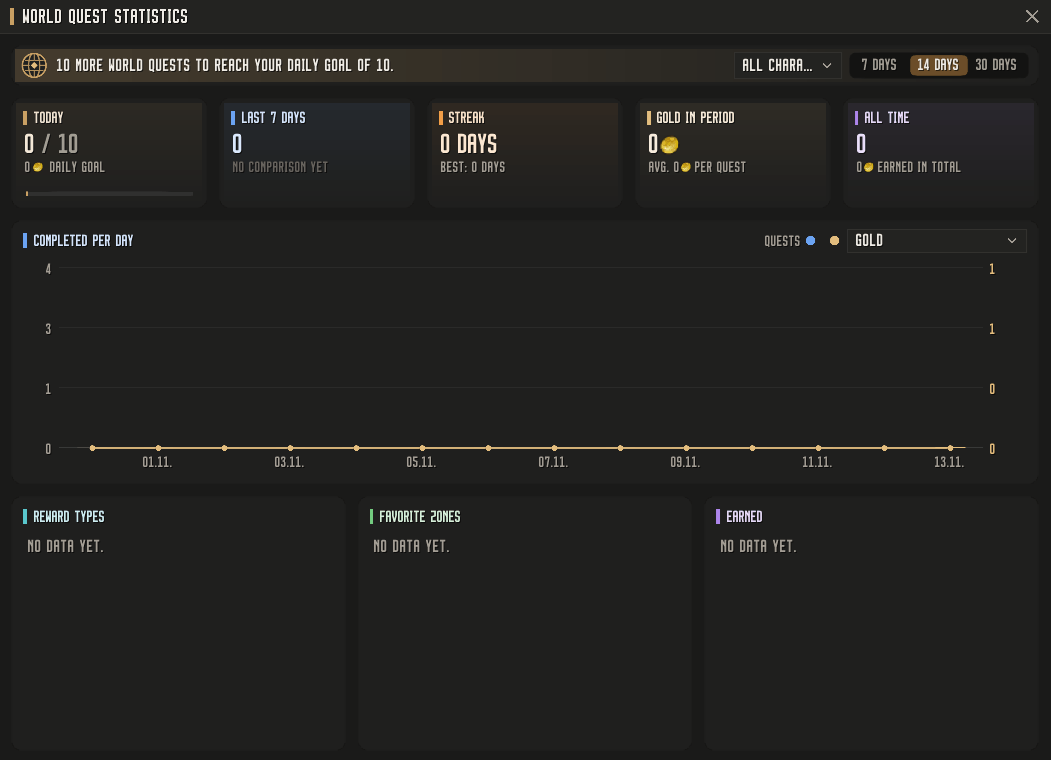
Statistics
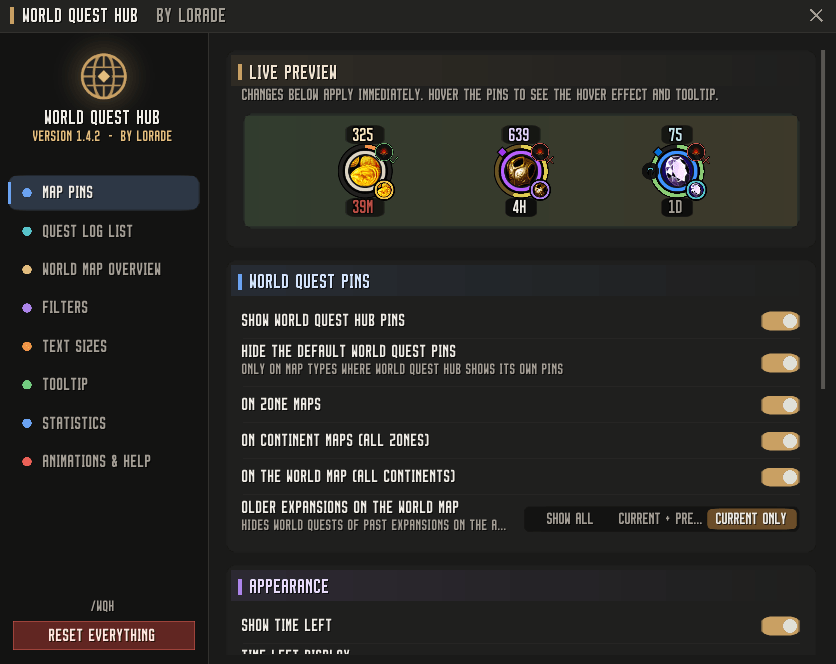
Settings
Description
World Quest Hub
World quests at a glance – on every map, in a clean, modern look.
World Quest Hub replaces the default world quest pins with clear, reward-focused icons, adds a sortable world quest list to your quest log and keeps track of everything you complete. Lightweight, fully configurable and built for the current Retail client.
Highlights
Reward-first map pins
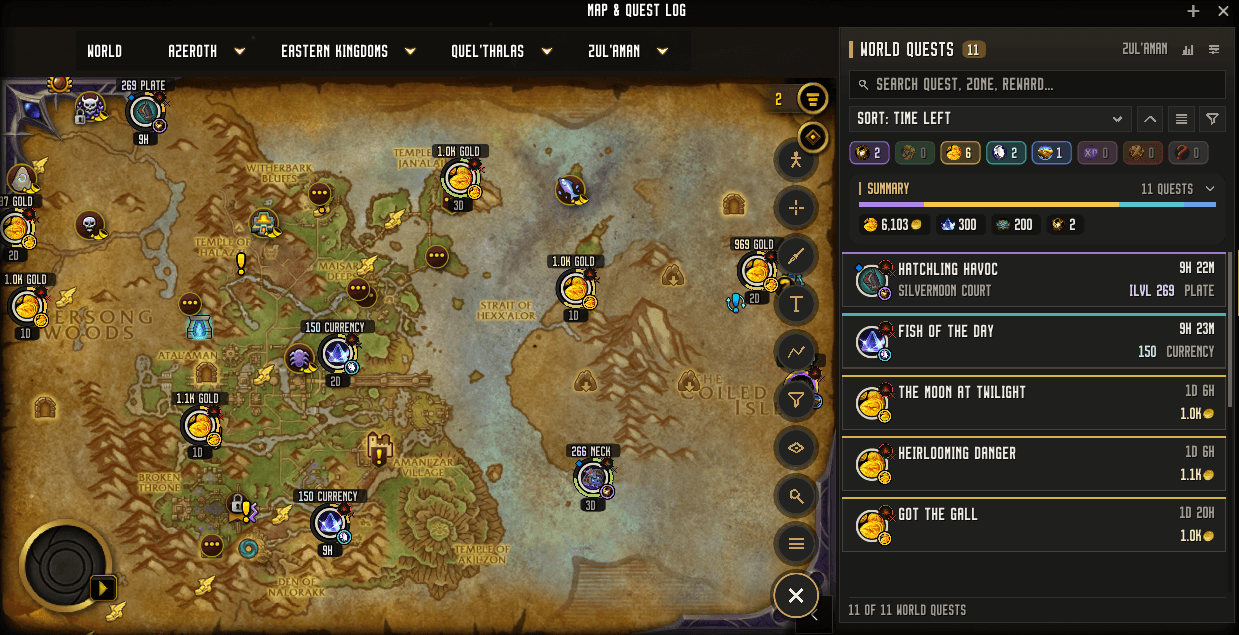
- Every world quest is shown as a round pin with the actual reward as its icon – gold, gear, currencies, reputation and more.
- A colored ring shows the quest quality, elite quests get a golden ring.
- Time left below the pin, or as an optional ring that shrinks from green to red as the quest expires.
- Small indicators show the reward type, the reward rarity, dungeon and raid quests and whether your warband has already completed the quest (check or cross).
- Amount and reward type above the pin, for example "639 Plate" or "250 Rep" – or just the amount, or nothing at all.
Zone-spanning display
- World quests appear on zone, continent and world maps – see every quest of a continent without opening each zone.
- Optionally hide older expansions on the world map and focus on current content.
World quest list in the quest log
- A new tab next to the quest log shows all world quests of the current map.
- Search by quest name, zone, faction or reward.
- Sort by time left, zone, name, reward type, gold or faction.
- Filter with one click on the colored reward chips – or right-click to show only one type.
- A reward summary adds up everything on the map: gold, currencies, reputation, gear and more.
- Normal or compact view, quest progress shown as a thin colored bar.
- Click a quest to jump to its zone and highlight it on the map, click again to start super tracking.
Overview on the large world map
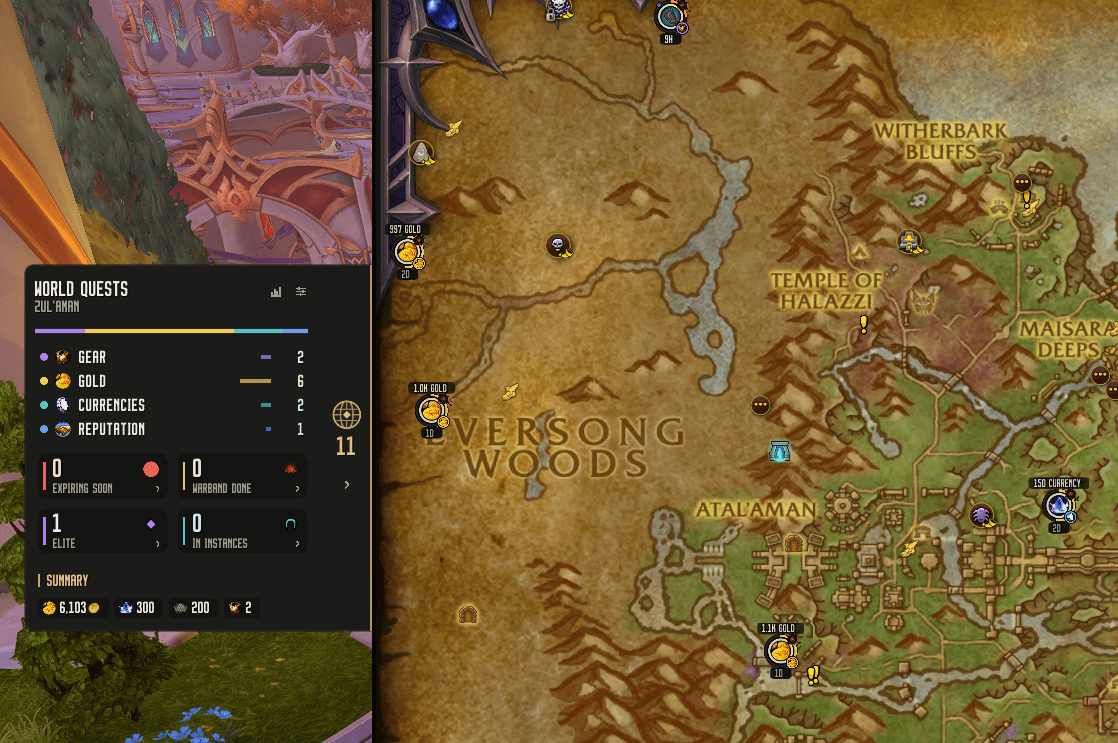
- A compact widget docked to the edge of the map expands smoothly towards the center - or optionally outwards next to the map, so the whole map stays visible.
- Reward distribution, quests expiring soon, warband-completed, elite and instance quests at a glance.
- Click any of these cards to get a list of the matching quests and jump straight to them.
History and statistics
- Every completed world quest is recorded account-wide.
- A statistics window with daily goal, streaks, personal records, a comparison with last week and a chart of quests per day – with gold, reputation, experience or any currency as an overlay.
- Favorite zones, earned rewards and reward distribution over 7, 14 or 30 days.
Clear tooltips
- Quest type and elite status as colored tags, time left, zone, faction and reward type clearly separated.
- Objectives with progress numbers colored from red to green.
- For gear rewards, the item tooltip appears right next to it.
Settings
A modern settings window with live preview of the map pins lets you adjust almost everything:
- Pin size (separately for zone and overview maps), timer style, labels and indicators
- Every text size individually – timer, amounts, list, summary and tooltip
- Widget size, map edge and position
- Filters, animations, tooltip content and history
Commands
| Command | Description |
|---|---|
/wqh |
Open the settings |
/wqh list |
Open the world quest list |
/wqh stats |
Open the statistics |
/wqh unhide |
Show all quests you have hidden |
/wqh reset |
Reset all settings (history is kept) |
Left-click the addon in the minimap addon menu to open the settings, right-click to open the world quest list.
Controls
- Left-click a pin: super track the quest
- Shift-click: track / untrack
- Ctrl-click: open the quest's zone
- Right-click: more options – waypoint, TomTom waypoint (if installed), chat link, hide quest
Languages: English, German
WorldQuestHub Team

Owner