Addon Management Panel
- By
A modern addon manager with included profilers, dashboard and custom profiles
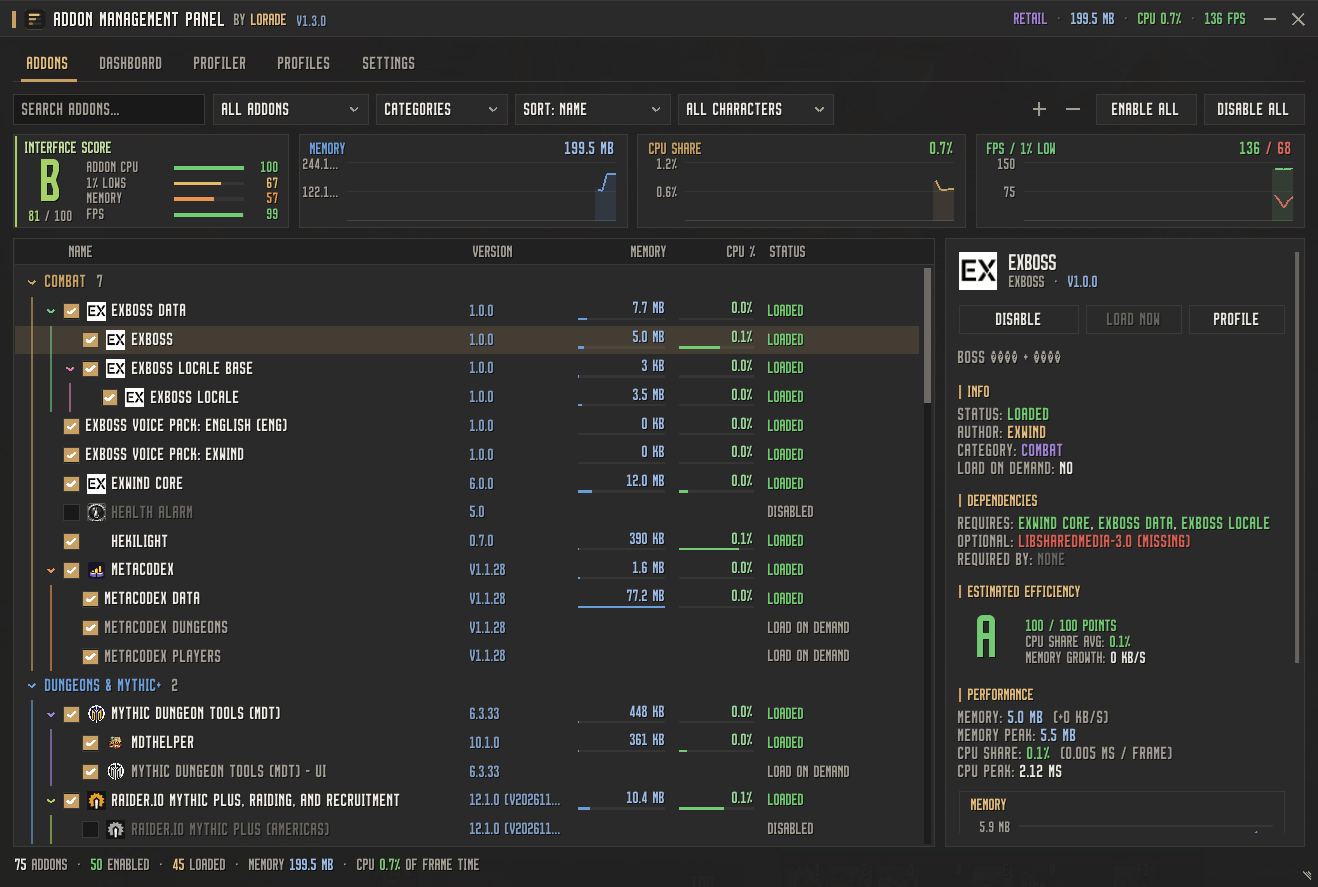
Panel
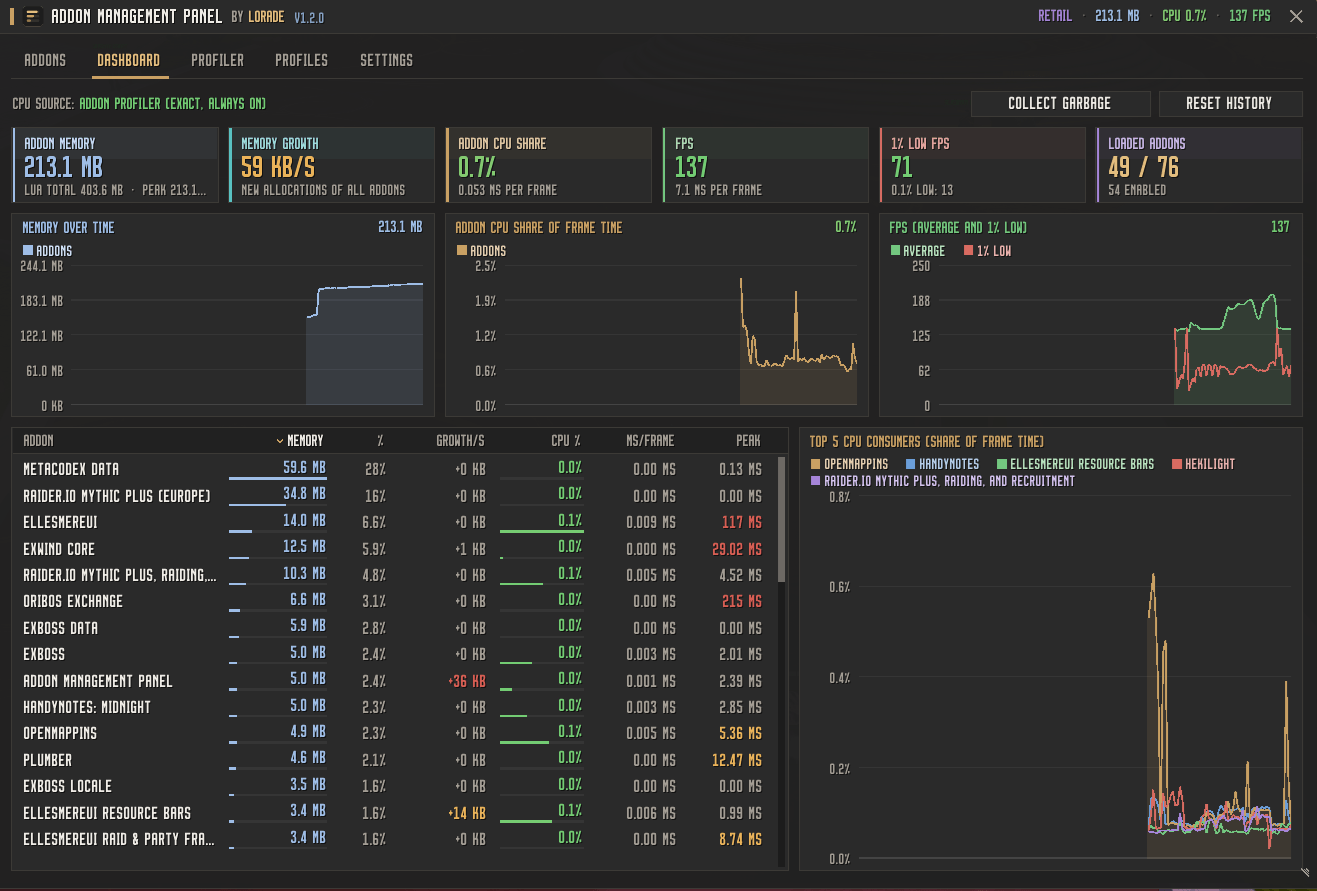
Dashboard
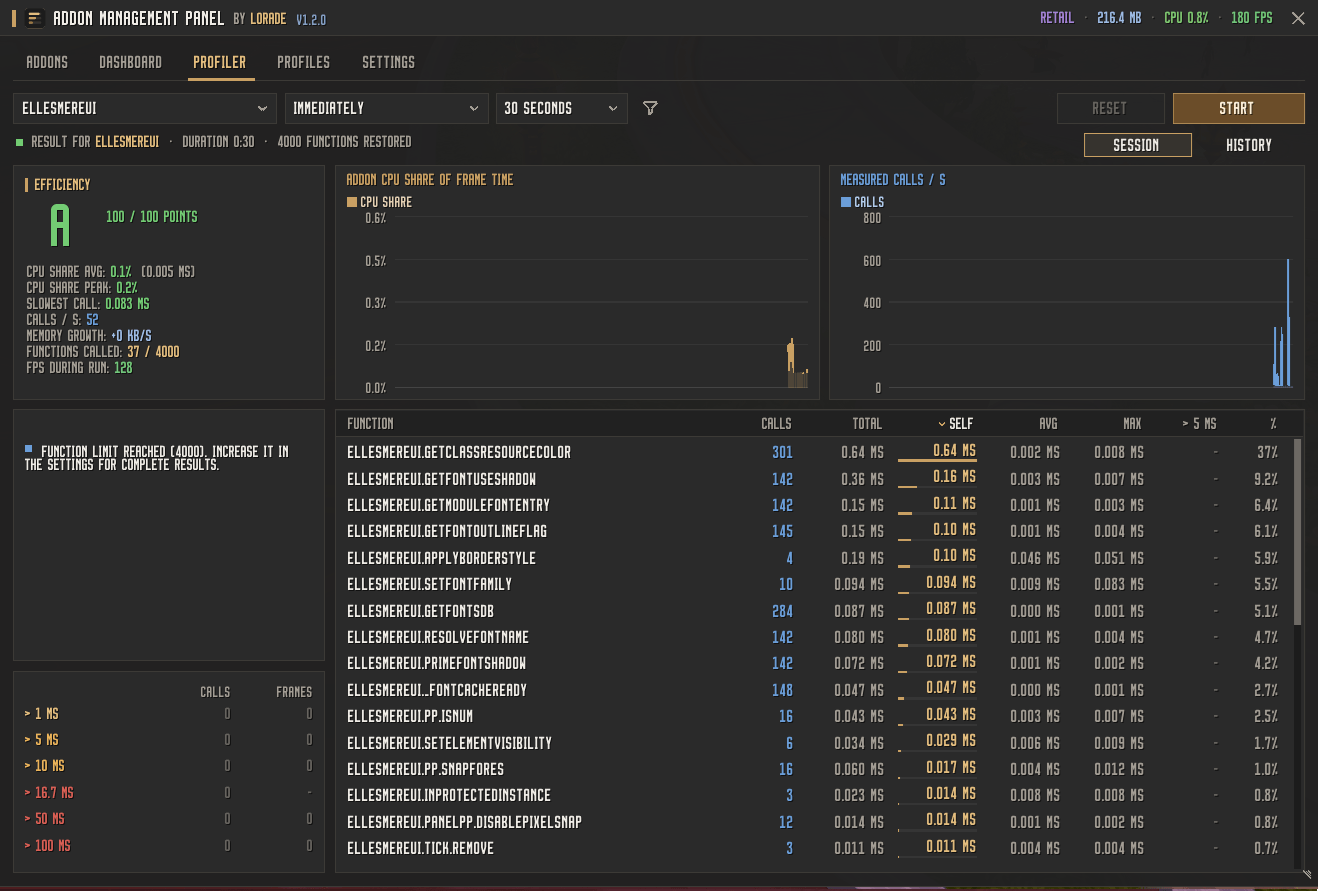
Profiler
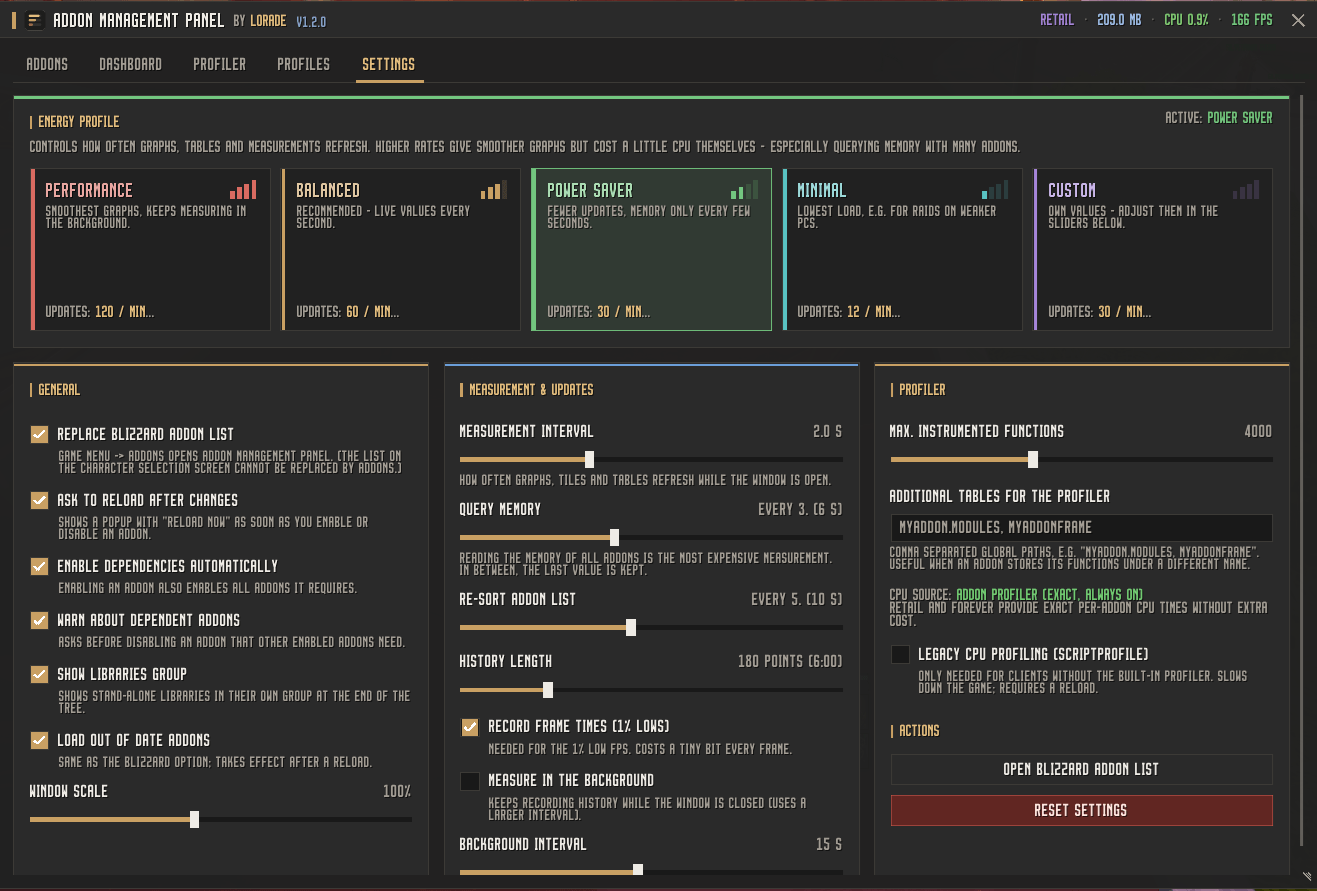
Settings
Description
Addon Management Panel
Addon Management Panel replaces the default World of Warcraft addon list with a modern, minimalist management interface. In addition to enabling and disabling addons, it displays dependencies as a tree, manages addon profiles in custom groups, monitors CPU and memory in real time, and includes a profiler that evaluates the efficiency of individual addons.
Supports Retail and Forever. Written entirely in Lua, without XML.
Features
Addon List with Dependency Tree
- All addons in a tree structure: Modules and extensions are nested under their parent addon, while libraries get their own dedicated section.
- Memory and CPU share of each addon displayed directly in the list with color-coded bars.
- Search, filtering, and sorting: Enabled, disabled, loaded, Load-on-Demand, issues, modified addons, libraries.
- Automatic dependency handling: Enabling an addon automatically enables its required dependencies. Disabling an addon that others depend on triggers a warning beforehand.
- Details pane for the selected addon showing version, author, dependencies, historical graphs, and an estimated efficiency grade (A to F).
- Load-on-Demand addons can be loaded directly without reloading the UI.
- Enable per character or for all characters.
- Compact overview graphs for total memory, CPU share, and FPS above the list.
Reload Prompt
- After any change to the addon list, a popup appears prompting you to reload the UI, with the option to discard changes as well.
- A status bar inside the window displays pending changes and lets you filter the list down to just those modified addons.
Profiles and Profile Groups
- Unlimited addon profiles, organized into custom groups such as "Raid", "Mythic+", "Alts", or "PvP".
- Create profiles from your current state, duplicate, rename, and move them between groups.
- Two modes: Exact (only the addons in the profile remain active) or Additive (the addons in the profile are enabled in addition to currently active ones).
- Dependencies are automatically included when applying a profile.
- Text export and import to back up or share profiles.
Dashboard
- Key metrics at a glance: Total memory, memory growth, CPU share as a percentage of frame time, FPS, 1% lows and 0.1% lows, as well as the number of loaded addons.
- Historical graphs for memory, CPU share, and FPS.
- Table of top consumers showing memory, growth per second, CPU share, milliseconds per frame, and peak values.
- Top 5 graph of the most CPU-intensive addons, or focus on a single addon.
Profiler
- Records function calls of an addon, measuring call count, execution time, peak values, and optionally memory allocation per function.
- Selectable triggers: Immediate, on next combat, or on next boss encounter—ideal for targeted measurements during a raid.
- Tiered breakdown of slow calls: Over 1 ms, 5 ms, 10 ms, 16.7 ms, 50 ms, and 100 ms, each highlighting the most frequent offender.
- Efficiency grade from A to F with actionable insights, such as expensive
OnUpdatehandlers, slow functions, or high memory growth. - History of all profiling runs, filterable by addon, with graphs comparing CPU share, memory growth, and grades across multiple runs.
Power Profiles
Four predefined profiles determine how frequently graphs and metrics are updated:
| Profile | Usage |
|---|---|
| Performance | Fastest updates; continues measuring even when the window is closed |
| Balanced | Default for everyday gameplay |
| Eco | Less frequent measurements, lower system load |
| Minimal | Lowest overhead; FPS tracking disabled |
All individual values can also be customized manually.
Usage
- The panel opens in place of the default addon list, for example via the AddOns button in the game menu (which closes automatically when the panel opens).
- Also accessible via the Addon Compartment on the minimap.
- The original Blizzard addon list remains accessible through the settings or via chat command.
Chat Commands
/amp, /adm, or /addonpanel
| Command | Effect |
|---|---|
/amp |
Open or close the window |
/amp dash |
Open the dashboard |
/amp prof <Addon> |
Open the profiler for a specific addon |
/amp stop |
Stop the currently running profiler session |
/amp profiles |
Open profile management |
/amp profile <Name> |
Apply a profile |
/amp blizzard |
Open the original Blizzard addon list |
/amp rl |
Reload the user interface |
Notes
- CPU metrics are sourced directly from WoW's built-in addon profiler. On older clients, classic script profiling is used as a fallback if needed.
- The profiler measures the publicly accessible functions of an addon. Protected Blizzard frames and secure functions remain untouched for security reasons.
- Languages: German and English.
Addon Management Panel Team

Owner