BugStash
- By
Catches Lua errors and shows them like an IDE debugger: call stacks, local variables and one tab per addon
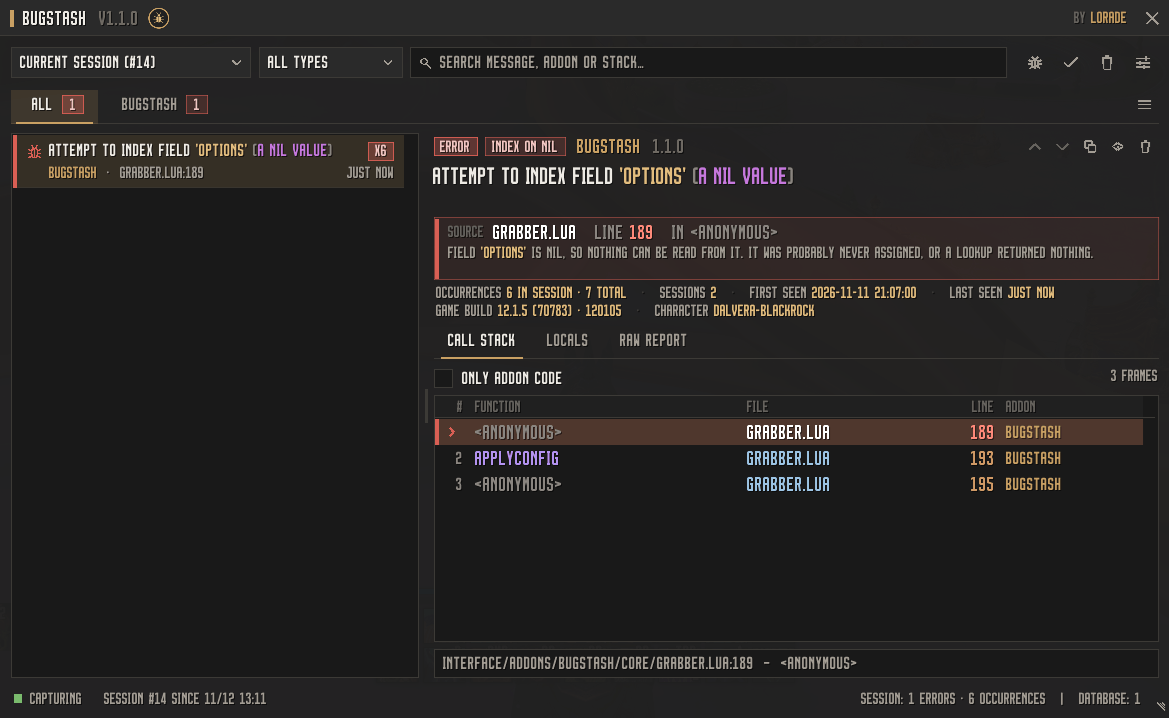
MainPage.png
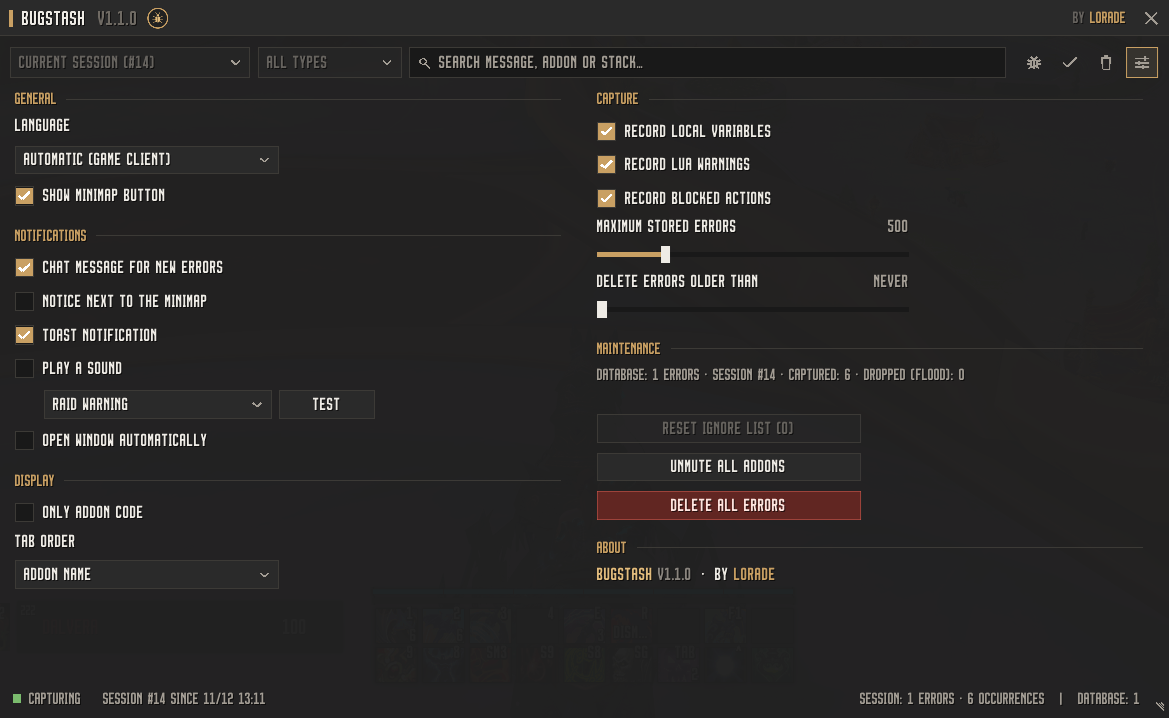
Settings.png
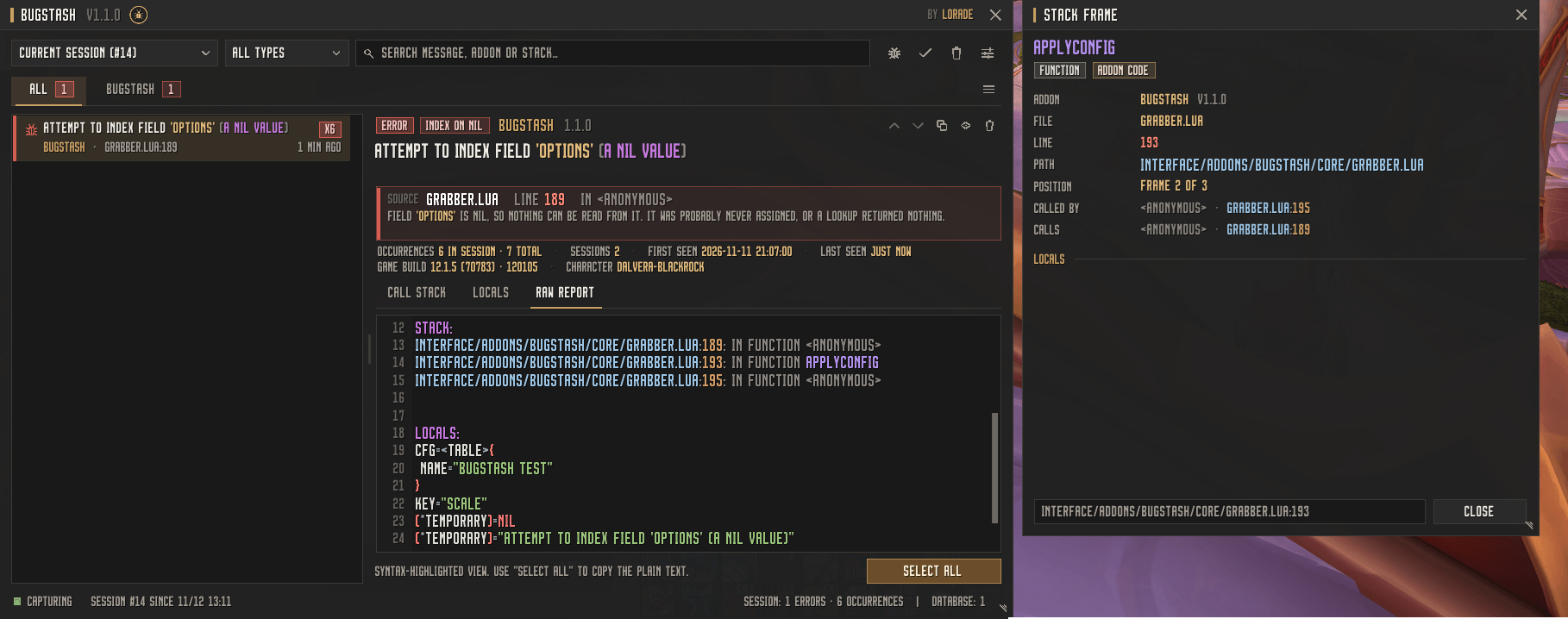
Highlight.png
Description
BugStash
Catch every Lua error – and actually understand it.
BugStash records all Lua errors, warnings and blocked actions of your interface and presents them the way a modern IDE debugger would: a clean call stack, the exact line that caused the problem, the local variables at the moment of the crash and a plain-language explanation of what went wrong. Errors are sorted into one tab per addon, so you immediately see which addon is responsible.
One addon, no dependencies, no setup. Runs on Retail and WoW: Forever.
Features
Reliable error capture
- Catches Lua errors, Lua warnings and blocked / forbidden protected calls (taint)
- Records the call stack and the local variables of the failing function
- Identical errors are merged and counted instead of flooding your list
- Flood protection: a broken addon spamming errors every frame can't slow your game down
- Works with the new protected ("secret") values of current game versions
One tab per addon
- Every error is automatically attributed to the addon that caused it – even when it surfaces inside an embedded library or Blizzard code
- Tabs show the number of errors and mark unread ones
- Right-click a tab to mark it as read, clear it, mute its notifications or disable the addon
- Sort tabs by name, number of errors or most recent error
IDE-style detail view
- Error category at a glance: Index on nil, Call of nil, Bad argument, Arithmetic error, Secret value, Syntax error and more
- A source card shows file, line and function of the failing code plus a short explanation, e.g. "field 'options' is nil, so nothing can be read from it"
- Call stack as a table – function, file, line and addon in separate columns; the line that caused the error is highlighted
- "Only addon code" mode hides Blizzard frames, C functions and libraries
- Click any stack line to open the frame inspector: full path, caller and callee, frame type, the error itself and the local variables
- Locals view with line numbers
- Report tab with syntax highlighting – one click selects the plain text for copying (Ctrl+C) into a bug report
Readable code
- Lua syntax highlighting for locals, stack lines and reports: keywords, strings, numbers,
nil/true/false,self, comments and operators - Rainbow function names – every function keeps its own colour everywhere, so you recognise it instantly
- Rainbow brackets by nesting depth
Persistent error database
- All errors are saved and still available after a
/reload, relog or game restart - Every login/reload starts a new session – filter by current session, previous session, all sessions or any older session from the history
- Filter by type (errors, warnings, blocked actions) and search through messages, addons and stacks
- Configurable limits (maximum number of errors, automatic cleanup after X days) and an ignore list
Notifications (all optional)
- Toast with the latest error – click to jump straight to it
- Notice next to the minimap that hides itself after a few seconds
- Clickable chat link
- Alert sound with several sounds to choose from
- Open the window automatically on new errors (never in combat)
- Mute notifications for single addons
Access
- Minimap button with a counter of unread errors
- Addon compartment entry (the addon menu at the minimap)
- LibDataBroker launcher for Titan Panel, ChocolateBar, ElvUI data texts and similar addons
Localisation
- English and German, switchable in the settings
Commands
| Command | Description |
|---|---|
/bugstash or /bugs |
Open / close the window |
/bugstash settings |
Open the settings |
/bugstash clear |
Clear the errors of the current session |
/bugstash wipe |
Delete the whole error database |
/bugstash test |
Trigger a harmless test error to try everything out |
/bugstash stats |
Show database statistics |
/bugstash minimap |
Show / hide the minimap button |
/bstash works as a short alias.
FAQ
Does BugStash affect performance? No. The error handler only does work when an error actually happens, expensive information (stack, locals) is only collected when it is new or outdated, and a flood protection throttles addons that throw errors every frame.
Why are local variables only shown for the first stack frame? The game only provides local variables for the function that raised the error.
Can I use BugStash together with other error-catching addons? Only one addon can own the game's Lua error handler. If BugStash shows "Inactive" in its status bar, another addon has taken it over – disable that addon.
Where is the data stored?
In the SavedVariables file BugStash.lua of your account. It contains only the recorded errors and your settings.
Made by Lorade. Feedback and bug reports are welcome!
BugStash Team

Owner