World Map Tracking Enhanced
- By
A World of Warcraft addon that extends the world map tracking menu with visibility controls for supported map addons.
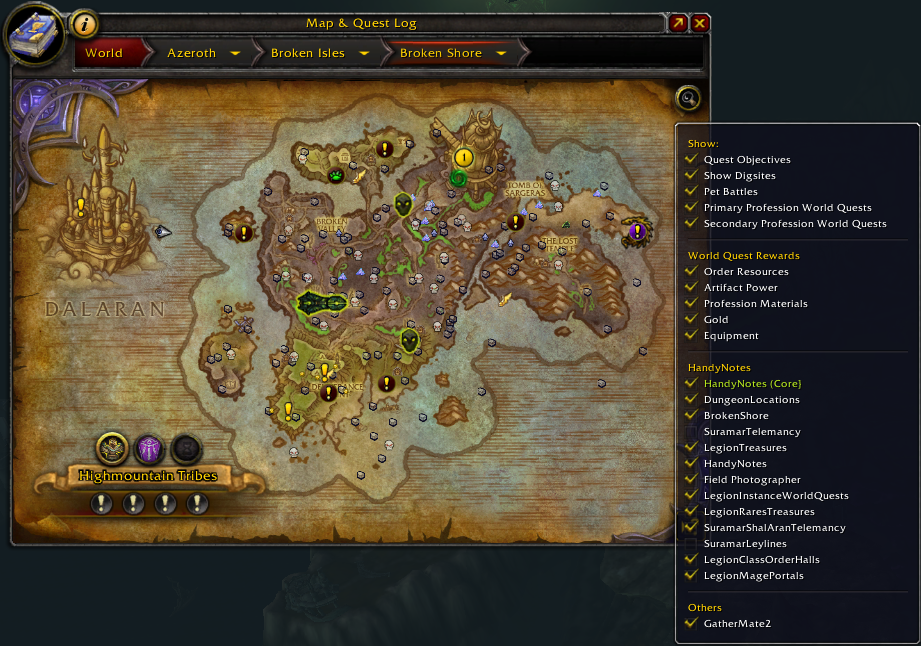
Tracking Options
Description
World Map Tracking Enhanced
One World Map button for all your map addons.
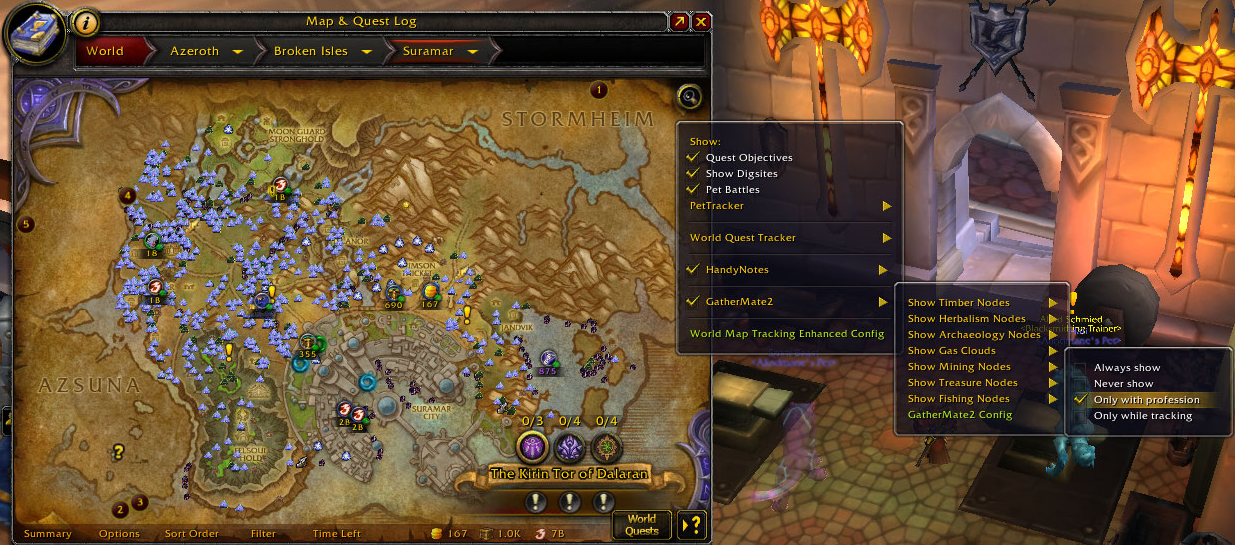
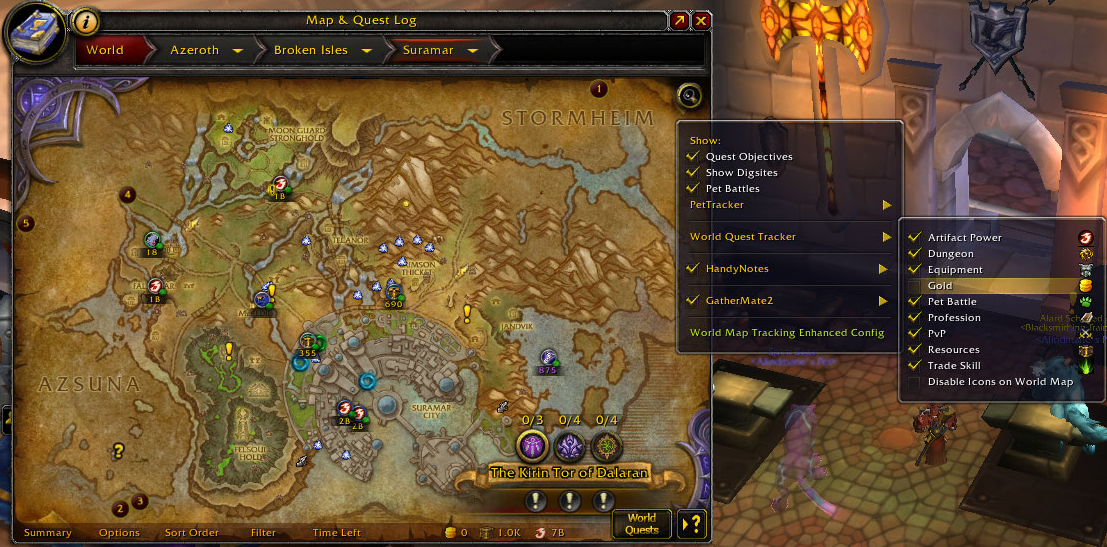
World Map Tracking Enhanced adds a tracking button to the World Map. Use it to turn the map icons of popular map addons on and off, and to change their display options, without opening each addon's settings panel.
What's new in v5.0.0
- Independent World Map button. The addon no longer replaces the World Map's built-in tracking / filter menu. Blizzard's own filters stay as they are, and World Map Tracking Enhanced adds its own button next to them.
- One package for every client. Retail, Mists of Pandaria Classic, Anniversary, Classic Era and WoW Forever all use the same download.
- Updated for current game APIs and current versions of the supported addons.
Supported clients
| Client | Interface |
|---|---|
| Retail | 12.1.5, 12.1.7 (PTR) |
| Mists of Pandaria Classic | 5.5.4 |
| Burning Crusade Classic Anniversary | 2.5.6 |
| Classic Era | 1.15.9 |
| WoW Forever | 1.60.1 |
Supported addons
| Addon | What you can do from the World Map |
|---|---|
| HandyNotes | Enable or disable HandyNotes, toggle each plugin, Select All / Select None |
| GatherMate2 | Toggle World Map icons, set each node type to Always / With Profession / Active / Never |
| PetTracker | Species, Stable Masters, Species Icons, Rival Portraits |
| RareScanner | Rare NPC, container and event icons, plus their "not discovered" icons |
| AtlasLoot / AtlasLootClassic | Open AtlasLoot |
A supported addon appears in the menu only when it is installed and loaded. The menu can also link to each addon's own config panel.
Features
- The button lines up with Blizzard's World Map buttons and other addons' buttons (Krowi_WorldMapButtons is included).
- The menu uses the same style as the game's built-in World Map menus.
- Changes are applied to the World Map right away.
- Show each addon in its own submenu, or in one flat list with separators.
- Choose which supported addons are included.
- Translated into English, German, Spanish (EU / Latin America), French, Italian, Korean, Brazilian Portuguese, Russian, Simplified Chinese and Traditional Chinese.
Slash commands
/wmteor/worldmaptrackingenhanced: open the options panel/wmte show: show the World Map button/wmte hide: hide the World Map button
Support and feedback
Please report problems or suggestions in the comments or on the GitHub issue tracker.
When you report a problem, please include your game client and version, your game locale, the supported addons you use, and the error message or a screenshot if you have one.
Source code: GitHub
World Map Tracking Enhanced Team

Owner