Whisper Messenger (WhisperMessenger)
- By
A modern messenger-style whisper UI that replaces WoW's default chat whispers with a clean conversation window, contacts list and full message history.
chat-reactions-seen.png
contact-menu.png
chat-reply-quote.png
censored-message.png
Screenshot 2026-03-27 131838.png
Description
WhisperMessenger



Never lose a whisper again.
Every conversation lands in one messenger window with history, online status and unread badges, like the messenger you already use, inside World of Warcraft.
🏆 5th place in The Addon Trials, CurseForge's 2026 WoW addon contest.
Why players install it
- Whispers stop drowning in raid, trade and guild spam. Each person gets their own conversation with an unread badge, so you always know who is waiting on you.
- Yesterday's conversation is still there. History survives logout and is shared across your characters.
- See who is online and where before you whisper. Class, faction, zone and Battle.net status sit right in the contact list.
- Battle.net and character whispers, side by side. No more guessing which tab a friend wrote in.
"Can't I just make a Whispers chat tab?"
You can, and it helps. A tab still mixes everyone into one scrolling stream, forgets everything on logout, has no unread count per person and no online status. WhisperMessenger gives every person their own thread with all of that.
Features
Messenger-Style Conversations
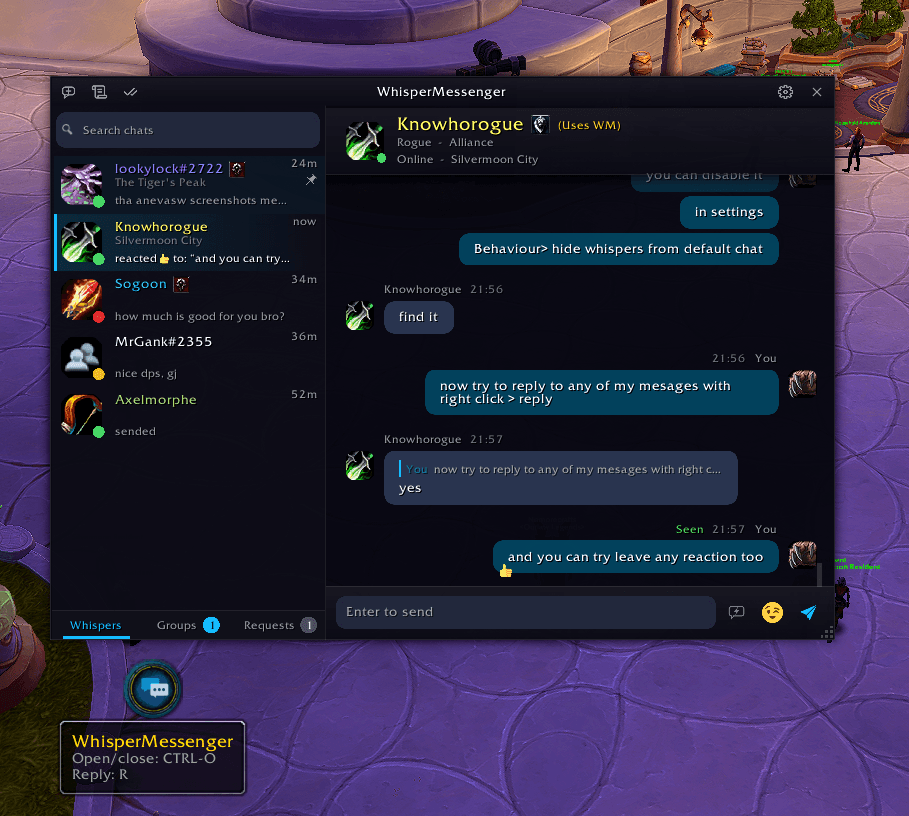
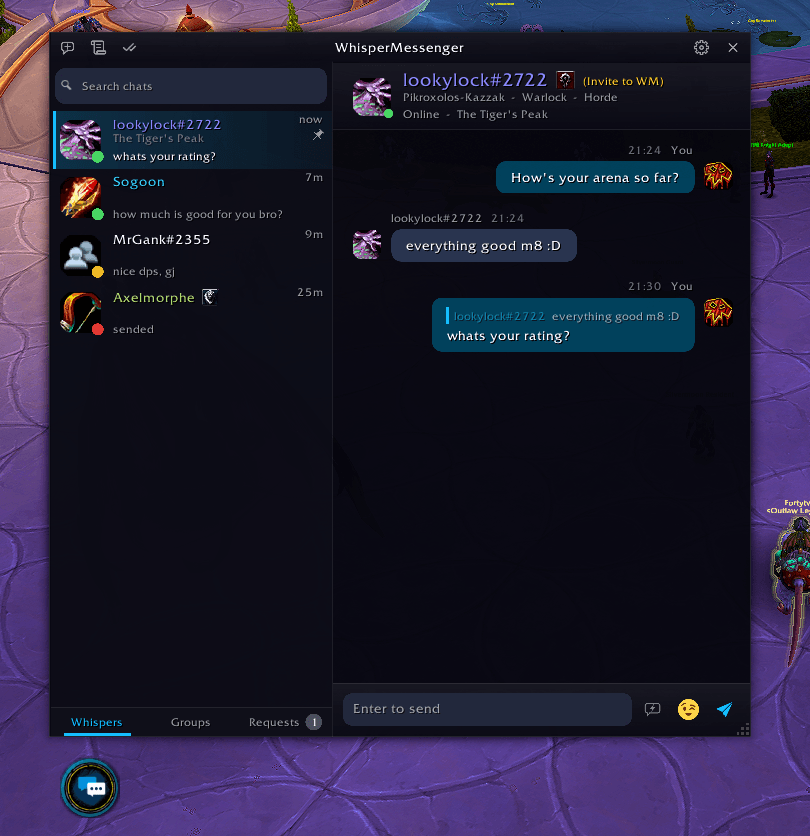
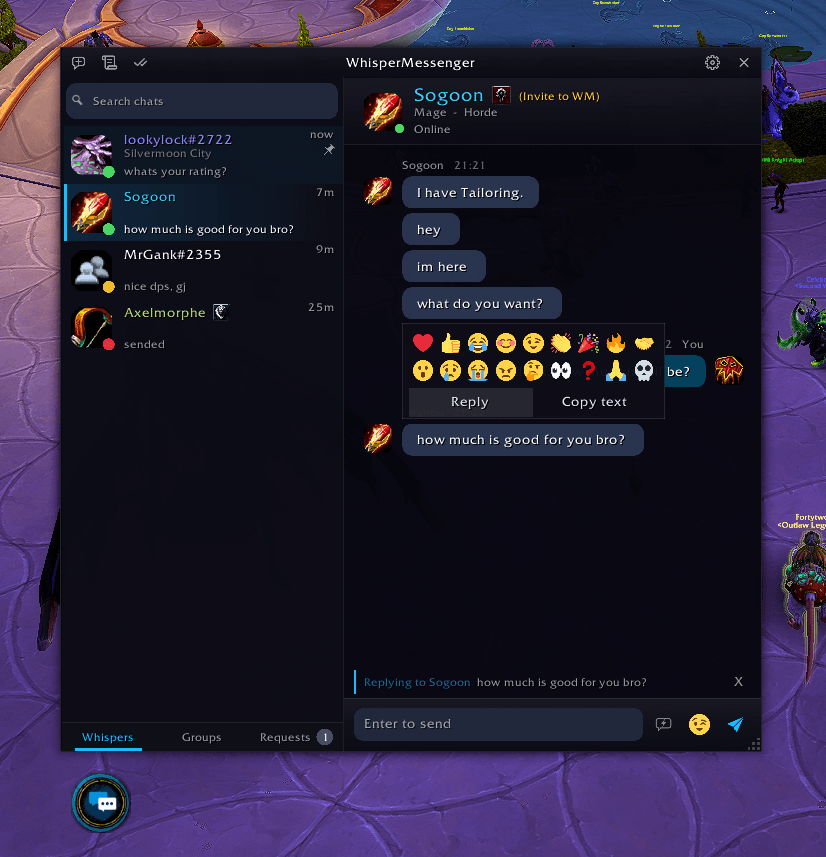
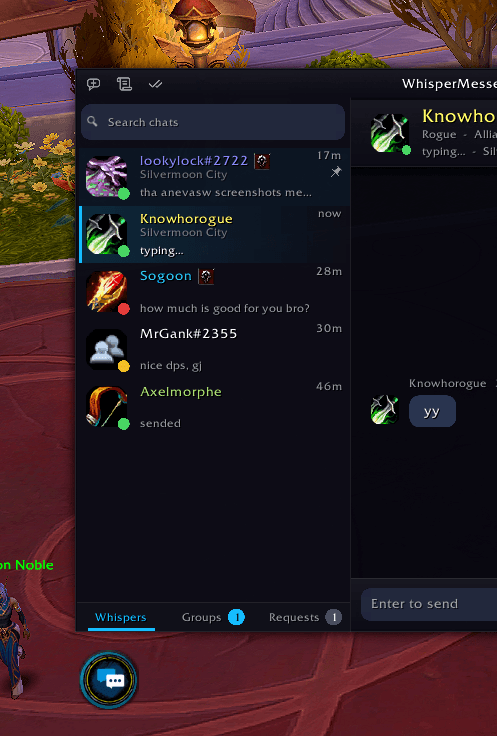
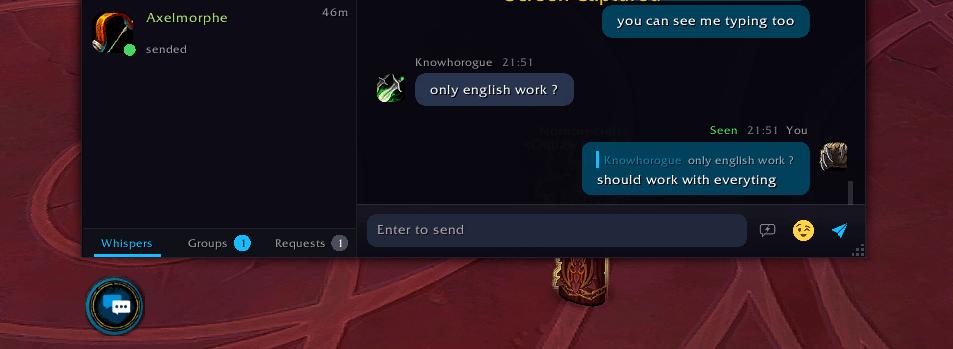
Chat bubbles with timestamps, date separators and sender labels. Right-click any message to reply, copy it or add a reaction. An emoji picker sits next to the message box.
- Reply quotes the original line above your message.
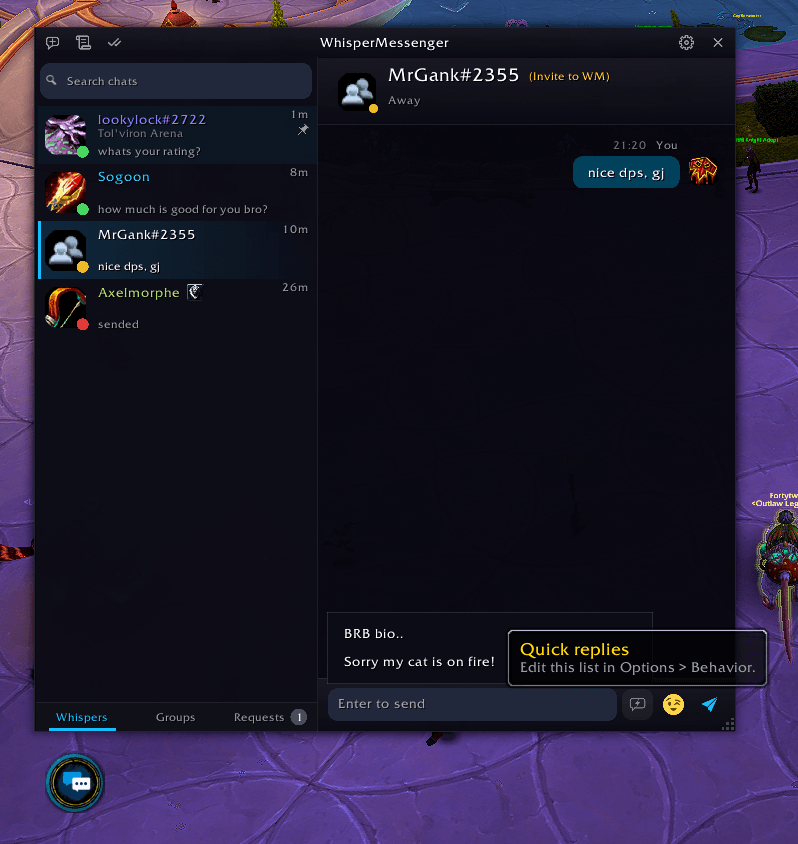
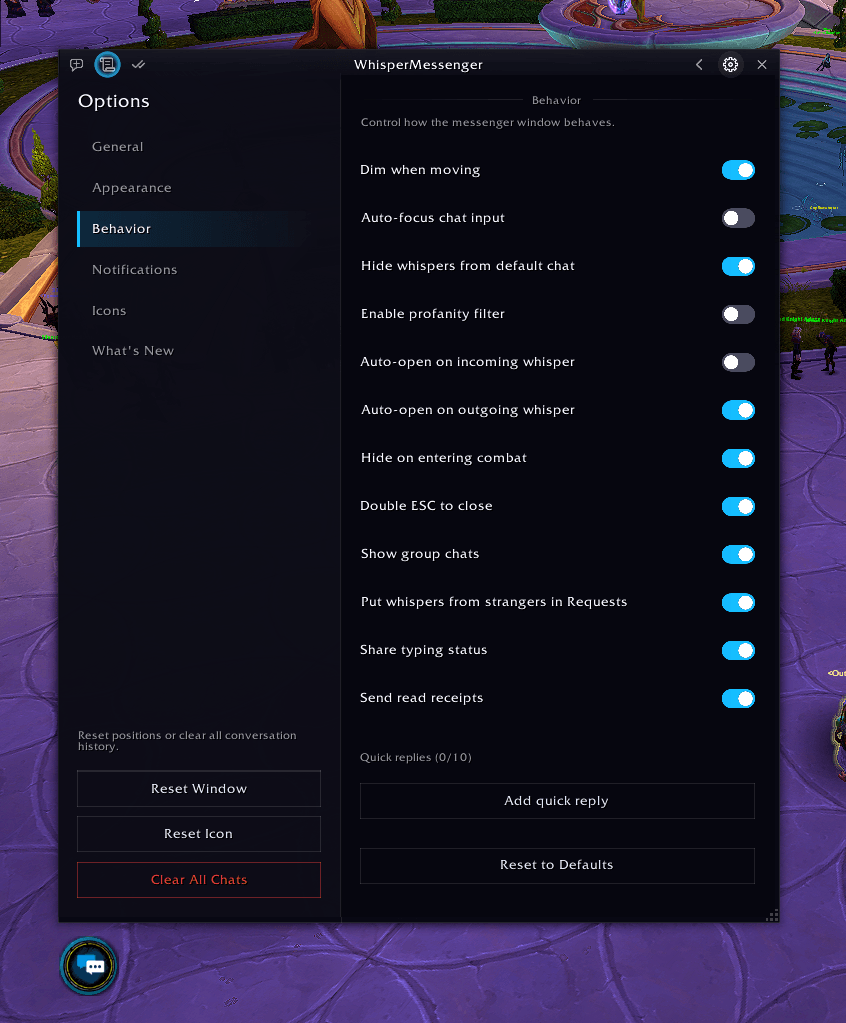
- Quick replies drop in a saved line like "On my way" (up to 10, edit them under Options > Behavior).
- Drafts stay with each chat, even after a reload.
- Queued messages wait safely when whispers are paused, and nothing is sent until you click.
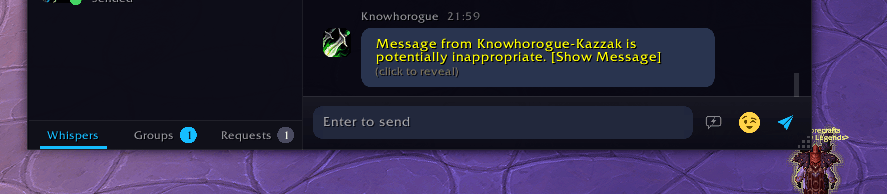
- Filtered messages that the game flags as inappropriate stay hidden until you click to reveal them.
Contact List
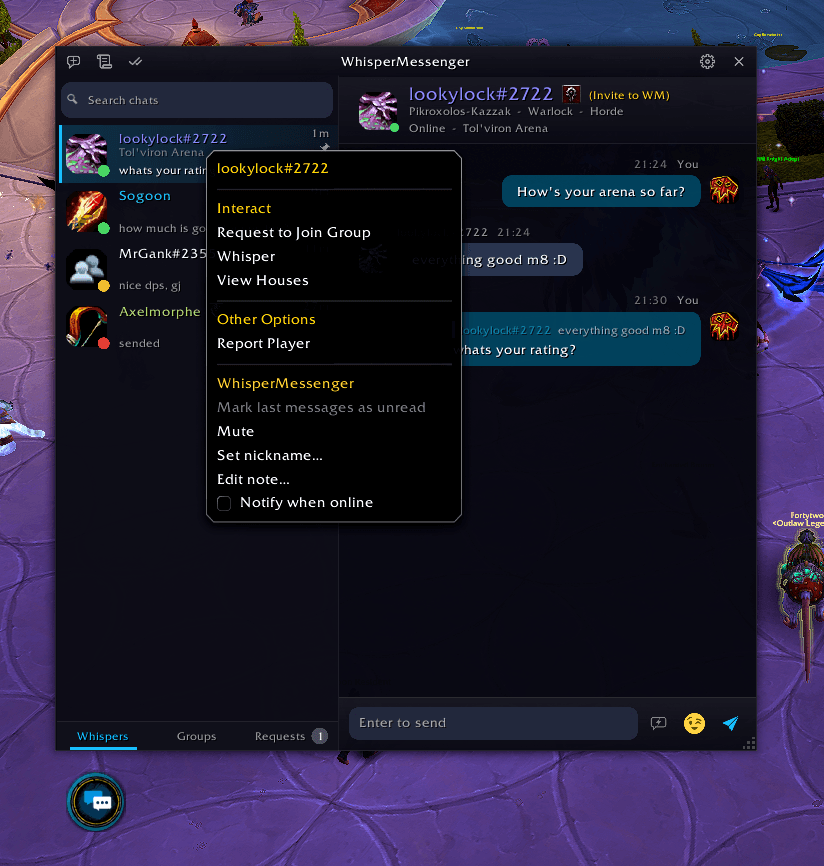
Online status dots, unread badges, last-message previews, and the zone or dungeon a friend is in. Pin and drag contacts to reorder them. Search across names, nicknames, notes and message history.
Right-click a contact to mute them, set a nickname, add a private note, or get told when they come online.
Whispers, Groups and Requests
- Whispers holds your private conversations.
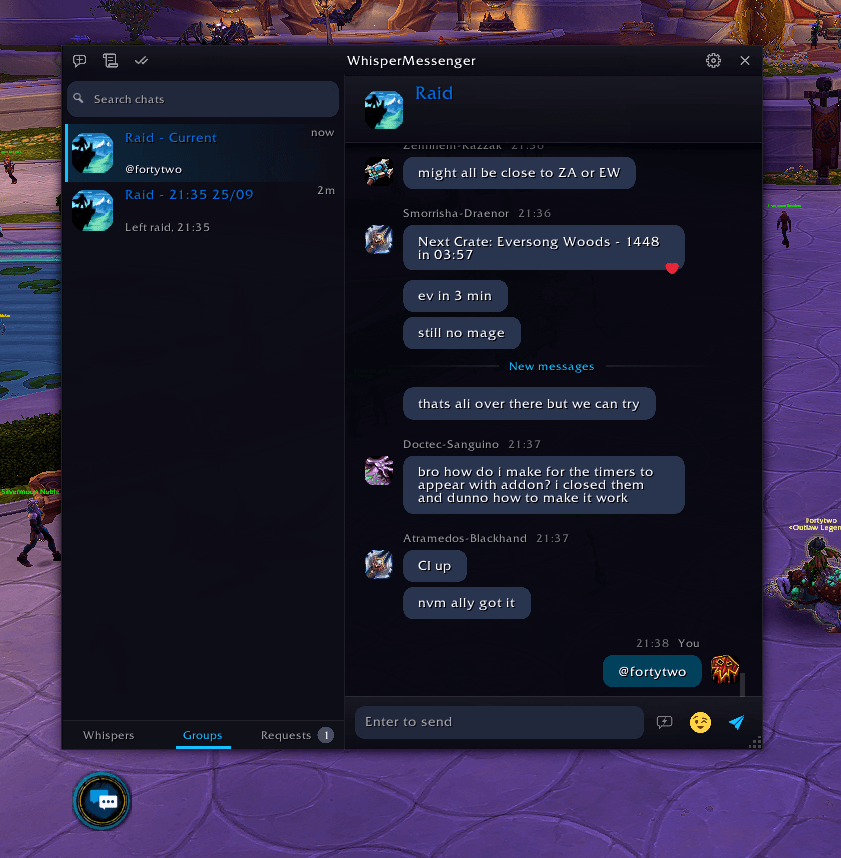
- Groups collects party, raid, instance and guild chat, with reactions and @mention highlights.
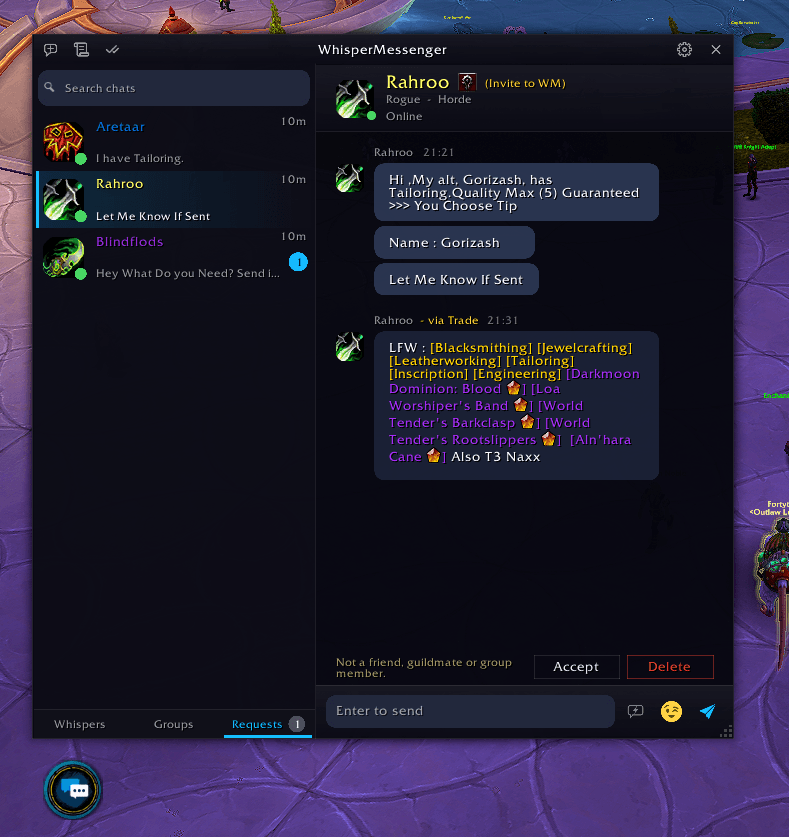
- Requests (optional) holds whispers from strangers until you accept or delete them. Turn it on under Options > Behavior.
Battle.net Integration
Character whispers and Battle.net friend whispers live in one list. Contact details stay in sync with your friends list in real time.
Friends Who Also Use It
When a friend also runs WhisperMessenger you get typing indicators, "Seen" receipts and reactions attached to the original message. Both can be switched off in Behavior settings. Players without the addon still receive a readable plain-text fallback.
The chat header shows (Uses WM) for friends who have it, and an (Invite to WM) link for those who don't.
Themes
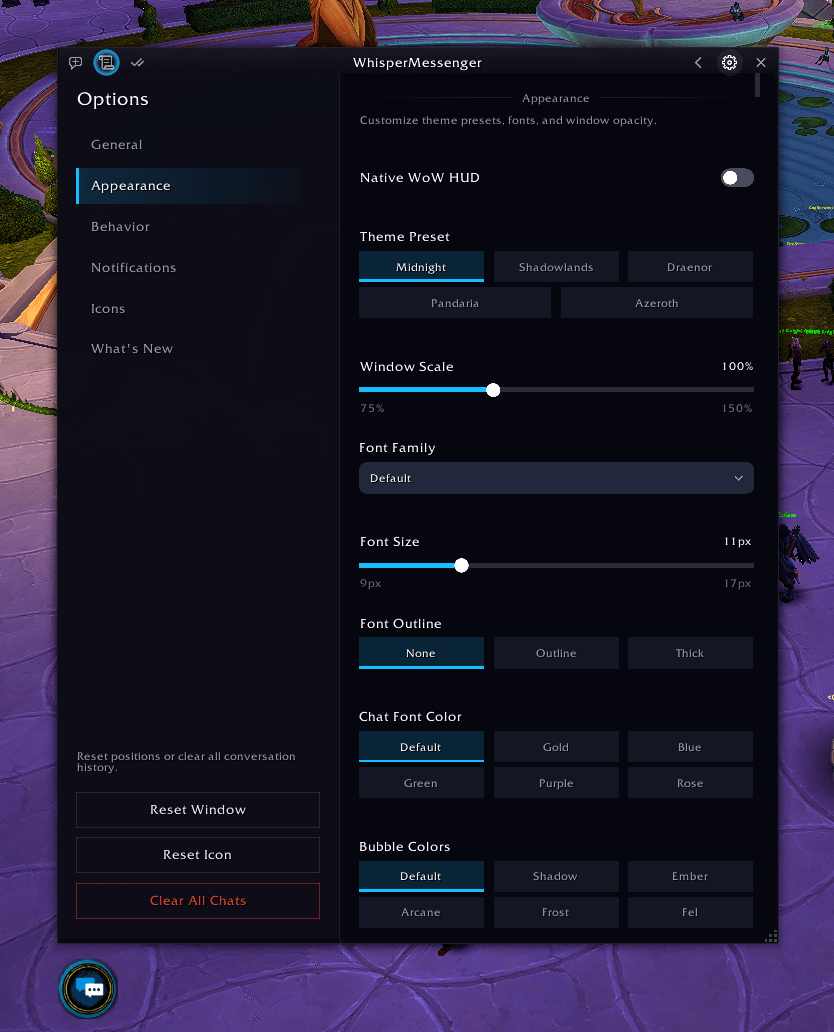
A modern, clean look with five color themes: Midnight, Shadowlands, Draenor, Pandaria and Azeroth. Prefer the game's own style? Turn on Native WoW HUD for a classic Blizzard frame. Themes apply instantly, no reload.
Fonts and Scale
Pick the default font or any font from SharedMedia addons like ElvUI. Resize the whole window from 75% to 150%.
Notifications
Choose a sound (Whisper, Ping, Chime, Bell, Raid Warning) that plays even when in-game audio is muted.
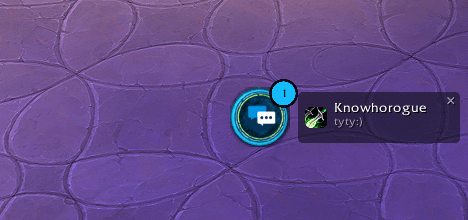
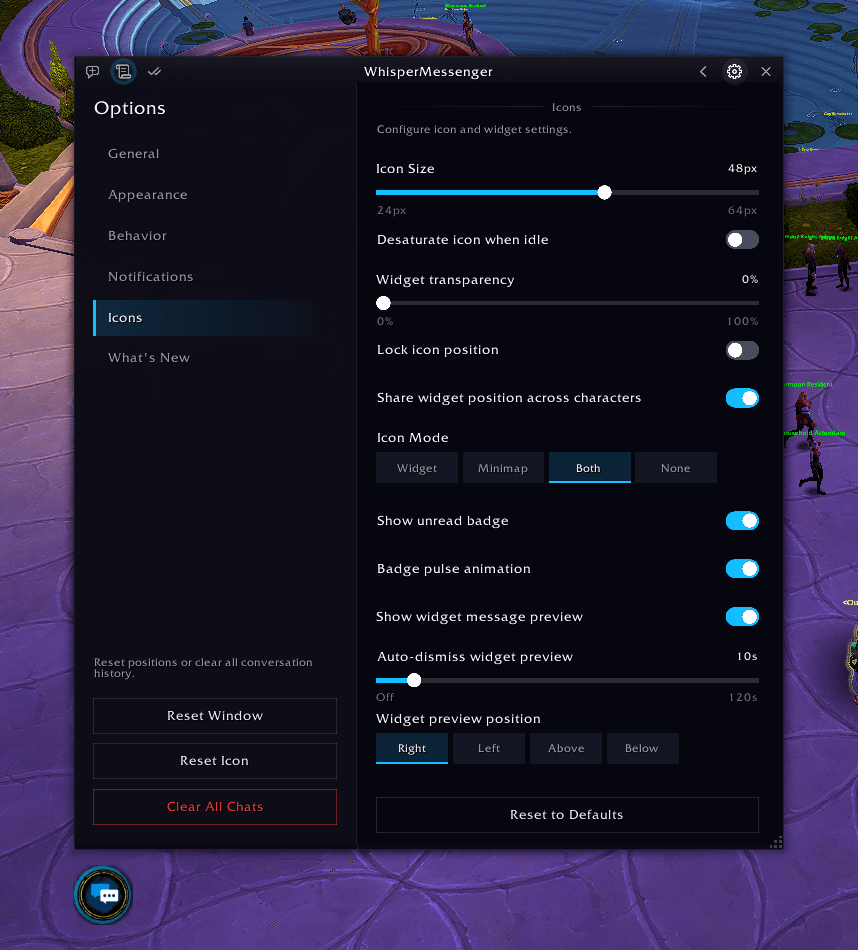
The floating button shows an unread badge and a short preview of the newest message.
Auto-Open Window
Opens the messenger when you receive a whisper, pick "Whisper" on a player, or click a name. Configurable in Behavior settings, and never during combat.
Linking
Shift-click items, quests, achievements, spells and professions to link them straight into your message.
Settings
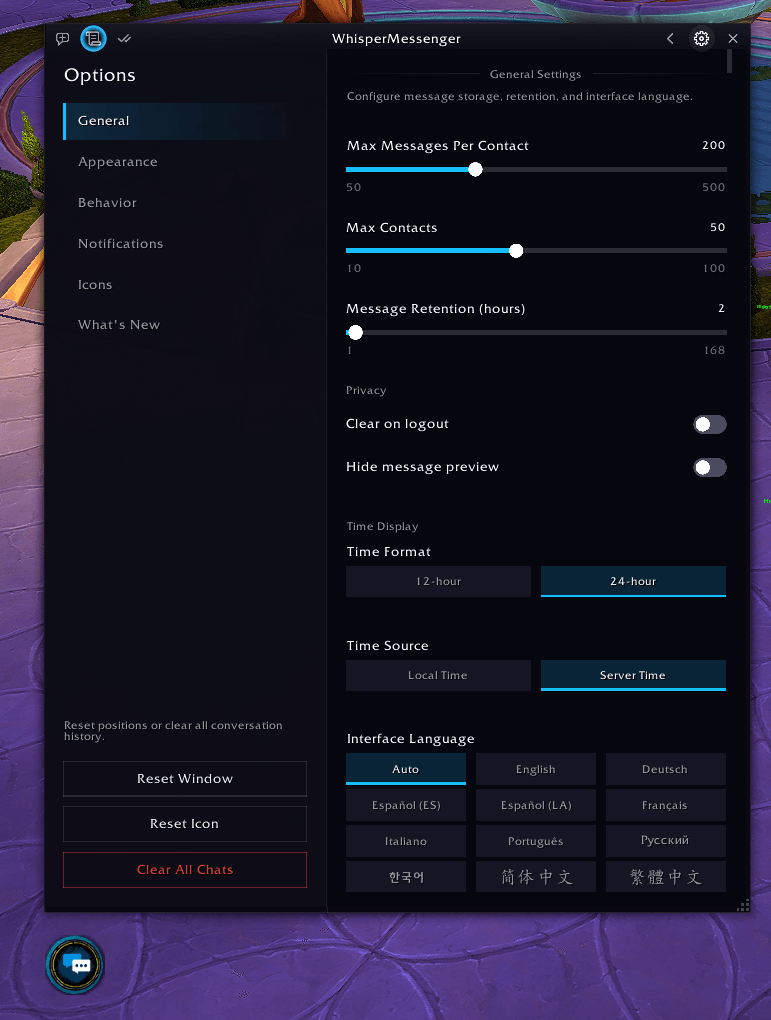
Pages for General, Appearance, Behavior, Notifications, Icons and What's New. Includes history limits and retention, privacy options, 12 interface languages, a profanity filter toggle, a hide-from-default-chat option and auto-focus control.
Good to know
Blizzard blocks all addon whisper communication during Mythic+ dungeons, rated Battlegrounds and raid boss encounters. This is a game-level restriction, not a limitation of WhisperMessenger. The addon detects these situations, steps aside so whispers fall through to the default chat, and resumes when you're done.
Compatibility
WhisperMessenger works on all WoW flavors:
| Flavor | Status |
|---|---|
| Retail (Mainline) | Supported |
| Classic Era | Supported |
| Season of Discovery | Supported |
| TBC Classic Anniversary | Supported |
| Cataclysm Classic | Supported |
| Mists of Pandaria Classic | Supported |
| WoW: Forever | Beta |
A single install covers every client. WoW loads the correct version automatically.
Download
CurseForge (Recommended)
Install via the CurseForge App for automatic updates.
Wago
Also available on Wago Addons.
GitHub Releases
Download the latest ZIP from GitHub Releases and extract it into your Interface/AddOns/ folder.
Configuration
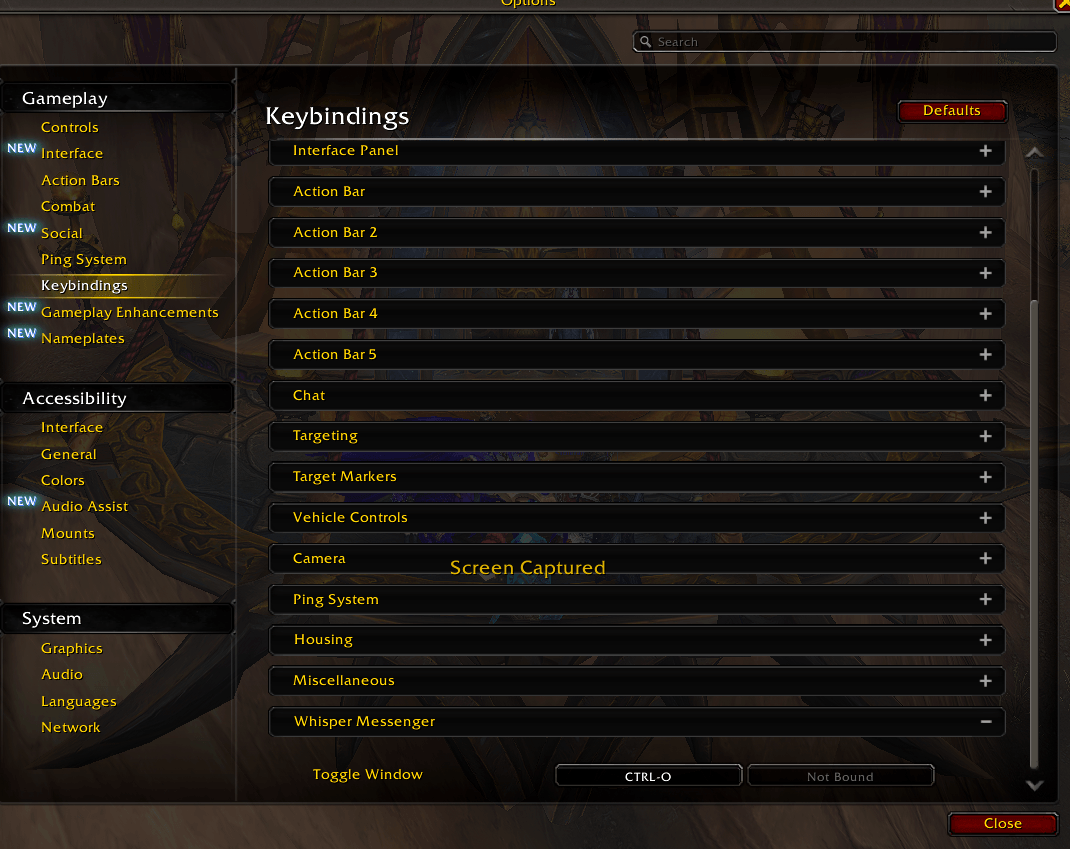
Open or close the messenger with CTRL-O (change it in the game's Key Bindings menu).
Open settings with the gear icon in the messenger window, or type:
/wmsgThe Whisper Messenger (WhisperMessenger) Team