WeaponFlip
- By
Swap weapons while fighting—without leaving combat. Save gear-matched weapon profiles, with one-key swapping where supported and optional sounds and effects.
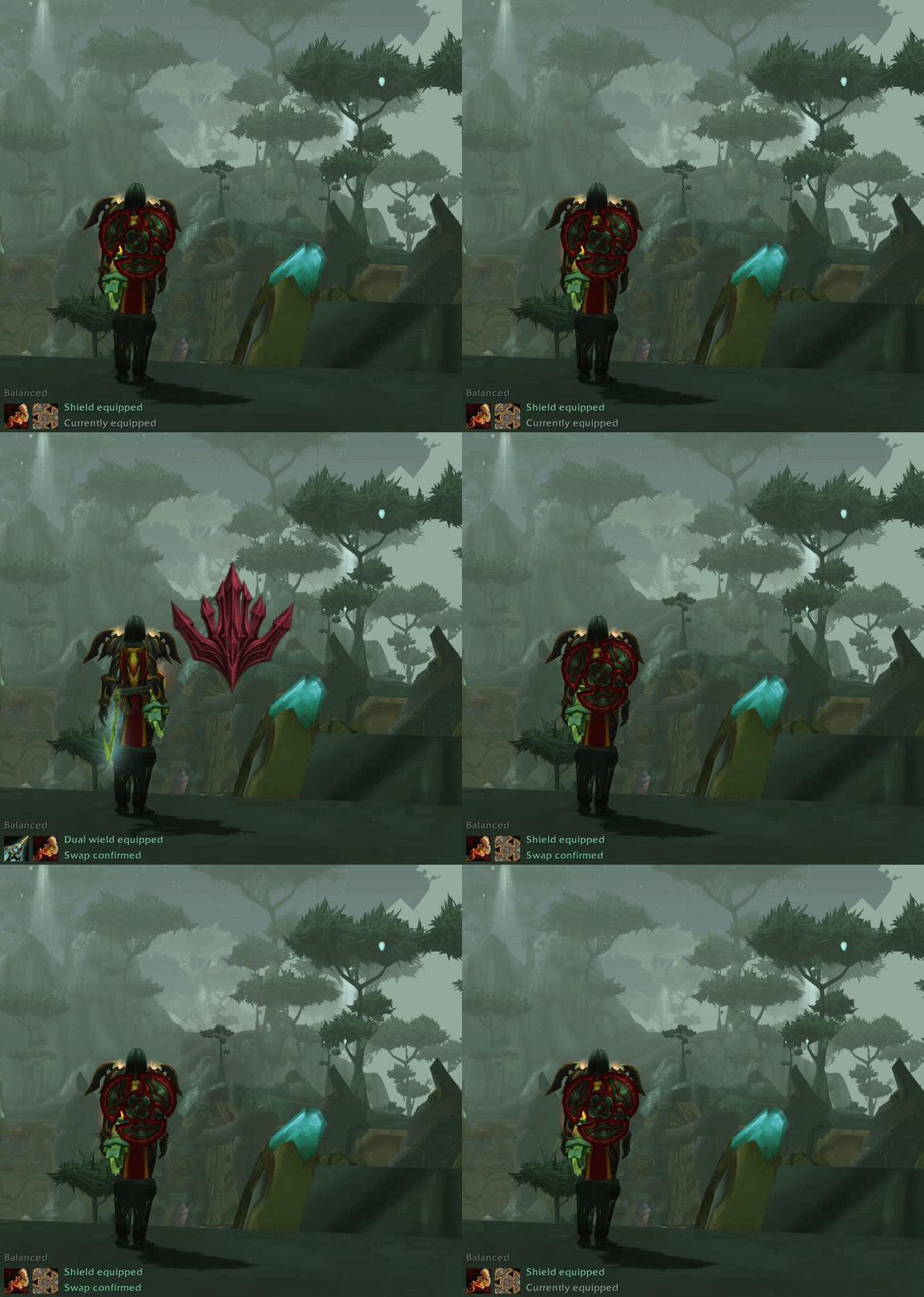
Shield to dual wield and back with one key—for supported weapon combinations, including during combat. The indicator and optional effects confirm each swap.
Description
SWAP WEAPONS WHILE YOU’RE FIGHTING
No need to leave combat. Switch between your saved Primary and Alternate weapon setups mid-battle.
For supported weapon combinations, one key switches both ways. Keep the same controls across gear-matched profiles, without managing a separate weapon macro for every gear set.
Set up your profiles outside combat, then trigger your saved weapon swaps during the fight. Optional sounds and visual effects confirm completed swaps.
Made for TBC Anniversary.
Camera framing in the featured GIF above uses Offset, my camera addon for TBC Anniversary. Offset is optional and is not required to use WeaponFlip.
Different gear. Same controls.
Save weapon arrangements for each of your gear profiles. With automatic matching enabled, WeaponFlip selects the profile that matches your equipped armor and accessories.
Your bindings stay the same. Your saved weapon choices follow the matching profile. Nothing equips until you trigger a swap.
Choose which slots to manage: main hand, offhand, ranged weapon or relic. Unchecked slots stay untouched.
Make it yours
- Weapon indicator: equipped weapon icons, optional names and status text, adjustable size, colors and visibility.
- Swap sounds: ten sound pairs, with previews before you choose.
- Screen effects: ten families, each with two motions and three color palettes. Choose an effect, motion and palette separately for Primary and Alternate.
- Controls: keybindings, clickable indicator icons or optional action-bar macros. Left-click the minimap button to open or close settings; right-click it to show or hide the indicator.
- Specializations: enable weapon actions for selected talent groups, or choose Current spec only.
The indicator, sounds and effects are all optional. Previews never equip weapons.

Your weapons. Your setup.
Ready in three steps
Complete these steps outside combat, then use your saved weapon swaps before or during a fight.
- Open WeaponFlip by left-clicking its minimap button or typing
/weaponflip. Create a profile and keep your character panel beside the movable settings window. - Save your weapons. In Profiles, choose Slots to swap. Equip and save Primary, then equip and save Alternate without changing your armor or accessories.
- Set your keybindings. Use WeaponFlip’s Shortcuts tab, or go to Esc → Options → Key Bindings → WeaponFlip. Bind Toggle weapons. If your combination needs a separate Return to primary binding, WeaponFlip tells you.
Repeat for another gear setup when you want another profile.
Before you fight
- One-key toggling depends on the weapon combination. Some same-type arrangements need a separate Return action. An unbound Return is marked optional when Toggle supports both directions.
- Keep your weapons available. Saved weapons must be equipped or in your bags. New profiles normally need two free native equipment-set slots.
- Changed your matching gear? If your armor or accessories stop matching, a private message explains what changed and how to update the profile. Your saved weapons remain intact.
- Configure outside combat; swap during combat. Your saved weapon swaps work while you are fighting. Opening settings requires you to be out of combat; attempts during combat give a private message. You can still close an already-open window.
- WoW’s equipment restrictions still apply. Weapon swapping remains subject to the game’s class, item and combat restrictions.
No ItemRack required. Nothing equips automatically.
Created by NS.
Code and documentation: MIT. Original icon and effect artwork: separate terms permitting distribution with WeaponFlip while reserving standalone reuse. Sounds and bundled libraries are excluded from the MIT grant. See the included LICENSE-SCOPE.md.
WeaponFlip Team