BiSCoach
- By
Best in slot for every gear slot, from the Wowhead and Icy Veins class guides on retail and the Wowhead guides on World of Warcraft: Forever. On retail, the trinket tiers for your spec too.
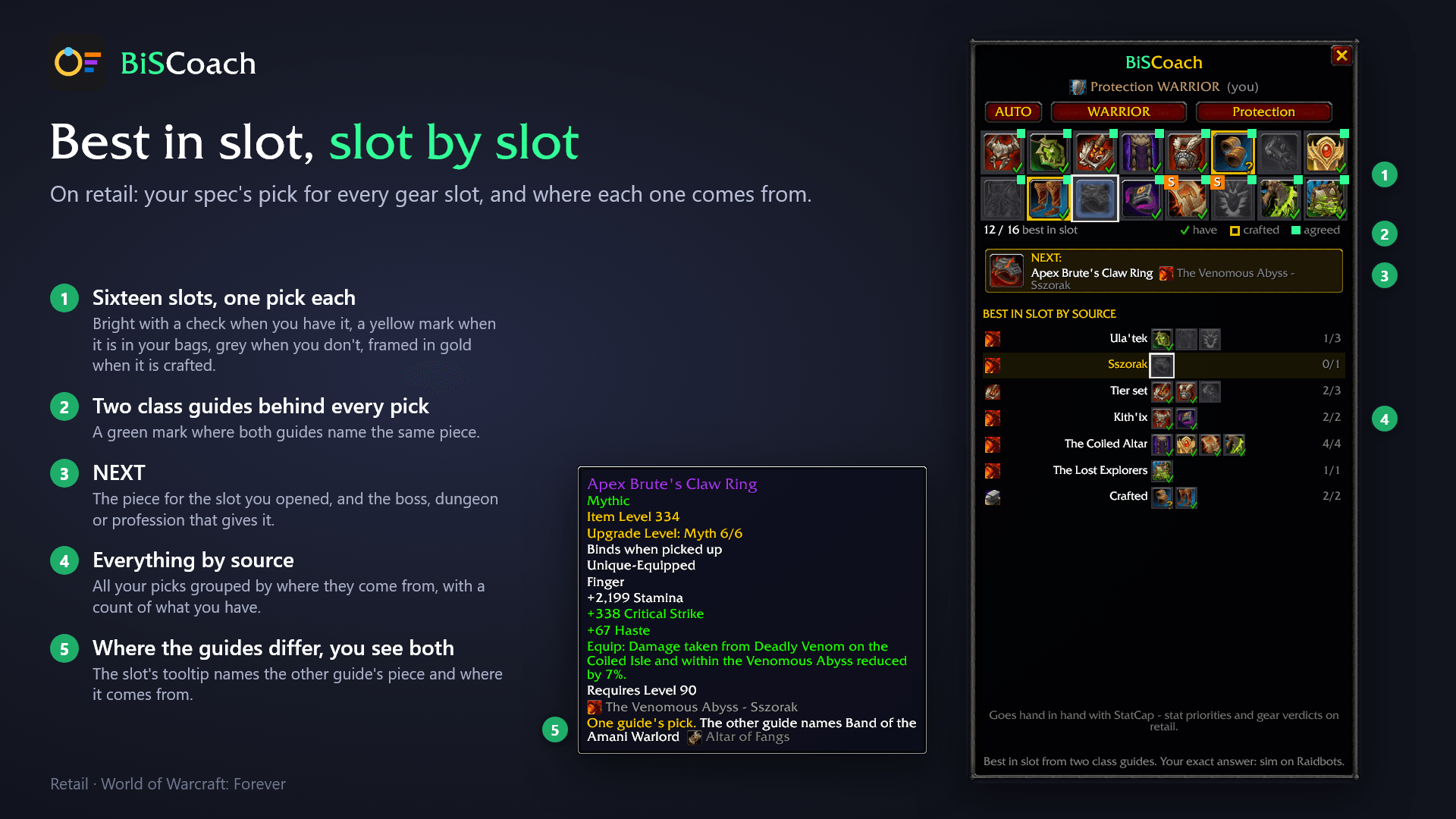
Your spec's pick for every gear slot on retail, and where each one comes from.
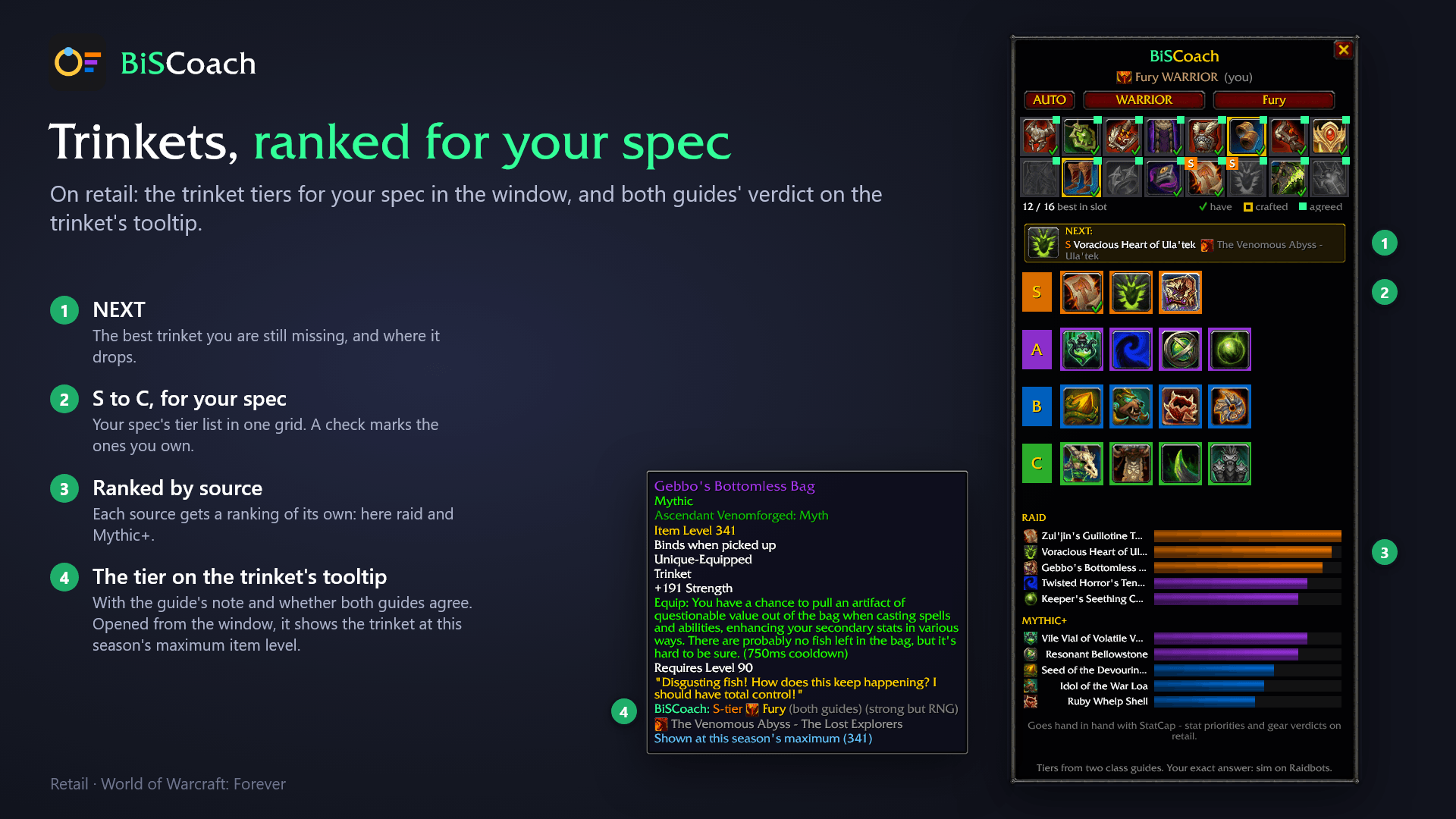
The trinket tiers for your spec on retail, and both guides' verdict on the trinket's tooltip.
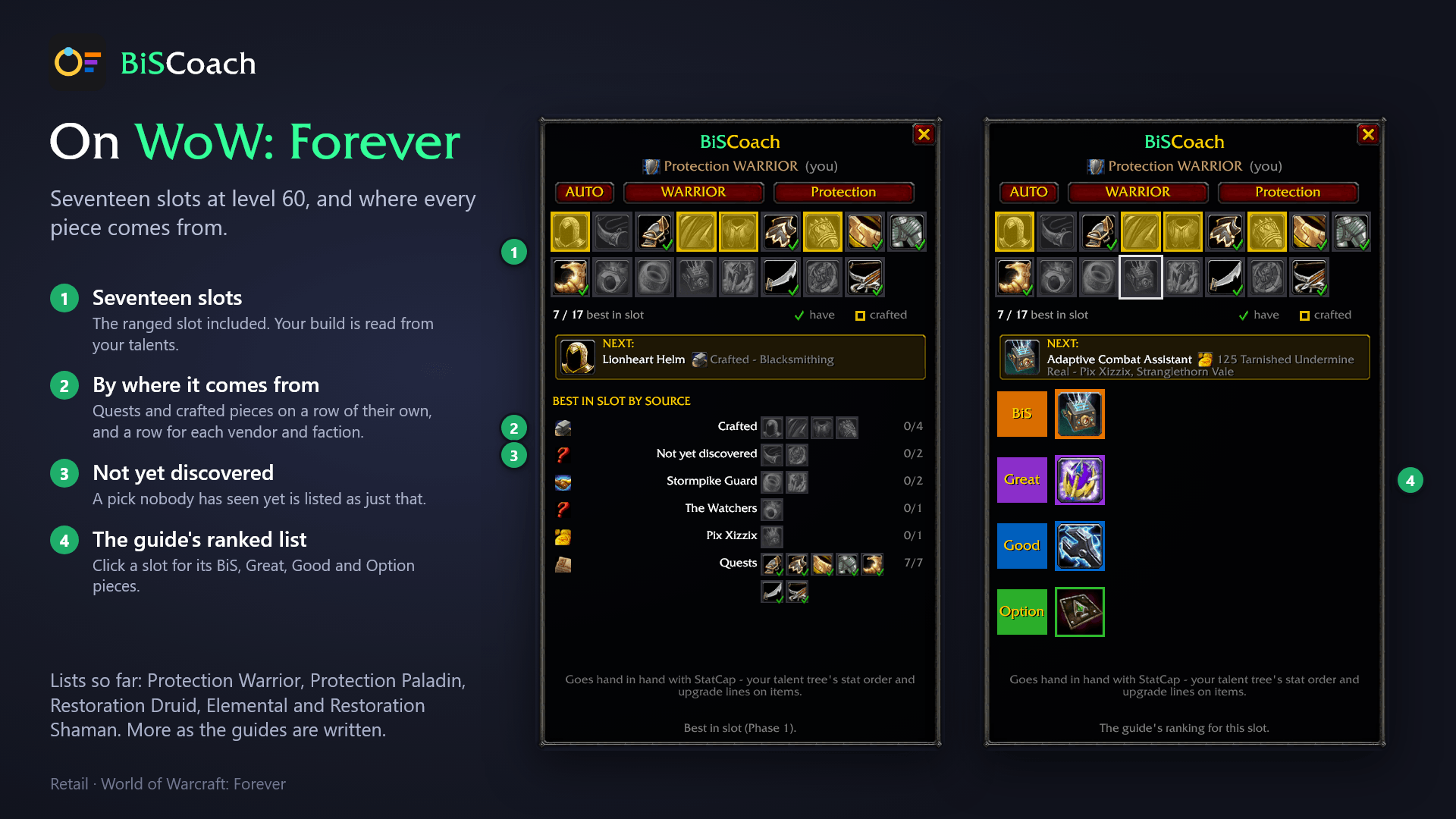
Seventeen slots at level 60, and where every piece comes from.
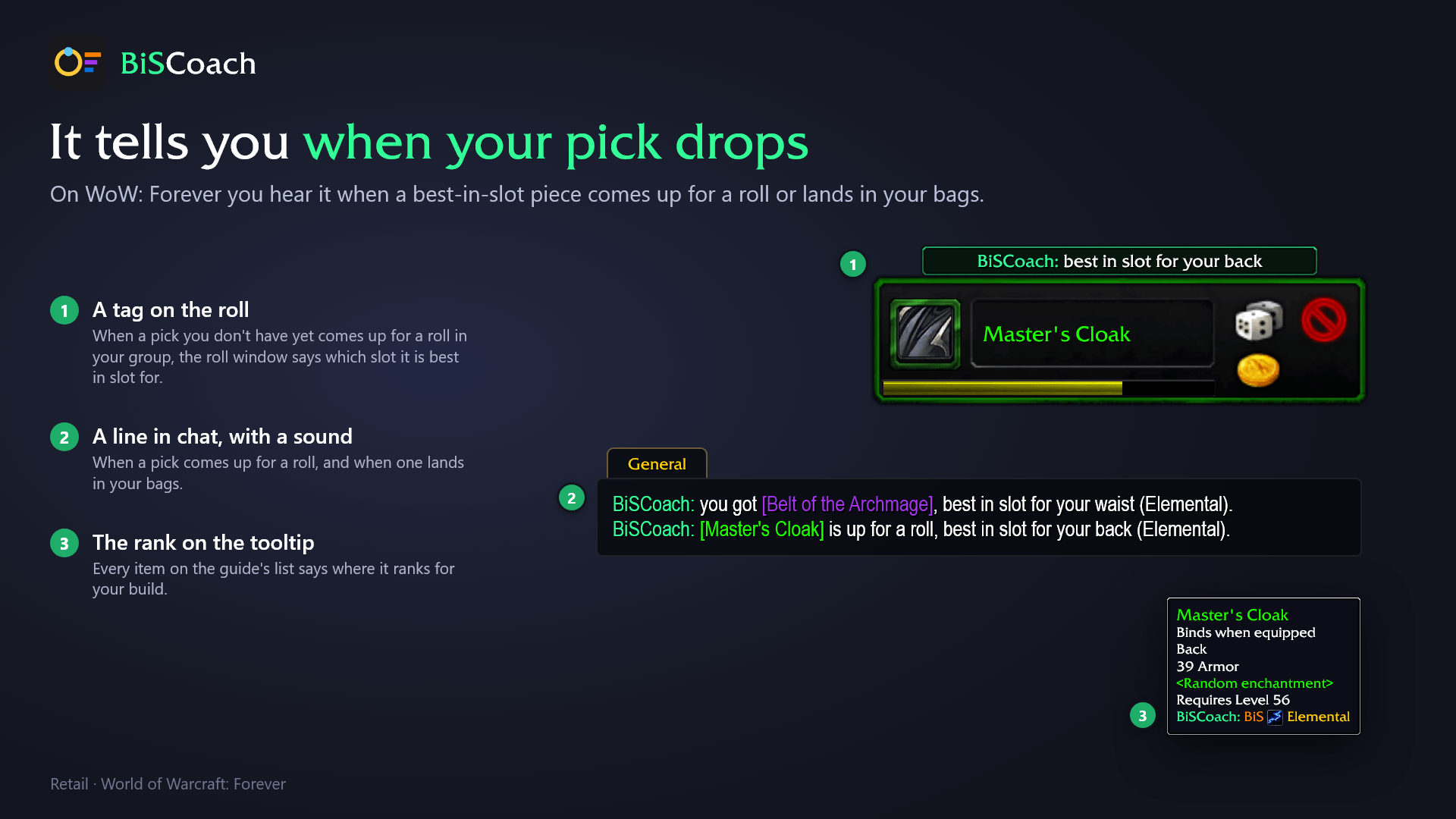
On WoW: Forever you hear it when a best-in-slot piece comes up for a roll or lands in your bags.
Description
BiSCoach
Best in slot for every gear slot, from the Wowhead and Icy Veins class guides on retail and from the Wowhead class guides on World of Warcraft: Forever. On retail, the trinket tiers for your spec and the tier on every trinket tooltip.

BiSCoach shows you the best-in-slot item for every gear slot of your spec or build, from the Wowhead and Icy Veins class guides on retail and from the Wowhead class guides on World of Warcraft: Forever. On retail it adds the trinket tier list for your spec. Called TrinketCoach until version 3.0; your settings come along.
What you get on retail
Sixteen slots across the top of the window show the best-in-slot pick for each gear slot: bright with a green check when you have it, a yellow mark when it is in your bags or bank, grey when you don't have it, framed in gold when it is crafted. The line below counts how many you already have.
Two class guides stand behind every pick. Where Wowhead and Icy Veins name the same item for a slot, that is the pick, and the slot wears a small green dot: both guides agree. Where they differ, the pick is the item that fits your spec's stat priority better, and the slot's tooltip names the other guide's piece and where it comes from, so you can go for either. Where the two pieces cannot be weighed fairly against each other, the pick stays with the first guide and the tooltip still shows the other.
Click a slot to see its item and where it drops, and every best-in-slot item of your spec grouped by the boss, dungeon or profession that gives it, with the sources that still hold the most you are missing at the top. Click the slot again to go back.
The trinket tier list is the window's home view: S, A, B and C as a tier grid, where each trinket drops, what you already own, the best one you are still missing, and a ranking graph per source. The two trinket slots wear the tier of their pick.
Every trinket tooltip carries its tier for your spec with the guide's note and both guides' tiers side by side, an off-spec line when another spec of your class ranks it strictly higher, and "not recommended" for trinkets the guides advise against.
World of Warcraft: Forever
The Forever package (its own file on this page) shows the seventeen gear slots of a level-60 character with the best-in-slot pick for each from the Wowhead WoW: Forever class guides, marked the same way. Your build is read from your talents. Click a slot for the guide's ranked list, BiS, Great, Good and Option, each with where it comes from. With no slot open the window lists your picks by where they come from: quest rewards, crafted pieces, world drops, PvP ranks and PvP vendors each on a row of their own, and a row for each faction, battleground and vendor. NEXT names the first piece you can go and get. You are shown the version of a piece your own faction can get. Every listed item's tooltip says where the guide ranks it for your build.
When one of your picks lands in your bags, BiSCoach says so in chat with a sound; when one you don't have yet comes up for a roll in your group, you hear it too, and the roll gets a tag naming the slot.
Forever's items are still being discovered and the guides fill in build by build; the window says plainly when a build's list is not written yet.
Commands
Browse every class and spec (on Forever, every build) with the buttons under the title. Shift-click any item in the window to link it in chat, ctrl-click to try it on.
/tc, /biscoach or /trinketcoach opens the window. /tc tooltip switches the tooltip lines on or off, /tc minimap hides or shows the minimap button, /tc reset puts the window back in the middle. On World of Warcraft: Forever, /tc alerts switches the best-in-slot alerts off and on again.
Good to know
All 40 retail specs. The tiers and picks come from the Wowhead and Icy Veins class guides and are refreshed when the guides move; the exact answer for one specific character is always a sim. Each package is for its own client: the retail one switches itself off on Forever, and the other way round. The retail zip holds a small TrinketCoach folder next to BiSCoach that only carries your settings over from the old name; leave it in place until you have logged in once. The Forever zip holds BiSCoach alone.
Goes hand in hand with StatCap - stat priorities and gear verdicts.
BiSCoach is free and stays free. If you would like to support the work: https://ko-fi.com/adam5288
BiSCoach Team

Owner