![Titan [Speed] - Revived logo](https://media.forgecdn.net/avatars/thumbnails/1549/73/64/64/639005425657519587.png)
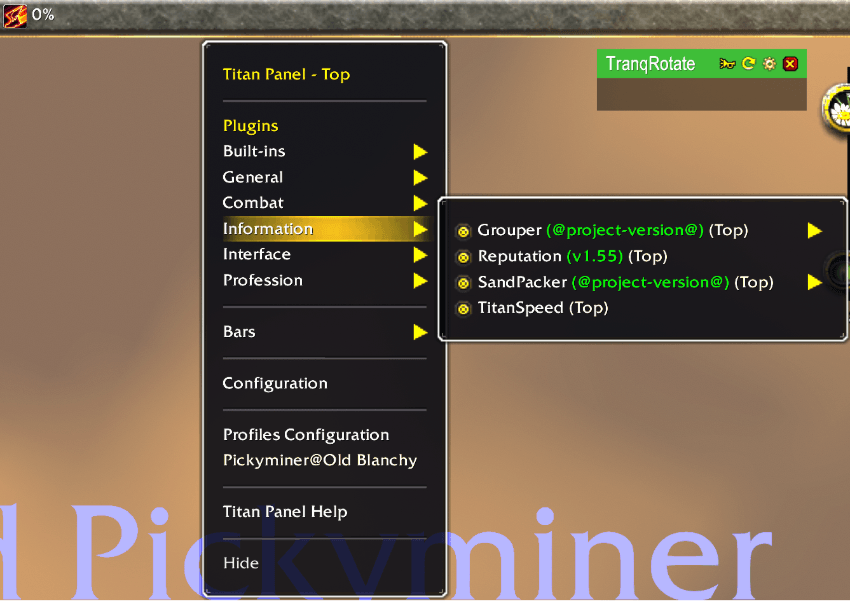
TitanSpeedEnable.png
Description
TitanSpeed - Your Movement Speed on Titan Panel
How fast are you actually going? TitanSpeed puts your current movement speed right on your Titan Panel bar as a simple percentage of normal running speed, so you can see at a glance whether your mount, sprint, speed buff or slow is doing what you think it is.
The Problem
World of Warcraft never tells you how fast you are moving. Mount speed, talents, enchants, potions, sprint abilities, snares and slows all stack and override each other, and the only way to tell what you are getting is to guess. Did that boots enchant apply? Is the new mount really faster? Is that slow still on you? The game's own interface has no answer.
The Solution
TitanSpeed adds a small speedometer to Titan Panel. It reads your speed from the game twice a second and shows it as a percentage: 100% is normal running, anything higher is faster (a mount, a sprint, a speed buff), anything lower is slowed, and 0% is standing still. It only redraws when your speed actually changes, so it costs almost nothing to leave running.
Core Features
Live Speed Readout
- Your speed as a percentage of normal running speed, updated twice a second
- Works on foot, mounted, swimming and in travel forms
- Show Tenths Digit — tick it in the right-click menu for one decimal place (107.5% instead of 108%) when small differences matter
Fits Your Titan Panel
- A sprint icon beside the reading, which you can hide
- An optional Speed: label in front of the number
- Place it on the left or the right side of the bar
- Hover it for a short explanation, right-click it for its options
Every Version of the Game
- One download for every version Titan Panel supports — Classic Era, TBC / Anniversary, MoP Classic, Retail and the WoW Forever beta. The game picks the right setup by itself, so the addon is never shown as out of date
How It Works
- Read — twice a second TitanSpeed asks the game for your current movement speed
- Compare — that speed is divided by normal running speed, so 100% always means a normal run
- Show — the bar is redrawn only when the number has changed
Settings
TitanSpeed has no slash commands; everything is on its right-click menu on Titan Panel.
- Show Tenths Digit — one decimal place instead of a whole number
- Show Icon — the sprint icon beside the reading
- Show Label Text — the Speed: label
- Display on Right Side — move it to the right end of the bar
- Hide — take it off the bar (bring it back from Titan Panel's plugin list)
Requirements
- Titan Panel. CurseForge installs it automatically; manual installers must add it too
- WoW version: Classic Era (11509) · TBC / Anniversary (20506) · MoP Classic (50504) · Retail (the 12.0 / 12.1 line) · WoW Forever (16001, beta)
Recent Updates
v1.1.0
New
- TitanSpeed now runs on every version of the game Titan Panel supports: TBC / Anniversary, MoP Classic, Retail and WoW Forever, as well as Classic Era.
- Display on Right Side is now on the right-click menu.
Changed
- The addon's name shows in orange in the game's AddOns list.
- Updated for Classic Era patch 1.15.9.
Fixed
- The right-click menu works again with the current Titan Panel. Show Tenths Digit was missing from the menu, and the icon and label switches never appeared.
Older patch notes are in the addon's CHANGELOG.md file (ships with the addon).
Credits
Trentin, Quel, tainted and TotalPackage — the original authors of TitanSpeed, who built and carried the speedometer forward over the years.
Pimptasty — ongoing maintenance, multi-version support and updates for the current Titan Panel.
Community
Bug reports, feature requests or questions: Join the Discord.
Titan [Speed] - Revived Team

Owner