Tinker
- By
A settings panel for WoW Forever, covering what the options menu leaves out. Turn off fog, push view distance and camera zoom past their sliders, hide surnames in chat, square off the minimap and copy chat to your clipboard.
WOB2025-v4.8.1_eAs3K6zSYm.png
Description
Tinker
WoW Forever has about 1,795 console variables. The options menu shows maybe a
quarter of them. The rest cover fog, shadows, view distance, camera limits,
nameplate scaling, soft targeting and raid graphics, and until now the only way
to reach any of it was typing /console commands whose names you had to
already know.
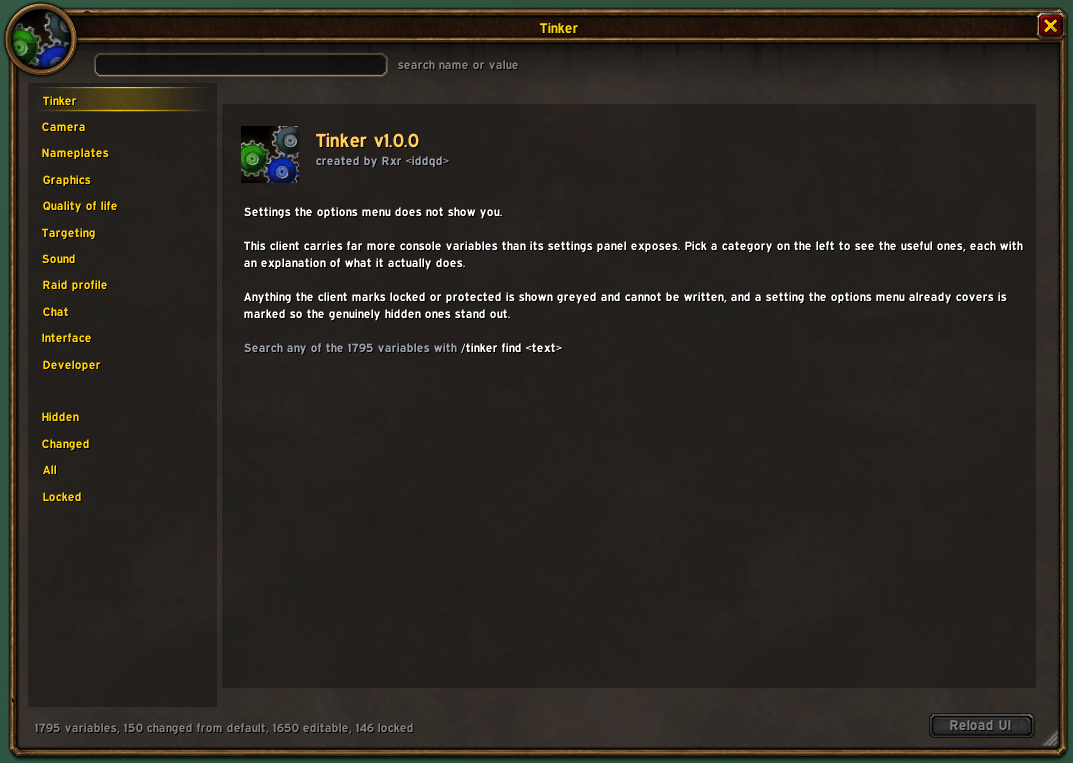
Tinker puts them in a window.
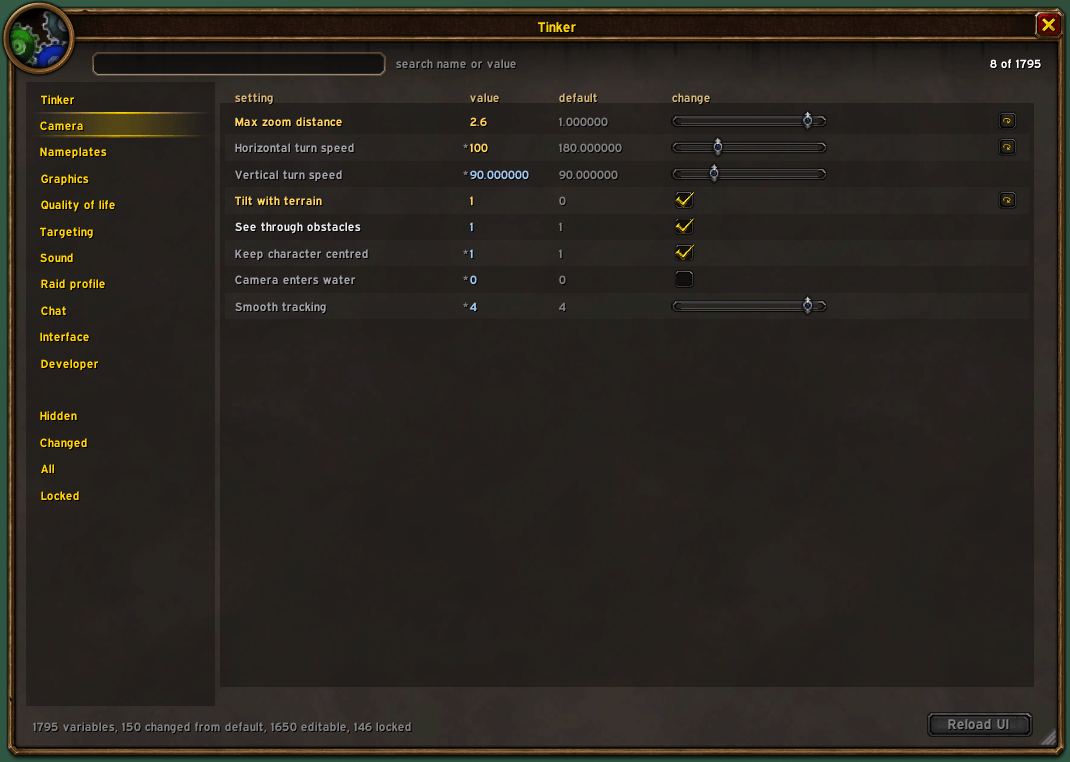
Each setting shows its current value and its default, and hovering it tells you what it actually does in plain words. Settings that need a reload are marked, and the Reload button stays greyed out until you change one, so you are not reloading on a hunch.
Type /tinker to open it. /cvar and /tink work too.
Why not just use the options menu
Most of this is not in there. Tinker marks the 440 settings Blizzard does put in its own panel, so the ones you cannot get to any other way stand out.
It also respects the client's own locks. Anything protected or read only is shown greyed rather than offered and then silently refused.
What you can change
Graphics holds view distance, visual clutter, shadows and performance, split up under sub-headings.
- View distance past where the slider stops.
farclip, horizon start, terrain detail range, object cull size and distance, and building detail range. - Fog. Volumetric fog on or off, fog quality, indoor fog, an interior fog override and light scattering. Turning volumetric fog off on its own changes how far you can see in the zones that are permanently soupy.
- Visual clutter. Spell effect density, spell visual filtering, weather density, footprint particles, bloom, glow, death desaturation, ambient occlusion, sun shafts, depth effects and outline mode. Useful when a raid is a solid wall of particles.
- Shadows. Shadow mode, cascade count, texture resolution, soft edges, fade distance, cascade seam blending, and contact shadow strength and falloff.
- Performance. Target frame rate, frame rate cap, a separate cap for when the game is in the background, and physics level.
Camera - maximum zoom distance past the usual limit, horizontal and vertical turn speed, terrain tilt, seeing through obstacles, keeping your character centred, whether the camera goes underwater, and smooth tracking.
Nameplates - view distance, minimum, maximum and selected scale, and vertical spacing, so they stop stacking into an unreadable pile.
Targeting - soft target interact, enemy and friend, the interaction arc, object icons, cast on key down, deselect on click and auto self cast.
Sound - footsteps, your own armour sounds and other players' armour separately, gameplay effects, encounter warnings, ping sounds, chat sound volume, DSP effects, and listening from the camera instead of your character.
Raid profile - the client keeps a second graphics profile that only applies in raids, and there is no menu for it anywhere. Raid preset, volumetric fog, shadow mode, shadow fade, spell density, view distance and ground clutter.
Quality of life - loot window at the cursor, always compare items, screenshot quality, show all minimap tracking, show your own surname, and automatic quest tracking and progress.
Chat - chat style, whole window clickable, mouse wheel scrolling, timestamps, chat bubbles and the profanity filter.
Interface - UI scale and whether to use a custom one, tutorials, cooldown numbers, action bar locking and status text style.
Developer - Lua errors, taint logging and advanced combat logging.
Interface tweaks
These are not console variables. The client gives you no way to change them at all, so Tinker does them directly.
- Hide surnames in chat. WoW Forever gave everyone a surname and no option to turn it off. Mull Tate reads as Mull again. This only changes what you see. It does not touch what you type or how anyone else sees your name.
- Square minimap. An actual square, not a circle with the corners painted over. The mask, the border and the shape other addons read all change together, so minimap buttons sit on the new edge instead of hugging a circle that is not there any more. Four border styles: thin, slim gold, wood with carved corners, or none.
- Chat copy button. A small button on each chat window opens that window's text in a box you can select and copy, so you can grab a link or a whisper without taking a screenshot. Each tab copies only itself, so whispers and general chat stay separate. You can pick which corner the button sits in.
- Hide action bar art. Takes away the gryphons at each end of the main bar and the textured panel behind it. The client puts them back every time the bar updates, so Tinker keeps hiding them.
- Minimap clutter. Separate toggles for the clock and its sun and moon dial, the zoom buttons, the zone name bar and the tracking eye.
- Minimap button. Drag it around the minimap edge, or switch it off and use the slash command.
Finding things
The box at the top searches by name or value. It covers all 1,795 variables, not just the ones Tinker writes about, and it finds the interface tweaks by name as well. Enter closes the box so you get your keyboard back.
/tinker find <text> does the same from the chat line and prints what it finds
with current and default values.
Right click any row to copy its name.
The window resizes from the bottom right corner and remembers the size.
Notes
- Settings are written to the client, so they stick the way any
/consolesetting does. Tinker only saves its own toggles and the window size. - Anything the client reports as locked or read only is shown but cannot be edited. That is the client's restriction, not the addon's.
- Some settings need a
/reloadand a few need a full restart. Both are marked, and the reload button tells you which changes are waiting. /tinker auditchecks every setting against your client and reports any that your build does not carry.
Tinker Team