Gamba
- By
Gamba is a World of Warcraft Classic addon for clean guild roll games with shared lobbies, automatic roll tracking, account-wide debt totals and payment verification.
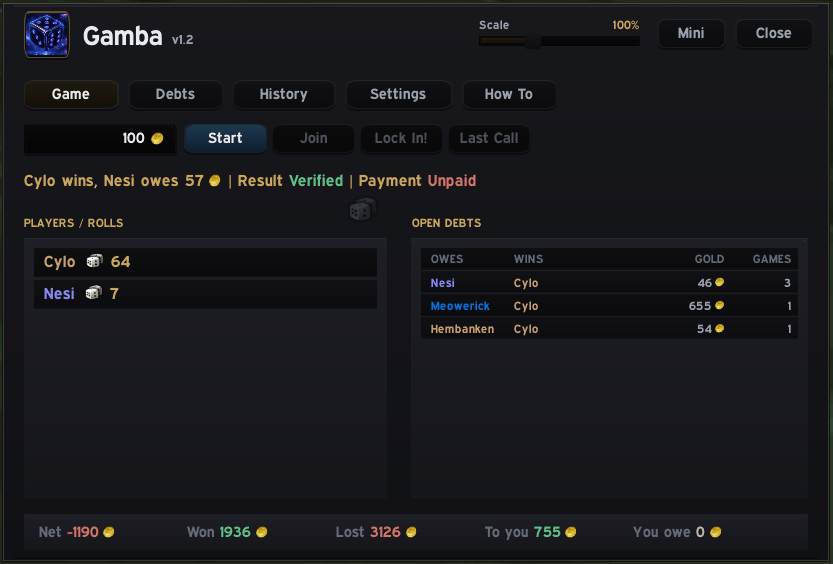
Primary addon window
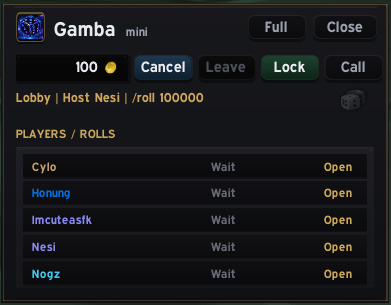
Mini window that doesnt clog the screen when playing
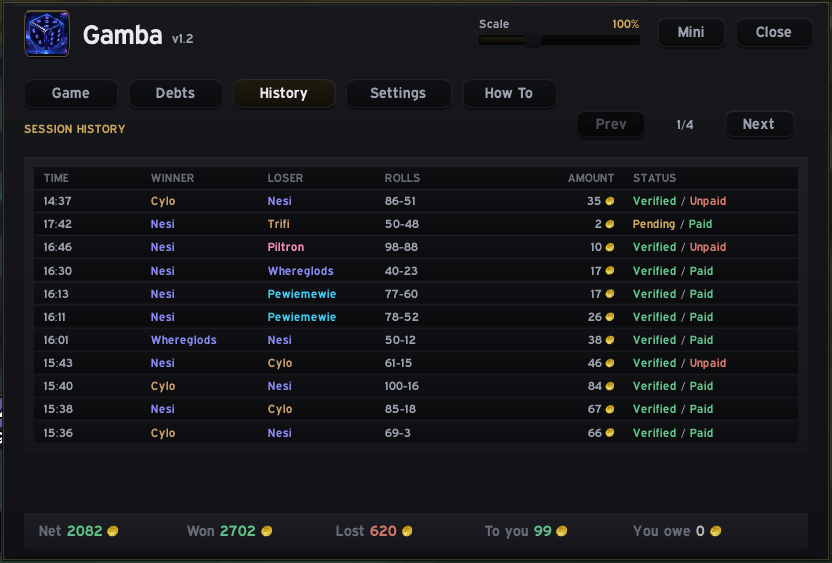
Displays all history rolls
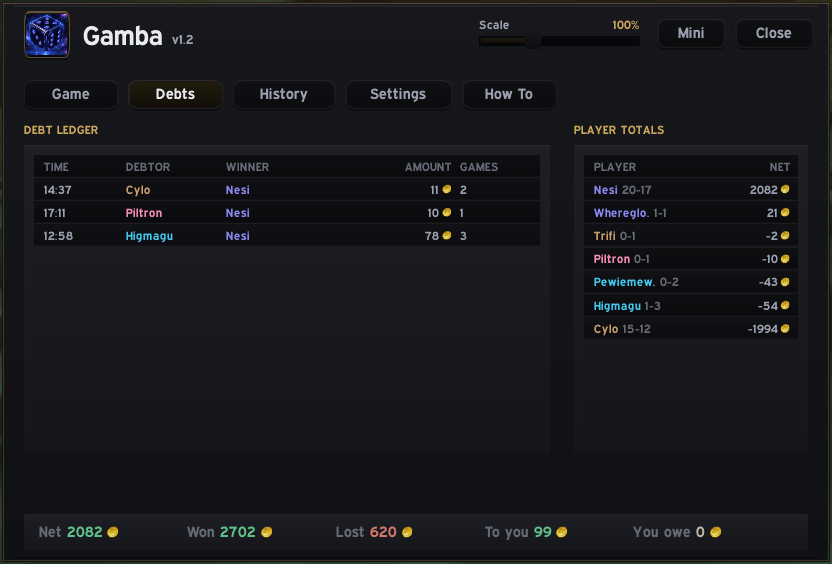
Debt tracking tab to easily see earnings and losses
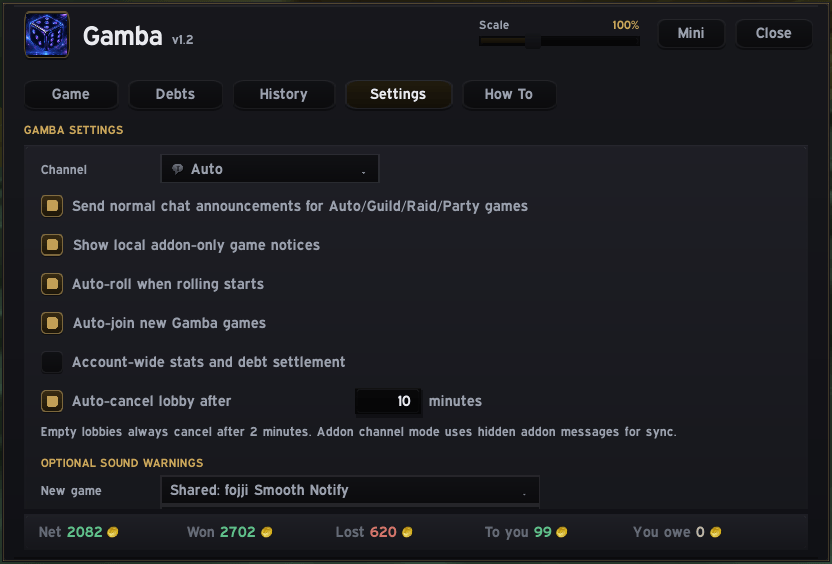
Multiple settings to edit
Description
Gamba
Gamba is a standalone World of Warcraft addon for running shared gambling games during raids, dungeons, guild events, or casual guild downtime. It now includes two game modes — Gamba and Deathroll — switchable from a single panel.
Players can start a game with a custom gold amount, join through the addon or chat, roll through the UI, and let Gamba track the full result automatically. The addon records winners, losers, ties, rerolls, eliminations, unpaid debts, paid sessions, win/loss history, and net gold balance.
Gamba works on its own and also communicates with the full iddqd addon, so players using standalone Gamba and players using iddqd can join the same games together.
Game Modes
Switch between the two modes with the Gamba / Deathroll toggle at the top of the panel.
Gamba (classic roll)
Everyone rolls once from 1 to the gold amount. Highest roller wins, lowest roller owes the gold. Ties are rerolled cleanly until there is a clear result.
Deathroll (turn-based elimination)
Players take turns rolling, and the range shrinks with every roll. The host sets a stake and opens a lobby; players join by typing 1; the host plays too. On Start, the addon randomly orders everyone and announces the first roller in chat.
Each turn you roll 1 to the previous player's roll — so the numbers fall fast. Roll a 1 and you're eliminated, and the range resets to the full stake for the next survivor. The last player standing wins and collects the stake from every eliminated player.
A Roll button lets you roll the correct shrinking range on your turn with one click, and turn timeouts are host-controlled — if a player stalls, the host gets Eliminate, Give Time, and Cancel options instead of anything happening automatically. Deathroll keeps its own separate debt and balance ledger, with the same paid-settlement flow as Gamba.
Features
- Two game modes in one panel: Gamba and Deathroll
- Create shared sessions with a custom gold amount
- Join or leave games through the addon UI
- Join with
1and leave with-1in the active game channel - Roll directly from the addon with a dice button (both modes)
- Automatically track
/rollresults - Gamba: detect winners, losers, and tied rolls, with clean reroll handling
- Deathroll: random turn order, shrinking roll range, elimination on a 1, last survivor wins
- Deathroll: host-controlled turn timeout (Eliminate / Give Time / Cancel)
- Calculate gold owed after each game
- Track unpaid debts, paid debts, wins, losses, and net balance
- Separate ledgers for Gamba and Deathroll so the two games never mix
- Keep a local history of completed games
- Net repeated games between the same players into one running balance
- Optional account-wide stats and debt settlement
- Trade-window debt reminder showing what you owe or should receive
- Compact mini window for playing without keeping the full window open
- Minimap button for quick access
- Optional sound alerts for new games, wins, and losses
- Optional addon-only notices for quieter guild play
- Version detection for update warnings
- Works as a lightweight standalone addon
- Communicates with the full iddqd addon
Mini Window
Gamba includes a compact mini window for players who want a smaller interface during raids or dungeons.
The mini window includes:
- Gold amount input
- Start / Cancel button
- Join / Leave button
- Lock In button
- Call / Roll prompt button
- Dice roll button
- Player and roll list
- Scroll support when many players join
- Button to return to the full window
Open the mini window with:
/gambamini
How It Works
A player starts a session by choosing a gold amount and pressing Start.
Other players can join through the addon UI or by typing:
1
Players can leave before the game is locked by typing:
-1
In Gamba mode, when the host presses Lock In!, joined players roll from 1 to the selected gold amount. Gamba tracks the rolls, determines the highest and lowest rollers, and calculates the debt. The highest roller wins; the lowest roller owes the gold amount. If multiple players tie for highest or lowest, Gamba handles the reroll process until there is a clean result.
In Deathroll mode, the host presses Start to begin rolling. The addon randomly orders the players and announces the first roller. Each player rolls 1 to the previous roll; rolling a 1 means elimination, and the range resets to the stake for the next survivor. The last player standing wins and is owed the stake by every player who was eliminated.
Commands
Open the full Gamba window:
/gamba
Alternative command:
/iddqdgamba
Open the mini window:
/gambamini
Join an active game:
1
Leave an active lobby:
-1
Debt and History Tracking
Gamba keeps a local ledger of your gambling activity, including:
- Gold won
- Gold lost
- Net balance
- Open debts
- Paid debts
- Recent games
- Session history
- Player totals
Repeated games between the same players are netted together, so instead of showing multiple separate debts, Gamba keeps a single running balance until players settle through trade. Gamba and Deathroll keep their results in separate ledgers.
Trade Window Reminder
When you trade another player, Gamba can show a small debt reminder above the trade window.
It displays whether:
- You owe that player gold
- That player owes you gold
- The current trade amount appears to settle the debt
Gamba does not move gold automatically. It only helps track what should be paid.
Standalone and iddqd Compatibility
Gamba can be used as a standalone addon or together with the full iddqd addon.
Players do not all need the same addon package installed. A player using standalone Gamba can play with another player using the full iddqd addon, as long as both have compatible Gamba support.
Optional Settings
Gamba includes several optional settings:
- Default gold amount
- Preferred channel: Auto, Guild, Raid, Party, or Addon
- Addon-only notices
- Auto-join
- Auto-roll
- Account-wide stats
- Lobby timeout
- Window scale
- Sound alerts for new games, wins, and losses
Sound alerts are disabled by default.
Notes
Gamba is intended for guilds and raid communities that enjoy simple roll-based gambling games in World of Warcraft.
The addon does not automate gold trading and does not move gold for players. It tracks games, rolls, results, debts, and payments so players can settle manually in-game. in-game.
Gamba Team